1
User Manual
Reports (REP) Menu
•
•
•
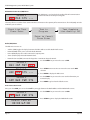
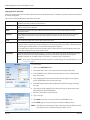
Connect a printer or a PC (Terminal program) to the serial printer port (RS232).
Settings are 9600 Baud, Data Bits 8, Stop Bits 1, Parity ODD.
Reports are automatically stored in the data logger (RF-memory) at the Master Keypad.
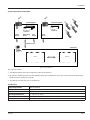
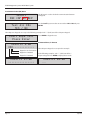
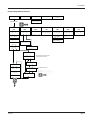
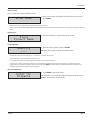
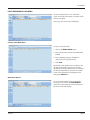
Select
CNF MET REP 190
To use this feature, you must the select External Printer option in
the CNF menu.
The REP menu is used to print reports from an external printer.
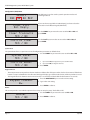
Select Report->
INI CNF MET WO
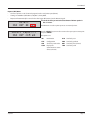
Use the SCROLL key to move the cursor to the report you want to print
and press ENTER.
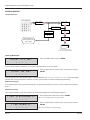
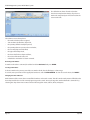
The options are:
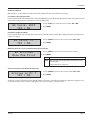
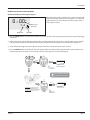
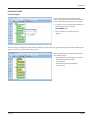
Select Report->
USR PRO HOS TNK
INI
CNF
MET
WO
Initialization
Configuration
Sort list by meter
Sort list by work order
USR
PRO
HOS
TNK
Sort list by user
Sort list by product
Sort list by hose (meter)
Sort list by tank
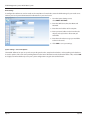
190 (Internal Ticket Printer) Menu
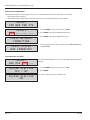
Use this menu to print the configuration and status reports from the internal printer FT 190 (optional).
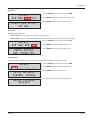
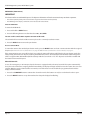
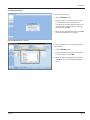
Select
CNF MET REP 190
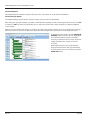
Select Report->
INI CNF MET WO
July 2015
To use this feature, you must the select Internal Printer option in
the CNF menu.
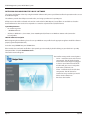
The 190 menu is used to print reports from an internal printer.
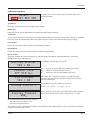
Use the SCROLL key to move the cursor to the report you want to print
and press ENTER.
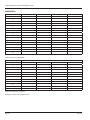
The options are:
INI
Initialization
MET
Sort list by meter
CNF
Configuration
WO
Sort list by work order
Page 21