1
USER’S MANUAL
MS01-02/E
8. ERRORS
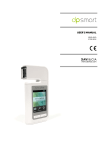
8.1. IMPROVING THE USE OF DPSMART
To improve the use of dpsmart, with Dermoprime software, always make the following modification:
•
•
•
Download the Update kit: http://www.davicia.com/dermoprime-software-en/dermoprime-software
o Press on Downloads
o Then, press on Update Kit
Unzip the downloaded file
Copy and paste the files in the "aramcam-dpsmart" folder in the following directory on the computer
where you use the Dermoprime program: C:\Program Files\Dermoprime\4.0.1\aramcam
This change will improve the adequacy of the analysis to the specific characteristics of the dpsmart device’s
optics.
8.2. WRINKLES NOT WORKING PROPERLY
If the software Dermoprime freezes constantly in measuring Wrinkles, follow the instructions below:
•
•
•
Download the Update kit: http://www.davicia.com/dermoprime-software-en/dermoprime-software
o Press on Downloads
o Then, press on Update Kit
Unzip the downloaded file
Copy and paste the files in the "aramcam-v2" folder in the following directory on the computer where you
use the Dermoprime program: C:\Program Files\Dermoprime\4.0.1\aramcam
This modification will allow you to perform the measurements without problems.
8.3. CAMERA OFF
When the program doesn’t detect the
camera, a warning message appears.
Check that the camera is:
•
•
•
On
Connected to the computer
Connected to the power supply
(depending on equipment)
179
80