1
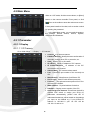
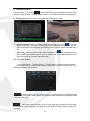
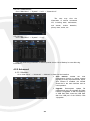
:Jump; Input the desired record event page in the input box and click arrow
button to jump to the input page.
Two types of backup:Quick Backup and Backup
If you want to back up a record in the detailed file list, you may tick the checkbox at the left
of the record (“√”means it has been selected) and click “Backup” to enter into “Select
backup type” (Make sure USB disk or other portable storage device are connected).
If you want to back up with USB, select USB and click OK to start processing and
you may see the backup progress.
If you want to back up with DVD, select DVD and click OK to start processing and
you may see the backup progress.
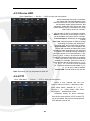
After backup finishes, message Backup
Finishes will appear at bottom-right corner.
If the file is backed up with format of .264,
it can be played back by XIQClient player on
the CD attached with the X2RXN (the player
will be automatically installed during installing
XIQClient. CD backup file is in format of
*.NVR).
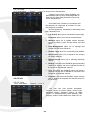
Note: Before backup, connect devices for
backup (USB flash disk or other devices with
USB interface)
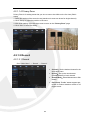
4.2.2.3 Play Backup Files
1. Copy backup files to the computer.
2.Open playback player and click “+” or“
”. For example, if you want to choose
*.264, add backup file and select a file to play.
18