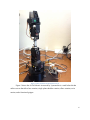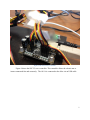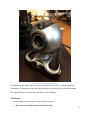
1
1. Introduction In this section, the general details of this project are discussed. The goal for this project is to integrate a remote updating process to a previous robotics project. In the previous project, students designed software that accepted input from a user of which the output of this program was to control a robotic arm that has 5 servos. The software is broken into two parts, a server and a client. All server software are applications that run on the eBox, and in some way or another, they run continuously waiting for an input to coming in remotely. The following are server applications: Camera Server: This software transmits live video feed to the client software. This provides an output to the user so that they can see the robotic arm reactions to their inputs. Rowboats Server: This software waits for an incoming connection from an external source (remotely). Once a connection is established, a user sends commands from the client software to the Robot Server. The Robot Server accepts these commands as inputs, and outputs the necessary information to the Robotic Arm Controller, and thus makes the Robotic Arm move. Update Server: This software is used to accept the new Robot Server software, stop the current Robot Server (if it’s running) and replace it with the new executable. This software also shares the connection to the client software with the Robots Server. The client software pertaining to this product is one application that we have extended from the previous students. Originally this software allowed the user to send commands to the Robot Server and operate the Robotic Arm. Through this software the user can also view a live video feed from the Camera Server. In this project, the functionality of remotely updating of the Robot Server is added to this client software. 1.1 Physical Devices In this section, the physical devices involved in this project are discussed. Figure 1 shows a physical diagram of all physical entities involved in this project. Physical entities include: 2