1
Placing Graphics Inside a Shape with the
Image Inspector
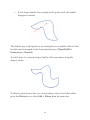
You can use this inspector to position an image inside a shape. (Note that
instead of creating an object and then adding an image, you could also
simply drag an image file from another application straight onto the
canvas.)
•
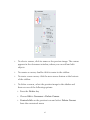
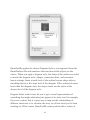
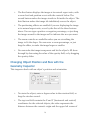
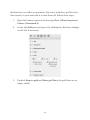
Use the Image pop-up menu to set an image in the selected shape.
Once an image is set, a Remove Image command appears in the
menu.
•
When you browse for an image file, you have the option of
creating an alias (or “link”) to the image instead of adding the
image to the OmniGraffle file itself. If you do this, the
OmniGraffle document depends on the original image file; the
alias will not work if you delete the image file or open the
document on a different computer. If an object’s image comes
from an alias, some extra commands become available in the
Image pop-up menu: you can Open the original image file, Reveal
the original file in the Finder, or stop using the alias and Embed a
copy of the image in the OmniGraffle document.
•
Another way to set an image is just to drag an image file from
another application and drop it on the image well, or on the shape
object itself.
72