1
cursor keys.
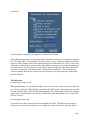
(c) Searching for a string in a file using the "GenericSearch" button
Often while programming, it is helpful to be able to find all occurrences of a string in the program
text. To do this choose "GenericSearch" from the "Move" menu. Type the string that you want to
search for in the "Pattern" field of the resulting dialog box and then click on "accept." The cursor
will be moved to the first occurrence of the string after the current cursor position. Scrolling will
occur if necessary. To insure that all occurrences are found, including the ones before the cursor,
select the "wrap-search" radio button in the "GenericSearch" dialog box. This will cause the
search to continue from the top of the file if no occurrences of the given string are found before
the end of the file.
The Edit menu:
(a) Replacing a string in a file
When programming, it is convenient to replace all occurrences of a certain string with a different
one. To do so, select the "ReplceString" option from the "Edit" menu. Enter the pattern to search
for in the "Pattern" field. Enter the replacement pattern in the "replacement" field. If one wants to
replace only a certain number of occurrences of the string, enter that number in the "count" field.
Click on "Accept."
(b) Cutting text from a file
A section of text can be removed from a file and held in a buffer. The buffer text can then be
placed in a new position by pasting the text. Cutting text can be acheived by selecting "Gener-
Page 7