1
1-Wire Automation Server v1.1.0
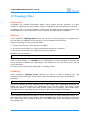
12 Topology Files
Overview
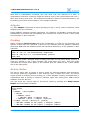
A topology file contains information about 1-Wire slaves and the structure of 1-Wire
networks. Topology files are primarily used in combination with the detection procedure.
A topology file is a human-readable Unicode text file and can be manually edited. The
format allows for future extensions and is upwards and backwards compatible.
Saving
Client command Topology Save saves the server's current topology to a topology file.
It's like taking a snapshot of the topology. The command is synchronous.
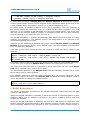
Saving a topology file involves these steps:
1. The server saves all 1-Wire slaves in the NPD.
2. The server saves each non-empty unallocated channel as a network.
3. The server saves each non-empty channel as a network.
Example client command:
topo save "mytopology.txt" utf8
You can explicitly choose the character encoding of the output file: utf8 (UTF-8), utf16le
(UTF-16 Little Endian), or utf16be (UTF-16 Big Endian). If the encoding is omitted, the
server chooses a default one depending on the system it's on (UTF-8 for Linux, UTF-16
LE for Windows).
The server will overwrite the target file if it already exists.
Loading
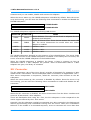
Client command Topology Load instructs the server to load a topology file. The
command is asynchronous, it can takes a while to complete and it can be cancelled.
Examples:
topo load "mytopology.txt"
The server loads the given topology file. 1-Wire slaves and unallocated channels are
added as the server reads the information from the file. When the server reads
information about a 1-Wire slave that already exists in the topology (same ROM code),
the information is discarded and the existing 1-Wire slave remains unchanged.
topo load "mytopology.txt" force
This command changes the behavior of the server when it reads information about a 1Wire slave that exists in the topology. With the force flag in place, the server will remove
the 1-Wire slave and recreate a new one in the NPD based on the information read from
the topology file.
36
User Manual – Part 1