1
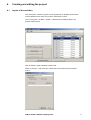
Click Select file and select your .splcproj file. Then click Retrieve.
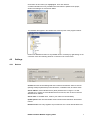
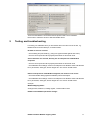
A window indicates how many variables have been added / updated to the project,
similar to the dialogue in Touchscreen Editor.
The variables also appear in the variable tree at the left pane of the program window:
Rename the DefaultConnection to any suitable name if necessary by right-clicking on the
connection name and selecting Rename Connection in the context menu.
4.2
Settings
4.2.1
Devices
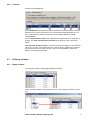
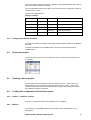
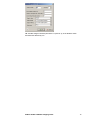
Channel: See the General settings tab where channels are defined. Select a channel
(defining COM port parameters) where this device, or Modbus node, should be active.
Server address: set the Modbus server (slave) address here in range of 1 to 256.
Typically it is 1, if there are more Modbus servers at one bus, each of them must have
different server address.
Server name: A readable name, used for your reference. Not mandatory.
Update period: How often the Modbus server should refresh valuesfrom the SoftPLC
runtime.
Element count: How many registers are processed at once. Leave default values here.
RcWare SoftPLC Modbus mapping editor
7