1
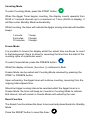
Counting Mode
To enter Counting Mode, press the START button.
When the Apgar Timer begins counting, the display counts upwards from
00:00 in 1-second intervals up to a maximum of 1 hour (59:59 on display), it
will then enter Standby Mode automatically.
Whilst counting, the timer will indicate the Apgar scoring intervals with audible
beeps:
1 minute:
5 minutes:
10 minutes:
1 beep
2 beeps
3 beeps
Freeze Mode
It is possible to freeze the display whilst the actual time continues to count
in the background; this is to allow for recording the time from the start of the
counting cycle of a particular event.
To enter Freeze Mode, press the FREEZE button.
Whilst the display is frozen, the colon (:) continues to flash.
Freeze Mode can be exited and Counting Mode resumed by pressing the
START or FREEZE button.
Upon unfreezing, the Apgar timer will continue counting, resuming from the
ongoing total elapsed time.
Should an Apgar scoring interval be reached whilst the Apgar timer is in
Freeze Mode, the timer will beep as it would in Counting Mode to indicate
that interval, but will remain in Freeze Mode until exited by the user.
Reset Function
The Reset Function allows the timer to be reset and placed back into Standby
Mode.
Press the RESET button to reset the timer.