1
37
User’s Manual
38
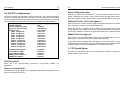
The ENDAT-3205M/S System Board
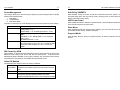
Power Management
Soft-Off by PWRBTN
This category allows you to select the type (or degree) of power saving and which is directly
related to the following modes:
1. Doze Mode
2. Suspend Mode
3. HDD Power Down
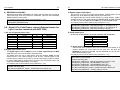
There are four selections for Power Management, three of which have fixed mode settings:
When Enabled, turning the system off with the on/off button places the system in a very
low-power-usage state, with only enough circuitry receiving power to detect power button
activity or Resume by Ring activity.
Disable (Default)
No Power Management. Disabled all modes
Min. Power Saving Minimum power management. Doze Mode = 1 hr.,
Standby Mode = 1 hr.,
Suspend Mode = 1 hr., and HDD power down = 15 min.
Max. Power Saving Maximum power management – Only Available for SL
CPU’s.
Doze Mode = 1 min., Standby Mode = 1 min., Suspend
Mode = 1 min.,
And HDD power down = 1 min.
User Defined
Allow you to set each mode individually. When enabled,
each of the ranges are from 1 min. to 1 hr. except for HDD
power down, which ranges from 1 min. to 15 min. and
disable
PM Control by APM
When enabled, an Advanced Power Management device will be activated to enhance the
Maximum Power saving mode and to stop the CPU internal clock. If Advance Power
Management (APM) is installed on your system, selecting “Yes” gives better power savings.
If the Maximum Power Saving is not enabled, this will be preset to “NO”.
Video Off Method
This determines the manner in which the monitor is blanked
V/H
SYNC+Blank
Blank Screen
DPMS
This selection will cause the system to turn off the vertical and
horizontal synchronization ports and to write blank to the video
buffer
This option only writes blank to the video buffer
Select this option if your monitor supports the Display Power
Management Signaling (DPMS) standard of the Video
Electronics Standard to select video power management values
HDD Power Down
When enabled and after the “Set time of system inactivity”, the hard disk drive will be powered
down while all other devices remain active.
Doze Mode
When enabled and after the “Set time system inactivity”, the CPU clock will run at a slower
speed while all other devices operate at full speed.
Suspend Mode
When enabled, after the “Set time of system inactivity”, all devices except the CPU will be
shut off.