1
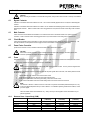
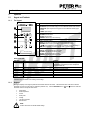
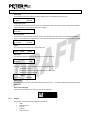
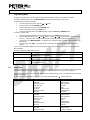
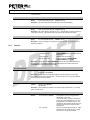
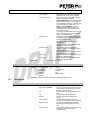
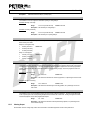
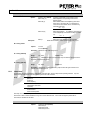
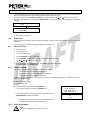
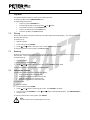
51 7. VersiStart i III Logs Menu The Logs Menu provides information on events, trips and starter performance. To open the Logs Menu, press the MENU/ENTER button. To navigate through the Logs Menu: 7.2 to open a log, press the ENTER button. to scroll through the entries in each log, press the and to view details of a log entry, press the ENTER button. to return to the previous level, press the EXIT button. to close the Logs Menu, press EXIT repeatedly. buttons. Trip Log The Trip Log stores details of the eight most recent trips, including the date and time the trip happened. Trip 1 is the most recent and trip 8 is the oldest stored trip. To open the Trip Log: 1. Open the Logs Menu. 2. Scroll to Trip Log and press ENTER. 3. Use the and buttons to select a trip to view, and press ENTER to display details. To close the log and return to the main display, press EXIT repeatedly. 7.3 Event Log The Event Log stores time-stamped details of the starter's 99 most recent events (actions, warnings and trips), including the date and time of the event. Event 1 is the most recent and event 99 is the oldest stored event. To open the Event Log: 1. Open the Logs Menu. 2. Scroll to Event Log and press ENTER. 3. Use the and buttons to select an event to view, and press ENTER to display details. To close the log and return to the main display, press EXIT repeatedly. 7.4 Performance Counters The performance counters store statistics on the starter's operation: Hours run (lifetime and since counter last reset) Number of starts (lifetime and since counter last reset) Motor kWh (lifetime and since counter last reset) Number of times the thermal model has been reset To view the counters: 1. Open the Logs Menu. 2. Scroll to counters and press ENTER. 3. Use the 4. To reset a counter, press ENTER then use the confirm the action. and buttons to scroll through the counters. Press ENTER to view details. and buttons to select Reset/Do Not Reset. Press MENU/ENTER to To close the counter and return to the Logs Menu, press ENTER. NOTE The reset counters function is protected by the access code.