1
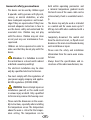
Manual specification of the lighting:
The control system recognises inductive loads via a voltage rise and then switches from
phase control to phase cut-off. If there are recognition problems, the phase control type can
be defined manually.
Only a specialist from an authorised specialist company may carry out this work!
1. Disconnect the lighting from the control system
2. Switch the control system on.
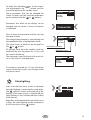
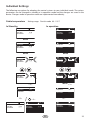
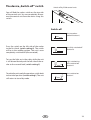
3. Go to the menu for setting the light intensity by pressing the
button for >3s
4. Now you can configure the light output:
a. Phase cut-off for capacitative and resistive loads: Press
display R,C in the display
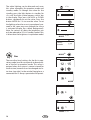
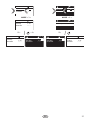
b. Phase cut-off for inductive loads: Press
display
c. Automatic recognition: Press
display
MODE
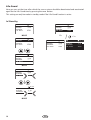
5. Save the setting by pressing the
+
MODE
MODE
+
at the same time,
at the same time, display L in the
at the same time, display R, C / L AUTO in the
button for >3s
6. Switch the control system off
7. Connect the lighting again
34
+
MODE
GB