1
The device „Switch-off “ switch
Switch-off by ECON control units
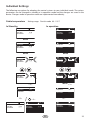
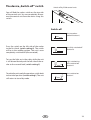
You will find the rocker switch on the top side
of the control unit. You can completely disconnect the control unit from the mains using this
switch.
Switch-off
Unit turned on
(default Position I)
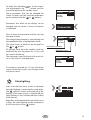
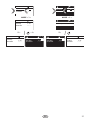
Press the switch on the left side of the rocker
to the first latch (switch setting 0). The switch
will be in the middle position. The unit is now
completely switched off (disconnected).
Unit fully switched off
Position 0.
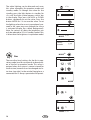
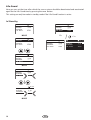
To turn the light on in the cabin while the unit
is still disconnected push the left side of the rocker to the second latch (switch setting II).
Light switched on;
Unit switched off.
Position II.
Unit switched on.
Position I.
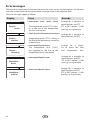
To make the unit ready for operation, switch back
to the initial position (switch setting I). The unit
will return to stand-by mode.
GB
33