1
6.6 Storage
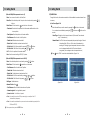
This submenu allows you to play various MP3 files, view JPG files or download a new
software by connecting your USB flash drive.
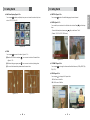
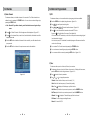
2) JPG menu
͈ Press
͉ Press
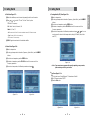
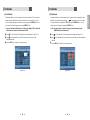
1) MP3 menu
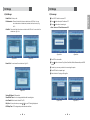
͈ Select the MP3 file you want to play back by using
<Figure 6.6.1>
/
,
in the file list.
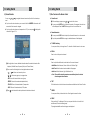
͉ Press the EXIT button to hide the file list. You can then select an option using
. <Figure 6.6.2>
͊ You can then change the volume by pressing
/
/
,
/
to select a picture. <Figure 6.6.3>
to show the picture you want to display.
- RED : Sets the time interval between slides.
- GREEN : Selects slide show.
- YELLOW : Choose the Hard disk volume or usb device with USB hub.
- BLUE : Rotate the picture.
- FILELIST : Shows/Hides the JPEG file list.
.
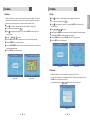
͋ Press
on
to display the MP3 file list.
͌ Press
on
to display information about the selected MP3 file.
- FILELIST : Shows/Hides the MP3 file list
- INFO : Shows information about the MP3 file you selected.
- YELLOW : Choose the Hard disk volume or usb device with USB hub.
<Figure 6.6.3>
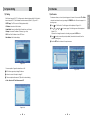
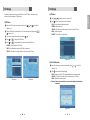
3) Data Transfer menu
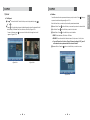
͈ Select the software you want to download by using
<Figure 6.6.4>
/
in the list
͉ Press
<Figure 6.6.1>
<Figure 6.6.2>
to start software downloading
- RED : Upload the current CNDF(compressed dish and channel data file).
- YELLOW : Choose the Hard disk volume or usb device with USB hub.
- BLUE : Upload the current software.
ҫ Warning : Please do not switch off your receiver before software downloading is
completed.
<Figure 6.6.4>
40
41
English
6.6 Storage