1
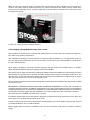
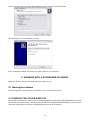
If uknknown StageQube324s are discovered, a dialog box appears showing the number of StageQube324s
found in the network.
.
If the number of StageQubes324 found corresponds to the number you have connected, you don’t need to
discover again. Just click “No” in the above dialog.
All (unconfigured) StageQube324s turn yellow to indicate that they haven’t been given their place in the array.
Each of the StageQube324 has received its own unique IP-address. Now you have to associate the right IP-addresses with the right StageQubes, in other words: which StageQube324 is placed where in the array?
5.3 ARRAy CONFIGURATION
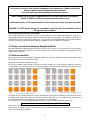
After having detected all StageQube324s, the configuration Mode is called automatically.
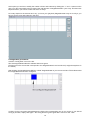
Depending on how many StageQube324s you have connected, the software will show you a possible matrix
as a proposal.
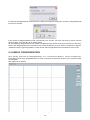
This might look as follows:
Example for a 4 by 4 configuration
13