1
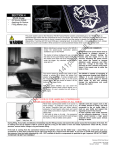
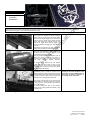
Pull the cocking handle back slightly (do not
engage the full length of the cocking mechanism).
While holding this slightly extended, maneuver the
cocking channel cover plate out the back of the
channel.
You may need to slightly bend it upward to clear
the cocking handle. The plate is flexible enough
and can be bent to accommodate, however be
careful not to bend it too far as this will damage it.
l.c
Incorrect assembly of the cocking pin
where it does not engage both striker
and bolt, can cause it to become
damaged, bent, broken or may cause
damage to the internal channels of the
receiver.
ba
l
Gripping the cocking handle….gently pull it
upward and out of the channel taking care not to
damage or stretch the spring.
The spring has a loop which sits over the head of
a retainer screw. Leave the screw intact, and
simply guide the spring-loop off of the screw head
to release the entire cocking mechanism.
om
Pull the plate completely out – exposing the
internals of the cocking system
Depending on the severity of the
damage the smooth flow of the bolt or
striker could be inhibited and cause
cocking or re-cocking problems with
the marker
14
1p
ai
nt
You should now clearly see the cocking pin. This
is the pin which connects the bolt and striker. It
only goes in 1 way – please observe its
orientation when removing it. When re-installing
please ensure the bolt and striker are engaged
properly by sliding the cocking handle back and
forth – both pieces should move together.
With the cocking pin removed the bolt and striker
are now disengaged inside the marker and can be
removed for cleaning, lubrication and/or o-ring
maintenance (whichever is required).
se
d
by
To remove the internals (bolt, striker) first remove
the retainer pins from the rear of the marker. Tap
them gently on the small side and simply pull to
remove from receiver body.
The stock securing ring should first be loosened
using the stock wrench supplied in your
Warsensor toolkit.
When removing the retainer pin from
the striker/velocity cap section (bottom
unit) of the receiver, please take
caution to hold the velocity cap as the
internal spring is under some tension
and can cause parts to fly out.
To remove the stock (upper section,
first loosen the stock by turning it
counterclockwise with the supplied
stock wrench (see section 1)
R
ec
om
pr
es
Pull stock outward gently but with firm action – if it
is tight, try loosening the securing ring a bit more.
Use the supplied stock wrench for this to avoid
any damage to the stock securing ring.
It may help to wiggle the stock a bit, using a slight
circular
motion
while
pulling
outward.
Next, undo the retainer pin in the lower portion of
the receive. This pin holds the velocity cap in
place as well as its internals. Please note that the
spring will have tension on the cap – DO NOT
REMOVE PIN WITHOUT SECURING THE CAP
WITH A FREE HAND…..the tension on the spring
could cause the internals to POP OUT.
Warsensor WS-66 User Manual
PREPPING & LUBE INTERNALS
Revision 1 printed
5/30/2004