1
USR-WIFI232-62E user manual
http://en.usr.cn
SERVER
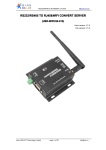
RS232 TO RJ45&WIFI CONVERT
CONVERTSERVER
V1.0
Hard version
version:V1.0
V1.0
File version
version:V1.0
Jinan USR IOT Technology Co., Ltd
Page 1 / 18
[email protected]
USR-WIFI232-62E user manual
http://en.usr.cn
Content
1. Product Introduce................................................................................................................ 3
1.1 Function......................................................................................................................3
1.2 Electrical parameter...................................................................................................4
1.3 Dimensions and installation diagram........................................................................5
2. Application Domain............................................................................................................. 6
2.1 Application of AP....................................................................................................... 6
2.2 Application of STA..................................................................................................... 7
2.3 Application of AP+STA.............................................................................................. 7
2.4 Wired and wireless Application drawing...................................................................8
2.5 Application of wireless serial port(one AP, one STA).............................................. 9
3. Function specifications and test....................................................................................... 10
3.1 Module setting..........................................................................................................10
3.2 Serial to WIFI transparent transmission................................................................. 10
3.3 Serial to Ethernet transparent transmission...........................................................11
3.4 Ethernet to WIFI transparent transmission.............................................................11
3.5 Wired network+WIFI to serial..................................................................................12
3.6 AP+STA Instruction................................................................................................. 12
4. Hardware Description....................................................................................................... 13
4.1 Power Interface........................................................................................................13
4.2 Indicator light............................................................................................................14
4.3 RS232 Interface.......................................................................................................14
4.4 RJ45 Network Interface...........................................................................................14
5. Program Resources.......................................................................................................... 15
5.1 Computer USR-TCP232-Test................................................................................. 15
5.2 Android USR-TCP232-Test.................................................................................... 16
5.3 Socket programming test(VB Dephi Poland c++)..................................................18
6. Contact us..........................................................................................................................18
Jinan USR IOT Technology Co., Ltd
Page 2 / 18
[email protected]
USR-WIFI232-62E user manual
http://en.usr.cn
1. Product Introduce
1.1 Function
RS232 to WIFI & RJ45 serial server is a new wireless networking server, which adopts the
latest kernel design. Used to convert RS232 serial port equipment/ Ethernet device to WIFI
networking. Control by mobile phone or laptops, also can be connected to the remote server.
Jinan USR IOT Technology Co., Ltd
Page 3 / 18
[email protected]
USR-WIFI232-62E user manual
http://en.usr.cn
1.2 Electrical parameter
Item
Parameter
Certification
FCC/CE
Wireless
802.11 b/g/n
standard
Frequency range
2.412GHz-2.484GHz
802.11b: +20dBm(Max.)
Wireless
Transmit power
parameter
802.11g: +18dBm(Max.)
802.11n: +15dBm(Max.)
configurable
Receiver
802.11b: -89dBm
Sensitivity
802.11g: -81dBm
802.11n: -71dBm
Antenna Option
External:I-PEX Connector
UART:1200bps - 230400bps
Data Interface
Ethernet:100Mpbs
GPIOs
Operating voltage
5-18V (+/-5%)
Hardware
Operating current
170mA~300mA
Parameters
Operating
-25℃- 85℃
temperature
Storage
-40℃- 125℃
temperature
Dimensions
83×80×25mm
Network type
Station/AP mode
Security
WEP/WPA-PSK/WPA2-PSK/WAPI
mechanisms
Encryption
WEP64/WEP128/TKIP/AES
Transparent Transmission and Agreement
Work mode
Transmission mode
Software
Serial command
AT+instruction set
parameters
Network Protocol
TCP/UDP/ARP/ICMP/DHCP/DNS/HTTP
Max.
TCP
Connection
User
Configuration
User Application
SW
Jinan USR IOT Technology Co., Ltd
32
Web Server+AT command config
Support customized application software
Page 4 / 18
[email protected]
USR-WIFI232-62E user manual
http://en.usr.cn
1.3 Dimensions and installation diagram
Jinan USR IOT Technology Co., Ltd
Page 5 / 18
[email protected]
USR-WIFI232-62E user manual
http://en.usr.cn
2. Application Domain
2.1 Application of AP
As shown in Figure, USR-WIFI232-62E used as AP. Other modules and computers can be
used as a STA to connect to this module. Also, it can connect to users equipment through
UART or GPIO.
Jinan USR IOT Technology Co., Ltd
Page 6 / 18
[email protected]
USR-WIFI232-62E user manual
http://en.usr.cn
2.2 Application of STA
USR-WIFI232-62E as STA(use the AP CLI interface), connect to other AP, to compose a
wireless network. All of the STA take AP as the wireless network center, and the mutual
communication between STA is through AP forwarding.
Jinan USR IOT Technology Co., Ltd
Page 7 / 18
[email protected]
USR-WIFI232-62E user manual
http://en.usr.cn
2.3 Application of AP+STA
USR-WIFI232-62E can support AP+STA mode. That is the module support a AP interface and
a STA interface at the same time.
AP+STA function set
tings:
settings:
AP+STA function need to set through serial command.
�
AT+FAPSTA=on set AP+STA function
�
Then set module to STA mode, the AP interface still valid
ed and wireless Application drawing
2.4 Wir
ired
Jinan USR IOT Technology Co., Ltd
Page 8 / 18
[email protected]
USR-WIFI232-62E user manual
http://en.usr.cn
When USR-WIFI232-62E used as AP, other computers and equipments can be used as STA
connected to this device through RJ45(network cable).
When USR-WIFI232-62E used as STA, network port connected to computer via RJ45,
wireless added to wireless router to networking.
2.5 Application of wireless serial port
port((one AP, one STA
STA))
Jinan USR IOT Technology Co., Ltd
Page 9 / 18
[email protected]
USR-WIFI232-62E user manual
http://en.usr.cn
USR-WIFI232-62E module can be set as STA or AP. So the device logically supports two
wireless interfaces, one as STA, another interface is equivalent to a AP, other STAs can
connect to wireless network via the module AP interface.
3. Function Specifications and Test
3.1 Module setting
USR-WIFI232-62E internal complete protocol conversion, customers does not need to care
about the details. The serial port side serial data transparent transmission, WIFI network side
is TCP/IP packet, specify the working details through simple settings. Can be set by module
built-in webpage, by serial port using AT command and by our software in CD. Once set up
permanent preservation.
(Serial port configurate, webpage configurate and AT commands configurate process, please
reference to quick start file)
3.2 Serial to WIFI transparent transmission
USR-WIFI232-62E support serial port transparent transmission mode, can realize RS232
serial plug and play, to minimize the complexity of using. In this mode, all data that need
transmit and receive are transparent transmission between serial interface and WIFI, don't
make any resolution.
In transparent transmission mode, can be completely compatible with users original software
platform. The user equipment do not need to have basic software change, to realize the
Jinan USR IOT Technology Co., Ltd
Page 10 / 18
[email protected]
USR-WIFI232-62E user manual
http://en.usr.cn
wireless data transmission.
<Reminding:>
Transparent transmission mode as a lower level data transmission, itself can not guarantee
zero error rate in data transmission. The users can adopt higher level TCP protocol handshake
or open the serial port hardware flow control function(RTS/CTS), this will reduce the error rate
to the lowest. If the users does not need serial port hardware flow control function, just put the
corresponding pin feet(CTS/RTS) vacant.
3.3 Serial to Ethernet transparent transmission
USR-WIFI232-62E device provides a 100M Ethernet interface, through which customers can
realize WIFI port, Serial port and Ethernet port these three ports interworking. In building
network aspect, The USR-WIFI232-62E support bridging mode and routing mode to deal with
different specific applications.
<Reminding:>
For different networking mode, USR-WIFI232-62E require commands to switch version(as
description of N-Ver and Z-Ver below). Use command AT+FVER=n to switch to N-Ver,
AT+FVER=z to switch to Z-Ver, When batches, can be set to different factory values according
to customer requirement.
(please reference to USR-WIFI232-X-4.0 2.6 chapter)
3.4 Ethernet to WIFI transparent transmission
For these embedded system equipments that without operating system or no USB port to
extend WIFI card, you can use the module Ethernet to WIFI transparent transmission function.
So with strong signal, this module can also work in the distance that general USB network card
can not competent. Even can make half cable network and half wireless for longer distance.
(Please reference to Ethernet to WIFI transparent transmission documents)
Jinan USR IOT Technology Co., Ltd
Page 11 / 18
[email protected]
USR-WIFI232-62E user manual
http://en.usr.cn
3.5 Wired network+WIFI to serial
USR-WIFI232-62E support serial to Ethernet and serial to WIFI communication at the same
time. As shown in picture, USR-WIFI232-62E set as TCP Server, support Ethernet and WIFI
communicate with module at the same time. If module as TCP Client, serial port will access to
TCP Server to communicate automatically.
STA Instruction
3.6 AP+
AP+STA
USR-WIFI232-62E can support the AP+STA mode. That is the module support a AP interface
and a STA interface meanwhile, as shown below:
Jinan USR IOT Technology Co., Ltd
Page 12 / 18
[email protected]
USR-WIFI232-62E user manual
http://en.usr.cn
In the picture, USR-WIFI232-62E use the AP+STA function, module STA interface can be
connected to router, and network server through TCP connection. At the same time, the
module AP interface is also available, cellphone/PAD ect can connect to AP interface(through
TCPB connection) to control serial equipment or set the module.
�
With AP+STA function, can easily use hand equipment such as cellphone or PAD to
monitor user equipment, without changing the original network settings.
�
With AP+STA function, can easily set the module, solving the problem of module can only
through serial port settings as STA in the past.
tings:
AP+STA function set
settings:
The AP+STA function need to be set by serial command.
�
AT+FAPSTA=on set AP+STA function.
�
Then set module as STA mode, AP interface is still valid.
4. Hardware Description
4.1 Power Interface
This device adopts standard power outlet, external diameter 5.5mm, internal diameter 2.1mm,
inner + outside -, input voltage range 5V, current 350MA, we default supply 5V/1A power
adapter.
Jinan USR IOT Technology Co., Ltd
Page 13 / 18
[email protected]
USR-WIFI232-62E user manual
http://en.usr.cn
4.2 Indicator light
Five lights in total. From left to right:
ID
NAME
DESCRIPTION
1
Power
Light when power on
2
Ready
Light when start on
3
Link
Light when link
4
TXD
Light when send data
5
RXD
Light when receive data
4.3 RS232 Interface
The set serial port is male(pins), RS232 level(can directly connect computer), pin sequence
keeps consistent with computer COM port , when connect with computer, need use cross line
(2-3 cross, 7-8 cross, 5-5 straight, 7-8 can do not connect but must not connect to computer
directly, otherwise may cause module doesn't work properly), 6 lines have definition, the rest
vacant.
ID
NAME
DESCRIPTION
2
RXD
Data receive pin
3
TXD
Data send pin
5
GND
Ground
7
RTS
Require to send
6
CTS
Clear to send
9
VCC
Default not use, a pad jumper
om PCB. When needed, can
connect to equipment power
input positive, used to power
on serial or external power
supply equipment through the
serial cable.
4.4 RJ45 Network Interface
Network port connection. The module network port is 100M self-adaption, support AUTO
MDI/MDIX, can connected to crossover cable or parallel cable. That is to say, you can use
network cable to computer directly or test.
Jinan USR IOT Technology Co., Ltd
Page 14 / 18
[email protected]
USR-WIFI232-62E user manual
Pin
Name
Description
1
TX+
Transceiver Data+
2
TX-
Transceiver Data-
3
RX+
Receive Data+
4
n/c
Not connected
5
n/c
Not connected
6
RX-
Receive Data-
7
n/c
Not connected
8
n/c
Not connected
http://en.usr.cn
5. Program Resources
We provide computer and Android software free for customers, as well as the PC
programming code. ISO version USR-TCP232-Test and Server data forwarding platform is
developing.
5.1 Computer USR-TCP232-Test
Jinan USR IOT Technology Co., Ltd
Page 15 / 18
[email protected]
USR-WIFI232-62E user manual
http://en.usr.cn
USR-TCP232-Test.exe is developed by Jinan USR IOT Technology Co., Ltd, the serial port
and network commissioning test software combo.
To
test
the
serial
port
to
the
RJ45/WIFI
network
communication,
we
connect
USR-WIFI232-62E RS232 port to computer, RJ45/WIFI network port also connected with
computer network(reference to USR-WIFI232-X.-4.0 3.2 chapter)
5.2 Android USR-TCP232-Test
Jinan USR IOT Technology Co., Ltd
Page 16 / 18
[email protected]
USR-WIFI232-62E user manual
http://en.usr.cn
Android network test assistant(TCPIP UDP test). This is a tool that cellphone or tablet
debugging for TCPIP, Configure WIFI to serial port mode, it can realize the cellphone
debugging serial communication.
Jinan USR IOT Technology Co., Ltd
Page 17 / 18
[email protected]
USR-WIFI232-62E user manual
http://en.usr.cn
This software support TCP Server, TCP Client, UDP Server, UDP Client mode, support English
automatic switching.
This program developed by Jinan USR IOT Technology Co., Ltd, just for customers free test
usage, please do not directly used for commercial purposes.
5.3 Socket programming test
test((VB Dephi Poland c++
c++))
Remark: OEM and ODM accepted
6. Contact us
Company: Jinan USR IOT Technology Co., Ltd
Address: 1-523, Huizhan Guoji Cheng, Gaoxin Qu, Jinan, Shandong, China
Tel: 86-531-55507297 86-531-88826739-803
Web: http://en.usr.cn
Skype: lisausr
Email: [email protected]
[email protected]
Jinan USR IOT Technology Co., Ltd
Page 18 / 18
[email protected]