1
Dual serial to Ethernet module user manual
www.tcp232.net
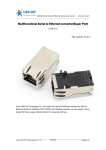
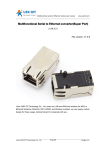
Dual serial to Ethernet module (USR-TCP232-E)
Hardware version: V1.0
File version: V0.8
This equipment adopts the latest hardware solutions, has rich sources and enough upgrade
space. Functions are in growing, can also be customized network control products. For more
details, please kindly contact us.
Jinan USR IOT Technology Co., Ltd is a professional company focused on serial to networking
equipment, RJ45 cable network, WIFI wireless, GPRS, ZIGBEE, ect. Welcome all the new and
old customer.
Jinan USR IOT Technology Co., Ltd.
1/9
[email protected]
Dual serial to Ethernet module user manual
www.tcp232.net
1. Features:
1.
New Cortex-M3 kernel, industrial working temperature range, elaborate optimization
LWIP
protocol stack, stable and reliable.
2.
Two way serial port, can set COM port and working mode independently, work
independently, support RTS/CTS hardware flow control.
3.
Auto-MDI/MIDX function, discretionarily connect cross-over or direct network cable,
automatic switching.
4.
Distinguish the connected serial port via port number.
5.
Pin compatible with the best selling USR-TCP232-T.
6.
Support TCP Server, TCP Client, UDP, UDP Server, HTTPD Client various of work
modes.
7.
Support virtual serial work way, provide corresponding software.
8.
Serial port highest baud rate up to 230400
9.
5 V 3.3 V double power input, just choose one power supply.
10. Needle type capsulation, small volume, facilitate embedded applications.
11. TTL serial level, 3.3 V standards, compatible with 5 V level, 5 V microcontroller IO can
directly connected.
12. Support DHCP automatically access IP, can inquire the facility within network through the
UDP broadcast protocol.
13. Supply the protocol for VIP customers, can integrate parameter setting function to users’
software applications.
14. Provide PC TCP/IP SOCKET programming example, VB C++ Delphi Android IOS.
15. The built-in web page, also parameter setting via web, can customize web pages for
users.
16. Can also set via UDP, provide the set up protocol and software source code.
17. Reload button, a key restore default Settings.
18. RJ45 status indicator light, RJ45 interface built-in isolation transformer, 2 KV isolation.
19. The global only MAC address bought from IEEE, the user can define MAC address
(please state when you make order).
20. Support upgrade program via network.
Module parameters:
Volume: 55 * 30 * 18 mm
PCB size: 50 * 30 mm
Working temperature: -20-85 degrees
Working humidity: 5% ~ 95%
Working voltage: 5 V or 3.3 V, just choose one
Working current: 150 MA
Jinan USR IOT Technology Co., Ltd.
2/9
[email protected]
Dual serial to Ethernet module user manual
www.tcp232.net
2. The hardware interface
2.1
pin definition
USR-TCP232-E has 13 contact pins in total. Among them, the two needles closed to the RJ45
is only used for fixing but no function definition, the other 11 needles have function definition. 1
~ 7 pin definition is compatible with USR-TCP232-T, can be directly replaced.
number
definition
description
1
VDD
5V power input( just choose one power interface)
2
VCC
3.3V power input( just choose one power
interface)
3
GND
Signal Ground
4
RST
Reset pin (200ms low level reset module )
5
TXD0
The first serial transmit data pin
6
RXD0
The first serial receive data pin
7
Reload
restore default settings if this pin is with low level
8
CTS0
The first serial clear to send ( no need for
commen application )
9
RTS0
The first serial require to send ( no need for
commen application )
10
RXD1
The second serial receive data pin
11
TXD1
The second serial transmit data pin
2.2 indicator light
Equipment have 4 indicator lights in total, sequence from left to right.
Jinan USR IOT Technology Co., Ltd.
3/9
[email protected]
Dual serial to Ethernet module user manual
ID
name
www.tcp232.net
description
Reference to pin definition No.8
Just the interface, without LED welded on the module
If needed, concatenate this pin to 510 ohm
current-limiting resistance via LED, and then link to
GND
1
Work
2
Link(green)
In RJ45 port, bright after network connection
3
Data(yellow)
In RJ45 port, flash if there are datas on network
2.3 RJ45 interface
Internet access port connection, module network interface is 10 M / 100 M adaptive,
support AUTO MDI/MDIX, can discretionarily connect cross-over or direct network cable. That
is to say, you can use direct cable to connect with computer or test.
Pin
Name
Description
1
TX+
Transceiver Data+
2
TX-
Transceiver Data-
3
RX+
Receive Data+
4
n/c
Not connected
5
n/c
Not connected
6
RX-
Receive Data-
7
n/c
Not connected
8
n/c
Not connected
3. Module USES
For the convenience of use, we designed evaluation board for module. With the RS232 to TTL
conversion circuit, convenient for user communicate with computer.
The default configuration:
IP address: 192.168.0.7
Subnet mask: 255.255.255.0
The default gateway: 192.168.0.1
Jinan USR IOT Technology Co., Ltd.
4/9
[email protected]
Dual serial to Ethernet module user manual
www.tcp232.net
To test briefly, you can connect the module with computer via network cable, or you can also
connect the module and computer to switch or router at the same time. No need to distinguish
cross and direct connect cable, the module have automatic switch function. And, change
computer IP to 192.168.0. *, such as 192.168.0.201 we test.
Connect the module serial to computer through TTL to RS232 turn wiring. if you use TTL to
USB turn wiring, please pay attention to the quality of the turn wiring, most low price USB turn
TTL module on market is low quality at present.
Power up, 5 V connect to VDD or 3.3 V connect to VCC, keep the voltage stable, 150 MA
current at least.
Login above IP address http://192.168.0.7 through the browser, you will enter setup web
pages.
User name and password are “ admin ”, this can be modified when login into the system.
Jinan USR IOT Technology Co., Ltd.
5/9
[email protected]
Dual serial to Ethernet module user manual
www.tcp232.net
Webpage as follows, 2 COM port can be set in total, 2. Connection 0 Settings and 3.
Connection 1 Settings respectively corresponding to UART1 and UART2 Settings, 4.
Miscellaneous Settings is used to set some parameters such as module IP and module name.
Jinan USR IOT Technology Co., Ltd.
6/9
[email protected]
Dual serial to Ethernet module user manual
www.tcp232.net
To test briefly in default working mode, on the foundation of the hardware connection, use the
matched software USR-TCP232-Test in CD to make transmitting and receiving Test. The left
side is serial port, use software default Settings, the right side is the network part, set to TCP
client and server to be IP 192.168.0.7, port 23.
By default, the two COM port to be set as TCP Server mode, port is 23/26.
This illustration shows the 10 ms two-way simultaneous automatically transmit screenshots, as
the allocated memory of the display control is limited. In order to test large amount of data
transceiver, here will suspend the receive display, only statistical data. Below is the effect after
testing for a few hours, and transmitting millions of bytes. stable and reliable, without a byte
loss
Jinan USR IOT Technology Co., Ltd.
7/9
[email protected]
Dual serial to Ethernet module user manual
www.tcp232.net
Specially instruction
For the robustness of your application system, we suggest you using the time out function
(default 0, closed). Such as setting the Telnet Time out, to prevent the complicated internet
circumstances influencing communication stability, and solving the off line
relink,communication feign death, TCP connection to be occupied problems.
In the TCP Server mode, if still have no new data transceiver when it is Time out setting time,
the module will be active to switch off the client links, release resources, wait for new links,
transmitting or receiving data will clear the time.
In the TCP Client mode, if still have no new data transceiver when it is Time out setting time,
the module will be active to switch off the server links and try to relink.
Jinan USR IOT Technology Co., Ltd.
8/9
[email protected]
Dual serial to Ethernet module user manual
www.tcp232.net
4. Contact us
Company: Jinan USR IOT Technology Co., Ltd
Address: 1-523, Huizhan Guoji Cheng, Gaoxin Qu, Jinan, Shandong, China
Tel: 86-531-55507297
86-531-88826739-803
Web: http://en.usr.cn
Skype: lisausr
Email: [email protected]
[email protected]
Jinan USR IOT Technology Co., Ltd.
9/9
[email protected]