1
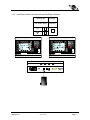
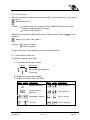
[Key +2 +3] activated
, not activated
Displays the keys
and
in the menu [Play]. These keys allow to increase the
score of 2 or 3 points in one function only.
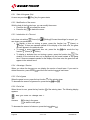
[Service] activated
, not activated
Activates the service keys in the menu [Play].
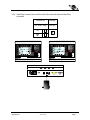
[Shot clock]
Selection menu of the ball possession timers' parameters.
[Shot clock]
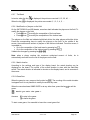
Possession timers connected.
Possession timers not connected.
[Value in Seconds] Duration of the possession in seconds.
[No stop]
Does not stop the playtime when the possession time reaches
0.
Automatically stops the game time when the possession time
reaches 0.
[Duration s. x] Horn duration for the possession timers (introduce 0 if you do
not wish a horn at the end of possession time).
[Link S/S] Links the start of the shot clock with the start of the match time.
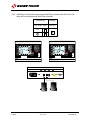
[Setup Time out]
Selection menu of the time outs parameters.
[Time Out on Clock]
The time out is displayed instead of the game time.
The time out is displayed on the extra module.
Number of authorized times out (per period or per
[Number Time out]
match).
Duration of the time out in seconds.
[Sec. Time out]
Duration of the technical time out in seconds.
[T.O.T.]
[Team Fouls]
Gives the quantity of the maximum authorized fouls per team for a period or for
the match. An erasing message comes on before the start of the new period.
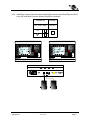
[Ad. Fouls/Score]
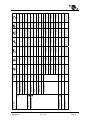
Activates the function of the personal fouls, penalties and goals scored by player.
[Fouls Score]
[Fouls]
If the box is ticked ( ), the player’s
number is requested at the introduction of
a foul. Depending on the sport, you must
activate this box if you have either a 909,
919 or 929 board.
[Score]
If the box is ticked ( ), the player’s
number is requested at the introduction of
a goal. Depending on the sport, you must
activate this box if you have either a 919
or 929 board.
[Player Fouls x] Maximum quantity of fouls per player.
3400.500.02
Version 5.06
Page 17