1
Configuring Interface Cards
Selecting Device Drivers for Your Interface Cards
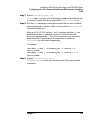
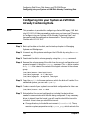
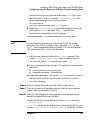
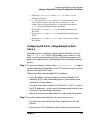
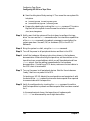
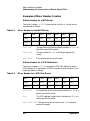
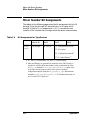
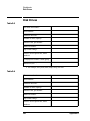
character (raw) device special file is required. Use the bit assignments
shown for graph3 interface driver in Table C-5, “Bit Assignments for
Disk and Magneto-Optical Devices,” in Appendix C , “Major and Minor
Numbers,” of this document.
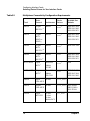
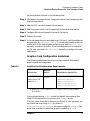
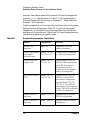
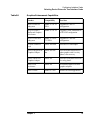
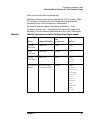
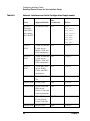
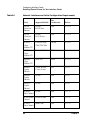
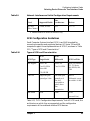
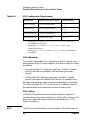
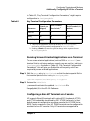
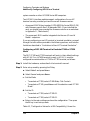
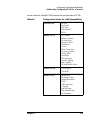
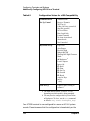
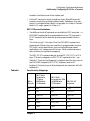
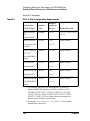
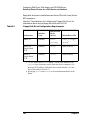
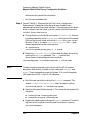
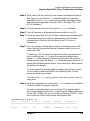
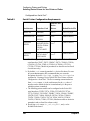
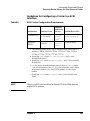
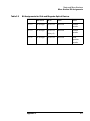
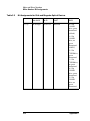
Graphics capabilities can be enhanced by installation of any of a growing
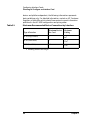
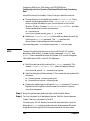
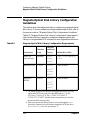
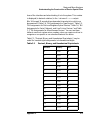
family of cards and subsystems. Table 3-8, “Graphics Enhancement
Capabilities,” is intended only to give a rough idea of the possibilities
available on HP workstations. Consult your HP Sales Representative for
information targeted to your specific needs.
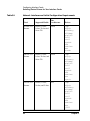
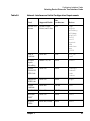
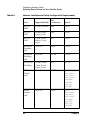
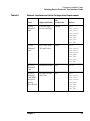
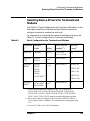
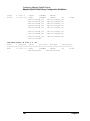
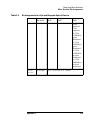
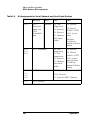
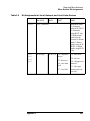
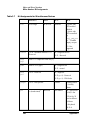
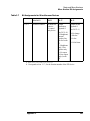
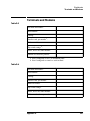
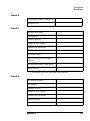
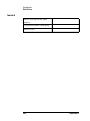
Table 3-8
Graphics Enhancement Capabilities
Product
Compatibility
Provision
98768A CRX
subsystem
Series 700
Upgrades to CRX color
graphics workstation
A1439 24-bit Z Buffer
and Graphics
Accelerator card
Models 720, 730,
735, 750 or 755
Converts CRX-24 workstation
to a CRX-24Z configuration.
A2269A Dual CRX
Graphics card
Models 720, 730,
735, 750, 755.
Upgrades Model 750 or 755
from dual CRX workstation to a
quad-CRX (four-monitor)
configuration; provides
connectivity for two graphics
displays on a single card.
A2270A/A2271A/A2
272A
Models 720, 730,
735, 750, 755
Upgrades Model 750 or 755
CRX-24 to a dual CRX-24
(two-monitor) configuration.
Upgrades Models 720, 730,
735, 750, or 755 to CRX-24
workstations. A2272A upgrades
a Series 700 PVRX workstation
to CRX-24 configuration.
A2666A CRX-48Z
subsystem
Models 735 or 755
Upgrades from CRX-24Z to
CRX-48Z configuration.
A2667A CRX-48Z
subsystem
Model 735 or 755
Upgrades PVRX to CRX-48Z
configuration.
78
Chapter 3