1
USER MANUAL
PODIUM MXV-P200
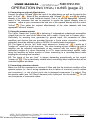
OPERATION INSTRUCTIONS (page 1)
1. Start position before switching on:
In order to avoid unpredictable operation conditions, as idle noise, feedback, distortion,
etc. the PODIUM MXV-P should be set to start position before switching on:
19 ,"ch - level" 11, 16
16 , 17,
17 18
18 , 20
20 , "eff-send" 22 , 11
11 , and 15
15 set to
1.1. "master-vol" 19
zero level, left terminal.
3 , 5
9 , 13
13 , 14
14 in position center groove
1.2. Equalizer controls 3
5, 6, 8, 9
10 , 12
12 in position "line"
1.3. Sensitivity selectors 77 ,10
23 in position "off"
1.4. "Filter" switch 23
Now you can switch-on the mains power supply 34
2. Input connection:
Depending on the instrument or signal source and the required features, there are
different possibilities of using up to 5 instruments at the same time. Plug in the cable
to the appropriate input connector :
28 suited for sources and instruments with high output
27 or channel 5 28
2.1. channel 4 27
level, if there is no need to use an internal equalizer and also no need for adding an
internal effect to be mixed down, for instance: instruments with preamplifier and/or
equalizer, like keyboard, CD player, etc.
25 or channel 3 26
26 for sources and instruments that can not be
2.2. channel 2 25
amplified as stated before 2.1.
24 for sources and instruments, when a semi-parametric mid
2.3. Channel 1 24
equalization is required.
2.4. Channel 1, 2, or 3 suited for microphones with low output level with possibility to
make balanced connection with adapter-cable 3-pole jack to XLR-female
3. Adjusting the signal:
The individual volume of each channel is to be adjusted with the controls "ch-level" 11 ,
17 18,
18 20,
16 17,
20 the required volume of the total mix of the individual channels is to be
16,
19 .
adjusted with "master-vol" 19
3.1. Start adjusting the choosen channel and turn clockwise the appropriate control "ch19 until the signal can be heard. Try to adjust or
level", as well as the control "master-vol" 19
19 in order to observe the sound quality of
limit for your ease the hearing-volume with 19
the output. Turn slowly the control "ch-level" clockwise and increase the volume as long
as the signal is clean and undistorted but not over the discontinued mark at the end of
the scale. When you begin to perceive any distortion, turn back the control until the
distortion disappears. Test the result then also with a signal that could be typically the
loudest possible to be expected and repeat the procedure if necessary.
19 to the
3.2. Check now maximum volume performance by turning the control 19
discontinued mark at the end of the scale. If the level is not enough, use one of the
channels 1, 2, or 3 for this signal, put the appropriate sensitivity selector to position "mic"
and repeat the procedure 3.1. if necessary.
3.3. If desired, adjust the equalizer controls of the appropriate channel at your
convenience. Particularly when setting one or various equalizer controls to considerable
high amplification gain, it may become necessary to reduce or to readjust the appropriate
"ch-level" corresponding to the procedure 3.1.
A.M.P., D-66111 Saarbruecken - Germany, Tel: +49 681 9686881, Fax: +49 681 62495 , www.cromacord.com
RCPMXVP200-E003-20030403 * All rights reserved
PDF wurde mit pdfFactory-Prüfversion erstellt. www.context-gmbh.de
PAGE 3/6