1
QuadroE1/T1 Manual II: Administrator's Guide
Administrator's Graphical User Interface
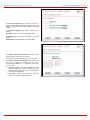
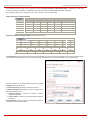
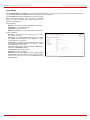
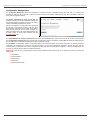
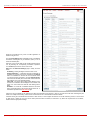
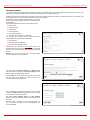
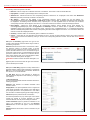
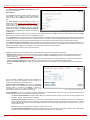
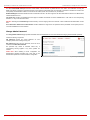
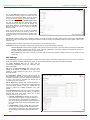
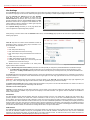
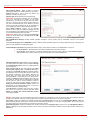
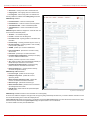
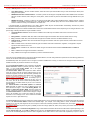
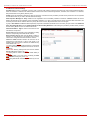
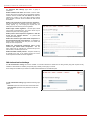
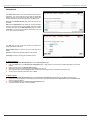
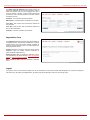
The UserID (Alias Name) text field requires an
identification parameter to reach the H323 Gatekeeper. It
should be provided by the H323 service provider and can
be requested for some H323 Gatekeepers only, for others
field should be left empty.
The Address text field requires the IP address or the host
name of the H.323 gateway. The Port text field requires
the port number of the H323 gateway.
The Dial Access Plan text field requires a service
identification number H323 gateway provides to the
extension. This option is independent from the Address
and Port parameters, i.e. can be also configured when
other two fields are empty.
Address, Port and the Dial Access Plan are provided by
the H.323 service provider and are used by Quadro to set
the H.323 gateway specific features.
Please Note: Address and Port settings specified here
will be only used when extension is not registered on the
H.323 gatekeeper (and will be ignored in the contrary
case), also when originating the H.323 IP call using shared
H.323 registration settings of this extension.
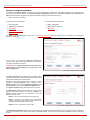
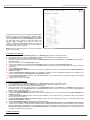
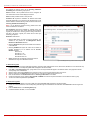
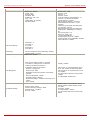
Fig. III- 205 Extension Advanced H.323 Settings page
Extension Codecs
To establish IP voice communication, both partners have to use the same codec. During establishing the communication line, this codec is
negotiated. If the caller does not find a fitting codec, the communication cannot take place. So, if you want to be reachable by preferably all IP calls, it
is helpful to support as many codecs as possible. In this case, all the codecs that Quadro offers should be added to the Active Codecs table. On the
other hand, some codecs require a high transfer rate - up to 64 kbit/s. If you are certain you do not want to use these codecs, you have to make sure
they are not listed in the table Active Codecs.
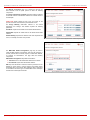
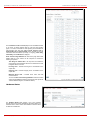
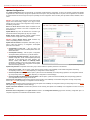
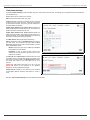
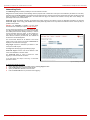
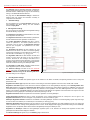
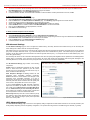
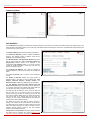
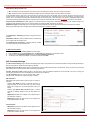
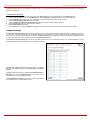
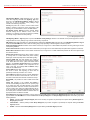
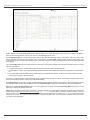
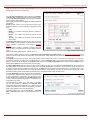
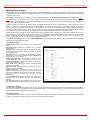
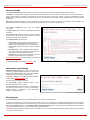
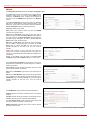
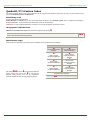
The Extension Codecs page displays a list of Active
Codecs and the state of the Out of Band DTMF and FAX
Support features for Quadro extensions (also Auto
Attendant).
Please Note: Use caution when configuring Auto Attendant
Codecs as they are used by virtual extensions for
redirecting the incoming calls.
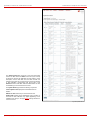
The table Active Codecs lists active voice codecs for the
selected line that are supported by Quadro. The order of
records in the Active Codecs table is important for
transmitting and receiving. A codec placed at the top of the
table will be used as the preferred codec. If the remote
party does not support the preferred codec, the following
codecs will be tried out in a top-down order in the Active
Codecs table.
Each record in the table has an assigned checkbox. It is
used to select the record to be deleted or moved up or
down.
An error occurs if no records are selected and the user
activates the delete button: “No records selected”. At least
one codec must be attached to the line. When attempting to
delete the last codec, this error will occur: “At least one
codec should stay in the codec list”.
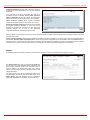
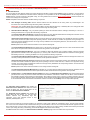
Fig. II-53: Extension Codecs list
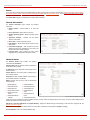
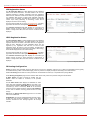
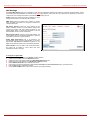
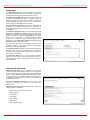
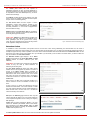
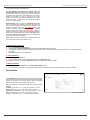
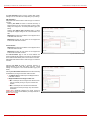
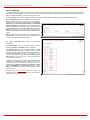
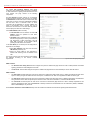
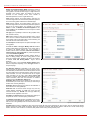
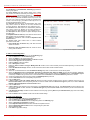
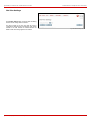
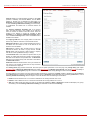
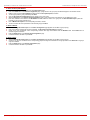
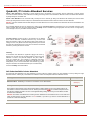
Add opens the Add Entry page where the user may add
codecs supported by Quadro. The voice codec defines the
voice compression algorithm for the incoming and outgoing
DSP packages.
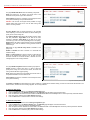
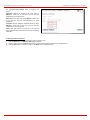
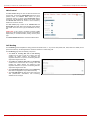
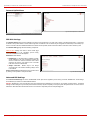
Codecs lists all codecs supported by Quadro. If no more
codecs are available (all available codecs have already
been transferred to the Active Codecs table), the Add
Entry page will display the message “No Available Codecs”
instead of the drop down menu.
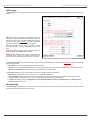
Fig. II-54: Extension Codecs - Add Codec page
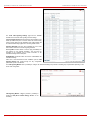
The Move Up/Move Down buttons are used to move the selected codec one level up/down in the table.
QuadroE1/T1; (SW Version 3.0.x)
38