1
Quadro2x Manual II: Administrator's Guide
Administrator’s Menu
use the Port Forwarding function in the Incoming Traffic / Port Forwarding filtering rules). The filtering rules are independent from the security
level, so they will work if enabled, no matter what security level has been selected.
Please Note: Applying firewall rules will just prevent the establishment of new connections that violate the rules. Applying rules does not kill existing
connections that violate the rule.
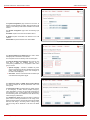
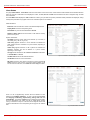
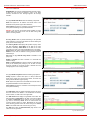
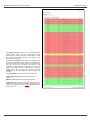
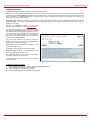
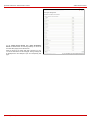
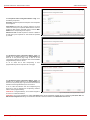
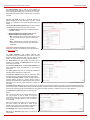
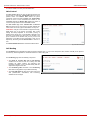
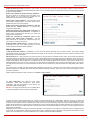
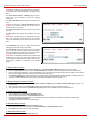
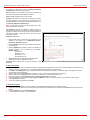
View All displays all configured filters specified by their State
(enabled or disabled), the selected Service, the set Action
(allowed or blocked), the IP addresses the filters apply to (if
Restricted) and the destination of port forwarding (Redirect to,
in case of Incoming Traffic/Port Forwarding). As it is read-only,
no modifications are allowed and no functional buttons are
available.
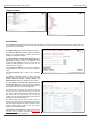
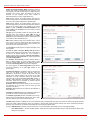
The Incoming Traffic/Port Forwarding filter is for incoming
traffic. The rules here allow or deny systems on the Internet to
reach the services of Quadro’s LAN. NAT service should be
enabled on the Quadro to provide the possibility of Port
Forwarding in the Incoming Traffic/Port Forwarding filtering
rules. The Port Forwarding function will be unavailable if NAT is
disabled on the Quadro.
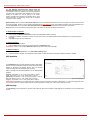
The Outgoing Traffic filter is for outgoing traffic. The rules here
allow or deny Quadro’s LAN users to reach external services.
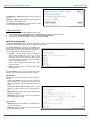
Management Access is used to enable management access to
the Quadro from the Internet. A host on the Internet can be
allowed to reach the Quadro.
SIP Access is to allow or deny the SIP access to or from the
particular SIP servers, SIP hosts or a group of them. The SIP
Access filtering rule may prevent or allow incoming or outgoing
SIP calls to or from specified SIP server(s) or host(s).
When Blocked IP List is used, traffic from specific hosts may be
blocked, no matter what services are opened in the other filters.
NO traffic will be allowed to the specified hosts. The Blocked IP
List service has a higher priority if the same host is also listed in
the Allowed IP List table.
Allowed IP List allows trusted hosts to reach your network and
vice versa. It is an exception to other rules and only all services
may be allowed for a single host.
Restricted IPSec - Generally hosts in a VPN are allowed to have
access to any service, i.e., no traffic will be blocked. They are
treated as if they were part of the Quadro LAN. However, this
service can be manually denied here.
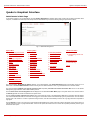
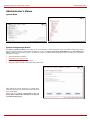
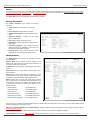
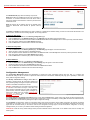
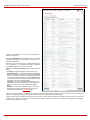
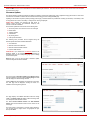
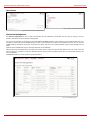
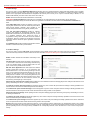
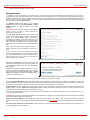
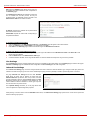
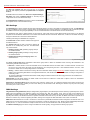
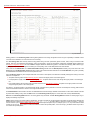
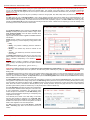
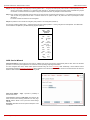
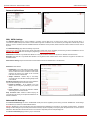
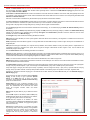
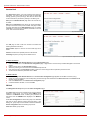
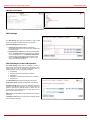
Fig. II-143: Filtering Rules page
The Filtering Rules page provides several links. Each link opens its specific parameters on the same page. Only Change Policy (see chapter
Firewall and NAT), Manage user Defined Services (see chapter Service Pool) and Manage IP Pool Groups (see chapter IP Pool) are leading to
separate pages. The Filtering Rules page also includes the currently selected firewall security (Policy) level and its description.
290H
291H
29H
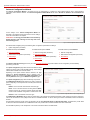
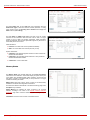
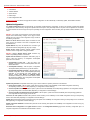
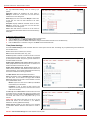
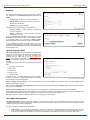
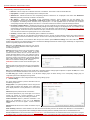
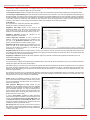
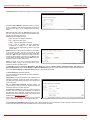
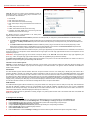
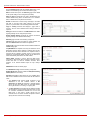
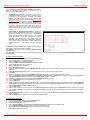
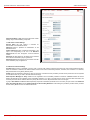
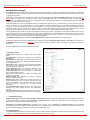
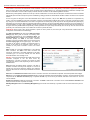
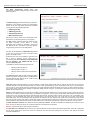
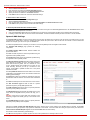
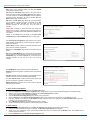
The table displayed on the bottom of the page shows the filters selected above, specified by their State (enabled or disabled), the selected Service,
the set Action (allowed or blocked), the IP addresses the filters apply to (if Restricted) and the destination of port forwarding (Redirect to, in case of
Incoming Traffic/Port Forwarding). With the exception of View All, the table offers the following functional buttons:
•
•
•
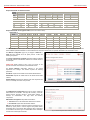
Enable is used to enable the rule. If no records are selected the “No record(s) selected” error occurs.
Disable is used to disable the rule. If no records are selected the “No record(s) selected” error occurs.
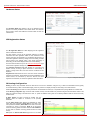
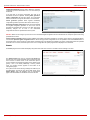
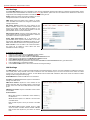
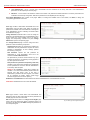
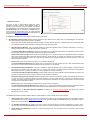
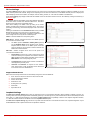
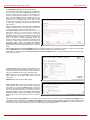
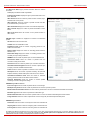
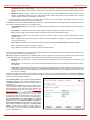
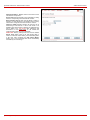
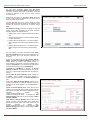
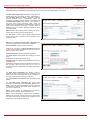
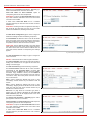
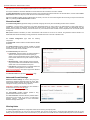
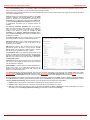
Add opens a filter specific page where new rules may be defined by a Service, an Action, a Restriction to certain IP address(es) or IP groups,
and if adding a rule for Incoming Traffic/Port Forwarding, the destination IP address for Forwarding:
Quadro2x, Quadro2xi; SW Version 3.1.x
83