1
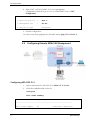
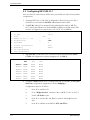
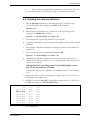
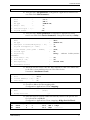
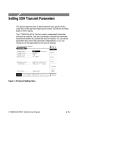
Technical Seminar
PS-B
Not Installed
--
Undefined
Undefined
CL-A
CL
CL2 622GbE
0.0/ 0.0
3.00B07/ 0
Undefined
Undefined
CL-B Not Installed
--
1
ASMI54C
-
DSL
1
2.73
- - - - - - - - - - - - - - - - - - - - - - - - - - - -
SW versions may be different from the above.
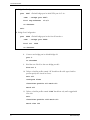
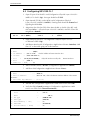
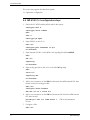
3.
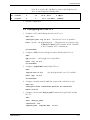
Define the card type in the relevant slot:
slot 1
card-type dsl asmi54c
4.
Open one SHDSL port:
exit
port shdsl 1/1
<refers to slot #1 / port #1 >
no shutdown
5.
Open a PCS (Physical Coding Sublayer) port and bind it to the above SHDSL
port:
exit
pcs 1/1
bind shdsl 1/1
no shutdown
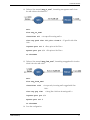
6.
Add an SVI (virtual interface that connects PCS entity to the management
interface)
exit
svi 3
no shutdown
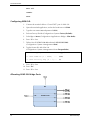
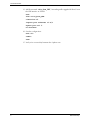
7.
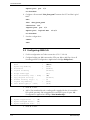
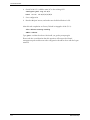
Verify the current Bridge port settings on default Bridge #1:
exit all
configure bridge 1
info detail
MAP Workshop
7