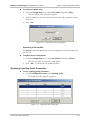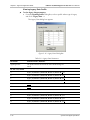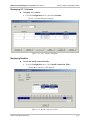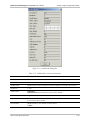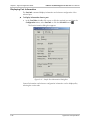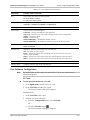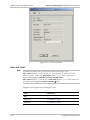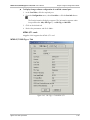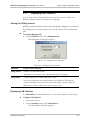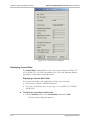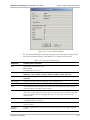
1
RADview-PC/TDM
Network Management System
for TDM Applications
Megaplex-2100/2104
© 1994–2003 RAD Data Communications
Publication 06/03
Contents
Chapter 1. Edit Configuration Mode
1.1 Connecting RADview Management Station to TDM..................................................... 1-1
Direct Management Connection ........................................................................................... 1-1
Management via LAN ........................................................................................................... 1-2
1.2 Preliminary Hardware Configuration............................................................................ 1-2
Basic Configuration Tasks (for the MP2100/2104).................................................................. 1-2
1.3 System Level Configuration Operations........................................................................ 1-4
Performing Megaplex Software Configuration........................................................................ 1-6
Displaying System Information .............................................................................................. 1-8
Modifying the Configuration List ........................................................................................... 1-9
Copying Configuration ........................................................................................................ 1-10
Reading the Agent Configuration......................................................................................... 1-12
Updating the Configuration to the Agent ............................................................................. 1-13
Performing Flip DB ............................................................................................................. 1-13
Net Update ........................................................................................................................ 1-20
Setting Signaling Profile Parameters ..................................................................................... 1-21
Setting V5.1 Variants........................................................................................................... 1-27
Setting Redundancy Table Parameters................................................................................. 1-33
Configuring Bundles............................................................................................................ 1-35
Configuring Managers Routing Table ................................................................................... 1-38
Polling the Agent................................................................................................................. 1-40
Displaying Sanity Check Results .......................................................................................... 1-40
Displaying the Agent View .................................................................................................. 1-41
1.4 Card Level Configuration Operations ......................................................................... 1-42
Zooming to a Card View ..................................................................................................... 1-42
Displaying Card Information ............................................................................................... 1-43
Adding a New Card ............................................................................................................ 1-44
Copying a Card's Configuration ........................................................................................... 1-48
Removing a Card ................................................................................................................ 1-49
1.5 Port Level Configuration Operations .......................................................................... 1-49
Setting Port Information ...................................................................................................... 1-50
Configuring Port Information Parameters............................................................................. 1-50
Copying a Port Configuration .............................................................................................. 1-68
Setting User Info ................................................................................................................. 1-69
Setting Time-Slot Assignments ............................................................................................. 1-70
RADview-PC/TDM Megaplex-2100/2104 User’s Manual
i
Table of Contents
Chapter 2. Agent Configuration Mode
2.1 System Level Agent Operations.................................................................................... 2-1
Displaying Megaplex Software Information............................................................................ 2-5
Displaying System Information .............................................................................................. 2-6
Displaying Interface Information ........................................................................................... 2-7
Setting the Agent Date and Time........................................................................................... 2-8
Setting the Default Configuration .......................................................................................... 2-9
Deleting an Agent Configuration ......................................................................................... 2-10
Displaying Flip DB Parameters ............................................................................................ 2-11
Net Update ........................................................................................................................ 2-14
Displaying Signaling Profile Parameters................................................................................ 2-15
Displaying Redundancy Table Parameters ........................................................................... 2-20
Displaying V5.1 Variants ..................................................................................................... 2-21
Displaying Bundles .............................................................................................................2-21
Displaying Managers Routing Table..................................................................................... 2-24
Resetting the Device ........................................................................................................... 2-25
2.2 Megaplex Level Diagnostic Operations ...................................................................... 2-25
2.3 Megaplex Level Fault Operations ............................................................................... 2-26
Displaying Alarms ............................................................................................................... 2-26
Clearing Alarms................................................................................................................... 2-30
Clearing All Alarms.............................................................................................................. 2-30
Configuring Alarms ............................................................................................................. 2-30
Displaying the History Log .................................................................................................. 2-37
2.4
2.5
2.6
2.7
Agent Window .......................................................................................................... 2-39
Defining the Manager List .......................................................................................... 2-39
Megaplex Level Statistics Operations ......................................................................... 2-41
Agent Card Level Operations ..................................................................................... 2-42
Zooming to Card View........................................................................................................ 2-42
Displaying Card Configuration Information.......................................................................... 2-43
2.8 Agent Port Level Operations ...................................................................................... 2-44
Displaying Port Information................................................................................................. 2-46
Port Software Configuration ................................................................................................2-47
Main Link Cards ................................................................................................................. 2-48
Displaying TS (Time-Slot) Assignments – ML-IP Internal Port ................................................ 2-59
Displaying TS (Time-Slot) Assignments................................................................................. 2-65
2.9 Port Level Diagnostic Tests......................................................................................... 2-67
Running Diagnostic Tests .................................................................................................... 2-67
BERT Counters.................................................................................................................... 2-71
2.10 Port Level Fault Operations........................................................................................ 2-73
Displaying Port Alarms ........................................................................................................ 2-73
Clearing Port Alarms ........................................................................................................... 2-74
2.11 Displaying Port Statistics ............................................................................................ 2-75
Setting the Polling Interval................................................................................................... 2-75
Displaying LAN Statistics ..................................................................................................... 2-75
Displaying Current Data...................................................................................................... 2-76
Displaying Intervals Data..................................................................................................... 2-80
2.12 Release Notes ............................................................................................................ 2-80
Upgrading Software Version................................................................................................ 2-80
VF-PBX Family Limitations .................................................................................................. 2-80
Bi-directional Bypass........................................................................................................... 2-80
ii
RADview-PC/TDM Megaplex-2100/2104 User’s Manual
Table of Contents
List of Figures
1-1. Direct Management Application ............................................................................................ 1-1
1-2. Megaplex Management via LAN ............................................................................................ 1-2
1-3. Megaplex or DXC Management via LAN ............................................................................... 1-2
1-4. Megaplex System Level – Edit Configuration Mode................................................................ 1-4
1-5. Mux Information Dialog Box ................................................................................................. 1-7
1-6. System Information Dialog Box.............................................................................................. 1-9
1-7. Select Configuration Dialog Box ............................................................................................ 1-9
1-8. Mux Copy Dialog Box ......................................................................................................... 1-11
1-9. Read Config Dialog Box ...................................................................................................... 1-12
1-10. Update Config Dialog Box................................................................................................. 1-13
1-11. Flip DB Submenu .............................................................................................................. 1-14
1-12. Flip DB Agenda Dialog Box ............................................................................................... 1-14
1-13. Flip DB Net Events Dialog Box Event Type = Time ........................................................... 1-15
1-14. Flip DB Net Events Dialog Box Event Type = Interface Down ........................................... 1-15
1-15. Flip DB Decision Table...................................................................................................... 1-17
1-16. Edit Decision Table Entry................................................................................................... 1-18
1-17. Decision Table’s Net Event List.......................................................................................... 1-19
1-18. Net Update Submenu ....................................................................................................... 1-20
1-19. Net Update Save Config Dialog Box .................................................................................. 1-20
1-20. Net Update Save Flip DB Confirmation Dialog Box ........................................................... 1-21
1-21. Signaling Profile Dialog Box ............................................................................................... 1-22
1-22. Legacy Data Dialog Box .................................................................................................... 1-22
1-23. R2 Data – General Tab Dialog Box .................................................................................... 1-24
1-24. R2 Data – Timers Tab Dialog Box...................................................................................... 1-24
1-25. R2 Data – TS Data Tab Dialog Box .................................................................................... 1-25
1-26. V5.1 Variants Dialog Box................................................................................................... 1-27
1-27. Add Variant Dialog Box ..................................................................................................... 1-27
1-28. Change Description Dialog Box ......................................................................................... 1-28
1-29. Copy Variant Dialog Box ................................................................................................... 1-29
1-30. Variant Data Dialog Box .................................................................................................... 1-29
1-31. Change Variant TS Dialog Box – Gen. Tab......................................................................... 1-30
1-32. Change Variant TS Dialog Box – Ext. D-Ch Data Tab ......................................................... 1-31
1-33. Save V5.1 Variants............................................................................................................. 1-32
1-34. Read V5.1 Variants............................................................................................................ 1-33
1-35. Redundancy Table Dialog Box........................................................................................... 1-34
1-36. Bundle Connection Table.................................................................................................. 1-35
1-37. Add Bundle Dialog Box ..................................................................................................... 1-36
1-38. Change Bundle Dialog Box................................................................................................ 1-38
1-39. Managers Routing Table .................................................................................................... 1-39
1-40. Add Managers Routing Dialog Box .................................................................................... 1-39
1-41. Change Interface Cost Dialog Box ..................................................................................... 1-40
1-42. Sanity Check Error List....................................................................................................... 1-41
1-43. Zoomed Card View ........................................................................................................... 1-43
1-44. Card Information Dialog Box ............................................................................................. 1-43
1-45. New Card Dialog Box........................................................................................................ 1-45
1-46. Copy Card Dialog Box....................................................................................................... 1-48
1-47. SW Cfg>> Tab – MTML-2/T1........................................................................................... 1-52
RADview-PC/TDM Megaplex-2100/2104 User’s Manual
iii
Table of Contents
1-48.
1-49.
1-50.
1-51.
1-52.
1-53.
1-54.
1-55.
1-56.
1-57.
1-58.
1-59.
1-60.
1-61.
SW Cfg >> Tab MTML2/E1.............................................................................................. 1-55
V5.1 Data - MTML2/E1 ..................................................................................................... 1-58
Software Configuration ML–IP (Ext. Port) .......................................................................... 1-59
Software Configuration ML–IP (Int. Port)........................................................................... 1-61
Bundles Dialog Box– ML–IP (Int. Port) ............................................................................... 1-63
Add Bundle ML–IP (Int. Port)............................................................................................ 1-63
Software Configuration – VC Cards.................................................................................... 1-65
Port Copy Dialog Box ........................................................................................................ 1-68
Port User Info Dialog Box .................................................................................................. 1-69
Time Slots Table ................................................................................................................ 1-71
Replace TS Dialog Box ...................................................................................................... 1-72
Add TS Dialog Box ............................................................................................................ 1-73
Sequence Time Slot Assignment Dialog Box ...................................................................... 1-74
Expanded Time Slots Table................................................................................................ 1-76
2-1. Megaplex Level – Agent Mode on Bottom, Edit Configuration Mode on Top ......................... 2-2
2-2. Mux Information Dialog Box ................................................................................................. 2-5
2-3. System Information Dialog Box.............................................................................................. 2-7
2-4. Interface Information Dialog Box ........................................................................................... 2-7
2-5. Date and Time Setup Dialog Box........................................................................................... 2-8
2-6. Default Config Dialog Box ..................................................................................................... 2-9
2-7. Delete Config Dialog Box .................................................................................................... 2-10
2-8. Flip DB Submenu ................................................................................................................ 2-11
2-9. Flip DB Agenda Dialog Box ................................................................................................. 2-11
2-10. Flip DB Net Events Dialog Box Event Type = Time ........................................................... 2-12
2-11. Flip DB Net Events Dialog Box Event Type = Interface Down ........................................... 2-12
2-12. Flip DB Decision Table...................................................................................................... 2-14
2-13. Net Update Submenu ....................................................................................................... 2-14
2-14. Net Update Delay Dialog Box ........................................................................................... 2-15
2-15. Signaling Profile Dialog Box ............................................................................................... 2-15
2-16. Legacy Data Dialog Box .................................................................................................... 2-16
2-17. R2 Data General Tab Dialog Box....................................................................................... 2-17
2-18. R2 Data Timers Tab Dialog Box......................................................................................... 2-18
2-19. R2 Data TS Data Tab Dialog Box....................................................................................... 2-18
2-20. Redundancy Table Dialog Box........................................................................................... 2-20
2-21. V5.1 Variants Dialog Box................................................................................................... 2-21
2-22. Bundle Connection Table.................................................................................................. 2-21
2-23. Add Bundle Dialog Box ..................................................................................................... 2-23
2-24. Managers Routing Table .................................................................................................... 2-24
2-25. Bundle Connection Test Dialog Box – Step I...................................................................... 2-25
2-26. Bundle Connection Test Dialog Box – Step II..................................................................... 2-26
2-27. Alarms Submenu ............................................................................................................... 2-26
2-28. Mux All Active Alarm List................................................................................................... 2-27
2-29. Mux Active Alarm List........................................................................................................ 2-28
2-30. Bundle Active Alarms List .................................................................................................. 2-29
2-31. Alarms Severity & ACM Relay Dialog Box .......................................................................... 2-31
2-32. Alarm Attributes Dialog Box .............................................................................................. 2-32
2-33. Alarm Report Dialog Box ................................................................................................... 2-36
2-34. Mux All Active Alarm List................................................................................................... 2-38
iv
RADview-PC/TDM Megaplex-2100/2104 User’s Manual
Table of Contents
2-35.
2-36.
2-37.
2-38.
2-39.
2-40.
2-41.
2-42.
2-43.
2-44.
2-45.
2-46.
2-47.
2-48.
2-49.
2-50.
2-51.
2-52.
2-53.
2-54.
2-55.
2-56.
2-57.
2-58.
2-59.
2-60.
2-61.
New Buffer Alarms Dialog Box .......................................................................................... 2-39
Manager List...................................................................................................................... 2-40
Bundle Connection Statistics Table .................................................................................... 2-41
Bundle Connection Statistics ............................................................................................. 2-41
A Zoomed Card Agent Mode ............................................................................................ 2-43
Card Information Dialog Box ............................................................................................. 2-44
Sample Port Information Dialog Box.................................................................................. 2-46
CL Port Information........................................................................................................... 2-48
SW Cfg>> Tab MTML 2/T1.............................................................................................. 2-49
SW Cfg>> Tab MTML2/E1............................................................................................... 2-52
V5.1 Data - MTML2/E1 ..................................................................................................... 2-54
Software Configuration ML–IP (Ext. Port) .......................................................................... 2-56
Software Configuration ML–IP (Int. Port)........................................................................... 2-58
Time Slots Table ................................................................................................................ 2-59
ML–IP CAS (Internal Port).................................................................................................. 2-60
R2 TS Status– ML–IP (Internal Port) ................................................................................... 2-61
Bundles Dialog Box– ML–IP (Int. Port) ............................................................................... 2-62
Software Configuration – VC Cards.................................................................................... 2-63
Time Slots Table ................................................................................................................ 2-65
Testing Dialog Box (Test per Port Tab) ............................................................................... 2-68
Testing Dialog Box (Test per TS/Bit Tab) ............................................................................ 2-69
BERT Counters Dialog Box ................................................................................................ 2-72
Port Active Alarm List Dialog Box ...................................................................................... 2-73
Polling Interval Dialog Box................................................................................................. 2-75
LAN Statistics Dialog Box................................................................................................... 2-76
Current Data Dialog Box ................................................................................................... 2-77
Current Graph................................................................................................................... 2-78
RADview-PC/TDM Megaplex-2100/2104 User’s Manual
v
Table of Contents
List of Tables
1-1. System Management Options ................................................................................................ 1-5
1-2. Mux Information Parameters ................................................................................................. 1-7
1-3. Select Configuration Parameters .......................................................................................... 1-10
1-4. Mux Copy Parameters ......................................................................................................... 1-11
1-5. Read Configuration Parameters ........................................................................................... 1-12
1-6. Update Config Parameters................................................................................................... 1-13
1-7. Flip BD Net Events Parameters ............................................................................................ 1-16
1-8. Flip DB Decision Table Parameters...................................................................................... 1-17
1-9. Net Update Save Config Parameters .................................................................................... 1-20
1-10. Legacy Data Parameters .................................................................................................... 1-23
1-11. R2 Data Parameters........................................................................................................... 1-25
1-12. V5.1 Variants Parameters................................................................................................... 1-27
1-13. V5.1 Variants Parameters – Gen. Tab ................................................................................ 1-30
1-14. V5.1 Variants Parameters – D-Ch. Data Tab ...................................................................... 1-31
1-15. Redundancy Table Parameters .......................................................................................... 1-34
1-16. Bundle Connection Parameters ......................................................................................... 1-35
1-17. Add Bundle Connection Parameters.................................................................................. 1-36
1-18. Managers Routing Parameters............................................................................................ 1-39
1-19. Sanity Check Error Parameters........................................................................................... 1-41
1-20. Card Level Management Options ...................................................................................... 1-42
1-21. Card Information Parameters............................................................................................. 1-44
1-22. Card Types Supported by Megaplex .................................................................................. 1-45
1-23. Card Copy Parameters....................................................................................................... 1-48
1-24. Port Level Management Options ....................................................................................... 1-50
1-25. SW Cfg>> Tab MTML–2/T1............................................................................................. 1-52
1-26. <<SW Cfg Tab MTML2/T1............................................................................................... 1-53
1-27. ML Rdn. Tab MTML2/T1 ................................................................................................... 1-54
1-28. ML Rdn. Tab MTML2/T1 ................................................................................................... 1-54
1-29. SW Cfg>> Tab MTML2/E1............................................................................................... 1-56
1-30. <<SW Cfg Tab MTML2/E1............................................................................................... 1-56
1-31. ML Rdn. Tab MTML2/E1 ................................................................................................... 1-56
1-32. ML Rdn. Tab MTML2/E1 ................................................................................................... 1-57
1-33. V5.1 Data Parameters – MTML-2/E1 ................................................................................. 1-58
1-34. Software Configuration –ML–IP (External Port)................................................................... 1-60
1-35. Software Configuration –ML–IP (Internal Port) ................................................................... 1-61
1-36. Software Configuration Parameters – VC Cards.................................................................. 1-66
1-37. Destination Parameters – VC–6 ......................................................................................... 1-67
1-38. Port Copy Parameters........................................................................................................ 1-69
1-39. Port User Info Parameters.................................................................................................. 1-70
1-40. Time Slots Parameters ....................................................................................................... 1-71
1-41. Replace TS Parameters ...................................................................................................... 1-72
1-42. Add TS Parameters ............................................................................................................ 1-73
1-43. Sequence TS Parameters ................................................................................................... 1-75
2-1. System Management Options ................................................................................................ 2-3
2-2. Mux Information Parameters ................................................................................................. 2-6
2-3. Interface Information Parameters........................................................................................... 2-8
vi
RADview-PC/TDM Megaplex-2100/2104 User’s Manual
Table of Contents
2-4. Date & Time Parameters ....................................................................................................... 2-9
2-5. Default Config Parameters................................................................................................... 2-10
2-6. Flip BD Net Events Parameters ............................................................................................ 2-13
2-7. Flip DB Decision Table Parameters...................................................................................... 2-14
2-8. Legacy Data Parameters ...................................................................................................... 2-16
2-9. R2 Data TS Data Parameters ............................................................................................... 2-19
2-10. Redundancy Table Parameters .......................................................................................... 2-20
2-11. Bundle Connection Parameters ......................................................................................... 2-22
2-12. Add Bundle Connection Parameters.................................................................................. 2-23
2-13. Managers Routing Parameters............................................................................................ 2-25
2-14. Mux All Active Alarm Parameters....................................................................................... 2-27
2-15. Mux Active Alarm Parameters............................................................................................ 2-28
2-16. Alarms Severity & ACM Relay Parameters.......................................................................... 2-31
2-17. Alarm Attributes Parameters .............................................................................................. 2-32
2-18. Alarm Report Parameters................................................................................................... 2-36
2-19. Mux All Active Alarm List Parameters.................................................................................. 2-38
2-20. Manager List Parameters.................................................................................................... 2-40
2-21 lists the different management options for the card level...................................................... 2-42
2-22. Card Level Management Options ...................................................................................... 2-42
2-23. Card Information Parameters............................................................................................. 2-44
2-24. Port Level Management Options ....................................................................................... 2-45
2-25. Port Information Parameters .............................................................................................. 2-47
2-26. SW Cfg>> Tab MTML 2/T1.............................................................................................. 2-50
2-27. <<SW Cfg Tab MTML2/T1.............................................................................................. 2-50
2-27. <<SW Cfg Tab MTML2/T1 (Cont.) .................................................................................. 2-51
2-28. SW Cfg>> Tab MTML2/E1............................................................................................... 2-52
2-29. <<SW Cfg Tab MTML2/E1............................................................................................... 2-53
2-30. Connect Parameters – MTML-2/E1 .................................................................................... 2-53
2-31. V5.1 Data Parameters – MTML-2/E1 ................................................................................. 2-55
2-32. Redundancy Parameters – MTML-2/E1.............................................................................. 2-55
2-33. Software Configuration –ML–IP (External Port)................................................................... 2-57
2-34. Software Configuration –ML–IP (Internal Port) ................................................................... 2-58
2-35. Time Slots Parameters ....................................................................................................... 2-59
2-35. Time Slots Parameters ....................................................................................................... 2-60
2-36. VC Cards Software Configuration Parameters .................................................................... 2-63
2-36. VC Cards Software Configuration Parameters .................................................................... 2-64
2-37. Time Slots Parameters ....................................................................................................... 2-66
2-38. Testing Parameters (Test per Port Tab) ............................................................................... 2-70
2-39. Testing Parameters (Test per TS/Bit Tab) ............................................................................ 2-71
2-40. Port Active Alarm List Parameters ...................................................................................... 2-74
2-41. Polling Interval Parameters ................................................................................................ 2-75
2-42. Current Data Parameters ................................................................................................... 2-77
2-43. Current Graph Parameters................................................................................................. 2-79
RADview-PC/TDM Megaplex-2100/2104 User’s Manual
vii
Table of Contents
viii
RADview-PC/TDM Megaplex-2100/2104 User’s Manual
Chapter 1
Edit Configuration Mode
This section describes the Megaplex management operations that can be
performed in RADview’s Edit Configuration mode.
1.1 Connecting RADview Management Station to TDM
The RADview management station may be connected to Megaplex units in one of
the following setups:
•
Direct management-to-TDM link running on Single Line Internet Protocol
(SLIP)
•
Connection from management station in a LAN through an MBE to a TDM
unit.
Direct Management Connection
In this application, the management station is connected directly to a Megaplex
unit. If more than one device is installed on this network, the device directly
connected to management is the local unit. Any other devices are remote.
This application requires installation of SLIP. It is the customer's responsibility to
acquire a SLIP communication program and to install it according to the
manufacturer's instructions. RADview supports both public domain SLIP and
vendor SLIP.
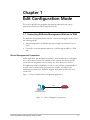
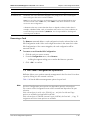
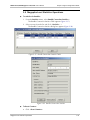
Figure 1-1 shows a sample direct management application.
SLIP
Megaplex
RADview-PC
Management Station
Figure 1-1. Direct Management Application
Connecting RADview Management Station to TDM
1-1
RADview-PC/TDM Megaplex-2100/2104 User’s Manual
Chapter 1 Edit Configuration Mode
Management via LAN
In this application, the management station is connected to the device through an
Ethernet LAN and an MBE (Ethernet Elementary Bridge). If the MBE and the device
are located in the same subnet, the system will operate immediately upon
hardware connection with no need for further software configuration.
Figure 1-2 and Figure 1-3 show a sample management via LAN application.
Ethernet
E1
SLIP
MBE
Megaplex
Megaplex
RADview-PC
Management Station
Figure 1-2. Megaplex Management via LAN
Ethernet
Local
Remote
E1
DXC
DXC
E1
RADview-PC
Management Station
Megaplex
Megaplex
Figure 1-3. Megaplex or DXC Management via LAN
1.2 Preliminary Hardware Configuration
Basic Configuration Tasks (for the MP2100/2104)
Preliminary hardware configuration for the MP2100/2104 is performed using a
Terminal Emulation program.
When selecting parameters, click the <F> and <B> keys to move forward and
backwards among the possible values for the selected parameter. Click <Enter>
to make a selection and the spacebar to move on to the next parameter.
To initiate terminal operation with the MP2100/2104:
1. With the PS and CL cards in place, switch unit to ON.
2. On the active CL card, set the DIP/pin adjacent to the alarm LED to ON.
3. Double-click the Terminal's icon.
1-2
Preliminary Hardware Configuration
RADview-PC/TDM Megaplex-2100/2104 User’s Manual
Chapter 1 Edit Configuration Mode
4. Select the correct COM port, and then from the Setting menu select
Communication.
5. Enter the following Communication Parameters, and then click <OK>:
Baud Rate: 9600
Data Bits: 8
Stop Bits: 1
Parity: None
Flow Control: None
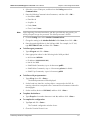
Note
At the beginning of terminal emulation, and after specified time-out periods, you
will be prompted to type the password. The default password is ENTER.
6. From the Setting menu select Modem Communications.
7. Change the setting in the Modem Defaults field to None, then click <OK>.
8. Enter the terminal definition in the field provided. For example, for VT-100,
type DEF TERM VT-100, and then click <Enter>.
To define agent parameters:
1. Type def agent and click <Enter>.
2. Enter appropriate values for the following in the fields provided:
MUX name: MP2100
IP address: (999.999.999.999)
Net Id: 1 to 255
SNMP Read Community: (up to 8 characters):public
SNMP Write Community: (up to 8 characters):private (for WAN)
SNMP Trap Community: (up to 8 characters):public
To define serial port parameters:
1. Type def sp, then click <Enter>.
The default parameters will be displayed.
2. Set the baud rate, data bits, and stop bits to correspond to the SLIP, by
entering values that correspond to the Communication Parameters entered for
the Megaplex.
3. Set the auxiliary device to SLIP NMS, and then click <Enter>.
To update the database:
•
Type db upd and a number between 1 and 10, and then click <Enter>.
To complete the configuration:
1. Type bye and click <Enter>.
The Terminal configuration window closes.
2. Close the Terminal Screen's icon.
Preliminary Hardware Configuration
1-3
Chapter 1 Edit Configuration Mode
RADview-PC/TDM Megaplex-2100/2104 User’s Manual
3. On the active CL card, set the DIP/pin adjacent to the alarm LED to OFF.
1.3 System Level Configuration Operations
The Edit Configuration mode allows you to program and save up to 10
configurations for the current Megaplex, its cards and its ports. Up to
10 configurations can be stored in the RADview database and the CL
(common logic) cards of the Megaplex. The system can be programmed to switch
automatically between them in accordance with a predetermined daily schedule
(day/night operation), or to use one of the databases when it is required to switch
to a backup line.
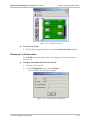
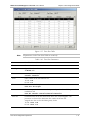
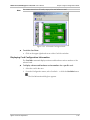
Figure 1-4. Megaplex System Level – Edit Configuration Mode
To select the Edit Configuration mode:
•
Note
1-4
In the Megaplex View, click the border of the top hub in the window.
Zooming into the MP–2100/4 for the First Time
After RADview–HPOV Installation has completed, the first time you zoom into a
MP–2100/2104, the system processes the agent’s alarms descriptions. This process
may last for 3 minutes, without any indication that it is running.
Do not perform “Read” or “Update” operations during this period of time, as it may
lead to receiving an “Unknown Error/Alarms” description for some of the alarms.
System Level Configuration Operations
RADview-PC/TDM Megaplex-2100/2104 User’s Manual
Chapter 1 Edit Configuration Mode
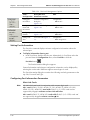
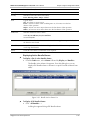
Table 1-1 lists the different management options for the system level.
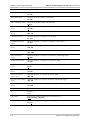
Table 1-1. System Management Options
Tasks –
Configuration
Dialog Box and
Parameter Location
Path
Setting Mux timing
information
Mux Information dialog box
(Figure 1-5)
Configuration
Mux Info…
Displaying system
information
System Information dialog
box (Figure 1-6)
Configuration
System Info…
Setting Mexaplex
configuration
Select Configuration dialog
box (Figure 1-7)
Configuration
Select Config…
Copying edit
configuration to
another Mux
Mux Copy dialog box
(Figure 1-8)
Configuration
Copy…
Transferring current
agent configuration to
edit configuration
Read Config dialog box
(Figure 1-9)
Configuration
Read…
Transferring edit
configuration to agent
configuration
Update Config dialog box
(Figure 1-10)
Configuration
Update…
Setting flip DB agenda
Flip DB Agenda dialog box
(Setting the Flip DB Agenda)
Configuration
Flip DB
Agenda…
Setting flip DB net
events
Flip DB Net Events dialog
box (Figure 1-13)
Configuration
Flip DB
Net Events…
Defining events that
cause RADview to flip
to specific
configuration
Flip DB Decision table
(Figure 1-15)
Configuration
Flip DB
Decision
Table…
Saving (downloading)
edit flip configuration
parameters to agent
See Updating (downloading)
the Flip DB to the Megaplex
Configuration
Flip DB
Update…
Reading (uploading)
flip parameters from
agent to edit flip
configuration
See Reading (Uploading) the
Flip DB to the Edit
Configuration
Configuration
Flip DB
Read…
Saving current edit
configuration to all
Muxes in net
Net Update Save
Configuration dialog box
(Figure 1-19)
Configuration
Net Update
Save Config…
Saving current flip
configuration to all
Muxes in net
See Saving the Flip DB
Configuration
Net Update
Flip DB…
Setting voice level
offset
System Level Configuration Operations
1-5
Chapter 1 Edit Configuration Mode
RADview-PC/TDM Megaplex-2100/2104 User’s Manual
Configuring system
signaling profiles
Signaling Profile dialog box
(Figure 1-21)
Configuration
Select Profile…
[Signaling
Profile…]
Configuring Bundle
Parameters
Bundle Connection Table
(Figure 1-36)
Configuration
Bundle
Connection
Table…
Manage Routing Table
Managers Routing Table
(Figure 1-39)
Configuration
Mng Routing
Table…
Setting redundancy
parameters
Redundancy Table
(Figure 1-35)
Configuration
Redundancy
Table…
Setting V5.1 Variants
V5.1 Variants dialog box
(Figure 1-26)
Configuration
V5.1 Variants
Polling the agent
See Polling the Agent
Configuration
Poll Agent
Tasks – Fault
Dialog Box and
Parameter Location
Path
Viewing list of errors
from last sanity check
Sanity Check Errors List
(Figure 1-42)
Fault
Tasks – Window
Dialog Box and
Parameter Location
Path
Displaying Agent view
See Displaying the Agent
View
Window
Agent View
On
Sanity Check
Errors…
Performing Megaplex Software Configuration
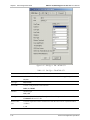
The Mux Info command allows you to view and set Megaplex configuration
information.
To set the current Megaplex software configuration:
•
From the Configuration menu, select Mux Info …
The Mux Information dialog box appears.
1-6
System Level Configuration Operations
RADview-PC/TDM Megaplex-2100/2104 User’s Manual
Chapter 1 Edit Configuration Mode
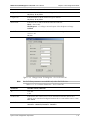
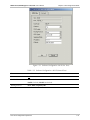
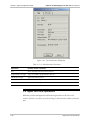
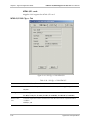
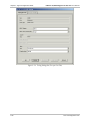
Figure 1-5. Mux Information Dialog Box
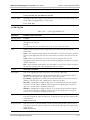
Table 1-2. Mux Information Parameters
Parameter
Possible Values / Remarks
Type
The type of Megaplex
MP-2100, MP-2104
Master Clock
Type
Main source for Megaplex timing
Internal, Rx Clock, Adaptive
Note: Adaptive is available only when an ML-IP card exists in the hub
Slot
The slot containing the card on which the master clock is located. This parameter is
applicable only when the master clock source type is Rx Clock.
Empty slots are not selectable.
IO-1..IO-12
For MP-2104: IO-1..IO-5.
Port
The port through which the master clock signal is received by the Megaplex.
external-1..external-12
For an HS-Q/M card, only external-1 is available
When Type is Adaptive: Bundle1..Bundle120
Note: To avoid future sanity check errors, select only existing bundles, or one that is
going to be created
Fallback Clock
Type
Alternate source for the Megaplex timing, to be used in case the master clock fails
Internal, Rx Clock, Adaptive
Note: Adaptive is available only when an ML-IP card exists in the hub
System Level Configuration Operations
1-7
Chapter 1 Edit Configuration Mode
RADview-PC/TDM Megaplex-2100/2104 User’s Manual
Parameter
Possible Values / Remarks
Slot
The slot containing the card on which the fallback clock is located. This parameter
is enabled only when the fallback clock source type is Rx Clock.
Empty slots are not selectable
IO-1..IO-12
For MP-2104: IO-1..IO-5.
Port
The port through which the fallback clock signal is received by the Megaplex.
external-1..external-12
For an HS-Q/M card, only external-1 is available
When Type is Adaptive: Bundle1..Bundle120
Note: To avoid future sanity check errors, select only existing bundles, or one that is
going to be created
Displaying System Information
The System Info command displays physical information about the current
Megaplex.
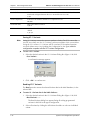
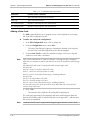
To display system information:
1. From the Configuration menu, select System Info...
The System Information dialog box appears.
2. Select value for Voice Level Offset (Offset 1 or No Offset) and click <Set>.
1-8
System Level Configuration Operations
RADview-PC/TDM Megaplex-2100/2104 User’s Manual
Note
Chapter 1 Edit Configuration Mode
Voice Level Offset is valid only for SW versions ≥6.30.
The Voice Level Offset affects the displayed value of Tx and Rx levels (voice cards
only) by adding or subtracting a constant value. The offset varies depending on the
port.
The following values are added when Offset 1 is selected:
For 2WIRE PORTS:
Tx Level: The base value (for 0dBm) =0
Rx Level: The base value (for 0dBm) =–2
For 4WIRE PORTS:
Tx Level: The base value (for 0dBm) =–16
Rx Level: The base value (for 0dBm) =7
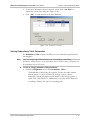
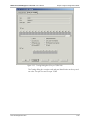
Figure 1-6. System Information Dialog Box
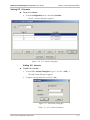
Modifying the Configuration List
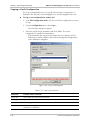
To view the list of Megaplex configurations:
•
From the Configuration menu, select Select Config…
The Select Config dialog box appears.
Note
A maximum number of 10 configurations can be stored.
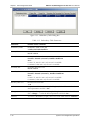
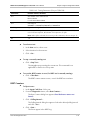
Figure 1-7. Select Configuration Dialog Box
System Level Configuration Operations
1-9
RADview-PC/TDM Megaplex-2100/2104 User’s Manual
Chapter 1 Edit Configuration Mode
Table 1-3. Select Configuration Parameters
Parameter
Possible Values / Remarks
Cfg Id
Index numbers in the list of the configurations. The current Edit Configuration is marked
by [ ] surrounding the Cfg Id number. RADview can store up to 10 configurations.
Description
Brief description of each configuration ID. The default description for Cfg Id [1] is Initial
Config.
[Add…]
Click <Add…> to add a new Megaplex configuration to the Select Config list. The Add
Configuration dialog box appears.
Select an available configuration ID and enter a description of the new configuration in
the Description field.
Click <OK>. The new configuration will include the same set of cards as the previous
configurations, although those card configuration values will be the defaults.
[Change…]
To change a Megaplex configuration description, select an entry in the list and click
<Change…> The Change Configuration dialog box appears.
Enter new description of the configuration in the Description field.
Click <OK>. The changed description appears in the Select Config dialog box.
[Delete]
Delete an entry in the list by selecting it and clicking <Delete>.
A dialog box appears asking the user to confirm the delete. Click <OK> to confirm
delete from the RADview database.
Note: You cannot delete the configuration that currently appears in the Edit Configuration
mode. To delete this configuration, select another configuration to appear in the Edit
Configuration mode. You can then delete the replaced configuration.
[Select…]
A configuration can be added to the Select Config list if less than 10 Megaplex
configurations exist in RADview’s database.
To select a configuration to appear in the Edit Configuration mode: click the required
configuration and click Select…
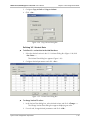
Copying Configuration
The Copy command transfers the current Edit Configuration, or all existing Edit
Configurations, to a specified Megaplex in the net.
To copy configurations:
1. From the Configuration menu, select Copy...
The Mux Copy dialog box appears.
Note
If all the configurations are selected, the Configuration ID and Description fields will
be disabled. The copied configurations will have the same ID and Descriptions as
the source.
The destination Mux must have the same Running Application (matching Agent SW
Version) as the Mux in focus, otherwise, it will not be selectable.
2. Set Copy parameters as required and click <Set>.
If All configurations are selected to copy:
The existing Edit configurations are copied to the destination Muxes with
the same Configuration ID and Description.
1-10
System Level Configuration Operations
RADview-PC/TDM Megaplex-2100/2104 User’s Manual
Chapter 1 Edit Configuration Mode
If Current configuration is selected to copy:
NMS copies the current Edit Configuration to the Muxes and Configuration
selected.
Note
If the cards in the copied configuration are different from the original cards in the
destination Muxes, the new set of cards will be copied to the destination
configuration. All the other existing configurations of the destination Mux will
change their set of cards accordingly. Slots containing unchanged card types, will
remain unchanged. Slots containing new card types, will contain default values.
If the Configuration ID already exists in the destination Mux, the copied
Configuration replaces the existing one.
If the Configuration ID does not exist in the destination Mux, NMS adds the new
Configuration to the list of the existing configurations, with its attached description.
The Destination Mux, its Card Windows and all Dialog Boxes will close when the
Copying operation is performed.
The Flip DB tables are not copied.
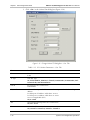
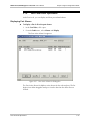
Figure 1-8. Mux Copy Dialog Box
Table 1-4. Mux Copy Parameters
Parameter
Possible Values / Remarks
Destination Mux
A list of the existing Megaplexes, including the current one.
For MP2100 - only MP2100 Megaplex types will be selectable.
For MP2104 - only MP2104 Megaplex types will be selectable.
You can select more than one Megaplex as the destination. The Configuration ID is
the same for all if only the present configuration is copied.
Copy Configurations
All existing Edit Configurations or only the Current Edit Configuration can be
copied.
System Level Configuration Operations
1-11
RADview-PC/TDM Megaplex-2100/2104 User’s Manual
Chapter 1 Edit Configuration Mode
Configuration Id
The destination configuration ID. If the destination configuration ID exists, the copy
operation will overwrite it. The default Configuration ID is the same as the current
Edit Configuration.
Note: The current configuration cannot also be the destination configuration.
Description
A brief description of the destination configuration.
Reading the Agent Configuration
The Read command uploads the current Agent configuration to the Edit
Configuration mode. This command is only available when there is
communication with the agent.
To upload the configuration from the agent:
1. From the Configuration menu, select Read...
The Read Config dialog box appears (Figure 1-9).
2. Select the desired configuration by clicking on it.
3. Click <Apply>.
Note
Apply causes the selected configuration to be uploaded automatically. No user
confirmation is requested.
Figure 1-9. Read Config Dialog Box
Table 1-5. Read Configuration Parameters
Parameter
Possible Values / Remarks
ID
Configuration ID number of agent configuration in the RADview database. The current
Agent Configuration is marked by [ ] surrounding the Cfg Id number.
Description
Brief description of each agent configuration in the RADview database
1-12
System Level Configuration Operations
RADview-PC/TDM Megaplex-2100/2104 User’s Manual
Chapter 1 Edit Configuration Mode
Date
Date of the last update of each configuration
Time
Time of the last update of each configuration
By
IP address of the manager that performed the last update of each configuration
Display
Selected configuration entry from the Read Config list
Updating the Configuration to the Agent
The Update command downloads a specific Edit Configuration to the Megaplex
CL-2, or CL-2 ETH card.
To download a specific Edit Configuration to the agent:
1. From the Configuration menu, select Update…
The Update Config dialog box appears.
2. Select the desired Configuration Id.
3. Click <Set> to download the selected configuration to the Megaplex.
Figure 1-10. Update Config Dialog Box
Table 1-6. Update Config Parameters
Parameter
Possible Values / Remarks
Configuration ID
Configuration ID number of Edit Configuration that you want to download to the
Megaplex
Description
Brief description of the selected Edit Configuration
Performing Flip DB
The Flip DB command opens a submenu that includes commands for defining
parameters for flipping configurations, saving the Flip configuration to the
Megaplex (activating), and reading the Flip configuration to the Edit Configuration
(uploading).
System Level Configuration Operations
1-13
RADview-PC/TDM Megaplex-2100/2104 User’s Manual
Chapter 1 Edit Configuration Mode
Figure 1-11. Flip DB Submenu
Setting the Flip DB Agenda
The Agenda command defines a type of workday for every day of the week. The
type of workday helps determine the times of automatic activation for the Flip
configuration.
To define a weekly agenda for the Flip configuration:
1. From the Configuration menu, select Flip DB followed by Agenda…
The Flip DB Agenda dialog box appears (Figure 1-12). The Flip DB Agenda
dialog box displays a weekly schedule.
2. For each day of the week, click a Day Type. A Day Type can be
Full Workday, Partial Workday or Weekend. Only one Day Type can be
selected for each week day.
3. Click <Set> to save the agenda in the RADview Edit Configuration database.
Note
This agenda will be downloaded to the Megaplex only when you invoke the
Flip DB>Update command.
Figure 1-12. Flip DB Agenda Dialog Box
Setting Flip DB Net Events
The Net Events command defines the events that will occur during the automatic
configuration flip.
To set the Net Events:
1. From the Configuration menu, select Flip DB followed by Net Events…
The Flip DB Net Events dialog box appears.
1-14
System Level Configuration Operations
RADview-PC/TDM Megaplex-2100/2104 User’s Manual
Chapter 1 Edit Configuration Mode
2. Configure desired parameters and click <Set> to save the Net Events
parameters in the RADview Edit Configuration database.
Note
These parameters will be downloaded to the Megaplex only when you invoke the
Flip DB>Update command.
Figure 1-13. Flip DB Net Events Dialog Box Event Type = Time
Figure 1-14. Flip DB Net Events Dialog Box Event Type = Interface Down
System Level Configuration Operations
1-15
RADview-PC/TDM Megaplex-2100/2104 User’s Manual
Chapter 1 Edit Configuration Mode
Table 1-7. Flip BD Net Events Parameters
Parameter
Possible Values / Remarks
Event No.
The net event code number. This number is unique for a particular type of event in
the whole net. This prevents usage of the same number by more than one type of
event.
The available options are 1 to 511.
Enable
√ in the Enable column indicates that an entry is valid. To add or modify parameters
of a net event, click the Enable checkbox (√) on the right side of the dialog box. To
delete/cancel an entry, you must first remove the √.
[Events…]
Clicking Events… opens the Net Events List that displays only numbers that are not
currently assigned a type of event. Click the event number you want and click
<Set>.
Event Type
Type of event:
Time, Interface Down
Note: You can enable only one Time Event per Day Type. Enabling more than one
Time Event per Day Type causes a failure when you try to update or download the
Flip DB to the Megaplex (Flip DB Update)
For Event Type=Time, you can set the following parameters:
Day Type
The type of day as determined in the Flip DB Agenda.
Full Workday, Partial Workday, Weekend.
Start Time
Time at which RADview activates the event.
Note: Start Time must be before the End Time
End Time
Time at which RADview deactivates the event
For Event Type=Interface Down, you can set the following parameters:
Slot
Slot in the Megaplex in which the selected net event occurs.
IO-1..IO-12
For MP-2104: IO-1..IO-5
Port
Port in the Megaplex in which the selected net event occurs
external-1..external-12, internal-1 to internal-12, depending on the type of card.
IN Delay (sec)
Delay time between the reporting of a net event as ON and the actual occurrence
of the event: 1 to 999
OUT Delay (sec)
Delay time between the reporting of a net event as OFF and the actual termination
of the event: 1 to 999
Net Event Broadcast
Enable
Determines if the Net Events will be Broadcasted to other Muxes of the Net or not
Unchecked (disabled): Net Events will NOT be Broadcasted
Checked (enabled): Net Events will be Broadcasted
Interval (sec)
When Net Event Broadcast is enabled, this object determines the interval of time in
seconds, between two consecutive Net Events transferred over the network
10..40..60
1-16
System Level Configuration Operations
RADview-PC/TDM Megaplex-2100/2104 User’s Manual
Chapter 1 Edit Configuration Mode
The Decision Table
In the Decision Table, you can define a combination of events that will cause
RADview to flip to a specific configuration automatically.
To set event combinations for activating a specific configuration flip:
1. From the Configuration menu, select Flip DB followed by Decision Table...
The Flip DB Decision Table appears. Each entry in the Flip DB Decision
Table defines a combination of events that cause a specific Flip DB action.
2. Configure desired parameters and click <Set> to save the Decision Table
parameters in the RADview Edit Configuration database.
Note
The Decision Table will be downloaded to the Megaplex only when you invoke the
Flip DB>Update command.
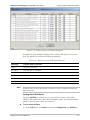
Figure 1-15. Flip DB Decision Table
Table 1-8. Flip DB Decision Table Parameters
Parameter
Possible Values / Remarks
Flip Index
Index number of the entry in the Table according to the order of priority.
For example, suppose that multiple event combinations, causing flipping to more than
one configuration, occur at the same time. RADview will activate the entry that comes
first in the Decision Table.
Logical Expression Combination of net events that, if they occur, cause RADview to flip to a specific
Megaplex configuration.
The expression consists of event numbers and the following logical symbols (maximum of
19 characters):
& - AND
| - OR
! – NOT
( ) – Parentheses enclose a combination of events that comprises a single condition in the
logical expression.
For example, (2&51)|(!102&4) means that (event no. 2 exists AND event no. 51 exists)
OR (event no. 102 does not exist AND event no. 4 exists).
Note: The logical expression cannot begin with a blank space.
System Level Configuration Operations
1-17
RADview-PC/TDM Megaplex-2100/2104 User’s Manual
Chapter 1 Edit Configuration Mode
Parameter
Possible Values / Remarks
Flip to Config No.
ID number of the Megaplex configuration that will be activated if the events written in
the logical expression occur.
Enable
√ in the Enable column indicates that an entry is valid.
[Edit…]
Edit entries in the decision table by selecting the entry and clicking <Edit…>.
The Edit Decision Table Entry dialog box appears.
Set the parameters as required and click <OK>.
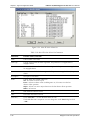
Figure 1-16. Edit Decision Table Entry
To check if any events written in the logical expression do not exist:
•
In the Edit Decision Table Entry dialog box, click <Net Events...>.
The Net Events List appears displaying the defined and enabled net events
stored in RADview’s database in ascending order. If an event that is written
in the logical expression does not appear in this list, the error message,
Logical Expression includes undefined/disabled event/s, appears after
you click <Set> in the Flip DB Decision Table.
Note
1-18
The purpose of this error message is to inform you that a potential error condition
exists. Regardless, pressing <OK> in the error message proceeds to save the
decision Table in RADview’s database
System Level Configuration Operations
RADview-PC/TDM Megaplex-2100/2104 User’s Manual
Chapter 1 Edit Configuration Mode
Figure 1-17. Decision Table’s Net Event List
Updating (downloading) the Flip DB to the Megaplex
The Flip DB>Update command saves (downloads) the information in the
Agenda, Net Events and Decision Table to the Megaplex.
Note
This option is only available when there is communication with the Megaplex.
To update the Flip DB to the Megaplex:
1. From the Configuration menu, select Flip DB followed by Update.
A confirmation message appears.
2. Click <OK> to confirm Update operation.
The Flip configuration is saved in the Megaplex CL card.
If the sanity check detects errors, RADview aborts the Update Flip DB
process.
Reading (Uploading) the Flip DB to the Edit Configuration
The Flip DB>Read command reads (uploads) the Flip configuration from the
Megaplex agent’s mode in the database to the Edit Flip Configuration.
Note
This option is only available when there is communication with the Megaplex.
To upload the Flip DB to the Edit Flip Configuration:
1. From the Configuration menu, select Flip DB followed by Read.
A confirmation message appears.
2. Click <OK> to confirm Read operation.
The Flip configuration in the Megaplex CL card replaces the existing Edit
Flip configuration.
System Level Configuration Operations
1-19
RADview-PC/TDM Megaplex-2100/2104 User’s Manual
Chapter 1 Edit Configuration Mode
Net Update
The Net Update command allows you to save the current Edit Configuration
and/or flip configuration to all Megaplexes in the net.
Figure 1-18. Net Update Submenu
Saving the Configuration
The Save Config command allows you to save the current Edit Configuration as
the Megaplex's temporary configuration without activating it over the net.
To save the current Edit Configuration as the Megaplex's temporary
configuration:
1. From the Configuration menu, select Net Update followed by Save Config...
The Net Update Save Config dialog box appears.
2. Configure desired parameters and click <Apply>.
If the sanity check is successful, the download proceeds and the selected
Edit Configuration is saved as the temporary configuration of the Megaplex
but not activated over the net.
If warnings appear, completion of the download process requires user
confirmation. If the sanity check detects errors, RADview aborts the
download process and displays the error message, “Sanity Check errors
encountered by NMS”. To view a list of detected errors, click
<View Errors>.
Figure 1-19. Net Update Save Config Dialog Box
Table 1-9. Net Update Save Config Parameters
Parameter
Possible Values / Remarks
Configuration Id
Configuration ID number of Edit Configuration that you want to save as the temporary
configuration.
Description
Brief description of the selected Edit Configuration.
To abort the Save Config operation in process:
•
1-20
Click <Abort>.
System Level Configuration Operations
RADview-PC/TDM Megaplex-2100/2104 User’s Manual
Chapter 1 Edit Configuration Mode
Saving the Flip DB
The Save Flip DB command saves the flip configuration as the temporary flip
configuration of the Megaplex, without activating it over the net.
To save the Flip configuration as the Megaplex's temporary flip configuration:
1. From the Configuration menu, select Net Update and Flip DB…
The Net Update Save Flip DB Confirmation Dialog Box appears.
2. Click <OK> to confirm the Net Update Save Flip DB.
If the sanity check detects errors, RADview aborts the Save Flip DB
process.
Figure 1-20. Net Update Save Flip DB Confirmation Dialog Box
Setting Signaling Profile Parameters
Megaplex main link ports can be configured to use either legacy CAS (with or
without signaling conversion) or the R2 protocol. Different profiles are used to
define the format of the signaling information.
To set signaling profile parameters:
1. From the Configuration menu, select Signaling Profile…
The Signaling Profile dialog box appears.
2. Configure the Type of Signaling Profile (Legacy or R2 CAS) for the desired
profiles.
3. Configure Legacy Data or R2 Data for selected profiles (described below) and
click <Set>.
System Level Configuration Operations
1-21
RADview-PC/TDM Megaplex-2100/2104 User’s Manual
Chapter 1 Edit Configuration Mode
Figure 1-21. Signaling Profile Dialog Box
Configuring Legacy Data Profile
Profiles for legacy signaling are used for regular CAS. These profiles enable the user
to define two separate conversions:
• Conversion of signaling information received through a main link, in order to
match the internal Megaplex signaling interpretation conventions.
•
Conversion of the internal signaling information to the format used by the
equipment connected to Megaplex links.
To set legacy data parameters:
1. From the Signaling Profile Dialog Box, select a profile whose type is Legacy
and click <Legacy Data…>.
The Legacy Data dialog box appears.
2. Configure desired parameters.
3. Click <Set> to add the changes to the NMS database and close the dialog
box.
Figure 1-22. Legacy Data Dialog Box
1-22
System Level Configuration Operations
RADview-PC/TDM Megaplex-2100/2104 User’s Manual
Chapter 1 Edit Configuration Mode
Table 1-10. Legacy Data Parameters
Parameter
Possible Values / Remarks
Signaling Profile
The profile number selected in the Select Profile dialog box
1 to 5
Rx (ML->IO) column
A
A, B, C, D, Inverse A, Inverse B, Inverse C, Inverse D, 1, 0
B
A, B, C, D, Inverse A, Inverse B, Inverse C, Inverse D, 1, 0
C
A, B, C, D, Inverse A, Inverse B, Inverse C, Inverse D, 1, 0
D
A, B, C, D, Inverse A, Inverse B, Inverse C, Inverse D, 1, 0
Busy
0000 .. 1111
Idle
0000 .. 1111
Tx (ML->IO) column
A
A, B, C, D, Inverse A, Inverse B, Inverse C, Inverse D, 1, 0
B
A, B, C, D, Inverse A, Inverse B, Inverse C, Inverse D, 1, 0
C
A, B, C, D, Inverse A, Inverse B, Inverse C, Inverse D, 1, 0
D
A, B, C, D, Inverse A, Inverse B, Inverse C, Inverse D, 1, 0
Configuring R2 Data Profile
Most of the parameters included in an R2 profile can be automatically selected by
specifying a national (country) implementation. In addition, it is necessary to select
the type of link (terrestrial or satellite).
R2 profiles enable the user to specify, for each individual channel (identified by
the main link timeslot to which it is routed), the call permissions: incoming only,
outgoing only, or both.
To set R2 data:
1. From the Signaling Profile Dialog Box, select a profile whose type is R2 CAS
and click <R2 Data…>
The R2 Data dialog box appears. There are three tabs: General, Timers
and Data.
2. Click on the desired tab to configure parameters
3. Click <Set> to add the changes to the NMS database and close the dialog
box.
System Level Configuration Operations
1-23
Chapter 1 Edit Configuration Mode
RADview-PC/TDM Megaplex-2100/2104 User’s Manual
Figure 1-23. R2 Data – General Tab Dialog Box
Figure 1-24. R2 Data – Timers Tab Dialog Box
1-24
System Level Configuration Operations
RADview-PC/TDM Megaplex-2100/2104 User’s Manual
Note
Chapter 1 Edit Configuration Mode
Click on the right mouse button to change the fields in the TS Data dialog box.
Figure 1-25. R2 Data – TS Data Tab Dialog Box
Table 1-11. R2 Data Parameters
Parameter
Possible Values / Remarks
Signaling Profile
The profile number selected in the Select Profile dialog box
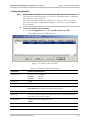
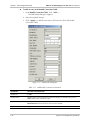
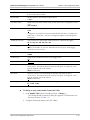
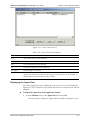
1 to 5
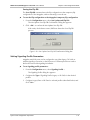
General Tab
R2 Mode
Auto: default value of timers will be used by R2, according to selected Country
Manual: user can change the value of R2 timers within the valid limits, specific to
each country
Country
ITU–T, Korea, India, Brazil (continuous), Brazil (pulsed), Argentina, 7, 8, 9, 10
R2 Delay
Eenables you to configure link as satellite or terrestrial. Seize acknowledge detect
timing is much shorter for terrestrial link than for satellite link (1-2 sec)
Terrestrial, Satellite
Metering Indication
Indicates which Bit will be used for Metering Indication
C Bit, B Bit
Timers Tab
The parameters of the Timers Tab are Read-Write only when R2 Mode = Manual
Break-Make Ratio
(msec)
Break-Make Ratio of Pulse Duration
56–44, 64–36, 80–20
Release Guard T2
(msec)
Release guard timing before going to idle
16..2000
System Level Configuration Operations
1-25
Chapter 1 Edit Configuration Mode
RADview-PC/TDM Megaplex-2100/2104 User’s Manual
Parameter
Possible Values / Remarks
Regret Duration (sec)
Regret duration
14..120
Seize Detect (msec)
Minimum duration to detect a valid seizure
24..448
Seize Ack. Delay (msec)
Delay before sending a valid seize ack signal
8..304
Clear-Back Detect
(msec)
Minimum duration to recognize a valid clear-back
24..448
Clear-Forward Detect
(msec)
Minimum duration to recognize a valid clear-forward
200..504
Fault Detect (msec)
Minimum duration to recognize a block signal
16..104
Fault Removal Detect
(msec)
Minimum duration to recognize a valid block removal signal
16..104
Meter Pulse Duration
(msec)
Duration of metering pulse to be sent
120..304
Seize Ack. Wait (msec)
Minimum duration to receive seizure acknowledge signal
104..1200
Seize Ack. Detect
(msec)
Minimum duration to recognize a valid seizure acknowledge signal
48..600
Answer Detect (msec)
Minimum duration to recognize a valid answer signal
64..448
Block Removal Detect
(msec)
Minimum duration to recognize a valid block removal signal
16..96
Metering Pulse Detect
(msec)
Minimum duration of incoming meter pulse
64..448
Forced Disconnect
Detect (msec)
Minimum duration to recognize disconnect signal
304..448
Disconnect Ack. Detect
(msec)
Minimum duration to recognize disconnect acknowledge signal
304..448
Release Guard T1
(msec)
Minimum duration to release guard. During this time, no new call can be initiated
16..2000
TS Data Tab
TS
TS Index
1..31
Call Enable
Indicates the Enabled Call direction for the specific TS
Both, Incoming, Outgoing
Metering
Indicates if the specific TS supports Metering
Yes, No
1-26
System Level Configuration Operations
RADview-PC/TDM Megaplex-2100/2104 User’s Manual
Chapter 1 Edit Configuration Mode
Setting V5.1 Variants
To set V5.1 variants:
•
From the Configuration menu, select V5.1 Variants…
The V5.1 Variants dialog box appears.
Figure 1-26. V5.1 Variants Dialog Box
Adding V5.1 Variants
To add a V5.1 variant:
1. From the V5.1 Variants Dialog Box (Figure 1-26) click <Add…>.
The Add Variant dialog box appears.
2. Configure variant parameters and click <Set>.
Figure 1-27. Add Variant Dialog Box
Table 1-12. V5.1 Variants Parameters
System Level Configuration Operations
1-27
Chapter 1 Edit Configuration Mode
RADview-PC/TDM Megaplex-2100/2104 User’s Manual
Parameter
Possible Values / Remarks
Link
<IO Slot>:<Port>
IO Slot: IO-1..IO-12
Port: External-1..External-2, Internal-1..Internal-2
Variant ID
Variant ID
0..127
Description
Description of Variant
Maximum 19 characters
Changing V5.1 Variant Description
To change the description for a V5.1 variant:
1. Select the desired variant in the V5.1 Variants Dialog Box (Figure 1-26) click
<Change…>.
The Change Description dialog box appears.
2. Enter new description and click <Set>.
Figure 1-28. Change Description Dialog Box
Deleting V5.1 Variant
To delete a V5.1 variant:
1. Select the desired variant in the V5.1 Variants Dialog Box (Figure 1-26) click
<Delete>.
A confirmation message appears.
2. Click <OK> to confirm delete.
Copying V5.1 Variant
To copy a V5.1 variant to another link:
1. Select the desired variant in the V5.1 Variants Dialog Box (Figure 1-26) click
<Copy To…>.
The Copy Variant dialog box appears.
2. Select destination for copy operation by checking appropriate checkbox: All
Variants or Selected Variant.
1-28
System Level Configuration Operations
RADview-PC/TDM Megaplex-2100/2104 User’s Manual
Chapter 1 Edit Configuration Mode
3. Configure Copy to Link and Copy to Variant.
4. Click <Set>.
Figure 1-29. Copy Variant Dialog Box
Defining V5.1 Variant Data
To define V5.1 variant data in the NMS database:
1. Select the desired variant in the V5.1 Variants Dialog Box (Figure 1-26) click
<Var. Data…>.
The Variant Data dialog box appears (Figure 1-30).
2. Configure desired parameters and click <Set>.
Figure 1-30. Variant Data Dialog Box
To change Variant TS values:
1. In the Variant Data dialog box, select desired variant and click <Change…>.
The Change Variant Data dialog box appears displaying two tabs.
2. For each tab, change desired parameters and click <OK>.
System Level Configuration Operations
1-29
RADview-PC/TDM Megaplex-2100/2104 User’s Manual
Chapter 1 Edit Configuration Mode
3. Click <Set> in the Variant Data dialog box (Figure 1-30).
Figure 1-31. Change Variant TS Dialog Box – Gen. Tab
Table 1-13. V5.1 Variants Parameters – Gen. Tab
Parameter
Possible Values / Remarks
TS
Time Slot
1..31
TS Type
Time Slot Type
NC, PSTN, ISDN B1, ISDN B2, C Channel, Permanent B1, Permanent B2, SemiPermanent B1, Semi-Permanent B2
Port ID
IO Port ID this TS is connected to
0..16777215
EF/L3 Address
Address of the IO port this TS is connected to. IO port is identified according to its
Address:
for ISDN ports: EF Address. Valid values: 0..8175
for PSTN ports: L3 Address. Valid values: 0..32767
65535=notApplicable (FFFF).
NA, 0..32768
Slot
Slot containing the IO port this TS is connected to
NA, IO-1..IO-12
Port
IO Port this TS is connected to
NA, external-1..external-16, internal-1.. internal-2
1-30
System Level Configuration Operations
RADview-PC/TDM Megaplex-2100/2104 User’s Manual
Chapter 1 Edit Configuration Mode
Parameter
Possible Values / Remarks
F Type C Ch
Indicates which TS will be used for F-Type C channel
NA, TS 15, TS 16, TS 31
P Type C Ch
Indicates which TS will be used for P-Type C channel
NA, TS 15, TS 16, TS 31
Block Mode
Indicates if this TS will be Blocked/not Blocked and how:
Block: - done locally
Block Request: - according to external request of the telephone exchange
Unblock
Ext D-Ch
Indicates if this TS is an ISDN D channel that comes via Bypass from a
non-V5.1 ML.
No, Yes
Figure 1-32. Change Variant TS Dialog Box – Ext. D-Ch Data Tab
Note
Ext. D-CH Data parameters are available only when Ext D-Ch=Yes.
Table 1-14. V5.1 Variants Parameters – D-Ch. Data Tab
Parameter
Possible Values / Remarks
TS
Time Slot
1..31
Ext D-Ch Slot
Indicates the Slot of the non-V5.1 ML on which the External D channel TS is
defined (and is transferred via Bypass between the V5.1 ML and the non-V5.1 ML)
IO-1..IO-12
Ext D-Ch Port
Port of Ext D-Ch Slot
external-1.. external-2, internal-1.. internal-2
System Level Configuration Operations
1-31
RADview-PC/TDM Megaplex-2100/2104 User’s Manual
Chapter 1 Edit Configuration Mode
Parameter
Possible Values / Remarks
Ext D-Ch TS
TS on the non-V5.1 ML on which the External D channel TS is defined (and is
transferred via Bypass between the V5.1 ML and the non-V5.1 ML)
1..31
D-Ch Compression
Indicates if this ISDN D channel TS is Compressed or not
No, Yes
D-Ch Rate (bits)
Rate of the ISDN D channel
2, 4, 8
D Ch Start Bit
Start Bit of the ISDN D channel on the TS of the non-V5.1 ML on which it is
defined
1, 3, 5, 7
Saving V5.1 Variants
Note
Saving V5.1 Variants causes the system to perform a Sanity Check. To ensure that
you will successfully save the V5.1 Variants, perform an update of the system before
saving the V5.1 variants. V5.1 Variants will be saved only if the update operation
succeeds without errors (see Updating the Configuration to the Agent) and the
configuration complies with the V5.1 variant configuration
To save a V5.1 variant:
1. Select the desired variant in the V5.1 Variants Dialog Box (Figure 1-26) click
<Save Variant>.
A confirmation message appears.
Figure 1-33. Save V5.1 Variants
2. Click <OK> to confirm save.
Reading V5.1 Variants
The Read operation enters the selected Variant data in the NMS database, for the
selected link.
To enter V5.1 Variant data in the NMS database:
1. Select the desired variant in the V5.1 Variants Dialog Box (Figure 1-26) click
<Read Variant/s…>.
The Read Variants dialog box appears listing all existing programmed
variants for this link in the agent configuration.
2. Select all variants by clicking the All Variants checkbox or select an individual
variant.
1-32
System Level Configuration Operations
RADview-PC/TDM Megaplex-2100/2104 User’s Manual
Chapter 1 Edit Configuration Mode
3. To see more information about a selected variant, click <Var. Data> to
display the Variant Data dialog box (Figure 1-30).
4. Click <OK> to enter the data in the NMS database.
Figure 1-34. Read V5.1 Variants
Setting Redundancy Table Parameters
The Redundancy Table command enables you to set redundancy parameters for
the Megaplex.
Note
Only slots containing MTML and HSH cards are available for redundancy
operations. MTML-H ports can be redundant only to MTML-H ports; HSH ports can
be redundant only to HSH ports.
To view or change redundancy table parameters:
•
From the Configuration menu, select Redundancy Table….
The Redundancy Table dialog box appears. Fields in the table (marked
with an asterisk *) can be reordered by clicking on their columns.
Redundancy Mode will display the parameters in the following order: Y
Cable, Dual Cable Parallel Tx. Additionally every group will be displayed
according to Primary Slot and Port ascending order.
System Level Configuration Operations
1-33
RADview-PC/TDM Megaplex-2100/2104 User’s Manual
Chapter 1 Edit Configuration Mode
Figure 1-35. Redundancy Table Dialog Box
Table 1-15. Redundancy Table Parameters
Parameter
Possible Values / Remarks
Redundancy Mode
Redundancy Mode for the card
Y Cable, Dual Cable Parallel Tx
Primary Slot
Primary Slot for the card
NA, IO-1..IO-12
Primary Port
Primary Port for the card
External-1..External-2, Internal-1, Bundle1..Bundle120
Note:
For ML-1/T1, ML-1/E1 cards: only external-1 is available
For MLML-H, HSH cards: only external-1 is available
Secondary Slot
Secondary Slot for the card
NA, IO-1..IO-12
Secondary Port
Secondary Port for the card
External-1..External-2, Internal-1, , Bundle1..Bundle120
Note:
For ML-1/T1, ML-1/E1 cards: only external-1 is available
For MLML-H, HSH cards: only external-1 is available
Recovery Time (sec)
Recovery time in seconds
1..99
[Add…]
To open the Add Redundancy Couple dialog box, click <Add…>. Select the
desired parameters and click <Set>.
[Change…]
To open the Change Redundancy Couple dialog box, select a line in the table and
click <Change…>. Select the desired parameters and click <Set>.
[Remove]
To remove a Redundancy Couple, select a line in the table and click <Remove>.
1-34
System Level Configuration Operations
RADview-PC/TDM Megaplex-2100/2104 User’s Manual
Chapter 1 Edit Configuration Mode
Configuring Bundles
Note
Bundles defined as Redundant in the Redundancy Table will not always have the
same Dest Name and Dest Bundle. If you use the redundancy feature as Broadcast,
the destinations will be different.
When both redundant bundles are related to the same Time Slots (for a specific
port), only one appears in the Bundles dialog box. A Time slot can be assigned to
only one bundle.
To view the bundle connection table:
•
From the Configuration menu, select Bundle Connection Table…
The Bundle Connection Table appears.
Figure 1-36. Bundle Connection Table
Table 1-16. Bundle Connection Parameters
Parameter
Possible Values/Remarks
IO Slot / Int–n
Slot or Int-n to be configured
for Slots:
1–1..12
for Int–n:
1..12–2
Bundle No.
1–120
Bundle Name
Bundle name for selected channel. Table will display one bundle name per line
Admin Status
Connected,
Disconnected (frames will not be sent from this channel)
Dest. Name
Logical name or IP address of the destination mux
Next Hop
Indicates IP address to which the Ehternet frame will be sent when the Dest.
Name IP is not in the device subnet
Dest. Bundle
Bundle number in the destination mux
1–2016
Rdn Bundle
NA, Number of redundant bundle
Exit Port
External–1, External–2, Auto
System Level Configuration Operations
1-35
RADview-PC/TDM Megaplex-2100/2104 User’s Manual
Chapter 1 Edit Configuration Mode
To add an entry in the Bundle Connection Table:
1. In the Bundle Connection Table, click <Add...>.
The Add Bundle dialog box appears.
2. Enter the required changes.
3. Click <Apply> to add the new entry to the bottom of list in the Bundle
Connection Table.
Figure 1-37. Add Bundle Dialog Box
Table 1-17. Add Bundle Connection Parameters
Parameter
Possible Values/Remarks
Bundle No.
1–120
Bundle Name
Bundle name for selected channel. Table will display one bundle name per line
Note: Bundle name should be unique
Admin Status
Connected,
Disconnected (frames will not be sent from this channel)
Dest. Name
Logical name or IP address of the destination mux
1-36
System Level Configuration Operations
RADview-PC/TDM Megaplex-2100/2104 User’s Manual
Chapter 1 Edit Configuration Mode
Parameter
Possible Values/Remarks
Next Hop
Indicates IP address to which the Ehternet frame will be sent when the Dest. Name
IP is not in the device subnet
Dest. Bundle
Bundle number in the destination Ipmux device
1–2016
Jitter Buffer (µsec)
Depth of the jitter buffer (elastic buffer per link whose size is configurable in units
of µs).
300..30,000 µs
ToS
IP ToS (Type of Service) assigned to this channel
0-255
Configures IP ToS field in the IP frames transmitted by the device. Configures the
entire byte – not only the 3 ToS bits. ToS assignment applies to all TDM packets
leaving mux.
TDM Bytes in Frame
UDP payload (one-eight) length enabling reduction of Ethernet throughput
48, 96, 144, 192, 240, 288, 336, 384
VLAN Tagging
No, Yes
Note: If two bundles use the same VLAN ID and same exit port, VLAN Tagging
should be the same for both
VLAN ID
VLAN ID
0-4000
VLAN Priority
VLAN Priority (Enabled only when VLAN Tagging=Yes)
0-7
Exit Port
External–1, External–2, Auto
Voice OOS
Voice out-of-service code transmitted on voice time slots when the link is
out-of-service. This value must be the same for both ports. To change the code,
type the required code in the edit box
00-FF (hexadecimal)
Data OOS
Data out-of-service code transmitted on data time slots when the link is
out-of-service. This value must be the same for both ports. To change the code,
type the required code in the edit box
00-FF (hexadecimal)
Far-End Type
Type of the Far-End device (available only for Agents with SW version ≥ 9.xx
E1, T1-ESF, T1-D4
To change an entry in the Bundle Connection Table:
1. In the Bundle Table, select a bundle and click <Change...>.
The Change Bundle Connection dialog box appears. The Parameters are
the same as those in Table 1-17.
2. Configure desired parameters and click <Set>.
System Level Configuration Operations
1-37
RADview-PC/TDM Megaplex-2100/2104 User’s Manual
Chapter 1 Edit Configuration Mode
Figure 1-38. Change Bundle Dialog Box
To remove an entry in the Bundle Connection Table:
Note
You cannot remove bundles with connected Time Slots.
1. In the Bundle Table, select a bundle and click <Remove>.
A message appears asking you to confirm the delete.
2. Click <OK> to remove the entry from the NMS database.
Configuring Managers Routing Table
To view the Managers Routing table:
•
From the Configuration menu, select MNG Routing Table…
The Managers Routing Table appears.
1-38
System Level Configuration Operations
RADview-PC/TDM Megaplex-2100/2104 User’s Manual
Chapter 1 Edit Configuration Mode
Figure 1-39. Managers Routing Table
Table 1-18. Managers Routing Parameters
Parameter
Possible Values / Remarks
IP Address
IP Address of manager
IP Mask
IP Address Mask
Next Hop IP
Indicates IP address to which the frame will be sent when the Dest. Name IP is not
in the device subnet
Interface Cost (Metric)
1..15
To add an entry in the Managers Routing Table:
1. In the Managers Routing Table, click <Add...>
The Add Managers Routing dialog box appears (Figure 1-40).
2. Enter the required changes.
3. Click <Apply> to add the new entry to the bottom of list in the Managers
Routing Table.
Figure 1-40. Add Managers Routing Dialog Box
System Level Configuration Operations
1-39
RADview-PC/TDM Megaplex-2100/2104 User’s Manual
Chapter 1 Edit Configuration Mode
To change the interface cost of a manager:
1. In the Managers Routing Table, select a manager and click <Change...>.
The Change Managers Routing Table dialog box appears.
2. Configure desired Interface Cost and click <Set>.
Figure 1-41. Change Interface Cost Dialog Box
To remove an entry in the Managers Routing Table:
•
In the Managers Routing Table, select an entry and click <Remove>.
The entry is deleted from the NMS database.
Polling the Agent
You can manually poll the agent at any given instant. This is useful when you don’t
want to wait until the next automatic polling interval.
To manually poll the agent:
•
From the Configuration menu, select Poll Agent.
The system polls the agent immediately.
Displaying Sanity Check Results
In the Megaplex Level of the Edit Configuration, you can display the results of the
Megaplex's latest sanity check.
To display the latest sanity check results:
•
From the Fault menu, select Sanity Check Errors…
The Sanity Check Error List appears displaying a list of errors and/or
warnings detected during the latest sanity check.
If the latest sanity check detected no errors, the message “NO SANITY
ERRORS” appears.
1-40
System Level Configuration Operations
RADview-PC/TDM Megaplex-2100/2104 User’s Manual
Chapter 1 Edit Configuration Mode
Figure 1-42. Sanity Check Error List
Table 1-19. Sanity Check Error Parameters
Parameter
Possible Values / Remarks
Slot
Slot in which the error was detected.
Card Type
Type of card in which the error was detected.
Port
Port in which the error was detected.
TS
Time Slot in which the error was detected.
Description
Brief description of the error.
[Save File…]
Click Save File… to save the Sanity Check Errors List in a file. The Save dialog box
appears with the default output file name output.txt. This file name can be changed, if
desired. Enter path and filename and Click <OK>.
Displaying the Agent View
If the Edit Configuration only is displayed on the screen, you may also display the
Agent view. This command is only available when there is communication with the
Megaplex.
To display the Agent view of the application window:
•
From the Window menu, select Agent View followed by On.
The actual agent configuration appears below the Edit Configuration view.
System Level Configuration Operations
1-41
Chapter 1 Edit Configuration Mode
RADview-PC/TDM Megaplex-2100/2104 User’s Manual
1.4 Card Level Configuration Operations
Table 1-20 lists the different management options for the card level.
Note
Card Level Configuration menu options are dependent upon the selected card. You
cannot copy or zoom in on PS cards, empty slots, and unknown cards.
Table 1-20. Card Level Management Options
Tasks – Configuration
Dialog Box and Parameter
Location
Path
Adding a new card in the
mux
New Card dialog box
(Figure 1-45)
Configuration
Add…
Displaying zoomed card
view
Zoomed Card View
(Figure 1-43)
Configuration
Zoom
Displaying card
information
Card Information dialog box
(Figure 1-44)
Configuration
Card Info…
Copying card’s
configuration
Copy Card dialog box
(Figure 1-46)
Configuration
Copy…
Removing a card
See Removing a Card
Configuration
Remove
Zooming to a Card View
You may display a more detailed view of a card, including individual ports.
To display the Card View:
•
Double click on a card in the mux or select a card and from the Configuration
menu select Zoom.
The Zoomed card dialog box appears.
Note
1-42
In the Edit Configuration mode, you cannot zoom in on a PS card slot, empty slot,
unknown or CL card slot.
Card Level Configuration Operations
RADview-PC/TDM Megaplex-2100/2104 User’s Manual
Chapter 1 Edit Configuration Mode
Figure 1-43. Zoomed Card View
To exit the Card View:
•
Double click the upper left hand corner of the Zoomed Card View window.
Displaying Card Information
The Card Info command displays physical configuration information about the
selected card.
To display information about the selected card:
1. Select the card in the mux.
2. From the Configuration menu, select Card Info...
The Card Information dialog box appears.
Figure 1-44. Card Information Dialog Box
Card Level Configuration Operations
1-43
RADview-PC/TDM Megaplex-2100/2104 User’s Manual
Chapter 1 Edit Configuration Mode
Table 1-21. Card Information Parameters
Parameter
Possible Values / Remarks
Slot
Slot in which the selected card is inserted
Card Type
Type of the selected card
No. of External Ports
Number of external ports in the selected card
No. of Internal Ports
Number of internal ports in the selected card
Adding a New Card
The Add command allows you to program a new card configuration in an empty
slot in the Edit Configuration mode.
To add a new card to the configuration:
1. In the Edit Configuration mode, click an empty slot.
2. From the Configuration menu, select Add…
The New Card dialog box appears containing the number of the selected
slot and a list of all cards supported by the current Megaplex.
3. From the New Card list, select the required card type. If necessary, drag the
scroll bar to view other card names.
Note
Only certain combinations of cards are allowed. A warning message is displayed
when the user attempts to add a card that will not work in conjunction with existing
cards.
ML (Main Link) cards work in conjunction with common logic cards.
For MP 2100:
Slots PS 1 and PS 2 can only contain PS cards.
Slots CL 1 and CL 2 can only contain CL cards.
Slots IO 1 to IO 12 can take all other types, including unknown.
For MP 2104:
Slot PS 1 can only contain a PS card.
Slot CL 1 can only contain a CL card.
Slots IO 1 to IO 5 can take all other types, including unknown.
For each MUX, only one ACM card can be used. More than one ACM card will
cause a sanity check error.
4. Click <Set>.
The selected card is added to all existing Edit Configurations.
The card types supported by the Megaplex and which model supports them are
listed in the following table. X indicates that the card is supported, -- indicates that
the card is not supported.
Note
1-44
* indicates that the card is supported for Megaplex agent software versions ≥8.XX.
Card Level Configuration Operations
RADview-PC/TDM Megaplex-2100/2104 User’s Manual
Chapter 1 Edit Configuration Mode
Figure 1-45. New Card Dialog Box
Table 1-22. Card Types Supported by Megaplex
Card Type
MP2100; MP2104
PS-60W
X
PS-100W
X
PS-180W
X (2100 only)
MCL-2
X
MCL-2 ETH
X
MTML-2/T1
X
MTML-2/E1
X
MLF–2T1
X
MLF–2E1
X
ML–1T1
X
ML–1E1
X
MLF–1T1
X
MLF–1E1
X
ML-IP*
X
MTML–H–2E1
X
MTML–H–2E1/2W
X
MTML–H–2T1
X
HSH–2T1
X
HSH-2T1/2W
X
HSH–2E1
X
HSH-2E1/2W
X
Card Level Configuration Operations
1-45
Chapter 1 Edit Configuration Mode
1-46
RADview-PC/TDM Megaplex-2100/2104 User’s Manual
Card Type
MP2100; MP2104
ACM
X
HS-2
X
HS-3
X
HS-703
X
HS-Q
X
HS-P
X
HS-ETH*
X
HS-DP
X
HS-Q/M
X
HS-Q/N
X
HS-R
X
HS-S
X
HS-U/1
X
HS-U6
X
HS-U12
X
HS-U/I
X
LS-2/A(X.50)
X
LS-2/A(X.58)
X
LS-2/A(SDM)
X
LS-2/A/2TS
X
LS-2/M
X
LS-6
X
LS-12
X
MBE-A
X
MBE-B
X
MBE-U
X
TRE
X
VC-2/E&M
X
VC-2/FXO(1)
X
VC-2/FXO(2)
X
VC-2/FXO(3)
X
VC-2/FXS(1-PLAR)
X
VC-2/FXS(2)
X
VC-2/FXS(3)
X
Card Level Configuration Operations
RADview-PC/TDM Megaplex-2100/2104 User’s Manual
Note
Chapter 1 Edit Configuration Mode
Card Type
MP2100; MP2104
VC-2/R2
X
VC-6A/LB
X
VC-6A/E&M
X
VC-6/FXO
X
VC-6A/FXS
X
VC-6AG/FXO
X
VC-6AG/FXS
X
VC-6/E&M
X
VC-6/FXO
X
VC-6/FXS
X
VC-8/E&M*
X
VC-8/FXO*
X
VC-8/FXS*
X
VC-16/E&M*
X
VC-16/FXO*
X
VC-16/FXS*
X
VC-16A
X
VC-Q
X
VF-3/E&M
X
VF-3/FXS
X
VF-3/FXO
X
VF-PBX
X
VF-PBX/T1
X
VF-PBX/E1
X
Unknown
X
VF-PBX* (see Note)
X
VF-PBX/T1* (see Note)
X
VF-PBX/E1* (see Note)
X
Unknown
X
Due to power supply limitation, it is not recommended to use the VF-PBX family of
cards with the MP-2104 hub. If you choose to use the card, only one VF-PBX card
can be used in the 2104 hub.
Card Level Configuration Operations
1-47
RADview-PC/TDM Megaplex-2100/2104 User’s Manual
Chapter 1 Edit Configuration Mode
Copying a Card's Configuration
The Copy command allows you to copy the selected card's configuration to a
destination slot within the current Megaplex or to another Megaplex in the net.
To copy a card configuration to another slot:
1. In the Edit Configuration mode, click the card whose configuration you want
to copy.
2. From the Configuration menu, select Copy...
The Card Copy dialog box appears.
3. Select the required copy parameters and click <Set>. The source
configuration is copied to its destination(s).
If the destination slot was previously empty, the new card type and its
default values will be added to that slot in all existing Edit Configurations
on the destination Megaplex.
Figure 1-46. Copy Card Dialog Box
Table 1-23. Card Copy Parameters
Parameter
Possible Values / Remarks
Source Slot
Slot in which the selected card is inserted
Card Type
Type of the selected card
Node Name
List of Megaplexes in the current node.
If the current Megaplex is MP-2100 or MP-2104, you can select only MP-2100 or
MP-2104 as a destination
1-48
Card Level Configuration Operations
RADview-PC/TDM Megaplex-2100/2104 User’s Manual
Chapter 1 Edit Configuration Mode
Parameter
Possible Values / Remarks
Configuration Id
ID number of an existing Edit Configuration in the destination Megaplex
Destination Slot
Destination slot in the destination Megaplex. Only empty slots or slots containing the
same card type as the source card are available.
Note: You can select more than one destination slot by using standard Windows item
selection methods (click<CTRL>click, click<SHIFT>click). Each destination slot will
receive the same configuration.
A destination slot may contain data that affects or depends on data of other slots (for
example, redundant MTML cards, LS-6 tandem cards, and so on). These conditions are
not checked or processed further by RADview. You are responsible for checking and
correcting such conditions.
Removing a Card
The Remove command deletes a card configuration from the selected slot in the
Edit Configuration mode. If the card configuration exists in the same slot in other
Edit Configurations of the current Megaplex, the card configuration will be
removed from all.
To remove a card from the Edit Configuration:
1. Click the card you want to remove.
2. From the Configuration menu, select Remove.
A dialog box appears asking you to confirm the Remove operation.
3. Click <OK> to confirm.
1.5 Port Level Configuration Operations
RADview allows you to perform network management in the Port Level. You select
a port by clicking it in the zoomed card view.
Table 1-24 lists the different management options for port level.
Note
Port Level Configuration menu options are dependent upon the selected port.
The contents of the Configuration menu of the zoomed card depend on the port
selection:
If the selected port is serial, voice, TDM-IO, etc., only the Port Info and Copy
options are available (not applicable for MTML).
If the selected port is TDM-ML (external-1 port of MTML), the Port Info..., Copy, TS
Assignment and User Name options are available.
Port Level Configuration Operations
1-49
RADview-PC/TDM Megaplex-2100/2104 User’s Manual
Chapter 1 Edit Configuration Mode
Table 1-24. Port Level Management Options
Tasks –
Configuration
Dialog Box and
Parameter Location
Path
Setting port
information
Software Configuration
dialog box
(Figure 1-47)
Configuration
Port Info…
Setting User
Name and
Information
Port User Info dialog box
(Figure 1-56)
Configuration
User Info…
Configuring
Bundles
Bundles Dialog Box
(Figure 1-52)
Configuration
Bundles…
Setting Time
Slots
Time Slots table (Figure 157)
Configuration
TS Assignment…
Setting Port Information
The Port Info command displays software configuration information about the
selected port.
To display information about a port:
•
In the Card View, double click the port. Alternatively, in Card View select the
port and from the Configuration menu, select Port Info or click the
Port Info button
.
The Port Information dialog box appears.
General information and software configuration information can be displayed by
selecting the various tabs. RADview supports several types of cards.
The Port Information dialog box contains the following read-only parameters at the
top: Slot, Port and Card Type.
Configuring Port Information Parameters
Main Link Cards
Note
1-50
ML (Main Link) cards work in conjunction with common logic cards.
ML-1 cards (MTML-1/T1 DSU, MTML-1/T1 CSU, MTML-F/T1, MTML-1/E1 DSU,
MTML-1/E1 LTU, MTML-F/E1) work with CL-1 (CL-1, CL-1 ETH) cards and are
supported by Megaplex software versions 6.09 and below.
ML-2 cards (MTML-2/T1, MTML-2/E1) work with CL-2 (CL-2, CL-2 ETH) cards and
are supported by Megaplex software versions ≥6.30.
Port Level Configuration Operations
RADview-PC/TDM Megaplex-2100/2104 User’s Manual
Chapter 1 Edit Configuration Mode
Megaplex 2100 supports the following ML cards:
Card
Parameters
ML-2
MTML-2/T1
see MTML-2/T1 Cards
MTML-2/E1
see MTML-2/E1 cards
ML–IP
see ML-IP Cards
MTML-2/T1 Cards
Megaplex 2100 supports the MTML-2/T1 card.
Note
ML-2 cards (MTML-2/T1, MTML-2/E1) work with CL-2 (CL-2, CL-2 ETH) cards and
are supported by Megaplex software versions ≥6.30.
MTML-2/T1 Software Configuration Parameters
To display/change software configuration parameters for an MTML-2/T1
external port:
1. In the Card View, click the required port.
2. From the Configuration menu, select Port Info...
The Port Information dialog box appears (Figure 1-47).
3. Click the SW Cfg>> tab.
Port Level Configuration Operations
1-51
RADview-PC/TDM Megaplex-2100/2104 User’s Manual
Chapter 1 Edit Configuration Mode
Figure 1-47. SW Cfg>> Tab – MTML-2/T1
Table 1-25. SW Cfg>> Tab MTML–2/T1
Parameter
Possible Values / Remarks
Connect
Indicates whether the port should be considered in any of the Megaplex algorithms
No, Yes
Line Type
ESF, D4 (SF)
Line Code
The line code parameter of the interface
B8ZS, B7, TRANS
Interface
Interface type
DSU, CSU
FDL Type
The side of the FDL that the selected port is located. Response indicates user side,
Command indicates PTT side
Restore Time
(sec)
The time required to restore normal service after the end of a loss of synchronization
condition
1, 10
1-52
Port Level Configuration Operations
RADview-PC/TDM Megaplex-2100/2104 User’s Manual
Parameter
Possible Values / Remarks
Line Length
The line length (only for T1/DSU interfaces)
Chapter 1 Edit Configuration Mode
0–133, 134–266, 267–399, 400–533, 534–655
TX Gain (dBm)
Attenuation value that brings the signal level closer to the expected repeater signal level
on the cable (only applicable for T1 CSU cards)
0, 7.5, 15.0, 22.5
<<SW Cfg Tab
Table 1-26. <<SW Cfg Tab MTML2/T1
Parameter
Possible Values / Remarks
Signaling Profile
1,2,3,4,5
Idle Code (hex)
Hexadecimal code transmitted to fill idle (unused) time slots in frames transmitted
through the selected port
0 to FF
The following values are not allowed: 0, 8, 10, 12, 21, 24, 42, 49, 84, 92
CGA
Method used to signal the carrier group alarm (CGA) state to the other end of the
selected link
None - Non-transparent mode. When one of the links is in out-of-service state, the time
slots carry the appropriate out-of-service code (data/voice OOS) to the other end of the
link.
Trans - When one of the links is in out-of-service state, the time slots carry the
appropriate OOS code to the other end of the link. Signaling bits A and B are not forced
into the OOS state.
Full - Fully transparent mode. When one of the links is in out-of-service state, the state of
the time slots and the state of the signaling bits does not change.
Rx Gain
Short Haul, Long Haul
OOS Signal
State of the signaling bits when the link is in out-of-service (OOS) state
Forced Idle - Signaling bits A and B are idle when the link is in out-of-service state. In
addition, if the line type is ESF, signaling bits C and D are also idle.
Forced Busy - Signaling bits A and B are busy when the link is in out-of-service state. In
addition, if the line type is ESF, signaling bits C and D are also busy.
Busy Idle - Signaling bits A and B are busy for 2.5 seconds, then become idle until the
out-of-service state ends. In addition, if the line type is ESF, signaling bits C and D are
idle for 2.5 seconds before switching to busy state.
Idle Busy - Signaling bits A and B are idle for 2.5 seconds, then become busy until the
out-of-service state ends. In addition, if the line type is ESF, signaling bits C and D are
busy for 2.5 seconds before switching to idle state.
Voice OOS (hex)
Voice out-of-service code transmitted on voice time slots when the link is out-of-service.
This value must be the same for both ports. To change the code, type the required code
in the edit box.
00-FF (hexadecimal)
Data OOS (hex)
Data out-of-service code transmitted on data time slots when the link is out-of-service.
This value must be the same for both ports. To change the code, type the required code
in the edit box
00-FF (hexadecimal
Port Level Configuration Operations
1-53
RADview-PC/TDM Megaplex-2100/2104 User’s Manual
Chapter 1 Edit Configuration Mode
Parameter
Possible Values / Remarks
Inband Mng
Identifier of inband management over the link
Off, FDL or TS0, Dedicated TS, Dedicated TS/PPP, Dedicated FR
Inband Mng Rate
(Kbps)
Data rate of the inband management. Options depend on Inband Mng
NA, 4, 64
Inband Mng Rout
Protocol
Protocol of Inband Mng. Options depend on Inband Mng
None, RIP2, Proprietary
Inband Mng
Identifier of inband management over the link.
Off, FDL or TS0, Dedicated TS, Dedicated TS/PPP, Dedicated FR.
Inband Mng Rate
(Kbps)
Data rate of the inband management. Options depend on Inband Mng .
NA, 4, 64.
Inband Mng Rout
Protocol
Protocol of Inband Mng. Options depend on Inband Mng.
None, RIP2, Proprietary.
ML Rdn Tab
Table 1-27. ML Rdn. Tab MTML2/T1
Parameter
Possible Values / Remarks
Redundancy
Mode
ML redundancy mode
Dual Cable Parallel Tx: ML card is connected by a separate cable to other Megaplexes.
Y Cable: Y Cable connects two MTML cards to two Megaplexes, through one cable (only
applicable for same types CSU or DSU of MTML cards).
Primary Port
Primary Port
Secondary Slot
Secondary Slot
Secondary Port
Secondary Port
Recovery Time
(sec)
Minimum interval in seconds necessary to pass from time MTML card is switched (to
current slot) before next ML switch can occur.
1..99
Connect Tab
Table 1-28. ML Rdn. Tab MTML2/T1
Parameter
Possible Values / Remarks
Mediation
Enables time slot connection within the current Megaplex or to another Megaplex
in the net
Direct (Full) - Time slot connection within the current Megaplex
Fractional - Time slot connection to another Megaplex in the net
Connection
The connection group parameters are enabled only when Mediation=Direct
Connect Type
Type of connection: TDM Service, TDM User
Connect Mux
Megaplex in the net which is connected to the selected port
Connect Slot
Slot in the connected Megaplex that is connected to the selected port
1-54
Port Level Configuration Operations
RADview-PC/TDM Megaplex-2100/2104 User’s Manual
Connect Port
Chapter 1 Edit Configuration Mode
Port in the connected Megaplex that is connected to the selected port
MTML-2/E1 cards
Megaplex 2100 supports the MTML-2/E1 card.
Note
ML-2 cards (MTML-2/T1, MTML-2/E1) work with CL-2 (CL-2, CL-2 ETH) cards and
are supported by Megaplex software versions ≥6.30.
To display/change software configuration parameters for an MTML-2/E1
external port:
1. In the Card View, click the required port.
2. From the Configuration menu, select Port Info...
The Port Information dialog box appears (Figure 1-48).
3. Click the SW Cfg>> tab.
Figure 1-48. SW Cfg >> Tab MTML2/E1
Port Level Configuration Operations
1-55
RADview-PC/TDM Megaplex-2100/2104 User’s Manual
Chapter 1 Edit Configuration Mode
Table 1-29. SW Cfg>> Tab MTML2/E1
Parameter
Possible Values / Remarks
Connect
Indicates whether the port should be considered in any of the Megaplex algorithms
No, Yes
Line Type
The line type of the interface
E1-MF (G.732S), E1 (G.732N), E1-CRC (G.732NCRC), E1-CRC-MF (G.732SCRC)
Restore Time
(sec)
The time required to restore normal service after the end of a loss of synchronization
condition:
CCITT, 1, 10
<<SW Cfg Tab
Table 1-30. <<SW Cfg Tab MTML2/E1
Parameter
Possible Values / Remarks
Idle Code (hex)
Hexadecimal code transmitted to fill idle (unused) time slots in frames transmitted
through the selected port:
0 to FF
The following values are not allowed: 0, 8, 10, 12, 21, 24, 42, 49, 84, 92
Inband Mng
Identifier of inband management over the link
Off, FDL or TS0, Dedicated TS, Dedicated TS/PPP, Dedicated FR
Inband Mng Rate
(Kbps)
Inband Mng Rout
Protocol
Data rate of the inband management. Options depend on Inband Mng
8, 16, 32, 64
Protocol of Inband Mng
For Inband Mng =Dedicated TS/PPP or Dedicated FR:
None, RIP2, Proprietary
ML Rdn Tab
Table 1-31. ML Rdn. Tab MTML2/E1
Parameter
Possible Values / Remarks
Redundancy
Mode
ML redundancy mode
Dual Cable Parallel Tx: ML card is connected by a separate cable to other Megaplexes
Y Cable: Y Cable connects two MTML cards to two Megaplexes, through one cable (only
applicable for same types CSU or DSU of MTML cards)
Primary Port
Primary Port
Secondary Slot
Secondary Slot
Secondary Port
Secondary Port
1-56
Port Level Configuration Operations
RADview-PC/TDM Megaplex-2100/2104 User’s Manual
Chapter 1 Edit Configuration Mode
Parameter
Possible Values / Remarks
Recovery Time
(sec)
Minimum interval in seconds necessary to pass from time MTML card is switched (to
current slot) before next ML switch can occur:
1..99
Connect Tab
Table 1-32. ML Rdn. Tab MTML2/E1
Parameter
Possible Values / Remarks
Mediation
Enables time slot connection within the current Megaplex or to another Megaplex in the
net
Direct (Full) - Time slot connection within the current Megaplex
Fractional - Time slot connection to another Megaplex in the net.
Connection
The connection group parameters are enabled only when Mediation=Direct
Connect Type
Type of connection
TDM Service, TDM User
Connect Mux
Megaplex in the net which is connected to the selected port
Connect Slot
Slot in the connected Megaplex that is connected to the selected port
Connect Port
Port in the connected Megaplex that is connected to the selected port
MTML-2/E1 V5.1 Parameters
To configure V.51 data parameters for an MTML-2/E1 external port:
1. In the Card View, click the required port.
2. From the Configuration menu, select Port Info...
The Port Information dialog box appears (Figure 1-49).
3. Click the V5.1 tab.
Port Level Configuration Operations
1-57
RADview-PC/TDM Megaplex-2100/2104 User’s Manual
Chapter 1 Edit Configuration Mode
Figure 1-49. V5.1 Data - MTML2/E1
Table 1-33. V5.1 Data Parameters – MTML-2/E1
Parameter
Possible Values / Remarks
Service
V5.1
Interface ID
V5.1 Interface ID
00000000..16777215
Startup Mode
Startup Mode
Sync, Async
Reprovision
Support
Reprovision Support
No: reprovision is not supported
Yes: reprovision is supported
1-58
Port Level Configuration Operations
RADview-PC/TDM Megaplex-2100/2104 User’s Manual
Chapter 1 Edit Configuration Mode
ML-IP Cards
Megaplex 2100/2104 supports the ML-IP card. The port information parameters
for the ML–IP are different for internal and external ports.
Note
ML–IP cards are supported for Agent SW Versions ≥8.xx.
ML-IP Software Configuration Parameters
To display/change software configuration parameters for an ML-IP external
port:
1. In the Card View, click the required port.
2. From the Configuration menu, select Port Info...
The Port Information dialog box appears (Figure 1-50).
3. Click the SW Cfg tab.
Figure 1-50. Software Configuration ML–IP (Ext. Port)
Port Level Configuration Operations
1-59
Chapter 1 Edit Configuration Mode
RADview-PC/TDM Megaplex-2100/2104 User’s Manual
Table 1-34. Software Configuration –ML–IP (External Port)
Parameter
Possible Values / Remarks
Auto Negotiation
Enable (checked), Disable (unchecked)
Max Capability
Advertised
Defines the maximum capabilities of the interface
Only applicable when Auto Negotiation is enabled (checked)
10BASE-T half duplex mode
10BASE-T full duplex mode
100BASE-TX half duplex mode
100BASE-TX full duplex mode
Default Type
Only applicable when Auto Negotiation is disabled
10BASE-T half duplex mode
10BASE-T full duplex mode
10BASE-TX half duplex mode
10BASE-TX full duplex mode
Mng VLAN Tagging
Enable VLAN tagging
Yes, No
Mng VLAN ID
VLAN ID
1..4000
This field exist only when Mng VLAN Tagging is Yes. This field does not exist for
external–3 port.
Mng VLAN Priority
0..7
This field exist only when Mng VLAN Tagging is Yes. This field does not exist for
external–3 port.
Ring Mode
Indicates If Ring Mode is enabled or not
Checked (enabled), Unchecked (disabled)
To display/change software configuration parameters for an ML-IP internal
port:
1. In the Card View, click the required port.
2. From the Configuration menu, select Port Info...
The Port Information dialog box appears (Figure 1-51).
3. Click the SW Cfg tab.
1-60
Port Level Configuration Operations
RADview-PC/TDM Megaplex-2100/2104 User’s Manual
Chapter 1 Edit Configuration Mode
Figure 1-51. Software Configuration ML–IP (Int. Port)
Table 1-35. Software Configuration –ML–IP (Internal Port)
Parameter
Possible Values / Remarks
Connect
No, Yes
CAS Enable
Enables CAS
Enable (checked), Disable (unchecked)
Routing Protocol
None, RIP2, Proprietary RIP
Port Level Configuration Operations
1-61
Chapter 1 Edit Configuration Mode
RADview-PC/TDM Megaplex-2100/2104 User’s Manual
Parameter
Possible Values / Remarks
OOS Signal
State of the signaling bits when the link is in out-of-service (OOS) state:
Forced Idle – Signaling bits A and B are idle when the link is in out-of-service
state. In addition, if the line type is ESF, signaling bits C and D are also idle.
Forced Busy - Signaling bits A and B are busy when the link is in out-of-service
state. In addition, if the line type is ESF, signaling bits C and D are also busy.
Busy Idle - Signaling bits A and B are busy for 2.5 seconds, then become idle
until the out-of-service state ends. In addition, if the line type is ESF, signaling bits
C and D are idle for 2.5 seconds before switching to busy state.
Idle Busy - Signaling bits A and B are idle for 2.5 seconds, then become busy
until the out-of-service state ends. In addition, if the line type is ESF, signaling bits
C and D are busy for 2.5 seconds before switching to idle state.
Signaling Profile
1, 2, 3, 4, 5
IP Address
IP Address
IP Mask
IP Mask
Echo Canceller
Off, On
To display bundle parameters for an ML-IP internal port:
1. In the Card View, click the required port.
2. From the Configuration menu, select Bundles...
The Bundles dialog box appears.
1-62
Port Level Configuration Operations
RADview-PC/TDM Megaplex-2100/2104 User’s Manual
Chapter 1 Edit Configuration Mode
Figure 1-52. Bundles Dialog Box– ML–IP (Int. Port)
To add bundle parameters for an ML-IP internal port:
1. From the Bundles dialog box, click <Add...>
The Add Bundle dialog box appears.
Figure 1-53. Add Bundle ML–IP (Int. Port)
Port Level Configuration Operations
1-63
Chapter 1 Edit Configuration Mode
RADview-PC/TDM Megaplex-2100/2104 User’s Manual
2. Configure Bundle No., Bundle Name and Time Slots.
3. Click <Set>.
To change bundle parameters for an ML-IP internal port:
1. From the Bundles dialog box, select an entry from the list and click
<Change...>
The Change Bundle dialog box appears.
2. Configure Bundle No., Bundle Name and Time Slots.
3. Click <Set>.
To remove bundle parameters for an ML-IP internal port:
•
From the Bundles dialog box, select an entry from the list and click
<Remove...>
The Bundle is deleted from the list.
1-64
Port Level Configuration Operations
RADview-PC/TDM Megaplex-2100/2104 User’s Manual
Chapter 1 Edit Configuration Mode
VC Cards
Note
When Encoding Mode=ADPCM, each port uses 1/2 TS. You must use two
adjacent/successive channels when using TSA with 'Encoding Mode' = ADPCM
(you can connect BOTH ports of a pair or disconnect BOTH). In this case, you must
connect 2 ports (of a pair: 1-2, 3-4, 5-6) together.
VC Software Configuration Parameters
To configure software configuration parameters for a VC external port:
1. In the Card View, click the required port.
2. From the Configuration menu, select Port Info...
The Port Information dialog box appears (Figure 1-54).
3. Click the SW Cfg>> tab.
Figure 1-54. Software Configuration – VC Cards
Port Level Configuration Operations
1-65
Chapter 1 Edit Configuration Mode
RADview-PC/TDM Megaplex-2100/2104 User’s Manual
Table 1-36. Software Configuration Parameters – VC Cards
Parameter
Possible Values / Remarks
Connect
Indicates whether the port should be considered in any of the Megaplex algorithms
No, Yes
Interface
For E&M, MTVC-2, VC-16A cards:
2WIRE, 4WIRE
For others:
2WIRE
Note: Interface is the same for all card ports except for VC-8, VC-16 and VC-16A cards
where it can be different for each port.
Tx Level (dBm)
Transmit level in steps of 1 or 0.5 dBm
–17..8
Note: Tx Level value can be offset by a certain value if Offset 1 is selected in the System
Information dialog box (Figure 1-6).
Rx Level (dBm)
Receive level in steps of 1 or 0.5 dBm
–23..2
Note: The Rx Level value can be offset by a certain value if Offset 1 is selected in the
System Information dialog box (Figure 1-6).
Coding Law
Alaw, Ulaw
Note: Coding Law is the same for all card ports.
Signaling Method
No Signaling, RobbedBitMultiFrame, RobbedBitFrame, Ch Associated E1
Note: Options vary depending on card. Signaling Method is the same for all card ports. It
does not exist for MTVC-2 cards.
Signaling Profile
1, 2, 3, 3 Reverse-Polarity, 3 Metering–Pulse, 4,
NA (when Signaling Method=No Signaling)
Note: Only for VC-6 family cards. Options vary depending on card. Signaling Profile is the
same for all card ports.
Encoding Mode
PCM, ADPCM
Note: Only for VC-6A family, VC-8, VC-16, VC-16A cards. Encoding Mode is the same for
all card ports. ADPCM is currently not supported by VC-8, VC-16 E&M, FXO, FXS cards.
For VC–6A, VC–6AG TSA, when Encoding Mode=ADPCM, each port uses 1/2 TS. You
must use two adjacent/successive channels when using TSA with 'Encoding Mode' =
ADPCM (you can connect BOTH ports of a pair or disconnect BOTH). In this case, you
must connect 2 ports (of a pair: 1-2, 3-4, 5-6) together.
1-66
Port Level Configuration Operations
RADview-PC/TDM Megaplex-2100/2104 User’s Manual
Parameter
Possible Values / Remarks
Analog Signaling
For VC-6A cards:
Loop–Start
Chapter 1 Edit Configuration Mode
For VC-6AG cards (same for all card ports):
Loop–Start
For VC-8 (same for all card ports):
Loop–Start, Wink Start
VC-16 cards (same for every adjacent 8 ports):
Loop–Start, Ground–Start, Wink Start
Meter Rate
For VC-6A/FXO, VC-6A/FXS cards:
When Signaling Profile=3, 3 Metering Pulse: 16, 12 else NA
For VC-8/FXO, VC-8/FXS, VC-16/FXO, VC-16/FXS cards:
16, 12
Note: Meter Rate is the same for all card ports. Some versions of VC–8/FXO, VC–16/FXO
cards do not support Meter Rate. An alarm is issued if 12 or 16 is selected.
E&M Type
For VC-8/E&M, VC-16/E&M cards:
Type 1, Type 2, Type 3, SSDC5
Note: E&M Type is the same for every 4 adjacent ports (1..4, 5..8, 9..12, 13..16).
Signaling
Feedback
For VC-8/FXO, VC-16/FXO cards:
No, Yes
Note: Signaling Feedback is the same for every 8 adjacent ports (1..8, 9..16).
Remote Type
Only for VC-6A/4LB cards
LB, PBX
Conversation
Time (min)
Only for VC-6A/4LB cards
2, 3, 5, Unlimited
Link To Slot
IO-1..IO-12, NA
Note: Only slots containing ML cards are available for selection
Link To Port
External-1..External-2, Internal-1, NA (when Link to Slot=NA)
Port ID
Port ID
Note: Exists only for cards that support V5.1. Enabled only when Connect=V.5.1.
VC-6 Destination Parameters
Table 1-37. Destination Parameters – VC–6
Parameter
Possible Values / Remarks
Dest Connect
No, Yes
Dest Mux
Mux ID
Enter an internal ID number for Mux, nor IP address or Mux name
Dest Slot
Destination Slot
Unknown, IO-1.. IO-15
Dest Port
Destination Port
Unknown, External-1.. External-12, Internal-1..Internal-12
Port Level Configuration Operations
1-67
RADview-PC/TDM Megaplex-2100/2104 User’s Manual
Chapter 1 Edit Configuration Mode
Parameter
Possible Values / Remarks
Dest Timeslot
Destination Timeslot (applicable only when card in Dest Slot is of type ML)
--, 1..31 (E1), 1..24 (T1)
Copying a Port Configuration
The Copy command allows you to copy the selected port's configuration to a
destination port within the current Megaplex or another Megaplex.
To copy a port configuration to another port:
1. In the Edit Configuration Card View, click the port whose configuration you
want to copy.
2. From the Configuration menu, select Copy.
The Port Copy dialog box appears.
3. Select the required copy parameters and click <Set>.
The source configuration is copied to its destination(s).
Figure 1-55. Port Copy Dialog Box
1-68
Port Level Configuration Operations
RADview-PC/TDM Megaplex-2100/2104 User’s Manual
Chapter 1 Edit Configuration Mode
Table 1-38. Port Copy Parameters
Parameter
Possible Values / Remarks
Source Slot
Slot in which the selected card is inserted
Source Port
Number of the selected port
Card Type
Type of the selected card
Node Name
List of Megaplexes in the current net. You can select any type of Megaplex as a
destination
Configuration Id
ID number of an existing Edit Configuration in the destination Megaplex
Destination Slot
Destination slot in the destination Megaplex. Only slots containing the same card type as
the source card are available.
Note: You can select more than one destination slot. Each destination slot will receive the
same configuration.
Destination Port
Destination port in the destination slot
Note: A destination port may contain data that affects or depends on data of other ports
(for example, redundant MTML cards, LS-6 tandem cards, and so on). These conditions
are not by checked or processed further by RADview. The user is responsible for checking
and correcting such situations.
Setting User Info
The User Info command enables the user to assign user information for a port.
To change port information parameters:
•
In the Card View, select a port and from the Configuration menu, select User
Info…
The Port User Info dialog box appears.
Figure 1-56. Port User Info Dialog Box
Port Level Configuration Operations
1-69
RADview-PC/TDM Megaplex-2100/2104 User’s Manual
Chapter 1 Edit Configuration Mode
Table 1-39. Port User Info Parameters
Parameter
Possible Values / Remarks
Slot
Slot in which the card is located
Port
Selected port
Card Type
Card type
User Name
User supplied name whose maximum length is 15 characters
User Info
User supplied information whose maximum length is 70 characters
Setting Time-Slot Assignments
Use the TS Assignment command to display and set time slot assignments for a
specific port.
Notes
1. TS Assignment is only available for external ports of MTML cards.
2. HSH cards can be connected only to MTML or ML-IP cards.
3. Since HSH cards can only be connected to MTML cards they are not considered
ML cards. Therefore, their slot will not be selected for the Link to Slot field.
4. If the internal port of an HSH card is selected, the Slot field only shows slots
that contain ML cards. The Split option is NOT selectable.
To set time-slot assignments
1. In the Edit Configuration Card View, click the required external-1 port.
2. From the Configuration menu, select TS Assignment or click the
TS Assignment button
The Time Slots Table appears.
1-70
Port Level Configuration Operations
RADview-PC/TDM Megaplex-2100/2104 User’s Manual
Chapter 1 Edit Configuration Mode
Figure 1-57. Time Slots Table
Note
All parameters in the Time Slots Table are read-only.
Table 1-40. Time Slots Parameters
Parameter
Possible Values / Remarks
Slot
Slot in which the selected card is inserted IO-1 to IO-12
Card Type
Type of the selected card
All MTML cards
Port
Number of the selected port
external-1, external-2
TS Src
Index number of the selected time slot
T1 link: 1..24
E1 link: 1..31
Slot
Destination card slot in the current MP-2100
None, IO-1..IO-12, Split
Port
Destination port in the destination slot. Options depend on the available ports on the
installed IO card
None, NA, external-1..external-12, Internal-1..Internal-13
Time Slot
Destination time slot for the selected time slot in the current Megaplex. This
parameter is relevant if the destination slot contains an MTML card.
Assigned time slots are checked during sanity checks
T1 link – None, 1..24
E1 link – None, 1..31
Port Level Configuration Operations
1-71
RADview-PC/TDM Megaplex-2100/2104 User’s Manual
Chapter 1 Edit Configuration Mode
Parameter
Possible Values / Remarks
Direction
NA, Tx, Rx, Both, BcastSrc, BcastDst
Note: To remove Bi-directional Bypass between 2 ML ports (Direction=Both), you
need to remove both entries (one for each port).
To change the Bypass to Unidirectional, you need to change the direction of one ML
port and other ML port TS connections from Both to Rx.
TS Type
Note
NC, Data, Voice, Mng
If you configure Time Slot Assignment between two MTML cards/Ports with
Direction=Both, and decide to change/remove that Time Slot Assignment, it must
be done for both MTML cards.
To change the default entry of the Source TS or Bit (not connected):
•
In the Time Slots Table, select an entry in the table and click <Replace...>
The Replace TS dialog box appears.
Figure 1-58. Replace TS Dialog Box
Table 1-41. Replace TS Parameters
Parameter
Possible Values / Remarks
TS Src
Index number of the selected time slot. This parameter is read-only
T1 link: 1..24
E1 link: 1..31
Slot
Destination card slot in the current MP-2100. Options depend on the type of the
selected port
None, IO-1..IO-12, Split.
1-72
Port Level Configuration Operations
RADview-PC/TDM Megaplex-2100/2104 User’s Manual
Chapter 1 Edit Configuration Mode
Parameter
Possible Values / Remarks
Port
Destination port in the destination slot. Options depend on the available ports on
the installed IO card
None, NA, external-1..external-12, Internal-1..Internal-13
Time Slot
Destination time slot for the selected time slot in the current Megaplex. This
parameter is relevant if the destination slot contains an MTML card.
Assigned time slots are checked during sanity checks.
T1 link - None, 1..24
E1 link - None, 1..31
Direction
NA, Tx, Rx, Both, BcastSrc, BcastDst
TS Type
NC, Data, Voice, Mng
To add another destination for a TS Source or Bit:
•
In the Time Slots Table, select an existing TS entry and click Add...
The Add TS dialog box appears.
Figure 1-59. Add TS Dialog Box
Table 1-42. Add TS Parameters
Parameter
Possible Values / Remarks
TS Src
Index number of the selected time slot. This parameter is read-only.
T1 link: 1..24
E1 link: 1..31
Slot
Destination card slot in the current MP-2100. Options depend on the type of the
selected port.
None, IO-1..IO-12, Split
Port
Destination port in the destination slot. Options depend on the available ports on
the installed IO card.
None, NA, external-1..external-12, Internal-1..Internal-13
Port Level Configuration Operations
1-73
RADview-PC/TDM Megaplex-2100/2104 User’s Manual
Chapter 1 Edit Configuration Mode
Parameter
Possible Values / Remarks
Time Slot
Destination time slot for the selected time slot in the current Megaplex. This
parameter is relevant if the destination slot contains an MTML card.
Assigned time slots are checked during sanity checks.
T1 link - None, 1..24
E1 link – None, 1..31
Direction
NA, Tx, Rx, Both, BcastSrc, BcastDst
TS Type
NC, Data, Voice, Mng
To Remove a TS
•
In the Time Slots Table, select an existing TS assignment and click
<Remove>.
The TS is removed from the list.
Connecting a Sequence of Time Slots
You can assign a sequence of consecutive time slots from the selected card to a
port on another MTML card of the same type (T1/E1). This enables you to save the
time otherwise required to assign each time slot separately.
To assign a sequence of time slots
•
In the Time Slots Table, click Sequence.
The Sequence TS Assignment dialog box appears.
Figure 1-60. Sequence Time Slot Assignment Dialog Box
1-74
Port Level Configuration Operations
RADview-PC/TDM Megaplex-2100/2104 User’s Manual
Chapter 1 Edit Configuration Mode
Table 1-43. Sequence TS Parameters
Parameter
Possible Values / Remarks
Src Start TS
First time slot of the sequence
T1 ports: 1..24
E1 ports 1..31
No. of TS
Number of time slots in the sequence
T1 ports: 1..(25 -Src Start TS)
E1 ports:
For Line Types E1 (G.732N) and E1 - CRC (G.732NCRC)
1..(32 - Src Start TS).
For Line Types E1 - MF (G.732S) and E1 - CRC-MF (G.732SCRC)
If Src Start ≤ 15 : 1..(16 - Src Start TS).
If Src Start ≥ 17 : 1..(32 - Src Start TS).
For ML-20 ports: 2..n
where Y is the lowest of the following
n=(32 -Src Start TS) or (n=Rate/64).
Dest Slot
Destination card slot in the current MP-2100 for these time slots
IO-1..IO-12
Dest Port
Destination port in the destination card slot for these time slots
external-1, external-2, internal-1
Dest Start TS
First time slot in the destination port
T1 ports: 1..(25 - No. of TS).
E1 ports:
For Line Types E1 (G.732N) and E1 - CRC (G.732NCRC)
1..(32 - No. of TS).
For Line Types E1 - MF (G.732S) and E1 - CRC-MF (G.732SCRC)
If Src Start ≤ 15 : 1..(16 - Src Start TS).
If Src Start ≥ 17 : 1..(32 - Src Start TS).
For ML-20 ports: 1..(32 - No. of TS).
Direction
Tx, Rx, Both, BcastSrc, BcastDst
TS Type
NC, Data, Voice, Mng, Spare
Split Time Slot
In MTML card external ports, the time slots may be split into smaller parts so that
different bits are connected to different slots and/or ports. If a time slot is Split, you
can expand the table to view the connections of that time slot's bits.
To view the connections of a split time slot's bits:
•
Click an entry whose slot is Split and click Expand or double-click the TS Src
or Slot of an entry whose slot is Split.
The Time Slots Table displays eight additional rows (one for each bit)
directly under the selected time slot.
Port Level Configuration Operations
1-75
Chapter 1 Edit Configuration Mode
RADview-PC/TDM Megaplex-2100/2104 User’s Manual
Figure 1-61. Expanded Time Slots Table
To Replace a TS at bit level
1. In the Expanded Time Slots Table, select a bit entry and click <Replace...>
The Replace Bit dialog box appears. This box is similar to the Replace TS
dialog box.
2. Set parameters for the Slot and Port.
3. Click <Set> to implement changes to the Edit Configuration.
To Add a TS at bit level
1. In the Expanded Time Slots Table, select a bit entry and click <Add...>
The Add Bit dialog box appears. This box is similar to the Add TS dialog
box.
2. Set parameters for the Slot and Port.
3. Click <Set> to implement changes to the Edit Configuration.
To Remove a TS at bit level
•
In the Expanded Time Slots Table, select a bit entry and click <Remove>.
The TS is removed from the list.
To return to the Time Slot Table's normal view:
•
1-76
Click a Bit entry and click <Collapse>.
Port Level Configuration Operations
RADview-PC/TDM Megaplex-2100/2104 User’s Manual
Port Level Configuration Operations
Chapter 1 Edit Configuration Mode
1-77
Chapter 1 Edit Configuration Mode
1-78
RADview-PC/TDM Megaplex-2100/2104 User’s Manual
Port Level Configuration Operations
Chapter 2
Agent Configuration Mode
This section explains the Megaplex management operations that are performed in
RADview’s Agent mode.
2.1 System Level Agent Operations
In the Agent mode, you can display configuration information for the current
Megaplex configuration in the Megaplex, Card and Port Levels. Data accessed in
the Agent mode may be used for comparison and analysis when adjusting
parameters in the Edit Configuration view.
You can display active alarms and history log for the Megaplex, cards and ports. In
addition, you can view and analyze port statistics at the management station from
the Agent mode.
Any of the slot positions can be selected. Only correctly installed slot positions can
be monitored and zoomed. The Megaplex view displays the rear panel of each of
its installed cards, along with the card's name. If a slot is empty, no rear panel is
displayed. If an unknown card is installed, the rear panel displays "?" (unknown).
If a slot in the agent is incorrectly installed, a red frame surrounds it. If a slot is
selected, a light blue frame surrounds it.
System Level Agent Operations
2-1
Chapter 2 Agent Configuration Mode
RADview-PC/TDM Megaplex-2100/2104 User’s Manual
Figure 2-1. Megaplex Level – Agent Mode on Bottom, Edit Configuration Mode on Top
To select the Agent mode:
•
Note
In the Megaplex View, click the hub at the bottom of the window.
If there is no communication between the network management station and the
current Megaplex, the Agent mode is disabled and only the Edit Configuration mode
appears on the screen.
To select the Agent Configuration mode:
•
In the Megaplex View, click the border of the bottom hub in the window.
Table 2-1 lists the different management options for the system level.
2-2
System Level Agent Operations
RADview-PC/TDM Megaplex-2100/2104 User’s Manual
Chapter 2 Agent Configuration Mode
Table 2-1. System Management Options
Tasks –
Configuration
Dialog Box and Parameter
Location
Path
Displaying Mux timing
information
Mux Information dialog box
(Figure 2-2)
Configuration
Mux Info…
Displaying system
information
System Information dialog box
(Figure 2-3)
Configuration
System Info…
Displaying interface
information
Interface Information dialog
box
(Figure 2-4)
Configuration
Interface Info…
Setting Date & Time
Date and Time Setup dialog
box
(Figure 2-5)
Configuration
Date & Time…
Setting default
configuration
Default Config dialog box
(Figure 2-6)
Configuration
Default Config…
Deleting an agent
configuration
Delete Config dialog box
(Figure 2-7)
Configuration
Delete Config…
Displaying flip DB
agenda
Flip DB Agenda dialog box
(Figure 2-9)
Configuration
Flip DB
Agenda…
Displaying flip DB net
events
Flip DB Net Events dialog box
(Figure 2-10)
Configuration
Flip DB
Net Events…
Displaying flip DB
decision table
Flip DB Decision table
(Figure 2-12)
Configuration
Flip DB
Decision
Table…
Setting net update
delay
Net Update Delay dialog box
(Figure 2-14)
Configuration
Net Update
Delay…
Activating net update
See Net Update
Configuration
Net Update
Activate
Displaying system
signaling profiles
Signaling Profile dialog box
(Figure 2-15)
Configuration
Signaling
Profile…
Displaying redundancy
parameters
Redundancy Table (Figure 220)
Configuration
Redundancy
Table…
Displaying V5.1
Variants
V5.1 Variants dialog box
(Figure 2-21)
Configuration
V5.1 Variants
Setting voice level offset
System Level Agent Operations
2-3
Chapter 2 Agent Configuration Mode
2-4
RADview-PC/TDM Megaplex-2100/2104 User’s Manual
Displaying Bundle
Parameters
Bundle Connection Table
(Figure 2-22)
Configuration
Bundle
Connection Table…
Displaying Mng Routing
Table
Managers Routing Table
(Figure 2-24)
Configuration
Mng Routing
Table…
Resetting the device
See Resetting the Device
Configuration
Reset…
Tasks - Diagnostics
Dialog Box and Parameter
Location
Path
Running diagnostic tests
Bundle Connection Test
(Figure 2-26)
Diagnostics
Bundle
Connection Test…
Tasks - Statistics
Dialog Box and Parameter
Location
Path
Viewing statistics
Bundle Connection Statistics
Table
(Figure 2-37)
Statistics
Bundle
Connection
Statistics…
Tasks - Fault
Dialog Box and Parameter
Location
Path
Displaying Megaplex
alarms
Mux Active Alarm List
(Figure 2-28)
Fault
Setting alarm severity
level
Alarms Severity & ACM Relay
dialog box (Figure 2-31)
Fault
Defining alarm
attributes
Alarm Attributes dialog box
(Figure 2-32)
Fault
Defining scope of alarm
reports
Alarm Report dialog box
(Figure 2-33)
Fault
Displaying the history
log
All Buffer Alarms dialog box
(Figure 2-34)
Fault
Displaying most recent
alarms
New Buffer Alarms dialog box
(Figure 2-35)
Fault
Alarms
Display
All…
Alarms
Config.
Severity &
ACM Relay…
Alarms
Config.
Attributes…
Alarms
Config.
Reports…
History Log
All…
History Log
New…
System Level Agent Operations
RADview-PC/TDM Megaplex-2100/2104 User’s Manual
Tasks – Window
Note
Chapter 2 Agent Configuration Mode
Dialog Box and Parameter
Location
Path
Closing/displaying Agent See Agent Window
view
Window
Agent View
Tasks – Options
Dialog Box and Parameter
Location
Path
Defining the manager
list
Manager List dialog box
(Figure 2-36)
Options
Manager List…
Menu entries will appear gray if there is no communication with the Agent or if the
menu option is not relevant.
Displaying Megaplex Software Information
The Mux Info command allows you to view current Megaplex configuration
information.
To display the current Megaplex status and unit configuration:
•
From the Configuration menu, select Mux Info… or click the
Mux Info button .
The Mux Information dialog box appears.
Figure 2-2. Mux Information Dialog Box
System Level Agent Operations
2-5
RADview-PC/TDM Megaplex-2100/2104 User’s Manual
Chapter 2 Agent Configuration Mode
Table 2-2. Mux Information Parameters
Parameter
Possible Values / Remarks
Type
The type of Megaplex: MP-2100, MP-2104
Master Clock
Source Type
Main source for Megaplex timing
Internal, Rx Clock, Adaptive.
Source Slot
The slot containing the card on which the master clock is located. This parameter is
applicable only when the master clock source type is Rx Clock.
IO-1 to IO-12
Empty slots are not selectable.
For MP-2104: IO-1 to IO-5.
Source Port
The port through which the master clock signal is received by the Megaplex.
external-1 to external-12.
For an HS-Q/M card, only external-1 is available
When Type is Adaptive: Bundle1..Bundle120
Fallback Clock
Source Type
Alternate source for the Megaplex timing, to be used in case the master clock fails:
Internal, Rx Clock, Adaptive
Source Slot
The slot containing the card on which the fallback clock is located. This parameter is
enabled only when the fallback clock source type is Rx Clock.
IO-1 to IO-12
Empty slots are not selectable
For MP-2104: IO-1 to IO-5
Source Port
The port through which the fallback clock signal is received by the Megaplex
external-1 to external-12
For an HS-Q/M card: external-1
When Type is Adaptive: Bundle1..Bundle120
Displaying System Information
The System Info command displays physical information about the current
Megaplex.
To display system information:
1. From the Configuration menu, select System Info...
The System Information dialog box appears.
2. You may update Name, Contact and Location.
3. Select value for Voice Level Offset and click <Set>.
2-6
System Level Agent Operations
RADview-PC/TDM Megaplex-2100/2104 User’s Manual
Chapter 2 Agent Configuration Mode
Figure 2-3. System Information Dialog Box
Displaying Interface Information
The Interface Info command displays information about the Megaplex's
connection to the management station.
To view Megaplex interface information:
•
From the Configuration menu, select Interface Info…
The Interface Information dialog box appears.
Figure 2-4. Interface Information Dialog Box
System Level Agent Operations
2-7
RADview-PC/TDM Megaplex-2100/2104 User’s Manual
Chapter 2 Agent Configuration Mode
Table 2-3. Interface Information Parameters
Parameter
Possible Values / Remarks
Index
Index number of the supervisory port connecting the Megaplex with the network
management station
Description
Brief description of the management interface
Type
Communications protocol running on the management interface
Oper Status
Operational status of the management interface: Up, Down, Testing
MTU
Maximum Transmission Unit - size (in octets) of the largest packet which can be
transmitted/received on the management interface
Speed
Data rate of the management interface, in bps
Setting the Agent Date and Time
The Date & Time command allows you to set the date and time of the Megaplex's
real-time clock.
To set the Megaplex date and time:
•
From the Configuration menu, select Date & Time.
The Date & Time Setup dialog box appears.
Figure 2-5. Date and Time Setup Dialog Box
2-8
System Level Agent Operations
RADview-PC/TDM Megaplex-2100/2104 User’s Manual
Chapter 2 Agent Configuration Mode
Table 2-4. Date & Time Parameters
Parameter
Possible Values / Remarks
Format
European format (DD-MM-YYYY), American format (MM-DD-YYYY) or (YYYY-MM-DD)
where DD = day, MM = month and YYYY = year
Month
Month according to the Megaplex's real-time clock
Day
Day according to the Megaplex's real-time clock
Year
Year according to the Megaplex's real-time clock
Time
Time according to the Megaplex's real-time clock
Setting the Default Configuration
The Default Config command allows you to select one of the Megaplex's saved
configurations as the default configuration. If automatic Flip DB is not activated,
this default configuration is the Megaplex's current configuration.
To select the Default Configuration:
1. From the Configuration menu, select Default Config…
The Default Config dialog box appears.
2. Click the entry describing the configuration that you want to set as the default.
3. Click <Set>.
A message stating, “For activation, select [E] Configuration> Flip DB>
Update” appears.
4. Click <OK> to confirm.
The selected default configuration is stored in the Megaplex's temporary
configuration until you perform the Flip DB>Update operation. If automatic Flip
DB is not activated, this default configuration is the Megaplex's current
configuration.
Figure 2-6. Default Config Dialog Box
System Level Agent Operations
2-9
RADview-PC/TDM Megaplex-2100/2104 User’s Manual
Chapter 2 Agent Configuration Mode
Table 2-5. Default Config Parameters
Parameter
Possible Values / Remarks
Id
Index number of a Megaplex configuration. The current default configuration number is
surrounded by [ ]
Description
Description of the configuration ID as typed during the last update procedure
Date
Date of the configuration's last update according to the agent's real-time clock
Time
Time of the configuration's last update according to the agent's real-time clock
By
IP address of the manager who last updated this configuration
Deleting an Agent Configuration
The Delete Config command allows you to delete a configuration from the
Megaplex Agent Mode’s MTCL card. This command is not available for a
configuration that either appears in the Flip DB Decision Table or is the default
configuration.
To delete an agent configuration:
1. From the Configuration menu, select Delete Configuration…
The Delete Config dialog box appears displaying a list of saved Megaplex
configurations that do not appear in the Flip DB Decision Table or are not
the current default configuration.
2. Click the entry describing the configuration that you want to delete.
3. Click <Set>.
The system requires confirmation of the delete.
4. Click <OK> to confirm.
The selected configuration is deleted from the Megaplex's MTCL-2 card.
Figure 2-7. Delete Config Dialog Box
2-10
System Level Agent Operations
RADview-PC/TDM Megaplex-2100/2104 User’s Manual
Chapter 2 Agent Configuration Mode
Displaying Flip DB Parameters
The Flip DB command opens a submenu that includes commands for viewing
parameters for flipping configurations.
Figure 2-8. Flip DB Submenu
Displaying the Weekly Agenda
The Agenda command displays information about the type of workday for each
day of the week. The type of workday helps determine the times of automatic
activation for the Flip configuration.
To display the Flip DB Agenda:
•
From the Configuration menu, select Flip DB followed by Agenda…
The Flip DB Agenda dialog box appears. The Flip DB Agenda dialog box
displays a weekly schedule. Each day of the week corresponds to a day
type. A day type can be Full Workday, Partial Workday or Weekend.
Figure 2-9. Flip DB Agenda Dialog Box
Displaying Flip DB Net Events
The Net Events command displays information about the events that occur during
the automatic configuration flip.
To display the Net Events dialog box:
•
From the Configuration menu, select Flip DB and Net Events.
The Flip DB Net Events dialog box appears.
System Level Agent Operations
2-11
Chapter 2 Agent Configuration Mode
RADview-PC/TDM Megaplex-2100/2104 User’s Manual
Figure 2-10. Flip DB Net Events Dialog Box Event Type = Time
Figure 2-11. Flip DB Net Events Dialog Box Event Type = Interface Down
2-12
System Level Agent Operations
RADview-PC/TDM Megaplex-2100/2104 User’s Manual
Chapter 2 Agent Configuration Mode
Table 2-6. Flip BD Net Events Parameters
Parameter
Possible Values / Remarks
Event No.
The net event code number. This number is unique for a particular type of event in the
whole net. This prevents usage of the same number by more than one type of event.
1 to 511
Enable
√ in the Enable column indicates that an entry is valid. To add or modify parameters of a
net event, click the Enable checkbox (√) on the right side of the dialog box. To
delete/cancel an entry, you must first remove the √.
Event Type
Type of event
Time, Interface Down
Note: You can enable only one Time Event per Day Type. Enabling more than one Time
Event per Day Type causes a failure when you try to save the Flip DB to the Megaplex (Flip
DB Update)
For Event Type=Time, you can set the following parameters:
Day Type
The type of day as determined in the Flip DB Agenda
Full Workday, Partial Workday, Weekend.
Start Time
Time at which RADview activates the event.
Note: Start Time must be before the End Time
End Time
Time at which RADview deactivates the event.
For Event Type=Interface Down, you can set the following parameters:
Slot
Slot in the Megaplex in which the selected net event occurs
IO-1 to IO-12
For MP-2104: IO-1 to IO-5
Port
Port in the Megaplex in which the selected net event occurs
external-1 to external-12, internal-1 to internal-12, depending on the type of card
IN Delay (sec)
Delay time between the reporting of a net event as ON and the actual occurrence of the
event: 1 to 999
OUT Delay (sec)
Delay time between the reporting of a net event as OFF and the actual termination of
the event: 1 to 999
Decision Table
The Decision Table displays combinations of events that will cause RADview to
flip automatically to a specific configuration.
To display the Decision Table:
•
From the Configuration menu, select Flip DB followed by Decision Table…
The Flip DB Decision Table appears.
Each entry in the Flip DB Decision Table defines a combination of events that
cause a specific Flip DB action.
System Level Agent Operations
2-13
RADview-PC/TDM Megaplex-2100/2104 User’s Manual
Chapter 2 Agent Configuration Mode
Figure 2-12. Flip DB Decision Table
Table 2-7. Flip DB Decision Table Parameters
Parameter
Possible Values / Remarks
Flip Index
Index number of the entry in the Table according to the order of priority.
When multiple event combinations cause flipping to more than one configuration at the
same time, RADview will activate the entry that comes first in the Decision Table.
Logical Expression Combination of net events, which, if they occur, causes RADview to flip to a specific
Megaplex configuration.
The expression consists of event numbers and the following logical symbols (maximum of
19 characters):
& - AND
| - OR
! – NOT
( ) – Parentheses enclose a combination of events that comprises a single condition in the
logical expression.
For example, (2&51)|(!102&4) means that (event no. 2 exists AND event no. 51 exists)
OR (event no. 102 does not exist AND event no. 4 exists).
Note: The logical expression cannot begin with a blank space.
Flip to Config No.
ID number of the Megaplex configuration that will be activated if the events written in
the logical expression occur
Enable
√ in the Enable column indicates that an entry is valid
Net Update
The Net Update command opens up a submenu that includes commands for
setting an activating delay time, and for activating a Flip configuration in all
Megaplexes in the net.
Figure 2-13. Net Update Submenu
Setting the Net Update Delay
The Delay command allows you to set the time required for all the Megaplexes in
the net to activate the Flip configuration.
2-14
System Level Agent Operations
RADview-PC/TDM Megaplex-2100/2104 User’s Manual
Chapter 2 Agent Configuration Mode
To set the net update delay:
1. From the Configuration menu, select Net Update followed by Delay…
The Net Update Delay dialog box appears.
2. Type the number of seconds required to activate the Flip configuration in the
whole net.
3. Click <Set>.
Figure 2-14. Net Update Delay Dialog Box
Activating a Net Update
The Activate command updates the current configuration or the flip configuration
over the net.
To update the net configuration:
1. From the Configuration menu, select Net Update followed by Activate.
The system requires confirmation of the update.
2. Click <OK> to confirm the net update operation.
Displaying Signaling Profile Parameters
To view signaling profile parameters:
•
From the Configuration menu, select Signaling Profile…
The Signaling Profile dialog box appears.
Figure 2-15. Signaling Profile Dialog Box
System Level Agent Operations
2-15
RADview-PC/TDM Megaplex-2100/2104 User’s Manual
Chapter 2 Agent Configuration Mode
Viewing Legacy Data Profile
To view legacy data parameters:
•
From the Signaling Profile Dialog Box, select a profile whose type is Legacy
and click <Legacy Data…>
The Legacy Data dialog box appears.
Figure 2-16. Legacy Data Dialog Box
Table 2-8. Legacy Data Parameters
Parameter
Possible Values / Remarks
Signaling Profile
The profile number selected in the Select Profile dialog box
1 to 5
Rx (ML->IO) column
A
A, B, C, D, Inverse A, Inverse B, Inverse C, Inverse D, 1, 0
B
A, B, C, D, Inverse A, Inverse B, Inverse C, Inverse D, 1, 0
C
A, B, C, D, Inverse A, Inverse B, Inverse C, Inverse D, 1, 0
D
A, B, C, D, Inverse A, Inverse B, Inverse C, Inverse D, 1, 0
Busy
0000 .. 1111
Idle
0000 .. 1111
Tx (ML->IO) column
A
A, B, C, D, Inverse A, Inverse B, Inverse C, Inverse D, 1, 0
B
A, B, C, D, Inverse A, Inverse B, Inverse C, Inverse D, 1, 0
C
A, B, C, D, Inverse A, Inverse B, Inverse C, Inverse D, 1, 0
D
A, B, C, D, Inverse A, Inverse B, Inverse C, Inverse D, 1, 0
2-16
System Level Agent Operations
RADview-PC/TDM Megaplex-2100/2104 User’s Manual
Chapter 2 Agent Configuration Mode
Viewing R2 Data Profile
To view R2 data:
1. From the Signaling Profile Dialog Box, select a profile whose type is R2 CAS
and click R2 Data…
The R2 Data dialog box appears. There are three tabs: General, Timers
and Data.
2. Click on the desired tab to view parameters
Figure 2-17. R2 Data General Tab Dialog Box
System Level Agent Operations
2-17
Chapter 2 Agent Configuration Mode
RADview-PC/TDM Megaplex-2100/2104 User’s Manual
Figure 2-18. R2 Data Timers Tab Dialog Box
Figure 2-19. R2 Data TS Data Tab Dialog Box
2-18
System Level Agent Operations
RADview-PC/TDM Megaplex-2100/2104 User’s Manual
Chapter 2 Agent Configuration Mode
Table 2-9. R2 Data TS Data Parameters
Parameter
Possible Values / Remarks
Signaling Profile
The profile number selected in the Select Profile dialog box
1 to 5
General Tab
R2 Mode
Auto, Manual
Country
ITU–T, Korea, India, Brazil (continuous), Brazil (pulsed),
Argentina, 7, 8, 9, 10
R2 Delay
Terrestrial, Satellite
Metering Indication
C Bit, B Bit
Timers Tab
Break-Make Ratio (msec)
56–44, 64–36, 80–20
Release Guard T2 (msec)
16..2000
Regret Duration (sec)
14..120
Seize Detect (msec)
24..448
Seize Ack. Delay (msec)
8..304
Clear-Back Detect (msec)
24..448
Clear-Forward Detect (msec)
200..504
Fault Detect (msec)
16..104
Fault Removal Detect (msec)
16..104
Meter Pulse Duration (msec)
120..304
Seize Ack. Wait (msec)
104..1200
Seize Ack. Detect (msec)
48..600
Answer Detect (msec)
64..448
Block Removal Detect (msec)
16..96
Metering Pulse Detect (msec)
64..448
Forced Disconnect Detect (msec)
304..448
Disconnect Ack. Detect (msec)
304..448
Release Guard T1 (msec)
16..2000
TS Data Tab
TS
1..31
Call Enable
Both, Incoming, Outgoing
Metering
Yes, No
System Level Agent Operations
2-19
Chapter 2 Agent Configuration Mode
RADview-PC/TDM Megaplex-2100/2104 User’s Manual
Displaying Redundancy Table Parameters
The Redundancy Table command enables you to display the redundancy
parameters for the Megaplex.
Note
The redundancy table is not displayed in agent mode for agent version 5.28.
To view redundancy table parameters:
•
From the Configuration menu, select Redundancy Table….
The Redundancy Table dialog box appears. Fields in the table (marked
with an asterisk *) can be reordered by clicking on their columns.
Redundancy Mode will display the parameters in the following order: Y
Cable, and Dual Cable Parallel Tx. Additionally every group will be
displayed according to Primary Slot and Port ascending order.
Figure 2-20. Redundancy Table Dialog Box
Table 2-10. Redundancy Table Parameters
Parameter
Possible Values / Remarks
Redundancy Mode
Redundancy Mode for the card
Y Cable, Cable Parallel Tx
Primary Slot
Primary Slot for the card
NA, IO-1..IO-12
Primary Port
Primary Port for the card
external-1..external-2, internal-1, Bundle1..Bundle120
Secondary Slot
Secondary Slot for the card
NA, IO-1..IO-12
Secondary Port
Secondary Port for the card
external-1..external-2, internal-1, Bundle1..Bundle120
Recovery Time (sec)
Recovery time in seconds
1..99
2-20
System Level Agent Operations
RADview-PC/TDM Megaplex-2100/2104 User’s Manual
Chapter 2 Agent Configuration Mode
Displaying V5.1 Variants
To display V5.1 variants:
•
From the Configuration menu, select V5.1 Variants…
The V5.1 Variants dialog box appears.
Figure 2-21. V5.1 Variants Dialog Box
Displaying Bundles
To view the bundle connection table:
•
From the Configuration menu, select Bundle Connection Table…
The Bundle Connection Table appears.
Figure 2-22. Bundle Connection Table
System Level Agent Operations
2-21
RADview-PC/TDM Megaplex-2100/2104 User’s Manual
Chapter 2 Agent Configuration Mode
Table 2-11. Bundle Connection Parameters
Parameter
Possible Values/Remarks
IO Slot / Int–n
Slot or Int-n to be configured
for Slots:
1–1..12
for Int–n:
1..12–2
Bundle No.
1–120
Bundle Name
Bundle name for selected channel. Table will display one bundle name per line
Admin Status
Connected,
Disconnected (frames will not be sent from this channel)
Dest. Name
Logical name or IP address of the destination mux
Next Hop
Indicates IP address to which the Ehternet frame will be sent when the Dest.
Name IP is not in the device subnet
Dest. Bundle
Bundle number in the destination mux
1–2016
Rdn Bundle
NA, Number of redundant bundle
Exit Port
External–1, External–2, Auto
To view All Bundle Data:
•
In the Bundle Connection Table, click <Bundle All Data…>
The Bundle All Data dialog box appears.
2-22
System Level Agent Operations
RADview-PC/TDM Megaplex-2100/2104 User’s Manual
Chapter 2 Agent Configuration Mode
Figure 2-23. Add Bundle Dialog Box
Table 2-12. Add Bundle Connection Parameters
Parameter
Possible Values/Remarks
Slot No.
Slot No.
Channel No.
Channel No.
Bundle Name
Bundle name for selected channel. Table will display one bundle name per line.
Bundle No.
1–120
Admin Status
Connected,
Disconnected (frames will not be sent from this channel)
Dest. Name
Logical name or IP address of the destination mux
Next Hop
Indicates IP address to which the Ehternet frame will be sent when the Dest. Name
IP is not in the device subnet
Dest. Bundle
Bundle number in the destination IPmux device
1–2016
System Level Agent Operations
2-23
Chapter 2 Agent Configuration Mode
RADview-PC/TDM Megaplex-2100/2104 User’s Manual
Parameter
Possible Values/Remarks
Jitter Buffer (tens of
µsec)
Depth of the jitter buffer (elastic buffer per link whose size is configurable in units
of 10 micro seconds (µs).
300..30,000 tens of µs
ToS
IP ToS (Type of Service) assigned to this channel
0-255
Configures IP ToS field in the IP frames transmitted by the device. Configures the
entire byte – not only the 3 ToS bits. ToS assignment applies to all TDM packets
leaving mux.
TDM Bytes in Frame
UDP payload (one-eight) length enabling reduction of Ethernet throughput.
48, 96, 144, 192, 240, 288, 336, 384
VLAN Tagging
No, Yes
VLAN ID
VLAN ID: 0-4000
VLAN Priority
VLAN Priority (Enabled only when VLAN Tagging=Yes)
0-7
Exit Port
External–1, External–2, Auto
Voice OOS
Voice out-of-service code transmitted on voice time slots when the link is
out-of-service. This value must be the same for both ports. To change the code,
type the required code in the edit box
00-FF (hexadecimal)
Data OOS
Data out-of-service code transmitted on data time slots when the link is
out-of-service. This value must be the same for both ports. To change the code,
type the required code in the edit box
00-FF (hexadecimal)
Displaying Managers Routing Table
To view the Managers Routing table:
•
From the Configuration menu, select MNG Routing Table…
The Managers Routing Table appears.
Figure 2-24. Managers Routing Table
2-24
System Level Agent Operations
RADview-PC/TDM Megaplex-2100/2104 User’s Manual
Chapter 2 Agent Configuration Mode
Table 2-13. Managers Routing Parameters
Parameter
Possible Values/Remarks
IP Addr
IP Address of manager
IP Mask
IP Address Mask
Next Hop IP
Indicates IP address to which the frame will be sent when the Dest. Name IP is not in
the device subnet
Interface Cost
(Metric)
1..15
Resetting the Device
To reset the device:
•
From the Configuration menu, select Reset.
The Megaplex is reset.
2.2 Megaplex Level Diagnostic Operations
To run diagnostic test on Bundles:
1. From the Diagnostics Menu, select Bundle Connection Test…
The Bundle Connection Test dialog box appears (Figure 2-25).
Figure 2-25. Bundle Connection Test Dialog Box – Step I
2. Select desired bundle and click <Test…>
The Bundle Connection Test dialog box appears (Figure 2-26).
3. Select type of test you want to run (from the New Test list) and click
<Start Test>.
Megaplex Level Diagnostic Operations
2-25
RADview-PC/TDM Megaplex-2100/2104 User’s Manual
Chapter 2 Agent Configuration Mode
Figure 2-26. Bundle Connection Test Dialog Box – Step II
To stop the test:
•
Click <Stop Test>.
2.3 Megaplex Level Fault Operations
In the Agent mode Megaplex Level, the Fault menu contains options for:
•
Displaying and clearing Megaplex-related alarms.
•
Viewing a history log of alarms.
Displaying Alarms
Figure 2-27. Alarms Submenu
You can display:
2-26
•
All active alarms
•
Only system level alarms
•
Bundle.
Megaplex Level Fault Operations
RADview-PC/TDM Megaplex-2100/2104 User’s Manual
Chapter 2 Agent Configuration Mode
Displaying All Active Alarms
To display a list of all Megaplex active alarms:
•
From the Fault menu, select Alarms followed by Display and All… or click
the Alarms>Display button
.
The Mux Active Alarm List appears. The order of alarms in the table can be
sorted by clicking on the column headers with an asterix “*”.
Figure 2-28. Mux All Active Alarm List
Table 2-14. Mux All Active Alarm Parameters
Parameter
Possible Values / Remarks
No.
Alarm No.
Code
Code number of the alarm
Slot
IO slot where alarm occurred
Port
Port where alarm occured
Description
Brief description of the alarm
Severity
Indication of the effect level of the alarm:
Event, Warning, Minor, Major, Critical
State
Type of alarm:
Off - No alarms or events in port
Event - At least one alarm event (including state on, off events) since the last
Alarms>Clear operation
Major - At least one active major alarm since the last Alarms>Clear operation
Minor - At least one active minor alarm since the last Alarms>Clear operation
Megaplex Level Fault Operations
2-27
RADview-PC/TDM Megaplex-2100/2104 User’s Manual
Chapter 2 Agent Configuration Mode
Mask/Invert
Indicates mask/invert staus of alarm
Mask: No, No and Save, Yes, Yes and Save
Inverted: Yes, No
Counter
Number of times that this alarm occurred since either Megaplex startup or the last time
the alarm list was cleared
[Save File…]
Saves alarms list in a file. In the Save dialog box the default file name is output.alr. You
can change the filename.
[Clear]
Clears all active alarms. Confirmation is not required.
Displaying System Level Alarms
To display a list of system level alarms:
•
From the Fault menu, select Alarms followed by Display and System Level…
The Mux Active Alarm List appears displaying active alarms for the current
Megaplex. The list begins from either Megaplex startup or from the last
time the alarm list was cleared. The order of alarms in the table can be
sorted by clicking on the column headers with an asterix “*”.
Figure 2-29. Mux Active Alarm List
Table 2-15. Mux Active Alarm Parameters
Parameter
Possible Values / Remarks
No.
Alarm No.
Code
Code number of the alarm
2-28
Megaplex Level Fault Operations
RADview-PC/TDM Megaplex-2100/2104 User’s Manual
Chapter 2 Agent Configuration Mode
Parameter
Possible Values / Remarks
Description
Brief description of the alarm
Severity
Indication of the effect level of the alarm:
Event, Warning, Minor, Major, Critical
State
Type of alarm:
Off - No alarms or events in port
Event - At least one alarm event (including state on, off events) since the last
Alarms>Clear operation
Major - At least one active major alarm since the last Alarms>Clear operation
Minor - At least one active minor alarm since the last Alarms>Clear operation
Mask/Invert
Indicates mask/invert staus of alarm
Mask: No, No and Save, Yes, Yes and Save
Inverted: Yes, No
Counter
Number of times that this alarm occurred since either Megaplex startup or the last time
the alarm list was cleared
[Save File…]
Saves alarms list in a file. In the Save dialog box the default file name is output.alr. You
can change the filename.
[Clear]
Clears all active alarms. Confirmation is not required.
Displaying Active Bundle Alarms
To display a list of active bundle alarms:
•
From the Fault menu, select Alarms followed by Display and Bundles…
The Bundle Active Alarms List appears. From this dialog box you can
display all IP Bundle alarms or alarms for a specific bundle (selected from
table).
Figure 2-30. Bundle Active Alarms List
To display all IP Bundle Alarms:
•
Click <All Bundles…>.
A dialog box appears listing all IP Bundle alarms.
Megaplex Level Fault Operations
2-29
Chapter 2 Agent Configuration Mode
RADview-PC/TDM Megaplex-2100/2104 User’s Manual
To display IP Bundle Alarms for a specific bundle:
1. Select an entry in the Bundle Active Alarms List.
2. Click <One Bundle…>.
A dialog box appears listing IP bundle alarms for the selected bundle.
Clearing Alarms
The Alarms>Clear command clears active Megaplex alarms from the Mux Active
Alarms list:
To clear active Megaplex alarms from the Mux Active Alarms List:
•
From the Fault menu, select Alarms and Clear.
No user confirmation is requested.
Clearing All Alarms
The Alarms>Clear All command clears all active Megaplex, card and port alarms
from the Mux Active Alarms list.
To clear all active alarms from the Mux Active Alarms List:
•
From the Fault menu, select Alarms followed by Clear All.
No user confirmation is requested.
Configuring Alarms
For Megaplex level alarms, you can configure the following:
•
Severity
•
Attributes
•
Define the scope of alarm reports.
Setting Alarm Severity
Using the Severity command, you can set the level of severity for the various types
of alarms.
To set severity levels for alarms
•
In the Fault menu, click Alarms, followed by Configuration and Severity &
ACM Relay…
The Alarms Severity dialog box appears.
2-30
Megaplex Level Fault Operations
RADview-PC/TDM Megaplex-2100/2104 User’s Manual
Chapter 2 Agent Configuration Mode
Figure 2-31. Alarms Severity & ACM Relay Dialog Box
The Alarms Severity dialog box displays a list of alarms, their types and a severity
level. The dialog box contains the following parameters:
Table 2-16. Alarms Severity & ACM Relay Parameters
Parameter
Possible Values / Remarks
Code
Identifier of the alarm
Description
Brief description of the alarm
Default Status
Type of alarm: Event, Minor, Major
Severity
Indication of the effect level of the alarm: Event, Warning, Minor, Major, Critical.
ACM Slot
ACM Slot
ACM Port
ACM Port
Note
If Default Status is Event but Severity is not Event, a filter is required to obtain the
required severity.
Setting Alarm Attributes
Using the Attributes command, you can set a period of time for alarm filters
validity and the attributes for the selected Megaplex alarms. The defined attributes
pertain to specific alarm codes, slots and ports.
To view alarm attributes
•
In the Fault menu, click Alarms followed by Configuration and Attributes…
Megaplex Level Fault Operations
2-31
RADview-PC/TDM Megaplex-2100/2104 User’s Manual
Chapter 2 Agent Configuration Mode
The Alarm Attributes dialog box appears.
Note
It may take several minutes for the Alarm Attributes dialog box to appear.
Figure 2-32. Alarm Attributes Dialog Box
In the Alarm Attributes dialog box, you can set the filter time period (window)
and view a list of alarm attributes for the selected Megaplex.
Table 2-17. Alarm Attributes Parameters
Parameter
Possible Values / Remarks
Filter Window
(at top of
dialog box)
Time period in which the filter is valid
*Alarm
Identifier of the alarm that retains the attributes in this list and a brief description of the
alarm
To set the time period, drag the slider and click <Apply>
1..255 seconds
Note: * indicates that you can sort the order of the alarms by Code, Slot or Port. Doubleclick the column
2-32
Megaplex Level Fault Operations
RADview-PC/TDM Megaplex-2100/2104 User’s Manual
Chapter 2 Agent Configuration Mode
Parameter
Possible Values / Remarks
Default
Default state of this alarm: Minor, Major
*Slot
Slot in which the card/port alarm attributes are valid. The attributes can be valid in all
slots in the selected Megaplex or in a specific slot, depending on the Megaplex's
configuration. Attributes that are set for a specific slot override an all-slots alarm
configuration in the specific slot only
NA, All, PS-A, PS-B, CL-A, CL-B, IO-1 to IO-12
For an Agent Level alarm, the only possible value is NA
Note: * indicates that you can sort the order of the alarms by Slot, Port or Code. Doubleclick the column
Port
Port in which the alarm attributes are valid. The attributes can be valid in all ports in the
selected slot or in a specific port, depending on the Megaplex's configuration. Attributes
that are set for a specific port override an all-ports alarm configuration in the specific port
only
NA, All, external-1 to external-12, internal-1 to internal-12
For an Agent Level or Card Level alarm, the only possible value is NA
Mask
A masked alarm:
Does not affect the operational status of the selected Megaplex.
Is not logged in the alarm buffer.
Does not generate a trap.
Does not cause a LED on the Megaplex panel to turn on.
Appears in the Active Alarm List.
Cannot be cleared during a Clear or Clear All operation.
May be saved. If it is not saved, the mask will be lost if the card is removed, reset, or if
the Megaplex is turned off.
No, No and Save, Yes, Yes and Save
Invert
Alarm that retains an inverted status. For example, suppose that you don't want to see an
alarm in the Alarm list all the time, but you want to know when it was fixed. The Invert
status hides the alarm but then "activates" it and informs you when it is fixed.
Yes, No
Only active state alarms with a severity level of warning, major, minor or critical can be
inverted.
An inverted alarm cannot be masked by the Mask function.
An inverted alarm cannot be cleared by an Alarms>Clear or Alarms>Clear All
command.
An inverted alarm cannot be saved, so the inversion will be lost if the Megaplex is turned
off. However, the inversion is retained after the card is removed.
Filter
A filter helps prevent frequent changes to a state alarm (which results in frequent
reports). The filter also prevents frequent reports for the same event. The filter functions
in conjunction with the F. Set and the F. Reset parameters (see below).
Yes, No
Megaplex Level Fault Operations
2-33
Chapter 2 Agent Configuration Mode
RADview-PC/TDM Megaplex-2100/2104 User’s Manual
Parameter
Possible Values / Remarks
Filter Set
Filter set limit. The filtered alarm is active if:
A state alarm is in the ON state for more than the specified percentage of the time
defined by the Filter Window 0% to 100%
An event occurs more than the specified number of times during the time defined by the
Filter Window 0 to 255 times
Note: The Filter Set limits must be greater than the Filter Reset limits. If a state alarm or
event occurs between the F. Set and F. Reset limits, the alarm's status remains unchanged
Filter Reset
Filter reset limit. The filtered alarm is not active if:
A state alarm is in the ON state for less than the specified percentage of the time defined
by the Filter Window 0% - 100%
An event occurs less than the specified number of times during the time defined by the
Filter Window 1 - 255 times
[Add…]
Click <Add…> to open Add Alarm Attributes dialog box. Add a new set of alarm
attributes and click <Set>.
[Change…]
Select an entry in the table and click <Change…> to open Change Alarm Attributes
dialog box. Change alarm attributes and click <Set>.
[Reset]
Select an entry in the table and click <Reset> to can reset the attributes of an alarm
type to their default values. The Reset operation removes any filters, sets Invert to No,
and sets Mask to No and Save. If the alarm is not active, it will be removed from the
Alarm Attributes table.
Sorting Alarm Attributes
If the Alarm Attributes list contains at least two entries, you can display entries
according to alarm level type.
To sort the alarm attributes
1. In the Level group of the Alarm Attributes dialog box, select the alarm level
type that you want to display. The available options are: All, System only,
Card and ports and Port.
2. If the alarm level type is Card and ports or Port, select a slot. The available
options are PS-A, PS-B, CL-A, CL-B, IO-1 to IO-12 and All.
3. If the alarm level type is Port, select a port. The available options are:
external-1 to external-12, internal-1 to internal-12 and All.
4. Click <Apply>. The alarm types that match the selected level appear in the
Alarm Attributes table.
To display attributes of all alarms in the selected level in the Alarm Attributes
table:
•
2-34
In the Attributes group, select All. Click <Apply>.
Megaplex Level Fault Operations
RADview-PC/TDM Megaplex-2100/2104 User’s Manual
Chapter 2 Agent Configuration Mode
To display attributes of masked alarms (Mask = Yes or Yes and Save) within
the selected level in the Alarm Attributes table:
1. In the Attributes group, select Mask.
If the selected level is All, all masked alarms appear in the Alarms
Attributes table.
If the selected level is System, only masked alarms whose Slot and Port are
NA appear in the Alarms Attributes table.
If the selected level is Card and ports, only masked alarms whose slot
matches the Level group’s Slot parameter appear in the Alarms Attributes
table.
If the selected level is Ports, only masked alarms whose slot matches the
Level group’s Slot and Port parameters appear in the Alarms Attributes
table.
2. Click <Apply>.
To display attributes of inverted alarms (Invert = Yes) within the selected level
in the Alarm Attributes table:
1. In the Attributes group, select Invert.
If the selected level is All, all inverted alarms appear in the Alarms
Attributes table.
If the selected level is System, only inverted alarms whose Slot and Port
are NA appear in the Alarms Attributes table.
If the selected level is Card and ports, only inverted alarms whose slot
matches the Level group’s Slot parameter appear in the Alarms Attributes
table.
If the selected level is Ports, only inverted alarms whose slot matches the
Level group’s Slot and Port parameters appear in the Alarms Attributes
table.
2. Click <Apply>.
To display attributes of filtered alarms (Filter = Yes) within the selected level
in the Alarm Attributes table:
1. In the Attributes group, select Filter.
If the selected level is All, all filtered alarms appear in the Alarms Attributes
table.
If the selected level is System, only filtered alarms whose Slot and Port are
NA appear in the Alarms Attributes table.
If the selected level is Card and ports, only filtered alarms whose slot
matches the Level group’s Slot parameter appear in the Alarms Attributes
table.
If the selected level is Ports, only filtered alarms whose slot matches the
Level group’s Slot and Port parameters appear in the Alarms Attributes
table.
Megaplex Level Fault Operations
2-35
RADview-PC/TDM Megaplex-2100/2104 User’s Manual
Chapter 2 Agent Configuration Mode
2. Click <Apply>.
Defining Scope of Alarm Reports
Using the Reports command, you can define the scope, type and severity of alarm
reports that you will receive at the network management station.
To define an alarm report:
1. In the Fault menu, click Alarms, followed by Configuration and Reports…
The Alarm Report dialog box appears.
2. Set the desired severity level for each report: Event, Warning, Minor, Major,
or Critical.
3. Click <Set>.
Figure 2-33. Alarm Report Dialog Box
Table 2-18. Alarm Report Parameters
Parameter
Possible Values / Remarks
Trap
Define whether you want to receive traps for all alarms or for only those alarms of at
least a certain severity.
Alarm On Severity - Minimum level of severity required for sending a trap to the
network management station. Trap severity must be equal or higher than buffer severity.
Alarm Off Severity - Maximum level of severity allowed for a trap not to be sent to the
network management station.
2-36
Megaplex Level Fault Operations
RADview-PC/TDM Megaplex-2100/2104 User’s Manual
Chapter 2 Agent Configuration Mode
Parameter
Possible Values / Remarks
Buffer
Define whether you want the alarm buffer to contain all alarms (including traps) or only
those alarms of at least a certain severity.
Alarm On Severity - Minimum level of severity required for sending an alarm to the
alarm buffer
Alarm Off Severity - Maximum level of severity allowed for an alarm not to be sent to
the alarm buffer
A masked alarm does not appear in the buffer and no traps are sent for it, even if its
severity matches the Alarm On Severity specified here.
R1/R2 Relay
Define whether you want to receive the beep sound of the R1/R2 Relay contact for all
alarms or for only those alarms of at least a certain severity.
Alarm On Severity - Minimum level of severity required for sending a beep sound to the
network management station
ALR Minor LED
Define the level of severity at which the MTCL2’s ALR Minor LED turns on.
ALR Major LED
Define the level of severity at which the MTCL2’s ALR Major LED turns on.
Read ACM Alarm Descriptions
Using the Read ACM Alarm Description command, you can initiate an update of
the ACM Alarm Descriptions.
To update the ACM Alarm Descriptions:
•
In the Fault menu, click Alarms, followed by Configuration and Read ACM
Alarm Descriptions …
The ACM Alarm Descriptions are updated and saved in the NMS database.
Displaying the History Log
The History Log lists all Megaplex, card and port alarms since the last time the log
was cleared.
Displaying All Buffer Alarms
The History Log>All command displays the entire contents of the Megaplex’s
alarm buffer.
To display the contents of the Megaplex's alarm buffer:
•
From the Fault menu, select History Log followed by All…
The All Active Alarms dialog box appears. The Alarm Buffer List displays all
recorded Megaplex, card and port alarms since the last time the log was
cleared. If the list is long, you can click the scroll bar or scroll arrows to
display more entries.
Megaplex Level Fault Operations
2-37
Chapter 2 Agent Configuration Mode
RADview-PC/TDM Megaplex-2100/2104 User’s Manual
Figure 2-34. Mux All Active Alarm List
Table 2-19. Mux All Active Alarm List Parameters
Parameter
Possible Values / Remarks
Code
Code number of the alarm
Card Type
Type of card in which the alarm originated. This parameter is not applicable for
Megaplex alarms
Slot
Slot number of the card in which the alarm originated. This parameter is not applicable
for Megaplex alarms
Port
Port number in which the alarm originated. This parameter is applicable only for port
alarms
Description
Description of the alarm
Status
Type of alarm. The possible values are:
Off - No alarms or events in port.
Event - At least one alarm event (including state on, off events) since the last
Alarms>Clear operation.
Major - At least one active major alarm since the last Alarms>Clear operation.
Minor - At least one
Date
Date when the alarm occurred
Time
Time when the alarm occurred
[Save File..]
Click <Save File…> to save all buffer alarms in a file.
The default filename is output.txt. You can change this. In the Save dialog box click
<OK>.
2-38
Megaplex Level Fault Operations
RADview-PC/TDM Megaplex-2100/2104 User’s Manual
Chapter 2 Agent Configuration Mode
Displaying New Buffer Alarms
The History Log>New command displays only the contents of the Megaplex's
alarm buffer since the last time that the New command was selected.
To display new buffer alarms:
•
From the Fault menu, select History Log followed by New…
The New Buffer Alarms dialog box appears displaying the same type of
information as the All Buffer Alarms dialog box. However, the New Buffer
Alarms dialog box shows only alarms that occurred since the last time the
All Buffer Alarm dialog box was opened.
Figure 2-35. New Buffer Alarms Dialog Box
2.4 Agent Window
To close the Agent view of the Megaplex Level window:
From the Window menu, select Agent View or click the Agent View button
.
The Edit Configuration view (only) appears on the screen.
2.5 Defining the Manager List
The Manager List displays the manager station addresses that can receive
Megaplex traps.
Defining the Manager List
2-39
RADview-PC/TDM Megaplex-2100/2104 User’s Manual
Chapter 2 Agent Configuration Mode
To display the Manager List:
•
From the Options menu, select Manager List.
The Manager List dialog box appears.
Figure 2-36. Manager List
Table 2-20. Manager List Parameters
Parameter
Possible Values / Remarks
Manager ID
Index number of the management station in the table.
The Megaplex agent supports only a maximum of ten management stations that can
receive traps
IP Address
IP address of the management station.
To update the Manager List:
1. Click an entry that you want to change or a line without an IP Address.
2. In the IP Address column, type the IP Address of the management station.
3. Click <Set>.
2-40
Defining the Manager List
RADview-PC/TDM Megaplex-2100/2104 User’s Manual
Chapter 2 Agent Configuration Mode
2.6 Megaplex Level Statistics Operations
To statistics for Bundles:
1. From the Statistics Menu, select Bundle Connection Statistics…
The Bundle Connection Statistics Table appears (Figure 2-37).
2. Select an entry from the list and click <Statistics…>.
The Bundle Connection Statistics dialog box appears (Figure 2-38).
Figure 2-37. Bundle Connection Statistics Table
Figure 2-38. Bundle Connection Statistics
To Reset Counters:
• Click <Reset Counters>
Megaplex Level Statistics Operations
2-41
RADview-PC/TDM Megaplex-2100/2104 User’s Manual
Chapter 2 Agent Configuration Mode
2.7 Agent Card Level Operations
RADview provides management and monitoring functions in the Card Level. In the
Megaplex (system) Level, you select a card by clicking or double-clicking it. A blue
border outlines a selected card. Double-clicking a card opens the Card View of the
selected card.
Table 2-21 lists the different management options for the card level.
Note
Card Level Configuration menu options are dependent upon the selected card.
You cannot zoom in on PS cards, empty slots, and unknown cards.
Table 2-22. Card Level Management Options
Tasks –
Configuration
Dialog Box and
Parameter Location
Path
Displaying zoomed
card view
Zoomed Card View
(Figure 2-39)
Configuration
Zoom
Displaying card
information
Card Information dialog box
(Figure 2-40)
Configuration
Card Info…
Tasks – Fault
Dialog Box and
Parameter Location
Path
Displaying Alarms
Card Active Alarm List
Fault
Clearing active alarms
See
Fault
Clearing all alarms
from alarm list
Fault
List…
Clear
Clear All
Zooming to Card View
You may display a more detailed view of the cards, including individual ports.
To open the card view of a specific card:
•
2-42
In the Megaplex Level, click the card and from the Configuration menu select
Zoom or double-click the card.
Agent Card Level Operations
RADview-PC/TDM Megaplex-2100/2104 User’s Manual
Note
Chapter 2 Agent Configuration Mode
You cannot zoom in on PS cards, empty slots and unknown cards.
Figure 2-39. A Zoomed Card Agent Mode
To exit the Card View:
•
Click on the upper right-hand corner of the Card View window.
Displaying Card Configuration Information
The Card Info command displays software and hardware version numbers of the
selected card.
To display software and hardware version numbers for a specific card:
1. Select the card in the mux.
2. From the Configuration menu, select Card Info... or click the Card Info button
.
The Card Information dialog box appears.
Agent Card Level Operations
2-43
RADview-PC/TDM Megaplex-2100/2104 User’s Manual
Chapter 2 Agent Configuration Mode
Figure 2-40. Card Information Dialog Box
Table 2-23. Card Information Parameters
Parameter
Possible Values / Remarks
Slot
Slot in which the selected card is inserted
Programmed Card Type
Type of card that is programmed in this slot
Installed Card Type
Type of the selected card
No. of External Ports
Number of external ports in the selected card
No. of Internal Ports
Number of internal ports in the selected card
2.8 Agent Port Level Operations
RADview provides management and monitoring functions in the Port Level.
In the Card View, you select a port by clicking it. A blue border outlines a selected
port.
2-44
Agent Port Level Operations
RADview-PC/TDM Megaplex-2100/2104 User’s Manual
Chapter 2 Agent Configuration Mode
Table 2-24. Port Level Management Options
Tasks – Configuration
Dialog Box and Parameter
Location
Path
Setting port information
Port Information dialog box
(Figure 2-41)
Configuration
Port Info…
Displaying Time Slots
Time Slots table
(Figure 2-48)
Configuration
TS Assignment…
Displaying R2 TS Status
R2 TS Status Port)
(Figure 2-50)
Configuration
R2 TS Status…
Displaying Bundles
Bundles Dialog Box
(Figure 2-51)
Configuration
Bundles…
Tasks – Fault
Dialog Box and Parameter
Location
Path
Displaying port alarms
Port Active Alarm List
(Figure 2-57)
Fault
Clearing Port alarms
See Clearing Port Alarms
Fault
Tasks – Diagnostics
Dialog Box and Parameter
Location
Path
Running diagnostic tests
Testing dialog box
(Figure 2-54)
Diagnostics
Test…
Tasks – Statistics
Dialog Box and Parameter
Location
Path
Setting polling interval
Polling Interval dialog box
(Figure 2-58)
Statistics
Polling Interval…
Displaying LAN Statistics
LAN Statistics Dialog Box
(Figure 2-59)
Statistics
LAN Statistics…
Displaying current data
statistics in table or graph
See Displaying Current Data
Statistics
Current Data
Table…
Display…
Clear
Statistics
Current Data
Graph…
Displaying intervals data
statistics in table or graph
See Displaying Intervals Data
Statistics
Intervals Data
Table…
Statistics
Intervals Data
Graph…
Agent Port Level Operations
2-45
RADview-PC/TDM Megaplex-2100/2104 User’s Manual
Chapter 2 Agent Configuration Mode
Displaying Port Information
The Port Info command displays information and software configuration of the
selected port.
To display information about a port:
•
In the Card View, double-click a port or click the required port and from the
Configuration menu, select Port Info or click the Port Info button .
The Port Information dialog box appears.
Figure 2-41. Sample Port Information Dialog Box
General information and software configuration information can be displayed by
selecting the various tabs.
2-46
Agent Port Level Operations
RADview-PC/TDM Megaplex-2100/2104 User’s Manual
Chapter 2 Agent Configuration Mode
Table 2-25. Port Information Parameters
Parameter
Possible Values / Remarks
Slot
Slot in which the selected card is inserted
CL-A, CL-B, IO-1 to IO-12.
For MP-2104: IO-1 to IO-5
Port
Number of the selected port
external-1 to external-12, internal-1 to internal-12
Card Type
Type of the selected card
Active Status
Activity status of the selected port
Unknown – The port information is not supported
Not Used – Channel is not connected according to the current configuration
Offline – Channel is down
Online – Channel is up
Offline Redundancy – Redundant channel is down
Online Redundancy – Redundant channel is now up and is the active link
Test Status
Indicates if a test is currently running on the selected port
Active, Not Active
Alarm Status
Indicates if alarms or events exist in the selected port
Off – No alarms or events in port
Event – At least one alarm event (including state on, off events) since the last
Alarms>Clear operation
Major – At least one active major alarm since the last Alarms>Clear operation
Minor – At least one active minor alarm since the last Alarms>Clear operation
Interface Number
Unique identifying number assigned to the selected port
Interface Desc
Hardware interface type of the selected port
Port Software Configuration
Note
For internal ports of HSH cards, the values FDL or TS0 are not valid values for
Inband Management.
CL Cards
To view port information for a CL card:
1. In the Agent mode, double-click a CL card.
2. In the Card View, double-click a port.
The Port Information dialog box appears.
Or alternatively:
1. In the Card View, click a port.
2. Perform one of the following:
From the Configuration menu, select Port Info
Or
Click the Port Info button
.
The Port Information dialog box appears.
Agent Port Level Operations
2-47
Chapter 2 Agent Configuration Mode
RADview-PC/TDM Megaplex-2100/2104 User’s Manual
Figure 2-42. CL Port Information
Main Link Cards
Note
ML (Main Link) cards work in conjunction with common logic cards.
ML-1 cards (MTML-1/T1 DSU, MTML-1/T1 CSU, MTML-F/T1, MTML-1/E1 DSU,
MTML-1/E1 LTU, MTML-F/E1) work with CL-1 (CL-1, CL-1 ETH) cards and are
supported by Megaplex software versions 6.09 and below.
ML-2 cards (MTML-2/T1, MTML-2/E1) work with CL-2 (CL-2, CL-2 ETH) cards and
are supported by Megaplex software versions ≥6.30.
Megaplex 2100 supports the following ML cards:
Card
Parameters
ML-2
2-48
MTML-2/T1
See MTML-2/T1 cards
MTML-2/E1
See MTML-2/E1 cards
Agent Port Level Operations
RADview-PC/TDM Megaplex-2100/2104 User’s Manual
Chapter 2 Agent Configuration Mode
To display/change software configuration of an MTML external port:
1. In the Card View, click the required port.
2. From the Configuration menu, select Port Info or click the Port Info button
.
The Port Information dialog box appears. The information appears under
four possible tabs: Info, SW Cfg>>, <<SW Cfg and ML Rdn.
3. Click on the desired tab.
4. Review the parameters and click <Set>.
MTML-2/T1 cards
Megaplex 2100 supports the MTML-2/T1 card
MTML-2/T1 SW Cfg>> Tab
Figure 2-43. SW Cfg>> Tab MTML 2/T1
Agent Port Level Operations
2-49
RADview-PC/TDM Megaplex-2100/2104 User’s Manual
Chapter 2 Agent Configuration Mode
Table 2-26. SW Cfg>> Tab MTML 2/T1
Parameter
Possible Values / Remarks
Connect
Indicates whether the port should be considered in any of the Megaplex algorithms
No, Yes
Line Type
ESF, D4 (SF)
Line Code
The line code parameter of the interface.
B8ZS, B7, TRANS
Interface
Interface type
DSU, CSU
FDL Type
The side of the FDL that the selected port is located. Response indicates user side,
Command indicates PTT side
Restore Time
(sec)
The time required to restore normal service after the end of a loss of synchronization
condition
1, 10
Line Length
Line length
0-133, 134-266, 267-399, 400-533, 534-655
TX Gain (dBm)
Attenuation value that brings the signal level closer to the expected repeater signal level
on the cable (only applicable for T1 CSU cards)
0, 7.5, 15.0, 22.5
MTML-2/T1 << SW Cfg Tab
Table 2-27. <<SW Cfg Tab MTML2/T1
Parameter
Possible Values / Remarks
Signaling Profile
1,2,3,4,5
Idle Code (hex)
Hexadecimal code transmitted to fill idle (unused) time slots in frames transmitted
through the selected port
0 to FF
The following values are not allowed: 0, 8, 10, 12, 21, 24, 42, 49, 84, 92
CGA
Method used to signal the carrier group alarm (CGA) state to the other end of the
selected link
None - Non-transparent mode. When one of the links is in out-of-service state, the time
slots carry the appropriate out-of-service code (data/voice OOS) to the other end of the
link.
Trans – When one of the links is in out-of-service state, the time slots carry the
appropriate OOS code to the other end of the link. Signaling bits A and B are not forced
into the OOS state.
Full - Fully transparent mode. When one of the links is in out-of-service state, the state of
the time slots and the state of the signaling bits does not change.
2-50
Agent Port Level Operations
RADview-PC/TDM Megaplex-2100/2104 User’s Manual
Chapter 2 Agent Configuration Mode
Table 2-28. <<SW Cfg Tab MTML2/T1 (Cont.)
Parameter
Possible Values / Remarks
Rx Gain
Short Haul, Long Haul
OOS Signal
State of the signaling bits when the link is in out-of-service (OOS) state.
Forced Idle - Signaling bits A and B are idle when the link is in out-of-service state. In
addition, if the line type is ESF, signaling bits C and D are also idle.
Forced Busy - Signaling bits A and B are busy when the link is in out-of-service state. In
addition, if the line type is ESF, signaling bits C and D are also busy.
Busy Idle - Signaling bits A and B are busy for 2.5 seconds, then become idle until the
out-of-service state ends. In addition, if the line type is ESF, signaling bits C and D are
idle for 2.5 seconds before switching to busy state.
Idle Busy - Signaling bits A and B are idle for 2.5 seconds, then become busy until the
out-of-service state ends. In addition, if the line type is ESF, signaling bits C and D are
busy for 2.5 seconds before switching to idle state.
Voice OOS (hex)
Voice out-of-service code transmitted on voice time slots when the link is out-of-service.
This value must be the same for both ports. To change the code, type the required code
in the edit box.
00-FF (hexadecimal).
Data OOS (hex)
Data out-of-service code transmitted on data time slots when the link is out-of-service.
This value must be the same for both ports. To change the code, type the required code
in the edit box.
00-FF (hexadecimal).
Inband Mng
Identifier of inband management over the link
Off, FDL or TS0, Dedicated TS, Dedicated TS/PPP, Dedicated FR
Inband Mng Rate
(Kbps)
Data rate of the inband management. Options depend on Inband Mng
NA, 4, 64
Inband Mng Rout
Protocol
Protocol of Inband Mng. Options depend on Inband Mng
None, RIP2, Proprietary
Agent Port Level Operations
2-51
RADview-PC/TDM Megaplex-2100/2104 User’s Manual
Chapter 2 Agent Configuration Mode
MTML-2/E1 cards
Megaplex 2100 supports the MTML-2/E1 card.
MTML-2/E1 SW Cfg>> Tab
Figure 2-44. SW Cfg>> Tab MTML2/E1
Table 2-29. SW Cfg>> Tab MTML2/E1
Parameter
Possible Values / Remarks
Connect
Indicates whether the port should be considered in any of the Megaplex algorithms
No, Yes
Line Type
The line type of the interface
E1-MF (G.732S), E1 (G.732N), E1-CRC (G.732NCRC), E1-CRC-MF (G.732SCRC)
Restore Time
(sec)
The time required to restore normal service after the end of a loss of synchronization
condition
CCITT, 1, 10
2-52
Agent Port Level Operations
RADview-PC/TDM Megaplex-2100/2104 User’s Manual
Chapter 2 Agent Configuration Mode
MTML-2/E1 << SW Cfg Tab
Table 2-30. <<SW Cfg Tab MTML2/E1
Parameter
Possible Values / Remarks
Idle Code (hex)
Hexadecimal code transmitted to fill idle (unused) time slots in frames transmitted
through the selected port
0 to FF.
Note: The following values are not allowed: 0, 8, 10, 12, 21, 24, 42, 49, 84, 92
Inband Mng
Identifier of inband management over the link
Off, FDL or TS0, Dedicated TS, Dedicated TS/PPP, Dedicated FR
Inband Mng Rate
(Kbps)
Data rate of the inband management. Options depend on Inband Mng
8, 16, 32, 64
Inband Mng Rout
Protocol
Protocol of Inband Mng.
For Inband Mng =Dedicated TS/PPP or Dedicated FR:
None, RIP2, Proprietary
Multi Frame
Clock Source
Multi Frame Clock Source group is used to bypass signaling of PCM voice channels
Slot
Indicates whether the selected port's Tx multiframe is synchronized with the Rx
multiframe of another port and its slot position.
Local, IO-1..IO-12
Slot must contain an MTML card. If the port is not connected to a TDM bus, this value is
Local
Port
Port number in the Multi Frame Clock Source slot (only applicable for slot numbers
IO-1..IO-12)
external-1, internal-1
MTML-2/E1 Connect Parameters
Table 2-31. Connect Parameters – MTML-2/E1
Parameter
Possible Values / Remarks
Mediation
Enables time slot connection within the current Megaplex or to another Megaplex in the
net:
Direct (Full) - Time slot connection within the current Megaplex
Fractional - Time slot connection to another Megaplex in the net
Connection
The connection group parameters are enabled only when Mediation=Direct
Connect Type
Type of connection:
TDM Service, TDM User
Connect Mux
Megaplex in the net which is connected to the selected port
Connect Slot
Slot in the connected Megaplex that is connected to the selected port
Connect Port
Port in the connected Megaplex that is connected to the selected port
Agent Port Level Operations
2-53
Chapter 2 Agent Configuration Mode
RADview-PC/TDM Megaplex-2100/2104 User’s Manual
MTML-2/E1 V5.1 Parameters
To configure V.51 data parameters for an MTML-2/E1 external port:
1. In the Card View, click the required port.
2. From the Configuration menu, select Port Info... followed by V5.1...
The V5.1 Data dialog box appears.
Figure 2-45. V5.1 Data - MTML2/E1
2-54
Agent Port Level Operations
RADview-PC/TDM Megaplex-2100/2104 User’s Manual
Chapter 2 Agent Configuration Mode
Table 2-32. V5.1 Data Parameters – MTML-2/E1
Parameter
Possible Values / Remarks
Service
V5.1
Interface ID
V5.1 Interface ID
00000000..16777215
Startup Mode
Startup Mode
Sync, Async
Reprovision
Support
Reprovision Support
No: reprovision is not supported
Yes: reprovision is supported
Active Variant
Currently Active Variant Id. on this ML
0..127, None
V5.1 State
Protocol State of the ML Active Variant
Not Defined: V5.1 is not defined for this interface
Out Of Service: V5.1 interface is Out-of-Service
Sys Start Up: An Establish request arrived at the V5.1 interface
Wait For VID: Variant and the Interface Id were requested during system start-up procedure
Activate PSTN: Activation of the PSTN Data Link was requested during system start-up
procedure
RES1: PSTN restart procedure is in process
In Service: V5.1 interface is in service
RES2: V5.1 is in AN5 state (sends restart complete to all PSTN protocols and changes status
to In-Service)
RES3: V5.1 is in AN6 state (sends restart complete to all PSTN protocols and changes status
to In-Service)
Wait Init: This state is entered when the system's management is in In-Service state, Switch
to a new Variant is received and V5.1 interface will not be restarted
Switch Over: This state is entered when the system's management is in In-Service state,
Switch to a new Variant is received and V5.1 interface will be restarted
Ctrl DL Rel1: This state is entered when the system's management is in In-Service state and
Release Indication is received Timer TC1 is running in this state
Ctrl DL Rel2: This state is entered on reception of Release-Indication in 'RES3' state
Ctrl DL Rel3:
MTML-2/E1 Redundancy Parameters
Table 2-33. Redundancy Parameters – MTML-2/E1
Parameter
Possible Values / Remarks
Redundancy
Mode
ML redundancy mode
Dual Cable Parallel Tx: ML card is connected by a separate cable to other Megaplexes
Y Cable: Y Cable connects two MTML cards to two Megaplexes, through one cable (only
applicable for same types CSU or DSU of MTML cards)
Primary Port
Primary port
Secondary Slot
Secondary slot
Secondary Port
Secondary port
Recovery Time
(sec)
Minimum interval in seconds necessary to pass from time MTML card is switched (to
current slot) before next ML switch can occur
1..99
Agent Port Level Operations
2-55
Chapter 2 Agent Configuration Mode
RADview-PC/TDM Megaplex-2100/2104 User’s Manual
ML-IP Cards
Megaplex 2100/2104 supports the ML-IP card.
Note
ML–IP cards are supported for Agent SW Versions ≥8.xx.
The port information parameters for the ML–IP are different for internal and
external ports.
ML-IP Software Configuration Parameters
To display software configuration parameters for an ML-IP external port:
1. In the Card View, click the required port.
2. From the Configuration menu, select Port Info...
3. Click the SW Cfg tab.
The Software Configuration dialog box appears.
Figure 2-46. Software Configuration ML–IP (Ext. Port)
2-56
Agent Port Level Operations
RADview-PC/TDM Megaplex-2100/2104 User’s Manual
Chapter 2 Agent Configuration Mode
Table 2-34. Software Configuration –ML–IP (External Port)
Parameter
Possible Values / Remarks
Auto Negotiation
Enable (checked), Disable (unchecked)
Max Capability
Advertised
Defines the maximum capabilities of the interface
Only applicable when Auto Negotiation is enabled (checked)
10BASE-T half duplex mode
10BASE-T full duplex mode
100BASE-TX half duplex mode
100BASE-TX full duplex mode
Default Type
Only applicable when Auto Negotiation is disabled
10BASE-T half duplex mode
10BASE-T full duplex mode
10BASE-TX half duplex mode
10BASE-TX full duplex mode
Mng VLAN Tagging
Enable VLAN tagging
Yes, No
Mng VLAN ID
VLAN ID
1..4000
This field exist only when Mng VLAN Tagging is Yes. This field does not exist for
external–3 port.
Mng VLAN Priority
0..7
This field exist only when Mng VLAN Tagging is Yes. This field does not exist for
external–3 port.
To display software configuration parameters for an ML-IP internal port:
1. In the Card View, click the required port.
2. From the Configuration menu, select Port Info...
3. Click the SW Cfg tab.
The Software Configuration dialog box appears.
Agent Port Level Operations
2-57
Chapter 2 Agent Configuration Mode
RADview-PC/TDM Megaplex-2100/2104 User’s Manual
Figure 2-47. Software Configuration ML–IP (Int. Port)
Table 2-35. Software Configuration –ML–IP (Internal Port)
Parameter
Possible Values / Remarks
Connect
No, Yes
CAS Enable
Enables CAS
Enable (checked), Disable (unchecked)
Routing Protocol
None, RIP2, Proprietary RIP
OOS Signal
State of the signaling bits when the link is in out-of-service (OOS) state:
Forced Idle – Signaling bits A and B are idle when the link is in out-of-service
state. In addition, if the line type is ESF, signaling bits C and D are also idle.
Forced Busy - Signaling bits A and B are busy when the link is in out-of-service
state. In addition, if the line type is ESF, signaling bits C and D are also busy.
Busy Idle - Signaling bits A and B are busy for 2.5 seconds, then become idle
until the out-of-service state ends. In addition, if the line type is ESF, signaling bits
C and D are idle for 2.5 seconds before switching to busy state.
Idle Busy - Signaling bits A and B are idle for 2.5 seconds, then become busy
until the out-of-service state ends. In addition, if the line type is ESF, signaling bits
C and D are busy for 2.5 seconds before switching to idle state.
Signalin Profile
1, 2, 3, 4, 5
IP Address
IP Address
IP Mask
IP Mask
2-58
Agent Port Level Operations
RADview-PC/TDM Megaplex-2100/2104 User’s Manual
Chapter 2 Agent Configuration Mode
Displaying TS (Time-Slot) Assignments – ML-IP Internal Port
The TS Assignment command allows you to display time slot assignments for the
ML-IP internal port.
To display time slot assignments for the ML-IP internal port:
1. In the Agent mode Card View, click the ML-IP internal port.
2. From the Configuration menu, select TS Assignment.
The Time Slots Table appears (Figure 2-53).
Figure 2-48. Time Slots Table
Table 2-36. Time Slots Parameters
Parameter
Possible Values / Remarks
Slot
Slot in which the selected card is inserted
IO-1 to IO-12
Port
Number of the selected port
external-1, external-2 or internal-1
Card Type
Type of the selected card
All MTML cards
TS Src
Index number of the selected time slot
For T1 link: 1..24
For E1 link: 1..31
Slot
Destination card slot in the current
MP-2100
None, IO-1..IO-12, Split
Agent Port Level Operations
2-59
RADview-PC/TDM Megaplex-2100/2104 User’s Manual
Chapter 2 Agent Configuration Mode
Table 2-37. Time Slots Parameters
Parameter
Possible Values / Remarks
Port
Destination port in the destination slot. Options depend on the available ports on the
installed IO card.
None, NA, external-1..external-12, Internal-1..Internal-13
Time Slot
Destination time slot for the selected time slot in the current Megaplex. This parameter is
relevant if the destination slot contains an MTML card.
Assigned time slots are checked during sanity checks.
For T1 link - None, 1 to 24
For E1 link - None, 1 to 31
Direction
NA, Tx, Rx, Both, BcastSrc, BcastDst
TS Type
NC, Data, Voice, Mng
ML-IP CAS Parameters
CAS (Channel Associated Signaling) parameters can be displayed.
To display CAS parameters for an ML-IP internal port:
•
Select an entry in the Time Slots Table (Figure 2-53), click <CAS>.
The CAS dialog box appears (Figure 2-49).
Figure 2-49. ML–IP CAS (Internal Port)
2-60
Agent Port Level Operations
RADview-PC/TDM Megaplex-2100/2104 User’s Manual
Chapter 2 Agent Configuration Mode
ML-IP R2 TS Status Parameters
To display R2 TS Status for an ML-IP internal port:
1. In the Card View, click the required port.
2. From the Configuration menu, select R2 TS Status…
The Port R2 TS Status dialog box appears.
Figure 2-50. R2 TS Status– ML–IP (Internal Port)
ML-IP Bundle Parameters
To display bundle parameters for an ML-IP internal port:
1. In the Card View, click the required port.
2. From the Configuration menu, select Bundles...
The Bundles dialog box appears.
Agent Port Level Operations
2-61
Chapter 2 Agent Configuration Mode
RADview-PC/TDM Megaplex-2100/2104 User’s Manual
Figure 2-51. Bundles Dialog Box– ML–IP (Int. Port)
VC Cards
To display software configuration parameters for a VC external port:
1. In the Card View, click the required port.
2. From the Configuration menu, select Port Info...
3.
Click the SW Cfg>> Tab.
The Software Configuration dialog box appears.
2-62
Agent Port Level Operations
RADview-PC/TDM Megaplex-2100/2104 User’s Manual
Chapter 2 Agent Configuration Mode
Figure 2-52. Software Configuration – VC Cards
Table 2-38. VC Cards Software Configuration Parameters
Parameter
Possible Values / Remarks
Connect
Indicates whether the port should be considered in any of the Megaplex algorithms.
No, Yes.
Interface
For E&M, MTVC-2, VC-16A cards:
2WIRE, 4WIRE
For others:
2WIRE
Note: Interface is the same for all card ports except for VC-8, VC-16 and VC-16A cards
where it can be different for each port.
Tx Level (dBm)
Transmit level in steps of 1 or 0.5 dBm
–17...8
Note: Tx Level value can be offset by a certain value if Offset 1 is selected in the System
Information dialog box.
Rx Level (dBm)
Receive level in steps of 1 or 0.5 dBm
–23...2
Note: The Rx Level value can be offset by a certain value if Offset 1 is selected in the
System Information dialog box.
Agent Port Level Operations
2-63
Chapter 2 Agent Configuration Mode
RADview-PC/TDM Megaplex-2100/2104 User’s Manual
Table 2-39. VC Cards Software Configuration Parameters
Parameter
Possible Values / Remarks
Coding Law
Alaw, Ulaw
Note: Coding Law is the same for all card ports.
Signaling Method
No Signaling, RobbedBitMultiFrame, RobbedBitFrame, Ch Associated E1
Note: Options vary depending on card. Signaling Method is the same for all card ports. It
does not exist for MTVC-2 cards.
Signaling Profile
1, 2, 3, 3 Reverse-Polarity, 3 Metering–Pulse, 4,
NA (when Signaling Method=No Signaling)
Note: Only for VC-6 family cards. Options vary depending on card. Signaling Profile is the
same for all card ports.
Encoding Mode
PCM, ADPCM
Note: Only for VC-6A family, VC-8, VC-16, VC-16A cards. Encoding Mode is the same for
all card ports.
Analog Signaling
For VC-6A cards:
Loop–Start
For VC-6AG cards (same for all card ports):
Loop–Start
For VC-8 (same for all card ports):
Loop–Start, Wink Start
VC-16 cards (same for every adjacent 8 ports):
Loop–Start, Ground–Start, Wink Start
Meter Rate
For VC-6A/FXO, VC-6A/FXS cards:
When Signaling Profile=3, 3 Metering Pulse: 16, 12 else NA
For VC-8/FXO, VC-8/FXS, VC-16/FXO, VC-16/FXS cards:
16, 12
Note: Meter Rate is the same for all card ports. Some versions of VC–8/FXO, VC–16/FXO
cards do not support Meter Rate. An alarm is issued if 12 or 16 is selected.
E&M Type
For VC-8/E&M, VC-16/E&M cards:
Type 1, Type 2, Type 3, SSDC5
Note: E&M Type is the same for every 4 adjacent ports (1..4, 5..8, 9..12, 13..16).
Signaling
Feedback
For VC-8/FXO, VC-16/FXO cards:
No, Yes
Note: Signaling Feedback is the same for every 8 adjacent ports (1..8, 9..16).
Remote Type
Only for VC-6A/4LB cards.
LB, PBX
Conversation
Time (min)
Only for VC-6A/4LB cards.
2, 3, 5, Unlimited
Link To Slot
IO-1..IO-12, Multiple
Only slots containing ML cards are available for selection.
Link To Port
2-64
External-1..External-2, Internal-1, Multiple (when Link to Slot=Multiple)
Agent Port Level Operations
RADview-PC/TDM Megaplex-2100/2104 User’s Manual
Chapter 2 Agent Configuration Mode
Displaying TS (Time-Slot) Assignments
The TS Assignment command allows you to display time slot assignments for a
specific port.
To display time slot assignments of a selected port:
1. In the Agent mode Card View, click the required external-1 port.
2. From the Configuration menu, select TS Assignment.
The Time Slots Table appears.
Figure 2-53. Time Slots Table
Agent Port Level Operations
2-65
RADview-PC/TDM Megaplex-2100/2104 User’s Manual
Chapter 2 Agent Configuration Mode
Table 2-40. Time Slots Parameters
Parameter
Possible Values / Remarks
Slot
Slot in which the selected card is inserted
IO-1 to IO-12
Port
Number of the selected port
external-1, external-2 or internal-1
Card Type
Type of the selected card
All MTML cards
TS Src
Index number of the selected time slot
For T1 link: 1..24
For E1 link: 1..31
Slot
Destination card slot in the current
MP-2100
None, IO-1..IO-12, Split
Port
Destination port in the destination slot. Options depend on the available ports on the
installed IO card.
None, NA, external-1..external-12, Internal-1..Internal-13
Time Slot
Destination time slot for the selected time slot in the current Megaplex. This parameter is
relevant if the destination slot contains an MTML card.
Assigned time slots are checked during sanity checks.
For T1 link - None, 1 to 24
For E1 link - None, 1 to 31
Direction
NA, Tx, Rx, Both, BcastSrc, BcastDst
TS Type
NC, Data, Voice, Mng
Split Time Slot
In MTML card ports, the time slots may be split into smaller parts so that different
bits are connected to different slots and/or ports. If a time slot is Split, you can
expand the table to view the connections of the time slot's bits.
To view the connections of a split time slot's bits:
•
Click an entry whose slot is Split and click <Expand> or double-click the
TS Src or Slot column of an entry whose slot is Split.
The Time Slots Table displays eight additional rows (one for each bit)
directly under the selected time slot.
To return to the Time Slot Table's normal view:
•
2-66
Click a Bit entry and click <Collapse> or double-click a Bit entry.
Agent Port Level Operations
RADview-PC/TDM Megaplex-2100/2104 User’s Manual
Chapter 2 Agent Configuration Mode
2.9 Port Level Diagnostic Tests
The Megaplex supports local/remote loopback testing and BERT testing. The
Diagnostics Testing function is available for all Megaplex-supported ports except:
Note
•
External port of TRE cards
•
Internal ports of HS-U/1, HS-U/I and HS-S.
The Diagnostics Port Testing function is enabled when the following conditions exist
and Update operation succeeds:
ML Cards:
E1: Connect' = Yes AND Line Type = E1-CRC(G.732NCRC)/E1-CRC-MF(G.732SCRC)
T1: Connect' = Yes AND Line Type = ESF
OR
For other IO cards: Connect = Yes, and a TSA connection with ML card exists
Running Diagnostic Tests
To enter the diagnostic test function:
1. In the Agent Card View, click a port.
2. From the Diagnostics menu, select Test…
The Testing dialog box appears.
Port Level Diagnostic Tests
2-67
Chapter 2 Agent Configuration Mode
RADview-PC/TDM Megaplex-2100/2104 User’s Manual
Figure 2-54. Testing Dialog Box (Test per Port Tab)
2-68
Port Level Diagnostic Tests
RADview-PC/TDM Megaplex-2100/2104 User’s Manual
Chapter 2 Agent Configuration Mode
Figure 2-55. Testing Dialog Box (Test per TS/Bit Tab)
The Testing dialog box contains card and port identification at the top and
two tabs: Test per Port and Test per TS/Bit.
Port Level Diagnostic Tests
2-69
Chapter 2 Agent Configuration Mode
RADview-PC/TDM Megaplex-2100/2104 User’s Manual
Table 2-41. Testing Parameters (Test per Port Tab)
Parameter
Possible Values / Remarks
Slot
Slot number of the selected card
IO-1 to IO-12
For MP-2104: IO-1 to IO-5
Port
Selected port
external-1 to external-12, internal-1 to internal-12
Card Type
Type of card assigned to the selected slot
BERT Pattern
QRSS, 2E23–1, 2E20–1, 2E15–1, 2047, 511, 63, 1M-7S, 1S-7M, Alternate, Mark,
Space
BERT Err Inj. Rate (10E-)
The rate of BERT injection: Single, 1, 2, 3, 4, 5, 6, 7
Current
The Current section shows the current testing status in the selected port. In
addition, you can stop a currently running test
Test
Currently running test. The Megaplex supports the following tests:
Local Loop, Tone Injection, Remote Loop, External Initialization, Local Loop,
Local and Remote Loop, BERT , Remote Loop on Remote Unit, Remote Loop on
External Unit, Remote Loop on Remote Unit, BERT
Time Left
Time remaining, in minutes, until the end of the current test
BERT Count
Number of BERT errors counted during current BERT test (applicable only when
BERT is running on the selected port)
New
The New section allows you to activate a diagnostic test if no test is currently
running on the selected port
Test
Name of test that you want to initiate. The available options are the same as the
Current Test possible values. If diagnostic testing is not possible on the selected
port, None appears in this field
Duration
Desired duration of the new test. Some ports require a time limit to prevent infinite
execution. If the selected port requires a time limit, the default duration appears in
this field when the Testing dialog box initially appears.
1..30 minutes
Other ports do not require a time limit, but you may set a time limit anyway:
infinite (no limit), 1..30
2-70
Port Level Diagnostic Tests
RADview-PC/TDM Megaplex-2100/2104 User’s Manual
Chapter 2 Agent Configuration Mode
Table 2-42. Testing Parameters (Test per TS/Bit Tab)
Parameter
Possible Values / Remarks
Slot
Slot number of the selected card
IO-1 to IO-12
For MP-2104: IO-1 to IO-5
Port
Selected port
external-1 to external-12, internal-1 to internal-12
Card Type
Type of card assigned to the selected slot
TS Test
None, (L) Local Loop, (R) Remote Loop, (LB) Local BERT, (RB) Remote BERT,
(LT) Local Tone Injection, (RT) Remote Tone Injection, (S) Split
Note: When Split is selected, the tests are per bit. Otherwise, the tests are per TS.
Bit
1..8
To activate a test:
1. In the New section, select a test.
2. Select duration for the new test.
3. Click <Set>.
To stop a currently running test:
•
Click <Stop Test>.
The Megaplex stops running the current test. This command is not
applicable for Ext Init Local Loop tests.
To reset the BERT counter to zero (if a BERT test is currently running):
•
Click <Clear Bert>.
The BERT counter restarts at zero, even if the BERT test continues.
BERT Counters
To inject errors:
1. In the Agent Card View, click a port.
2. From the Diagnostics menu, select Bert Counters…
The Bert Counters dialog box appears (Error! Reference source not
found.).
3. Click <Polling Interval>.
The Polling Interval dialog box appears. Select the desired polling interval
and click <Set>.
4. Click <Start>.
The Errors appear in the BERT Log.
Port Level Diagnostic Tests
2-71
Chapter 2 Agent Configuration Mode
RADview-PC/TDM Megaplex-2100/2104 User’s Manual
To print the BERT Log:
1. In the Agent Card View, click a port.
2. Do one of the following:
•
From the Diagnostics menu, select Print Log…
OR
•
After injecting errors (above) in the Bert Counters dialog box (Error! Reference
source not found.), click <Print Log>.
Figure 2-56. BERT Counters Dialog Box
2-72
Port Level Diagnostic Tests
RADview-PC/TDM Megaplex-2100/2104 User’s Manual
2.10
Chapter 2 Agent Configuration Mode
Port Level Fault Operations
In the Port Level, you can display and clear port-related alarms.
Displaying Port Alarms
To display a list of all active port alarms:
1. In the Card View, click a port.
2. From the Fault menu, select Alarms and Display
The Port Active Alarm List appears.
Figure 2-57. Port Active Alarm List Dialog Box
The Port Active Alarm List displays active alarms for the selected port. The list
begins from either Megaplex startup or from the last time the alarm list was
cleared.
Port Level Fault Operations
2-73
Chapter 2 Agent Configuration Mode
RADview-PC/TDM Megaplex-2100/2104 User’s Manual
Table 2-43. Port Active Alarm List Parameters
Parameter
Possible Values / Remarks
Code
Code number of the alarm
Description
Brief description of the alarm
Severity
Alarm severity
Status
Type of alarm
Off – No alarms or events in port.
Event – At least one alarm event (including state on, off events) since the last
Alarms>Clear operation
Major – At least one active major alarm since the last Alarms>Clear operation
Minor – At least one active minor alarm since the last Alarms>Clear operation
Mask/Invert
Indicaties whether the alarm is masked or inverted
Counter
Number of times that this alarm occurred since either Megaplex startup or the last time
the alarm list was cleared
[Save File…]
Saves alarms list in a file. In the Save dialog box, select a path, type a filename and Click
<OK>. RADview adds the extension *.alr to the filename.
[Clear]
Clears all active alarms. Confirmation is not required.
Clearing Port Alarms
The Alarms>Clear command clears active port alarms from the Port Active Alarms
list:
To clear active port alarms from the Port Active Alarms List:
•
From the Fault menu, select Alarms and Clear.
No user confirmation is requested.
2-74
Port Level Fault Operations
RADview-PC/TDM Megaplex-2100/2104 User’s Manual
2.11
Chapter 2 Agent Configuration Mode
Displaying Port Statistics
You can view statistical information for the external-1 port of an MTML card.
RADview displays statistics in dialog boxes and graphs.
Setting the Polling Interval
RADview updates displayed statistical data by polling the Megaplex at set intervals.
The Polling Interval command allows you to set the number of seconds between
polls.
To set the polling interval:
•
From the Statistics menu, select Polling Interval…
The Polling Interval dialog box appears.
Figure 2-58. Polling Interval Dialog Box
Table 2-44. Polling Interval Parameters
Parameter
Possible Values / Remarks
Polling Interval
Number of seconds between polls
Applicable for FDL messages and Current Data dialog boxes and graphs
Polling Enable
√ enables polling when a Statistics dialog box is open
After each poll, RADview automatically updates the information in the dialog box.
If polling is disabled, RADview does not automatically update a Statistics dialog box.
Note: Polling is always enabled when a Statistics graph is open.
Displaying LAN Statistics
The LAN Statistics command allows you to view current statistics for ML-IP ports.
To display LAN Statistics:
1. Select an ML-IP port.
2. From the Statistics menu, select LAN Statistics...
The LAN Statistics dialog box appears.
Displaying Port Statistics
2-75
Chapter 2 Agent Configuration Mode
RADview-PC/TDM Megaplex-2100/2104 User’s Manual
Figure 2-59. LAN Statistics Dialog Box
Displaying Current Data
The Current Data command allows you to view current statistics for MTML-2/T1
(CSU), MTML-2/T1 or E1 (DSU) and MTML-2/E1 (LTU) ports. RADview displays
the statistics in table format and graph format.
Displaying a Current Data Table
The Current Data Table is only applicable to MTML-2 ports in which:
•
Active Status = Online or Online Redundancy
•
Line Type = ESF (MTML-2/T1) or Line Type = G.732NCRC or G.732SCRC
(MTML-2/E1)
To display the current data in table format:
•
From the Statistics menu, select Current Data followed by Table...
The Current Data dialog box appears.
2-76
Displaying Port Statistics
RADview-PC/TDM Megaplex-2100/2104 User’s Manual
Chapter 2 Agent Configuration Mode
Figure 2-60. Current Data Dialog Box
The Current Data dialog box shows the amount of time that error(s) exist(s) in the
current measurement interval. Each interval is 15 minutes (900 seconds).
Table 2-45. Current Data Parameters
Parameter
Possible Values / Remarks
Slot
Slot number of the selected card
IO-1 – IO-12
For MP-2104: IO-1 to IO-5
Card Type
Type of card inserted into the selected slot
MTML-2/T1(CSU), MTML-2/T1(DSU), MTML-2/E1(DSU), MTML-2/E1(LTU)
Port
Selected port
external-1
Time Elapsed
Number of seconds since the beginning of the current interval
Errored Seconds
Number of seconds in the current interval in which an event or alarm occurred
SESs
Severe Errored Seconds. Number of seconds in the current interval in which at least
320 CRC events or one OOF event occurred
UASs
Unavailable Seconds. Number of seconds in the current interval in which a failed signal
state exists. A failed signal state occurs after 10 consecutive severe errored seconds. This
state is cleared only after the Megaplex processes 10 consecutive seconds of data
without an SES
CSSs
Controlled Slip Seconds. Number of seconds in the current interval in which at least one
controlled SLIP event occurred
BESs
Bursty Errored Seconds. Number of seconds in the current interval in which 2 - 319 CRC
events occurred
Degraded
Minutes
Number of minutes in the current interval in which the bit error rate (BER) exceeded
1x10⁻⁶
Displaying Port Statistics
2-77
Chapter 2 Agent Configuration Mode
RADview-PC/TDM Megaplex-2100/2104 User’s Manual
If Statistics polling is enabled (see Setting the Polling Interval), RADview updates
the data in the Current Data dialog box after each polling interval.
Displaying a Current Data Graph
The Current Data Graph is only applicable to MTML-2 ports in which:
•
Active Status = Online or Online Redundancy
•
Line Type = ESF (MTML-2/T1, MTML-F/T1) or Line Type = G.732NCRC or
G.732SCRC (MTML-2/E1. MTML-F/E1)
To display the current data in graph format:
•
From the Statistics menu, select Current Data followed by Graph…
The Current Graph dialog box appears.
Figure 2-61. Current Graph
The Current Graph shows Megaplex performance statistics in the current
measurement interval. Each interval is 15 minutes (900 seconds). Lines of various
colors represent a measurement item. A legend on the right side of the dialog box
indicates the measurement items and their respective color indications.
For example, Figure 2-61 shows that no errors occurred during the current interval.
2-78
Displaying Port Statistics
RADview-PC/TDM Megaplex-2100/2104 User’s Manual
Chapter 2 Agent Configuration Mode
Table 2-46. Current Graph Parameters
Parameter
Possible Values / Remarks
ESs
Errored Seconds. Number of seconds in the current interval in which an event or alarm
occurred
SESs
Severe Errored Seconds. Number of seconds in the current interval in which at least 320 CRC
events or one OOF event occurred
UASs
Unavailable Seconds. Number of seconds in the current interval in which a failed signal state
exists. A failed signal state occurs after 10 consecutive severe errored seconds. This state is
cleared only after the Megaplex processes 10 consecutive seconds of data without an SES
CSSs
Controlled Slip Seconds. Number of seconds in the current interval in which at least one
controlled SLIP event occurred
BESs
Bursty Errored Seconds. Number of seconds in the current interval in which 2 - 319 CRC
events occurred
DMs
Degraded Minutes. Number of minutes in the current interval in which the bit error rate (BER)
exceeded 1x10⁻⁶
The horizontal axis indicates the time elapsed (in seconds) since the beginning of
the current measurement interval. When a new interval begins, RADview displays
a new graph.
The vertical axis indicates the various values of the measurements. The origin of
the axis represents 0. The highest point represents the maximum value of the
measurements (maximum = 899).
View Overlap
In some cases, various lines on the graph may indicate identical values. The View
Overlap function allows you to see all the lines on the graph, regardless. If View
Overlap is disabled, only one of the lines indicating an identical value is seen.
To activate the View Overlap function:
•
Click the View Overlap checkbox so that x appears.
You can now see all the lines on the graph, even if some indicate identical values.
Displaying Port Statistics
2-79
Chapter 2 Agent Configuration Mode
RADview-PC/TDM Megaplex-2100/2104 User’s Manual
Displaying Intervals Data
You can view a selected 15-minute interval or cumulative totals of the data from
the previous 24 hours.
To view data from a selected interval from the previous 24 hours:
•
From the Statistics menu, select Intervals Data followed by Table…
The Intervals Data Dialog Box appears. This dialog box shows the number
of intervals in the last 24 hours in which valid data that was collected by
the Megaplex.
The data parameters are the same as for the Current Data, except that the
performance data relates to the selected interval (Interval No.). The data may also
be displayed as a graph.
To view data from a selected interval from the previous 24 hours on a graph:
•
From the Statistics menu, select Intervals Data followed by Graph…
The Intervals Graph Dialog Box appears. The data parameters are the same
as for the Current Graph, except that the performance data relates to the
selected interval (Interval No.).
2.12
Release Notes
Upgrading Software Version
When performing Software Upgrade of the agent, remove the old Database by
deleting the icon from the map and adding a new one.
VF-PBX Family Limitations
It is not recommended to use VF-PBX family cards on the MP2104 hub because
they have a limited power supply module. The Power Supply provides 6A while
the VF-PBX cards need 2.4A for Master and 2.1A for Slave. Since there are other
cards in the hub (CL, ML) only one VF-PBX card can be used.
Bi-directional Bypass
In order to remove Bi-directional Bypass between 2 ML ports in TSA which are
configured with 'Direction' =Both (for two entries, one for each port), it is
necessary to remove both entries. In addition, in order to change this Bypass to
Uni-directional, it is necessary to change the direction of one ML port, and to
change the other ML port TS connections from Both to Rx.
2-80
Release Notes