1
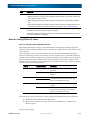
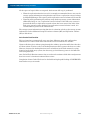
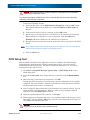
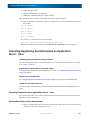
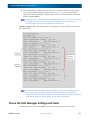
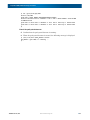
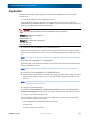
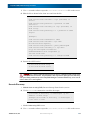
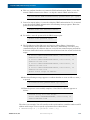
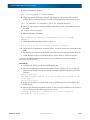
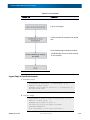
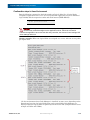
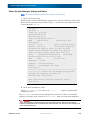
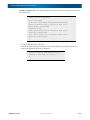
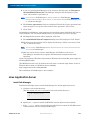
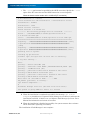
SnapSAN S3000/S5000 Disk Array User Guide 6. Set the IP address and port number of the corresponding iSNS server. 7. Restart iSCSI service. # /etc/init.d/iscsi stop # /etc/init.d/iscsi start 8. Get Initiator information from an application server registered to iSNS server. NOTE: When using iSNS server, the Initiator name of the application server must be directly entered under the Initiator settings in the iSCSI Setup Tool. iSCSI Setup Tool Run the iSCSI Setup Tool on an application server to configure the iSCSI settings required for the application server. Before starting the following section, you need to install the SnapSAN Manager Agent Utility. See SnapSAN Manager Agent Utility Section for details on how to install the SnapSAN Manager Agent Utility. 1. Run the following script on the application server. # iSMiSCSISetup.sh 2. When a list of serial numbers is shown as follows, enter a list number corresponding to the serial number of the disk array controller you want to configure. 1) 0000000991000001 2) 0000000991000002 3) 0000000991000003 4) 0000000991000004 Please select serial number. 3. The following message appears to confirm whether to use CHAP authentication. Enter y to use the CHAP authentication. Enter n to skip the CHAP authentication. To use CHAP authentication, please enter ‘y’. [y/n] 4. When n is entered to skip the CHAP authentication, proceed to step (9). When y is entered to use the CHAP authentication, the following message appears. Enter the password of the CHAP initiator. Please enter the target CHAP secret. 5. To confirm, enter the password of the CHAP initiator again. Please enter password again. 10400386-002 10/2012 ©2012 Overland Storage, Inc E-7