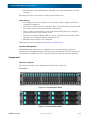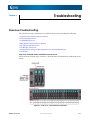
1
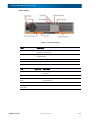
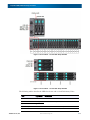
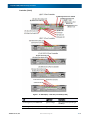
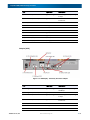
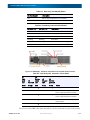
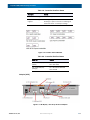
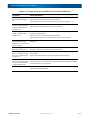
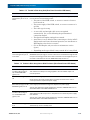
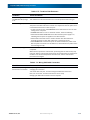
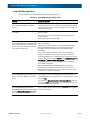
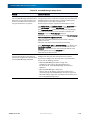
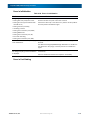
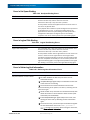
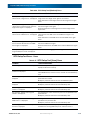
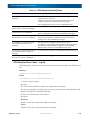
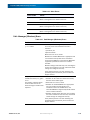
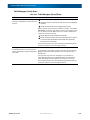
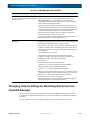
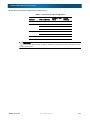
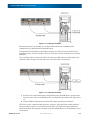
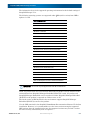
SnapSAN S3000/S5000 Disk Array User Guide Item Description (1) DC Button The DC switch is used to start up or shut down the disk array system in non-AC operating mode. In AC operating mode, the DC switch only allows for shutdown of the disk array system. There are two types of shutdown; normal shutdown and forced shutdown. When this switch is pressed four or more seconds, forced shutdown is performed. For information on AC operating mode, see the description about AC operating mode in “Powering On the Disk Array System”. (2) USB Port These USB 2.0 ports are used for debugging. They are not used under normal operation. (3) Disk Port The disk port is used to connect to the next disk enclosure. A controller has one disk port. The port has a fault LED (below the port) and a link LED (above the port). (4) State Display LED For details, see “LED Display”. (5) Host Port Host ports are used to connect hosts. The port connector form, the number of ports and the position of LEDs to show the status vary according to the controller type. (6) Management Port The management port is a 10M/100M/1Gbps LAN port used for SnapSAN Manager and SNMP connection. The port has a LINK/ACT LED (right) and an SPEED LED (left). (7) Maintenance Port The maintenance port is a 10M/100M/1Gbps LAN port used for connecting a maintenance PC. This connector is not used under ordinary operation. The port has a LINK/ACT LED (right) and an SPEED LED (left). Disk Enclosure (Optional Component) This section describes names and functions of disk enclosure components. Front View The front view of a disk enclosure is the same as the front view of the disk array controller. (DAC). 10400386-002 10/2012 ©2012 Overland Storage, Inc 1-6