1
2
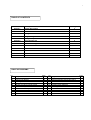
TABLE OF CONTENTS
Section
Description
Page
Section 1
System Description
3
Section 2
The LCD Video Monitor
4
Section 3
Using the Hand Control
5-6
Section 4
Programming the Monitor
7
Section 5
Using the Inspection Camera
8
Section 6
Discontinuing Use
9
Section 7
Trouble Shooting
11
Section 8
Notes
12
TABLE OF DIAGRAMS
No.
1
2
3
4
5
6
7
8
LongReach vs. Nest Box Camera
LCD wireless Monitor
Charging the Monitor
Installing the Micro SD Card
Monitor Real Time Screen
Monitor mounted on Hand Control
Remove battery cover
Hand Control battery carrier & cover
Page
3
4
4
4
6
5
5
5
No.
9
10
11
12
13
14
15
16
Align the camera detent
Tighten retainer ring
Camera ON/OFF & illuminator switch
Monitor control buttons
Setting Date & Time
Image & Video Playback
Rotating Camera tube
Page
6
6
6
7
7
8
9