1
Command Structure
1.1 Format
1.1.5 Annotations
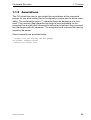
The CLI allows the user to type single-line annotations at the command
prompt for use when writing test or configuration scripts and for better readability. The exclamation point (‘!’) character flags the beginning of a comment. The comment flag character can begin a word anywhere on the
command line and all input following this character is ignored. Any command
line that begins with the character ‘!’ is recognized as a comment line and ignored by the parser.
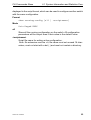
Some examples are provided below:
! Script file for setting the CLI prompt
set prompt example-switch
! End of the script file
31007130 - 03/2010
25