1
PS - Utility
1. Overview
Non-standard processing modules that are not part of the normal MASW processing procedure, but
often necessary and useful, are included under "Utility" in the main menu.
These modules will be used more often as the user becomes more familiar with the standard processing
flow and therefore becomes more creative in handling those processing results obtained at various
stages. The ultimate goal of using the utility modules will be to understand more precisely about data
set at different stages of the processing sequence through various approaches of non-conventional nonstandard evaluation procedures.
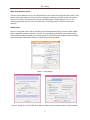
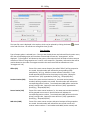
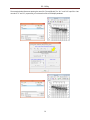
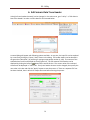
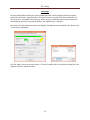
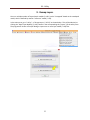
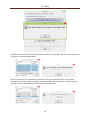
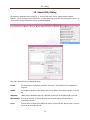
Most modules, except for "Format TEXT data" and "Make Common Seismic Gathers", are accessible
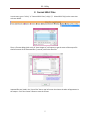
within the same "Utility" dialog (Figure 1). The other two modules have their own separate dialogs as
illustrated in Figure 2. The type of task each module performs is briefly explained below.
Format SEG-2 Files
The basic and minimum input data element for PS is one record that consists of a suite of an individual
channel's recordings, called "traces." The field records should be saved in the SEG-2 format (Pullan,
1990), which is an engineering standard that most engineering seismograph have adopted as the default
output format. Other text data files can be converted to the PS format by using a conversion module
("TXT2PS") that can be foud under "Utility" in the main menu. All SEG-2 records are internally converted
to PS format as soon as they are imported by the program, and all intermediate and final outputs of
seismic data sets will be in this PS format.
All SEG-2 records imported by the ParkSEIS (PS) software are first internally converted to another format
called "PS format" that is a modification of the "KGS format (or modified SEG-Y format)" (WinSeis User's
Manual, 1997). This conversion is necessary to handle seismic data in a faster and more accurate
manner for advanced and non-conventional wavefield operations commonly used in various stages of
MASW data processing. In PS format, each channel's data set (called a "trace") is saved as a combination of a header (of 120 elements of 2-byte integer each), followed by data samples (of 4-byte floatingpoint value each). A complete listing of the "PS Header" can be displayed by choosing "PS Header" on
the main menu's "Info" item. All output of seismic data are saved in PS format with the "DAT" extension
(e.g., "Output.dat").
2