1
Copyright ©ZYCOO All rights reserved. V1.0
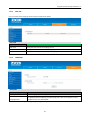
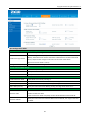
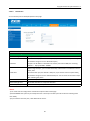
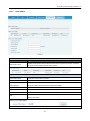
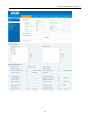
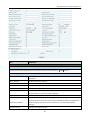
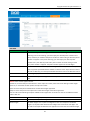
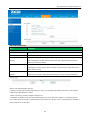
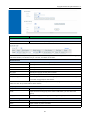
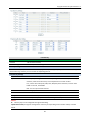
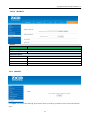
DIAL PEER
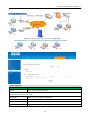
Item
explanation
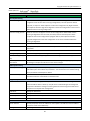
Phone number
There are two types of matching conditions: one is full matching, the other is prefix
matching. In the Full matching, you need input your desired phone number in this
blank, and then you need dial the phone number to realize calling to what the phone
number is mapped. In the prefix matching, you need input your desired prefix
number and T; then dial the prefix and a phone number to realize calling to what
your prefix number is mapped. The prefix number supports at most 30 digits.
Destination
Set Destination address. This is optional configuration item. If you want to set peer to
peer call, please input destination IP address or domain name. If you want to use this
dial rule on SIP2 line, you need input 255.255.255.255 or 0.0.0.2 in it.SIP3 into 0.0.0.3
Port
Set the Signal port, the default is 5060 for SIP.
Alias
Set alias. This is optional configuration item. If you don’t set Alias, it will show no
alias.
Notice: There are four types of aliases.
1) Add: xxx, it means that you need dial xxx in front of phone number, which will reduce dialing number length.
2) All: xxx, it means that xxx will replace some phone number.
3) Del: It means that phone will delete the number with length appointed.
4) Rep: It means that phone will replace the number with length and number appointed.
You can refer to the following examples of different alias application to know more how to use different aliases
and this dial rule.
Call Mode
Select different signal protocol, SIP or IAX2
Suffix
Set suffix, this is optional configuration item. It will show no suffix if you don’t set it.
Delete Length
Set delete length. This is optional configuration item. For example: if the delete
length is 3, the phone will delete the first 3 digits then send out the rest digits. You
can refer to examples of different alias application to know how to set delete length.
43