1
Chapter 4: Web-Based Browser Management
4.1.10 DHCP Server
4.1.10.1 DHCP Server – Setting
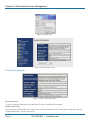
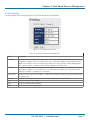
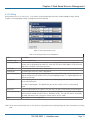
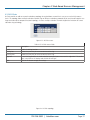
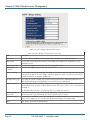
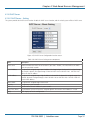
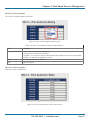
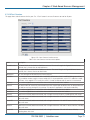
The system provides the DHCP server function. Enable the DHCP server function, and the switch system will be a DHCP server.
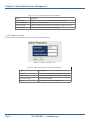
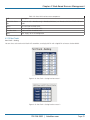
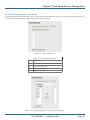
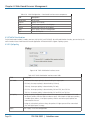
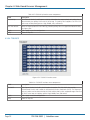
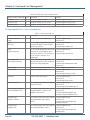
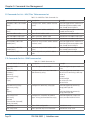
Figure 4-53. DHCP Server Configuration interface screen.
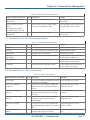
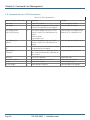
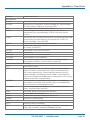
Table 4-39. DHCP Server Setting screen components.
Field
Description
DHCP server
Enable or Disable the DHCP Server function. If you select “Enable,” the switch will be the DHCP
server on your local network.
Start IP Address
The dynamic IP assigned range. Low IP address is the beginning of the dynamic IP assigned range.
For example: dynamic IP assigned range is from 192.168.1.100 to 192.168.1.200. 192.168.1.100
will be the Start IP address.
End IP Address
The dynamic IP assigned range. High IP address is the end of the dynamic IP assigned range. For
example: dynamic IP assigned range is from 192.168.1.100 to 192.168.1.200. 192.168.1.200 will
be the End IP address.
Subnet Mask
The dynamic IP assigned range subnet mask.
Gateway
The gateway in your network.
DNS
Domain Name Server IP Address in your network.
Lease Time (Hour)
The period that system will reset the assigned dynamic IP to ensure the IP address is in used.
Apply
Click “Apply” to set the configuration.
724-746-5500 | blackbox.com
Page 53