1
Installation and Set-Up
C. Clock
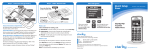
1. Press the SET CLOCK (on the back of the unit) and the SET
HOUR or SET MINUTE (both on the front of the unit) buttons
simultaneously to change time setting.
2. Press the SET ALARM button (front of unit) to check the alarm
setting.
3. Press SET ALARM and SET HOUR (or SET MINUTE) buttons
simultaneously to change alarm clock setting.
4. Press ALARM ON / OFF button to turn alarm on or off. (A small
red dot appears in the lower right corner of the clock screen when the
alarm is active, e.g., when it is turned on.)
Operations
E
N
A. Monitoring Functions
G
L
The console has six indicator lights for each of the alerting functions of
I
the AL10. Some functions require an optional accessory to be purchased. S
H
Anytime the AL10 Notification System is activated by any function(s), the
lamp and bed shaker will activate, then stop and reset after two minutes,
or use the RESET / PAGE button on the top of the console to stop and
reset it. The lamp flashes in different patterns for each function.
1. PHONE
The phone indicator light and sidebar lights illuminate when the phone
is ringing. The lamp will turn on for two seconds, off for four seconds, on
again for two seconds and repeat until two minutes have passed; the bed
shaker will also vibrate while the lamp flashes. Answering the phone resets
the Phone indicator and any other AL series systems in your home.
PHONE
DOOR
CLOCK
SOUND
ALARM
MOTION
AlertMaster
9
10