1
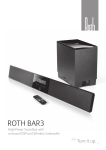
ROTH BAR 1
High-power audio for your living room
Controls and Functions
The controls and functions of the BAR1 and the Remote Control are explained below.
Front Panel Controls / LED Indicators
1
2
3
4
8
9
10
5
11
1.
Rear Panel of Sounbar
6
12
7
13
REMOTE CONTROL Sensor
Point your remote control at this area when you use the remote control.
2.
POWER ON Indicator
Plug the power cord into the AC outlet. The BAR1 goes to the standby
mode, and this indicator is also turned off. Press the POWER button to
turn the BAR1 on, this indicator will illuminate to indicate the BAR1 is
on. This indicator will remain on as long as an input signal is active. If
the input becomes inactive the BAR1 will change to standby mode to
conserve power and this indicator will turn off.
14 15
16
17
3.
FX SURROUND (FX) / STEREO (ST) Indicator
The FX indicator lights up when FX Surround is selected. The ST
indicator lights up when Stereo Mode is selected. This indicator will
turn off after about 3 seconds from selecting the surround setting.
Rear Panel of Subwoofer
4.
MUTE ON Indicator
This indicator lights up when mute is on. This indicator will turn off
after about 3 seconds from turning mute on.
18
5.
MAIN VOLUME / SUBWOOFER VOLUME
Level Indicator This indicator shows the level of the main volume or
Subwoofer volume when you use the MAIN VOLUME Button or the
SUBWOOFER VOLUME Button respectively. The indicator will turn off
after about 3 seconds from adjusting the volume.
19
6.
INPUT SELECTION Indicator
The 1, 2, or 3 indicator lights up when INPUT 1, INPUT 2, or INPUT 3 is
selected, respectively, by pressing the INPUT Button. The indicator will
turn off after about 3 seconds from selecting the input.
10 | Roth Bar 1 User Manual
Roth SoundBar Manual EH.indd 10
7/3/11 11:20:13