1
Airdata 300 11n Wireless ADSL Manual
1. Product Information
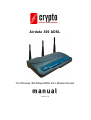
Crypto’s Airdata 300 ADSL is a cost-effective ADSL2+ router, with the combination of
an ADSL2+ modem, router, Ethernet network switch and wireless access point, you can
surf the Internet through your ADSL2/2+ broadband connection without investing on
other devices.
This router can support downstream transmission rates of up to 24Mbps and upstream
transmission rates of up to 1Mbps. It supports PPPoA (RFC 2364 - PPP over ATM
Adaptation Layer 5), RFC 1483/2684 encapsulation over ATM (bridged or routed) and
PPP over Ethernet (RFC 2516) to establish a connection with ISP. The product also
supports VC-based and LLC-based multiplexing.
With built-in IEEE 802.11b/g/Draft-N wireless network capability, all computers and
wireless-enabled network devices (including PDA, cellular phones, game consoles) can
connect to this ADSL router without additional cabling. New Draft-N wireless capability
also gives you the highest speed of wireless experience ever! With a compatible wireless
card installed in your PC, you can transfer files at speeds of up to 300Mbps. The radio
coverage is also doubled, allowing you to get the benefits of wireless networking thought
your house or office.
Utilizing the web management interface, users can easily configure the various functions
of the router including DHCP server, NAT, virtual server, DMZ, access control,
IP/MAC/Application/URL filter, Firewall, PPTP/IPSec/L2TP pass-through, DDNS,
UPnP, Wireless and etc.
The Crypto Airdata 300 ADSL modem- router is a high performance and high-speed
device that provides a full rate of ADSL2+ standard with the superb reliability and a
complete solution for home and office application.
-1-