1
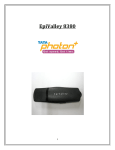
DESCRIPTION(INDEX) Tata Indicom proudly presents Huawei EC-321. It is a wireless network card which fits into a standard Type II PCMCIA card slot, available on most notebook PCs and functions as a wireless network card, a modem, and a mobile phone. Huawei (EC-321) Vdata card is a T-SIM based card. Using the VData card, a user wirelessly connects a laptop directly to the Internet, Intranet, corporate e-mail or a host of other corporate applications - without the need for a wireless phone or landline connection. STD and National Roaming will be Pre-activated in the Vdata Card. Supports Windows 2000/Windows XP/Windows Vista Note : Vdata cards may not fit in all laptop slots. Please check with customer if his Laptop has a PCMCIA card slot or a Express Card Slot. For Express Card Slot sell USB modem to customers. (click here for Details on Cards) INSTALLATION GUIDE FOR WINDOWS(INDEX) Installation and Configuration: Step 1: Install EC321 Manager Step 2: Insert the Vdata Card in the laptop Step 3: Installs the driver automatically Step 4: Start EC321 Manager Attention! : Do not insert the Vdata card before installing the EC321 Manager. STEP 1: Insert the CD in to the CD ROM Drive Installation will start automatically. (If not, execute the setup.exe file in the CD ) 2