1
Chapter 6 Set Mode Configurations
You can configure values or parameters of the DJ-X7's various
operating functions in the Set mode.
6.1 Set Mode Menu List
The following 15 items are available for your DJ-X7 customization.
(1)Attenuator function setting
(2)Antenna Type Switching setting
(3)AM Bar-antenna setting
(4)Shortwave Bar-antenna setting
6
(5)Illumination Lamp function setting
Set Mode Configurations
(6)Scan Type Switching setting
(7)Priority Monitoring function setting
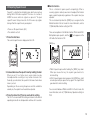
6.2 Configuring Values/Parameters of Menu Items
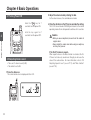
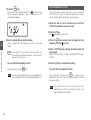
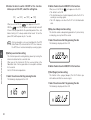
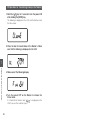
1. Press the [F] key, and press the dial once with the
icon ON.
The DJ-X7 enters the Set mode.
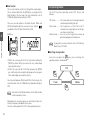
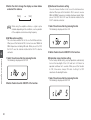
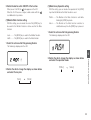
2. Press the dial to select an item.
Every time you press the dial, the setting item is changed.
When you press the [MONI] key, the items are displayed in the
reverse direction.
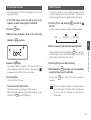
3. When the item to be configured is displayed, change
its value or parameter by rotating the dial.
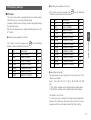
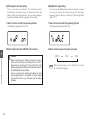
For more detailed information, refer to "6.3 Set Mode
Configurations" section. The number shown in the section
corresponds to the set menu number displayed on the LCD.
The explanations are made in the order displayed in the
clockwise direction.
(8)Auto-Power-Off function setting
Setting item
(9)Battery-save function setting
Value/Parameter
(10)Key-touch Beep function setting
(11)Bell (Pager) function setting
(12)Monitor/Mute function setting
(13)Monitor-key Operation setting
(14)Write-protect function setting
(15)Modulation Type setting
28
Set menu No.
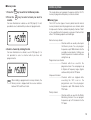
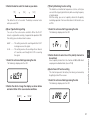
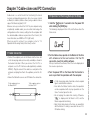
4. Press the [F] key to conclude each setting.