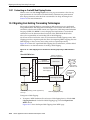
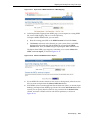
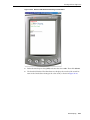
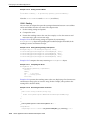
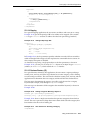
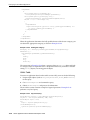
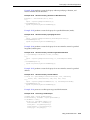
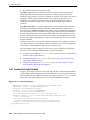
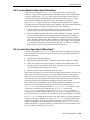
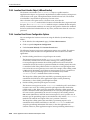
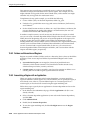
1
Oracle® Application Server Wireless Developer’s Guide 10g Release 2 (10.1.2) B13819-02 August 2005 Oracle Application Server Wireless Developer’s Guide, 10g Release 2 (10.1.2) B13819-02 Copyright © 2000, 2005, Oracle. All rights reserved. The Programs (which include both the software and documentation) contain proprietary information; they are provided under a license agreement containing restrictions on use and disclosure and are also protected by copyright, patent, and other intellectual and industrial property laws. Reverse engineering, disassembly, or decompilation of the Programs, except to the extent required to obtain interoperability with other independently created software or as specified by law, is prohibited. The information contained in this document is subject to change without notice. If you find any problems in the documentation, please report them to us in writing. This document is not warranted to be error-free. Except as may be expressly permitted in your license agreement for these Programs, no part of these Programs may be reproduced or transmitted in any form or by any means, electronic or mechanical, for any purpose. If the Programs are delivered to the United States Government or anyone licensing or using the Programs on behalf of the United States Government, the following notice is applicable: U.S. GOVERNMENT RIGHTS Programs, software, databases, and related documentation and technical data delivered to U.S. Government customers are "commercial computer software" or "commercial technical data" pursuant to the applicable Federal Acquisition Regulation and agency-specific supplemental regulations. As such, use, duplication, disclosure, modification, and adaptation of the Programs, including documentation and technical data, shall be subject to the licensing restrictions set forth in the applicable Oracle license agreement, and, to the extent applicable, the additional rights set forth in FAR 52.227-19, Commercial Computer Software—Restricted Rights (June 1987). Oracle Corporation, 500 Oracle Parkway, Redwood City, CA 94065 The Programs are not intended for use in any nuclear, aviation, mass transit, medical, or other inherently dangerous applications. It shall be the licensee's responsibility to take all appropriate fail-safe, backup, redundancy and other measures to ensure the safe use of such applications if the Programs are used for such purposes, and we disclaim liability for any damages caused by such use of the Programs. Oracle, JD Edwards, PeopleSoft, and Retek are registered trademarks of Oracle Corporation and/or its affiliates. Other names may be trademarks of their respective owners. The Programs may provide links to Web sites and access to content, products, and services from third parties. Oracle is not responsible for the availability of, or any content provided on, third-party Web sites. You bear all risks associated with the use of such content. If you choose to purchase any products or services from a third party, the relationship is directly between you and the third party. Oracle is not responsible for: (a) the quality of third-party products or services; or (b) fulfilling any of the terms of the agreement with the third party, including delivery of products or services and warranty obligations related to purchased products or services. Oracle is not responsible for any loss or damage of any sort that you may incur from dealing with any third party. Contents Preface ............................................................................................................................................................... xiii Intended Audience.................................................................................................................................... Documentation Accessibility ................................................................................................................... Related Documents ................................................................................................................................... Conventions ............................................................................................................................................... Part I 1 xiii xiii xiv xiv Introduction Introduction to Oracle Application Server Wireless 1.1 1.2 1.3 1.3.1 1.3.2 1.3.3 1.3.4 1.3.5 1.3.6 1.4 Overview of OracleAS Wireless ............................................................................................... Administering Oracle Application Server and OracleAS Wireless ..................................... OracleAS Wireless Feature Highlights .................................................................................... Multi-Channel Server.......................................................................................................... J2ME Support ....................................................................................................................... Notifications and Multimedia Messaging........................................................................ Wireless Development Kit.................................................................................................. Web Clipping ....................................................................................................................... Location Services ................................................................................................................. Fast Track to Developing Mobile Applications ...................................................................... 1-1 1-2 1-2 1-3 1-3 1-4 1-4 1-5 1-5 1-6 Part II Oracle Application Server Wireless Developer’s Tools 2 Introducing Oracle Application Server Wireless Developer’s Tools 2.1 2.1.1 2.1.2 2.1.3 2.2 3 OracleAS Wireless Development Path .................................................................................... Leveraging Web Services and Reusing Business Logic ................................................. Building and Testing Your Applications.......................................................................... Deploying Your Applications ............................................................................................ Delivering Your Applications ................................................................................................... 2-1 2-2 2-2 2-3 2-4 JDeveloper Wireless Extension 3.1 3.2 3.3 3.4 Overview of JDeveloper Wireless Extension .......................................................................... Developing Multi-Channel Applications ................................................................................ Adding Messaging to Java Applications ................................................................................. Creating J2ME Applications ..................................................................................................... 3-1 3-2 3-2 3-2 iii 3.4.1 3.4.2 3.4.3 4 Developing Services 4.1 4.2 4.3 4.3.1 4.3.2 4.3.3 4.3.4 4.3.5 4.3.6 4.3.7 4.3.8 4.3.9 4.3.10 4.3.11 4.3.12 4.3.13 4.4 4.4.1 4.4.2 4.5 4.5.1 4.5.2 4.6 4.6.1 4.6.2 4.7 4.7.1 4.7.2 5 Overview of the Service Manager ............................................................................................ 4-1 Logging In to the Service Manager .......................................................................................... 4-2 Managing Applications.............................................................................................................. 4-3 Searching for a Master Application .................................................................................. 4-4 Creating a Folder ................................................................................................................. 4-5 Creating an Application...................................................................................................... 4-5 Selecting the Application Type.......................................................................................... 4-6 Creating a Multi-Channel Application............................................................................. 4-6 Creating a J2ME Application .......................................................................................... 4-14 Creating a Multi-Channel Application (Based on Any Adapter).............................. 4-18 Creating a Web Clipping Application ........................................................................... 4-25 Editing an Application..................................................................................................... 4-26 Deleting an Application................................................................................................... 4-27 Debugging an Application .............................................................................................. 4-27 Quick Publishing an Application ................................................................................... 4-28 Moving Folders and Applications.................................................................................. 4-28 Managing Notifications .......................................................................................................... 4-28 Creating a Master Notification ....................................................................................... 4-29 Editing a Notification ....................................................................................................... 4-33 Managing Data Feeders .......................................................................................................... 4-34 Creating a Data Feeder..................................................................................................... 4-34 Editing a Data Feeder....................................................................................................... 4-41 Managing Preset Definitions .................................................................................................. 4-42 Creating a Preset Definition ............................................................................................ 4-43 Editing a Preset Definition .............................................................................................. 4-45 Managing J2ME Web Services ............................................................................................... 4-45 Registering a J2ME Web Service..................................................................................... 4-45 Generating Stub Classes .................................................................................................. 4-47 Mobile Studio 5.1 5.1.1 5.1.2 5.2 5.2.1 5.2.2 5.2.3 5.2.4 5.3 5.3.1 5.3.2 5.3.3 iv Creating a Default MIDlet .................................................................................................. 3-2 Deploying the MIDlet Application ................................................................................... 3-2 Creating a MIDlet That Calls a Web Service.................................................................... 3-3 Overview of Mobile Studio ....................................................................................................... Mobile Studio Key Features ............................................................................................... Mobile Studio on the Oracle Technology Network ........................................................ Getting Started with Mobile Studio ......................................................................................... Login and Registration........................................................................................................ Building an Application Using Mobile Studio ................................................................ Testing an Application........................................................................................................ Deploying an Application .................................................................................................. Customizing Mobile Studio....................................................................................................... Creating Sample Services ................................................................................................... Branding................................................................................................................................ Supporting Multiple Locales.............................................................................................. 5-1 5-1 5-2 5-2 5-2 5-2 5-3 5-4 5-4 5-4 5-4 5-5 5.3.4 6 JSP Pages ............................................................................................................................... 5-6 Wireless Customization Portal 6.1 6.2 6.2.1 6.2.2 6.3 6.4 6.4.1 6.4.2 6.4.3 6.4.4 6.4.5 6.5 6.5.1 6.5.2 6.5.3 6.5.4 6.5.5 6.6 6.6.1 6.6.2 6.6.3 6.6.4 6.6.5 6.6.6 6.6.7 6.6.8 6.6.9 6.6.10 6.6.11 6.7 6.7.1 6.7.2 6.8 6.9 6.9.1 6.9.2 6.9.3 6.9.4 6.9.5 6.9.6 Part III Overview of OracleAS Wireless Customization .................................................................... 6-1 Logging In to Wireless Customization .................................................................................... 6-1 Accessing Wireless Customization as a New User......................................................... 6-3 Accessing Wireless Customization as a Registered User............................................... 6-3 Managing User Profiles.............................................................................................................. 6-3 Customizing Applications ......................................................................................................... 6-4 Managing Folders ................................................................................................................ 6-6 Managing Bookmarks ......................................................................................................... 6-8 Managing Short Names ...................................................................................................... 6-9 Creating Short Names ......................................................................................................... 6-9 Managing a Notification Subscription........................................................................... 6-11 Managing Devices.................................................................................................................... 6-13 Creating a New Phone ..................................................................................................... 6-14 Creating a New Fax .......................................................................................................... 6-16 Creating an E-mail Device............................................................................................... 6-17 Creating a New Mobile Device....................................................................................... 6-18 Setting a Default Device.................................................................................................. 6-20 Managing Location Marks...................................................................................................... 6-20 Creating Location Marks ................................................................................................. 6-21 Editing a Location Mark ................................................................................................. 6-23 Changing the Default Status of a Location Mark......................................................... 6-23 Deleting a Location Mark ................................................................................................ 6-23 Setting the Location Privacy Preferences ...................................................................... 6-23 Managing the Location Awareness Authorization...................................................... 6-24 Assigning Location Awareness Authorization ............................................................ 6-24 Changing Location Awareness Authorization............................................................. 6-24 Managing the User Groups for Location Authorization ............................................ 6-25 Creating a User Group ..................................................................................................... 6-25 Editing a User Group ....................................................................................................... 6-25 Managing Contact Rules......................................................................................................... 6-26 Contact Rules in the Customization Portal................................................................... 6-26 Selecting a Contact Rule from a Device ........................................................................ 6-29 Viewing UTF-8 Pages in Localized Languages with Netscape 4.7 or Earlier ................. 6-32 Rebranding the Customization Portal .................................................................................. 6-32 Page Naming Conventions.............................................................................................. 6-32 UIX Pages Structure ......................................................................................................... 6-33 Directory Structure ........................................................................................................... 6-33 Customizing the Look of the Customization Portal .................................................... 6-34 Application Customization Page Plug-in Framework ................................................ 6-35 Setting the Multibyte Encoding for the Customization Portal................................... 6-36 Developing Wireless Applications v 7 Authoring Mobile Browser and Voice Applications 7.1 7.1.1 7.1.2 7.2 7.3 7.4 7.4.1 7.4.2 7.4.3 7.4.4 7.5 7.5.1 7.5.2 7.5.3 7.5.4 7.5.5 7.5.6 7.5.7 7.5.8 7.6 7.6.1 7.6.2 7.7 Overview of Mobile Browser and Voice Applications.......................................................... 7-1 OracleAS Wireless XML, XHTML/XForms or XHTML MP; Which to Use? ............. 7-2 Overview of Multi-Channel Applications ....................................................................... 7-3 XHTML+XForms ........................................................................................................................ 7-4 OracleAS Wireless Client........................................................................................................... 7-4 XHTML Mobile Profile............................................................................................................... 7-4 Overview of XHTML Mobile Profile ................................................................................ 7-5 OracleAS Wireless and XHTML MP + CSS Mobile Profile ........................................... 7-5 XHTML Mobile Profile Modules Supported ................................................................... 7-6 XHTML MP HelloWorld Example.................................................................................... 7-6 OracleAS Wireless XML............................................................................................................ 7-7 Overview of OracleAS Wireless XML .............................................................................. 7-8 OracleAS Wireless XML and OracleAS Wireless............................................................ 7-8 Displaying and Formatting Content ................................................................................. 7-8 Enhancing with Audio for Voice Access ....................................................................... 7-15 Application Navigation ................................................................................................... 7-16 Document Linking............................................................................................................ 7-20 Filling Out Forms for Data Entry and Navigation....................................................... 7-26 Advanced User Interactions and Channel Optimization ........................................... 7-33 Device Headers and Device Class ......................................................................................... 7-36 Article.jsp ........................................................................................................................... 7-36 PageNavigation.Java ........................................................................................................ 7-38 Async-Enabling Applications ................................................................................................ 7-41 8 OracleAS Wireless Developer Kit 8.1 8.2 8.2.1 8.2.2 8.2.3 8.3 8.3.1 8.3.2 8.3.3 8.4 8.4.1 8.4.2 9 Using Multi-Channel Server 9.1 9.1.1 9.1.2 9.2 9.2.1 9.2.2 vi Overview of Oracle Application Server Wireless Developer Kit......................................... 8-1 Wireless Developer Kit Messaging Overview ........................................................................ 8-1 Features ................................................................................................................................. 8-2 Java API................................................................................................................................. 8-4 Web Services......................................................................................................................... 8-5 Multi-Channel Server Lite (MCSLite) ...................................................................................... 8-7 Key Features ......................................................................................................................... 8-7 WDK Log File .................................................................................................................... 8-12 Avoiding Common Mistakes .......................................................................................... 8-17 Location Services Overview ................................................................................................... 8-19 Mobile Positioning............................................................................................................ 8-19 Location Services .............................................................................................................. 8-22 Overview of Multi-Channel Server .......................................................................................... Benefits of Multi-Channel................................................................................................... Features of Multi-Channel Server ..................................................................................... Multimedia Adaptation ............................................................................................................. Overview of Multimedia Adaptation Services................................................................ Image Adaptation Features ................................................................................................ 9-1 9-1 9-2 9-3 9-3 9-4 9.2.3 9.2.4 9.2.5 9.2.6 9.3 9.3.1 9.3.2 9.3.3 9.3.4 9.3.5 9.3.6 9.3.7 9.4 9.4.1 9.4.2 9.4.3 9.4.4 9.4.5 9.4.6 9.4.7 9.4.8 9.5 9.5.1 9.5.2 9.5.3 9.5.4 9.5.5 9.5.6 9.5.7 10 Command-Line Tool ........................................................................................................... 9-5 Extensibility Using ImageProcessor API.......................................................................... 9-6 Ringtone Adaptation ........................................................................................................... 9-7 Ringtone Converter Java API.......................................................................................... 9-11 Device Adaptation ................................................................................................................... 9-12 Device Repository............................................................................................................. 9-12 Device Repository Access................................................................................................ 9-13 Device Detection ............................................................................................................... 9-13 Dynamic HTTP Header Composition and UAProf..................................................... 9-13 Device Transformers ........................................................................................................ 9-14 Device Repository API ..................................................................................................... 9-16 Device Information and Classification .......................................................................... 9-19 Modifying Multi-Channel Server Runtime.......................................................................... 9-19 MCS Runtime Session Management.............................................................................. 9-20 Multi-Channel Gateway Usage ...................................................................................... 9-21 Performance Optimization and JSP Files Modification .............................................. 9-22 MCS Runtime API ............................................................................................................ 9-23 MCS Reverse Proxy, URL Rewrite, Caching, and Compression ............................... 9-30 MCS Virtual Browser Model........................................................................................... 9-31 Wireless and Voice Portal................................................................................................ 9-32 Globalization (NLS) Support .......................................................................................... 9-34 Modifying the Data Models ................................................................................................... 9-35 Overview of OracleAS Wireless Services...................................................................... 9-35 MasterService .................................................................................................................... 9-36 Access Control................................................................................................................... 9-37 Folder Renderer ................................................................................................................ 9-37 Bookmark ........................................................................................................................... 9-38 Model API: General Usage .............................................................................................. 9-40 Wireless Model API Deployment and CLASSPATH .................................................. 9-46 Creating Messaging Applications 10.1 Overview of Messaging Applications................................................................................... 10-1 10.1.1 Key Messaging Features .................................................................................................. 10-2 10.1.2 Multi-Channel Adaptive Messaging.............................................................................. 10-2 10.1.3 Multimedia Messaging .................................................................................................... 10-2 10.1.4 Transport Framework ...................................................................................................... 10-3 10.1.5 MMS Center....................................................................................................................... 10-3 10.2 Sending and Receiving Messages.......................................................................................... 10-3 10.2.1 Overview of One-Way Message Application API ....................................................... 10-4 10.2.2 Two-Way Messaging, Transport API ............................................................................ 10-8 10.2.3 Actionable Messages ...................................................................................................... 10-10 10.3 Building Async Applications ............................................................................................... 10-19 10.3.1 Asynchronous Listener .................................................................................................. 10-19 10.3.2 Key Challenges................................................................................................................ 10-20 10.3.3 Key Solutions................................................................................................................... 10-20 10.3.4 Async Request Authorization ....................................................................................... 10-22 10.3.5 User Interface and Navigation Commands ................................................................ 10-22 vii 10.3.6 10.3.7 10.3.8 10.4 10.4.1 10.5 10.5.1 10.5.2 10.6 10.6.1 10.6.2 10.6.3 10.6.4 10.7 10.7.1 10.7.2 11 Overview and Architecture of the OracleAS Wireless Notification System ................... Architecture ....................................................................................................................... Key Features ...................................................................................................................... Backward Compatibility.................................................................................................. Creating a Notification............................................................................................................ Defining a Master Notification Application ................................................................. Mapping a Master Notification Application to a Master Application...................... Subscription ..................................................................................................................... Notification Administration.......................................................................................... Notification Migration ................................................................................................... Data Feeders ........................................................................................................................... Building a Data Feeder................................................................................................... Creating a Pass-Through Data Feeder......................................................................... Sample Applications ..................................................................................................... Migrating the Notification System ...................................................................................... Notification Migration Scenario ................................................................................... Structural Changes ......................................................................................................... Migration Limitations .................................................................................................... Running the Migration Script ....................................................................................... 11-1 11-2 11-3 11-5 11-5 11-6 11-9 11-11 11-14 11-14 11-15 11-16 11-17 11-17 11-21 11-21 11-22 11-23 11-24 J2ME Development and Provisioning 12.1 Overview of J2ME.................................................................................................................... 12.1.1 Overview of J2ME Features............................................................................................. 12.1.2 Getting Started with the Wireless Development Kit ................................................... 12.1.3 Walk-Through: Developing a J2ME MIDlet ................................................................ 12.1.4 Advanced Features ......................................................................................................... 12.2 Digital Rights Management Support .................................................................................. 12.2.1 OracleAS Wireless Built-in DRM Polices .................................................................... 12.2.2 Custom-Built Digital Rights Policy and Content Enhancement.............................. viii 10-23 10-25 10-29 10-29 10-30 10-31 10-31 10-31 10-31 10-31 10-63 10-74 10-75 10-76 10-77 10-78 Notification Engine 11.1 11.1.1 11.1.2 11.1.3 11.2 11.2.1 11.2.2 11.2.3 11.2.4 11.2.5 11.3 11.3.1 11.3.2 11.3.3 11.4 11.4.1 11.4.2 11.4.3 11.4.4 12 Configuration and Customization ............................................................................... Application Invocation Examples ................................................................................ Writing Async Applications.......................................................................................... XMS Message Center (XMSC).............................................................................................. Configuring the XMSC................................................................................................... Device Channel Selection...................................................................................................... Automatic Device Selection........................................................................................... Presence Integration ....................................................................................................... Transport Component ........................................................................................................... Prebuilt Drivers............................................................................................................... How to Develop New Drivers ...................................................................................... Upgrading OracleAS Wireless 9.0.2x Drivers............................................................. Customizing (Extending) the Transport Server and Hooks..................................... Supporting Premium SMS and Reverse Charge SMS ...................................................... Premium SMS and Reverse Charge New Features ................................................... Enabling Premium SMS Services ................................................................................. 12-1 12-2 12-4 12-5 12-11 12-18 12-19 12-19 12.2.3 Deployment of Custom-Built Digital Rights Policies ................................................ 12.3 The J2ME Provisioning Server ............................................................................................. 12.3.1 The Application Model .................................................................................................. 12.3.2 Uploading Hooks............................................................................................................ 12.3.3 Uploading J2ME Applications ...................................................................................... 12.3.4 Publishing J2ME Applications ...................................................................................... 12.3.5 Downloading J2ME Applications................................................................................. 13 Oracle Sensor Edge Server 13.1 13.1.1 13.1.2 13.1.3 13.2 13.2.1 13.2.2 13.2.3 13.2.4 13.3 13.3.1 13.3.2 13.3.3 13.3.4 13.3.5 13.4 13.4.1 13.4.2 13.4.3 13.4.4 13.4.5 13.4.6 13.4.7 13.5 13.5.1 13.6 13.6.1 14 12-22 12-24 12-25 12-26 12-27 12-30 12-30 Introducing Oracle Sensor Edge Server................................................................................ Oracle Sensor Edge Server Concepts ............................................................................. Overview of Oracle Sensor Server Architecture .......................................................... Edge Dispatcher ................................................................................................................ Tutorial: Writing Sensor-based Applications Using Streams.......................................... Overview of the Tutorial ............................................................................................... Understanding Streams and Oracle Sensor Edge Server Integration ..................... Running the Tutorial ...................................................................................................... Setting Up Streams Support and Sensor Data Archive............................................. Tutorial: Using Streams to Propagate Sensor Events to AQ............................................ Overview.......................................................................................................................... Getting Started ................................................................................................................ Creating Queues ............................................................................................................. Creating Rules ................................................................................................................. Test Run ........................................................................................................................... Tutorial: Writing Sensor-based Applications with PL/SQL Callbacks ......................... Overview.......................................................................................................................... Getting Started ................................................................................................................ Source Code ..................................................................................................................... Writing the Application ................................................................................................. The PL/SQL Package ..................................................................................................... Creating the Rule ............................................................................................................ Test Run ........................................................................................................................... Filters and Driver Interfaces................................................................................................. Device Interface............................................................................................................... Extension Archive Files......................................................................................................... Packaging an Extension Archive File........................................................................... 13-1 13-1 13-2 13-3 13-20 13-20 13-20 13-22 13-23 13-26 13-26 13-27 13-27 13-27 13-27 13-28 13-28 13-28 13-29 13-29 13-29 13-31 13-31 13-31 13-32 13-34 13-36 Web Scraping 14.1 14.2 14.3 14.3.1 14.4 14.5 14.5.1 14.5.2 Overview of Web Scraping..................................................................................................... Introducing Oracle Application Server Web Clipping....................................................... Creating an OracleAS Web Clipping Application .............................................................. Customizing an OracleAS Web Clipping Service...................................................... Migrating from Existing Transcoding Technologies ........................................................ Creating a Wireless Application .......................................................................................... Creating a Default Application..................................................................................... Testing an Existing OracleAS Web Clipping Application........................................ 14-1 14-1 14-6 14-16 14-16 14-18 14-18 14-20 ix 14.5.3 Building a Custom Application .................................................................................... 14.6 Administering Web Scraping............................................................................................... 14.6.1 Configuring Security ...................................................................................................... 14.6.2 Rendering Events to Be Logged and Generating Reports ........................................ 14.7 Understanding the WML Translator................................................................................... 14.7.1 Deploying and Configuring the WML Translator ..................................................... 14.7.2 Using the WML Translator............................................................................................ 15 14-22 14-24 14-25 14-25 14-29 14-32 14-33 Using Location Services 15.1 Introduction to Location Services.......................................................................................... 15-1 15.1.1 Getting Started .................................................................................................................. 15-2 15.1.2 Using the System Manager Interface for Location-Related Information.................. 15-3 15.1.3 Location Services Architecture ....................................................................................... 15-4 15.1.4 Location Service Categories ............................................................................................ 15-4 15.1.5 Service Providers .............................................................................................................. 15-5 15.1.6 Geocoding Services......................................................................................................... 15-10 15.1.7 Location Marks................................................................................................................ 15-11 15.1.8 LOCATIONMARK Table .............................................................................................. 15-11 15.1.9 Mapping Services............................................................................................................ 15-12 15.1.10 Routing Services.............................................................................................................. 15-12 15.1.11 Business Directory (Yellow Pages) Services ............................................................... 15-14 15.1.12 Traffic Services ................................................................................................................ 15-16 15.1.13 Location Based Services Examples............................................................................... 15-21 15.2 Developing Location-Based Applications .......................................................................... 15-22 15.2.1 Creating Java Server Pages (JSP) Files ......................................................................... 15-23 15.2.2 Using the Location Java API ......................................................................................... 15-73 15.2.3 Using Web Services ........................................................................................................ 15-80 15.3 Enabling Mobile Positioning ................................................................................................ 15-82 15.3.1 Manual Positioning ........................................................................................................ 15-82 15.3.2 Automatic Positioning ................................................................................................... 15-83 15.4 Location Event Server ........................................................................................................... 15-93 15.4.1 Location Event Server Concepts................................................................................... 15-93 15.4.2 Location Event Agent Example .................................................................................... 15-94 15.4.3 Location-Based Condition Object (LBCondition) ...................................................... 15-95 15.4.4 Location Event Agent Object (LBEventAgent)........................................................... 15-95 15.4.5 Location Event Handler Object (LBEventHandler) ................................................... 15-96 15.4.6 Location Event Server Configuration Options ........................................................... 15-96 15.5 Using the Region Modeling Tool......................................................................................... 15-97 15.5.1 Service and Folder Visibility Using Region Modeling .............................................. 15-97 15.5.2 Folders and Hierarchies of Regions ............................................................................. 15-98 15.5.3 Associating a Region with an Application.................................................................. 15-98 15.5.4 Loading and Updating Region Data.......................................................................... 15-100 15.5.5 Region Modeling API................................................................................................... 15-103 15.6 Integrating an External Content Provider........................................................................ 15-103 15.6.1 Accessing External URLs from Inside a Firewall..................................................... 15-104 15.6.2 Functions to Implement ............................................................................................... 15-104 15.7 Integrating a Mobile Positioning Provider....................................................................... 15-107 x Implementing a Mobile Positioning Proxy ............................................................... 15-108 Handling Exceptions and Errors with Mobile Positioning .................................... 15-109 15.7.1 15.7.2 16 Enabling User Customization 16.1 16.2 16.2.1 16.2.2 16.3 16.3.1 16.3.2 16.3.3 16.4 16.5 16.6 16.7 17 Overview of User Preferences................................................................................................ Multiple Customization Profiles............................................................................................ Concepts............................................................................................................................. Sample Applications ........................................................................................................ Presets ........................................................................................................................................ Presets Concept and Architecture .................................................................................. Sample Applications ........................................................................................................ Regular Expressions Syntax for the Presets Attribute Formats ............................... Location Marks....................................................................................................................... User Device Management..................................................................................................... User and Group Management ............................................................................................. Service Management ............................................................................................................. 16-1 16-3 16-3 16-5 16-6 16-7 16-8 16-15 16-17 16-18 16-19 16-19 Billing 17.1 17.2 17.2.1 17.3 17.4 17.4.1 17.4.2 17.4.3 17.4.4 17.5 17.6 17.6.1 17.6.2 17.7 Overview of Billing.................................................................................................................. Using the Billing Integration Framework ............................................................................ Billable Actions and Billing System Interaction ........................................................... BillingLoader Utility................................................................................................................ Billing Collector and Service Detail Record ......................................................................... Default Billing Collector Implementation..................................................................... Service Detail Record ID Versus Billing Reference ID ................................................ Extend Default Billing Collector..................................................................................... Maintaining Transaction Context on Multipart Requests .......................................... Billing Driver ............................................................................................................................ Billing Integration Scenario .................................................................................................. Handling Prebilling ........................................................................................................ Handling Postbilling ...................................................................................................... Sample BillingDataCollector Implementation................................................................... 17-1 17-2 17-2 17-4 17-4 17-5 17-7 17-7 17-8 17-9 17-10 17-10 17-10 17-10 Index xi xii Preface This guide discusses how you can use OracleAS Wireless to develop and deliver mobile services to any mobile device. Intended Audience This Guide is designed to drive developers quickly through major technology and product features, and to assist in evaluation of this product for development groups. Documentation Accessibility Our goal is to make Oracle products, services, and supporting documentation accessible, with good usability, to the disabled community. To that end, our documentation includes features that make information available to users of assistive technology. This documentation is available in HTML format, and contains markup to facilitate access by the disabled community. Accessibility standards will continue to evolve over time, and Oracle is actively engaged with other market-leading technology vendors to address technical obstacles so that our documentation can be accessible to all of our customers. For more information, visit the Oracle Accessibility Program Web site at http://www.oracle.com/accessibility/ Accessibility of Code Examples in Documentation Screen readers may not always correctly read the code examples in this document. The conventions for writing code require that closing braces should appear on an otherwise empty line; however, some screen readers may not always read a line of text that consists solely of a bracket or brace. Accessibility of Links to External Web Sites in Documentation This documentation may contain links to Web sites of other companies or organizations that Oracle does not own or control. Oracle neither evaluates nor makes any representations regarding the accessibility of these Web sites. TTY Access to Oracle Support Services Oracle provides dedicated Text Telephone (TTY) access to Oracle Support Services within the United States of America 24 hours a day, seven days a week. For TTY support, call 800.446.2398. xiii Related Documents Here is a partial list of related documents that will provide you with important information concerning OracleAS Wireless and related products/components: ■ ■ ■ ■ OracleAS Wireless Administrator’s Guide—all the information you need to be up and running in the shortest possible time. OracleAS Wireless Release Notes—final notes about the products, since the Documentation and Help were produced. OracleAS Wireless online Help (included in the product) Oracle Application Server Wireless API documentation with sample code included in product directory structure ■ OracleAS documentation (HTML and PDF library) ■ Oracle Technology Network http://www.oracle.com/technology Oracle Technology Network is your main resource for information, samples, updates, and other downloads for your products. Stylesheets, drivers, documentation updates, sample code, demonstration software, and other valuable resources are available to you on OTN. Sign-up (if you haven’t already done so; it’s free!) with OTN to gain access and receive up-to-the-minute information about Oracle products and practices. Conventions The following text conventions are used in this document: xiv Convention Meaning boldface Boldface type indicates graphical user interface elements associated with an action, or terms defined in text or the glossary. italic Italic type indicates book titles, emphasis, or placeholder variables for which you supply particular values. monospace Monospace type indicates commands within a paragraph, URLs, code in examples, text that appears on the screen, or text that you enter. Part I Introduction Part I contains introductory information about Oracle Application Server Wireless. ■ Chapter 1, "Introduction to Oracle Application Server Wireless" 1 Introduction to Oracle Application Server Wireless Each section of this document presents a different topic. These sections include: ■ Section 1.1, "Overview of OracleAS Wireless" ■ Section 1.2, "Administering Oracle Application Server and OracleAS Wireless" ■ Section 1.3, "OracleAS Wireless Feature Highlights" ■ Section 1.4, "Fast Track to Developing Mobile Applications" 1.1 Overview of OracleAS Wireless OracleAS Wireless is the wireless and voice component of the Oracle Application Server. It enables enterprises and service providers to efficiently build, deploy and manage the following types of applications: ■ Browser-based applications ■ Voice applications ■ Asynchronous applications ■ Notifications ■ J2ME applications ■ Location-based services OracleAS Wireless is a Service Delivery Platform for rapidly building and deploying wireless services. It opens up the mobile network to third-party developers using standard interfaces. This helps to improve the Average Revenue Per User (ARPU). OracleAS Wireless is a unified platform for developing all kinds of mobile services such as: WAP, SMS, MMS, Location and Voice. This leads to lower total-cost-of-ownership (TCO). OracleAS Wireless can be used to run Mobile Portals, SMS Services, J2ME Provisioning Servers, Content Delivery Platforms, Third-party Integration Platform, Messaging and Location Gateways. OracleAS Wireless components can be divided into groups. Each of these groups either help you quickly build compelling wireless applications, or manage and deploy existing applications. ■ Device Portal—the end-user wireless portal to access the developed applications and content. Introduction to Oracle Application Server Wireless 1-1 Administering Oracle Application Server and OracleAS Wireless ■ ■ ■ Multi-Channel Server—detects devices and transforms content and applications to the device. Foundation Services—enhance applications and speed development. These are in the form of Java APIs or Web services. Development Tools—help developers code, test and debug wireless and voice applications. As you build wireless applications, you can leverage the Wireless Development Kit (WDK) to create and test your applications with JDeveloper or any other Integrated Development Environment (IDE). You can run wireless applications on your development PC or laptop simulating the full installation of OracleAS Wireless. As you create applications, they can be further enhanced with the Foundation Services of OracleAS Wireless. The Foundation Services allow you to easily add compelling features to your wireless applications such as location-awareness, alerting, personalization and more. These services are available through simple, open-standard Web services or Java APIs. Other tools such as Web Clipping allow you to take an existing PC browser application and turn it into a wireless application. OracleAS Wireless also simplifies the deployment of your wireless and voice applications. From Oracle JDeveloper, you are able to automatically deploy your wireless applications to the Oracle Application Server environment. Once your application is in the Oracle Application Server environment, the Web-based Application Developer tool allows you to register your application for deployment. Even if your application is residing on another Web server, you are able to register your application with OracleAS Wireless (with its URL) giving mobile access to all your users. Your application can be delivered to your end users with several flexible methods, such as Over-the-Air (OTA) delivery, browser access, or download. After your application has been created and deployed, you may need to manage access privileges, users and groups, or your complete system. OracleAS Wireless offers complete tools for each of these tasks in an intuitive set of web-based tools. 1.2 Administering Oracle Application Server and OracleAS Wireless This Developer’s Guide presents development-related topics for OracleAS Wireless. Wireless administration tasks are detailed in OracleAS Wireless Administrator’s Guide. Administration tasks outside of Wireless are detailed in other Oracle Application Server books, among them: ■ Oracle Application Server Administrator’s Guide ■ Oracle Application Server Portal Configuration Guide ■ Oracle Application Server Single Sign-On Administrator’s Guide ■ Oracle Internet Directory Administrator’s Guide 1.3 OracleAS Wireless Feature Highlights OracleAS Wireless includes many features and enhancements; here are a few. ■ ■ Multi-channel application support—XHTML-MP has been added. XHTML-MP is an industrial standard markup language for small screen devices with support for messaging applications 30% performance improvement. Mobile Messaging—XMS web service support compliant with SOAP1.1; improved message delivery status tracking and failover support; added diagnosis and 1-2 Oracle Application Server Wireless Developer’s Guide OracleAS Wireless Feature Highlights tracing utility; expanded messaging protocols support; full MM7, Oracle RTC protocol, Voice, SMPP. ■ ■ ■ Device Support—Expanded the list of certified devices; added device over-the-air (OTA) provisioning support (support for OTA7.0, smart messaging 3.0). Tools—Improved usability with more task-oriented wizards; better input validation and error-reporting; improved online help. Manageability Upgrade—Meta-data upgrade has been separated from the middle tier upgrade; reduced Wireless deployment time by about 50%; support for new identity management provisioning protocol to improve user provisioning. 1.3.1 Multi-Channel Server At the core of OracleAS Wireless is the Multi-Channel Server, enabling applications to be accessed through multiple delivery methods such as SMS, voice access, WAP, Pocket PCs, and others. Multi-Channel Server greatly simplifies and reduces the time and cost of development by acting as an intelligent wireless proxy for applications. Developers need not be concerned with the vast array of mobile devices and networks; they can now focus on creating applications for any channel in one, future-proof, open-standards language. The new Multi-Channel Server extends the existing multi-channel capabilities of previous OracleAS Wireless releases. Applications written in XHTML are passed through the Multi-Channel Server and translated for any device and network. For example, an XHTML application passed through the Multi-Channel Server is translated to VoiceXML if a phone is calling the application using a voice dialog, or it is translated to WML if a WAP phone is accessing the application. 1.3.2 J2ME Support Oracle J2ME Developer’s Kit offers the ability to extend web services to J2ME devices in an optimized manner for mobile devices. Java 2 Micro Edition (J2ME), provides a lightweight operating system for mobile devices enabling open standards, client-side development. With the large amount of J2ME-enabled phones on the market, vendors need a method to efficiently build, manage and deliver J2ME applications to the right mobile devices. OracleAS Wireless includes complete, end-to-end support for building J2ME applications and delivering them to mobile devices. J2ME support includes the J2ME Developer’s Kit and the J2ME Provisioning system. However, there is a restriction on the complexity of J2ME applications because of the limited computing power of mobile devices. The more complicated the J2ME application is, the less usable the application will be on a device. One way to create compelling J2ME applications is to use Web services. Applications are able to push some of the CPU-intensive logic to the Web services residing on the server side. Even the call to Web services from J2ME devices is too CPU-intensive. Using the J2ME Developer’s Kit, J2ME application developers can make web services calls through the Oracle Application Server J2ME proxy server using a client stub. Additionally, MIDlet developers can utilize built-in features optimizing communication, such as request and response caching, if the network is unavailable. The calls then can automatically resume when network connectivity is restored. In order to deploy a J2ME application, OracleAS Wireless streamlines the deployment, management and delivery of J2ME applications with its provisioning system. Web-based application management allows users to upload J2ME applications for management and secure storage. A byte-code inspector verifies the application for any Introduction to Oracle Application Server Wireless 1-3 OracleAS Wireless Feature Highlights malicious content. OracleAS Wireless supports over-the-air (OTA), and efficiently delivers applications to target users or devices. Digital Rights Management (DRM) adds a digital layer around J2ME applications to support business logic that provides full control over the application. The digital wrapper supports billing strategies and application life span control. 1.3.3 Notifications and Multimedia Messaging OracleAS Wireless further enhances messaging with new functionality for actionable alerts, message adaptation, and failover delivery control. Also new are MMS features that allow for richer messaging experiences. Existing messaging capabilities have been enhanced to include more flexible message templates, security to prevent message spoofing, support for message prioritization, and a greater ability to handle volume notifications. OracleAS Wireless supports Multimedia Messaging (MMS) for rich mobile messages including graphics, videos and audio. MMS messages can be authored natively in SMIL or in open-standards XHTML. Messages authored in XHTML are automatically adapted for MMS-compatible devices by OracleAS Wireless. The power of adaptation allows a message to be written once and automatically optimized for any target device. Actionable alerts are notifications you can respond to from your mobile device. For example, a stock alert can prompt a user to take an action and sell when a target price is hit. Location can also trigger an alert. Location-based alerts generate and deliver alert messages based on a mobile user’s current location. For example, a field service coordinator receives an alert when a service engineer is within two miles of a customer with an urgent service request. Also new to the Multi-Channel Server are Multimedia Adaptation Services. OracleAS Wireless Multimedia Adaptation Services provide device-specific adaptation of images, ringtones, voice grammars and audio/video streams. Devices support different image formats and have different screen sizes and color depths. As part of the content adaptation performed by OracleAS Wireless in responding to a request, images are dynamically adapted to suit the device. Ringtone adaptation allows for conversion of ringtone data to formats supported by the most popular phones such as RTTTL, iMelody and MIDI. The flexible framework for ringtone adaptation allows developers to easily add support for new ringtone formats. 1.3.4 Wireless Development Kit The Oracle Wireless Development Kit is a small-footprint OracleAS Wireless development environment for developing wireless and voice applications. This speeds the development process by giving extra flexibility to use any IDE, development tool, Web service and/or device simulator. The Wireless Development Kit can be used on any PC or laptop, connected or disconnected, to build and test wireless and voice applications. It is no longer necessary to have a full installation of Oracle Application Server on which to build and test wireless applications. The Wireless Development Kit supports development for voice, mobile browser, J2ME and messaging applications. Oracle offers a version of the Wireless Development Kit specifically for JDeveloper called the JDeveloper Wireless Extension. JDeveloper users can utilize the JDeveloper Wireless Extension for complete wireless development with code templates, wizards, code insight and automatic deployment to Oracle Application Server. 1-4 Oracle Application Server Wireless Developer’s Guide OracleAS Wireless Feature Highlights 1.3.5 Web Clipping The Wireless Web Clipping Server allows clipping and scraping of existing Web content to create wireless applications that reuse your existing PC browser-based applications. The Wireless Web Clipping Server is used to create many applications, each of which represents Web content that has been clipped and scraped from one or more Web sites scattered throughout a large organization. Wireless Web Clipping Server includes: ■ ■ ■ Navigation through various styles of login mechanisms, including form and JavaScript-based submission and HTTP Basic and Digest Authentication with cookie-based session management. Fuzzy matching of clippings. If a Web clipping gets reordered within the source page or if its character font, size, or style changes, it will be identified correctly by the Wireless Web Clipping Server and delivered as the Wireless Web Clipping application content. Reuse of a wide range of Web content, including basic support of pages written with HTML 4.0.1, JavaScript, applets, and plug-in enabled content, retrieved through HTTP GET and POST (form submission). All Wireless Web Clipping application definitions are stored persistently in the Oracle Application Server infrastructure database. Any secure information, such as passwords, is stored in encrypted form, according to the Data Encryption Standard (DES), using Oracle encryption technology. 1.3.6 Location Services OracleAS Wireless Location Services give access to the full Location-Based Service (LBS) functionality, such as user positioning, geocoding, mapping, driving directions, and business directory lookup in an open-standards manner. Any application or generic client can use the included WSDLs to invoke the LBS web services. In addition, OracleAS Wireless instances can use LBS features more conveniently by using the service provider proxy. This allows you to switch LBS providers without having to make modifications to the applications using LBS features. LBS features have been made available through the OracleAS Wireless tools in addition to being available through APIs. The LBS features allow mobile positioning (to provide the user's current location, and privacy management) to control when and to whom a mobile user's location is available. Both mobile positioning and the caching of the location information can be enabled or disabled by the system or by individual users. Users can grant mobile positioning access to other users or groups of users (communities) for a certain date range and for specified time windows. OracleAS Wireless Location Services also allows a mobile user/device to send the current location, which is usually provided by a GPS receiver, to OracleAS Wireless. The current location can be subsequently queried through the existing mobile positioning and privacy management framework. Users can also choose to position themselves manually using the Location Mark feature. A Location Mark can be either a point location specified by an address or a region specified by a city, state, or country. In the previous release, users could configure multiple content providers for geocoding, mapping, driving directions, and business directory services, and a provider was selected based on static ordering or its availability region. This release adds the ability to monitor the performance and reliability of providers and dynamically adjust the selection criteria. It also logs performance statistics that will help administrators manage their systems. Introduction to Oracle Application Server Wireless 1-5 Fast Track to Developing Mobile Applications 1.4 Fast Track to Developing Mobile Applications Before you develop your first mobile applications, visit the Mobile Technology Center on Oracle Technology Network (http://www.oracle.com/technology). The Mobile Technology Center contains tutorials, best practices, and the latest information for developing multi-channel wireless and voice applications. This guide provides detailed information and instructions on how to develop wireless and voice multi-channel applications for various mobile devices. To help you more quickly locate the information you need, Table 1–1 provides a focused list of relevant chapters, depending on the specific type of mobile applications you are going to develop. Table 1–1 Wireless Development Paths If You are Developing: Refer to: Browser-based wireless applications for PDAs and Smart Phones Chapter 3, "JDeveloper Wireless Extension" to learn how to use JDeveloper Wireless Extension as your IDE Chapter 7, "Authoring Mobile Browser and Voice Applications", and in particular Section 7.4 and Section 7.5 on how to develop mobile applications using XHTML Mobile Profile or OracleAS Wireless XML See Chapter 2, Configuration and Deployment in Oracle Application Server Containers for J2EE User’s Guide to learn how to deploy your tested J2EE applications from Oracle Application Server Control Console Section 9.4 on how to access wireless browser applications from Multi-Channel Server Section 9.1 in Oracle Application Server Wireless Administrator’s Guide on how to configure PDAs or WAP gateways to work with Oracle Application Server Wireless Voice applications Chapter 3, "JDeveloper Wireless Extension" to learn to how to use JDeveloper Wireless Extension as your IDE Chapter 7, "Authoring Mobile Browser and Voice Applications" and in particular Section 8.5 on how to develop voice applications using OracleAS Wireless XML See Chapter 2, Configuration and Deployment in Oracle Application Server Containers for J2EE User’s Guide to learn how to deploy your tested J2EE applications from Oracle Application Server Control Console Section 9.4.2 on how to access voice applications from Multi-Channel Server Section 9.2 in Oracle Application Server Wireless Administrator’s Guide on how to configure voice gateways with Oracle Application Server Wireless 1-6 Oracle Application Server Wireless Developer’s Guide Fast Track to Developing Mobile Applications Table 1–1 (Cont.) Wireless Development Paths If You are Developing: Refer to: Asynchronous applications Chapter 3, "JDeveloper Wireless Extension" to learn to how to for Messaging devices (such use JDeveloper Wireless Extension as your IDE as SMS, e-mail, IM, and Chapter 7, "Authoring Mobile Browser and Voice Applications" others) and particular sections 8.4 and 8.5 on how to develop mobile applications using XHTML Mobile Profile or OracleAS Wireless XML See Chapter 2, Configuration and Deployment in Oracle Application Server Containers for J2EE User’s Guide to learn how to deploy your tested J2EE applications from Oracle Application Server Control Console Section 9.4.2 on how to access asynchronous applications from Multi-Channel Server Section 9.3 in Oracle Application Server Wireless Administrator’s Guide on how to create and configure access points to access applications from desired messaging devices Enhanced applications with mobile messaging capabilities Chapter 10, "Creating Messaging Applications" for development instructions Section 9.4 in Oracle Application Server Wireless Administrator’s Guide on how to use OracleAS Wireless for mobile messaging Enhanced applications with Chapter 15, "Using Location Services" for Location-based Location-related capabilities development instructions (such as positioning information, driving directions, mapping, and business directories) Mobile Notification Services Chapter 11, "Notification Engine" for conceptual information to deliver mobile Chapter 4, "Developing Services" in Oracle Application Server notification messages based Wireless Administrator’s Guide on how to manage alert services on predefined predicates Section 9.4 in Oracle Application Server Wireless Administrator’s Guide on how to use OracleAS Wireless for notifications Introduction to Oracle Application Server Wireless 1-7 Fast Track to Developing Mobile Applications 1-8 Oracle Application Server Wireless Developer’s Guide Part II Oracle Application Server Wireless Developer’s Tools Part II contains information about Oracle Application Server Wireless Developer Tools. ■ Chapter 2, "Introducing Oracle Application Server Wireless Developer’s Tools" ■ Chapter 3, "JDeveloper Wireless Extension" ■ Chapter 4, "Developing Services" ■ Chapter 5, "Mobile Studio" ■ Chapter 6, "Wireless Customization Portal" 2 Introducing Oracle Application Server Wireless Developer’s Tools Each section of this document presents a different topic. These sections include: ■ Section 2.1, "OracleAS Wireless Development Path" ■ Section 2.2, "Delivering Your Applications" 2.1 OracleAS Wireless Development Path This chapter takes you through the high level steps of the wireless development path (see Figure 2–1) and describes some of the tools used to build an application. There are many possible paths to create applications; this chapter is designed to compliment your current method for building PC-based applications by adding wireless-specific concepts. The first step in building an application is to design it. The design phase outlines what you are mobile-enabling, whether it is a business process, a productivity tool, or an entertainment application. Figure 2–1 Wireless Development Path The most productive way to approach the application design process is to divide it into four steps. First, create the business case for making an application or business process mobile. This includes determining the tangible benefits of a mobile solution. If you want more information on the business case of a mobile application, see the Mobile Center on OTN: http://www.oracle.com/technology/tech/wireless/index.html. Secondly, decide on the application scope, determining the usage situation, desired business flows and most the appropriate access channels: mobile browsers, voice access, messaging, or an application without network access (offline). The third step is to choose the actual development model (XHTML/J2EE or J2ME) to enable that channel. The fourth important step consists of considerations regarding the deployment of the application. Deployment encapsulates the process an application is Introducing Oracle Application Server Wireless Developer’s Tools 2-1 OracleAS Wireless Development Path delivered to the end users and the method used to manage the applications’ life cycle. Going through this process, developers can ensure they are: ■ Mobilizing the right business processes ■ Extending the business process through the right access channels ■ Developing the right amount of functionality ■ Deciding on the right deployment model ■ Ensuring the solution has a tangible return on investment (ROI) 2.1.1 Leveraging Web Services and Reusing Business Logic Oracle Application Server Wireless includes Web services that greatly enhance your applications including location based services, messaging services and personalization services. For example, corporate Web services can be combined with the Messaging Web Service of Oracle Application Server Wireless to automatically alert a manager when an inventory level is reaching a critical low. The Oracle Application Server Wireless messaging Web service accepts an address, message text and a delivery channel (voice, fax, SMS, or E-mail) as input. Then, the Web service takes the message content and sends it to that address, SMS, e-mail or even phone number - using text to speech. The developer’s job becomes greatly simplified because they do not need to worry about the underlying infrastructure and business relationships it takes to send that message. See Chapter 10, "Creating Messaging Applications" or the Mobile Center on OTN for more information on the Messaging Web Service. When writing your wireless application, there is no need to duplicate business logic that already exists. You can expose your different back-end systems and applications as Web Services and then use Oracle Application Server Wireless to deliver them to any device. For example, you may want to reuse a legacy field service system, traditionally only for PCs. You should use the existing field service system and just create a mobile view of it using XHTML or J2ME. 2.1.2 Building and Testing Your Applications Oracle Application Server Wireless provides two tools to help build and test applications whether you are using the J2EE/XHTML or J2ME model. The J2EE/XHTML development model allows you to build real-time, server-side wireless and voice applications. This includes channels such as messaging, voice interfaces, PDA and mobile phone browsers. You are able to build for all these channels in the single, open standards development model. J2ME is most appropriate for small-screen devices with limited or intermittent network connection. J2ME allow you to process business logic and UI logic on the device and make Web service calls to the server for CPU intensive processing – calls will be buffered when network connectivity is unavailable. Oracle Application Server Wireless tools allow you to utilize mobile device simulators provided by device manufacturers (such as Nokia or Openwave). The device simulators allow you to view your application on a phone with your development PC or laptop. Although you will be able to test your applications using a regular Web Browser on your personal computer, it is recommended that you perform testing using various device emulators with different form factors. This will allow you to understand the constructs on Oracle Application Server Wireless XML with respect to rendition on varying device form factors. The Mobile Center lists simulators for some of the most popular devices. 2-2 Oracle Application Server Wireless Developer’s Guide OracleAS Wireless Development Path The JDeveloper Wireless Extension (JWE) enables you to code, debug and test your XHTML or J2ME application in JDeveloper. Throughout the development cycle the JWE provides support at every stage: ■ Authoring applications through wizards and templates ■ Editing applications through GUI-based tools ■ Testing applications on integrated emulators or real devices ■ Debugging applications using advanced debugging systems and log files ■ Deploying applications through intuitive user interfaces Download the JWE from the Mobile Center on OTN: http://www.oracle.com/technology/tech/wireless/index.html. Note: The Wireless Developer’s Kit (WDK) is a small-footprint development environment for Oracle Application Server Wireless. The WDK allows you to use any development IDE and device simulator to develop wireless application for Oracle Application Server Wireless. The WDK is packed with XHTML and J2ME samples, device detection, error logging, and Web services. It allows a developer to simulate a full installation of Oracle Application Server Wireless on a development PC or laptop. The WDK is also available on the Mobile Center on http://www.oracle.com/technology/tech/wireless/index.html. 2.1.3 Deploying Your Applications Before deploying your applications, you must test them on real devices. Once you have built your application with the JWE or WDK and tested it with your target device simulator, you are ready to test them on real devices. Oracle Application Server Wireless provides several web-based tools so you can register your application for deployment and manage the deployed applications. The two tools for registering applications are the Services Manager and the Mobile Studio. The Mobile Studio is a developer testing environment for testing your applications on real devices. The Mobile Studio is installed with Oracle Application Server Wireless; however there is also a hosted version available on the Mobile Center on OTN: http://www.oracle.com/technology/tech/wireless/index.html. You can register your application with the Mobile Studio and then see your application on a real mobile device, or call a phone number to access it using voice, or even SMS your applications to test it on an SMS device. The Services Manager allows you to register your XHTML or J2ME application and give access privileges to the desired users. The Service Manager is used to deploy your application to a production environment. An installation of Oracle Application Server Wireless is required to use the Service Manager. See Chapter 2, Configuration and Deployment in Oracle Application Server Containers for J2EE User’s Guide to learn how to deploy your tested J2EE applications from Oracle Application Server Control Console. Note: Introducing Oracle Application Server Wireless Developer’s Tools 2-3 Delivering Your Applications 2.2 Delivering Your Applications OracleAS Wireless provides Web-based, role-specific tools to create, manage, and deliver mobile services. OracleAS Wireless Tools include wizards for managing repository objects, managing the server and delivering your applications. For more information on these web-based tools, see OracleAS Wireless Administrator’s Guide. 2-4 Oracle Application Server Wireless Developer’s Guide 3 JDeveloper Wireless Extension Each section of this document presents a different topic. These sections include: ■ Section 3.1, "Overview of JDeveloper Wireless Extension" ■ Section 3.2, "Developing Multi-Channel Applications" ■ Section 3.3, "Adding Messaging to Java Applications" ■ Section 3.4, "Creating J2ME Applications" 3.1 Overview of JDeveloper Wireless Extension JDeveloper Wireless Extension (JWE), which is built on the Oracle Extension Framework, integrates OracleAS Wireless functionality with Oracle JDeveloper, enabling you to create wireless applications using JDeveloper. This chapter includes an overview of JWE, and some examples of JWE’s functionality. For all of the documentation, tutorials, and downloads, see http://www.oracle.com/technology/tech/wireless/tools/index.html. The JWE enables you to develop, debug, deploy, and run Multi-Channel applications which can be accessed through different delivery methods, such as WAP, messaging or voice, and both regular J2ME (Java 2 Micro Edition) MIDlet applications as well as those which communicate with Web services through method calls. You can test applications using emulators or real devices, debug MIDlets using breakpoints, and protect MIDlets using obfuscation. The JWE also enables you to use the development toolkits and emulators from a variety of manufacturers. The installation of JWE in JDeveloper results in a new category node in the Category pane of JDeveloper’s gallery called Wireless Applications. Selecting this node invokes the JWE options, described in Table 3–1. Table 3–1 JWE Options Option Description J2ME Default MIDlet Create a MIDlet J2ME MIDlet Deployment Create the deployment profile needed for the MIDlet to run J2ME Proxy Connection Create a connection the J2ME Proxy server. From this connection, register Web services with the WSDL (Web Service Definition Language) document URL, and generate J2ME stub classes. Multi-Channel Application Build mobile browser applications using the Multi-Channel Creation Wizard Creation Wizard Multi-Channel Messenger Creation Wizard Add mobile messaging to a Java application JDeveloper Wireless Extension 3-1 Developing Multi-Channel Applications 3.2 Developing Multi-Channel Applications The JWE enables you to mobile-enable an application from the JDeveloper IDE using the Multi-Channel application wizard. This wizard enables you to generate templates for the selected application. To this end, the wizard provides you with two options, Basic Features and Messaging Support through Pushlite API. Specific templates are associated with each of these options. For example, selecting Basic Features enables you to select from among the following templates: ■ Hello World! (MXML) ■ Hello World! (XHTML JSP) ■ Hello World! (MXML JSP) ■ Hello World! (XHTML JSP) ■ Hello <Name>! (MXML JSP) - 2 pages ■ Hello <Name>! (XHTML JSP) - 2 pages After you select the appropriate template (or templates) for the application and complete the wizard, JDeveloper generates the templates. You then use JDeveloper’s Component Palette to insert tags into the application and then test the application using the device emulators. 3.3 Adding Messaging to Java Applications The JWE enables you to add OracleAS Wireless Messaging to any Java application in the JDeveloper IDE with the Multi-Channel Messenger Creation Wizard. This wizard generates a file called MultiChannelMessenger.java to the selected Java project file along with the required OracleAS Wireless SDK libraries. The MultiChannelMessenger.java file includes examples for using this utility class. In the Java application, you add an import statement for the MultiChannelMessenger utility. You then call the APIs of MultiChannelMessenger in the Java application by specifying the sender, recipient, and send information. 3.4 Creating J2ME Applications The JWE enables you to create a regular MIDlet and also a MIDlet that calls a Web service. Creating a MIDlet is a two-step process: creating the default MIDlet and then packaging it into the a MIDlet Suite for deployment. 3.4.1 Creating a Default MIDlet To create the default MIDlet, the JWE provides a three-page wizard in which you select the package name and class name for the MIDlet. You can optionally add a specific library to the project where the MIDlet is created, or chain the default MIDlet to the Deployment Wizard immediately after the MIDlet’s classes have been generated. You can further extend the MIDlet by adding application-specific code. 3.4.2 Deploying the MIDlet Application The Deployment Wizard enables you to create a MIDlet suite in which you specify the packaging and deployment profile information needed to run the MIDlet. To create the MIDlet suite, you select the Java classes, images (.png files), or other resources included in the selected project. You then select from among the classes from the 3-2 Oracle Application Server Wireless Developer’s Guide Creating J2ME Applications project that extends the javax.microedition.midlet.MIDlet class and serves as the entry point to the MIDlet. You then enter the MIDlet name to the selected class and then opt to publish the MIDlet to the MIDlet suite. You can also associate an icon with the MIDlet. In addition, you name the MIDlet suite, set the network proxy (if needed), manage the MIDlet’s manifest entries, and select the library (or libraries) to deploy with the MIDlet. You can deploy the MIDlet immediately upon completion of the MIDlet suite. Once the MIDlet has deployed, you can run and test it on an emulator. 3.4.3 Creating a MIDlet That Calls a Web Service The JWE enables you to create a MIDlet that calls a Web service. A MIDlet calls a Web service using the OracleAS Wireless J2ME Proxy Server, which optimizes communication between the MIDlet and the Web service. JWE enables you to register a Web service with the J2ME Proxy Server through a WSDL (Web Services Definition Language) document and generate a J2ME stub class for the service.The MIDlet calls the methods of the stub class; each of these methods in turn represents an operation of the Web service. Using JWE, you can quickly create a MIDlet to test the method calls to the Web service. You can then create a MIDlet suite to deploy and run the MIDlet. JDeveloper Wireless Extension 3-3 Creating J2ME Applications 3-4 Oracle Application Server Wireless Developer’s Guide 4 Developing Services This chapter describes how Application Developers use the Service Manager to create and manage the service-related objects of the Oracle Application Server Wireless repository. Each section of this document presents a different topic. These sections include: ■ Section 4.1, "Overview of the Service Manager" ■ Section 4.2, "Logging In to the Service Manager" ■ Section 4.3, "Managing Applications" ■ Section 4.4, "Managing Notifications" ■ Section 4.5, "Managing Data Feeders" ■ Section 4.6, "Managing Preset Definitions" ■ Section 4.7, "Managing J2ME Web Services" 4.1 Overview of the Service Manager The Service Manager provides a set of wizards for the creation of such service-related objects as applications, notifications, data feeders, preset definitions and J2ME web services. The Service Manager's wizards enable you to create these objects quickly by presenting the creation of each of these objects as a discrete task, broken down into a series of steps. Completing these steps requires only a minimum of information. The Service Manager guides you through each of these steps to ensure that you enter information correctly. In addition to these wizards, the Service Manager enables you to edit the OracleAS Wireless repository objects. You can also use the Service Manager to test and debug applications. Table 4–1 describes the service-related objects which you can create, modify, test and delete using the Service Manager. Developing Services 4-1 Logging In to the Service Manager Table 4–1 Service-Related Objects in the Wireless Repository Object Type Description Application Folder Application folders organize applications. Application An application can either invoked by the end-user from the device or invoked by the notification engine to deliver messages to the end customer. The Service Manager enables you to create the following types of applications: ■ multi-channel applications ■ notification applications (alerts) ■ J2ME applications ■ Web-clipping applications. A notification application is based on a notification, which in turn, is based on a data feeder. Notification A notification can be invoked by the notification engine. During execution, the application, the event data are pushed to the notification from either a data feeder, a timer, or a location event server. The event data are then compared with the user subscription conditions. If the event data matches the subscription criteria, then the notification application is invoked to either generate a notification message or perform certain actions (or both). The default delivery mechanism of the notification message is through the XMS (XML Messaging Server). Data Feeder A data feeder can be executed by the data feeder process. During execution, the data feeder retrieves event data from external content sources and pushes them to the notifications. Preset Definitions A preset definition defines the attributes (and the attribute types) of a preset. Normally, a preset definition can be associated with an application. By entering the values for the preset attributes, the end-user can provide the personalization information for the application. The application code can then query the personalization information from the preset and deliver personalized wireless applications. J2ME Web Services A J2ME Web service is hosted by the J2ME proxy server and can be invoked from a J2ME MIDlet application running on a device. A J2ME Web service can be registered by specifying the Web service WSDL URL, by specifying the URL of a JAR file, or by specifying the file path of the JAR on the client machine. 4.2 Logging In to the Service Manager To access the Service Manager: 1. You first log into the OracleAS Wireless Tools using the following URL: http://hostname:port/webtool/login.uix For example, you access the login page through the following URL: http://hostname:7777/webtool/login.uix 7777 is the default port number for Oracle Application Server Wireless. The port number range is 7777 to 7877. To ensure that you are using the correct port number, check the port number for Oracle Application Server Wireless stored in [Oracle home]/install/portlist.ini. For more information on port usage, see your Oracle Application Server installation documentation, and the Oracle Application Server Administrator’s Guide. Note: 4-2 Oracle Application Server Wireless Developer’s Guide Managing Applications 2. Enter your user name and then enter your password. If you are an administrator, enter orcladmin as your user name. (The password is set during installation, but can be changed with the User Manager.) After you log into the OracleAS Wireless Tools, you access the Service Manager by clicking the Services tab (Figure 4–1). The Service Manager includes the following subtabs: ■ Applications ■ Notifications ■ Data Feeders ■ Preset Definitions ■ J2ME Web Services Clicking any of these subtabs invokes a browsing screen specific to the object. From these browsing screens, you can manage objects using functions for creating, editing and deleting, and testing. Figure 4–1 The Service Manager (Partial View) 4.3 Managing Applications Selecting the Applications tab displays the Application browsing page, which enables you to create, edit, delete, search for, and move applications and folders. The page also enables you to test and debug applications and view them on a phone simulator. After you create and test an application, you can publish the application to your home folder by clicking Quick Publish button on the browsing page. After you publish this application, you can run it from the Device Portal. The Applications screen enables you to view the top-level folders in the hierarchy, which the Service Manager displays as hyperlinks. These hyperlinks (depicted in Figure 4–2) allow you to drill down or traverse deeper into the hierarchy with each successive click. The trace path displays the structure of the hierarchy, enabling you to see the level that you currently access. Developing Services 4-3 Managing Applications Figure 4–2 The Navigation Path When you first access the Service Manager, the tool defaults to the browsing screen for the applications folders. This browsing screen includes a table listing the current folders and applications in the repository. Table 4–2 describes the heading rows of the table. Table 4–2 Elements of the Browse Folder Screen of the Service Manager Element Description Type The type of object Name The display name of the folder or application. The Service Manager displays folders as hyperlinks, enabling you to view a folder’s contents. Object ID The Object ID (OID) of the object. Adapter The adapter used by the application. Test Clicking the phone icon enables you to view the selected application on a phone simulator. Valid If the column displays Yes, then the object is enabled. If No, then the object is not enabled. Sequence The order in which applications and folders appear on output devices. By default, these appear in order by sequence number, then by name. Modulable Whether this application can be deployed as a modulable application. Async-Enabled The Service Manager enables you to augment applications by making them accessible by protocols other than HTTP. For example, you can assign an Async agent for applications accessed by users whose devices do not have a Web browser, but support two-way messaging or e-mail. Users can access Web content through Async-enabled applications. For example, end users subscribing to the OracleMobile service to retrieve such Web content as stock quotes, traffic reports, or horoscopes, send a message to [email protected]. The Async Listener running on the OracleAS Wireless Server intercepts this message, which can be either an e-mail or a short message, routes the request to the correct service or application, and then sends the requested information back to the user. Last Modified The last time that the object was modified. 4.3.1 Searching for a Master Application The browsing screen the Service Manager enables you to search for an application or folder using a search field in conjunction with drop-down lists of search options, which you can use to either narrow or broaden your searches. The search results display as a list on the Search Result screen. To find an object, perform one or more of the following and then click Go. 1. 2. From the drop-down list, select one of the following options to narrow or broaden your search: ■ All Applications ■ Async-Agent-Enabled Applications ■ Modulable Applications ■ Folders Enter a keyword. 4-4 Oracle Application Server Wireless Developer’s Guide Managing Applications 3. From the drop-down list, select one of the following sorting options for the search results: ■ ■ 4. Name. Select this option to sort results by the name of the application or folder. Last Modified Date. Select this option to sort results by the last time the object was modified. Click Go. The Search Result screen appears, displaying the retrieved objects. 4.3.2 Creating a Folder You can organize your applications by creating subfolders. These subfolders, which can represent topic areas, can be nested into other subfolders. When you create a subfolder, the Service Manager displays it as a hyper link in the application browsing screen. Clicking this hyper link enables you to see the folder’s contents. You create a folder by first clicking Add Folder in the application browsing screen. The Create Folder screen appears, in which you define the folder properties (described in Table 4–3). After you complete the screen, click Create. The browsing screen reappears and displays the new folder. Table 4–3 Parameters of the Create Folder Screen Parameter Value Folder Name The name of the folder. This is a required field. Description A description of the folder. Valid Selecting this option enables the folder. Title Icon URI The URI of an image used as the icon that appears on top of the screen when this folder becomes the current folder. You do not need to specify the format type in this URI, as OracleAS Wireless selects the image format appropriate to the user’s device. Menu Icon URI The URI of an image used as the icon that appears next to the folder in a menu listing. You do not need to specify the format type in this URI, as OracleAS Wireless selects the image format appropriate to the user’s device. Title Audio URI The URI of the audio file (for example, a .wav file) read by a voice xml gateway when users access a folder. You do not need to specify the format type in this URI, as OracleAS Wireless selects the audio file format appropriate to the gateway. Menu Audio URI The URI of the audio file (for example, a .wav file) read by a voice xml gateway along with a folder in a menu listing. You do not need to specify the format type in this URI, as OracleAS Wireless selects the audio file format appropriate to the gateway. 4.3.3 Creating an Application You create applications using the Service Manager’s Application Creation Wizard. The creation process is divided into multiple steps, each of which is presented as a screen. You need only define the parameters which are required and applicable to your application; you can skip any unneeded screens (or parameters) and click Finish to complete your application. To access the Application Creation Wizard, click Create Application on the browsing page. Developing Services 4-5 Managing Applications 4.3.4 Selecting the Application Type After you click Create Application, the Application Type screen appears. Using this screen, you select the type of application that you want to create. There are four types: ■ Multi-Channel Application For multi-channel applications, the application content is retrieved from the HTTP adapter. The application result can be transformed and rendered on multiple device channels, including voice, messaging, and browsers. ■ J2ME Midlet A MIDlet is an application that runs on a device that supports Java's MIDP (Mobile Information Device Profile) specification. This application is invoked when users download a J2ME application, and can be run online and offline from smart devices. ■ Multi-Channel Application For these applications, the application content can be retrieved from any adapter, such as the HTTP adapter, or the SQL adapter. The application result can be transformed and rendered on multiple device channels, including voice, messaging, and browsers. ■ Web Clipping Application A Web Clipping application’s content is retrieved from the Web clipping studio, which can mobile-enable a Web-based application. The application result can be transformed and rendered on multiple device channels, including voice, messaging, and browsers After you select the application type, click Create to launch the application creation wizard. 4.3.5 Creating a Multi-Channel Application After you select Multi-Channel Application and then click Create, the first page of the wizard appears, in which you enter the basic information of the application. 4.3.5.1 Entering the Basic Information for the Application Enter a unique name of the application (no two applications residing in the same folder can have the same name) and optionally, enter the URL pointing to the remote application which generates OracleAS Wireless XML or XHTML. You do not have to define the URL if this application is a message template used by a notification application. You can complete the application at this point and exit the wizard by clicking Finish, or you can click Next to further define the application. Clicking Cancel at any point in an OracleAS Wireless wizard clears any of the values that you have entered. 4.3.5.2 Entering the Notification-Related Information Complete the second step of the wizard if this application is based on a notification (an alert). Select the Notification Enabled option if this application can be invoked by the notification engine to generate content for the notification message. 4-6 Oracle Application Server Wireless Developer’s Guide Managing Applications Note: While generating content for the notification message, these applications can invoke business logic which is dictated by the application (written as a JSP, or in XMXL or XHTML). The input and output parameters of the notification application can be mapped to the input parameters of the application and passed to the Web application so that it can execute the appropriate actions. After you select the Notification Enabled option: ■ ■ ■ ■ Select a notification from the Notification drop-down list (Figure 4–3). If none of the listed notifications suit your needs, then click Create to construct a notification application using the notification creation wizard. For more information on notifications, see Section 4.4, "Managing Notifications". Select Use the default messaging URL for the notifications with message template to use the default messaging generation mechanism. OracleAS Wireless provides a default application JSP to generate the notification message based on the notification template. If you select this option along with a notification that includes a message template, then the default JSP handles the message generation. You do not need to provide the URL to the application. For more information, see Section 4.4.1.3, "Step 3: Creating the Message Template". Select Generate Non-Personalized Shared Content so that the application is invoked only once for each incoming event. In this case, the user information passed to the application is the system user, and generated content is shared by the users who are qualified for this event The application can not perform any special processing for each user and can not generate personalized message for each user. However, selecting this option improves performance, since the application is invoked only once for multiple notifications. For more information on notifications, see Chapter 11, "Notification Engine". Click Next or Finish. Figure 4–3 Entering the Notification Information for an Application Developing Services 4-7 Managing Applications 4.3.5.3 Entering the Input Parameters for the Application The Input Parameters screen (Figure 4–4) displays parameters which are passed to the application (JSP, XHTML, MXML). The parameters for this application can either be defined in this screen, or by the Content Manager when publishing this application as an application link. For more information on publishing content, refer to the OracleAS Wireless Administrator’s Guide. Figure 4–4 The Input Parameters Screen Creating Parameters that Require Input from the End Users If you create a parameter that requires a value by leaving the Empty OK check box clear, and then do not enter a value for this parameter, then OracleAS Wireless prompts the user for this value at runtime. Creating Parameters that Can be Modified by the Content Manager If you select the Modifiable option, then the Content Manager can change this parameter when creating an application link from this application. If you do not select this option, then the Content Manager cannot change this parameter. 4.3.5.3.1 Adding a New Input Parameter to the Application To add a new parameter to the application, you first click Add Another Row. You then define the parameters listed in Table 4–4 and then click Next or Finish. Table 4–4 Adding an Input Parameter Parameter Description Name The name for the input parameter. Caption The display label describing the input parameter, which prompts an action or input from the user. Type Select an input parameter type, which can be SingleLine, MultiLine, Enum, Password. 4-8 Oracle Application Server Wireless Developer’s Guide Managing Applications Table 4–4 (Cont.) Adding an Input Parameter Parameter Description Comment A description for the input parameter. Modifiable Select this option to enable the Content Manager to change the parameter. Empty OK Select this option if the input parameter does not require a value. Value Enter, if needed, a default value for the parameter. If you do not enter a default value, then Wireless prompts the user for a value (That is, if the parameter is not also flagged as Empty-OK.) Mapped Notification Parameter Select a parameter from the drop-down list. These parameters are specific to the master notification you selected in the Notification-Related Information screen. Figure 4–5 depicts the Input Parameters screen, where you enter the values for the new input parameter. Figure 4–5 Adding an Input Parameter 4.3.5.3.2 Deleting an Input Parameter To delete an input parameter, select the parameter you want to remove from the input parameter values and then click Delete. 4.3.5.3.3 Editing an Input Parameter To edit an input parameter, select the parameter you want to edit from the input parameter values and then click Apply. 4.3.5.4 Entering the Async Information If you select the Async Enabled option, then this application, when published, can be accessed through messaging on asynchronous devices. Users invoke the application by sending a request message to the OracleAS Wireless Server. The Async Listener then retrieves the message, routes it to the appropriate Async application and then replies, sending the user a message with the results of the executed request the user as a message. A complicated Async application can require several round trips for the Developing Services 4-9 Managing Applications message. OracleAS Wireless preserves the session for messages sent from the same device. You set the Async information by selecting the Async Enabled check box and then by defining the values described in Table 4–5. Figure 4–6 depicts the Async Info. screen, where you defined the Async information. Table 4–5 Defining the Async Information Parameter Value Async Command Line Syntax Enter the help text that is returned when a user issues an application help command to the Async Listener. Generally, this help text describes how to invoke the application by providing the short name of the application or the application’s command arguments. Delimiter Enter the delimiter that separates the arguments of this application. The space (" ") is the default delimiter. Variable Arg Support Select this option if the number of the arguments passed to the Async application varies, or exceeds the number of arguments defined in the Async application. Silent Select this option if the Async application is not required to return the application result message. Figure 4–6 The Async Information Screen 4.3.5.4.1 Adding the Async Input Parameters You add an input parameter by clicking Add and then by entering a name for the argument in the Name field. In the Value field, enter a default value for the argument. Leaving this field blank creates an application that requests a value from the user. Click Next or Finish. 4-10 Oracle Application Server Wireless Developer’s Guide Managing Applications 4.3.5.5 Setting the Built-In Parameters The built-in parameters are the predefined HTTP adapter parameters. Because these parameters default to the correct values, you do not have to configure them. Figure 4–7 depicts the wizard’s Built-In Parameters screen. If, however, you need to overwrite these default values: ■ ■ ■ ■ ■ ■ ■ ■ ■ Enter the URI to the CatSpeech Server, where the grammars are defined. Enter the base URI to the Audio Library, where the audio library classes are defined. Enter the full classname for Adapter Invocation Listener, which can be invoked at the runtime to examine aspects of the runtime status, such as the HTTP request parameters, before the application is executed. Select true for Do XML Validate, if you want the HTTP adapter to validate the XML generated by the application. Validation can slow down the runtime performance. Select true for Send HTTP headers if you would like the HTTP adapter send information through HTTP headers to the application. Select true for Rewrite Relative URLs if you want the HTTP adapter to rewrite the URL occurrences in the application JSP, XHTML or MXML files. The URLs are rewritten to refer to the multi-channel server URL rather than to the application server itself. Select the HTTP method, (POST or GET). This is the method used by the HTTP adapter to make the HTTP connection to the application pages. Set the input encoding for the application server. This encoding is used when HTTP adapter makes the HTTP connection with the application server. Use IANA character set names. Click Next or Finish. Figure 4–7 The Built-In Parameters Screen 4.3.5.6 Setting the Caching Information The Cacheable option enables you to create a cacheable application. For these applications, the HTTP adapter only retrieves the content from the application for first Developing Services 4-11 Managing Applications time that the application is invoked. For subsequent invocations, the HTTP adapter retrieves the content from Web Cache, not from the application. As a result, cacheable applications reduce the application invocation time. Specify the invalidation frequency (refresh frequency) for application content that is time-sensitive and becomes obsolete after a certain period of time. For example, if you specify the invalidation frequency for the Monday of each week at 6:00 am, then the cached content is invalidated at the time every week. The fresh content is stored in Web Cache the next time that the HTTP adapter retrieves the content from the application. If you do not wish to store the application content in Web Cache, then do not select the Cacheable option and click Next. To create an application of which the content can be stored in Web Cache, select the Cacheable check box (depicted in Figure 4–8) and then enter the frequency of the caching as a number value, of the unit selected from the Unit drop-down list. Using the Unit drop-down list, select from among the following time units: ■ Second ■ Minute ■ Hour ■ Day ■ Week ■ Month Using the drop-down lists, select the day and time (if applicable) for the invalidation frequency. Click Next or Finish. Figure 4–8 Setting the Caching Information 4.3.5.7 Setting Additional Information The final screen of the wizard (Figure 4–9) enables you to set the display module configuration attributes for the application. Table 4–6 describes the additional 4-12 Oracle Application Server Wireless Developer’s Guide Managing Applications parameters. After you have defined the values, select Finish to complete the master application. Table 4–6 Additional Parameters for a Multi-Channel Application Parameter Value Valid Select this option so that the enable this application, allowing it to be invoked. Location-Dependent Select the Location-Based check box to create an application with content specific to a location. If you select this option, you must also select the appropriate region ID from the list invoked by clicking the flashlight icon. Modulable Select the Modulable option if you wish to create an application that can be deployed as a modulable application, one that can be called from other applications. If you select this option, you must specify the Configuration URL used to plug in the application link configuration page and the Customization URL for plugging in the customization page. For more information, refer to the chapter discussing the Content Manager in the OracleAS Wireless Administrator’s Guide. OMP URL Enter the OMP (Oracle Mobile Protocol) URL, which is the unique URL identifier for locating and invoking this application. Menu Icon URI Enter the URI of an image used as the icon that appears next to an application when it becomes the current application. Title Icon URI Enter the URI of an image used as the icon that appears next to the application in a menu listing. Menu Audio URI Enter the URI of the audio file read when users select this application from a menu. Title Audio URI Enter the URI of the audio file read in a menu listing. Sequence Enter a sequence number. Developing Services 4-13 Managing Applications Figure 4–9 The Additional Info. Page of the Application Creation Wizard 4.3.6 Creating a J2ME Application A OracleAS Wireless J2ME (Java 2 Micro Edition) application is a J2ME MIDlet programmed on top of the J2ME runtime and library. Using the J2ME MIDlet creation wizard, you can upload a MIDlet to the OracleAS Wireless J2ME Provisioning Server. The MIDlet can then be downloaded to a PC or to a device which supports J2ME MIDlets. The J2ME Midlet creation wizard presents four steps: ■ Entering the Basic Information for the MIDlet ■ Specifying the Deliverable Content ■ Specifying the Device Requirement ■ Setting the Additional Information for the MIDlet You need only enter information that is relevant to your MIDlet. You can skip any irrelevant information by clicking the Finish button on any wizard page. 4.3.6.1 Entering the Basic Information for the MIDlet In this first step of the wizard (depicted in Figure 4–10), you define two required parameters: the a name for the J2ME application, and the URL to the application which generates the J2ME application download page. By default, the OracleAS Wireless server provides a default J2ME download page. Click Next. 4-14 Oracle Application Server Wireless Developer’s Guide Managing Applications Figure 4–10 Entering the Basic Information for a J2ME MIDlet 4.3.6.2 Specifying the Deliverable Content For a OracleAS Wireless J2ME MIDlet application, the delivery content is the J2ME MIDlet binary, the core of the application. The delivery content includes a JAD (Java Archive Descriptor) and a JAR (Java Archive file). Each version of the content is specific to different device requirements. Entering the Version of the Content In Step 2 (depicted in Figure 4–11), you enter the version of the content. After you complete this application, you can create another version of the content for another device. The application’s name and the version uniquely identify a J2ME MIDlet You can also optionally enter a display name and description for this version of the contents. Importing the JAD and JAR Files The Import buttons enable you to browse for and select a JAD and JAR file for this application. To import these files, click the Import button. The Import File window appears. Click the Browse button, select the file and then click Import. You can complete the application at this point by clicking Finish. Clicking Next takes invokes the Device Requirement screen (Figure 4–12). Developing Services 4-15 Managing Applications Figure 4–11 Specifying the Deliverable Contents 4.3.6.3 Setting the Device Requirements The device requirement criteria are evaluated when the J2ME is downloaded to a device at runtime. Each version of the deliverable content has a different device requirement.When a device requests the download, the J2ME Provisioning Server selects the version number with the requirements that match the profile of the device requesting the application. The Devices Excluded section enables you to prevent the download of the MIDlet to a selected device. To exclude devices, use the right arrow buttons (> and >>) to move devices from the Available Devices pane to the Devices Excluded pane. The devices listed in Devices Excluded display an error message if users try to download this MIDlet to these devices. Use the left arrow keys (< and <<) to move devices from the Devices Excluded pane to the Available Devices pane. Similarly, use the arrow keys in the Supported Physical Devices section to select the devices or devices that support downloading this version of content. You cannot select the same device to both be excluded and supported; OracleAS Wireless automatically excludes a devices with such contradictory designations. Note: Specify heap size requirement for JVM (Java Virtual Machine) running this J2ME application. Click Next or Finish. 4-16 Oracle Application Server Wireless Developer’s Guide Managing Applications Figure 4–12 Selecting Devices for the Deliverable Contents 4.3.6.4 Setting Additional Information Defining the parameters of the Additional Information screen (Figure 4–13) enables you to set the display information for the MIDlet application. Click Finish to complete the J2ME MIDlet application. Table 4–7 describes these parameters. Table 4–7 Additional Values for the MIDlet Application Parameter Value Description Enter a description for the J2ME application, which appears on the device. Valid Select this option so that the application can be invoked. Menu Icon URI Enter the URI of an image used as the icon that appears next to an application when it becomes the current application. Title Icon URI Enter the URI of an image used as the icon that appears next to the application in a menu listing. Menu Audio URI Enter the URI of the audio file read when users select this application from a menu. Title Audio URI Enter the URI of the audio file read in a menu listing. Sequence Enter a sequence number. Developing Services 4-17 Managing Applications Figure 4–13 Entering Additional Information for the MIDlet Application For more information on creating J2ME MIDlet applications, see Chapter 12, "J2ME Development and Provisioning" 4.3.7 Creating a Multi-Channel Application (Based on Any Adapter) You create a multi-channel application by first selecting Multi-Channel application (based on any adapter) option from the Application Type screen. You must follow the sequence to its end to create an application; if you exit the wizard at any point by clicking Cancel, then you lose all of the values that you have entered. Note: 4.3.7.1 Step 1: Entering the Basic Information for the Application From the Browse Folder Screen, click Create Application. The Basic Information screen of the Application Creation Wizard appears (Figure 4–14). You use this screen to define the configuration parameters for the application, which are described in Table 4–8. Table 4–8 Basic Configuration Parameters for the Application Parameter Value Name The name of the application. Description An optional description of the application. Adapter A drop-down list of available adapters. Note: The SQL adapter and the Web Integration adapter are deprecated in this release. See OracleAS Wireless Administrator’s Guide for more information on adapters. Valid Select the Valid check box to enable the application. 4-18 Oracle Application Server Wireless Developer’s Guide Managing Applications Table 4–8 (Cont.) Basic Configuration Parameters for the Application Parameter Value Modulable Clicking this check box creates an application that can be deployed as a module component within another application. A modulable application can be reused across applications and provide a consistent user interface for applications requiring input from end users. Location-Dependent Select this check box to make the application specific to a designated region. Use this option to enable location-acquisition at runtime. Region Name If you select the Location-Dependent option, then you must select a region by clicking this button. Language A drop-down list of display languages. Title Icon URI The URI of an image used as the icon that appears on top of the screen when this application becomes the current application. You do not need to specify the format type in this URI, as OracleAS Wireless selects the image format appropriate to the user’s device. Menu Icon URI The URI of an image used as the icon that appears next to the service in a menu listing. You do not need to specify the format type in this URI, as OracleAS Wireless selects the image format appropriate to the user’s device. Title Audio URI The URI of the audio file (for example, a .WAV file) read by a voice xml gateway when users access an application. You do not need to specify the format type in this URI, as OracleAS Wireless selects the audio file format appropriate to the device. Menu Audio URI The URI of the audio file (for example, a .WAV file) read by a voice XML gateway along with the application in a menu listing. You do not need to specify the format type in this URI, as OracleAS Wireless selects the audio file format appropriate to the device. Title Icon URI The URI of an image used as the icon that appears on top of the screen when this application becomes the current application. You do not need to specify the format type in this URI, as OracleAS Wireless selects the image format appropriate to the user’s device. Sequence The integer value that you enter in this field lets you alter the order in which services and folders appear on output devices. By default, these appear in order by sequence number, then by name. You can enter values in the sequence fields to rearrange the order in which the services and folders appear. Developing Services 4-19 Managing Applications Figure 4–14 The Basic Info. Screen of the Application Creation Wizard 4.3.7.2 Step 2: Entering Caching Information Select the Cacheable check box (depicted in Figure 4–15) for an application with changing content. When selected, this option saves the adapter invocation and transformation. If you create a cacheable application, then you must also specify the frequency at which the OracleAS Wireless server notifies the cache that a Web page has changed by issuing an invalidation report. To define the invalidation frequency, enter an integer value in the Cardinal field and use the screen’s drop-down lists to further define the time interval. If you do not wish to create applications that can be cached, then leave the Cacheable check box clear, and click Next. Click Next. The Initialization (Init) Parameters screen appears. 4-20 Oracle Application Server Wireless Developer’s Guide Managing Applications Figure 4–15 The Caching Information Screen of the Application Creation Wizard 4.3.7.3 Step 3: Entering the Initialization Parameters of the Application The Init Parameters screen contains the initialization (init) parameters for the adapter that you selected in Step 2. Not all adapters have init parameters. Enter the values for the init parameters and then click Next. If the selected adapter does not contain init adapters, click Next. The SQL adapter and the Web Integration adapter are deprecated in this release. Web Clipping provides similar functionality. Note: If you want to plug in a listener for such purposes as debugging, specify the listener class in the HttpAdapterInvokerListener field. These listener methods are called at the following times: ■ When the HTTP adapter invocation starts. ■ Before the connection to a remote JSP. ■ After the connection to the remote JSP. ■ At the end of the HttpAdapter invocation. ■ When errors occur. You must specify the classpath in the OC4J config/application XML file or you must copy the JAR file to wireless/lib. Note: 4.3.7.4 Step 4: Selecting the Input Parameters for the Application The Input Parameters screen (Figure 4–16) displays the input parameters for the adapter that you selected in Step 1. The Application Creation Wizard queries the Developing Services 4-21 Managing Applications adapter definition to determine the parameters that appear in this screen. Table 4–9 describes the input parameters for applications using the HTTP Adapter and the OC4J Adapter. Table 4–9 Input Parameters for the HTTP Adapter and the OC4J Adapter Parameter Value Name The name of the input parameter. The OracleAS Wireless Service Creation Wizard sets the name of the input parameter by querying the adapter definition. Comment For applications based on the Web Integration adapter, OracleAS Wireless automatically populates this field with the name of the WIDL service that uses the parameter. For applications based on other adapters, you can use this field to document the parameter. The comment is only used internally. Mandatory Select this check box if this parameter must have a value. Do not select this option for that do not require a value (such as an optional parameter). Default Value For most parameters, this value represents the default value for the parameter. If you specify a default value, OracleAS Wireless does not prompt the user for a value. Default values can be overridden by a value specified by an application link created by the Content Manager, if the parameter is visible to the user, by the user with OracleAS Wireless Customization. The PAsection parameter is used by the Web Integration adapter. For PAsection, this value is the name of the WIDL service that the Web service should use. You can select the names from a drop-down selection list. If you do not specify a value for PAsection, OracleAS Wireless service includes all WIDL services in the WIDL interface. The Input Parameters screen enables you to select an input parameter as well as add and delete input parameters to the adapter implementation for this application. Selecting an Input Parameter To select an input parameter for the application, click the Select radio button next to the input parameter you want to use and then click Next. Adding a New Input Parameter to the Adapter To add a new parameter to the adapter you selected in Step 1, click Add Another Row. Enter the values for the parameters described in Table 4–9, " Input Parameters for the HTTP Adapter and the OC4J Adapter" and then click Next. See OracleAS Wireless Administrator’s Guide for information on the parameters for the SQL Adapter and Web Integration Adapter. Deleting an Input Parameter To delete an input parameter, select the parameter you want to remove from the adapter implementation of this application and then click Delete. Click Next. 4-22 Oracle Application Server Wireless Developer’s Guide Managing Applications Figure 4–16 The Input Parameters Screen of the Application Creation Wizard Setting the Input Parameters for the HTTP Adapter The HTTP adapter retrieves remote content and delivers it as mobile XML.Table 4–10 describes the input parameters for the HTTP adapter. Table 4–10 Input Parameters for the HTTP Adapter Parameter Description URL The URL to the data source. If there is a query in the URL, then its characters and URL must be encoded as follows: http://my.host.com:80/Hello.jsp?fn=First+Name&ln=Last+Name This is a mandatory parameter. REPLACE_URL Whether the adapter should replace the relative URLs inside the result with absolute ones. You should set this parameter to false only if you are sure that there will be no relative URLs inside the result. The default value is true. FORM_METHOD The HTTP method used by the adapter to retrieve the content of the URL.The supported methods are GET and POST. The default method is GET. INPUT_ENCODING The encoding scheme of the remote Web server. Use IANA character set names (for example: ISO-8859-1, UTF-8) to define this value. 4.3.7.5 Step 5: Selecting the Output Parameters for the Application The Output Parameters screen enables you to select the output parameters for the adapter that you selected in Step 1, or to add output parameters to the application. The Application Creation Wizard queries the adapter definition to determine the parameters that appear in this screen. Developing Services 4-23 Managing Applications You do not need to define output parameters for applications using the HTTP adapter and the OC4J adapter. Note: Table 4–11 describes the output parameters for adapters. Table 4–11 Output Parameters for Adapters Parameter Value Name The name of the output parameter. The Application Creation Wizard sets the name of the output parameter by querying the adapter definition. Caption A label describing the parameter which OracleAS Wireless uses to prompt user input. Comment For applications based on the Web Integration adapter, OracleAS Wireless automatically populates this field with the name of the WIDL service that uses the parameter. For applications based on other adapters, you can use this field to document the parameter. The comment is only used internally. User Customizable Specifies whether the end user can set a value for this parameter. You can make most input parameters customizable by the user. To select an output parameter, use the radio buttons to select the appropriate output parameter and then click Apply. To delete an output parameter, select the output parameter and click the Delete button. Adding a New Output Parameter to the Adapter After you have finished adding or deleting the output parameters for the adapter, click Next. The Confirmation screen appears if OracleAS Wireless has not found a PASection in the application you have created. Review the values listed on the Confirmation screen. If they are correct, click the Finish button to complete the master application. If the master application contains a PASection, the Create Result Transformer screen appears. 4.3.7.6 Step 6: Creating an Async Agent Service—Optional By assigning Async Agent to an application, you create an application that can be accessed by protocols other than HTTP. To set the values for an Async Agent application, you first select the Async Agent check box. In the Async Command Line Syntax field, enter the text that is returned when a user issues an application help command to the Async Server. In the Delimiter field, enter the delimiter parameters for the Async Agent service. Note: The space (" ") is the default delimiter. Complete the Async Application Argument List section as follows: 1. Click Add Another Row. 2. In the Name field, enter a name for the argument. 3. Enter a number to represent the sequence in which the argument appears on the command line. 4-24 Oracle Application Server Wireless Developer’s Guide Managing Applications 4. Enter a default value for the argument. Leaving this field blank creates an application that requests a value from the user. 5. Click Next. 4.3.7.7 Step 7: Selecting the Result Transformer—Optional After you have set the output parameters for the adapter, OracleAS Wireless checks if the input parameters include PASection, the value used by the WIDL adapter to identify the service that is the entry point in the chained service sequence. If the Application Creation Wizard finds a PASection input adapter, it invokes the Result Transformer screen. The transformer screen enables you to select a transformer for the adapter or add a new one by importing the XSLT style sheet from your local file system. You can skip this step if you selected an adapter that returns Mobile XML. Note: To select a transformer for the adapter you selected in Step 1, use the radio buttons and then click Apply. To delete a transformer from the adapter, select the transformer using the Select radio button and click Delete. Importing an XSLT Style Sheet 1. Click the tab that represents the PASection that you want to edit. Each panel contains a text editor for entering the XSLT style sheet. You can also import an XSLT style sheet by clicking the import button. 2. Click Next after you have completed editing the XSLT style sheet. The Device Transformer Screen appears. Leave this screen blank if you do not wish to create a result transformer and click Next until you reach the Confirmation screen. 3. If the values appear correct, click Finish to complete the creation of the application. Adding a New Result Transformer To add a new result transformer: 1. Enter a name for the transformer in the Name field. 2. Click the Import button to retrieve the XSLT stye sheet from your local file system. The style sheet then appears in the Content window. 3. Make any needed changes to the style sheet. 4. Click Add. 5. Click Finish to complete the creation of the master service. You have created an application. This master service is not visible to users until the Content Manager publishes an application based upon it to user groups. 4.3.8 Creating a Web Clipping Application The Wireless Web Clipping server enables Wireless Service Administrators to clip and scrape Web content and create Wireless Web Clipping applications that are stored persistently in the Wireless Web Clipping server repository. When a mobile device user requests Wireless Web Clipping application, the HTTP Adapter retrieves the Developing Services 4-25 Managing Applications application and delivers it to OracleAS Wireless for processing and delivery to the mobile device. From the Service Manager, you access the Web Clipping Manager, which enables you to create, edit, delete web clippings, or download the application for the clipping as a Java application or a JSP. You can create a default application based on an existing web clipping. After the application is created, the clipped portion of the web application can be invoked from multiple mobile devices. For more information, see Chapter 14, "Web Scraping". On the first page of application wizard, you can select Web Clipping Application type. The Web clipping manager page displays after you click Create. Select an existing Web clipping and then click Create Default Application. A new application is created based on the Web clipping. 4.3.9 Editing an Application The Edit button in the application browsing screen enables you to edit all the all of the information for an application, from the basic information to the additional information. To edit an application, select an application in the browsing screen and then click Edit. The Basic Info. editing page appears (Figure 4–17), with its fields populated with the values set for the select application. From the left panel of the left panel of the editing screen, you can select the values that you want to edit, such as those for the basic configuration, initialization parameters, input parameters, output parameters, and the Async properties. After you modify a value, click Apply to save your changes. Clicking Cancel sets the values back to their original state. For more information on the parameters that you edit, see Section 4.3.3, "Creating an Application". Figure 4–17 The Basic Info. Screen for Editing Applications When you edit a J2ME application, you can edit the values for the JVM, the profile, and the maximum download size for the device requirement. Figure 4–18 depicts the Basic Info. screen for editing a J2ME application. 4-26 Oracle Application Server Wireless Developer’s Guide Managing Applications Figure 4–18 Editing a J2ME Application 4.3.10 Deleting an Application To delete an application, select the application from the application browsing screen and then click Delete. 4.3.11 Debugging an Application The Service Manager enables you to simultaneously view an application on a phone simulator and in OracleAS Wireless XML or device. Transformers, in the form of XSLT style sheets or Java classes, convert the content returned by OracleAS Wireless adapters into the format best suited to a particular platform. To test an application: 1. From the applications browsing screen, select an application. 2. Click Debug. The Debug Service screen appears. 3. Select from among the following output formats: ■ Adapter XML Result Selecting this result type enables you to see OracleAS Wireless source content in the AdapterResult format, the intermediary format between the source and the target output device. Source content in the AdapterResult format must be converted into SimpleResult format before it can be delivered to a target device. If no text displays in the The Result panel, then no AdapterResult has been produced. ■ OracleAS Wireless XML Result Selecting OracleAS Wireless XML Result displays the source content in OracleAS Wireless’ SimpleResult format of the output that is returned by an adapter. ■ Device Result The DeviceTransformer drop-down menu lists the devices in the repository. Selecting a logical device enables you to see the final markup language for that device. 4. Click Set Parameters. Developing Services 4-27 Managing Notifications 5. Click Run Application. The application appears on a phone simulator. The selected result appears in the Application Result window. 4.3.12 Quick Publishing an Application After testing and debugging an application, you can publish the application to your home folder as an application link rather than having the application published through the Content Manager. After you publish the application to your home folder, you can view it through the Device portal. To publish an application to your home folder, you first select the application from the browsing screen and then click Quick Publish. Enter the name of the application link and then click Create. 4.3.13 Moving Folders and Applications The Service Manager’s Move function enables you to organize your applications and folders. To move an application, you first select the folder or application and then click Move. The Move screen appears. Select a new location from the list in the Move screen. Click Move Here. 4.4 Managing Notifications The Notifications tab of the Service Manager enables you to create, edit and delete notifications (alerts). When you select the Notifications tab, the Browse Notifications screen appears (Figure 4–19), displaying a list of the current notifications. The Browse screen organizes the notifications by name, OID, data feeder and time values. Table 4–12 describes the elements of the browsing screen. Table 4–12 Elements of the Browse Notifications Screen Element Description Name The name of the notification. Object ID The ID of the notification in the database. Data Feeder The data feeder, or content source, used for the notification. Time-Based Enabled Denotes a notification that is triggered at predetermined times. Location-Based Enabled Denotes a notification that is triggered upon validation of location conditions. 4-28 Oracle Application Server Wireless Developer’s Guide Managing Notifications Figure 4–19 The Browse Notifications Screen The Basic Info. screen includes the following parameters: 4.4.1 Creating a Master Notification The Notification Creation Wizard (Figure 4–20) steps you through the creation of a master notification. This wizard, invoked by clicking the Create Notification button in the browsing screen, provides a separate screen for each step of the process. Once you create a notification, you then map it to an application to specify how to generate notification message content. Note: 4.4.1.1 Step 1: Entering the Basic Configuration Parameters for the Notification You define the following configuration parameters for the notification in the Basic Info. screen, the first screen in the notification creation wizard. Table 4–13 describes the parameters of the Basic Info. screen. Table 4–13 Basic Configuration Parameters for a Notification Parameter Value Name The name of the notification. This is a required parameter. Description A description of the notification. Subscriber Filtering Hook A Java class name. This hook enables you to filter out subscribers to the qualified notifications before these notifications are sent to the messaging server. Value-Based Specifies whether this notification triggers upon the receipt of an event. Data Feeder A drop-down list of data feed sources. If this notification is value-based, then the value entered in this field must point to a data feeder. Location-Based Enabled Specifies whether this notification triggers upon verification of location conditions. Time-Enabled Specifies whether this notification triggers at predetermined times. The frequency options are daily, week day, and weekend. The user profile provides the time zone information. Developing Services 4-29 Managing Notifications Figure 4–20 The Basic Information Screen of the Master Notification Creation Wizard Click Next. The Trigger Conditions screen appears (Figure 4–21). 4.4.1.2 Step 2: Setting the Trigger Conditions for the Notification The Trigger Condition screen enables you to set the conditions that invoke a notification on end users’ devices. For example, if you create a notification that alerts users of a stock price, you set the conditions that allow an end user to request a notification when the stock has risen above, or fallen below, a certain price. Table 4–14 describes the parameters of the Trigger Conditions screen. Table 4–14 Trigger Conditions for Notifications Parameter Value Condition Name The name of the alert trigger for the notification. The Trigger name, which is limited to 30 characters, must contain only alphanumeric characters and an underscore. In addition, the trigger name cannot start with a numeric character and cannot use SQL reserved words. End users see this label when they subscribe to a notification application. Trigger Parameter The trigger parameter is an element in a data feeder that you define a trigger condition against. For example, if a data feeder for a stock alert service includes an output parameter of stock price, you could select stock price as the trigger parameters for a condition name. For information on setting the output parameters of a data feeder, see Section 4.5.2.4, "Editing the Output Parameters of a Data Feeder". Condition Type The condition, in relation to the value set by the end user, which triggers the notification. Default Value The default value for the parameter. If you specify a default value, OracleAS Wireless populates the field with that value. Default values can be overridden by a value specified by an application created with Content Manager or, by the user, by the user through OracleAS Wireless Customization. 4-30 Oracle Application Server Wireless Developer’s Guide Managing Notifications Setting the Relationship Between Trigger Conditions Select an AND relationship (both conditions must be met) or an OR relationship (any of the conditions must be met). Selecting a Trigger Condition To select a trigger condition: 1. From the list of trigger conditions, select the trigger condition. 2. Edit the Condition Type, Trigger Parameter, or Default Value fields as needed. 3. Click Apply. Adding a New Trigger Condition To add a new Trigger Condition (Figure 4–21): 1. Enter the name for the trigger condition in the Condition field. 2. Enter text used for prompting input from end users in the Caption field. 3. Select a trigger parameter from the drop-down list in the Trigger Parameter field. 4. Select a Condition Type from the drop-down list in the Condition Type field. Condition types depend on the data type of the trigger parameter. If the data type is a number, then the conditions include: ■ Less Than ■ Greater Than ■ Equal ■ Less Than and Equal ■ Greater Than and Equal ■ Less Than Absolute Value ■ Greater Than Absolute Value ■ Equal Absolute Value ■ Less Than and Equal Absolute Value ■ Greater Than and Equal Absolute Value ■ Value Change (The condition value for this type can only be 0 or 1, where 0 means no trigger and 1 means trigger when value changes. The default value is 0.) If the data type is text, then the condition types include: ■ Exact Match ■ Not Match ■ Contain ■ Not Contain ■ Begin With ■ End With ■ 1. Value Change (The condition value for this type can only be 0 or 1, where 0 means no trigger and 1 means trigger when value changes. The default value is 0.) Enter a default value for the trigger condition in the Default Value field. Developing Services 4-31 Managing Notifications 2. Click Add. 3. Click Next. The Message Template screen appears. Figure 4–21 Setting the Trigger Conditions 4.4.1.3 Step 3: Creating the Message Template The Message Template screen (Figure 4–22) enables you to create a message template by entering fully-qualified mobile XML (or XHTML) with variables. The following example includes the values sym, price and change. <SimpleResult> <SimpleContainer> <SimpleText> <SimpleTitle>OracleAS Wireless</SimpleTitle> <SimpleTextItem>Notification with price: $price; and change: $change: for stock: &sym;</SimpleTextItem> </SimpleText> </SimpleContainer> </SimpleResult> 4-32 Oracle Application Server Wireless Developer’s Guide Managing Notifications Figure 4–22 The Message Template Screen Note: OracleAS Wireless will not commit any of the values that you have entered until you complete the entire wizard. 4.4.2 Editing a Notification The Edit button in the Browse Notifications screen enables you to edit the basic configuration parameters, trigger conditions, and message template for a notification. To edit a notification, you first select one from the browsing screen and then click Edit. The Basic Info. screen for editing a notification appears, with its fields populated by the values set for the selected notification (Figure 4–23). Click Apply to save your changes. Clicking Cancel sets the values back to their original state. See Section 4.4.1, "Creating a Master Notification" for information on defining the parameters for the notification. Figure 4–23 The Basic Info. Screen for Editing a Notification Developing Services 4-33 Managing Data Feeders 4.5 Managing Data Feeders The Service Manager’s Data Feeder tab (Figure 4–24) enables you to create, edit, and delete data feeders, OracleAS Wireless objects that download data from an internal or external content source and converts that data into a common format for OracleAS Wireless mobile alerts. Figure 4–24 The Browse Data Feeders Screen Clicking the Data Feeders tab displays the browse data feeders screen, which lists the current data feeders. Table 4–15 describes the elements of the data feeder list. Table 4–15 Elements of the Browse Data Feeders Screen Element Description Name The Name of the data feeder. Object ID The Object ID (OID) of the data feeder in the repository. Protocol Type The protocol used by the data feeder to access the content provider and retrieve data. Format Type The data format type for the retrieved content. Format include delimited text (such as comma-separated values), XML, and fixed-column text. Data Filter Hook The Java class name that implements the DataFeedFilterHook, which enables post-processing before storing the data. Download Hook A Java class name that implements the FeedDownloadHook.Implementing this Java interface enables you to construct the download URL or POST page during download. 4.5.1 Creating a Data Feeder The Data Feeder Creation Wizard enables you to create a data feeder. This wizard, invoked by clicking the Create Data Feeder button in the Browse Data Feeders screen, steps you through the creation of a data feeder by providing a separate screen for each phase of the process. Once you create a data feeder, you can assign it to a master alert. A data feeder (and consequently the alert that derives its content using the data feeder) cannot become active until a user with the System Manager starts the data feeder process. 4.5.1.1 Step 1: Entering the Basic Information for the Data Feeder The Basic Info screen of the Data Feeder Creation Wizard (Figure 4–25) enables you enter the basic properties for the data feeder. 4-34 Oracle Application Server Wireless Developer’s Guide Managing Data Feeders Figure 4–25 The Basic Info. Screen of the Data Feeder Creation Wizard Table 4–16 describes the parameters of the The Basic Info. screen of the Data Feeder Creation Wizard. Table 4–16 Parameters of the Basic Info. Screen of the Data Feeder Creation Wizard Parameter Value Name The name of the content provider. This is a required parameter. Type Select Regular if you use the built-in data retrieval framework to pull the data. Select Pass-Through for a push application using a Java class to retrieve the data. If you select Pass-Through, then you must specify a Java class. This is a required parameter. Protocol Type The protocol used by the data feeder to access the content provider and retrieve data. The drop-down menu includes the following options: ■ ■ ■ ■ ■ Format Type Data Filter Hook sql—SQL Database. Runs a SQL query against the specified data feed and reads the output. app—Local Application. Runs an application as a subprocess and then reads the .stdout file. http—HTTP. Construct the URL, performs the GET/POST on the remote Web site and authenticates if necessary ftp—FTP. Connects to the remote Web server, and then authenticates and downloads files. Requires a username and password. file—Local File. Reads from an arbitrary file in the file system. The data format type for the retrieved content. The drop-down menu includes the following options: ■ delimited—Parses delimited text. The default delimiter is the comma (,). ■ fixed—Fixed Column Text. Parses text delimited by fixed column positions. ■ xml—The preferred input format. A Java class name. This option enables you to customize a data feeder for additional logic, such as splitting a single column from a provider into two columns or filtering out content data before feeding the data to the content cache table. Developing Services 4-35 Managing Data Feeders Table 4–16 (Cont.) Parameters of the Basic Info. Screen of the Data Feeder Creation Wizard Parameter Value Download Hook A Java class name. This option enables you to customize a data feeder by generating a new URL to download data. Null Value A string used to mark non-applicable data, such as N/A. Different providers use different strings. Start Time The time to start downloading data. End Time The time to stop downloading data. Update Interval The interval (in seconds) between downloads. Set this value to 0 if you want only one download interval per day. Batch Size The batch size for the download. If you set the size to one (1), OracleAS Wireless downloads one parameter at a time; if you set the size to ten (10), then OracleAS Wireless downloads ten parameters at one time. Update Days The days designated for updating data. Click Next. The Init Parameters screen appears, displaying init parameters for the protocol type you selected. 4.5.1.2 Step 2: Entering the Initialization Parameters for the Data Feeder The Initialization (Init) Parameters screen displays the initialization parameters specific to the protocol and format type you selected in Section 4.5.1.1. Table 4–17 describes these init parameters. Table 4–17 Initialization Parameters for Data Feeder Protocols Parameters Description The http protocol includes the following init parameters: HTTP URI The full path for the HTTP address of the content source. Username The user name. Enter this value if you retrieve data from a protected site. Password The password. Enter this value if you retrieve data from a protected site. HTTP Method Select either the GET or POST methods. The file protocol includes the following init parameters: File Path A file path, such as c:\temp\file.txt The FTP protocol includes the following init parameters: FTP URI The path for the FTP request. Username The user name Password The password. FTP Mode Select either the Text or Binary mode. The SQL protocol has the following init parameters: Connect String The database connect string. Query The SQL query. The File protocol has the following init parameters: File Path The file path of a content source. 4-36 Oracle Application Server Wireless Developer’s Guide Managing Data Feeders 4.5.1.3 Entering the Init Parameters for the HTTP Protocol To enter the init parameters for a data feeder using the HTTP protocol and the XML format type: 1. Enter the HTTP URI of the content source. 2. Enter a user name. 3. Enter a password. 4. Select either the GET or POST HTTP methods. 5. If the feed ingests XML, then you must import an XSL style sheet that converts the XML to standard feed XML format. 6. Click Next. The Input Parameters screen appears. To enter init parameters for a data feeder using the HTTP Protocol and the delimited format: 1. Enter the HTTP URI of the content source. 2. Enter a user name. 3. Enter a password. 4. Enter the delimiter for the format type. For example, enter a comma (,). 5. Enter a quote character for the format type you selected. For example, enter quotation marks ("). 6. Click Next. The Input Parameters screen appears. To enter the init parameters for a data feeder using the HTTP protocol and the fixed column format: 1. Enter the HTTP URI of the content source. 2. Enter a user name. 3. Enter a password. 4. Select either the GET or POST HTTP methods. 5. Click Next. The Input Parameters screen appears. 4.5.1.4 Entering the Init Parameters for the File Protocol To enter the init parameters for a data feeder using the file protocol and the XML format: 1. Enter the file path. For example, enter c:\temp\file.txt. 2. If the feed ingests XML, then you must import an XSL style sheet that converts the XML to standard XML. 3. Click Next. The Input Parameters screen appears. To enter the init parameters for a data feeder using the file protocol with the delimited format: 1. Enter the file path. 2. Enter the delimiter for the format type. For example, enter a comma (,). 3. Enter a quote character for the format type you selected. For example, enter quotation marks ("). 4. Click Next. The Input Parameters screen appears. Developing Services 4-37 Managing Data Feeders To enter the init parameters for a data feeder using the file protocol and the fixed column format: 1. Enter the file path. 2. Click Next. The Input Parameters screen appears. 4.5.1.5 Entering the Init Parameters for the FTP Protocol To enter the init parameters for a data feeder using the FTP protocol and the XML format: 1. Enter the FTP URI. 2. Enter the user name. 3. Enter the password. 4. Select either the Text or Binary FTP mode. 5. If the feed ingests XML, then you must import an XSL style sheet that converts the XML to standard XML. 6. Click Next. The Input Parameters screen appears. To enter the init parameters for a data feeder using the FTP protocol and the delimited format: 1. Enter the FTP URI. 2. Enter the user name. 3. Enter the password. 4. Select either the Text or Binary mode. 5. Enter the delimiter for the format type. For example, enter a comma (,). 6. Enter a quote character for the format type you selected. For example, enter quotation marks ("). 7. Click Next. The Input Parameters screen appears. To enter init parameters for a data feeder using the FTP protocol and the fixed column format: 1. Enter the FTP URI. 2. Enter the user name. 3. Enter the password. 4. Select either the Text or Binary FTP mode. 5. Click Next. The Input Parameters screen appears. 4.5.1.6 Entering the Init Parameters for the SQL Protocol To enter the init parameters for a data feeder using the SQL protocol and the XML format: 1. Enter the connect string. 2. Enter a SQL query. 3. Click Next. The Input Parameters screen appears. To enter the init parameters for a data feeder using the SQL protocol and the delimited format: 4-38 Oracle Application Server Wireless Developer’s Guide Managing Data Feeders 1. Enter the connect string. 2. Enter a query. 3. Enter the delimiter for the format type. For example, enter a comma (,). 4. Enter a quote character for the format type you selected. For example, enter quotation marks ("). 5. Click Next. The Input Parameters screen appears. To enter the init parameters for a data feeder using the SQL protocol and the fixed column format: 1. Enter the connect string. 2. Enter a query. 3. Click Next. The Input Parameters screen appears. 4.5.1.7 Entering the Init Parameters for the Application Protocol To enter the init parameters for a data feeder using the application protocol and the XML format: 1. Enter the command line. 2. If the feed ingests XML, then you must import an XSL style sheet that converts the XML to standard XML. 3. Click Next. The Input Parameters screen appears. To enter the init parameters for a data feeder using the application protocol and the delimited format: 1. Enter the command line. 2. Enter the delimiter for the format type. For example, enter a comma (,). 3. Enter a quote character for the format type you selected. For example, enter quotation marks ("). 4. Click Next. The Input Parameters screen appears. To enter init parameters for a data feeder using the application protocol with the fixed column format: 1. Enter the command line. 2. Click Next. The Input Parameters screen appears. 4.5.1.8 Step 3: Entering the Input Parameters for the Data Feeder The Input Parameters enables you to enter the input parameters for the data feeder. The input parameters screen displays the input parameters specific to the format type you selected in Section 4.5.1.1. Table 4–18 describes the input parameters of the data feeder. Developing Services 4-39 Managing Data Feeders Table 4–18 Data Feeder Input Parameters Input Parameter Description Internal Name The name used for this parameter internally for the column in the caching table and also for setting conditions in the alert framework. Data Type A drop down list that includes the following: ■ Number: For numeric input. ■ TEXT_30: Text with a maximum of 30 characters. ■ TEXT_80: Text with a maximum of 80 characters. ■ TEXT_150: Text with a maximum of 150 characters. ■ TEXT_800: Text with a maximum of 800 characters. ■ TEXT_1200: Text with a maximum of 1200 characters. External Name A mapping to the external provider. Column Number The column number for a delimited value. This input parameter is specific to the delimited format. Starting Position The starting column position for a value. This input parameter is specific to the fixed-column parameter. Ending Position The ending column for a value. This input parameter is specific to the fixed-column parameter. Caption A caption seen by end-users when they subscribe to alerts. For example, Stock Symbol. Default Value The default value for the parameter. To enter the input parameters: 1. Click Add Another Row. A row appears. 2. Complete the row as follows: 3. a. Enter the internal name. b. Enter the data type. c. Enter the external name. d. Enter the column number. This parameter is specific to the delimited format. e. Enter the starting position. This parameter is specific to the fixed-column format. f. Enter the ending position. This parameter is specific to the fixed-column format. g. Enter a caption. h. Enter a default value. Click Next. The Output Parameters screen appears. 4.5.1.9 Step 4: Entering the Output Parameters for the Data Feeder The Output Parameters screen enables you to enter the output parameters for the data feeder. The output parameters screen displays parameters specific to the format type you selected in Section 4.5.1.1. The output parameters (described in Table 4–19) are the retrieved data from the content provider; you set alerts on the output parameters of a data feeder. 4-40 Oracle Application Server Wireless Developer’s Guide Managing Data Feeders Table 4–19 Data Feeder Output Parameters Output Parameter Description Internal Name The name used for this parameter internally for the column in the caching table and also for setting conditions in the alert framework. Data Type A drop down list that includes the following: ■ Number: For numeric input. ■ TEXT_30: Text with a maximum of 30 characters. ■ TEXT_80: Text with a maximum of 80 characters. ■ TEXT_150: Text with a maximum of 150 characters. ■ TEXT_800: Text with a maximum of 800 characters. ■ TEXT_1200: Text with a maximum of 1200 characters. External Name A mapping to the external provider. Column Number The column number for a delimited value. This output parameter is specific to the delimited format. Starting Position The starting column for a value. This output parameter is specific to the fixed-column parameter. Ending Position The ending column for a value. This output parameter is specific to the fixed-column parameter. Caption The label that OracleAS Wireless uses for the parameter. End users see this label when they subscribe to an alert service. To enter the input parameters: 1. Click Add Another Row. A row appears. 2. Complete the row as follows: 3. a. Enter the internal name. b. Select the data type. c. Enter the external name. d. Enter the column number. This parameter is specific to the delimited format. e. Enter the starting position. This parameter is specific to the fixed-column format. f. Enter the ending position. This parameter is specific to the fixed-column format. g. Enter a caption. Click Finish to complete the data feeder. The Browse Data Feeder screen reappears, displaying the new data feeder. 4.5.2 Editing a Data Feeder The Edit button in the Browse Data Feeder screen enables you to edit the basic configuration, init parameters, input parameters, and output parameters of a data feeder. 4.5.2.1 Editing the Basic Configuration of a Data Feeder To edit the basic configuration of a data feeder: Developing Services 4-41 Managing Preset Definitions 1. From the Browse Data Feeders screen, select the data feeder that you wish to edit. 2. Click Edit. 3. The screen for editing the basic configuration of the data feeder appears, with its fields populated by the values set for the selected data feeder. 4. Edit the values as needed. See Section 4.5.1.1, "Step 1: Entering the Basic Information for the Data Feeder".for more information on the basic configuration parameters of a data feeder. 5. Click OK to save your changes. Clicking Cancel resets the basic configuration values back to their original state and returns you to the Browse Data Feeders screen. 4.5.2.2 Editing the Init Parameters of a Data Feeder To edit the init parameters of a data feeder: 1. From the menu, select Init Parameters. The screen for editing init parameters appears, populated with the init parameters set for the selected data feeder. 2. Edit the init parameters as needed. See Section 4.5.1.2, "Step 2: Entering the Initialization Parameters for the Data Feeder" for more information on the init parameters of a data feeder. 3. Click OK to save your changes. Clicking Cancel resets the values for the init parameters back to their original state and returns you to the Browse Data Feeders screen 4.5.2.3 Editing the Input Parameters of a Data Feeder To edit the output parameters of a data feeder: 1. From the menu, select Input Parameters. The screen for editing the input parameters appears, populated with the values set for the selected data feeder. 2. Edit the values as needed. See Section 4.5.1.8, "Step 3: Entering the Input Parameters for the Data Feeder" for more information on the input parameters of a data feeder. 3. Click OK to save your changes. Clicking Cancel sets the input parameters to their original state and returns you to the Browse Data Feeders screen. 4.5.2.4 Editing the Output Parameters of a Data Feeder To edit the output parameters of a data feeder: 1. From the menu, select Output parameters. The screen for editing the output parameters appears, populated with the values set for the selected data feeder. 2. Edit the values as needed. See Section 4.5.1.9, "Step 4: Entering the Output Parameters for the Data Feeder" for more information on the output parameters of a data feeder. 3. Click OK to save your changes. Clicking Cancel sets the output parameters back to their original state and returns you to the Browse Data Feeder screen. 4.6 Managing Preset Definitions Preset definitions (see Figure 4–26) enable users to personalize applications by entering their own input parameters. When a user requests an application, the application loads the user-defined input parameters, (or presets). Typically, the 4-42 Oracle Application Server Wireless Developer’s Guide Managing Preset Definitions application may list these presets for the user, who must select an item to execute the application. Note: Preset definitions are accessible to all users in a user group. Figure 4–26 The Browse Preset Definitions Screen When selected, the Preset Definitions tab defaults to the Browse Preset Definitions Screen, which displays a list of the current preset definitions (Figure 4–26). From this screen, you can create, edit, and delete a preset definition. The Browse Preset Definitions screen includes the parameters listed in Table 4–20. Table 4–20 Browse Preset Definitions parameters Parameter Definition Preset Definition Name The name of the Preset Definition. Object ID The Object ID stored in the database. 4.6.1 Creating a Preset Definition The Service Manager enables you to create a preset definition, a template which enables users to add values to each pre-defined preset definition. When users invoke an application, they select a value from any of the preset definitions as an input parameter. To create a new preset definition, click the Create Preset Definition button in the browsing screen. The Create Preset Definition screen appears (Figure 4–27). In this screen, you enter a unique name for the preset definition. In addition, you select Is System Object if this preset definition is not intended for users of the Wireless Customization Portal. Typically, preset definitions display in the Customization Portal to enable users to create their own preset values. You can complete the preset definition at this point by clicking Finish, or you can add preset attributes, as described in Section 4.6.1.1. 4.6.1.1 Adding Preset Attributes Preset attributes enable you to define the relation of input parameters that an end user can enter and save on the OracleAS Wireless server. You click the ADD button in the Create Preset Screen to add an attribute to the table. In the blank row that appears, you define the following parameters, described in Table 4–21. Developing Services 4-43 Managing Preset Definitions Table 4–21 Preset Description Parameters Parameters Value Attribute Name A name for the preset attribute. Description An optional description of the preset attribute. Value Format For text, enter anything that meets the regular expression org.apache.regexp.RE. For example, enter [:digit:] for numeric values. For numbers, enter anything that meets the formats for Java.text.DecimalFormat. For example, enter #,##0.0 for currency. Column Type Input Field Type A drop down list that includes the following: ■ Number: For numeric input. ■ TEXT_30: Text with a maximum of 30 characters. ■ TEXT_80: Text with a maximum of 80 characters. ■ TEXT_150: Text with a maximum of 150 characters. ■ TEXT_250: Text with a maximum of 250 characters. ■ TEXT_500: Text with a maximum of 500 characters. ■ TEXT_800: Text with a maximum of 800 characters. ■ TEXT_1200: Text with a maximum of 1200 characters. Select from among the following preset types: ■ Single Line—Select for a single line entry, such as name. ■ Multiline—Select for a multiple line entry, such as a street address. ■ Enum—Select to assign conditions for an entry, such as show and hide. ■ See Section 4.6.2.1, "Adding, Editing, and Deleting Preset Attribute Enumeration Options". for information on enumeration options. Click Finish after you have added the preset. Clicking Cancel clears all values and returns you to the Browse Preset Definitions screen. You can add several rows of preset attributes (Figure 4–27) to define relationships, such as Name, Street Address, Phone Number. Figure 4–27 The Create Preset Definition Screen 4-44 Oracle Application Server Wireless Developer’s Guide Managing J2ME Web Services 4.6.2 Editing a Preset Definition To edit a preset definition, select a the preset definition from the browsing screen and then click Edit. The Edit Preset Definition screen appears. Edit the preset definition as needed. See Section 4.6.1.1, "Adding Preset Attributes" for information on Preset Descriptors. Click OK to commit your changes. The Browse Preset Definitions screen reappears. 4.6.2.1 Adding, Editing, and Deleting Preset Attribute Enumeration Options You can edit, add, or delete a preset attribute enumeration option by using the Edit Preset Descriptor Enumeration Options screen. To edit a preset descriptor enumeration option: 1. In the Preset Descriptors section of either the Create Preset Definitions screen or the Edit Preset Definitions screen, select Enum. 2. Click Edit. The Edit Preset Descriptor Enumeration Options screen appears. 3. In the Description Enumeration Options screen, perform the following operations as needed: 4. ■ From the drop-down list, select the option you wish to edit or delete. ■ Click Add to add a new enumeration option. Click Done. The Create Preset Definition screen or the Edit Preset Definition screen reappears. 4.7 Managing J2ME Web Services A J2ME Web Service is a service hosted by the J2ME proxy server, one that is invoked from a J2ME MIDlet running on a J2ME device (Figure 4–28). Figure 4–28 The Browsing Screen for J2ME Web Services 4.7.1 Registering a J2ME Web Service You can register a J2ME web service by either specifying the WSDL (Web Service Definition Language) URL, the URL to the JAR file, or the local JAR file. After you register the J2ME Web Service, you download the J2ME stub class and use it with your J2ME MIDlet. From the J2ME Web Services browsing screen of the Service Manager (Figure 4–28), you can view the details of the Web service methods. Developing Services 4-45 Managing J2ME Web Services Registering the J2ME Web Service by WSDL You can register a J2ME Web service based on a normal Web service. To do this, you first click Register in the browsing screen. The Register a J2ME Web Service screen appears (Figure 4–29) in which you select the By WSDL option and enter the URL for the normal Web service's WSDL. Registering the J2ME Web Service by JAR File URL You can also base a J2ME Web service on a normal Java class, which is packaged in a JAR file. This Java class can be situated on a Web site for downloading or located on the OracleAS Wireless Web server. To register a J2ME Web service, select the By Jar File URL option (depicted in Figure 4–29) and then enter either the URL of the Web site where the JAR can be downloaded, the Web site URL, or URL to the JAR file on the OracleAS Wireless Web server. You must also identify the class name of the Java class which is packaged in the JAR file. Registering the J2ME Web Service by a Local JAR File The By Local JAR File option enables you to register a J2ME Web Service using a JAR file located on your client machine, which you then upload to the OracleAS Wireless server. To do this, select the By Local JAR File option and then click the Import button. From the Import window, use the Browse function to find and then select the JAR file. Click Import to upload the local JAR file.When using this option, you must also specify the class name of the Java class which is packaged in the local JAR file. Specifying the Namespace for the J2ME Web Service The J2ME proxy server stores J2ME web services by namespace to avoid naming conflicts. So when you register a J2ME Web service, you can either select an existing namespace or enter a new namespace. After you select the registration option and enter the namespace, click Finish to register the J2ME Web service. Figure 4–29 Registering a J2ME Web Service 4-46 Oracle Application Server Wireless Developer’s Guide Managing J2ME Web Services 4.7.2 Generating Stub Classes You must include the J2ME stub class in your MIDlet so that you can use the J2ME Web service within that MIDlet. To include the stub class, you select a J2ME Web service from the browsing page then click Generate Stub. In the Generate Stub Class screen, you enter the stub class name. OracleAS Wireless bases the generated the stub class on this name. After you download the stub class, you compile it with your MIDlet. 4.7.2.1 Viewing the Class Method Details You can view the Web service method details of a Web service after you register the J2ME Web Service with the J2ME proxy server. To view the method details, select a J2ME web service from the browsing page and then click the Method Details button. The J2ME Web Service Details screen appears (Figure 4–30), displaying method details by name, return type and parameter types. Figure 4–30 Viewing the Method Details of the J2ME Web Service See Section 12.2, "Digital Rights Management Support" for information on coding a J2ME Web service. Developing Services 4-47 Managing J2ME Web Services 4-48 Oracle Application Server Wireless Developer’s Guide 5 Mobile Studio Each section of this document presents a different topic. These sections include: ■ Section 5.1, "Overview of Mobile Studio" ■ Section 5.2, "Getting Started with Mobile Studio" ■ Section 5.3, "Customizing Mobile Studio" 5.1 Overview of Mobile Studio This chapter introduces OracleAS Wireless Mobile Studio. Mobile Studio is a completely online, hosted environment for developing, testing and deploying applications for the OracleAS Wireless platform. It also serves as a Web portal, supporting the wireless developer community in the enterprise and on the Internet. Mobile Studio offers developers a simple, intuitive and easy-to-use Web-based user interface to facilitate rapid configuration, testing and deployment of wireless applications. Developers do not need to download or install anything on their workstations; all they need is a Web browser and access to Mobile Studio. Once an application is registered with Mobile Studio, developers can test it using any mobile device or simulator (including voice). They can instantly access real-time logs to troubleshoot any issues. Once the application is tested, developers can deploy it to a production server with the click of a button. Service providers can easily brand Mobile Studio (customizing its look-and-feel and content), and integrate it with their existing web site. Mobile Studio can serve as an interactive development tool, a one-stop shop for up-to-date information and collateral on the OracleAS Wireless server platform, and service deployment portal for third-party content providers. This makes it easy for service providers to support their developer community and attract new developers. 5.1.1 Mobile Studio Key Features Mobile Studio includes the following major features: ■ ■ ■ ■ A hosted environment that is completely online. There is nothing to download. A simple, Web-based user interface targeted at application developers. The OracleAS Wireless Tools, on the other hand, are targeted at system administrators and advanced developers. Instant access to developed applications from any mobile device or simulator (including voice). Instant debug log access for interactive testing. Mobile Studio 5-1 Getting Started with Mobile Studio ■ An optional feature enabling one-click deployment to production servers. For application providers: ■ ■ ■ Mobile Studio serves as a developer portal, supporting the existing developer community as well as attracting new developers. Mobile Studio supports multiple languages and character sets out of the box. Mobile Studio is targeted at Web masters, not engineers; no coding is needed for simple application customization. 5.1.2 Mobile Studio on the Oracle Technology Network Visit Mobile Studio hosted on the Oracle Technology Network for an example of how Mobile Studio can be branded and integrated into an existing web site. Any developer, systems integrator or independent software vendor with access to the Internet can use this instance to quickly build and test applications that are immediately accessible from any device. This unique environment allows companies to benefit from faster time to market, increased productivity and a dramatically simplified testing cycles. 5.2 Getting Started with Mobile Studio Access the Mobile Studio main page at the following URL: http://studio.oraclemobile.com where <studio_server> and <studio_port> are the name of the host and port number running the Mobile Studio instance. These are configured in the Oracle Installer during the installation process. Mobile Studio has been optimized for the latest versions of the popular Netscape and Internet Explorer browsers. Mobile Studio is not certified for Netscape 4.x or Internet Explorer 4.x. Note: 5.2.1 Login and Registration Mobile Studio is deployed configured for Single Sign-on (SSO). The user profile information (including user ID and password) is stored in an Oracle Internet Directory (OID) repository and is shared by all SSO-enabled applications. All user accounts are created and managed in a central repository backed by the Oracle Internet Directory (OID) server. Once Mobile Studio has been configured for SSO; any user in the shared repository can log in with their single sign-on user ID and password and use Mobile Studio. New users must have their accounts created before they can enter Mobile Studio. 5.2.2 Building an Application Using Mobile Studio The first step in building an application for the OracleAS Wireless platform is to develop an application using your own tools in your own environment. The mechanism used to generate the presentation layer of your application is transparent to Mobile Studio; all of the dynamic page generation technologies (such as CGI, JSP, and ASP) are supported. The only requirements are: ■ The pages that you generate must be written in a markup language recognized by OracleAS Wireless, such as XHTML. 5-2 Oracle Application Server Wireless Developer’s Guide Getting Started with Mobile Studio ■ The entry point to your application must be an HTTP URL accessible from the Mobile Studio server. Figure 5–1 shows a simple Hello World application written in XHTML. Figure 5–1 Simple Hello World Example 1. Upload these two files to a Web server accessible from Mobile Studio. 2. Log in to Mobile Studio. 3. On the My Studio page, click New Application. 4. Enter a short name (such as Hello) for your application, its URL, an optional description, and comments for your own reference. 5. Click Create to register your new application with Mobile Studio. 5.2.3 Testing an Application Once you have registered your application with Mobile Studio, you can test it using either an actual mobile device or device emulation software. Not only can Mobile Studio applications be accessed from any mobile device, but they can be accessed through multiple channels such as HTTP, Voice, and Messaging. Contact your Mobile Studio administrator for a list of valid access points (for example: URL for HTTP access, or a phone number for Voice access). If you encounter errors (or if you are just curious), you can click the Log icon next to your application (see Figure 5–2) to see the real-time debug logs. Figure 5–2 Samples Window Mobile Studio 5-3 Customizing Mobile Studio When you click the Log icon, log information appears in a new window (as shown in Figure 5–3). Figure 5–3 View Log Messages Window See Also: For more information on logs, see Mobile Studio online Help. 5.2.4 Deploying an Application After testing your application, you can deploy it on a production instance of OracleAS Wireless. In the My Studio home page, select the application you want to deploy and click Deploy. If the Deploy button is not available, contact your Mobile Studio administrator for details. See Also: For more information, see Mobile Studio online Help. 5.3 Customizing Mobile Studio Mobile Studio can be customized in a variety of ways, allowing powerful integration with existing customer Web sites. 5.3.1 Creating Sample Services Mobile Studio ships with four sample services. Registered users of Mobile Studio may access these services and view their source code. These services were created to demonstrate how to develop applications using various OracleAS Wireless features. To delete or edit existing sample services, see OracleAS Wireless Administrator’s Guide. This following section details how to create a new sample service. To create a sample service, you must first develop the application using XHTML or OracleAS Wireless XML. Be sure to host the sample service at a location that is accessible by Mobile Studio. You must also host a document that contains the source code of your application. The contents of this file are retrieved and embedded inside the body tag of an HTML document when users’ choose to view the source code (that is, you may use HTML syntax to format this document). You must use the Mobile Studio Administrator’s Tool to register the sample service you have created before it will be displayed in Mobile Studio. See OracleAS Wireless Administrator’s Guide for instructions. Note: 5.3.2 Branding In Mobile Studio, branding refers to the particular look and feel of a site. For example, the images (logos, borders, icons) used, and the textual content (font size, colors) of a page constitute the look and feel of a site. This section details how to perform such look-and-feel customizations by creating new brandings. If you require more 5-4 Oracle Application Server Wireless Developer’s Guide Customizing Mobile Studio advanced customizations (such as modifying the layout and flow of pages) see Section 5.3.4, "JSP Pages" and the JSP Tag Library on Oracle Technology Network. Creating a new branding does not require coding in Java; brandings are defined using a declarative approach. Only knowledge of HTML is required to create a new branding. To create a new branding: 1. Navigate to the root directory of your installation of OracleAS Wireless and locate the directory where the J2EE applications are deployed (for example, ORACLE_ HOME/wireless/j2ee/applications). The branding definitions are stored in the sub-directory studio/studio-web/sites (referred to hereinafter as the branding directory). In a fresh installation, the branding directory contains a folder called default, which stores the default branding shipped with Mobile Studio. 2. Create a new branding by creating a new folder in the branding directory. Note: The name of the folder is the name of your branding. Each branding must contain a file called site.properties. This file contains declarations for the textual and image resources used. For example, common.css.filename is a key inside this file that controls which the cascading style sheet (CSS) file used by Mobile Studio. The branding which ships with Mobile Studio includes property files for each supported locale. For example, the properties file site_fr.properties is used for the French (fr) locale. An easy way to create new brandings is to copy the default branding included with Mobile Studio, and edit the files as necessary. You may also perform look-and-feel customizations by directly modifying the default branding included with Mobile Studio. Hint: The valid keys that may be declared in the site.properties file is controlled by the master file SiteResources.properties. If you require additional keys (usually for more advanced customizations), you can locate this file at ORACLE_ HOME/wireless/server/classes/messages/oracle/panama/studio. You must restart the OracleAS Wireless Server for changes in this file to take effect. You must use the Mobile Studio Administrator’s Tool to declare the branding that Mobile Studio should display (by default, Mobile Studio will display the branding included with Mobile Studio). See OracleAS Wireless Administrator’s Guide for more information. Note: 5.3.3 Supporting Multiple Locales The default branding included with Mobile Studio has bundled support for 28 locales. However, only the English locale (en) is enabled upon a fresh installation. To enable support for other locales, see OracleAS Wireless Administrator’s Guide for detailed instructions. If you want to support locales in a branding that you have created or want to support additional locales in the default branding, you must create resource files containing Mobile Studio 5-5 Customizing Mobile Studio the relevant translations (see Section 5.3.2, "Branding" for information about branding directories). For example, to create the locale for Hindi (hi): 1. Create a resource bundle file in your branding directory. Navigate to the Mobile Studio brandings directory that you are using. The easiest approach is to copy an existing resource bundle for a supported locale, translate the appropriate keys, and save it as a new file called site_hi.properties. 2. Create a resource bundle file for server-side error messages. Navigate to the directory ORACLE_ HOME/wireless/server/classes/messages/oracle/panama/studio. The easiest approach is to copy an existing resource bundle for a supported locale, translate the appropriate keys, and save it as a new file called messages_hi.properties. 3. Create translated client-side error messages. Navigate to the directory ORACLE_ HOME/wireless/j2ee/applications/studio/studio-web/Javascript. The easiest approach is to copy an existing file in this folder, translate the appropriate keys and save it as a new file called ommsg_hi.js. You must use the Mobile Studio Administrator’s Tool to enable the locales that you want supported. See OracleAS Wireless Administrator’s Guide for instructions. Note: Mobile Studio determines which locale to display by examining the list of preferred locales originating from a request. The algorithm is similar to how Java loads Resource Bundles. English (en) is the default locale in a fresh installation. 5.3.4 JSP Pages This section lists the customization details of the major JSPs used in Mobile Studio: ■ JSP page: login.jsp ■ JSP page: registraton.jsp ■ JSP Page: loginPortlet.jsp ■ JSP page: pageHeader.jsp ■ JSP page: pageFooter.jsp ■ JSP page: pageMenu.jsp ■ JSP page: pagePortlets.jsp ■ JSP page: profile.jsp ■ JSP page: home.jsp ■ Java Beans ■ JSP page: testAppInfoBox.jsp 5.3.4.1 JSP page: login.jsp Users trying to access other pages without logging in are redirected to this page, with an appropriate error message. 5-6 Oracle Application Server Wireless Developer’s Guide Customizing Mobile Studio In integrated mode, users log in (or self-register) with their OID username and password on a separate page. login.jsp is used only when Mobile Studio is running in standalone mode. Note: A User performs the following actions from the Log In page (see Figure 5–4). ■ Log in to Mobile Studio. ■ Register as a new user. ■ Browse through the information pages using the menu. Figure 5–4 Mobile Studio Log In Page (Partial View) Resources are listed in Table 5–1. Table 5–1 Mobile Studio Log In Page Resources Name Description Example login.text.info Informational text. The OracleAS Wireless Studio is an online environment for quickly building testing and deploying wireless applications. login.text.title The page title. Welcome To The OracleAS Wireless Studio login.image.frontpage A 340 x 340 splash image on the login page /images/frontpage.gif common.label.register A label for the Register button. Register 5.3.4.2 JSP page: registraton.jsp User can register to Mobile Studio by filling in the registration form on the Registration Page (see Figure 5–5). In integrated mode, users log in (or self-register) with their OID username and password on a separate page. login.jsp is used only when Mobile Studio is running in standalone mode. Note: Mobile Studio 5-7 Customizing Mobile Studio Figure 5–5 Registration Page (Partial View) Registration page resources are listed in Table 5–2. Table 5–2 Registration Page Resources Name Description Example common.href.register The URL for registration page. Registration.jsp common.label.register The label for Register button. Register register.text.title The body title text for the page. New User Registration register.text.info The informational message for registration. By registering, you indicate that you agree to our Terms of Use and Privacy policy. Fields marked with an asterisk (*) are required. common.label.userid The label for user id field. User ID register.hint.userid The hint for user id field. Choose an alphanumeric userid. common.label.password The label for password field. Password register.hint.password The hint for password field. Choose an alphanumeric password. common.label.password2 The label for password field, entered again. Password (again) register.hint.password2 The hint for password again field. Re-enter your password for verification. register.label.accountnumber The label for account number field Voice account number register.hint.accountnumber The hint for account number Choose an account number required for voice login. register.label.voicepin The label for voice PIN. Voice PIN register.hint.voicepin The hint for voice PIN. Choose a numeric PIN, required for voice login. 5-8 Oracle Application Server Wireless Developer’s Guide Customizing Mobile Studio Table 5–2 (Cont.) Registration Page Resources Name Description Example register.label.voicepinagain The label for voice PIN again. PIN (again) register.hint.voicepin2 The hint for voice again PIN. Re-enter your PIN for verification. common.label.name The label for name field. Name register.hint.name The hint for name field. Enter your first and last name, for example: John Smith. common.label.e-mail The label for E-mail field. E-mail Address register.hint.e-mail The hint for e-mail. Enter your e-mail address, e.g. [email protected] common.label.phone The label for phone field. Phone Number register.hint.phone The hint for phone field. Enter your phone number, including country and area code. For example: 16505555000 common.label.workaddr The label for work address. Work Address common.label.company The label for company. Company Name common.label.addr The label for address line 1. Address Line 1 common.label.addr2 The label for address line 2. Address Line 2 common.label.city The label for city. City common.label.state The label for state State common.label.zip The label for the ZIP code. Zip common.label.country The label for the country. Country register.label.setdefault The label for set as default. Set as Default register.hint.workaddr The hint for work address. Enter your work address. common.label.homeaddr The label for home address. Home Address register.hint.homeaddr The hint for home address. Enter your home address. common.label.register The label for register button. Register common.label.cancel The label for cancel button. Cancel 5.3.4.3 JSP Page: loginPortlet.jsp This page is included to provide a form for the user to login Log in Portlet resources are listed in Table 5–3). In integrated mode, users log in (or self-register) with their OID username and password on a separate page. login.jsp is used only when Mobile Studio is running in standalone mode. Note: Table 5–3 Log In Portlet Resources Name Description Example common.label.login The label for the login button. Log In Mobile Studio 5-9 Customizing Mobile Studio Table 5–3 (Cont.) Log In Portlet Resources Name Description Example common.label.password The label for the password text input field. Password common.label.userid The label for user ID text input field. User ID forgot.password.label The label for the forgot password? field. Forgot password? 5.3.4.4 JSP page: pageHeader.jsp This page is included as a header for all the customer-facing JSPs. Page Header resources are listed in Table 5–4. Table 5–4 Page Header Resources Name Description Example page.title The window title. Home site.name The site (branding) name. common.css.filename The cascading style sheets (CSS) file. sites/default/om.css global.head Additional customizations to be included in HTML header. sites/default/samplepagehead.html page.body The body tag customizations. global.header Additional customizations to the header region. sites/default/samplepageheader.html common.image.button.help The Help button image name. sites/default/images/button_help.gif common.image.button.logout The Logout button image name. sites/default/images/button_logout.gif common.image.window.left The left window border image name. sites/default/images/window_left.gif common.image.window.top The top window border image name. sites/default /images/window_top.gif common.image.window.topleft The top left window corner image name. sites/default/images/window_topleft.gif common.image.window.topright The top right window corner image name. sites/default/images/window_topright.gif common.href.help The URL of the Help page. common.href.logout The URL of the Logout action. logout.jsp common.tooltip.help The tool tip text for the Help button. Help common.tooltip.logout The tool tip text for the Logout Log out button. 5.3.4.5 JSP page: pageFooter.jsp This page is included as a footer for all customer-facing JSPs. Page Footer resources are listed in Table 5–5. 5-10 Oracle Application Server Wireless Developer’s Guide Customizing Mobile Studio Table 5–5 Page Footer Resources Name Description Example global.footer Additional customizations to the footer region sites/default/samplepagefooter.html common.image.window.bot The bottom window border image name. sites/default/images/window_bot.gif common.image.window.botleft The bottom left window corner image name. sites/default/images/window_botleft.gif common.image.window.botright The bottom right window corner image name. sites/default/images/window_botright.gif common.image.window.left The left window border image name. sites/default /images/window_left.gif common.image.window.line The window separator line image name. sites/default /images/window_line.gif common.image.window.lineleft The window separator left joint image name. sites/default /images/window_lineleft.gif common.image.window.lineright The window separator right joint image name. sites/default/images/window_lineright.gif common.image.window.right sites/default /images/window_right.gif The right window border image name. 5.3.4.6 JSP page: pageMenu.jsp This page is included inside most pages to provide a common side bar for the user to browse. Page Menu resources are listed in Table 5–6. Table 5–6 Page Menu Resources Name Description Example common.label.home The label for home button. My Studio common.label.profile The label for profile button. My Profile common.label.doc The label for documentation button. Documentation common.label.logout The label for logout button. Log Out page.menu Additional customizations to the menu region. sites/default/samplepagemenu.html 5.3.4.7 JSP page: pagePortlets.jsp This page is included in most of the JSPs. Page Portlets resources are listed in Table 5–7). The default branding displays the following page portlets: ■ Send Messaging ■ Discussion Forum Mobile Studio 5-11 Customizing Mobile Studio Figure 5–6 Page Portlets Table 5–7 Page Portlets Resources Name Description Example page.portlets HTML included for page portlets Sites/default/samplepageportlets.html 5.3.4.8 JSP page: profile.jsp Users can view and edit their profile in this page. Page Profile resources are listed in Table 5–8. Figure 5–7 Page Profile Table 5–8 Page Profile Resources Name Description Example profile.body.title The body title text for the page. My Profile common.labels.User.ID The label for user’s ID. User ID register.label.accountnumber The label for the Account Number Account Number 5-12 Oracle Application Server Wireless Developer’s Guide Customizing Mobile Studio Table 5–8 (Cont.) Page Profile Resources Name Description Example common.labels.Name The label for the Name field Name common.labels.e-mail.address The label for the E-Mail field. E-mail common.labels.Phone.Number The label for the Phone field. Phone common.labels.Landmark The label for the Landmark field Landmark common.labels.HOME The label for the Home field. HOME common.labels.home.address The label for the Home Address field. Home Address common.labels.city The label for the City field. City common.labels.stateZip The label for the State/Zip field. State/Zip common.labels.country The label for the Country field. Country common.labels.setDefault The label for the Set Default field. Set as Default common.labels.WORK The label for the Work field. WORK common.labels.Company The label for the Company field. Company common.labels.work.address The label for the Work Address field. Work Address common.labels.changePin The label for the Change Password field. Change Password common.labels.NewPassword The label for the New Password field. New Password common.labels.NewPasswordAgain The label for the New Password Again field. New Password (again) profile.text.changepin The label for the Change PIN field. Change PIN register.label.voicepin The label for the Voice PIN field. Voice PIN register.label.voicepinagain The label for the Voice PIN Again field. PIN (again) common.buttons.label.Save The label for the Save button. Save common.buttons.label.Cancel The label for the Cancel button Cancel 5.3.4.9 JSP page: home.jsp This is the main page for users; it is the first page that users see after logging in. Mobile Studio 5-13 Customizing Mobile Studio Figure 5–8 Home Page Users can perform the following actions from this page (Home Page resources are listed in Table 5–9): ■ Manage (create, edit, delete, rename, deploy, copy, move) applications. ■ Manage (create, rename, delete, copy, move) their device portal folders. ■ Manage (create, edit, delete, rename, copy, move) bookmarks. ■ Explore the folders and its contents. ■ Table 5–9 Navigate to other portions of the site: sample applications, deployments and registered Web services. Home Page Resources Name Description Example home.text.greeting The welcome message for the user. Welcome common.href.home The URL of the home page. home.jsp home.image.currfold The image for the current folder (the image for the open folder). sites/default/images/folderopen.gif home.tooltip.upfolder The informational message to the user for the upper level folder. Up One Level common.href.createfolder The URL for creating a new folder page. newFolder.jsp home.tooltip.newfolder The message to the user for creating a new Create New Folder. folder. home.label.newfolder The label that appears on new Folder button. New Folder home.tooltip.newapp The informational message to the user for new application. Create New Application. home.label.newapp The label that appears on the New Application button. New Application 5-14 Oracle Application Server Wireless Developer’s Guide Customizing Mobile Studio Table 5–9 (Cont.) Home Page Resources Name Description Example home.label.appname The name of the application. Name home.label.appdesc The description for the application. Description. home.label.appstatus The status of the application. Status home.image.application The icon for the application. sites/default /images/app.gif home.label.view The label on View button. View home.label.rename The label on Rename button. Rename home.label.move The label on Move button. Move home.label.copy The label on Copy button. Copy home.label.delete The label on Delete button. Delete home.label.deploy The label on Deploy button. Deploy home.label.viewlog The label on View Log button. View Log 5.3.4.10 Java Beans Available Java Beans are listed in Table 5–10. Table 5–10 Java Beans Name Type Description foldersList Java.util.ArrayList This list of all the sub-folders for the user in the current folder. servicesList Java.util.ArrayList This list of all of the services of the user for the given folder. 5.3.4.11 JSP page: testAppInfoBox.jsp This page is included where there are instructions for testing user applications Test App Info Box resources are listed in Table 5–11). It is included in the home.jsp and samples.jsp pages. Table 5–11 Test App Info Box Resources Name Description Example home.text.test.boxtitle The title for the testing instructions box. Test Your Applications home.text.test.begin Instructions text home.text.test.accessinfo Instructions text Connect using voice: 1-800-000-000 home.text.test.end Instructions text Click the View Log button for real time debug information Mobile Studio 5-15 Customizing Mobile Studio 5-16 Oracle Application Server Wireless Developer’s Guide 6 Wireless Customization Portal This chapter describes how users customize their portals from a browser using the Wireless Customization Portal. Each section of this document presents a different topic. These sections include: ■ Section 6.1, "Overview of OracleAS Wireless Customization" ■ Section 6.2, "Logging In to Wireless Customization" ■ Section 6.3, "Managing User Profiles" ■ Section 6.4, "Customizing Applications" ■ Section 6.5, "Managing Devices" ■ Section 6.6, "Managing Location Marks" ■ Section 6.7, "Managing Contact Rules" ■ ■ Section 6.8, "Viewing UTF-8 Pages in Localized Languages with Netscape 4.7 or Earlier" Section 6.9, "Rebranding the Customization Portal" 6.1 Overview of OracleAS Wireless Customization Oracle Application Server Wireless Customization enables you to both customize the Wireless portal and access Wireless mobile services. You can also create such repository objects as folders, bookmarks, short names, devices, location marks, and contact rules, as well as view and create user views, subscribe to notification-enabled applications, and download J2ME media contents. A Location Awareness Condition is only visible for applications that are location-based notification enabled. Similarly, Value Condition is only visible for applications that at value-based notification enabled. Note: 6.2 Logging In to Wireless Customization Before using Wireless Customization, you must first log in as described below. Wireless Customization Portal 6-1 Logging In to Wireless Customization A problem has been reported regarding logging into Customization and Studio Tools. This was caused by configuring JServ before configuring Wireless. You should configure Wireless before you configure JServ. If you have problems running JServ and OC4J together, see Using JServ and OC4J Together in Oracle HTTP Server Administrator’s Guide. Note: Access the login page through the following URLs: http://hostname:port/mobile/login.uix or http://hostname:port/mobile/ For example, enter the following: http://hostname:7777/mobile/login.uix or http://hostname:7777/mobile/ 7777 is the default port number for OracleAS Wireless. The port number range is 7777 to 7877. To ensure that you are using the correct port number, check the port number for OracleAS Wireless stored in [Oracle home]/install/portlist.ini. For more information on port usage, see your Oracle installation documentation and the OracleAS Administrator's Guide. Note: After you enter the URL, the login page for OracleAS Wireless Customization appears. This page includes the Login and Help buttons, which are described in Table 6–1. Table 6–1 Login Screen Buttons Button Description Login Clicking this button logs you in after you have entered the correct user name and password. Help This button is disabled in this page Enter your user name and then enter your password. If you are an administrator, enter orcladmin as your user name and then click Login.(The password is set during installation, but can be changed with the User Manager.) You cannot log in if you enter an incorrect user name or password. After you successfully log in, the Welcome page appears, which includes the user’s account number as well as the addresses used to access the Oracle Application Server Wireless applications. Table 6–2 describes the elements of Wireless Customization’s Welcome page. 6-2 Oracle Application Server Wireless Developer’s Guide Managing User Profiles Table 6–2 Elements of the Welcome Page Element Contents Home A screen displaying the access information for voice, Web browser, and two-way messaging User Profile A screen where users set up or edit their basic user information. Applications Displays the application tree screen. You can manage folders, bookmarks, notification subscriptions and short names. You also can reorder applications within a folder, and download media application contents. Devices Displays the Devices screen, which lists the devices currently associated with the user. From this page, you can create, delete, edit, or change the default status of the devices listed on this page. Location Marks Displays the Location Mark screen, which lists the current locations belonging to a user. From this screen, you can create, delete, edit, or change the default status of a Location Mark. You also can set the location privacy by configuring the authorization in the location awareness policies. Contact Rules Displays the Contact Rule screen, which lists the current contact rules. Using this page, you can create, delete, edit, or set the current contact rules. After users log into Wireless Customization, they have access to the following buttons, described in Table 6–3. Table 6–3 OracleAS Wireless Customization Buttons Button Description Logout Clicking this button logs out of Wireless Customization. Help Clicking this button displays a list of help topics. 6.2.1 Accessing Wireless Customization as a New User If you have not registered a primary phone and PIN, then OracleAS Wireless prompts you to the mobile device registration page, where you register a wireless and voice access account number by providing a primary phone number and a PIN. After you complete this registration, OracleAS Wireless prompts you through the detail setup page, which has side navigation tabs called Home, User Profile, Applications, Devices, Location Marks, Devices, and Contact Rules. 6.2.2 Accessing Wireless Customization as a Registered User If you have already initialized your account and become a registered user, OracleAS Wireless prompts you to a detail setup page the next time you log into Wireless Customization. The detail page defaults to the Home Tab. 6.3 Managing User Profiles OracleAS Wireless Customization enables you to edit a user profile. To edit a profile, you first select the User Profile tab. The User Profile screen appears (Figure 6–1) and displays the configuration information for the selected user. Table 6–4 describes the elements in the User Profile screen. Wireless Customization Portal 6-3 Customizing Applications Table 6–4 Elements of the User Profile Screen Parameter Description Primary Phone Number This value entered for this parameter is also used as the voice access account number. Display Name The display name of the user. Wireless uses the user name as the display name if the user does not enter a display name. Click here to change your password The link to the change password and PIN page. Language A drop-down list of display languages. This is a required field. See Section 6.8 for information on viewing UTF-8 pages in localized languages with Netscape 4.7 (or lower). Time Zone A drop-down of time zones for the user's locale. Wireless generates and delivers notifications to the time zone selected by the user rather than by the time zone of the Wireless server itself. This is a required field. Disclose Identity to External Application. This check box enables the user identity to be disclosed to a third-party application. Change the user configuration parameters as needed and then click Apply. Figure 6–1 The User Profile Screen 6.4 Customizing Applications The Wireless Customization Portal includes the following application types: Folder, Bookmark, Async Application, J2ME Application, and Notification Application. The default view of the Applications screen (Figure 6–2) displays the top-level folders. All of the applications displayed in this table those that you (and the groups to which you belong) can access. Table 6–5 describes the elements of the Applications Screen. 6-4 Oracle Application Server Wireless Developer’s Guide Customizing Applications Table 6–5 Elements of the Applications Screen Element Description Focus Selecting this option enables you to display a selected folder as a root folder. If you have several folders at multiple levels, then this option isolates the view to a single folder. Name The name of the folder. Type The object type. In addition to folders, applications in Wireless Customization include bookmarks, Async applications, J2ME applications, and Notification-enabled services. The list of icons will be displayed to identify the different types of applications Visible Select this check box to make the folder visible for a selected view profile. Actions A list of action links. The actions are specific to the application type and include Reorder, Delete, Edit, Subscribe, Customize, and Download. By default, the top-level folders are collapsed. To view the contents of the folders, click Expand All. To collapse the folders to the top-level view, select Collapse All. While an administrator can alter any application in Wireless Customization, users not granted the administrator role, such as end users, can only alter the applications that they own. (That is, the applications belonging to the user groups to which a user belongs.) The Content Manager, when publishing applications, assigns the applications to a user group. For more information on publishing applications to user groups using the Content Manager, see OracleAS Wireless Administrator’s Guide. By default, Wireless has the following user groups: Administrator, Guest, and Users. You use the ProvisioningHook to configure these user groups. A new user is automatically assigned to the Users group and has default privileges to all the applications that the Content Manager has assigned to the Users group. The Applications page does not reveal group membership to users, nor does it display other users belonging to the user's group. Figure 6–2 The Applications Screen (Partial View) Wireless Customization Portal 6-5 Customizing Applications The phone simulator displays applications as they would appear on a real mobile device. The folders are rendered as working links so that you can navigate into the next page to the child nodes of that folder Note: 6.4.1 Managing Folders Wireless Customization enables you to create, edit, and delete the subfolders that you own. 6.4.1.1 Creating a Subfolder You can organize the folders in the Application page by creating subfolders. Create a subfolder by first clicking the Create Folder button on the top of the Application Tree table. The Create Folder Screen appears (Figure 6–3). Figure 6–3 The Create Folder Screen In this screen, enter the name for the subfolder (this is a required field) and then select the location for the folder from the drop-down list in the Parent Folder field. (The location is either the user's home folder, or a subfolder of the user's home folder.). Click Finish. The Application page reappears, displaying the folder in the appropriate location of the current folder. Clicking Cancel clears all the values you have entered and returns you to the Applications page. 6.4.1.2 Editing a Folder The Edit Folder screen (Figure 6–5) enables you to change the name of a folder. To edit a folder, you first select a folder from the Application screen and then click Edit (which, as depicted in Figure 6–4, appears as a hyper link adjacent to the folder, along with the actions Reorder and Delete). Figure 6–4 Editing a Folder The Edit page appears and displays the values set for the selected folder. After you change the needed values (refer to Section 6.4.1.1 for more information on folder parameters) click Finish. The Application page reappears, displaying the folder in the appropriate location of the current. Clicking Cancel sets the values for a folder back to their previous state and returns you to the Applications page. 6-6 Oracle Application Server Wireless Developer’s Guide Customizing Applications Figure 6–5 The Edit Folder Screen 6.4.1.3 Reordering the Display Sequence for Folder To reorder the display sequence of a folder, select the folder in the Application screen and then click the Reorder option (depicted in Figure 6–6). The Reorder screen appears. Figure 6–6 The Reorder Screen The arrows enable you to reposition a folder, or move it to the top or bottom. Click Finish to apply the sequence settings and return to the Applications page. Clicking Cancel to returns the folder to its previous placement. 6.4.1.4 Deleting a Folder You delete a folder by selecting it in the Applications page and then by clicking Delete. A confirmation page appears (Figure 6–7). Clicking Yes confirms the deletion; clicking No cancels the deletion. Wireless Customization Portal 6-7 Customizing Applications Figure 6–7 The Confirmation Page 6.4.2 Managing Bookmarks Bookmarks are links to external URL that enable you to quickly visit a site. Wireless Customization enables you to create, edit, and delete bookmarks. 6.4.2.1 Creating a Bookmark To create a bookmark, you first click Add Bookmarks in the Applications screen. The Create Bookmark screen appears (Figure 6–8). Figure 6–8 The Create Bookmark Screen In the Create Bookmark screen, you enter the bookmark name (a required value) and then enter the URL of the new bookmark (for example, www.oracle.com). Use the drop-down list box in the Move to Folder field to assign the location of the new bookmark. The location is either the user home folder or a subfolder of the user home folder. Click Create. The Applications screen reappears, displaying the new bookmark under the appropriate folder. Clicking Cancel clears all values and returns you to the Applications screen. 6.4.2.2 Editing a Bookmark You can change a bookmark by selecting a different URL, by renaming it, or by placing it in another folder. To edit a bookmark, you select a bookmark from the Applications screen (or select a folder and drill down to the bookmark) and then click Edit. The Edit Bookmark screen appears (Figure 6–9) with its fields populated with the values of the selected bookmark. 6-8 Oracle Application Server Wireless Developer’s Guide Customizing Applications Figure 6–9 The Edit Bookmark Screen Modify the bookmark's values as needed. For more information on the bookmark parameters, see Section 6.4.2.1, "Creating a Bookmark". Click Finish to commit your changes. Clicking Cancel sets the parameters back to their previous state. 6.4.2.3 Deleting a Bookmark To delete a bookmark, select a bookmark from the Applications screen (or select a folder and drill down to the bookmark) and then click Delete. The delete confirmation page displays. Clicking Yes confirms the deletion; clicking No abandons the deletion. 6.4.3 Managing Short Names A short name enables users to specify a command to access Async applications. One or more commands and system short names for applications can be grouped together and represented by a single short name. For example, you can assign a stock application with the system short name stk to the customized short name s. You can also assign a system short name and list of values to a short name, known as a command string. For example, you can assign the short name, s to the system short name stk followed by the value orcl (stk orcl). Further, you can create a short name that combines a list of system short names and their appropriate values, such as stk orcl; weather sj,sf. Short names are used by two-way messaging devices such as SMS, E-mail, Instant Messaging or a two-way pager. You can send a message to a two-way messaging server access address (which usually is a E-mail address) by entering your customized short name in the message subject or in the message body. The server then replies to you with the messages responding to the requests issued by your short name command string. In Wireless Customization, you can create, edit, and delete short names by clicking the Manage Short Names button. 6.4.4 Creating Short Names To create a short name, you first click the Manage Short Names button in the Application page. The Short Names screen appears (Figure 6–10), listing a table of short names. Wireless Customization Portal 6-9 Customizing Applications Figure 6–10 The Short Names Screen Clicking Add invokes the Create Short Name screen (Figure 6–11). This screen includes a quick-reference table for all of the accessible Async applications. Figure 6–11 The Add Short Names Screen Using this screen, you enter short name and then the command string. Click Finish to complete the short name. Clicking Cancel clears all values entered in this screen. 6.4.4.1 Editing a Short Name You can edit a short name by renaming it and changing its command string. To edit a short name, click the Manage Short Names button in the Applications screen. From the short names in the following screen, select a short name and then click Edit. The Edit Short Name screen then appears, populated with the values set for the selected short name. Edit the value and then click Finish to commit the changes. Clicking Cancel sets the values for the short name back to their original state. 6-10 Oracle Application Server Wireless Developer’s Guide Customizing Applications 6.4.4.2 Deleting a Short Name To delete a short name, click the Manage Short Names button. Select a short name from the table in the following screen and then click Delete. In the confirmation screen that then appears, select Yes to confirm the deletion and No to cancel the deletion. 6.4.5 Managing a Notification Subscription A notification application uses predefined conditions to deliver a notification (an alert message). These conditions, or predicates, can be based on a value, time, or on a location condition. For example, a value condition for triggering a notification might be condition can be send me a stock quote if the Oracle stock price reaches a certain value. You also can specify the time condition, such as sending the stock index at 3:00PM every weekday. In addition to value and time conditions, you can define a location-based notification, such as notify me if the truck driver arrives at the customer site. For more information on location-based topics, refer to Chapter 11, "Notification Engine". In the Application Table, the Subscribe action link appears in the Actions column for notification-enabled applications. In Figure 6–12, this link appears for the application called NotificationEventFormatService. Figure 6–12 A Notification-Enabled Application Clicking the Subscribe action link invokes the detail page (Figure 6–13), which includes a subscription table that lists all of the subscriptions for this application. Figure 6–13 The Detail Page for a Notification Application From this page, you can create, delete or enable and disable the subscriptions. The table also lists the status of the subscriptions such as Enabled, Time-based, or Location-based. Wireless Customization Portal 6-11 Customizing Applications 6.4.5.1 Adding a New Notification Subscription To add a new subscription: 1. To add a subscription, click the Subscribe link in the application table. In the detail screen, click Add. The Add Notification subscription screen for the selected notification appears (Figure 6–14). 2. Enter the subscription name. This is a required field. 3. Set the notification device preference for message delivery. The options for setting this value include: ■ ■ ■ You can specify the delivery of the notification based on the definition of the currently active contact rule. You can specify the primary notification device and the maximum number of notifications that you want to receive per day on that device. You also can specify an alternative means of handling the additional messages if the maximum number of notifications is reached for the primary notification device. You can discard all the excess messages or send them to an alternative device. 4. Enter the values for all the conditions. If the notification application is value-based, then the value condition list displays in the Value Condition section. 5. If the notification application is time-based, then the time conditions display in the Time Condition section. The time conditions include a blackout period or options for setting the notification to trigger for a period of time or at a specific time. For more information on setting trigger conditions, refer to Chapter 11, "Notification Engine". 6. If the notification application is location-based, the location awareness conditions display in the Location Awareness Condition section. You can specify which target you want to monitor as well as the movement of that target. For example, you can set the condition as send me a notification when John is at Oracle Headquarters (where Oracle Headquarters is a region object defined in the Location management tool). 7. Click Finish to save your inputs. Clicking Cancel clears your entries. 6-12 Oracle Application Server Wireless Developer’s Guide Managing Devices Figure 6–14 The Add Notification Subscription Screen 6.4.5.2 Editing Notification Subscriptions The notification subscription screen enables you to edit a subscription by changing the trigger conditions of a selected subscription or by changing the notification delivery rules. To edit a subscription, click the Subscribe action link in the application table to access the detail page. From the subscription table, select the subscription that you want to modify and then click the Edit button. The Edit screen appears, with its fields populated with the values for the selected notification subscription. (For information on these fields, refer to Section 6.4.5.1.) Edit the values as needed and then click Finish to save your changes. Clicking Cancel sets the parameters back to their previous values. 6.4.5.3 Deleting Notification Subscriptions To delete a notification subscription, select the notification subscription from the detail page and then click Delete. A confirmation page appears, asking you to confirm the deletion by clicking Yes, or cancel it by clicking No. Select Yes. 6.5 Managing Devices In OracleAS Wireless, the device object enables you to group multiple device addresses under a single entity. For example, you can group a number of device addresses for the same device, which may contain multiple user agents or may use multiple protocols. Each of these protocols (or channels) can have a different address or identification, but all of them emanate from the same physical entity. Devices are used for both notification subscription and for managing contact rules. Only the validated devices receive notifications and set contact rules. The Device screen (Figure 6–15), invoked by clicking the Devices tab, enables you to create, edit and delete a device. The devices are categorized into four different types: Wireless Customization Portal 6-13 Managing Devices Phone, Fax, E-mail, and Mobile Device. Phone is for the devices that support only voice; Fax is for the devices that can only receive fax messages; E-mail is mainly for e-mail accounts, and Mobile Device is for the multi-channel mobile devices. The device table displays different device icons for each of these device types. Figure 6–15 Browsing Devices You can create devices by selecting the device type in the drop-down selection list next to the device table’s Add button. 6.5.1 Creating a New Phone To create a phone, you first select Phone from the drop-down list and then click the Add button. The Add Phone Number screen appears (Figure 6–16). Figure 6–16 Adding a New Phone To complete a phone, define the parameters described in Table 6–6 and then click Finish. Clicking Cancel clears any values entered and returns you to the browsing page. 6-14 Oracle Application Server Wireless Developer’s Guide Managing Devices Table 6–6 Parameters of the Create Phone Page Parameter Value Name The name of the phone. For example, enter My Home Phone Number Enter the phone number for the phone. For example, enter 1-555-555-5555. Maximum Number of Notifications Enter the maximum number of notification that you want to receive on this phone per day. If you do not set a limits on the number of notification received on this device, then do not enter any values in this field. 6.5.1.1 Validating a Phone After you create a phone, OracleAS Wireless prompts you to validate the device (Figure 6–17). Figure 6–17 Validating a Phone Note: ■ ■ Please take note of the following items: Be sure that your phone is turned on before you begin the validation process. The device validation message through the voice channel will only work (if you are using the voice driver shipped with OracleAS Wireless) when the user's locale is set to English, and the message is rendered by a voice gateway with an English Automatic Speech Recognition (ASR) engine. Any other settings for the user locale or the gateway ASR engine are unsupported and will likely cause errors in message delivery. To validate a phone, you first click Send to send the validation code to your phone. After you receive this code, enter it in the screen and then click Validate. If the device is successfully validated, the Status column displays Valid. Wireless Customization Portal 6-15 Managing Devices 6.5.1.2 Editing a Phone You can update a phone device by changing the name, number for the device, or the number of notifications received. To update a phone, you first select a phone and then click Edit. The editing page appears, with its fields populated by the values set for the selected device. For information on these values, see Section 6.5.1, "Creating a New Phone". After you change any values, you must once again validate the device. For information on validating the device, see Section 6.5.1.1, "Validating a Phone". Click Finish to save your changes. Clicking Cancel sets the parameters for the phone back to their previous values. 6.5.1.3 Deleting a Phone To delete a phone, select a phone from the Device List and then click Delete. In the confirmation screen that follows, click Yes to confirm the deletion and No to cancel the deletion. 6.5.2 Creating a New Fax To create a fax, you first select Fax from the drop-down list and then click the Add button. The Add Fax Number screen appears (Figure 6–18). Figure 6–18 Creating a Fax To complete a fax, define the parameters described in Table 6–7 and then click Finish. Clicking Cancel clears any values entered and returns you to the browsing page. Table 6–7 Parameters of the Create Fax Screen Parameter Value Name The name of the fax. For example, enter My Home fax Number Enter the number for the fax. For example, enter 1-555-555-5555. Maximum Number of Notifications Enter the maximum number of notification that you want to receive on this fax per day. If you do not want set a limit on the number of notification received on this device, then do not enter any values in this field. 6-16 Oracle Application Server Wireless Developer’s Guide Managing Devices 6.5.2.1 Validating a Fax After you create a fax, OracleAS Wireless prompts you to validate the device. Be sure that your fax is turned on before you begin the validation process. Note: To validate a fax, you first click Send to send the validation code to your fax. After you receive this code, enter it in the screen and then click Validate. If the device is successfully validated, the Status column displays Valid. 6.5.2.2 Editing a Fax You can update a fax device by changing the name, number or the number of notifications received. To update a fax, you first select a fax and then click Edit. The editing page appears, with its fields populated by values specific to the selected device. For information on these values, see Section 6.5.2, "Creating a New Fax". After you make any needed changes, you then validate the device. For information on validating the device, see Section 6.5.2.1, "Validating a Fax". Click Finish to save your changes. Clicking Cancel sets the parameters for the fax back to their previous values. 6.5.2.3 Deleting a Fax To delete a fax, select a fax from the Device List and then click Delete. In the confirmation screen that follows, click Yes to confirm the deletion and No to cancel the deletion. 6.5.3 Creating an E-mail Device To create an e-mail, select E-mail from the drop-down list and then click Add. The Add E-mail screen appears (Figure 6–19). To complete an e-mail device, you must define the values described in Table 6–8. Table 6–8 Parameters of the Create E-mail Screen Parameter Value Name Enter the name of the e-mail. For example, enter My Home E-mail. Address Enter the e-mail address. For example, enter [email protected]. Enter the maximum number of notification that you want to be received by this Maximum Number of Notifications Received Per e-mail per day. Leave this field blank if you do not want to limit the number of e-mail messages received. Day Wireless Customization Portal 6-17 Managing Devices Figure 6–19 Creating an E-mail Device 6.5.3.1 Validating the E-mail Device After you create a e-mail, OracleAS Wireless prompts you to validate the device. Be sure that your e-mail is turned on before you begin the validation process. Note: To validate a e-mail, you first click Send to send the validation code to your e-mail. After you receive this code, enter it in the screen and then click Validate. If the device is successfully validated, the Status column displays Valid. 6.5.3.2 Editing an E-mail Device You can update a e-mail device by changing the name, number or the number of notifications received. To update a e-mail, you first select a e-mail and then click Edit. The editing page appears, with its fields populated by values specific to the selected device. For information on these values, see Section 6.5.3, "Creating an E-mail Device". After you make any needed changes, you then validate the device. For information on validating the device, see Section 6.5.3.1, "Validating the E-mail Device". Click Finish to save your changes. Clicking Cancel sets the parameters for the e-mail back to their previous values. 6.5.3.3 Deleting an E-mail Device To delete a e-mail, select a e-mail from the Device List and then click Delete. In the confirmation screen that follows, click Yes to confirm the deletion and No to cancel the deletion. 6.5.4 Creating a New Mobile Device To create a new mobile device select Mobile Device from the drop-down list and then click Add. The Add Mobile Device screen appears (Figure 6–20). To complete an e-mail device, you must define the values described in (Figure 6–9). Click Finish after you define the parameters. Clicking Cancel clears any values entered and returns you to the browsing page. 6-18 Oracle Application Server Wireless Developer’s Guide Managing Devices Table 6–9 Parameters of the Create Mobile Device Page Parameter Value Name Enter the name of the mobile device. For example, enter My Home E-mail. Address Enter the mobile device address. For example, enter [email protected]. Maximum Number of Enter the maximum number of notification that you want to be received by this Notifications Received Per mobile device per day. Leave this field blank if you do not want to limit the Day number of messages received by this device. Manufacturer Select a manufacturer from the drop-down list. The default setting is Unknown. Model Select the device model from the list. The default selection is Unknown. Preferred Channel Select the preferred channel for the device. Enter the addresses in the format appropriate to the channel. For example, the address for Voice channel is a phone number, while the address for the E-mail channel is an e-mail account. The address for the IM channel varies according to the messenger network that you selected from the list. Consult your ISP if you do not know the specific address format. Figure 6–20 Creating a Mobile Device (Partial View) 6.5.4.1 Validating the Mobile Device After you create a mobile device, OracleAS Wireless prompts you to validate the device. Be sure that your mobile device is turned on before you begin the validation process. Note: Wireless Customization Portal 6-19 Managing Location Marks To validate a mobile device, you first click Send to send the validation code to your mobile device. After you receive this code, enter it in the screen and then click Validate. If the device is successfully validated, the Status column displays Valid. 6.5.4.2 Editing a Mobile Device You can update a e-mail device by changing the name, number or the number of notifications received. To update a e-mail, you first select a e-mail and then click Edit. The editing page appears, with its fields populated by values specific to the selected device. For information on these values, see Section 6.5.4, "Creating a New Mobile Device". After you make any needed changes, you then validate the device. For information on validating the device, see Section 6.5.4.1, "Validating the Mobile Device". Click Finish to save your changes. Clicking Cancel sets the parameters for the e-mail back to their previous values. 6.5.4.3 Deleting an Mobile Device To delete a mobile device, select a mobile device from the Device List and then click Delete. In the confirmation screen that follows, click Yes to confirm the deletion and No to cancel the deletion. 6.5.5 Setting a Default Device To set a default device, select the device from the Device List Section and then click Set Default. 6.6 Managing Location Marks Location Marks are user-defined locations, such as a user’s home, office, or work-related addresses. End users can enter these locations into their location-aware applications. When using a location-aware application, such as a restaurant search application, the application can use an end-user’s current location, such as the user’s home address, to provide a reference point for driving directions to the target destination. To ensure security and privacy, users can control which applications can access their locations. To create a Location Mark, you do not have to enter lengthy alphanumeric strings into a mobile device. Instead, Wireless Customization enables you enter and manage the underlying spatial information for the Location Marks, which are stored in the Wireless repository. You access the spatial information by selecting the Location Mark on your mobile device. You can use a Region-typed Location Mark in a location-based notification subscription. For example, you can create a region-typed Location Mark for your work address that includes a radius of three miles around your office address. If you want to arrange transportation for clients from your office to the airport, for example, then you would subscribe to a notification such as notify me when the airport limousine is within three miles of my office. You will then receive a notification message whenever the limousine comes within three miles of your office. Note: Location Marks can be created as a point-typed location or a region-typed location. Region-typed locations can be presented as a "circle" region, which is defined with a point and a radius. It can also be a system-defined map region, such as Redwood City, California or the entire state of California. 6-20 Oracle Application Server Wireless Developer’s Guide Managing Location Marks The geocoding feature cannot function unless the server has access to geocoded data from a vendor. You can still create a Location Mark even without the longitude and latitude geometry values. This type of Location Mark can be used for location information only and cannot be used by applications which require geometry information. You access the functions to create, edit and delete Location Marks by clicking the Location Marks tab. A browsing screen appears (Figure 6–21), which includes a table listing the current Location Marks. Figure 6–21 The Location Mark Screen (Partial View) 6.6.1 Creating Location Marks To create a location mark, you first click the Add button. The Create Location Mark screen appears (Figure 6–22). To create a Location Mark, you must define the following parameters: 1. Enter a name that is meaningful to you in the Location Mark Name field. This is a required field. 2. Enter a description for the Location Mark that is meaningful to you (for example, Work or Home). 3. Enter a label for the Location Mark. 4. Enter the name of the company in the Company Name field. 5. Enter the address information in Address Line 1. For example, enter 123. 6. Enter the street name in Address Line 2. For example, enter Main Street. Wireless Customization Portal 6-21 Managing Location Marks 7. Enter the county and state information (if applicable) in the County and State fields. 8. Enter the postal code in the Postal Code field. This can be a five-digit United States zip code or other postal code. 9. Enter the postal code extension (if applicable) in the Postal Code Ext. field. 10. Enter the country name in the Country name field. 11. Enter the radius value and the unit (kilometers or miles) of the distance if you want to create a region-typed Location Mark. 12. Click Apply to trigger the geocoding process. Figure 6–22 Creating a Location Mark If the geocoding process fails, a warning page displays, asking you if you want to save a Location Mark with no geocoding information.Click Save to save the location, or click Back to return to the creation page to enter more other values. If the geocoder found more than result that matches the criteria for the Location Mark, then a selection page displays for you to select the closest match (Figure 6–23). The results can include the region-typed location marks such as those that match the corresponding city or state. Figure 6–23 Selecting the Location Mark Select the Location Mark you want to save, and click Save to save the selected Location Mark. Clicking Cancel destroys the Location Mark. 6-22 Oracle Application Server Wireless Developer’s Guide Managing Location Marks 6.6.2 Editing a Location Mark To edit a Location Mark: From the Location Mark List screen, select the desired location mark and then click the Edit button. The Edit Location Mark screen appears, with its fields populated by the values set for the selected Location Mark (Figure 6–24). Edit the fields as needed. See Section 6.6.1, "Creating Location Marks" for information on entering location mark values. Click Apply to trigger the geocoding process. Figure 6–24 Editing a Location Mark 6.6.3 Changing the Default Status of a Location Mark To change the default status of a Location Mark, select the new default Location Mark from the Location Mark List screen. Click Set Default. The status in the Default column of the Location Mark List changes to true. Only one Location Mark can be the default. 6.6.4 Deleting a Location Mark To delete a Location Mark, select the Location Mark and then click Delete. In the confirmation screen, select Yes to confirm the deletion. Click No to cancel the deletion. 6.6.5 Setting the Location Privacy Preferences To set the location privacy, select from among the following options listed in the Location Mark List screen: ■ If needed, cache your location mark by checking Remember my last location mark. ■ Check Allow other applications to access my location to disclose your location. ■ You also can set your Mobile ID, which is used as your positioning ID, so that Mobile Positioning Server can detect your current position. Set this value if you want to expose your current position to location-aware applications. Click Apply in the Location Privacy section to save the Location Privacy preference settings Wireless Customization Portal 6-23 Managing Location Marks 6.6.6 Managing the Location Awareness Authorization Location Awareness Authorization enables other users to detect your current location position for specified periods of time. Location Awareness Authorization is used when other users subscribe to a location-based notification to monitor your location position or movement. For example, if you want to authorize your boss to monitor your position from 8:00 AM to 5:00 PM today, then you can create a authorization rule based on the time criteria and then enable it. Your boss can then subscribe a notification on your position, such as notify me whenever my employee moves three miles from the office. The Location Mark screen includes a table listing users authorized to monitor your location. The Location Privacy and Authorization Rules are used by location-based applications. The location rules enable users to control if (and when) their locations can be revealed to the location-based applications. You can create, edit, delete, enable or disable an authorization rule. You can also manage the location awareness user groups used for the authorization rule 6.6.7 Assigning Location Awareness Authorization To create location awareness authorization: From the Location Awareness Authorization List screen (Figure 6–25), click the Add button. Select the Grantee type, which can be a User or a Group and then specify the value of grantee: enter the user name if you select User as the grantee type, or select the group from the group selection list if you select the Group as the grantee type. Specify the authorization period and then click Finish to save your changes. Click Cancel to clear all values. Figure 6–25 Adding Location Awareness 6.6.8 Changing Location Awareness Authorization From the Location Awareness Authorization List screen (Figure 6–26), select an authorization object and then click the Edit button. The editing page appears, with the fields populated with the values set for the selected authorization object. Edit the values as needed. See Section 6.6.7, "Assigning Location Awareness Authorization" for information on these values. 6-24 Oracle Application Server Wireless Developer’s Guide Managing Location Marks Deleting Location Awareness Objects: Using earlier versions of Microsoft Internet Explorer may result in users being unable to delete Location Awareness Objects. If you are using Microsoft Internet Explorer, ensure that you use Internet Explorer 5.5 Service Pack 2 or later. Note: Figure 6–26 The Location Awareness Authorization List 6.6.9 Managing the User Groups for Location Authorization User Group, as used in location awareness authorization, is a collection of user objects and is distinct from the user group concept used for the application access control list (ACL) as described in the OracleAS Wireless Administrator’s Guide. The User Group for location awareness is a target type in the location awareness authorization, which enables you to assign the authorization to a group which contains multiple users rather than having to assign authorization to users singly. It is a type of grantee object in location awareness authorization management which enables you to easily manage authorization policies. For example, you can create just one authorization policy for a User Group which contains 10 users rather than creating individual authorization policies for each of these same users. In Figure 6–26, the user group, My Family, is comprised of the individual users jackguest and janeguest, who have both been assigned the User grantee type. Clicking the Manage User Group button in the location awareness authorization section invokes the User Group list page. From this screen, you can create, edit, or delete the user groups 6.6.10 Creating a User Group To create a User Group, click the Add button in the User Groups List screen. The Add Location Awareness Authorization screen appears (Figure 6–25). Enter the name for the user group (This is a required field.) and then enter the list of users that you want to include in this group. The user must be a valid Wireless Customization user. Otherwise, you cannot create the user group.Click Finish to create the user group. Click Cancel to clear all values. 6.6.11 Editing a User Group To edit a user group, select the user group from the table that you want to update. The Edit screen appears, with its fields populated by the values set for the selected user group. Edit the values as needed. For more information, see Section 6.6.10, "Creating a User Group". Click Apply to save your change. Clicking Cancel sets the values back to their previous state. Wireless Customization Portal 6-25 Managing Contact Rules 6.6.11.1 Deleting User Group Select one user group and then click the Delete button. The confirmation page then displays. Click Yes to delete the selected User Group object. Click No to stop the deletion. 6.7 Managing Contact Rules A contact rule describes how you wish to receive calls and messages. For example, you can set a contact rule for meetings, wherein you receive all notifications on a cell phone. Oracle Application Server Wireless keeps track of your current circumstances, such as in a meeting or out of the office, the devices available to you at any time, and the way in which you wish to be notified. Using the contact rule setting screens (accessed through the Oracle Application Server Wireless Customization portal), you create a contact rule by first naming it (for example, At Field Office) and then by adding the communication devices that are appropriate to that contact rule. When creating a communication device, you enter the number or address for the device, along with a nickname for the device, such as My MobilePhone (see Section 6.7.1.5, "Selecting a Contact Rule from a Web-Based User Interface" for creating and managing devices using Oracle Application Server Wireless Customization portal). You can choose devices from the following communication methods in the contact rule: ■ Voice ■ Fax ■ E-mail ■ Messaging For example, when creating the At Field Office contact rule, you may want to receive calls at a device called Field Office Phone, e-mail at Corporate Office E-mail, and faxes at Field Office Fax. When creating a contact rule, you specify the preferred method for receiving notifications. For the At Field Office contact rule, you could choose to receive notifications as e-mail messages, which are sent to Corporate Office E-mail. The Oracle Application Server Wireless provides you with two pre-defined contact rules, Available and Unavailable. You can edit these contact rules and rename them. However, each contact rule name must be unique; you cannot have two contact rules with the same name. In addition, you cannot share a contact rule with another user. You access functions to create and manage contact rules by selecting Contact Rules menu on the Home page of the Oracle Application Server Wireless Customization portal. 6.7.1 Contact Rules in the Customization Portal The Contact Rules page in the Oracle Application Server Wireless Customization portal enables you to manage your contact rules. ■ ■ ■ ■ Set Active: Click the Set Active button to set the selected contact rule as your currently active contact rule. Edit: Edit a contact rule by selecting the radio button of the contact rule you want to change, then click the Edit button. Delete: Delete a contact rule by selecting the radio button of the contact rule you want to delete, then click the Delete button. Add: Add a new contact rule by clicking the Add button. 6-26 Oracle Application Server Wireless Developer’s Guide Managing Contact Rules 6.7.1.1 Adding a Contact Rule To add a Contact Rule, click the Add button in the Contact Rules page. Complete the fields as detailed below. ■ Contact Rule: Enter a name for your contact rule (for example, At My Desk). Under the Device Settings, ■ ■ ■ ■ Phone: Enter the communication device on which you want to be telephoned (for example, My Mobile Phone). You can select Do not call me if you do not want to be notified through a phone call. Only communication devices that have a voice feature will be listed for selection. E-mail: Enter the communication device on which you want to be e-mailed (for example, My E-mail). You can select Do not e-mail me if you do not want to be notified through e-mail. Only communication devices that have an e-mail feature will be listed for selection. Fax: Enter the communication device on which you want to receive faxes (for example, My Fax). You can select Do not fax me if you do not want to be notified through a fax. Only communication devices that have a fax feature will be listed for selection. Messaging: Enter the communication device on which you want to receive messaging data such as short messages or instant messages (for example, My SMS). You can select Do not send me messages if you do not want to be notified through this delivery method. Only communication devices that have such messaging feature will be listed for selection. Under the Notification Settings: ■ Delivery Method: Enter the delivery method for receiving notifications. ■ Start Active Time: Enter the time for which notifications can start being delivered. ■ ■ ■ End Active Time: Enter the time for which notifications should no longer be delivered. Frequency: Enter which days of the week the active time is in effect (daily, weekdays, or weekend). During Inactive Time: Set to either discard all the messages or delay the delivery of the messages, when messages are generated during the inactive time. Ensure that the appropriate communication device is selected for the way you want to be notified. Otherwise you will not be able to receive notification. For example, if you want to be notified through a telephone call, make sure that Phone delivery method has a communication device selected. Communication devices must be created before they can be selected. Note: Click Finish after entering your information. 6.7.1.2 Editing a Contact Rule To edit a Contact Rule, click the radio button of the contact rule you want to modify. Complete the fields as detailed below. Contact Rule: Enter or change a name for your contact rule (for example, At My Desk). Under the Device Settings, Wireless Customization Portal 6-27 Managing Contact Rules ■ ■ ■ ■ Phone: Enter or change the communication device on which you want to be telephoned (for example, My Mobile Phone). You can select Do not call me if you do not want to be notified through a phone call. Only communication devices that have a voice feature will be listed for selection. E-mail: Enter or change the communication device on which you want to be e-mailed (for example, My E-mail). You can select Do not e-mail me if you do not want to be notified through e-mail. Only communication devices that have an e-mail feature will be listed for selection. Fax: Enter or change the communication device on which you want to receive faxes (for example, My Fax). You can select Do not fax me if you do not want to be notified through a fax. Only communication devices that have a fax feature will be listed for selection. Messaging: Enter or change the communication device on which you want to receive messaging data such as short messages or instant messages (for example, My SMS). You can select Do not send me messages if you do not want to be notified through this delivery method. Only communication devices that have such messaging feature will be listed for selection. Under the Notification Settings, ■ ■ ■ ■ ■ Delivery Method: Change the delivery method for receiving notifications, if necessary. Start Active Time: Change the time for which notifications can start being delivered. End Active Time: Change the time for which notifications should no longer be delivered. Frequency: Change which days of the week the active time is in effect (daily, weekdays, or weekend). During Inactive Time: Set to either discard all the messages or delay the delivery of the messages, when messages are generated during the inactive time. Ensure that the appropriate communication device is selected for the way that you want to be notified, otherwise, you will not be able to receive notification. For example, if you want to be notified through a telephone call, make sure that the Phone delivery method has a communication device selected. Communication devices must be created before they can be selected. Note: 6.7.1.3 Deleting a Contact Rule To delete a contact rule, select the contact rule radio button in the Contact Rule table, then click Delete. 6.7.1.4 Selecting an Active Contact Rule You can select a contact rule to be your currently active contact rule. For example, if you are at the field office, you may set your At Field Office contact rule active, and thus, settings in this contact rule will be in effect for communication and all notifications. 6-28 Oracle Application Server Wireless Developer’s Guide Managing Contact Rules 6.7.1.5 Selecting a Contact Rule from a Web-Based User Interface You can change your active contact rule setting from the Contact Rules page in the Oracle Application Server Wireless Customization portal by selecting the radio button of the contact rule you want to set as active, then clicking the Set Active button. 6.7.2 Selecting a Contact Rule from a Device You can select a contact rule from a Web-based interface, such as the home page of the Oracle Collaboration Suite or from a registered communications device. 6.7.2.1 Selecting a Contact Rule from a Web-Based User Interface You can change your contact rules from the Home page of the Oracle Collaboration Suite by selecting a contact rule from the Contact me drop-down list (Figure 6–27) and then by clicking Change, or from the Advanced page by selecting a contact rule followed by clicking Set Current. Figure 6–27 Selecting a Contact Rule from the Oracle Collaboration Suite 6.7.2.2 Selecting a Contact Rule from a Device You can also select contact rules from a variety of devices, because OracleAS Wireless XML enables the conversion of XML from any Oracle Application Server Wireless application into several device-specific markup languages. As a result, you can select contact rules from a WAP-enabled device or from a regular phone. In addition, async-enabled applications enable you to select contact rules from devices having such asynchronous messaging applications as SMS or e-mail, but lacking Internet access. To change contact rules from these devices, you send a message to the Async SMS or e-mail address set by the system administrator. From a device, such as a WAP-enabled mobile phone, you select a contact rule from a displayed list. When you change a contact rule, OracleAS Wireless switches from one rule’s settings (which controls how you are contacted) to those of another contact rule. The following section describe the following: ■ Section 6.7.2.3, "Selecting a Contact Rule from a Device" ■ Section 6.7.2.4, "Selecting a Contact Rule from an SMS- or E-mail-Based Device" ■ Section 6.7.2.5, "Selecting a Contact Rule Using a Voice Application" 6.7.2.3 Selecting a Contact Rule from a Device A mobile device, such as a mobile phone, displays your contact rules as a list and notes your current contact rule with an asterisk (*). Figure 6–28 for example, notes On The Go as the current contact rule. You select a new contact rule by using the device’s navigation keys and then by selecting OK. Wireless Customization Portal 6-29 Managing Contact Rules Figure 6–28 Selecting a Contact Rule from a Device The confirmation screen appears (Figure 6–29), noting the new contact rule. Clicking OK returns you to the main menu. Figure 6–29 The Confirmation Page (from a Device) 6.7.2.4 Selecting a Contact Rule from an SMS- or E-mail-Based Device From devices using async applications, you can set your contact rules by sending commands as messages to the Async SMS or e-mail address. You can use messages to set your contact rules as follows: 6-30 Oracle Application Server Wireless Developer’s Guide Managing Contact Rules 6.7.2.4.1 Method 1 For this method, you change your contact rules by sending three separate messages as follows: 6.7.2.4.2 Message 1: Enter cr in the message subject line or body of the message. You then receive a message which prompts you for your mobile phone number and PIN number (For more information, see Section 6.7.1, "Contact Rules in the Customization Portal".) 6.7.2.4.3 Message 2: Enter your mobile phone number and PIN number in the subject line or body of the message. If you send this information in the body of an e-mail, then you must enter it on the same line. You then receive a message with a numbered list of contact rules. 6.7.2.4.4 Message 3: Enter the number of the new contact rule in the subject line or body of the message. For example, enter 2 if you wish to select 2. At My Desk from the numbered list. You then receive a message confirming the contact rule change. You can then return to the main menu. 6.7.2.4.5 Method 2 Using this method, you can change your contact rule by sending two separate messages by combining the cr command with the exact name of the contact rule as follows: 6.7.2.4.6 Message 1: Enter cr followed by the name of the contact rule in the subject line or body of the message. For example, enter cr "At My Desk". If there are spaces in the name of the contact rule, then you must enclose the entire name in quotation marks ("). The contact rule name is also case-sensitive. After you send this message, you then receive a message that prompts you to reply with your username and password. 6.7.2.4.7 Message 2: Enter your mobile phone number and PIN number in the subject line or body of the message. If you send this information in the body of an e-mail, then you must enter it on the same line. After you send this message, you receive a reply confirming the contact rule change. You can then return to the main menu. 6.7.2.4.8 Method 3 You can also change your contact rule by sending a single message that combines the cr command, the name of the contact rule, and your username and password together in the subject line or body of your message. For example, you can select a new contact rule by entering all of the information in the subject line or body of a message as follows: cr "At My Desk"; 16505555000 12345 Use a semi-colon (;) to separate the cr and contact rule name command from the username and password. Note: After you send this message, you receive a reply confirming the contact rule change. You can then return to the main menu. If the name of your contact rule contains spaces, then you must use enclose the entire name of the contact rule in quotation marks ("). The contact rule name is also case-sensitive. Note: Wireless Customization Portal 6-31 Viewing UTF-8 Pages in Localized Languages with Netscape 4.7 or Earlier 6.7.2.5 Selecting a Contact Rule Using a Voice Application After you dial in, do the following: 1. Enter your mobile phone number. See(Section 6.7.1, "Contact Rules in the Customization Portal" for more information). 2. Enter your PIN. Confirm your PIN number when prompted. 3. Say Contact Rules to launch the Contact Rules application. The system first announces your current contact rule and then a list of the available contact rules. 4. Say the name of the new contact rule. For example, say At My Desk. The system then replies, confirming the change and returns to the main menu. 6.8 Viewing UTF-8 Pages in Localized Languages with Netscape 4.7 or Earlier Some languages may not display properly if you use Netscape 4.7 or a lower version. In some cases, characters may display as boxes. To fix this problem, configure the Netscape preferences as follows: 1. From the Netscape tool bar, select Edit. 2. Select Preferences from the drop-down menu. The Preferences dialog appears. 3. From the Category tree, select Fonts to display the Fonts dialog. 4. In the Fonts dialog, select Unicode from the For the Encoding drop-down list. 5. From the Variable Width Font and Fixed Width Font drop-down lists, select the font that supports the preferred language. For example, if you select Chinese as your preferred language, you can select MS Song to view the page in Chinese. 6.9 Rebranding the Customization Portal The OracleAS Wireless Customization Portal is both a framework for the Customization interface and a sample implementation of that framework. The framework consists of UI-based XML Pages (UIX) files, Java Bean modules, JavaScript, and such static elements as images, XSL style sheets, and HTML files. Another element of the framework is the customized page plug-in. You can rebrand the Customization Portal based on the existing framework or restructure the framework itself by plugging in your own service customization or replacing the static images. The following sections describe the elements that compose the Customization Portal, the framework for plug-in pages, as well as the file naming conventions and the directory structure used. 6.9.1 Page Naming Conventions UIX is an extensible, J2EE-based framework for building web applications. It is based on the Model-View-Controller (MVC) design pattern. The UIX page defines View layer such as user interfaces including page layouts, and styles. There is no programming involved in the UIX file and the changes can be deployed without any compilation. The Model and Controller layers are all in the Java Bean files. Each UIX file has one controller Java file which handles the page event and the dynamic data retrieving. Each model object has one corresponding Java file interface directly to the Model API layer and another wrapper Java file to handle the UIX page caching. For example, the each device management page has one controller file, 6-32 Oracle Application Server Wireless Developer’s Guide Rebranding the Customization Portal DeviceHandler.java, and one data model file, DeviceDataObject.java, and a wrapper file, UIXDevice.java, to handle the object caching in the device management UIX pages. ■ The main UIX page for the summary list of objects uses a plural name for the page name. For example, Devices.uix. ■ The detail UIX page for editing begins with Edit. For example EditMobile.uix ■ The detail UIX page for creation begins with Add. For example, AddMobile.uix ■ ■ The controller Java file uses …Handler.java as the name. For example, DeviceHandler.java. The model Java file uses …DataObject.java as the file name. For example, DeviceDataObject.java. 6.9.2 UIX Pages Structure Each Customization Portal UIX page is composed of a series of UIX components: ■ Branding ■ Navigation ■ Global Buttons ■ Page Content Area ■ Footer Table 6–10 describes the UIX components. Table 6–10 UIX Components UIX Components Description Form and Page Layout Establishes the Header and Footer and reserves the remainder of the page for other content. This component contains the Tab Bar, Navigation Trace, Row Layout, and Button elements. Header Company branding and global buttons. Navigation Trace Displays navigation cue and display name elements. Footer Global button links and Copyright information. Page Content Contains the main content, form items and page buttons. 6.9.3 Directory Structure To rebrand the Customization Portal, you modify the UIX files that generate the Customization Portal. After installing OracleAS Wireless, these files are located in the ORACLE_HOME/OC4J_Wireless/j2ee/applications/mobile/mobile-web directory, which has the following structure: Table 6–11 describes the contents of the Portal directory. Table 6–11 Portal Directory Contents Directory Contents customization Container UIX files. Container files are accessed directly by browsers. images Images used throughout the Customization Portal. customization/templates UIX template files. These files are included by either container UIX files or other template files. Wireless Customization Portal 6-33 Rebranding the Customization Portal Table 6–11 (Cont.) Portal Directory Contents Directory Contents cabo Java Bean style sheet, image, and JavaScript. cabo/images/cache Java Bean generated images. cabo/jsps Java server pages that are used by UIX. cabo/styles/cache Generated style sheets. 6.9.4 Customizing the Look of the Customization Portal You can customize the Portal pages in several different ways; you can alter the appearance of logos, banners, and icons. Alternatively, you may want to create your own UIX or JSP to achieve the desired look and feel. You can customize the appearance of the Customization Portal by replacing the static strings in the base.uit, basicFlow.uit and advancedFlow.uit files located in the ORACLE_ HOME/OC4J_ Wireless/j2ee/applications/mobile/mobile-web/customization/templates directory. By changing the file names called in by these static strings, you can alter the banner art, logo art, and tool tip text. The labels are in the resource file customization.properties, which is located in the following directory: ORACLE_ HOME/wireless/server/classes/messages/oracle/panama/webtool/common/resou rces. You can change the UI labels by replacing the corresponding string values in the resource file. In UIX, a logical page consists of a hierarchical set of components known as user interface nodes. Some nodes define visible components, such as buttons, images, tables, and text fields, while others organize the layout and appearance of other nodes and may also manage their behavior. 6.9.4.1 Colors and Fonts The colors and fonts can be customized by modifying the XML Style Sheet file: ORACLE_HOME/uix/cabo/styles/blaf.xss. After the modification, remove: ORACLE_HOME/j2ee/OC4J_Wireless/applications/mobile/mobile-web/ cabo/styles/cache directory, and restart the server. The new Colors and Fonts will take effect on the Web page. 6.9.4.2 UIX Modification The UIX template files base.uit, basicFlow.uit and advancedFlow.uit generate the Customization Portal page template. The file base.uit is included in basicFlow.uit and advancedFlow.uit. Either basicFlow.uit or advancedFlow.uit is included in other UIX files. If any changes are made in the template file, then all of the pages that use that template file will automatically inherit the changes. base.uit (described in Table 6–12) generates the logo 6-34 Oracle Application Server Wireless Developer’s Guide Rebranding the Customization Portal Table 6–12 base.uit String Usage UIX Component Attribute Value Page Element productBranding image source="images/wireless_logo.gif" Page logo image productBranding data:shortDesc="comm on.brand.desc@labelBundle" Page logo tool tip text basicFlow.uit (described in Table 6–13) generates the global buttons basicFlow.uit includes the template page base.uit. Table 6–13 basicFlow.uitString Usage UIX Component Attribute Value Page Element globalButton Source="images/logout_ena.gif" Global button image globalButton destination="/mobile/login.uix?event=logout" Global button event handling advancedFlow.uit generates (described in Table 6–14) the global buttons and side-navigation tab bar. advancedFlow.uit includes the template page base.uit. services.uix presents a hierarchical view of the applications accessible to the user. services.uix includes the template page advancedFlow.uit. Table 6–14 advancedFlow.uit String Usage UIX Component Attribute Value Page Element globalButton Source="images/logout_ena.gif" Global button image globalButton destination="/mobile/login.uix?event=logout" Global button event handling sideNav link data:text="common.tab.home@labelBundle" Side navigation tab text sideNav destination="advancedSetup.uix" Side navigation destination page 6.9.5 Application Customization Page Plug-in Framework Customization Portal provides a framework to plug in the application (service) customization page. The initial application customization link must be defined in the OracleAS Wireless tools. ■ ■ ■ ■ ■ ■ When a customization link is defined for the application node, a "Customize" action link will be rendered to invoke the customization page The content of the application customization link will only be rendered inside the page content area where the header, navigation, and the footer of the page will still be controlled and rendered by the pageFlow engine. The PageFlowManager manages the page flow values in the HTTP request by appending the keys and values in the URL and passing around the pages All the links inside the customization page should call generateNextActionLink to fetch the generated URL for the action link. All the redirected pages should call generateNextDisplayLink to fetch the generated URL for the next page link. Because the plug-in pages may be rendered by a server that is different from the server that renders the main Customization Portal pages, all of the image sources must use a fully qualified URL path such as http://server:port/component/images/file.gif. Wireless Customization Portal 6-35 Rebranding the Customization Portal ■ The session level caching is not supported in the current implementation of PageFlowManager framework. Therefore, the intermediate cache object may need to use an alternative way to cache the object, such as temporarily storing it in the repository. Figure 6–30 illustrates the customization process. Figure 6–30 The Application Customization Flow 6.9.5.1 Customizing an Application in a Plug-in Page The plug-inService.uix is the main page that includes the plug-in customization page. The value of plug-in URL is retrieved from the application (service) object and constructed using the generateplug-inLink API to concatenate the necessary page flow parameters in the URL. The concatenated parameters include the application object ID, User object ID, GUID, and the page flow information of the main page. 6.9.6 Setting the Multibyte Encoding for the Customization Portal The Customization Portal gets the encoding for the text of the site from the setting in the PAPZ device, which is in the repository. The default encoding is UTF-8, which can handle Western European languages as well as some Asian languages. The portal sets the content for each page with the encoding specified by the logical device. To change the default encoding, click PAPZ, which is listed in Devices browsing screen in the 6-36 Oracle Application Server Wireless Developer’s Guide Rebranding the Customization Portal Foundation Manager and change the encoding to the IANA standards for your particular language. The UI labels are loaded from customization_LANGUAGE (_COUNTRY if any). For example, customization_fr_CA.properties in the directory: ORACLE_HOME/OC4J_ Wireless/j2ee/server/classes/messages/oracle/panama/webtool/customization. Before login, the locale is determined by the OracleAS Wireless locale setting. After login, the locale setting is determined by the user's locale preference. Wireless Customization Portal 6-37 Rebranding the Customization Portal 6-38 Oracle Application Server Wireless Developer’s Guide Part III Developing Wireless Applications Part III contains information about developing wireless applications using Oracle Application Server Wireless. ■ Chapter 7, "Authoring Mobile Browser and Voice Applications" ■ Chapter 8, "OracleAS Wireless Developer Kit" ■ Chapter 9, "Using Multi-Channel Server" ■ Chapter 10, "Creating Messaging Applications" ■ Chapter 11, "Notification Engine" ■ Chapter 12, "J2ME Development and Provisioning" ■ Chapter 13, "Oracle Sensor Edge Server" ■ Chapter 14, "Web Scraping" ■ Chapter 15, "Using Location Services" ■ Chapter 16, "Enabling User Customization" ■ Chapter 17, "Billing" 7 Authoring Mobile Browser and Voice Applications Each section of this document presents a different topic. These sections include: Section 7.1, "Overview of Mobile Browser and Voice Applications" Section 7.2, "XHTML+XForms" Section 7.3, "OracleAS Wireless Client" Section 7.4, "XHTML Mobile Profile" Section 7.5, "OracleAS Wireless XML" Section 7.6, "Device Headers and Device Class" Section 7.7, "Async-Enabling Applications" 7.1 Overview of Mobile Browser and Voice Applications The wireless revolution has produced many mobile devices, each with different feature sets and varying form factors. Along with this variety of devices has come a variety of markup languages for authoring applications such as HTML, WML, cHTML, XHTML and more. OracleAS Wireless abstracts the developer from device specific markup languages and by providing a single development model and environment for building browser-based, voice and messaging applications. This multi-channel solution lowers the learning curve for developers and ensures that applications developed on OracleAS Wireless are future proof, and will work on upcoming devices as markup languages are changed or enhanced. OracleAS Wireless provides developers with three development options: ■ XHTML+XForms ■ XHTML MP ■ OracleAS Wireless XML Table 7–1 shows the types of applications that can be developed using each development model. Table 7–1 Types of Applications Created Using Different Models Application Type/Development Language XHTML+ XForms XHTML MP OracleAS Wireless XML Browser-based X X X Voice X X Authoring Mobile Browser and Voice Applications 7-1 Overview of Mobile Browser and Voice Applications Table 7–1 (Cont.) Types of Applications Created Using Different Models Application Type/Development Language XHTML+ XForms XHTML MP OracleAS Wireless XML Notifications (SMS, E-mail, MMS, IM) X X X Async X X X XHTML MP is not supported for Voice access channels. It is supported for SMS/IM (new in this release). Note: This chapter describes the following multi-channel authoring models supported in OracleAS Wireless and the features supported by each: ■ ■ ■ XHTML with XForms and CSS for Voice and Visual media including SMS and Instant messaging Interface XHTML Mobile Profile for Visual media using mobile browsers Wireless XML: OracleAS Wireless-defined abstract presentation oriented XML language for Voice and Visual media including SMS and Instant messaging Interface. 7.1.1 OracleAS Wireless XML, XHTML/XForms or XHTML MP; Which to Use? Developers must provide wireless content for different channels and devices. Access channels and devices are the choice of end users, so applications or document content must be universally accessible. In the PC browser channel, the document content is usually presented using markup languages such as Hyper Text Markup Language (HTML), and is delivered to end users through an HTML browser. HTML tags are difficult to support on mobile devices due to hardware restrictions and narrow bandwidth. Also, most markup languages mix the content and the style in a document; making it difficult for a browser to distinguish the presentation or the style from the content. For example, you can use the <font> tag to mark up sections that are important in a document. This is appropriate in a visual medium that supports color, but fails on devices that do not support color. You must have a multi-channel authoring model to code and display documents in a device-independent manner. Oracle Application Server Wireless solved this problem by offering an XML markup, OracleAS Wireless XML, which can be used for many channels and devices: messaging, voice, micro-browsers, PDA browsers, and others. As companies recognized the importance of a device-independent XML, a standards-based effort began. As result of efforts in this direction by the World Wide Web Consortium (W3C), there is eXtensible Hypertext Markup Language (XHTML). XHTML is a standards-based solution replacing OracleAS Wireless XML. The XHTML 1.0 standard is an extension of HTML represented as an XML 1.0 application. Using XHTML, you can share basic content across desktops, PDAs, voice and mobile phones. In addition, you can group XHTML elements into a collection of abstract modules, with each module providing a specific functionality. Cascading Style Sheets (CSS) and XForms are used with XHTML. XHTML Basic defined the minimal set of modules that could be supported by a limited browser. The WAP Forum, now part of the Open Mobile Alliance (OMA), extended XHTML Basic to create XHTML Mobile Profile (XHTML MP), the official mark-up language of WAP 2.0. Most browsers in contemporary smart phones support XHTML MP natively. 7-2 Oracle Application Server Wireless Developer’s Guide Overview of Mobile Browser and Voice Applications Cascading Style Sheets (CSS) separate the rendering style from the structure of an XML document. In other words, CSS shows you how to display the document using fonts, spacing and so on. Using CSS, you associate presentation style to markup fragments or elements (in XML or XHTML documents), without modifying the content document. There are two levels of CSS: CSS1 and CSS2. CSS2 is the second generation of CSS that adds on to CSS1 to support media specific styles. CSS2 includes support for media such as print, screen, voice, and handheld. CSS mobile profile is a subset of CSS2 suited for mobile devices and aural CSS properties control speech or voice rendering. In HTML, you used forms to display a user interface to accept input from users. HTML forms did not separate the data from the presentation. Even for basic tasks such as input validation, you had to use scripting technologies. XForms is a W3C technology that addresses the problems in HTML forms. XForms is written in XML, and can be integrated with XHTML or any other markup language. Using XForms, you can: ■ Build device-independent user interface controls ■ Differentiate the data from the data definition ■ Use declarative syntax to support commonly-performed actions ■ Provide knowledge about the data and user interface style to the browser ■ Validate the data collected For development of small-screen mobile browser applications and messaging applications, Oracle Corporation recommends authoring with XHTML Mobile Profile. If you require the advanced form-handling of XForms or support for intermittent connectivity (see Section 7.3, "OracleAS Wireless Client"), XForms/XHTML is also supported. For development of interactive voice applications, use OracleAS Wireless XML. 7.1.2 Overview of Multi-Channel Applications An application typically represents some content (or information), which needs to be presented to users. Users may access this information from multiple modes or devices that are capable of presenting the content. The characteristics of access modes and the devices are choices of the user community. Authors can save time by ensuring that applications are universally accessible. Universal accessibility implies the content must available over various channels of access and users must be allowed to interact with applications using multiple modes of interaction. For more information on the following items, see Oracle Technology Network: Note: XHTML Modules Supported Media Types, Features and Capabilities XForms Specification Support OracleAS Wireless CSS Support Using CSS Layout Properties Oracle XML Grammar Subset JSP Tag Library Authoring Mobile Browser and Voice Applications 7-3 XHTML+XForms 7.2 XHTML+XForms For a complete description of the features supported by OracleAS Wireless using XHTML+XForms+CSS, see Oracle Technology Network. Note: ■ ■ ■ ■ The following notes apply to XHTML/XForms: Async Support for XHTML/XForms: To develop Async services using XForms, item element, instead of itemset, should be used to represent the option list for the elements select and select1. Using the Back Button with XForms: The browser Back button cannot be (reliably) used with XForms web applications. Oracle Application Server caches the state of a form on the server to support multiple round trips between the browser and the Application Server. When using the browser Back button, the browser (cache) does not fetch the current state from the server; this may result in a conflict. Also on certain actions (such as XForms submit) the Application Server (after the submit) clears the state (on the server), and the server throws an error if resubmit is tried (using the browser Back button). Showing Radio Buttons, Check boxes, and Select Lists with XForms: XForms uses the select1 and select controls to show the intent that one or more may be selected from a list of values. To show radio buttons, check boxes or select lists, use these controls. Also use the appearance attribute to control the type of select1 or select the UI will display. Use appearance="full" to display a radio button (in the case of select1) or check box (in the case of select). Form Submission using XForms: When XForms documents use the post submission method, the XForms processor does not submit the xmlns namespace attributes (default namespace and namespace prefixes used) in the submitted XML (instance) data. This is a known bug, and authors can work around this problem by defining the namespace prefixes in the instance data's root element. 7.3 OracleAS Wireless Client The OracleAS Wireless Client is a client-side plug-in to the web browser, extending it to support XHTML/XForms client side processing and rendering. For installation and use instructions on OracleAS Wireless Client, see: http://www.oracle.com/technology/tech/wireless/mobilebrowser.htm 7.4 XHTML Mobile Profile XHMTL Mobile Profile (XHTML MP) is a standard defined by Open Mobile Alliance (OMA, previously called WAP Forum) supported by all compliant mobile browsers. XHTML MP is a subset of XHTML 1.1, defined by W3C and based on XHTML Basic defined by W3C. This section explains the usage and features supported by OracleAS Wireless when using XHTML MP as the application authoring language. This section is organized into the following subsections: ■ Section 7.4.1, "Overview of XHTML Mobile Profile" 7-4 Oracle Application Server Wireless Developer’s Guide XHTML Mobile Profile ■ Section 7.4.2, "OracleAS Wireless and XHTML MP + CSS Mobile Profile" ■ Section 7.4.3, "XHTML Mobile Profile Modules Supported" ■ Section 7.4.4, "XHTML MP HelloWorld Example" 7.4.1 Overview of XHTML Mobile Profile The XHTML1.1 specifications defined by W3C (based on HTML4.1), is difficult to support on mobile and embedded devices. W3C defined XHTML Basic with a minimum set of HTML Modules (HTML elements) that can be supported on all devices (mobile and embedded). XHTML MP adds more modules (more HTML elements) to XHTML Basic that can be supported by mobile devices. XHTML MP supports Forms Modules as defined in HTML specifications (advanced controls not included). HTML Forms is UI-oriented in nature and does not define interaction behaviors or any processing logic. The lack of such semantics in HTML Forms makes the application unusable over other channels such as Voice interface. OracleAS Wireless supports XHTML MP as an authoring language only for Visual mobile browser environments and does not support access channels/modes such as Voice, SMS or Instant Messaging Interface. 7.4.2 OracleAS Wireless and XHTML MP + CSS Mobile Profile OracleAS Wireless combines XHTML MP and CSS Mobile Profile to provide a multi-channel authoring model for all visual medium of presentation. OracleAS Wireless supports XHTML Mobile Profile (see XHTML Modules Supported on Oracle Technology Network) with some additional modules. OracleAS Wireless additionally adds extra modules (namely Navigation List from XHTML2.0, and MXML Media Attribute Module). For a list of XHTML MP modules supported see Section 7.4.3, "XHTML Mobile Profile Modules Supported". OracleAS Wireless supports CSS Mobile Profile defined by W3C. OracleAS Wireless additionally supports CSS3 Module - CSS Media Queries (for media feature-based styling). Since OracleAS Wireless renders using a browser on the client device, not all properties are supported on all devices. OracleAS Wireless attempts to find a reasonable representation of the style in such cases. For a list of CSS properties supported, see OracleAS Wireless CSS Support on Oracle Technology Network and XForms Specification Support on Oracle Technology Network. The Open Mobile Alliance also defines a subset of CSS which closely maps to the CSS Mobile Profile defined by W3C. The OMA CSS Subset defines additional extension properties, but these additional properties are not supported by OracleAS Wireless. Note: As defined in the OMA (WAP Forum) XHTML MP specification, all XHTML MP documents to be rendered and supported by OracleAS Wireless: ■ ■ ■ must conform to the XHTML MP DTD defined by OMA, XHTML MP documents must be served to OracleAS Wireless with a MIME media type (Content-type) application/vnd.wap.xhtml+xml, XHTML MP documents must have a DOCTYPE declaration: <!DOCTYPE html PUBLIC "-//WAPFORUM//DTD XHTML Mobile 1.0//EN" "http://www.wapforum.org/DTD/xhtml-mobile10.dtd"> Authoring Mobile Browser and Voice Applications 7-5 XHTML Mobile Profile 7.4.3 XHTML Mobile Profile Modules Supported OracleAS Wireless supports the modules of XHTML MP listed in Table 7–2. Table 7–2 XHTML MP Modules Supported Module Description Structure Module Elements html, head, title and body Text Module Elements abbr, acronym, address, blockquote, br, cite, code, dfn, div, em, h1, h2, h3, h4, h5, h6, kbd, p, pre, q, samp, span, strong, var Hypertext Module Element a List Module Elements dl, dt, dd, ol, ul, li Extension elements nl, label (see List Module information on Oracle Technology Network for details) Basic Forms and Partial Full Forms Module Elements form, input, label, select, option, textarea, fieldset, optgroup (Note: It is recommended the label element be used for all form control labels, as this will allow proper rendering on all devices) Basic Tables Module Elements caption, table, td, th, tr Basic Tables do not allow nested tables OracleAS Wireless does not support rowspan or colspan on tables Image Module Element img Object Module Elements object, param When Object are used for images the server supports image adaptation (see Object Module information on Oracle Technology Network for details). Meta Information Module Element meta Link Module Element link Base Module Element base Presentation Module Element hr, b, big, i, small Style Sheet Module Element style Style Attribute Module Attribute style Media Attribute Module Attribute media (see OracleAS Wireless MXML Media Attribute Module on Oracle Technology Network for details) 7.4.4 XHTML MP HelloWorld Example 1. The XHTML MP document must first contain <xml> declaration. Add the following as the first characters of your document. <?xml version="1.0" standalone="yes"?> 2. Add a DOCTYPE decl. to the XHTML MP Document (immediately following the <xml> declaration: <!DOCTYPE html PUBLIC "-//WAPFORUM//DTD XHTML Mobile 1.0//EN" "http://www.wapforum.org/DTD/xhtml-mobile10.dtd"> 3. Add <html> element to as the document root (immediately following the <DOCTYLE> declaration). Include both the start tag and the end of html element. 7-6 Oracle Application Server Wireless Developer’s Guide OracleAS Wireless XML Also add the head section. The head section contains title and style elements, as shown in Example 7–1. Example 7–1 XHTML MP example head section <?xml version="1.0" standalone="yes"?> <!DOCTYPE html PUBLIC "-//WAPFORUM//DTD XHTML Mobile 1.0//EN" "http://www.wapforum.org/DTD/xhtml-mobile10.dtd"> <html> <head> <title>Hello World</title> <style type="text/css"> body {color : #000000} h1 {font-family : sans-serif; color : blue} </style> </head> </html> 4. Now add the body section. The body in Example 7–2 contains a form with an input control. Example 7–2 XHTML MP example body section <?xml version="1.0" standalone="yes"?> <!DOCTYPE html PUBLIC "-//WAPFORUM//DTD XHTML Mobile 1.0//EN" "http://www.wapforum.org/DTD/xhtml-mobile10.dtd"> <html> <head> <title>Hello World</title> </head> <body> <h1>My XHTML MP Page</h1> <form action="printForm.jsp" method="get"> <div> <label for="text"> Hello Visitor, Please Enter your name </label> <input id="text" name="text" type="text" size="5"/> </div> <div> <input name="submit" type="submit" value="Submit"/> </div> </form> </body> </html> Now the XHTML MP document is ready to be deployed and tested. Authors may deploy the document on their web server and at deployment authors must make sure to set the MIME media type (content-type) of the document is set to application/vnd.wap.xhtml+xml. The setting of the MIME media type can be done either programmatically or by using web server configuration files. Authors should also make sure to provide a page that acts as the submit page for the example. This page will receive the form data (from the Hello World page) as query parameters. 7.5 OracleAS Wireless XML Topics in this section include: Authoring Mobile Browser and Voice Applications 7-7 OracleAS Wireless XML ■ Section 7.5.1, "Overview of OracleAS Wireless XML" ■ Section 7.5.2, "OracleAS Wireless XML and OracleAS Wireless" ■ Section 7.5.3, "Displaying and Formatting Content" ■ Section 7.5.4, "Enhancing with Audio for Voice Access" ■ Section 7.5.5, "Application Navigation" ■ Section 7.5.6, "Document Linking" ■ Section 7.5.7, "Filling Out Forms for Data Entry and Navigation" ■ Section 7.5.8, "Advanced User Interactions and Channel Optimization" 7.5.1 Overview of OracleAS Wireless XML OracleAS Wireless XML is based on previous releases. Going forward, you should use XHTML+XForms and XHTML MP. Consider the following XML document (Example 7–3). Example 7–3 OracleAS Wireless XML document example <address> <first-name>Chandra</first-name> <last-name>Patni</last-name> <street>400 Oracle Parkway</street> <zip>94065</zip> </address> In this example, the element names describe the data they encapsulate. This XML document can be transformed into HTML using another XML document called an XSL style sheet. This same XML document can be transformed into WML using another XSL style sheet. The document can then be displayed on a WAP device. This ability of XML makes it suitable for representing and delivering portable data to various devices. XML content are also future-proof; another style sheet can be used to deliver the content to any future device. Therefore, XML transformation can be done programmatically on-the-fly. Oracle Application Server Wireless provides a framework to do exactly the same thing. It allows content represented by XML format defined by an Oracle Application Server Wireless schema to deliver content to any device at any time. 7.5.2 OracleAS Wireless XML and OracleAS Wireless At the core of Oracle Application Server Wireless, XML from an application is transformed to device-specific markup languages using XSL transformation. Oracle Application Server Wireless provides a framework for interacting with applications and transforming XML to device-specific markup languages. Oracle Application Server Wireless provides an XML schema, elements of which can be used to build user interfaces to render application content to any device. 7.5.3 Displaying and Formatting Content Each section of this document presents a different topic. These sections include: ■ Section 7.5.3.1, "Hello World Example" ■ Section 7.5.3.2, "DOCTYPE Declaration" ■ Section 7.5.3.3, "SimpleResult" 7-8 Oracle Application Server Wireless Developer’s Guide OracleAS Wireless XML ■ Section 7.5.3.4, "Formatting the Display" ■ Section 7.5.3.5, "Tables and Basic Formatting Example" ■ Section 7.5.3.6, "Image Adaptation Support in OracleAS Wireless XML" 7.5.3.1 Hello World Example The first example (Example 7–4) shows how to display the traditional "Hello World" content on a mobile device. Figure 7–1 shows the result on mobile devices. Example 7–4 HelloWorld.xml <?xml version = "1.0" encoding = "UTF-8" standalone="yes" ?> <!DOCTYPE SimpleResult PUBLIC "-//ORACLE//DTD SimpleResult 1.1//EN" "http://xmlns.oracle.com/ias/dtds/SimpleResult_1_1_0.dtd"> <SimpleResult> <SimpleContainer> <SimpleText> <SimpleTextItem>Hello World</SimpleTextItem> </SimpleText> </SimpleContainer> </SimpleResult> Figure 7–1 Hello World Content on Mobile Devices In this example, XML is transformed into the device-specific markup language to render on the displays of a pocket PC and a telephone. This example demonstrates the power of XML; application proGrammar need not have any knowledge of the target device. Oracle Application Server Wireless renders XML into the various device screens. The following section explains the XML elements, tags and attributes used in the above example. Additionally, other tags will be discussed which can be used to display and format content on device screens or voice browsers. Authoring Mobile Browser and Voice Applications 7-9 OracleAS Wireless XML 7.5.3.2 DOCTYPE Declaration XML documents authored for Oracle Application Server Wireless should have DOCTYPE declaration specifying the schema version. For backward compatibility (in the absence of DOCTYPE declaration), the style sheet for Oracle Application Server Wireless Edition 1.0 will be applied. However, if 1.0 style sheets are not available to the Oracle Application Server Wireless runtime, then Oracle Application Server Wireless 1.x style sheets will be used regardless of DOCTYPE declaration. If no 1.x style sheets are found, an error will result. 7.5.3.3 SimpleResult SimpleResult is the root element of the Oracle Application Server Wireless XML schema. Every valid Oracle Application Server Wireless XML document must have SimpleResult as its root element. SimpleResult can contain multiple SimpleContainer blocks to allow for multi-card decks. 7.5.3.3.1 SimpleContainer SimpleContainer is the root of all major block constructs such as Form, Menu and Text. Elements such as menu, text and form items can act as cards in the deck. DeckExample.xml (Example 7–5) demonstrates the usage of SimpleText as a placeholder for cards. Figure 7–2 shows the result on a mobile telephone. Considering the limitations of target devices and deck size restrictions on devices, judgment should be exercised in the number of cards per deck and the total content size in a single request. Example 7–5 DeckExample.xml <?xml version = "1.0" encoding = "UTF-8" standalone="yes" ?> <!DOCTYPE SimpleResult PUBLIC "-//ORACLE//DTD SimpleResult 1.1//EN" "http://xmlns.oracle.com/ias/dtds/SimpleResult_1_1_0.dtd"> <SimpleResult> <SimpleContainer> <SimpleText id="card1"> <SimpleTextItem>This is Card 1 <SimpleBreak/> <SimpleHref target="#card2">Go to Card2</SimpleHref> </SimpleTextItem> </SimpleText> <SimpleText id="card2"> <SimpleTextItem>Welcome to Card2</SimpleTextItem> </SimpleText> </SimpleContainer> </SimpleResult> 7-10 Oracle Application Server Wireless Developer’s Guide OracleAS Wireless XML Figure 7–2 Cards Displayed on Mobile Telephones 7.5.3.3.2 SimpleText, SimpleTextItem Content of SimpleTextItem are usually translated into paragraphs. SimpleTextItem can be grouped using the SimpleText element. SimpleText element contains one or more SimpleTextItem. The id attribute of SimpleText tag can be used to refer to SimpleText elements as a deck. SimpleText is rendered on a separate card on WML and HDML devices. SimpleHref can be used as a child of SimpleTextItem similar to HTML anchor. See Section 7.5.3.3.2, "SimpleText, SimpleTextItem" for more information on SimpleHref. The deviceclass attribute of SimpleText and SimpleTextItem take values pdabrowser, pcbrowser, voice, microbrowser, micromessenger, and messenger which directs processing for either small screen clients or voice clients. In the absence of the deviceclass attribute, the content will be rendered to both small screen devices and voice enabled devices. By default, text-to-speech (TTS) synthesis is used to represent the text enclosed in these tags. SimpleAudio tag in conjunction with deviceclass attribute can be specified to override the default behavior. For a better user experience, do not use TTS whenever recorded audio is available. For voice interfaces SimpleAudio may be used. Refer to the following snippet of code for usage. Example 7–6 SimpleText, SimpleTextItem example <SimpleText> <SimpleTextItem> <SimpleAudio src="http://www.domain.com/filename.wav" deviceclass="voice">Alt text for TTS if the wave file is not found. </SimpleAudio> </SimpleTextItem> <SimpleTextItem deviceclass="microbrowser"> Text for small screen devices </SimpleTextItem> </SimpleText> Note: The .wav file specified must be in CCITT mu-law, 8 bit, 8kHz. 7.5.3.4 Formatting the Display This section describes how to customize the display using various elements. Authoring Mobile Browser and Voice Applications 7-11 OracleAS Wireless XML 7.5.3.4.1 SimpleBreak, SimpleStrong and SimpleEm These elements are used for fine-tuning the display of text content on a screen. SimpleStrong displays enclosed text in a stronger representation, usually bold. SimpleEm displays the enclosed text with emphasis, usually displayed as italicized text. For voice-enabled applications, level attribute can be used to specify the level of emphasis. Permissible values for level attribute are: strong, moderate, none and reduced. SimpleBreak creates a new line on the page on which the tag is placed. The rule attribute can be used to display a line <hr>, for HTML output. Deviceclass can be used for directive processing of small screen or voice enabled devices, or both. For voice-enabled applications, SimpleBreak inserts a pause; the msecs or size attribute enables you to control the length of the pause. Example 7–7 shows the details of the file; Figure 7–3 shows the results. Example 7–7 FormattingExample.xml <?xml version = "1.0" encoding = "UTF-8" standalone="yes" ?> <!DOCTYPE SimpleResult PUBLIC "-//ORACLE//DTD SimpleResult 1.1//EN" "http://xmlns.oracle.com/ias/dtds/SimpleResult_1_1_0.dtd"> <SimpleResult bgcolor="99ff99"> <SimpleContainer> <SimpleText> <SimpleTitle>Seach Result</SimpleTitle> <SimpleTextItem> <SimpleEm level="strong">1 Entry found</SimpleEm> <SimpleBreak msecs="500"/> <SimpleStrong>Chandra Patni</SimpleStrong> <SimpleBreak/>400 Oracle Pkwy <SimpleBreak/>Redwood Shores <SimpleBreak/>CA, 94065 </SimpleTextItem> </SimpleText> </SimpleContainer> </SimpleResult> Figure 7–3 Results of Formatting Example 7.5.3.5 Tables and Basic Formatting Example This section shows a basic formatting example using tables. 7-12 Oracle Application Server Wireless Developer’s Guide OracleAS Wireless XML 7.5.3.5.1 SimpleTable, SimpleTableHeader, SimpleTableBody, SimpleRow and SimpleCol SimpleTable displays a table. A table consists of a header and body which are abstracted by SimpleTableHeader and SimpleTableBody, respectively. The body of a table consists of SimpleRow and SimpleCol elements. Images can be used in tables cells. TableExample.xml (Example 7–8) provides an example of the table elements. The results are shown in Figure 7–4. Example 7–8 TableExample.xml <?xml version = "1.0" encoding = "UTF-8" standalone="yes" ?> <!DOCTYPE SimpleResult PUBLIC "-//ORACLE//DTD SimpleResult 1.1//EN" "http://xmlns.oracle.com/ias/dtds/SimpleResult_1_1_0.dtd"> <SimpleResult> <SimpleContainer> <SimpleTable > <SimpleTitle> My Portfolio </SimpleTitle> <SimpleTableHeader> <SimpleCol>Symbol</SimpleCol> <SimpleCol>Price</SimpleCol> <SimpleCol>Delta</SimpleCol> </SimpleTableHeader> <SimpleTableBody> <SimpleRow> <SimpleCol>ORCL</SimpleCol> <SimpleCol>18.32</SimpleCol> <SimpleCol>+0.24</SimpleCol> </SimpleRow> <SimpleRow> <SimpleCol>SUNW</SimpleCol> <SimpleCol>17.35</SimpleCol> <SimpleCol>+1.06</SimpleCol> </SimpleRow> <SimpleRow> <SimpleCol>CSCO</SimpleCol> <SimpleCol>20.30</SimpleCol> <SimpleCol>+0.24</SimpleCol> </SimpleRow> <SimpleRow> <SimpleCol>MSFT</SimpleCol> <SimpleCol>6647</SimpleCol> <SimpleCol>+0.28</SimpleCol> </SimpleRow> </SimpleTableBody> </SimpleTable> </SimpleContainer> </SimpleResult> Authoring Mobile Browser and Voice Applications 7-13 OracleAS Wireless XML Figure 7–4 Results of Tables and Basic Formatting Example 7.5.3.6 Image Adaptation Support in OracleAS Wireless XML Application developers embed images in their OracleAS Wireless XML applications using the SimpleImage tag. Image adaptation support is provided through the addImageExtension attribute of the SimpleImage tag. The semantics of the values taken by addImageExtension and available attributes are listed in Table 7–3. Table 7–3 Semantics of Values Case addImageExtension Available Semantics 1 not set, true not set Since available is not set, use default device extension. 2 not set, true list of extensions Use the available extensions if they match. 3 false not set Do not add any extension. src is an image URL. 4 false list of extensions Ignore available list; do not add extension. 5 auto not set Adapt the image for all devices using the src URL input for adaptation. 6 auto list of extensions Adapt the image for all devices using the supported extension as the input for adaptation. Example 1: The simplest case is one in which a single image is provided by the application and is adapted for all devices that support images based on the device profile. <SimpleImage src="http://www.oracle.com/admin/images/oralogo.gif" alt="Oracle logo" addImageExtension="auto" /> Example 2: Multiple images are provided and the most suitable image is selected. If the size or content format needs to be adapted, the most suitable image is adapted. In this case, if the device supports GIF images, the GIF image is used for any adaptation to the size or content format if required. If the device supports WBMP, the WBMP 7-14 Oracle Application Server Wireless Developer’s Guide OracleAS Wireless XML image is used in the nested object for any adaptation to the size. If the device does not support either, the first listed image format is used. <SimpleImage src="http://../images/oralogo" alt="Oracle logo" available="gif wbmp" addImageExtension="auto"/> Example 3: Multiple images are provided with image adaptation turned off. The two lines below have the same meaning: <SimpleImage src="http://../images/oralogo" alt="Oracle logo" available="gif wbmp" addImageExtension="true"/> <SimpleImage src="http://../images/oralogo" alt="Oracle logo" available="gif wbmp" /> Example 4: Turn image adaptation off and only use the provided image, ignoring devices that do not support this format. <SimpleImage src="http://www.oracle.com/admin/images/oralogo.gif" alt="Oracle logo" addImageExtension="false" /> 7.5.4 Enhancing with Audio for Voice Access This section describes how to use audio to customize voice access. 7.5.4.1 SimpleAudio and SimpleSpeech The SimpleAudio element can be used for playing audio. The file specified by the src attribute must be in 8-bit mulaw format. The SimpleSpeech element may be used to control prosody, pitch and other VoiceXML text-to-speech engine parameters. For example, the class attribute can be used to specify that the contents of SimpleSpeech should be interpreted as the say-as type phone, date, digits, literal, currency, number or time. See Example 7–9 for usage. Figure 7–5 shows the results. Example 7–9 Enhancing audio for voice access <?xml version = "1.0" encoding = "UTF-8" standalone="yes" ?> <!DOCTYPE SimpleResult PUBLIC "-//ORACLE//DTD SimpleResult 1.1//EN" "http://xmlns.oracle.com/ias/dtds/SimpleResult_1_1_0.dtd"> <SimpleResult> <SimpleContainer> <SimpleText> <SimpleTextItem> <SimpleAudio src="welcome1.wav">Welcome to Oracle Mobile, India Development Center</SimpleAudio> <SimpleBreak/> <SimpleAudio src="welcome2.wav">You can contact us at phone number </SimpleAudio> <SimpleBreak/> <SimpleAudio src="phone.wav"> <SimpleSpeech class="phone">91 080 552 8335</SimpleSpeech> </SimpleAudio> </SimpleTextItem> </SimpleText> </SimpleContainer> </SimpleResult> Authoring Mobile Browser and Voice Applications 7-15 OracleAS Wireless XML Figure 7–5 Results of SimpleAudio and SimpleSpeech Example 7.5.4.2 Recommendation for Voice Navigation While writing applications for Oracle Application Server Wireless, developers should consider voice navigation at design time. Well-designed voice applications tend to have different semantics than small screen devices and desktop applications. Although Oracle Application Server Wireless automatically provides an audio interface for service, the system is not intended to be a speech-controlled small-screen device browser, where speech is added as an afterthought. Application developers should develop services that have appropriate small-screen and speech interfaces in their own right, and the respective strengths of these different devices can be used to advantage. The development path for beginners should follow this model: 1. Write a basic version of the service using exactly the same flow and markup for small-screen devices and audio interfaces. 2. Test on small-screen devices and voice telephones. If it is acceptable, you are done. For a large class of services, particularly menu-driven services that provide information, the method works surprisingly well. If one or another interface seems clumsy, there are several things that can be done to improve it. 1. There are a number of attribute values that can be adjusted to enhance the interface for one of the device classes. 2. If that is insufficient, one can selectively include or exclude certain elements from the user interface depending on the deviceclass. 3. You can alter the user interface flow by selectively following different paths through a service, again, depending on the deviceclass. 7.5.5 Application Navigation Before examining the properties of writing mobile XML to handle text formatting from a small device and voice perspective, this section will help you gain the skills to write effective user interfaces to capture the required business logic with the least amount of effort by mobile users. ■ Section 7.5.5.1, "Introduction" 7-16 Oracle Application Server Wireless Developer’s Guide OracleAS Wireless XML ■ Section 7.5.5.2, "Basic Navigation" ■ Section 7.5.5.3, "SimpleMenu, SimpleMenuItem" ■ Section 7.5.5.4, "Navigating by Voice" 7.5.5.1 Introduction This section contains the details of creating Oracle Application Server Wireless XML pages containing navigation elements such as menus, hyperlinks, e-mail, help, and cover forms. The elements necessary to build a form are different from a menu as these will be the core elements needed for a wireless developer to build an effective application that simplifies user input without compromising a rich feature set across different devices. Because voice navigation is inherently more complicated than in small screen devices, this section focuses on the fundamentals of Oracle Application Server Wireless XML for small devices, and highlights the required voice additions. Menus allow consumers of services to simply navigate to a predefined choice and enable different URLs to be invoked for a given choice. Forms, on the other hand, typically differ from Menus in that there is one target which dictates the user’s next page based on user input. 7.5.5.2 Basic Navigation This section describes basic navigation. 7.5.5.3 SimpleMenu, SimpleMenuItem The SimpleMenu element represents a single menu with selectable menu items defined by SimpleMenuItem elements. It is possible to add images to the top of each Menu, but avoid using large titles and images. See SimpleMenuExample.xml (Example 7–10) for an example. Figure 7–6 shows the result. Example 7–10 SimpleMenuExample.xml example <?xml version = "1.0" encoding = "UTF-8" standalone="yes" ?> <!DOCTYPE SimpleResult PUBLIC " = //ORACLE//DTD SimpleResult 1.1//EN" "http://xmlns.oracle.com/ias/dtds/SimpleResult_1_1_0.dtd"> <SimpleResult> <SimpleContainer> <SimpleMenu> <SimpleTitle>OracleMobile Services <SimpleImage src=" http://portal.oraclemobile.com/other/oow/oramobile"alt="Oracle Software Powers the Internet"/> </SimpleTitle> <SimpleMenuItem target="mission.xml">OracleMobile MissionStatement</SimpleMenuItem> <SimpleMenuItem target="timer.xml">Oracle Server</SimpleMenuItem> <SimpleMenuItem target="e-mail.xml">E-mail the authors</SimpleMenuItem> </SimpleMenu> </SimpleContainer> </SimpleResult> Authoring Mobile Browser and Voice Applications 7-17 OracleAS Wireless XML Figure 7–6 Results of Simple Navigation Example 7.5.5.4 Navigating by Voice The system reads the items of menu elements and concurrently listens for the values of the SimpleMenuItem element. If one of these values is recognized, then the target URL is fetched. If the user says nothing, the system will prompt the user with a system default noinput message. If the user says something that the system is unable to recognize, the system default nomatch message is played. However, application programmer may control such messages. Such fail-over logic is critical for making robust voice applications. Application developers should make extensive use of such features. For menus with a large number of items, voice interfaces should not read the entire list of menu items to the user. The default can be disabled by setting the autoprompt attribute of SimpleMenu to false. Instead, applications should wait for user input and should only present an options list as help if requested by user. See EnhancedSimpleMenuExample.xml (Example 7–11) for an example. Some of the tags and elements used in the application are covered later in this chapter. Example 7–11 EnhancedSimpleMenuExample.xml <?xml version = "1.0" encoding = "UTF-8" standalone="yes" ?> <!DOCTYPE SimpleResult PUBLIC " = //ORACLE//DTD SimpleResult 1.1//EN" "http://xmlns.oracle.com/ias/dtds/SimpleResult_1_1_0.dtd"> <SimpleResult> <SimpleContainer> <SimpleMenu deviceclass="microbrowser pdabrowser pcbrowser micromessager messenger"> <SimpleTitle>Oracle Mobile Services <SimpleImage src="http://portal.oraclemobile.com/other/oow/oramobile" alt="Oracle Software Powers the Internet"/></SimpleTitle> <SimpleTitle>Oracle Mobile Services</SimpleTitle> <SimpleMenuItem target="mission.xml">Oracle Mobile Mission Statement</SimpleMenuItem> <SimpleMenuItem target="timer.xml">Oracle Server</SimpleMenuItem> <SimpleMenuItem target="e-mail.xml">E-mail the authors</SimpleMenuItem> 7-18 Oracle Application Server Wireless Developer’s Guide OracleAS Wireless XML </SimpleMenu> <SimpleMenu deviceclass="voice" autoprompt="false"> <SimpleTitle> <SimpleAudio src="title.wav">oracle mobile services </SimpleAudio> </SimpleTitle> <SimpleMenuItem target="mission.xml">Oracle Mobile Mission Statement <SimpleGrammar><grammar root="ms"> <rule id="ms"> <item repeat="0-1">Oracle</item> mission statement </rule> </grammar> </SimpleGrammar> </SimpleMenuItem> <SimpleMenuItem target="timer.xml">Oracle Server <SimpleGrammar><grammar root="server"> <rule id="server"> <item repeat="0-1">Oracle</item> server </rule> </grammar> </SimpleGrammar> </SimpleMenuItem> <SimpleMenuItem target="e-mail.xml">E-mail the authors <SimpleGrammar><grammar root="e-mail"> <ruleid="e-mail"> <one-of> <item>e-mail the authors</item> <item>e-mail</item> <item>e-mail authors</item> </one-of> </rule> </grammar> </SimpleGrammar> </SimpleMenuItem> <SimpleCatch type="noinput"> <SimpleAudio src="menuOptions.wav">Please speak up. You may also say help. </SimpleAudio> </SimpleCatch> <SimpleCatch type="nomatch"> <SimpleAudio src="nomatch.wav">I'm sorry, I did not understand you. Please say that again or say help.</SimpleAudio> </SimpleCatch type="help"> <SimpleAudio src="menuHelp.wav"> Help. Oracle Mobile. You may say mission statement, oracle server or e-mail the authors. </SimpleAudio> </SimpleMenu> </SimpleContainer> </SimpleResult> The output of this application on small screen devices is the same as shown above, while a typical voice session may be as follows: System: "Oracle Mobile Services." User: "Help." System: "Help. Oracle Mobile. You may say mission statement, oracle server or e-mail the authors." User: "I am going to trick you." System: "I'm sorry, I did not understand you. Please say that again or say help." Authoring Mobile Browser and Voice Applications 7-19 OracleAS Wireless XML User: "E-mail authors." Voice gateways provide a text-to-speech (TTS) engine that reads out SimpleTitles, SimpleTextItems, and others. For the TTS to sound intelligible, proper spacing and punctuation are required. SimpleFormOptions and SimpleMenuItems should not have text punctuation unless the deviceclass has been set to a value other than voice. This is because the text in these tags is used to produce speech recognition grammars, and many voice gateways cannot process such characters in speech grammars. If a developer wishes to avoid using the synthesized message, he may specify a prerecorded audio file to be played. The location of the audio file can be specified through the <SimpleAudio> tag. End user experience of TTS is often considered unpleasant, so as much as possible, prerecorded human sounds should be used instead of TTS. 7.5.6 Document Linking This section describes document linking. Figure 7–7 Results of the E-mail Demo Example Figure 7–8 shows the results of the Phone Call Demonstration Example. 7-20 Oracle Application Server Wireless Developer’s Guide OracleAS Wireless XML Figure 7–8 Results of the Phone Call Demo Example 7.5.6.1 SimpleAction SimpleActionprovides the ability to define a submit action that navigates users to a new context. Mobile devices can associate a submit action to a number of input methods of the device, such as pressing a key on a WAP device or speaking a command on a voice-enabled device. SimpleAction can also be used for navigation to different pages and different cards within a deck, and overriding default behavior on voice browsers. For mobile phones, the main usage would be to override the buttons (left and right) on a wireless phone and PDAs to provide a similar navigation functionality as SimpleHref. Like many programming languages, SimpleAction, for a given type, conforms to scoping rules. For example, if SimpleAction is defined as a child of SimpleMenu and also as a child of the enclosing SimpleContainer for a given type, the SimpleAction tag within the SimpleMenu overrides the SimpleAction of the SimpleContainer. If the value for type attribute is different, then the two SimpleActions will be active within the context. The behavior of SimpleAction is unspecified if two elements are defined with the same type and same deviceclass values in the same context. See the following example for usage. 7.5.6.1.1 SimpleCache SimpleCache enables you to specify caching policy of content either by the WAP gateway, by client browser, or both. ■ ■ Caching policy is said to be public if the WAP gateway is allowed to cache the content of a URL. Caching policy is said to be private if the content is only allowed to cache by the device. SimpleCache can be specified as the child of SimpleHref, SimpleGo, SimpleMenuItem, SimpleAction, and others. SimpleCache also allows users to specify the prefetch policy (if supported by the browser), where a URL must be prefetched while still showing the current content. Time to live for the cached data is specified by the ttl attribute, which takes milliseconds as an argument. Authoring Mobile Browser and Voice Applications 7-21 OracleAS Wireless XML SimpleCache should be used when the data is sensitive or becomes stale after a specified amount of time. 7.5.6.1.2 SimpleMeta SimpleMeta allows applications to specify meta information through a device browser, and pass that information to the transformers. Example 7–12 shows an example of document linking. Example 7–12 DocumentLinkingDemo.xml <?xml version = "1.0" encoding = "UTF-8" standalone="yes" ?> <!DOCTYPE SimpleResult PUBLIC "-//ORACLE//DTD SimpleResult 1.1//EN" "http://xmlns.oracle.com/ias/dtds/SimpleResult_1_1_0.dtd"> <SimpleResult> <SimpleContainer id="message"> <SimpleTimer target="#employeePortal" timer="30"/> <SimpleText> <SimpleTextItem> There will be ice cream bars in every lobby at Headquarters to promote the use of the new employee wireless portal. </SimpleTextItem> </SimpleText> </SimpleContainer> <SimpleContainer> <SimpleText id="employeePortal"> <SimpleTitle> <SimpleImage valign="top" src= http://portal.oraclemobile.com/other/oow/oraclemobile alt="oraclemobile icon"/> </SimpleTitle> <SimpleTextItem>Welcome to <SimpleEm>OracleMobile</SimpleEm> Employee Portal <SimpleBreak/> </SimpleTextItem> <SimpleAction type="secondary" label="Support" target="phone.xml"/> <SimpleHref label="PORTAL" id="portal" target="form.xml"> enterPortal </SimpleHref> </SimpleText> </SimpleContainer> </SimpleResult> 7.5.6.2 Enhancing with Voice This section describes customizing your applications using voice. 7.5.6.2.1 SimpleDTMF SimpleDTMF specifies a VoiceXML DTMF grammar (that is, a grammar of touchtone sequences). In the voice application example, a user may select menu item withdraw either by saying "withdraw" or by selecting 2 on the device. Example 7–13 shows an example SimpleDTMF.xml file. Example 7–13 SimpleDTMF.xml <?xml version = "1.0" encoding = "UTF-8" standalone="yes" ?> <!DOCTYPE SimpleResult PUBLIC "-//ORACLE//DTD SimpleResult 1.1//EN" "http://xmlns.oracle.com/ias/dtds/SimpleResult_1_1_0.dtd"> <SimpleResult> <SimpleCache ttl="0"/> <SimpleContainer> <SimpleMenu wrapmode="nowrap" autoprompt="false"> <SimpleTitle>Voice demo</SimpleTitle> <SimpleMenuItem target="deposit.jsp">Deposit <SimpleDTMF> <grammar root="one"> <rule id="one">1</rule> </grammar> 7-22 Oracle Application Server Wireless Developer’s Guide OracleAS Wireless XML </SimpleDTMF> </SimpleMenuItem> <SimpleMenuItem target="HelloWorld.jsp">Withdraw <SimpleDTMF> <grammar root="two"> <rule id="two">2</rule> </grammar> </SimpleDTMF> </SimpleMenuItem> <SimpleCatch type="cancel"> <SimpleGo target="cancel.jsp/> </SimpleCatch> <SimpleCatch type="help"> <SimpleAudio src="help2.wav">Help. For deposit, you may say deposit or press 1. For withdraw, you may say withdraw or press 2.</SimpleAudio> </SimpleCatch> <SimpleCatch type="help" count="2"> <SimpleAudio src="help.wav">Help. For deposit, you may say deposit or press 1. For withdraw, you may say withdraw or press 2. You may also say cancel to return to account menu.</SimpleAudio> </SimpleCatch> </SimpleMenu> </SimpleContainer> </SimpleResult> 7.5.6.2.2 SimpleCatch SimpleCatch catches an event; it is a voice-only tag. This can be used to capture predefined voice events or error conditions such as noinput, nomatch, exit, cancel, error, help, telephone.disconnect, and others, and perform actions on them. For example, on a noinput event, a user can be given some help instructions and be reprompted for their input. The event types are specified by type attribute which is mandatory for SimpleCatch. Also, count attribute may be used for occurrences of the event. The default value is 1. It allows handling of multiple occurrences of an event in multiple ways. For example the nth occurrence of an event can be handled in a different manner than the previous occurrence. In a frequently occurring scenario, it may be used for increasing details of help as count increases. See SimpleDTMF.xml for usage. 7.5.6.2.3 SimpleGrammar SimpleGrammar provides a customized speech recognition grammar. Using this grammar, developers can not only provide the vocabulary to listen for, but also the mapping from, utterances to data values. If the rules for such mappings are in a remote location, then the src attribute may be used to specify the name of the file. Example 7–14 illustrates the use of SimpleGrammar. Example 7–14 SimpleGrammar example <?xml version = "1.0" encoding = "UTF-8" standalone="yes" ?> <!DOCTYPE SimpleResult PUBLIC "-//ORACLE//DTD SimpleResult 1.1//EN" "http://xmlns.oracle.com/ias/dtds/SimpleResult_1_1_0.dtd"> <SimpleResult> <SimpleContainer> <SimpleMenu deviceclass="voice"> <SimpleTitle src="title.wav">Please select a freeway</SimpleTitle> <SimpleMenuItem target="./traffic.jsp?index=5">I 5 <SimpleGrammar> <grammar route="i5"> <rule id="i5"> <one-of> <item>i five</item> <item>interstate five</item> Authoring Mobile Browser and Voice Applications 7-23 OracleAS Wireless XML <item>five</item> <item>route five</item> <item>san diego</item> </one-of> </rule> </grammar> </SimpleGrammar> </SimpleMenuItem> <SimpleMenuItem target="./traffic.jsp?index=8 ">I 8 <SimpleGrammar><grammar root="i8"> <rule id="i8"> <one-of> <item>i eight</item> <item>interstate eight</item> <item>eight</item> <item>route eight</item> <item>alvarado freeway</item> <item>mission valley freeway</item> <item>ocean beach freeway</item> </one-of> </rule> </grammar> </SimpleGrammar> </SimpleMenuItem> <SimpleMenuItem target="./traffic.jsp?index=15 ">I 15 <SimpleGrammar> <grammar root="i15"> <rule id="i15"> <one-of> <item>i fifteen</item> <item>fifteen</item> <item>nterstate fifteen</item> <item>escondido freeway</item> <item>escondido</item> </one-of> </rule> </grammar> </SimpleGrammar> </SimpleMenuItem> <SimpleMenuItem target="./traffic.jsp?index=805 ">I 805 <SimpleGrammar> <grammar root="i805"> <rule id="i805"> <one-of> <item>i eight zero five</item> <item>i eight hundred five</item> <item>eight zero five</item> <item>eight hundred five</item> <item>interstate eight zero five</item> <item>interstate eight hundred five</item> <item>route eight zero five</item> <item>route eight hundred five</item> </one-of> </rule> </grammar> </SimpleGrammar> </SimpleMenuItem> </SimpleMenu> </SimpleContainer> </SimpleResult> 7-24 Oracle Application Server Wireless Developer’s Guide OracleAS Wireless XML In the above example, even though the last menu option is i eight hundred five, the user may say any one of the commands as specified by the <item>s in the <one-of> element. SimpleGrammar is a very useful construct for building user-friendly and smart voice applications. It also allows application developers to incorporate some of their localization issues. For example, sure, ok, yes, please and yes please all are used to refer to yes (in the America region) in different parts of world. Such speech diversity can be incorporated into an application using SimpleGrammar. 7.5.6.2.4 Reply to E-mail Example This is a code that used to implement reply to E-mail. For example, if a user listening to their E-mail on a phone says, reply, a message instructs the user to speak their reply and then press the pound key (#). This recorded reply is sent as an attachment to the original E-mail sender. To implement this, the spoken utterance is recorded on the VoiceXML gateway, and then passed back to the Multi-channel Server and the application to be attached to a reply E-mail. Example 7–15 shows the reply to email example. Example 7–15 Reply to email example <SimpleResult> <SimpleContainer> <SimpleForm method="post" enctype="application/x-www-form-urlencoded" target="recordaudio.jsp"> <SimpleFormItem type="audio" enctype="audio/wav" > name="recorded_audio_msg" beep="true" dtmfterm="true"> Say something to record after the beep. </SimpleFormItem> </SimpleForm> </SimpleContainer> </SimpleResult> Example 7–16 shows part of recordaudio.jsp. Example 7–16 recordaudio.jsp (partial) // WRITE THE AUDIO CONTENT TO A FILE // AND PLAY BACK THE CONTENTS String myrecording = request.getParameter("record_audio_msg"); String wavdirectory = "path/testharness/audio/"; // ABSOLUTE PATH OF WHERE TO STORE THE AUDIO String myWaveFile = wavdirectory + "test.wav"; File myWFile = new File(myWaveFile); String result = ""; try { byte[] myWaveBytes = myrecording.getBytes(); FileOutputStream myFileOutput = new FileOutputStream(myWaveFile); myFileOutput.write(myWaveBytes); myFileOutput.close(); result = "<SimpleAudio src=\"http://iaswvoice.oracle.com/testharness/audio/" + fileName + "test.wav\"/>"; // THIS IS TO CHECK TO MAKE SURE THE FILE WAS RECORDED } catch (IOException e) { result = "Error No Audio File Created"; } %> Value: <%=result%> <!-- PLAY THE AUDIO FILE FOR THE USER, SEE ABOVE RESULT STRING --> Authoring Mobile Browser and Voice Applications 7-25 OracleAS Wireless XML 7.5.6.2.5 Mobile XML Voice Navigation Elements The following basic voice commands are available to users at all times. The response of the system to help and cancel will generally need to be tailored to each individual service. ■ ■ Main menu—can be uttered at any time, and by default takes the user to the OracleAS Wireless main menu. Goodbye—to end the session with one OracleAS Wireless instance, or user may just hang up the telephone. ■ Exit—same as Goodbye. ■ Help—for context-sensitive help. ■ Cancel—for aborting or restarting a dialog, as when the system does not recognize a command or input. 7.5.6.2.6 Help Help is used by voice applications to provide context-sensitive help when users invoke help commands. Voice interfaces should make use of Help as much possible. Unlike small screen application help, voice help is vital to the navigation of voice interfaces and therefore should be incorporated at development time. See EnhancedSimpleMenuExample.xml for usage. 7.5.7 Filling Out Forms for Data Entry and Navigation Each section presents a different topic. These sections include: ■ Section 7.5.7.1, "Introduction" ■ Section 7.5.7.2, "Basic User Interaction" ■ Section 7.5.7.3, "Complete User Forms" ■ Section 7.5.7.4, "Enhancing Voice" 7.5.7.1 Introduction Forms provide the basic building blocks for user interactions. Forms for phones and PDAs are fairly similar, except in form factor. Like HTML forms, forms in mobile devices are used for passing name-value parameters to the server. Multiple form items can be laid out on the device screen, if supported. Therefore, a user may populate a form item in an arbitrary order. Certain format restrictions can be specified on a form item to ensure the type, safety and validity of form fields. For example, it is possible to specify a restriction of five digits for US postal codes. However, most of the validation should occur on the server side. This constraint is due to the limited resources on the devices. On a voice browser, every thing must be processed by the voice gateway, which enables rich validation and exception handling at the markup language level. 7.5.7.2 Basic User Interaction This section describes SimpleForm and SimpleFormItem. 7.5.7.2.1 SimpleForm SimpleForm is similar to HTML form, which provides an arbitrary collection of SimpleFormItem and SimpleFormSelect as a single entity. SimpleFormSelect may be used to display list, radio buttons or check box controls. Form has SimpleTitle as its child, and if specified, will appear as the Title of the form. SimpleForm along with SimpleBind can trigger form processing in several ways; multiple tasks can be executed upon form submission. 7.5.7.2.2 SimpleFormItem SimpleFormItem is the equivalent of a text field, text area, password field and hidden field for desktop browsers. The type of item may be 7-26 Oracle Application Server Wireless Developer’s Guide OracleAS Wireless XML specified using the display mode attribute. It may take text field, text area, noecho or hidden. SimpleFormItem can be used to obtain input from a user. This element presents a prompt and waits for input from the user. The content of this element, which is in a character format that can be parsed, specifies default values for the form item. For example, a login screen and guest book screen may appear as in Example 7–17. Figure 7–9 shows the results. Example 7–17 FormExample.xml <?xml version = "1.0" encoding = "UTF-8" standalone="yes" ?> <!DOCTYPE SimpleResult PUBLIC "-//ORACLE//DTD SimpleResult 1.1//EN" "http://xmlns.oracle.com/ias/dtds/SimpleResult_1_1_0.dtd"> <SimpleResult> <SimpleContainer> <SimpleForm target="login.jsp" method="post"> <SimpleFormItem name="userName">User Name:</SimpleFormItem> <SimpleFormItem name="password" displaymode="noecho">Password:</SimpleFormItem> </SimpleForm> </SimpleContainer> </SimpleResult> Figure 7–9 Results of FormExample.xml Example Example 7–18 shows GuestBook.xml. Figure 7–10 shows the results of GuestBook.xml. Example 7–18 GuestBook.xml <?xml version = "1.0" encoding = "UTF-8" standalone="yes" ?> <!DOCTYPE SimpleResult PUBLIC "-//ORACLE//DTD SimpleResult 1.1//EN" "http://xmlns.oracle.com/ias/dtds/SimpleResult_1_1_0.dtd"> <SimpleResult> <SimpleContainer> <SimpleForm target="sendMail.jsp" method="post"> <SimpleTitle>Thanks for signing my guestbook.</SimpleTitle> <SimpleFormItem name="Name">Name:</SimpleFormItem> <SimpleFormItem name="message" displaymode="textarea">Message:</SimpleFormItem> </SimpleForm> </SimpleContainer> </SimpleResult> Authoring Mobile Browser and Voice Applications 7-27 OracleAS Wireless XML Figure 7–10 Results of GuestBook.xml Example 7.5.7.3 Complete User Forms This section describes user forms. 7.5.7.3.1 SimpleFormSelect, SimpleFormOption, and SimpleOptGroup These elements display a selected option list. It can display drop down list, check box and radio button, using the display mode attribute. Check boxes or option lists may allow single selection or multiple selections using the multiple attribute. The items to be displayed are abstracted by the SimpleFormOption element. SimpleOptGroup groups SimpleFormOption elements into a hierarchy. It is useful for small screen devices, where long list of options cannot be esthetically presented. The content of SimpleFormOption element is character data that can be parsed, which specifies default values for the form item. See Example 7–19 for usage. Figure 7–11 shows the result. Example 7–19 Profile.xml <?xml version = "1.0" encoding = "UTF-8" standalone="yes" ?> <!DOCTYPE SimpleResult PUBLIC "-//ORACLE//DTD SimpleResult 1.1//EN" "http://xmlns.oracle.com/ias/dtds/SimpleResult_1_1_0.dtd"> <SimpleResult> <SimpleContainer> <SimpleForm name="employeeinfo" target="process.jsp"> <SimpleTitle>Your Profile</SimpleTitle> <SimpleFormItem name="homepage" default="http://">Homepage</SimpleFormItem> <SimpleFormSelect name="skills" displaymode="checkbox" multiple="true"> <SimpleTitle>Skills</SimpleTitle> <SimpleFormOption value="Java">Java</SimpleFormOption> <SimpleFormOption value="xml">XML</SimpleFormOption> <SimpleFormOption value="sql">SQL</SimpleFormOption> </SimpleFormSelect> <SimpleFormSelect name="nerd" displaymode="checkbox"> <SimpleTitle>Addicted to Java?</SimpleTitle> <SimpleFormOption value="yes">Yes</SimpleFormOption> <SimpleFormOption value="no">No</SimpleFormOption> </SimpleFormSelect> <SimpleFormSelect name="location" displaymode="list"> <SimpleTitle>Location</SimpleTitle> 7-28 Oracle Application Server Wireless Developer’s Guide OracleAS Wireless XML <SimpleFormOption value="Redwood Shores_CA">HQ Redwood Shores,CA</SimpleFormOption> <SimpleFormOption value="Nashua_NH">NEDC Nashua, NH</SimpleFormOption> <SimpleFormOption value="SanFrancisco_CA">SanFrancisco, CA</SimpleFormOption> <SimpleFormOption value="NewYork,NY">NewYork, NY</SimpleFormOption> </SimpleFormSelect> </SimpleForm> </SimpleContainer> </SimpleResult> Figure 7–11 Results of Profile.xml Example 7.5.7.4 Enhancing Voice This section describes customizing voice. 7.5.7.4.1 SimpleGrammar, SimpleValue and SimpleDTMF SimpleGrammar— SimpleGrammar provides a customized speech recognition grammar. For further details on the use of SimpleGrammar see Section 7.5.6.2.3, "SimpleGrammar". SimpleValue—a placeholder for dynamic information that is not known until runtime. This element is valuable for processing multiple cards within one deck and capturing client-side data validation. SimpleDTMF—a keyboard binding used to process input. In Example 7–20, the formItem ZipInput would pass only 232 to the target and nothing else. Example 7–20 SimpleDTMF example <?xml version = "1.0" encoding = "UTF-8" standalone="yes" ?> <!DOCTYPE SimpleResult PUBLIC "-//ORACLE//DTD SimpleResult 1.1//EN" "http://xmlns.oracle.com/ias/dtds/SimpleResult_1_1_0.dtd"> <SimpleResult> <SimpleContainer> <SimpleForm id="Starting" target="test2a.jsp"> <SimpleFormItem name="addrInput" slot="value"> simple grammar test, please say oracle or san mateo <SimpleGrammar> <grammar root="addr"> <rule id="addr"> <one-of> Authoring Mobile Browser and Voice Applications 7-29 OracleAS Wireless XML <item>Oracle <tag>value = "bridge"</tag></item> <item>San Mateo <tag>value = "foster city"</tag></item> </one-of> </rule> </grammar> </SimpleGrammar> </SimpleFormItem> <SimpleFormItem name="zipInput" slot="zip"> <SimpleDTMF> <grammar root="n5"> <rule id="n5"> 95 <tag>zip = "232"</tag> </rule> </grammar> </SimpleDTMF> Simple DTMF test, please press 95 </SimpleFormItem> </SimpleForm> </SimpleContainer> </SimpleResult> 7.5.7.4.2 Recommendation for Voice Forms So far we have written the form for the small screen devices which are similar to the form in Example 7–21. Example 7–21 Voice form example <?xml version = "1.0" encoding = "UTF-8" standalone="yes" ?> <!DOCTYPE SimpleResult PUBLIC "-//ORACLE//DTD SimpleResult 1.1//EN" "http://xmlns.oracle.com/ias/dtds/SimpleResult_1_1_0.dtd"> <SimpleResult> <SimpleContainer> <SimpleForm target="guess.jsp"> <SimpleFormItem name="guess"> <SimpleTitle> I am thinking of a number between 1 and 100. What is your first guess? </SimpleTitle> </SimpleFormItem> </SimpleForm> </SimpleContainer> </SimpleResult> This example works well for a small screen device. However, this is not sufficient for spoken input. Speech recognition works only when there is a very narrowly-prescribed vocabulary for which to listen. Descriptions of such vocabularies are called speech-recognition grammars. <SimpleMenu>s and <SimpleFormSelect>s provide such grammars with their lists of <SimpleMenuItem>s and <SimpleFormOption>s. However, in examples such as Example 7–21, the system should be listening for an arbitrary number. This is indicated by the type attribute of <SimpleFormItem>, in Example 7–22. Example 7–22 SimpleFormItem attribute <?xml version = "1.0" encoding = "UTF-8" standalone="yes" ?> <!DOCTYPE SimpleResult PUBLIC "-//ORACLE//DTD SimpleResult 1.1//EN" "http://xmlns.oracle.com/ias/dtds/SimpleResult_1_1_0.dtd"> <SimpleResult> <SimpleContainer> <SimpleForm target="guess.jsp"> <SimpleFormItem name="guess" type="number"> <SimpleTitle> I am thinking of a number between 1 and 100. What is your first guess? 7-30 Oracle Application Server Wireless Developer’s Guide OracleAS Wireless XML </SimpleTitle> </SimpleFormItem> </SimpleForm> </SimpleContainer> </SimpleResult> Setting type="number" tells the system to listen for any utterance that corresponds to a spoken number, if such an utterance is heard, the corresponding number is assigned to the identifier guess. In addition to number, the values boolean, digits, date, time, currency, and phone also specify vocabularies for which to listen. Besides specifying the type attribute, the developer can enhance the voice features by observing the following guidelines: ■ ■ ■ ■ ■ ■ The voice experience can be enhanced with prerecorded audio using the <SimpleAudio> element. As confirmation, echo the recognized utterance using <SimpleValue> and allow the user to cancel if an input was not recognized. Always provide context-sensitive help. As necessary, use the deviceclass attribute to tailor audio and text messages to voice (but use this attribute sparingly, as it tends to obfuscate the markup). Always provide users the option of continuing in a service by moving forward—providing an appropriate command leading to the place the user wants to go—rather than forcing them to back out using Cancel. Provide special event handlers for recognition failures (noinput, nomatch) and Internet fetch failures (error.badfetch) where appropriate. Example 7–23 improves the user experience through the implementation of these guidelines. Example 7–23 Voice feature enhancement guidelines <?xml version = "1.0" encoding = "UTF-8" standalone="yes" ?> <!DOCTYPE SimpleResult PUBLIC "-//ORACLE//DTD SimpleResult 1.1//EN" "http://xmlns.oracle.com/ias/dtds/SimpleResult_1_1_0.dtd"> <SimpleResult> <SimpleContainer> <SimpleForm target="tipcalc.jsp"> <SimpleFormItem name="howmuch" type="currency">How much is the bill? </SimpleFormItem> <SimpleFormItem name="howmany" format="N*" type="number"> How many are in your party? <SimpleCatch type="cancel">Canceling. <SimpleClear> <SimpleName name="howmuch"/> </SimpleClear> </SimpleCatch> </SimpleFormItem> <SimpleFormSelect name="howbig" deviceclass="microbrowser pdabrowser pcbrowser micromessenger messenger"> <SimpleTitle>How big do you want your tip to be?</SimpleTitle> <SimpleFormOption value="10">small (10%)</SimpleFormOption> <SimpleFormOption value="15">medium (15%)</SimpleFormOption> <SimpleFormOption value="20">large (20%)</SimpleFormOption> </SimpleFormSelect> <SimpleFormSelect name="howbig" deviceclass="voice" autoprompt="false"> <SimpleTitle> How big do you want your tip to be? Authoring Mobile Browser and Voice Applications 7-31 OracleAS Wireless XML For 'ten percent' say 'small', for 'fifteen percent' say 'medium', for 'twenty percent' say 'large'. </SimpleTitle> <SimpleFormOption value="10">small</SimpleFormOption> <SimpleFormOption value="15">medium</SimpleFormOption> <SimpleFormOption value="20">large</SimpleFormOption> <SimpleCatch type="nomatch">Please say that again</SimpleCatch> <SimpleCatch type="cancel">Canceling. <SimpleClear> <SimpleName name="howmuch"/> <SimpleName name="howmany"/> </SimpleClear> </SimpleCatch> </SimpleFormSelect> </SimpleForm> </SimpleContainer> </SimpleResult> 7.5.7.5 Working with Signature Capture Form Control Some browsers (such as the Spectrum24® WebClient for Palm Computing Platform) support the ability to capture signatures. Applications developed using OracleAS Wireless XML can generate the target markup required to support signature capture. In this release, the following browsers are supported for signature capture: ■ Symbol Spectrum24® WebClient for Palm Computing Platform Version 2.8-10 for Palm OS 4.1 ■ Microsoft Pocket Internet Explorer 4.1 on Microsoft Pocket PC ■ Microsoft Pocket Internet Explorer on Microsoft CE3 or later On supported Microsoft Pocket PC and Windows Mobile platforms, the Oracle Signature Capture Plug-in for Pocket Internet Explorer must be installed. The Oracle Signature Capture Plug-in is available for download from Oracle MetaLink at http://metalink.oracle.com. Go to the Downloads area to download the software and instructions. Be sure to read the readme file included int he download; it includes important information about the Plug-in, and detailed instructions on how to properly install it. If you need any further assistance, contact Oracle Support. 7.5.7.5.1 SimpleFormItem type=signature The OracleAS Wireless XML tag <SimpleFormItem> has an additional type (signature) to support signature capture on target browsers that have this capability. Example 7–24 code segment illustrates how to use signature capture form control in an application developed using OracleAS Wireless XML. Figure 7–12 shows the result. Example 7–24 Signature capture form control <SimpleResult> <SimpleContainer> <SimpleForm method="post" target="processForm.jsp" layout="linear"> <SimpleTitle>Signature</SimpleTitle> <SimpleFormItem name="Text" size="6" type="text"> <SimpleTitle>Description:<SimpleBreak/></SimpleTitle> </SimpleFormItem> <SimpleFormItem name="capture" type="signature"> <SimpleTitle>Signature: :<SimpleBreak/></SimpleTitle> 7-32 Oracle Application Server Wireless Developer’s Guide OracleAS Wireless XML </SimpleFormItem> <SimpleAction name="submit" type="submit" value="submit"/> </SimpleForm> </SimpleContainer> </SimpleResult> Figure 7–12 Signature Capture Code Rendered on a Pocket PC 2000 Emulator 7.5.7.5.2 Signature Capture Component Support If the target browser does not have signature capture support, OracleAS Wireless XML page(s) that use the signature capture control tag <SimpleFormItem type=signature>, will still work; the signature capture control tag is ignored and is not rendered. 7.5.8 Advanced User Interactions and Channel Optimization This section describes advanced user interactions and channel optimization. The XForms transformer sometimes outputs markup language that includes the POST method. Therefore devices that do not support the POST method, such as old J-Phone Type C2 devices in Japan, are not supported with XForms. Note: 7.5.8.1 Introduction In this section, we will discuss some of the advanced user interaction techniques provided by Oracle Application Server Wireless. So far, we have seen how Oracle Application Server Wireless allows users to specify a task when a user performs an action (for example, pressing a soft key on the phone or uttering a command on a voice-enabled device). Advanced User Interactions provide the ability to perform many tasks in response to an action triggered by a user (when supported by the Authoring Mobile Browser and Voice Applications 7-33 OracleAS Wireless XML device). And, the ability to perform tasks based on the value input by users is highly desirable. Oracle Application Server Wireless provides an elaborate scheme to facilitate very sophisticated binding of tasks and actions. This is performed by the SimpleBind element which may appear in the context of SimpleText, SimpleForm, SimpleFormItem, SimpleFormSelect, SimpleMenu, SimpleResult or SimpleContainer. 7.5.8.2 Events and Tasks Using SimpleBind SimpleBind lets you specify a task which is performed in response to conditions specified by the children of the SimpleMatch element. SimpleMatch may specify primary, secondary, or continue keys, noinput or other events, a speech or DTMF grammar, the condition of filling in a form or form item (SimpleFinish), or menu item, and others. Only one task may be specified in SimpleTask, and when any of the conditions specified in the SimpleMatch occur, the task in the SimpleTask is executed. SimpleTask may also perform tasks selectively by using SimpleSwitch and SimpleCase elements which are analogous to the switch and case constructs of many programming languages. In SimpleSwitch, a value of a particular user input is compared to the values enumerated by SimpleCase elements. SimpleTask may specify to: ■ go to a remote location using SimpleGo ■ display (or speak) a text item using SimpleTextItem ■ refresh the device screen (if supported) using SimpleRefresh ■ clear the specified device form fields using SimpleClear and SimpleName ■ allow voice users to reprompt input using SimpleReprompt ■ exit the application using SimpleExit ■ disconnect the device from connected state (for example, hang up the phone if the service is being accessed through a voice gateway) using SimpleDisconnect ■ go back using SimplePrev ■ submit form items using SimpleSubmit and SimpleName The rendering characteristics of the SimpleBind element are specified by the SimpleDisplay element. SimpleDisplay supports SimpleTextItem as child elements that contain the actual render-and-display content. This allows you to play an audio or render the text for a MenuItem (Example 7–25). Figure 7–13 shows the results. Example 7–25 SimpleBind.xml <SimpleBind deviceclass="voice microbrowser"> <SimpleMatch> <SimpleFinish/> <SimpleGrammar> <grammar root="affirmative"> <rule id="affirmative"> <one-of> <item>yes</item> <item>correct</item> <item>true</item> <item>one</item> </one-of> </rule> </grammar> 7-34 Oracle Application Server Wireless Developer’s Guide OracleAS Wireless XML </SimpleGrammar> <SimpleDTMF> <grammar root="one"> <rule id="one">1</rule> </grammar> </SimpleDTMF> <SimpleKey type="primary"/> </SimpleMatch> <SimpleTask> <SimpleSubmit target="changepin.jsp" name="Submit" method="post"> <SimpleName name="p_old_pin" /> <SimpleName name="p_new_pin" /> </SimpleSubmit> </SimpleTask> <SimpleDisplay> <SimpleTextItem deviceclass="voice"> <SimpleAudio src="sayYesOrPressOne.wav"> say yes, or press one, to submit </SimpleAudio> </SimpleTextItem> <SimpleTextItem deviceclass="microbrowser"> Submit </SimpleTextItem> </SimpleDisplay> </SimpleBind> Figure 7–13 Results of SimpleBind, SimpleMatch and SimpleDisplay 7.5.8.2.1 Device Specific SimpleBind SimpleBind is primarily useful while writing voice applications. However, an application may use SimpleBind based on a particular device by the use of the deviceclass attribute. This attribute can take the values pdabrowser, pcbrowser, voice, microbrowser, micromessenger and messenger. Authoring Mobile Browser and Voice Applications 7-35 Device Headers and Device Class 7.6 Device Headers and Device Class Topics in this section include: ■ Section 7.6.1, "Article.jsp" ■ Section 7.6.2, "PageNavigation.Java" Devices are classified based on two criteria in Oracle Application Server Wireless: ■ ■ form factor of the device communication channel of the device (synchronous request/response or async mode) Developers may develop value-added services which make use of device-specific properties. For example, Oracle Application Server Wireless does not support server side management of large response. A service may use the maximum size of response for a device to provide navigation dynamically. The following headers are supported: ■ ■ ■ ■ X-Oracle-Device.Class—indicates the channel mode and form factor of a device. Each value of the Device.Class indicates a unique communication channel mode and the unique form factor. The value set for the attribute deviceclass is same as the header X-Oracle-Device.class. Note that device.class does not represent target device markup language. X-Oracle-Device.Orientation—indicates the orientation of a device. It may be used by an application to change the rendering style for certain devices. Possible values are landscape and portrait. The default value is portrait. X-Oracle-Device.MaxDocSize—approximate value of maximum number of bytes of content that can be handled by the device in question. The approximation arises due to fact that Oracle Application Server Wireless XML size may not be the same as transformed device-specific markup language. If the service returns a Oracle Application Server Wireless XML document greater than the MaxDocSize, the response for such a request is unspecified. It is not guaranteed that a document size bounded by MaxDocSize will result in the content size, which can be pushed to the device. The value of the parameter is set by the administration tool of Oracle Application Server Wireless for the deviceclass. The default value is 0. X-Oracle.Device.Secure—indicates if the connection between the Oracle Application Server Wireless Server and the device was secure when the current request for the resource was made. Possible values are true or false. 7.6.1 Article.jsp Article.jsp uses a PageNavigation bean to deliver news content in multiple trips (see Example 7–26). Example 7–26 Article.jsp example <?xml version = "1.0" encoding = "UTF-8" standalone="yes" ?> <!DOCTYPE SimpleResult PUBLIC "-//ORACLE//DTD SimpleResult 1.1//EN" "http://xmlns.oracle.com/ias/dtds/SimpleResult_1_1_0.dtd"> <%@ page import="oracle.wireless.xmldevguide.PageNavigation"%> <% boolean loopback = Boolean.valueOf(request.getParameter("loopback")).booleanValue(); int pageIndex = 0; try { pageIndex = Integer.parseInt(request.getParameter("pageIndex")); } catch(Exception ex){} 7-36 Oracle Application Server Wireless Developer’s Guide Device Headers and Device Class %> <SimpleResult> <SimpleContainer> <jsp:useBean id="contentHandler" class="oracle.wireless.xmldevguide.PageNavigation" scope="session"/> <% if(!loopback) { String size = request.getHeader("X-Oracle-Device.MaxDocSize"); if(size != null && !("0".equals(size))) { contentHandler.setDeckSize(Integer.parseInt(size)); } pageIndex = 0; // get the article content from a source. String articleContent = "OracleMobile Online Studio is an online "+ "developer portal for quickly building, testing and deploying "+ "wireless applications. It lets any developer, systems integrator "+ "or independent software vendor quickly develop a mobile application "+ "that is immediately accessible from all devices. This unique, next "+ "generation environment allows companies to benefit from faster time "+ "to market, increased productivity, and a dramatically simplified "+ "testing cycle, while providing access to the latest mobile applications "+ "and tools. It enables you to focus on your business logic which is your "+ "core competency, while we focus on the device complexity, our core "+ "competency. <SimpleBreak/><SimpleBreak/>"+ "OracleMobile Online Studio's build, test, and deploy model is new and "+ "unique to software development. It presents a hosted approach to developing "+ "dynamic content. You do not need to download any software or tools to start "+ "using it. All you need to do is access the OracleMobile Online Studio, "+ "register, and login. Once authenticated, you will have access to "+ "reusable modules, examples, documentation, runtime information, and other "+ "useful resources. <SimpleBreak/><SimpleBreak/>"+ "Now you can even use OracleMobile Online Studio to write a single application "+ "that can be accessed via both wireless and voice interfaces. Listen to your "+ "OracleMobile Online Studio applications by calling: "+ "888-226-4854. <SimpleBreak/><SimpleBreak/>"+ "Simplify the development of your OracleMobile Online Studio application "+ "with Where2Net's daVinci Studio."; contentHandler.setContent(articleContent); } String nextURL = null; String previousURL = null; int numPages = contentHandler.getAvailablePages(); if(numPages > 1) { nextURL = (pageIndex < numPages - 1) ? "article.jsp?loopback=true&pageIndex="+(pageIndex + 1) : null; previousURL = (pageIndex > 0) ? "article.jsp?loopback=true&pageIndex="+ (pageIndex - 1) : null; } String articleTitle = (pageIndex == 0) ? "OracleMobile online studio" : "contd..."; %> <SimpleText> <SimpleTitle><%=articleTitle%></SimpleTitle> <% String s = (nextURL == null) ? "articleIndex.jsp" : nextURL; if(pageIndex != numPages - 1) { %> <SimpleAction type="primary2" label="Close" target="articleIndex.jsp"/> <SimpleAction type="primary1" label="Next" target="<%=s%>"/> <% Authoring Mobile Browser and Voice Applications 7-37 Device Headers and Device Class } else { %> <SimpleAction type="primary1" label="Close" target="<%=s%>"/> <% } %> <SimpleTextItem><%=contentHandler.getPage(pageIndex)%></SimpleTextItem> <% if(previousURL != null) { %> <SimpleTextItem><SimpleHref target="<%=previousURL%>">Previous</SimpleHref></SimpleTextItem> <% } if(nextURL != null){ %> <SimpleTextItem><SimpleHref target="<%=nextURL%>">Next</SimpleHref></SimpleTextItem> <% } %> </SimpleText> </SimpleContainer> </SimpleResult> 7.6.2 PageNavigation.Java Example 7–27 shows the PageNavigation.java file. Example 7–27 PageNavigation.java file package oracle.wireless.xmldevguide; import import import import Java.io.StringReader; Java.io.StringWriter; Java.io.Serializable; Java.io.IOException; import Java.util.ArrayList; /** * The bean breaks a text content into mutiple deck of a defined size. Content * deck do not include any formatting information of the content which should * be provided by the content view. * * @author Chandra Patni * @version 1.0 */ public class PageNavigation implements Serializable { /** * To keep the location of a page */ private class Page { /** * starting index of the page, inclusive of start */ public int start; /** 7-38 Oracle Application Server Wireless Developer’s Guide Device Headers and Device Class * end index of the page, exclusive */ public int end; /** * returns the length of the page */ public int length() { return end - start; } /** * retruns the content of the page */ public String toString() { return content.substring(start, end); } } /** * Default size of a deck in characters. The actual deck size will be adjusted * so that a word is not split. However, an orphan, end of paragraph etc * conditions are not checked for. */ public static final int DECK_SIZE = 900; /** * size of a deck. default value is 900 chars */ private int deckSize = DECK_SIZE; /** * Sets the size of one deck. Should be called before setContent() */ public void setDeckSize(int value) { deckSize = value; } /** * Returns the size of one deck. */ public int getDeckSize() { return deckSize; } /** * Conent to be decked */ private String content; /** * Pages in the content */ private Page pages[]; /** * The total number of pages by the content */ private int totalPages; /** Authoring Mobile Browser and Voice Applications 7-39 Device Headers and Device Class * Default constructor */ public PageNavigation() { } /** * Default constructor */ public PageNavigation(String content) { setContent(content); } /** * get the page content at the given index */ public String getPage(int index) { return pages[index].toString(); } /** * Returns the total number of pages */ public int getAvailablePages() { if(pages == null) return 0; return pages.length; } /** * initializes the bean */ private void init() { // get the rough estimate of pages totalPages = content.length() / deckSize + 1; // initialize the array int lastIndex = 0; ArrayList list = new ArrayList(totalPages); Page p = null; while((p = getNextPage(lastIndex)) != null) { list.add(p); lastIndex = p.end; } pages = (Page []) list.toArray(new Page[list.size()]); } private Page getNextPage(int lastIndex) { if(lastIndex >= content.length()) return null; char c = content.charAt(lastIndex); while(Character. isWhitespace(c)) { if(++lastIndex >= content.length()) return null; c = content.charAt(lastIndex); } Page p = new Page(); p.start = lastIndex; // again look for whitespaces while trimming the content. p.end = p.start + deckSize; if(p.end >= content.length()) { p.end = content.length(); return p; } // if not then we need to figure out the previous white space 7-40 Oracle Application Server Wireless Developer’s Guide Async-Enabling Applications do { c = content.charAt(p.end); if(Character. isWhitespace(c)) { return p; } p.end--; if(p.end == 0) { p.end = p.start + deckSize; return p; } }while(true); } /** * sets the content to the specified value. default MIME type is text/plain */ public void setContent(String s) { content = s; init(); } } 7.7 Async-Enabling Applications This section shows you how to async-enable your applications. Developers may choose to have a different logic flow (for example, rendering the results differently) for Async devices. In this case, they would need to be able to recognize if the request was coming from an Async device class. This is accomplished by checking the device class attribute of the user request. See Chapter 10, "Creating Messaging Applications" for more information. The request from Async has the deviceclass attribute value of either messenger, or micromessenger. The information can be acquired from the input arguments for a service written in adapter form, or the HTTP header for services based on HTTP/OC4J adapter. The input argument _DeviceCategory defined in the ServiceContext specifies the device class value for adapter-formed services. For HTTP/OC4J based services, the value can be picked up through the HTTP header x-oracle-device.class. Similarly, any section of the Async-specific OracleAS Wireless XML result, created by the application, binds the value of messenger or micromessenger to the element attribute deviceclass. Async processes elements common to all devices (with no deviceclass attribute), or elements with the attributes containing the value of messenger or micromessenger. All OracleAS Wireless XML services can be made Async-enabled from a technical standpoint. The user experience while using Async is worth considering when deciding how to build an application or Async-enabling an existing application. This is the same practice you might have been applying to decide how you want to render you application to different types of devices (screen size, form factor and such). Async assumes a client with plain text input, so it is even more appropriate to consider user experience. Services that expect many user interactions or have a complicated UI may not work well. In addition, some of the OracleAS Wireless XML tags are not appropriate for Async, and one should be aware of the specific semantics Async has for the set of XML tags. Since Async does not assume any sort of client-side browsing capability, it is common that tags which assume certain keys or actions on the device are not appropriate for Authoring Mobile Browser and Voice Applications 7-41 Async-Enabling Applications Async. Table 7–4 lists tags that have specific Async semantics. Those tags which share common interpretation with other device channels are not listed. Table 7–4 Summary of semantics for OracleAS Wireless XML tags OracleAS WirelessXML Tag Semantics SimpleAction Treated the same as the SimpleMenuItem and SimpleHref. Each SimpleMenuItem, SimpleHref or SimpleAction will be prefixed with a number in the device result for async user to make selection. SimpleAudio Ignored - not applicable to async devices. SimpleBind Ignored - not applicable to async devices. SimpleBreak Output line break. SimpleCache Ignored - not applicable to async devices. SimpleCase Ignored - not applicable to async devices. SimpleCatch Ignored - not applicable to async devices. SimpleCol Output text. SimpleDisconnect Ignored - not applicable to async devices. SimpleDisplay Ignored - not applicable to async devices. SimpleDTMF Ignored - not applicable to async devices. SimpleEM Output text. SimpleEvent Ignored - not applicable to async devices. SimpleExit Ignored - not applicable to async devices. SimpleFinish Ignored - not applicable to async devices. SimpleFooter Ignored - not applicable to async devices. SimpleForm The form state is maintained in the server so the parameters issued by the user can be paired with their corresponding keys. SimpleFormItem The item text is printed on the returned page. User fills the corresponding item values in the same sequence as the item presented on the page. SimpleFormOption A list of form options is printed on the returned message with a number prefixed each form option. The user can fill the select item by giving either the prefix number or the option text. For example, a select item of 'State' may contain the option, '1 AL, 2 CA, 3 UT...'. The user can supply the value of '2' or 'CA' to select the option 'CA'. SimpleFormSelect Output text. SimpleGo Ignored - not applicable to async devices. SimpleGrammar Ignored - not applicable to async devices. SimpleHeader Output text SimpleHelp Output text SimpleHref This is treated the same as SimpleMenuItem. All the SimpleMenuItem is prefixed with a number so the user is able to select the item by responding with the corresponding number. SimpleImage Ignored - not applicable to async devices. SimpleKey Ignored - not applicable to async devices. 7-42 Oracle Application Server Wireless Developer’s Guide Async-Enabling Applications Table 7–4 (Cont.) Summary of semantics for OracleAS Wireless XML tags OracleAS WirelessXML Tag Semantics SimpleMatch Ignored - not applicable to async devices. SimpleMenu A new line is created on the page. The menu state is maintained in the server. SimpleMenuItem The value of the menu item is printed on the returned page with a number prefix to identify the menu item. The target url and the number prefix is stored in the server so the url can be retrieved after the user makes the selection. SimpleMenuItemField Output the text. SimpleMItem Ignored - not applicable to async devices. SimpleName Ignored - not applicable to async devices. SimpleOptGroup Ignored - not applicable to async devices. SimplePrev Ignored - not applicable to async devices. SimpleProperty Ignored - not applicable to async devices. SimpleRefresh Ignored - not applicable to async devices. SimpleReprompt Ignored - not applicable to async devices. SimpleRow Output line break. SimpleSpeech Ignored - not applicable to async devices. SimpleStrong Output text. SimpleTableBody Output line break. SimpleTableHeader Output line break. SimpleTask Ignored - not applicable to async devices. SimpleText Output line break. SimpleTextItem Output text. SimpleTimer Ignored - not applicable to async devices. SimpleTitle Output text. SimpleValue Ignored - not applicable to async devices. Authoring Mobile Browser and Voice Applications 7-43 Async-Enabling Applications 7-44 Oracle Application Server Wireless Developer’s Guide 8 OracleAS Wireless Developer Kit Each section of this document presents a different topic. These sections include: ■ Section 8.1, "Overview of Oracle Application Server Wireless Developer Kit" ■ Section 8.2, "Wireless Developer Kit Messaging Overview" ■ Section 8.3, "Multi-Channel Server Lite (MCSLite)" ■ Section 8.4, "Location Services Overview" 8.1 Overview of Oracle Application Server Wireless Developer Kit OracleAS Wireless includes a developer’s kit to enable development and testing of wireless applications without the full installation of Oracle Application Server. The kit provides support for developing applications in the following areas: ■ ■ ■ ■ J2ME—OracleAS Wireless Development Kit (WDK) contains J2ME Web Services Software Development Kit (J2ME SDK) and the J2ME Web Services Proxy Server (J2ME Proxy Server). The J2ME SDK should be installed on the device before testing the MIDlets. Messaging—the WDK includes implementation of the OracleAS Wireless Java messaging APIs to enable developers to create applications that use those APIs, and then deploy them without making changes on the OracleAS Wireless server. There are also examples that help developers quickly start their development activities. Location Services—there are several Web Services WSDL files that can be used to create Location Services. Multi-Channel Server—The WDK contains a light version of Multi-Channel Server: MCSLite. It provides the same adaptation features as the full Multi-Channel Server product. Wireless and voice application developers can benefit from this small memory-footprint server to test their applications before deploying them on OracleAS Wireless. OracleAS Wireless Developer Kit is tightly integrated with Oracle JDeveloper Wireless Edition, offering such features as wizards, code templates, and device simulators. Because OracleAS Wireless Developer Kit is offered in a standalone mode, any IDE or development tool can leverage the development functionality of OracleAS Wireless. 8.2 Wireless Developer Kit Messaging Overview Oracle Application Server Wireless WDK Messaging Service provides a rich framework for supporting messaging to a broad range of devices. The complexity and OracleAS Wireless Developer Kit 8-1 Wireless Developer Kit Messaging Overview intricacies of underlying protocols and message formats are hidden from notification service clients, allowing them to concentrate on application logic and content creation. 8.2.1 Features Oracle Application Server Wireless WDK Messaging Service includes these features: 8.2.1.1 Protocol Support Oracle Application Server Wireless WDK Messaging Service supports a wide variety of messaging protocols, including all major protocols needed to communicate with wireless devices. Protocol support includes: ■ ■ ■ SMS – Supports both UCP and SMPP out of the box. – Support for both Nokia Smart Messaging and EMS extensions MMS – Both MM1 and MM7 is supported out of the box. – Built-in MMSC for MM1 support – MM7 support for all major MMSC vendors E-mail – ■ Instant Messaging – ■ ■ Both one-way and two-way pagers supported. Fax – ■ Jabber XMPP protocol is supported out of the box, allowing for interoperability with all major IM providers. Pagers – ■ SMTP, IMAP and P-IMAP are all supported out of the box Supports text as well as multimedia attachments Voice – All major VoiceXML gateways supported. – Voice applications can be written in both OracleAS Wireless XML, XHTML and VoiceXML Intelligent Messaging Routing – Manual Message Routing—In this release, a single message can be delivered to multiple recipients, across different communication protocols. For example, one can send a meeting reminder to some recipients using SMS, and some other recipients through e-mail. The actual code for sending the messages can be the same regardless of which protocol or device the message is being sent to, the only thing that varies is the extended address of the device the message is sent to. The extended address consists of two parts, the delivery type and the address of the device. The delivery type can also be thought of as the delivery channel. An example of an extended address is E-mail:[email protected]. In this example, the delivery type is E-mail, and the (regular) address is [email protected], separated from the delivery type 8-2 Oracle Application Server Wireless Developer’s Guide Wireless Developer Kit Messaging Overview by a colon. Other examples are sms:+16501234567 and mms: +16501234567. Both of these extended addresses refer to the same physical device, the only difference is the channel to which the message is routed. – ■ Message Failover—In addition to the simple addressing outlined above, WDK Messaging supports sending a message to another device in case the delivery fails. This is achieved by using failover chains. A Failover Chain is a address specification that includes multiple addresses. The address is specified in the form: Address1,address2,…. Each address in the chain is separated by a comma. For example, to send an SMS message to a cell phone, and an e-mail to the same user if sending to the cell phone fails. The failover chain would in this case is: sms:+16501234567,E-mail:[email protected]. If sending to the SMS device fails, the message will be resent to the e-mail address. Automatic Content Adaptation – Rich messaging—WDK Messaging fully supports rich messaging (messages that incorporate text formatting, attachments, hyperlinks and embedded multimedia content). – Transcoding—A message can be written in one markup for all devices. Using the Device Repository the Messaging server determines the correct message format for each target device. The input message is transcoded automatically to the correct target device message format. If the receiving device supports the source message format directly, no message conversion will take place. The message conversion process both transcodes the input markup language, and adapts multimedia content (such as images and audio) as necessary. The net result of message adaptation is that the application can send messages to a greatest common denominator virtual device, rather than having to keep track of the idiosyncrasies and limitations of each specific messaging channel. – Message Packaging—In addition to message transcoding, the WDK Messaging also packages messages according to the target device. The packaging can be text-based (for example as multipart/alternative for E-mail), or it can be a pure binary format (for channels such as SMS). Table 8–1 shows the markup source format types. Table 8–1 Markup source format types Markup Description XHTML XHTML is the preferred markup language for the AS11 Notification Service transcoding engine. Mobile XML OracleAS Wireless XML is supported for all messaging channels. Native Markups In addition to the XHTML markup language, native markups (such as SMIL for MMS) can be specified, for those cases when messages will be sent to a specific set of devices and optimal control is needed. In this case no transcoding will be done on the markup itself, though media adaptation (as described below) is still available. VCard and VCal VCard contacts and VCal appointments can be specified in their respective standard text formats. In the case of channels such as E-mail the original VCard or VCalendar markup simply gets sent as a attachment. In the case of channels such as SMS the VCard/VCalender gets converted to the appropriate binary encoding. Images Images will be adapted to the correct binary format as necessary. In addition, the image can be automatically re-sized and re-dithered if the image is too large for the target device. OracleAS Wireless Developer Kit 8-3 Wireless Developer Kit Messaging Overview Table 8–1 (Cont.) Markup source format types Markup Description Audio AS10g WDK Messaging will also adapt audio to the correct format needed by the target device as necessary. 8.2.1.2 Graceful Degradation Imagine sending the above message to two different devices, one sms device and the other an e-mail address: String[] recipients = [ sms:+16501234567, E-mail:[email protected] ]; XMSSimpleSender sender = XMSFactory.createSimpleSender(); sender.sendMsg(recipients, test message, testMsg); In this case, E-mail can display the full message, and the markup input will be transcoded to HTML. The result will be packaged up as a multipart/alternative message, which includes a plain-text representation of the message along with the HTML-formatted message, as well as the image. On the SMS device, images cannot be displayed, so a text-only representation of the message is displayed, along with a Web link where the user can view the full message. When using failover chains, the same transcoding occurs at failover time. If the same message was sent to a failover chain consisting of an E-mail address and an SMS device, the message will initially be sent as a multipart/alternative to the e-mail address, and then if that message delivery fails, the plain text representation will be sent to the SMS address. 8.2.2 Java API The default way of sending messages in the WDK is through the Java API. The following is a brief description of the classes involved in sending messages with the WDK. 8.2.2.1 XMS Factory All XMS client interfaces are obtained through the XMSFactory singleton class, which is obtained using the getInstance() method standard for that idiom. Currently, the XMSFactory has just two methods, createXMSSimpleSender and createXMSSimpleSender. See the XMS Javadoc for more information on these methods. 8.2.2.2 XMSSimpleSender XMSSimpleSender is primarily intended for quick implementations such as demonstrations. It allows for message sending using a minimal number of lines of code. However, if more fine-grained status tracking or more advanced functionality (such as sending binary messages) are needed, then XMSSender API is more appropriate. See the XMS Javadoc for more information on XMSSimpleSender. Examples of how to use this class can be found in the Messaging tutorials. 8.2.2.3 XMSSender XMSSender is the API that would usually be used for sending messages through XMS. 8-4 Oracle Application Server Wireless Developer’s Guide Wireless Developer Kit Messaging Overview See the XMS Javadoc for more information on the XMSSender. Examples of how to use this class can be found in the Messaging tutorials. 8.2.3 Web Services Although the Java API hides the details of the XMS Web Services interface, it is described here for completeness and to allow you to understand how the WDK works. The information in this section will also be useful if you ever need to generate client-side stubs for languages other than Java. 8.2.3.1 XMS Web Services Overview The XMS web service is an RPC-style web service built on top of SOAP and web service technology to provide messaging services. It supports all message types in the XMS messaging system: ■ SMS ■ MMS ■ EMS ■ E-mail ■ Voice messages ■ Fax ■ Pager ■ Instant Messaging ■ WAP Push 8.2.3.1.1 XMS WSDL File The XMS web service is described in a standard WSDL file. Table 8–2 shows a brief summary of the contents of that file. OracleAS Wireless Developer Kit 8-5 Wireless Developer Kit Messaging Overview Table 8–2 XMS WSDL file contents Method Input Parameters Output Parameters getVersion( ) None XMS server version in string. For example: 9.0.4.0 None An array of delivery type strings. For example: SMS, E-mail, Voice Username: Oracle Application Server wireless username as string An array of message ID strings. For example: 101, 12345, 112 Get the version of XMS server. GetSupported Transports( ) Get supported message delivery types supported by the gateway server. sendText( ) Send a text message through messaging gateway. Password: password of that user as string Senders: an array of senders' addresses. A sender's address has a transport type, an address and they are separated by colon sign(:). For example: SMS:1-1234567 ReplyTo: (optional) An array of alternative reply to addresses. Each reply to address has a transport type, an address and they are separated by colon sign(:). For example: Voice:1-650- 1234567 Recipients: an array of recipients' addresses in <delivery type> : <address> format. For example: E-mail:[email protected]. AssociatedKey: (optional) associated key for recipients for easy tracking. Subject: subject of message as string. MessageBody: body of message as string Encoding: encoding of message content. For example: text/plain, text/xml and text/html sendTextMsg ( ) A simplified version of sendText. No subject can be specified. The content is always text, either plain text or one of the markups supported by Oracle Application Server wireless. getStatusByMsgID ( ) Get the current sending status of a message ID. Username: Oracle Application Server wireless username as string Output: An array of message ID strings. For example: 101, 12345, 112 Password: password of that user as string Senders: an array of senders' addresses. A sender's address has a transport type, an address and they are separated by colon sign(:). For example: SMS:1-1234567 Recipients: an array of recipients' addresses in <delivery type> : <address> format. For example: E-mail:[email protected]. Username: Oracle Application Server wireless username as string Output: A message status string in following format: Password: password of that user as string status-code, status-description [, transport-type, address] Message ID: message ID returned by sendTextMsg or sendText as a string status-code: <0: failed to deliver the message =0: pending >0: sent to message center or device. status-description: Text description of status transport-type: transport type used to in the delivery address: address used in the delivery For example: "1, Message has been delivered successfully., E-mail, [email protected]" getStatusesByMsgIDs ( ) Username: Oracle Application Server wireless username as string Password: password of that user as string Message IDs: an array of message IDs 8-6 Oracle Application Server Wireless Developer’s Guide An array of message status strings (see getStatusByMsgID) Multi-Channel Server Lite (MCSLite) WSDL files can be processed by a wide variety of application development tools. See the XMS Web Services tutorial for instructions on how Oracle JDeveloper can generate Java class stub to invoke web services from the WSDL file. 8.2.3.1.2 Default Messaging Gateway The default messaging gateway for the WDK is http://messenger.oracle.com/xms/webservices. This is a test messaging webservices gateway provided by Oracle Application Server Wireless, which is configured to support MMS, EMS, SMS, e-mail, fax, IM and voice messaging. Since it provides a standard SOAP web service, this instance can handle requests from all kinds of SOAP clients in addition to the WDK client. The WSDL file for this instance is located at: http://messenger.oracle.com/push/PushLite.wsdl The public instance allows free trials for new users, with a limited quota. 8.3 Multi-Channel Server Lite (MCSLite) This section describes how developers can take advantage of the MCSLite component of the WDK to develop and test their Multi-Channel applications. MCSLite is a J2EE web application containing servlets and a servlet filter. It has a small memory footprint, yet provides all the content adaptation functionality of a full-fledged MCS Server. Its purpose is to help developers to completely test their applications before deploying on OracleAS Wireless Server. The main goal of the MCSLite is testing; it provides information to developers to help them better understand the execution of their application. The MCSLite log file contains the following important information: ■ HTTP headers and request parameters received from a device/simulator ■ HTTP headers and request parameters sent to back-end applications ■ HTTP headers and content received from back-end applications ■ HTTP headers and content sent to a device/simulator ■ any errors during request processing MCSLite can be deployed in two ways: ■ ■ local—MCSLite deployed as a servlet filter in front of a web application to be adapted. The advantage of this deployment is that MCSLite and the content-producing web application run in the same Java VM. This increases the overall performance of the application. The disadvantage of this deployment is that MCSLite must be deployed together with every application. remote—MCSLite acts as an HTTP proxy between the device and the web application. The advantage of this deployment is that you can develop and deploy your web application independent of MCSLite, and still test it on any device. The disadvantage is that there are two HTTP hops from the device to the content; one from the device to the MCSLite server, and one from the MCSLite server to the web application. This affects performance, but it is a small price to pay compared to the ease-of-use. This is the recommended deployment for developers. 8.3.1 Key Features The key features of MCSLite are: ■ Full adaptation functionality (the same as Multi-Channel Server) OracleAS Wireless Developer Kit 8-7 Multi-Channel Server Lite (MCSLite) This is the process that occurs during a single cycle of adaptation: ■ ■ ■ 1. Device detection—see below for more details. 2. Content retrieval—connecting to the data source and fetching the content produced by a back-end application. 3. Content type detection—content and HTTP headers returned by the back-end application are examined to obtain the correct content type. This is necessary for choosing the correct transformer based on the current device and content type. 4. Transformation—transformation from device-neutral markup language to device-specific markup language. Small memory footprint—Advanced techniques (such as lazy object instantiation) result in a smaller memory footprint. This is helpful because developers can use less powerful machines to write and test applications in WDK. Flexible log file system—A log file for the content adaptation process is generated. The amount of information in the log file is based on the log-level, which is configurable from the WDK web.xml. When debugging a wireless application, the log level should be set to debug as this will produce the most information. See the next section on how to change the default MCSLite configuration. Transformers and Device descriptions auto reload—With the auto reload feature, changes to device and transformer metadata will be picked up automatically without a server restart. This is particularly useful when you are adding a new device or transformer to Multi-Channel Server. Since MCSLite uses the same XML representation of device metadata, it is very easy to create and test the new device description in MCSLite, and then upload it to MCS using the MCS XML provisioning tools. 8.3.1.1 How to Use MCSLite MCSLite was designed to be extremely easy to use. To use it, you must first create and deploy your web application. You can use any web technology to develop your application. You can use either static or dynamic pages. Also, you can use either OracleAS Wireless XML or XHTML+XForms or XHTML MP markup languages. The only requirement is that the application is accessible through HTTP protocol. 8.3.1.2 Accessing Your Application through MCSLite The usage depends on the current deployment, either local or remote. ■ Local Deployment—Deploy your application along with the MCSLite web application. The easiest way to do that is to copy your JSP/Servlets into: ORACLE_ HOME/j2ee/OC4J_Wireless/applications/wdk/wdk-web/WEB-INF directory. Use this method if you have a simple application that you want to test and do not want to go through the trouble of creating and deploying your own web application. Here is an example of how to use MCSLite in this deployment scenario: MCSLite and the user application's URL is: http://apphost:port/myApp.jsp. Start your device browser (simulator) and enter the application URL (that is, type http://apphost:port/myApp.jsp in the address field). ■ Remote Deployment (recommended)—This is the recommended usage of MCSLite because the application to be tested is a separate web application which can be deployed onto a running OracleAS Wireless server without any 8-8 Oracle Application Server Wireless Developer’s Guide Multi-Channel Server Lite (MCSLite) modification (after successful testing with MCSLite). Here is how to use MCSLite in this deployment scenario: The application to be tested is deployed, and the URL to it is: http://apphost:port/myApp.jsp. If MCSLite is deployed on a machine with hostname MCSLitehost; the URL to the MCSLite content retriever servlet is http://mcslitehost:port/wdk/mcslite. The two web applications may or may not be deployed on the same machine. Using this deployment scenario, developers can share a single MCSLite instance. Then accessing the application from a device or simulator is a matter of entering a special URL in the browser. That special URL is: http://mcslitehost:port/wdk/mcslite/http/apphost/port/myApp.j sp (using the above examples). Here are the steps to create that special URL: – Start with the URL of the mcslite: http://mcslitehost:port/wdk/mcslite – Append to it slash (/), and the URL of the back-end application (http://apphost:port/myApp.jsp). The result of that is: http://mcslitehost:port/wdk/mcslite/http://apphost:port/my App.jsp – The new URL is invalid. To fix it, change colon, slash, slash (://) and colon (:) in the application URL to a slash (/). The result of that is the special URL: http://mcslitehost:port/wdk/mcslite/http/apphost/port/myAp p.jsp There is a short form of the special URL. If the HTTP port on which the application is deployed is port 80 (the default HTTP port), then the port part of the back-end application URL can be skipped. The protocol part (http) can also be skipped. The short URL is: http://mcslitehost:port/wdk/mcslite/apphost/myApp. jsp Note: 8.3.1.3 Sending Parameters to a Back-end Application Regardless of the MCSLite deployment scenario, sending parameters to a back-end application is the same; it is no different than sending such parameters from a regular browser. Just add those parameters in the query part of the URL. For example, to send two parameters to your application: fname=John and lname=Doe then you add to the URL as follows: http:// ... /myApp.jsp?fname=John&lname=Doe OracleAS Wireless Developer Kit 8-9 Multi-Channel Server Lite (MCSLite) Notes: ■ ■ Remember to URL-encode the names and values of the parameters. There is a list of OracleAS Wireless reserved parameter names. Choose different names for your parameters; MCSLite will filter out any parameters that are reserved. 8.3.1.4 MCSLite URL Rewriting and Caching MCSLite uses the same URL rewriting and caching mechanism as MCS except that it uses a configuration parameter indicating whether the long or the short form of URL rewriting should be used. See Also: For more information on URL rewriting and caching, see Chapter 9, "Using Multi-Channel Server". 8.3.1.5 National Language Support (NLS) For information on National Language Support, see Section 9.4.8, "Globalization (NLS) Support". Note: 8.3.1.6 MCSLite Log File The log file contains information crucial for developers; it is a good source for debug information when testing applications. There are four types of messages that can be found in the log file: ■ ■ ■ ■ ERROR—Severe (non-recoverable) problem during request processing in MCSLite. The most common problems are invalid URLs to a back-end application, or invalid content returned by a back-end application. In those and all other error cases, the log file contains all necessary information to identify the problem. WARNING—A problem occurred during request processing, but MCSLite recovered from it and served the request. Developers should remove all causes for such warning. INFO—Informational message about the request processing flow. DEBUG—Low-level messages related to a problem in the MCSLite itself, rather than in a back-end application. Use the information in the log file when reporting bugs and problems with MCSLite. You can view the log file in one of two ways: ■ ■ Directly open the file in the ORACLE_HOME/j2ee/OC4J_ Wireless/applications/wdk/wdk-web/logs directory. This requires direct access to the machine on which MCSLite is running (usually the developer's own machine). Use your PC HTML web browser to access the web log viewer. The URL for the MCSLite log viewer (a servlet) is: http://mcslitehost:port/wdk/log. The web-based log viewer is useful when a group of developers share a single MCSLite server (such as in a remote MCSLite deployment). 8-10 Oracle Application Server Wireless Developer’s Guide Multi-Channel Server Lite (MCSLite) For each message in the log file, the IP address and session information for the device request is provided. This is useful when you want to find requests coming from your device versus requests from someone else's device. Error messages in the log.xml file, of the format XFM-xxxx, are generated by the XForms processor. Note: 8.3.1.7 MCSLite Advanced Configuration One of the advantages of MCSLite is that it works out of the box without any configuration. You can optionally perform advanced configuration actions. MCSLite allows configuration of: log file location and name, logging level, XML validation mode, enabling or disabling auto-reload of devices and transformers, and more. To perform these configuration actions, edit the MCSLite web.xml file. web.xml is located in ORACLE_HOME/j2ee/OC4J_ Wireless/applications/wdk/wdk-web/WEB-INF Here are the configuration properties in MCSLite web.xml: ■ ■ ■ ■ ■ ■ wdk.log.file—Absolute path to the log file (directory and file name). For example: D:\wdk\logs\wdk.log. You can also specify System.out or System.err to use the standard output or standard error. If no value is specified, then the default log file location is used: ORACLE_HOME/j2ee/OC4J_ Wireless/applications/wdkwdk-web/logs/wdk.log wdk.log.level—Specifies how much information is written to the log file. The permissible values are debug, info, warning, and error. Debug yields the most information, info second, and so on. The default value of this property is info. xml.validation.mode—Sets the validation mode of the XML parser. Permissible values are true or false. Default value is false. autoreload.transformers—Specifies whether changes to the transformer should be detected and reloaded automatically. Permissible values are true or false. Default value is true. autoreload.devices—Specifies whether changes to the devices should be detected and reloaded automatically. Permissible values are true or false. Default value is true. long.url.format—Specifies whether long or short URL format should be used to rewrite embedded URLs. Permissible values are true or false. Default value is true. See Also: For explanation and comparison between long and short URL formats, see Section 8.3.1.4, "MCSLite URL Rewriting and Caching". 8.3.1.8 Device Description In OracleAS Wireless server, all device descriptions are stored in the database. However, to simplify MCSLite, database connections are not necessary; each device description is stored in an XML file. The device XML files are located in ORACLE_ HOME/j2ee/OC4J_Wireless/applications/wdk/wdk-web/repository. Each XML file contains the metadata that describes attributes and characteristics of a single device. Some of the important device properties required by the MCSLite are: OracleAS Wireless Developer Kit 8-11 Multi-Channel Server Lite (MCSLite) ■ ■ ■ ■ ■ ■ ■ Name—Unique name of the device. UserAgents—Device metadata may contain multiple user agent values, which means that the device metadata can match multiple physical devices. User agents are used for device detection. Transformers—Contains the name of the transformer that should be used for a specific device. There are multiple transformer values; one for each markup language. DefaultMarkupLanguage—MIME type of the device. Together with Accept-Charset, constitute the content type of responses sent to a device. Accept-Charset—Encoding of the device. Together with DefaultMarkupLanguage, constitute the content type of responses sent to a device. DeviceClass—Class of the device (for example: microbrowser, pdabrowser, pcbrowser, voice, or micromessenger). DeviceHeight and DeviceWidth—Height and width of the device screen See Also: For more information on device properties, see Chapter 9, "Using Multi-Channel Server". 8.3.1.9 Device Detection MCSLite uses the same sophisticated device detection algorithm as OracleAS Wireless server. See Also: For more information on device properties, see Chapter 9, "Using Multi-Channel Server". 8.3.1.10 Multimedia Adaptation The multimedia adaptation supported by MCSLite is the same as in OracleAS Wireless server, except that MCSLite multimedia adaptation does not provide the extensible framework for plugging-in your own implementation of the multimedia adaptation interfaces. See Also: For more information on multimedia adaptation, see Chapter 9, "Using Multi-Channel Server". 8.3.2 WDK Log File OracleAS Wireless WDK provides a log file to help you develop wireless applications. This section provides a detailed explanation of the information logged in the WDK log file. The amount of information that is logged in the log file can be configured by changing the wdk.log.level parameter in WEB-INF/web.xml. The possible values for this parameter, with the amount of information being most to least, are: debug, info, warning, and error. The default value of this parameter is info. At this level, the kinds of information that are logged to the log file are: ■ The request URL—This is the URL string and the query parameters that are associated with the current request being served. For example, http://myhost:80/myapp/foo.jsp?param1=value1 8-12 Oracle Application Server Wireless Developer’s Guide Multi-Channel Server Lite (MCSLite) ■ ■ ■ ■ ■ ■ ■ Request HTTP headers received from client—This lists all the request HTTP headers that are received from the client (device). One important header from this list is the user-agent header whose value is used for device detection. Detected device—Informs the user that this is the device that is detected based on the user-agent header. This information should be checked when something goes wrong. Request HTTP headers sent to back-end application—Lists all the request HTTP headers that are sent to the back-end application. As a virtual browser, the WDK modifies some of the original headers and adds additional headers. Response HTTP headers received from back-end application—Lists all the response HTTP headers that are received from the back-end application. Note that these headers are used by the WDK for processing the response and they will not be sent back to the client (device). XML from back-end application—Shows the exact XML string response from the back-end application. XML type and version—The WDK will try to detect the type of the XML (whether it is a Simple Result, XHTML+XFORMS, or XHTML-MP) and the version. The result of the detection is shown in this section of the log. Based on this, WDK chooses the correct transformer to use. WDK Response—Shows the final markup language and HTTP headers that are sent to the client (device). This final result is obtained by applying a transformer (XSLT or Java transformer) to the XML response received from the back-end application. When debug log level is used, more log messages are produced. The debug messages are: ■ Transformer loading—Shows a successful loading of a transformer. ■ Device loading—Shows a successful loading of a device. ■ ■ ■ ■ Device-to-transformer mapping—Every device has multiple transformers that are associated with it (one for every markup type). This debug message shows such mapping between a device and a transformer. Back end URL—Shows the back end URL for this request. Back-end response code and response message—Shows the back-end response code and response message for this request. The XML passed to the transformer—Shows the XML string passed to the transformer. This XML string differs from the original XML string received from the back-end application. It is an intermediate form that results from annotation and is used as input to the transformer. 8.3.2.1 WDK Log Sample The following excerpt from the WDK log file in debug log level (see Example 8–1) is for a single successful request-response cycle using UP Simulator 4.1.1. The header includes: ■ Client IP Address: 127.0.0.1 ■ Session ID: fe88712959d4470794599b62102e61df ■ Log Level: INFO ■ Timestamp: [Fri, 23 May 2003 10:41:11 PDT] OracleAS Wireless Developer Kit 8-13 Multi-Channel Server Lite (MCSLite) Example 8–1 WDK log sample file 127.0.0.1 - - fe88712959d4470794599b62102e61df - - INFO : [Fri, 23 May 2003 10:41:11 PDT] **************** Start of serving request *************** 127.0.0.1 - - fe88712959d4470794599b62102e61df - - INFO : [Fri, 23 May 2003 10:41:11 PDT] Request URL: http://localhost:9010/wdk/mcslite/ 127.0.0.1 - - fe88712959d4470794599b62102e61df - - INFO : [Fri, 23 May 2003 10:41:11 PDT] Request HTTP headers received from client: user-agent: OWG1 UP/4.1.20a UP.Browser/4.1.20a-XXXX UP.Link/4.1.HTTP-DIRECT x-upfax-accepts: none x-up-devcap-max-pdu: 2984 x-up-devcap-iscolor: 0 x-up-devcap-numsoftkeys: 2 accept: application/x-hdmlc, application/x-up-alert, application/x-up-cacheop, application/x-up-device, application/x-up-digestentry, application/vnd.wap.wml, text/x-wap.wml, text/vnd.wap.wml, application/vnd.wap.wmlscript, text/vnd.wap.wmlscript, application/vnd.uplanet.channel, application/vnd.uplanet.list, text/x-hdml, text/plain, image/vnd.wap.wbmp, image/bmp, application/remote-printing text/x-hdml;version=3.1, text/x-hdml;version=3.0, text/x-hdml;version=2.0, image/bmp, text/html x-up-devcap-smartdialing: 1 x-up-devcap-msize: 8,18 accept-charset: ISO-8859-1, UTF-8, * x-up-devcap-screenpixels: 171,108 host: localhost:9010 accept-language: en x-up-devcap-screendepth: 1 content-type: application/x-www-form-urlencoded x-up-devcap-charset: ISO-8859-1 x-up-subno: rhalimma_st3010pc cookie: JSESSIONID=fe88712959d4470794599b62102e61df x-up-devcap-immed-alert: 1 127.0.0.1 - - fe88712959d4470794599b62102e61df - - INFO : [Fri, 23 May 2003 10:41:11 PDT] Request HTTP headers sent to back end application: x-oracle-user.location.addresslastline: Room 200 x-oracle-service.home.url: http://localhost:9000/omsdk/rm x-up-devcap-screendepth: 1 host: localhost:9010 x-up-devcap-numsoftkeys: 2 x-oracle-user.deviceid: 1234 x-oracle-orig-user-agent: OWG1 UP/4.1.20a UP.Browser/4.1.20a-XXXX UP.Link/4.1.HTTP-DIRECT accept: application/vnd.oracle.xhtml+xforms, text/vnd.oracle.OracleAS Wireless XML, application/vnd.wap.xhtml+xml, application/xhtml+xml;profile="http://xmlns.oracle.com/ias/dtds/xhtml+xforms", application/xhtml+xml;profile="http://www.wapforum.org/xhtml", application/xhtml+xml, application/xml, text/xml, application/vnd.oracle.xad, */*, */* x-oracle-service.parent.url: http://localhost:9000/omsdk/rm x-oracle-user.location.addressline2: Apt# 1004 x-oracle-user.location.addressline1: 1007 Broadway St x-oracle-user.location.block: Block A x-oracle-user.locale: US x-oracle-user.authkind: unauthenticated x-oracle-user.displayname: Jon Smith x-oracle-user.location.type: profile x-up-devcap-max-pdu: 2984 x-oracle-user.userkind: registered x-up-devcap-iscolor: 0 x-up-devcap-screenpixels: 171,108 x-oracle-mcs.character.encoding: UTF-8 x-oracle-user.location.postalcodeext: 3158 accept-charset: ISO-8859-1, UTF-8, * accept-charset: UTF-8, * x-oracle-user.location.companyname: Company XYZ 8-14 Oracle Application Server Wireless Developer’s Guide Multi-Channel Server Lite (MCSLite) x-oracle-home.url: http://localhost:9000/omsdk/rm cookie: JSESSIONID=fe88712959d4470794599b62102e61df x-up-devcap-immed-alert: 1 x-oracle-module.callback.url: http://localhost:9000/omsdk/rm x-upfax-accepts: none x-up-devcap-smartdialing: 1 user-agent: PTG/2.0 (Oracle9iAS Wireless 9.0.4.0; media="handheld"; paged="1") x-oracle-user.location.postalcode: 94104 x-up-devcap-msize: 8,18 x-oracle-user.location.city: San Francisco x-oracle-user.location.country: USA content-type: application/x-www-form-urlencoded x-oracle-user.name: jsmith x-oracle-user.location.y: 200.8 x-oracle-user.location.x: 135.9 x-oracle-user.location.county: San Francisco x-oracle-orig-accept: application/x-hdmlc, application/x-up-alert, application/x-up-cacheop, application/x-up-device, application/x-up-digestentry, application/vnd.wap.wml, text/x-wap.wml, text/vnd.wap.wml, application/vnd.wap.wmlscript, text/vnd.wap.wmlscript, application/vnd.uplanet.channel, application/vnd.uplanet.list, text/x-hdml, text/plain, image/vnd.wap.wbmp, image/bmp, application/remote-printing text/x-hdml;version=3.1, text/x-hdml;version=3.0, text/x-hdml;version=2.0, image/bmp, text/html x-up-subno: rhalimma_st3010pc accept-language: en x-up-devcap-charset: ISO-8859-1 x-oracle-module.callback.label: Home x-oracle-user.location.state: CA 127.0.0.1 - - fe88712959d4470794599b62102e61df - - DEBUG : [Fri, 23 May 2003 10:41:11 PDT] Back end URL: http://localhost:9010/mcs/examples/index.jsp 127.0.0.1 - - fe88712959d4470794599b62102e61df - - DEBUG : [Fri, 23 May 2003 10:41:11 PDT] Back end response code: 200 ; response message: OK 127.0.0.1 - - fe88712959d4470794599b62102e61df - - INFO : [Fri, 23 May 2003 10:41:11 PDT] Response HTTP headers received from back end application: x-oracle-wireless.referer.url: http://localhost:9010/mcs/examples/index.jsp content-type: application/vnd.oracle.xhtml+xforms; charset=UTF-8 x-oracle-wireless.base.url: http://localhost:9010/mcs/examples/index.jsp connection: Close date: Fri, 23 May 2003 17:41:10 GMT server: Oracle9iAS (9.0.3.0.0) Containers for J2EE content-length: 994 127.0.0.1 - - fe88712959d4470794599b62102e61df - - INFO : [Fri, 23 May 2003 10:41:11 PDT] XML Result from backend: <?xml version = "1.0" encoding = "UTF-8" standalone="yes" ?> <html profile="http://xmlns.oracle.com/ias/dtds/xhtml+xforms/0.9.0/1.0" xmlns="http://www.w3.org/1999/xhtml" xmlns:style="urn:oracle:iasw-internal:style.1.0" xmlns:extra="urn:oracle:iasw-internal:mxml.1.0"> <head> <title>Oracle9iAS Wireless Examples</title> <style type="text/css"> .title {font-style: italic; color: blue; font-size: xx-large} .menu {font-style: italic; color: blue; font-size: x-large} li {font-weight: bold; color: blue} </style> </head> <body> <nl style="list-style-type: decimal"> <label class="title">Oracle9iAS Wireless Examples</label> <li class="menu" href="xhtml%2Bxforms/index.jsp">XHTML+XFroms Examples</li> OracleAS Wireless Developer Kit 8-15 Multi-Channel Server Lite (MCSLite) <li class="menu" href="xhtml%2Bmp/index.jsp">XHTML MP Examples</li> <li class="menu" href="mobile-xml/index.jsp">OracleAS Wireless XML Examples</li> </nl> </body> </html> 127.0.0.1 - - fe88712959d4470794599b62102e61df - - INFO : [Fri, 23 May 2003 10:41:11 PDT] XML content info - Type: XHTML, version: 0.9.0 127.0.0.1 - - fe88712959d4470794599b62102e61df - - INFO : [Fri, 23 May 2003 10:41:11 PDT] Transformer that will be used: xforms-wml11-openwave 127.0.0.1 - - fe88712959d4470794599b62102e61df - - DEBUG : [Fri, 23 May 2003 10:41:11 PDT] The XML passed to transformer: <html profile="http://xmlns.oracle.com/ias/dtds/xhtml+xforms/0.9.0/1.0" xmlns="http://www.w3.org/1999/xhtml" xmlns:style="urn:oracle:iasw-internal:style.1.0" xmlns:extra="urn:oracle:iasw-internal:mxml.1.0" xmlns:mxml="http://xmlns.oracle.com" style:mheight="0mm" style:mwidth="0mm" style:word-spacing="normal" style:padding-top="0" style:text-align="justify" style:border-top-color="#000000" style:border-right-style="none" style:font-size="medium" style:padding-bottom="0" style:margin-right="0" style:list-style-type="disc" style:vertical-align="baseline" style:border-bottom-color="#000000" style:pause-after="none" style:width="0px" style:speech-rate="default" style:border-left-width="medium" style:speak="normal" style:float="none" style:text-decoration="none" style:padding-right="0" style:border-right-color="#000000" style:list-style-image="none" style:background-attachment="scroll" style:clear="none" style:stress="none" style:font-family="serif,san-serif" style:margin-top="0" style:letter-spacing="normal" style:font-variant="normal" style:border-top-width="medium" style:margin-bottom="0" style:border-left-style="none" style:speak-numeral="none" style:background-image="none" style:pause-before="none" style:volume="default" style:border-bottom-width="medium" style:pitch="default" style:text-transform="none" style:list-style-position="outside" style:padding-left="0" style:margin-left="0" style:border-right-width="medium" style:color="#000000" style:text-indent="0" style:border-top-style="none" style:border-left-color="#000000" style:height="0px" style:font-weight="400" style:background-repeat="repeat" style:font-style="normal" style:pitch-range="default" style:border-bottom-style="none" style:voice-family="neutral" style:speak-header="once" style:display="inline" extra:iaswhref="http://localhost:9010/wdk/mcslite/?PAckey=4!" extra:newdoc="true"><extra:param extra:name="PAckey" extra:value="4!" extra:hidden="true"/> <head style:border-left-width="medium" style:border-left-style="none" style:border-left-color="#000000" style:display="inline"><extra:messages/><extra:patparams/> <title style:border-left-width="medium" style:border-left-style="none" style:border-left-color="#000000" style:display="inline">Oracle9iAS Wireless Examples</title> <style type="text/css" style:border-left-width="medium" style:border-left-style="none" style:border-left-color="#000000" style:display="inline"> .title {font-style: italic; color: blue; font-size: xx-large} .menu {font-style: italic; color: blue; font-size: x-large} li {font-weight: bold; color: blue} </style> <extra:displaypage page="1" deck="1"/></head> <body __length__="13" style:border-left-width="medium" style:border-left-style="none" style:border-left-color="#000000" style:display="block" extra:emwidth="0" extra:pxwidth="0" extra:emheight="0" extra:pxheight="0" extra:random="30274" extra:softkeys="2" extra:paged="true"><extra:page page="1" pagelength="342" deck="1" extra:expand="true"> <nl style="list-style-type: decimal" __length__="70" style:white-space="nowrap" style:list-style-type="decimal" style:border-left-width="medium" style:margin-top="0.5em" style:margin-bottom="0.5em" style:border-left-style="none" style:border-left-color="#000000" style:display="block" extra:uid="XF1" extra:expand="true"> <label class="title" __length__="53" style:border-top-color="#0000ff" style:font-size="xx-large" style:border-bottom-color="#0000ff" style:border-left-width="medium" style:border-right-color="#0000ff" style:margin-top="0" style:margin-bottom="0" style:border-left-style="none" style:color="#0000ff" style:border-left-color="#0000ff" style:font-style="italic" style:display="inline">Oracle9iAS Wireless Examples</label> <li class="menu" href="xhtml%2Bxforms/index.jsp" __length__="78" extra:abshref="http://localhost:9010/mcs/examples/xhtml%2Bxforms/index.jsp" extra:iaswhref="/wdk/mcslite?PAckey=5!" extra:iaswphref="/wdk/mcslite?PAckey=%PAckey!" 8-16 Oracle Application Server Wireless Developer’s Guide Multi-Channel Server Lite (MCSLite) extra:iaswpkhref="5" style:border-top-color="#0000ff" style:font-size="x-large" style:border-bottom-color="#0000ff" style:border-left-width="medium" style:text-decoration="underline" style:border-right-color="#0000ff" style:margin-top="0" style:margin-bottom="0" style:border-left-style="none" style:color="#0000ff" style:border-left-color="#0000ff" style:font-weight="700" style:font-style="italic" style:display="list-item">XHTML+XFroms Examples</li> <li class="menu" href="xhtml%2Bmp/index.jsp" __length__="70" extra:abshref="http://localhost:9010/mcs/examples/xhtml%2Bmp/index.jsp" extra:iaswhref="/wdk/mcslite?PAckey=6!" extra:iaswphref="/wdk/mcslite?PAckey=%PAckey!" extra:iaswpkhref="6" style:border-top-color="#0000ff" style:font-size="x-large" style:border-bottom-color="#0000ff" style:border-left-width="medium" style:text-decoration="underline" style:border-right-color="#0000ff" style:margin-top="0" style:margin-bottom="0" style:border-left-style="none" style:color="#0000ff" style:border-left-color="#0000ff" style:font-weight="700" style:font-style="italic" style:display="list-item">XHTML MP Examples</li> <li class="menu" href="mobile-xml/index.jsp" __length__="71" extra:abshref="http://localhost:9010/mcs/examples/mobile-xml/index.jsp" extra:iaswhref="/wdk/mcslite?PAckey=7!" extra:iaswphref="/wdk/mcslite?PAckey=%PAckey!" extra:iaswpkhref="7" style:border-top-color="#0000ff" style:font-size="x-large" style:border-bottom-color="#0000ff" style:border-left-width="medium" style:text-decoration="underline" style:border-right-color="#0000ff" style:margin-top="0" style:margin-bottom="0" style:border-left-style="none" style:color="#0000ff" style:border-left-color="#0000ff" style:font-weight="700" style:font-style="italic" style:display="list-item">OracleAS Wireless XML Examples</li> </nl> </extra:page></body> </html> 127.0.0.1 - - fe88712959d4470794599b62102e61df - - INFO : [Fri, 23 May 2003 10:41:11 PDT] Mobile WDK Response: Content-Type: text/vnd.wap.wml; charset=UTF-8 Content-Length: 1384 <?xml version="1.0" encoding="UTF-8"?> <!DOCTYPE wml PUBLIC "-//PHONE.COM//DTD WML 1.1//EN" "http://www.phone.com/dtd/wml11.dtd"> <wml><head><meta http-equiv="Cache-Control" forua="true" content="max-age=10"/></head><template><do type="accept" name="do_accept" label="Ok"><refresh/></do></template><card><onevent type="onenterforward"><go href="#ID117"/></onevent><onevent type="onenterbackward"><prev/></onevent></card><card id="ID117" title="Oracle9iAS Wireless Examples"><p mode="nowrap"><big><i>Oracle9iAS Wireless Examples</i></big><select name="mID117"><option value="5">XHTML+XFroms Examples</option><option value="6">XHTML MP Examples</option><option value="7">OracleAS Wireless XML Examples</option><option title="Ok">[Back]<onevent type="onpick"><prev/></onevent></option></select><do type="accept" name="do_accept" label="Ok"><go href="#_nav"><setvar name="_h" value="$(mID117)"/></go></do></p></card><card id="_nav" onenterforward="/wdk/mcslite?PAckey=$(_h)!"><onevent type="onenterbackward"><prev/></onevent></card><card id="_form"><onevent type="onenterforward"><go method="post" href="http://localhost:9010/wdk/mcslite/?r=30274"><postfield name="PAckey" value="4!"/><postfield name="$(_sb)" value="$(_sv)"/><postfield name="PATpage" value="$(PATpage)"/><postfield name="PATdeck" value="$(PATdeck)"/></go></onevent><onevent type="onenterbackward"><prev/></onevent></card></wml> 127.0.0.1 - - fe88712959d4470794599b62102e61df - - INFO : [Fri, 23 May 2003 10:41:11 PDT] **************** End of serving request *************** 8.3.3 Avoiding Common Mistakes This section explains some of the common mistakes encountered in the WDK: ■ Incorrect URL to the back-end application. For example, here are examples of correct and incorrect URL based on the back end URL http://somehost:8080/myapp/first.jsp: OracleAS Wireless Developer Kit 8-17 Multi-Channel Server Lite (MCSLite) Correct: http://localhost:9010/wdk/mcslite/http/somehost/9090/myapp/first.jsp Incorrect: http://localhost:9010/wdk/mcslite/http/somehost/9090/myap/first.jsp When an incorrect URL is used, the user will get an error page with a detailed explanation of the cause (in this case, 404 Not Found). The value of back-end URL can be checked in the log file under Back end URL. Sample log entries: 127.0.0.1 - - 3b34912b68474bc1b1defa87e74dbd1e - - DEBUG : [Fri, 23 May 2003 11:06:45 PDT] Back end URL: http://localhost:9010/mcs/examples/mobile-xmll/index.jsp 127.0.0.1 - - 3b34912b68474bc1b1defa87e74dbd1e - - DEBUG : [Fri, 23 May 2003 11:06:45 PDT] Back end response code: 404 ; response message: Not Found 127.0.0.1 - - 3b34912b68474bc1b1defa87e74dbd1e - - ERROR : [Fri, 23 May 2003 11:06:45 PDT] javax.servlet.ServletException: HTTP(S) Error: 404 : Not Found ■ Incorrect content-type response header from back-end application. For example, when developing an XForms page, the content type should be set to application/vnd.oracle.xhtml+xforms. Without setting this value, the content detection logic in WDK might fail and result in an incorrect final markup language. The value of content type that is received from the back-end application can be checked from the log file under Response HTTP headers received from back-end application. Sample log entries: 127.0.0.1 - - 3b34912b68474bc1b1defa87e74dbd1e - - INFO : [Fri, 23 May 2003 10:59:27 PDT] Response HTTP headers received from back end application: x-oracle-wireless.referer.url: http://localhost:9010/mcs/examples/index.jsp content-type: application/vnd.oracle.xhtml+xforms; charset=UTF-8 x-oracle-wireless.base.url: http://localhost:9010/mcs/examples/index.jsp connection: Close date: Fri, 23 May 2003 17:59:27 GMT server: Oracle9iAS (9.0.3.0.0) Containers for J2EE content-length: 994 ■ Incorrect XML content from back-end application. The XML content from back-end applications should be a well-formed XML document. A spelling error or a missing closing tag will result in an error code 500 from WDK. When this happens, an error message will be displayed in the client device (The xml could not be parsed. It contains invalid xml.). The XML content from back-end applications can be checked from the log file under XML Result from backend. Sample log entries: 127.0.0.1 - - 3b34912b68474bc1b1defa87e74dbd1e - - INFO : [Fri, 23 May 2003 11:00:50 PDT] XML Result from backend: <?xml version = "1.0" encoding = "UTF-8" standalone="yes" ?> <html profile="http://xmlns.oracle.com/ias/dtds/xhtml+xforms/0.9.0/1.0" xmlns="http://www.w3.org/1999/xhtml" xmlns:style="urn:oracle:iasw-internal:style.1.0" xmlns:extra="urn:oracle:iasw-internal:mxml.1.0"> <head> <title>Oracle9iAS Wireless Examples</title> 8-18 Oracle Application Server Wireless Developer’s Guide Location Services Overview <style type="text/css"> .title {font-style: italic; color: blue; font-size: xx-large} .menu {font-style: italic; color: blue; font-size: x-large} li {font-weight: bold; color: blue} </style> </head> <body> <nl style="list-style-type: decimal"> <label class="title">Oracle9iAS Wireless Examples</label> <li class="menu" href="xhtml%2Bxforms/index.jsp">XHTML+XFroms Examples</li> <li class="menu" href="xhtml%2Bmp/index.jsp">XHTML MP Examples</li> <li class="menu" href="mobile-xml/index.jsp">OracleAS Wireless XML Examples</li> </nl> <body> </html> 127.0.0.1 - - 3b34912b68474bc1b1defa87e74dbd1e - - ERROR : [Fri, 23 May 2003 11:00:50 PDT] oracle.wireless.sdk.SdkException: The xml could not be parsed. It contains invalid xml. 8.4 Location Services Overview Application developers can build exciting new location services, or enhance their existing applications with location information. To do that they need specialized services: ■ ■ Mobile Positioning—Applications can acquire and set the current location of users. Location Services: ■ ■ ■ ■ Geocoding—Find the geographical location of an address or fixed-line telephone number. Also, the inverse function of relating geographical locations to addresses or phone numbers. Mapping—Get a map image of an area around a location, a map covering a set of locations, a map of a route, and more. Driving Directions—Get driving directions between two addresses or locations. Business Directory—Find businesses around an address or location, businesses in a city or state or country, and more. OracleAS Wireless WDK provides an application programming interface (API) to access these location services components. Developers can access OracleAS Wireless Web Services from these APIs to develop, debug and test their applications without setting up the complete OracleAS Wireless environment together with the relevant content service providers. The following sections briefly describe some of the important API calls along with some examples. API details can be found in the Javadoc provided with the WDK. 8.4.1 Mobile Positioning The mobile positioning service allows you to get and set a mobile user's current location. This service is implemented as a web service in OracleAS Wireless WDK. It enables applications to get and set a mobile user's current location from anywhere on the Internet using any programming model. The oracle.panama.mp.soap.MPSoapClient class wraps the client SOAP calls and exposes the services in the Java programming interface. A client Java program must first construct an object of this class using the web service URL and the service OracleAS Wireless Developer Kit 8-19 Location Services Overview ID before getting and setting a mobile user's location. The web service URL is the SOAP router of the location web service on an OracleAS Wireless server; for example, http://myaswserver.oracle.com:port/location/webservices. The service ID is the SOAP service ID, for example: urn:MobilePositionServer. ■ Getting Location Two methods can be used to get a mobile user's location: ■ getPositionSimple(String username, String password, String msid) ■ getPosition(String username, String password, String msid, boolean getLatestLocationOnly) In method getPositionSimple, parameters username and password are used for authentication purposes. The third parameter MSID is the mobile station ID of the user whose location is being requested. An MSID is usually a user's mobile phone number. If the request succeeds, this function returns an array of two double precision numbers representing the longitude and the latitude. In method getPosition, the first three parameters are the same as in method getPositionSimple. The last parameter is a Boolean value indicating whether the caller wants to get the last known location of the mobile station. If this is set to true, OracleAS Wireless server will return the latest known location of the mobile station without performing any positioning operation. If there is no location cached in the OracleAS Wireless server, an exception is raised. If it is set to false, then OracleAS Wireless server returns the cached location (if its age has not exceeded the default quality of service of the system). Otherwise OracleAS Wireless server performs a mobile positioning operation to get this mobile station’s current location. The return value of method getPosition is a string containing the user’s location (in XML format) with the following schema: <?xml version="1.0" encoding="UTF-8"?> <xsd:schema xmlns:xsd="http://www.w3.org/2000/10/XMLSchema" elementFormDefault="qualified"> <xsd:element name="RESPONSE "> <xsd:complexType> <xsd:sequence> <xsd:element ref="TIMESTAMP"/> <xsd:element ref="POS"/> <xsd:element ref="VELOCITY" minOccurs="0"/> <xsd:element ref="BEARING" minOccurs="0"/> <xsd:element ref="ALTITUDE" minOccurs="0"/> <xsd:element ref="ALT_UNCERTAINTY" minOccurs="0"/> </xsd:sequence> </xsd:complexType> </xsd:element> <xsd:element name="ALTITUDE" type="xsd:string"/> <xsd:element name="ALT_UNCERTAINTY" type="xsd:string"/> <xsd:element name="BEARING" type="xsd:string"/> <xsd:element name="LAT" type="xsd:string"/> <xsd:element name="LONG" type="xsd:string"/> <xsd:element name="POS"> <xsd:complexType> <xsd:sequence> <xsd:element ref="LONG"/> <xsd:element ref="LAT"/> </xsd:sequence> </xsd:complexType> </xsd:element> 8-20 Oracle Application Server Wireless Developer’s Guide Location Services Overview <xsd:element name="TIMESTAMP" type="xsd:string"/> <xsd:element name="VELOCITY" type="xsd:string"/> </xsd:schema> ■ ■ ■ ■ ■ The <POS> element contains the longitude and latitude of the location. The <TIMESTAMP> element contains the time stamp when the location was acquired. The time always uses Greenwich Mean Time. For example 2003-03-12 20:01:06 GMT. The optional <VELOCITY> element specifies the velocity of the mobile device, in meters per second. The optional <BEARING> element specifies the bearing angle, in degrees, clockwise from North. The optional <ALTITUDE> element specifies the altitude of the mobile device, in meters, above sea level. The caller, identified by the username and the password parameters, must be a valid OracleAS Wireless user, and must have been granted the location authorization to access the location of the user associated with the MSID. An exception will be raised if the username and password cannot authenticate the caller, or the caller is not authorized to access the location information. ■ Setting Location A mobile device can send its current location, usually provided through a global positioning system (GPS), to OracleAS Wireless server. The current location can then be cached in the server and queried using mobile positioning and privacy APIs. You must create a client application program that posts the device's current location to OracleAS Wireless server. A Java client can call method setPosition(String xmlReq) in class oracle.panama.mp.soap.MPSoapClient. This function takes one String parameter representing the position data. The data must be in XML format, and it must conform to the following schema: <?xml version="1.0" encoding="UTF-8"?> <xsd:schema xmlns:xsd="http://www.w3.org/2000/10/XMLSchema" elementFormDefault="qualified"> <xsd:element name="MP_GPS"> <xsd:complexType> <xsd:sequence> <xsd:element ref="USERNAME"/> <xsd:element ref="PASSWORD"/> <xsd:element ref="MSID"/> <xsd:element ref="TIME" minOccurs="0"/> <xsd:element ref="GMT" minOccurs="0"/> <xsd:element ref="POS"/> <xsd:element ref="ALTITUDE" minOccurs="0"/> <xsd:element ref="ALT_UNCERTAINTY" minOccurs="0"/> <xsd:element ref="VELOCITY" minOccurs="0"/> <xsd:element ref="BEARING" minOccurs="0"/> </xsd:sequence> </xsd:complexType> </xsd:element> <xsd:element name="ALTITUDE" type="xsd:string"/> <xsd:element name="ALT_UNCERTAINTY" type="xsd:string"/> <xsd:element name="BEARING" type="xsd:string"/> <xsd:element name="GMT" type="xsd:string"/> <xsd:element name="LAT" type="xsd:string"/> <xsd:element name="LONG" type="xsd:string"/> OracleAS Wireless Developer Kit 8-21 Location Services Overview <xsd:element name="MSID" type="xsd:string"/> <xsd:element name="PASSWORD" type="xsd:string"/> <xsd:element name="POS"> <xsd:complexType> <xsd:sequence> <xsd:element ref="LAT"/> <xsd:element ref="LONG"/> </xsd:sequence> </xsd:complexType> </xsd:element> <xsd:element name="TIME" type="xsd:string"/> <xsd:element name="USERNAME" type="xsd:string"/> <xsd:element name="VELOCITY" type="xsd:string"/> </xsd:schema> ■ ■ ■ ■ ■ ■ ■ The <USERNAME> and <PASSWORD> elements are used by OracleAS Wireless server to authorize the request. The <MSID> element is the mobile station ID of the mobile device or user. The optional <TIME> element indicates the time when this location is generated by a GPS. If this value is missing, the time when the data arrives at the OracleAS Wireless server is used. The optional <VELOCITY> element specifies the velocity of the mobile device, in meters per second. The optional <BEARING> element specifies the bearing angle, in degrees, clockwise from North. The optional <ALTITUDE> element specifies the altitude of the mobile device, in meters, above sea level. Mobile Positioning Example Here is an example showing how to set and get a position to OracleAS Wireless server using the SOAP client: MPSoapClient mpsc = new MPSoapClient("http://usunnab16.us.oracle.com:5555/location/webservices", "urn:MobilePositionServer"); String xmlReq = "<?xml version= '1.0' encoding='ISO-8859-1' standalone='yes'?>\n" + "<MP_GPS>\n" + "<MSID>6038973096</MSID>\n" + "<POS>\n" + "<LAT>42.1576</LAT>\n" + "<LONG>-122.34</LONG>\n" + "</POS>\n"+ "</MP_GPS>"; System.out.println(mpsc.setPosition(xmlReq)); // NOTE: Need to change getPosition call// double[] ret = mpsc.getPositionSimple("", "", "6038973096"); System.out.println(ret[0] + "," + ret[1]); 8.4.2 Location Services The LBS web services API on the client side is virtually identical to the API within OracleAS Wireless server. The following examples demonstrate this. The most 8-22 Oracle Application Server Wireless Developer’s Guide Location Services Overview relevant difference is that a set() function must specify the server. Within OracleAS Wireless server, an application would not be required to specify such a target server. Geocoding Geocoding—Assigning geographical coordinates (latitude and longitude) to an address. ■ Bulk geocoding—Geocoding for a larger set of addresses in one operation. ■ Reverse geocoding – Assigning an address to a geographical coordinate (latitude and longitude). ■ Bulk reverse geocoding—Assigning an array of addresses to a geographical coordinate (latitude and longitude). ■ ■ Telephone geocoding—assigning an address to a land line telephone number ■ Bulk telephone geocoding Reverse telephone geocoding—assigning an array of telephone numbers to an address ■ Bulk reverse telephone geocoding ■ Geocoding supports these functions: The following example shows the geocoding operation: ... public static void main(String args[]) { SpatialManager.set("http://myaswserver.oracle.com:port/location/webservices"); Location locs[] = SpatialManager.getGeocoder().geocodeAddress( new LocationImpl( new PointImpl(0, 0), "Oracle", "1", new String[] { "Oracle Dr" }, "", "Nashua", "NH", "03062", "", "US"), ""); if(locs != null) { for(int i = 0; i < locs.length; i++) System.out.println(i + ": " + locs[i]); } else System.out.println("null"); } Mapping Mapping supports these functions: OracleAS Wireless Developer Kit 8-23 Location Services Overview ■ ■ Display a map with or without labeled and marked points. Display a map of a complete driving direction or a single maneuver (the same functionality in Driving Directions). The following example shows the mapping with one marked point: ... public static void main(String args[]) { SpatialManager.set("http://myaswserver.oracle.com:port/location/webservices"); Location adr1[] = SpatialManager.getGeocoder().geocodeAddress( new LocationImpl( new PointImpl(0, 0), "NEDC", "1", new String[] { "Oracle Dr" }, "", "Nashua", "NH", "03062", "", "US"), ""), adr2[] = SpatialManager.getGeocoder().geocodeAddress( new LocationImpl( new PointImpl(0, 0), "HQ", "500", new String[] { "Oracle Parkway" }, "", "Redwood City", "CA", "94065", "", "US"), ""); System.out.println( SpatialManager.getMapper().getMapURL( adr1[0], ImageFormats.GIF, 800, 600, false)); ... } ... Driving Directions The Driving Directions component supports these functions: ■ ■ Determine driving directions between addresses or geographical point coordinates. Display maps of complete directions or single maneuvers. 8-24 Oracle Application Server Wireless Developer’s Guide Location Services Overview ■ Provide a simple geometry of a driving direction. ■ Provide text directions, distance and time of a route requested. The following example shows the driving direction between two addresses: ... public static void main(String args[]) { SpatialManager.set("http://myaswserver.oracle.com:port/location/webservices"); Location adr1[] = SpatialManager.getGeocoder().geocodeAddress( new LocationImpl( new PointImpl(0, 0), "NEDC", "1", new String[] { "Oracle Dr" }, "", "Nashua", "NH", "03062", "", "US"), ""), adr2[] = SpatialManager.getGeocoder().geocodeAddress( new LocationImpl( new PointImpl(0, 0), "HQ", "500", new String[] { "Oracle Parkway" }, "", "Redwood City", "CA", "94065", "", "US"), ""); ////////////////////////////////////////////////////////////////// RoutingSettings settings = new RoutingSettings(true, false); settings.setSecondaryOption(RoutingOption.maneuverMapWidth, settings.setSecondaryOption(RoutingOption.maneuverMapHeight, settings.setSecondaryOption(RoutingOption.overviewMapWidth, settings.setSecondaryOption(RoutingOption.overviewMapHeight, "800"); "600"); "800"); "600"); System.out.println( SpatialManager.getRouter().computeRoute( adr1[0], adr2[0], null, settings, Locale.US)); } OracleAS Wireless Developer Kit 8-25 Location Services Overview Business Directory The Business Directory component supports these functions: Finding businesses within: Cities, States, Postal codes, Distance from an address or geographical location, Distance from a driving directions route, the set of closest n businesses around an address or geographical location. ■ Finding businesses: With a given name, in a given category, matching a given keyword (in name or category), matching a given name and category. ■ Searching and navigating the category hierarchy. ■ The following example shows several categories and businesses with a given name: public static void main(String args[]) { SpatialManager.set("http://myaswserver.oracle.com:port/location/webservices"); ////////////////////////////////////////////////////////////////// System.out.println(SpatialManager.getYPFinder().getCategoryAtRoot()); System.out.println(SpatialManager.getYPFinder().getCategoryAtPath(new String[0])); YPCategory cats[] = SpatialManager.getYPFinder().getCategoryAtRoot().getSubCategories(); if(cats != null) for(int i = 0; i < cats.length; i++) System.out.println(i + ": " + cats[i]); ////////////////////////////////////////////////////////////////// YPBusiness b[] = SpatialManager.getYPFinder().getBusinessesAnywhere( "Border", Locale.US); for(int i = 0; i < b.length; i++) System.out.println(i + ": " + b[i]); } 8-26 Oracle Application Server Wireless Developer’s Guide 9 Using Multi-Channel Server Each section of this document presents a different topic. These sections include: Section 9.1, "Overview of Multi-Channel Server" Section 9.2, "Multimedia Adaptation" Section 9.3, "Device Adaptation" Section 9.4, "Modifying Multi-Channel Server Runtime" Section 9.5, "Modifying the Data Models" 9.1 Overview of Multi-Channel Server The Internet has reinvented itself in the last few years. Previously, users typically accessed the Internet only from their desktop personal computers using one of the two popular browsers. That has drastically changed. Today, the Internet is accessible from smart phones, personal data assistants (PDAs), pagers, regular phones, cars, even refrigerators and other home appliances. This presents great opportunities for enterprises to provide new services. But, it is also a huge challenge for developers. Previously, they used only one markup language, HTML, to develop their applications; they only needed to provide for two browsers accessing their applications. Now, almost every channel has its own markup language; browsers have different capabilities and support different varieties of the same markup language. For example, most of the smart phones support WML. But there are different versions of WML supported by different phones. Even those claiming to support the same version of WML may still have some (minor) deviations from the standard. Phones typically use VoiceXML. Again, there are different varieties of VoiceXML that the different Voice Gateways support. How can developers create web applications for these varieties of channels? One option is to create separate applications for every channel that use the channel specific markup language. That option is prohibitively time-consuming and expensive. 9.1.1 Benefits of Multi-Channel Oracle took the Multi-Channel challenge very seriously and decided to do something to help developers and enterprises to easily develop their applications only once for all channels. OracleAS Wireless Multi-Channel Server (MCS) hides the complexity that all channels present to developers. It acts as a single browser that accesses web applications. The Multi-Channel Server supports three device-independent markup languages for developing applications: Using Multi-Channel Server 9-1 Overview of Multi-Channel Server ■ ■ ■ XHTML+XForms—XHTML 1.0 (http://www.w3.org/TR/xhtml1/) standard markup language with XForms (http://www.w3.org/TR/xforms/) support XHTML Mobile Profile (XHTML MP)—standard markup language (http://www1.wapforum.org/tech/documents/WAP-277-XHTMLMP-20011029a.pdf) defined by Open Mobile Alliance Ltd. (http://www.openmobilealliance.org/) OracleAS Wireless XML—markup language defined by OracleAS Wireless Some developers may not be concerned with multi-channel, and may only want to expose their applications to, say, the voice channel. Why use MCS in such a case? There are at least two reasons why even in that case you should consider the MCS: ■ ■ You can develop your application using XHTML instead of VoiceXML. Most web developers already know XHTML and they will not need to learn VoiceXML. This obviously will save you time and money. There are a variety of Voice Gateways that support different varieties of VoiceXML. So, if you develop your application in native VoiceXML, then you must certify your application against all the different voice gateways. MCS guarantees that your application will work with many voice gateways without any changes. Even if you are planning to expose your application through only one channel now, you may reconsider this in the future and decide that it will be beneficial to provide additional access to that application. In that case, you will not need to make changes in the application because MCS will already support the new channel. 9.1.2 Features of Multi-Channel Server Here are some of the key features of Multi-Channel Server: ■ ■ ■ ■ Multi-Channel Content Adaptation—the same device-independent content is delivered to different channels on different devices. Multi-Channel Server adapts application content based on current user device capabilities. It considers the device-specific markup language, screen size, network speed, etc. Support for Standard Markup Languages—applications are developed using standard markup languages. That saves development time and money since developers are not required to learn new markup languages. Even if the application is to be delivered to a single channel (for example, voice), developers do not need to learn a new channel-specific markup language. They can use the very popular XHTML and still deliver their content to VoiceXML or WML or other devices. Devices and Gateways Certification—with so many emerging devices and gateways on the market, it is difficult for application developers to certify that their application will run on all of them. There are only two major browsers for the PC, but still most web applications must be tailored to work best on either one of them. When you consider the new mobile devices, it becomes impossible for the developers to guarantee that their applications will work on all of them. Multi-Channel Server ensures compatibility with all those devices. Device Detection—Multi-Channel Server uses a sophisticated algorithm to detect devices making requests. It takes into account User-Agent, Accept, and other HTTP headers. Some device capabilities (for newer devices) are also submitted with the request by the device and used for best content adaptation. 9-2 Oracle Application Server Wireless Developer’s Guide Multimedia Adaptation ■ ■ ■ ■ ■ Multimedia Adaptation—along with text adaptation, Multi-Channel Server does device-specific adaptation of images, ringtones, voice grammars and audio/video streams. Single Browser—Multi-Channel Server is the only browser that the applications interact with. It shields application developers from any deficiencies that the end user device may have. For example, most mobile devices do not support HTTP cookies. But cookies are the easiest way to keep user sessions. Multi-Channel Server handles session and other cookies on behalf of the end user device. XForms Engine—Multi-Channel Server adds the power of XForms (http://www.w3.org/TR/xforms/) support to any user device. Work with Existing Portals—access any device through your existing Portal by deploying Multi-Channel Server in front of your Portal server. URL Caching—some devices have very limited memory, thus they limit the content that they can receive. Multi-Channel Server caches long URLs that are sent to a device, reducing the content size. In addition to Multi-Channel Server, Oracle Application Server also includes Wireless and Voice Portal built on top of MCS. Here are some of the additional features that are provided by the Wireless and Voice Portal: ■ ■ ■ Portal—the Wireless and Voice Portal provides full portal capabilities, including users and services managements, ACL, etc. The portal provides users with their own customizable home page which is a launch pad for individual services. The available services have a wide variety of forms, including database information, personalization, alerts, and location services. The large number of content sources adds to the complexity of having a manageable way to deliver each application to every type of device in the most optimized fashion. Network Adaptation—in addition to the HTTP(S) protocol, the Wireless and Voice Portal also supports various other protocols to allow access from non-HTTP devices. Network adaptation is based on an extensible framework that allows customers to plug in their own drivers for adapting to any network protocol. J2ME WebServices—the Wireless and Voice Portal provides a WebServices proxy to let J2ME-enabled devices access WebServices. This enables MIDlets developers to enhance their applications by accessing any external applications exposed as WebServices. The following figure shows the main components of the Multi-Channel Server. Multi-Channel Server is an extensible applications platform. It is built from pluggable modules. Modules implementation can be replaced to alter the default behavior. All modules and their default implementation are described below. 9.2 Multimedia Adaptation This section contains information on how you can adapt various multimedia content for devices. 9.2.1 Overview of Multimedia Adaptation Services OracleAS Wireless Multimedia Adaptation Services provide device-specific adaptation of images, ringtones, voice grammars and audio/video streams. These services are an integral part of the core Multi-Channel Server. Using Multi-Channel Server 9-3 Multimedia Adaptation Devices and the browsers on them support different image formats, and have different screen sizes and color depths. As part of the content adaptation performed by OracleAS Wireless in responding to a request, images are dynamically adapted to suit client devices. Additionally, the new Intelligent Messaging component uses Image Adaptation Services to convert images for EMS and MMS. Ringtone adaptation is provided as a Java API and allows for conversion of ringtone data to formats supported by the most popular phones. The supported formats include RTTL, iMelody and MIDI. The framework for ringtone adaptation allows developers to easily add support for new ringtone formats. The Intelligent Messaging component uses Ringtone Adaptation Services to convert ringtones for delivery through SMS, EMS and MMS. Multimedia Adaptation Services further enhance the voice support of OracleAS Wireless by allowing voice gateway vendors to extend the OracleAS Wireless platform to support new or vendor-specific grammar formats. These formats are transformed (through the SimpleGrammar tag) into the format supported by the voice browser. Grammars that are defined in OracleAS Wireless XML are considered inline, whereas those provided by a URL reference are considered external. Voice gateway vendors wanting to support a new grammar format can easily provide XSL stylesheets to transform OracleAS Wireless XML grammars to their grammar format. Support for inline grammar transformation is provided directly in the voice transformer, and Oracle Corporation also provides a framework for external voice grammar transformations using the relevant XSL stylesheet. 9.2.2 Image Adaptation Features The most important features of image adaptation are: ■ Support for multiple input image formats. ■ ■ ■ ■ Content Formats: MONOCHROME, 1BIT, 2BIT, 4BIT, 8BIT, 12BIT, 16BIT, 24BIT, 32BIT, 48BIT, LUT, DRCT, RGB, GRAY Compression Formats: JPEG, BMPRLE, LZW, LZWHDIFF, FAX3, FAX4, HUFFMAN3, PACKBITS, GIFLZW, DEFLATE Support for multiple output image content formats including support for different color depths, compression formats, color schemes and file formats. ■ File Formats: JFIF (JPEG), GIF, BMP, WBMP, PNG ■ Compression: JPEG, GIFLZW, BMPRLE, DEFLATE ■ ■ File Formats: BMP, GIF, JFIF, PNG, TIFF, WBMP Content Formats: MONOCHROME, 2BITLUTGRAY, 4BITLUTGRAY, 8BITLUTGRAY, 8BITLUTRGB, 24BITRGB, 8BITGRAY Support for scaling and resizing images. ■ ■ ■ ■ Scale to fixed dimensions. Maintaining aspect ratio, scale to fit in a bounding box. (If original image dimensions are smaller than desired image dimensions, the original image dimension is used to define a bounding box.) Reduce size of image data in bytes to honor limits on size placed by device/network. Provides the above image processing functionality as a J2EE-compliant component of OracleAS Wireless. 9-4 Oracle Application Server Wireless Developer’s Guide Multimedia Adaptation ■ ■ Supports limitation on URL length. Supports inbound and outbound image caching. Inbound caching means that the original images are cached in the middle tier (using webcache) so that the requests from different device types for the same image would result in one fetch of the original image. Outbound caching means that the adapted images are cached (using webcache) so that different users on similar devices can share the same adapted image. Image caching policy is determined by the owner of the original image. MCS passes on cache headers to the web cache so that if certain images are not cacheable, web cache will not cache them. Note: 9.2.2.1 Authoring Multichannel Applications with Images See Chapter 8, "OracleAS Wireless Developer Kit" for details on application development in XHTML and Wireless XML respectively with regards to using image adaptation. 9.2.3 Command-Line Tool A command line tool is provided to convert images in batch mode before deployment to the web/wireless application. ■ ■ ■ Name: ImageGenerate.{bat|sh} Description: A shell or unix shell script that invokes a Java application to generate images in all the formats supported by the different devices from a specified input image. The batch or script file can be found in ORACLE_ HOME\wireless\bin\ImageGenerate.bat for Windows and in ORACLE_ HOME/wireless/bin/ImageGenerate.sh for Unix. Usage: ImageGenerate.{bat|sh} -inFile filename -outFile filename [-outW width] [-outH height] -outFormat format [-outContent contentType] [-dataSizeLimit limit] [-maintainRatio {true|false}] ■ Parameters ■ inFile filename - The filename of the input file to process. Required argument. ■ outFile filename - The resulting file after processing. Required argument. ■ outW width - The width in pixels of the resulting image. Optional argument. ■ outFormat format - The output file format of the resulting image. For examples, see interMedia User’s Guide (available on Oracle Technology Network) for full specification. Examples include: GIFF - Gif format, JFIF - jpg format, WBMP - wbmp format. PNGF - png format. Required argument. ■ outContent contentType - The content format of the resulting image. For example, MONOCHROME to change the image to a black and white representation, or for GIF images 4BITLUT to change to 4 bit (16 color) representation. See interMedia User’s Guide for full specification. Optional argument. Using Multi-Channel Server 9-5 Multimedia Adaptation ■ ■ dataLimitSize datalimitsize - For GIF images only. Make the image fit in the specified size by reducing the pixel depth, eventually to monochrome, and then reducing the image size if necessary. Optional argument. maintainRatio {true | false} - Maintain the aspect ratio of the image. Make it fit within box bounded by outW and outH. Default true. Optional argument. Usage: ImageGenerate -inFile stock_600_450.jpg -outFile stock_240_180.gif -outW 240 -outH 180 -outContent monochrome -outFormat giff Ensure that either Java_HOME or ORACLE_HOME is defined as an environmental variable. Note: 9.2.4 Extensibility Using ImageProcessor API This section details the ImageProcessor API. 9.2.4.1 Description The ImageProcessor Interface consists of a method named process that rewrites a given image URL into another URL that links to an image better suited for display on the calling device. The device information is provided by passing in a handle to the oracle.panama.model.Device instance corresponding to the calling device. Typically, the rewritten URL points to a server that can dynamically generate an adapted image based on the input image URL and device characteristics. ImageProcessor Interface is shown in Example 9–1. Example 9–1 Interface oracle.panama.multimedia.ImageProcessor package oracle.panama.multimedia; import oracle.panama.model.Device; /** Use this interface to replace the existing Image processing * implementation for all formats with your own implementation */ public interface ImageProcessor { ImageResponse process(ImageRequest request, Device) throws MultimediaException; } The classes oracle.panama.multimedia.ImageRequest and ImageResponse capture the input image and desired output image information. For more details, see the Javadoc for oracle.panama.multimedia. 9.2.4.2 Implementation The default implementation of this interface oracle.panama.multimedia.impl.ImageProcessorImpl rewrites URLs to point at the Multimedia Adaptation Services image adaptation servlet. The servlet fetches the original image and dynamically processes it to return an adapted image to the requesting device. 9.2.4.3 Configuration If you intend to replace the default implementation of the ImageProcessor interface, you must use the OracleAS Wireless Tools to give the name of the implementation class. 9-6 Oracle Application Server Wireless Developer’s Guide Multimedia Adaptation 1. Log in to the OracleAS Wireless Tools as an administrator. 2. Under the System folder, click Site Administration. 3. Under Component Configuration click Multimedia Adaptation Services. 4. Replace the Image Provider Class Name field value with your class name and click OK. 5. Additionally, ensure that the class is part of the OracleAS Wireless classpath. 9.2.5 Ringtone Adaptation This section describes ringtone adaptation. 9.2.5.1 Features Ringtone Adaptation is used to convert ringtones specified in certain input formats to the device supported formats. This happens automatically for XMS messaging applications. However for developers who want greater control over the ringtone adaptation, a Java API is provided. Here are the supported conversions: ■ From RTTTL to Nokia binary, IMelody, MIDI ■ From IMelody to Nokia binary, RTTTL, MIDI 9.2.5.2 RingtoneProcessor Java API The RingtoneProcessor Interface (Example 9–2)consists of a method-named process that rewrites a given ringtone into the format required by the output device. The process method accepts a RingtoneRequest instance, and returns the converted ringtone as output as a RingtoneResponse instance. This interface is invoked by the messaging framework and can be used directly as well. Example 9–2 Interface oracle.panama.multimedia.Ringtone.Processor package oracle.panama.multimedia; /** Use this interface to replace the existing Ringtone processing * implementation for all formats with your own implementation */ public interface RingtoneProcessor { RingtoneResponse process(RingtoneRequest request) throws MultimediaException; } Example 9–3 Class oracle.panama.multimedia.RingtoneRequest package oracle.panama.multimedia; import Java.io.InputStream; public class RingtoneRequest { /** Ringtone input data types */ public static int RINGTONE_DATA_STRING = 0; public static int RINGTONE_DATA_STREAM = 1; public static int RINGTONE_DATA_BYTES = 2; public static int RINGTONE_DATA_NULL = -1; public String inputFormat = null; public String outputFormat = null; public String inputMimeType = null; public String outputMimeType = null; private String dataString = null; Using Multi-Channel Server 9-7 Multimedia Adaptation private InputStream dataStream = null; private byte[] dataBytes = null; private int dataType = RINGTONE_DATA_NULL; public RingtoneRequest() { } public void setData (String ringtone) { this.dataString = ringtone; this.dataType = RINGTONE_DATA_STRING; } public void setData (InputStream ringtone) { this.dataStream = ringtone; this.dataType = RINGTONE_DATA_STREAM; } public void setData (byte[] ringtone) { this.dataBytes = ringtone; this.dataType = RINGTONE_DATA_BYTES; } public String getDataAsString () { return this.dataString; } public InputStream getDataAsStream() { return this.dataStream; } public byte[] getDataAsBytes() { return this.dataBytes; } /** note, no setDataType method is provided to prevent * inconsistency. The dataType attribute is set when * setting data. */ public int getDataType() { return this.dataType; } } Example 9–4 Class oracle.panama.multimedia.RingtoneResponse package oracle.panama.multimedia; import Java.io.OutputStream; public class RingtoneResponse { public String inputFormat = null; public String outputFormat = null; public String inputMimeType = null; public String outputMimeType = null; private String dataString = null; private OutputStream dataStream = null; private byte[] dataBytes = null; private int dataType = RingtoneRequest.RINGTONE_DATA_NULL; public RingtoneResponse() { } 9-8 Oracle Application Server Wireless Developer’s Guide Multimedia Adaptation public void setData (String ringtone) { this.dataString = ringtone; this.dataType = RingtoneRequest.RINGTONE_DATA_STRING; } public void setData (OutputStream ringtone) { this.dataStream = ringtone; this.dataType = RingtoneRequest.RINGTONE_DATA_STREAM; } public void setData (byte[] ringtone) { this.dataBytes = ringtone; this.dataType = RingtoneRequest.RINGTONE_DATA_BYTES; } public String getDataAsString () { return this.dataString; } public OutputStream getDataAsStream() { return this.dataStream; } public byte[] getDataAsBytes() { return this.dataBytes; } /** note, no setDataType method is provided to prevent * inconsistency. The dataType attribute is set when * setting data. */ public int getDataType() { return this.dataType; } } 9.2.5.3 Implementation The class oracle.panama.multimedia.RingtoneProcessorImpl implements the above interface. This implementation looks up configuration parameters to load the matrix of ringtone conversion implementations. A ringtone converter converts from one format to another and implements the interface defined in the Ringtone Converter Java API section. To add support for a new ringtone format (such as RTTTL2, which is similar to an existing format [RTTTL]), you only need to provide Java code for converting from RTTTL to RTTTL2 and vice versa. You need not convert from the new format to all the other supported formats. If there are multiple ways to convert from one format to another, the shortest sequence of converters will be selected (for example, converting from IMelody to RTTTL2: If you provide only a new RTTTL to RTTTL2 converter, MCS will convert from IMelody to RTTTL to RTTTL2. If you provide your own IMelody to RTTTL2 converter, it is chosen since the sequence of converters is shorter.). 9.2.5.4 Configuration If you intend to replace the default implementation of the RingtoneProcessor interface, you must use the OracleAS Wireless Tools to give the name of the implementation class. 1. Log in to OracleAS Wireless Tools as an administrator. Using Multi-Channel Server 9-9 Multimedia Adaptation 2. Under the System folder, click Site Administration. 3. Under Component Configuration click Multimedia Adaptation Services. 4. Replace the Ringtone Provider Class Name field value with your class name and click OK. 5. Additionally, ensure that the class is part of the OracleAS Wireless CLASSPATH. 9.2.5.5 Sample Usage Example 9–5 shows a sample program that illustrates the use of RingtoneProcessor. Example 9–5 RingtoneProcessor sample program import import import import import import Java.io.FileOutputStream; Java.io.ByteArrayOutputStream; oracle.panama.multimedia.RingtoneProcessor; oracle.panama.multimedia.RingtoneRequest; oracle.panama.multimedia.RingtoneResponse; oracle.panama.multimedia.MultimediaException; public class RingtoneUserTest { public static void main(String[] args) { try { RingtoneProcessor processor = RingtoneProcessorProvider.getProvider(); if (processor != null) { RingtoneRequest request = new RingtoneRequest(); request.inputFormat = "IMELODY"; request.setData("BEGIN:IMELODY\nVERSION:1.2\nFORMAT:CLASS1.0\nMELODY:r1a1a2a3e3lmn op2a2a2a2g2a2r3a3a3e3g2a3a3a2a2g2\nEND:IMELODY\r\n"); request.outputFormat = "RTTTL"; RingtoneResponse response = processor.process(request); int dType = response.getDataType(); if (dType == RingtoneRequest.RINGTONE_DATA_STRING) { System.out.println(response.getDataAsString()); } else if (dType == RingtoneRequest.RINGTONE_DATA_STREAM) { FileOutputStream outFile = new FileOutputStream("ringtone.txt"); ((ByteArrayOutputStream) response.getDataAsStream()).writeTo(outFile); } else if (dType == RingtoneRequest.RINGTONE_DATA_BYTES) { // process the byte array response } else { // process failed to set the response data } } else { // Processor is null!! No ringtone converter available System.out.println("No ringtone converter available"); } } catch (Exception ex) { ex.printStackTrace(); } catch (Error e) { e.printStackTrace(); System.out.println("Error parsing ringtone"); } } } 9-10 Oracle Application Server Wireless Developer’s Guide Multimedia Adaptation 9.2.6 Ringtone Converter Java API This section describes the ringtone converter API. 9.2.6.1 Description The Ringtone Conversion Interface consists of an overloaded method (convert) that rewrites a given ringtone from one format to another. The convert method accepts an instance of RingtoneRequest and returns the converted ringtone in a RingtoneResponse instance. This interface is used by the RingtoneProcessorImpl to call the different converters for the supported formats. By implementing this interface (along with adding some configuration information), support for new ringtone formats can be added incrementally. 9.2.6.2 Interface oracle.panama.multimedia.RingtoneConverter public RingtoneResponse convert (RingtoneRequest request); 9.2.6.3 Implementation The class oracle.panama.multimedia.RingtoneConverterImpl implements the above interface. This implementation supports all the specified ringtone conversions. 9.2.6.4 Configuration If you want to extend the default RingtoneProcessor implementation by providing additional RingtoneConverter implementations for new formats you must specify the RingtoneConverter implementation classes using the configuration file config.properties in: ORACLE_HOME/wireless/server/classes/oracle/panama/multimedia. You must add the new format name to the property ringtone.formats and the implementation class to the property ringtone.converters, as shown in Example 9–6. Example 9–6 Extending the default RingtoneProcessor implementation -----------------#Formats ringtone.formats=RTTTL NOKIA IMELODY MIDI #Converters in one string:triplets of "from format","to format","impln class" ringtone.converters=RTTTL NOKIA oracle.panama.multimedia.RingtoneConverterImpl\ RTTTL IMELODY oracle.panama.multimedia.RingtoneConverterImpl \ IMELODY RTTTL oracle.panama.multimedia.RingtoneConverterImpl \ IMELODY MIDI oracle.panama.multimedia.RingtoneConverterImpl ------------------- For example, to add RTTTL2, the property file would look like: ------------------------#Formats ringtone.formats=RTTTL NOKIA IMELODY MIDI RTTTL2 #Converters in one string:triplets of "from format","to format","impln class" Using Multi-Channel Server 9-11 Device Adaptation ringtone.converters=RTTTL NOKIA oracle.panama.multimedia.RingtoneConverterImpl\ RTTTL IMELODY oracle.panama.multimedia.RingtoneConverterImpl \ IMELODY RTTTL oracle.panama.multimedia.RingtoneConverterImpl \ IMELODY MIDI oracle.panama.multimedia.RingtoneConverterImpl \ RTTTL RTTTL2 my.package.RTTTLToRTTTL2Converter \ ----------------------- If you added a RTTTL2 to RTTTL converter as well, you will need to add another triplet to ringtone.converters like "RTTTL2 RTTTL another.package.RTTTL2Converter" 9.3 Device Adaptation Device adaptation is the process of transforming the source content to a target device taking into account and optimizing for various factors such as: ■ Environment (for example: carrier, connection speed) ■ Device form factor (for example: width, height, color) ■ User preferences OracleAS Wireless adapts input source document written in XHTML/XForms, XHTML MP, and OracleAS Wireless Markup Language to various mobile devices: ■ HTML ■ XHTML ■ cHTML ■ WAP/WML ■ HDML ■ MML ■ VoiceXML ■ SMS ■ MMS ■ Instant Messaging clients OracleAS Wireless Device Adaptation provides the following key benefits for developers: ■ Automatic device form factor recognition ■ Optimized rendering across all devices ■ Optimized rendering based on form factor ■ Vast device knowledge base 9.3.1 Device Repository OracleAS Wireless Device Repository contains a wealth of device knowledge that is at the heart of the system. Administrators and developers can add new device information using the OracleAS Wireless Tools. All information in the Device Repository is used for source content adaptation to the target device. It is important the information in the repository be kept up-to-date. 9-12 Oracle Application Server Wireless Developer’s Guide Device Adaptation 9.3.2 Device Repository Access Developers can access information in the Device Repository in these ways: ■ Oracle Application Server Device Repository API ■ W3C CSS Media Queries Standard Oracle Application Server Device Repository API is a set of Java APIs available to Java and JSP developers for programmable API access to the Device Repository. CSS Media Queries can be used by OracleAS Wireless Markup authors to access Device Repository information directly from the source document. CSS Media Queries is W3C Standard with Candidate Recommendation status. For further information on CSS Media Queries, see OracleAS Wireless CSS Support on Oracle Technology Network. 9.3.3 Device Detection OracleAS Wireless automatically detects the type of device making a service request. The device detection component uses the User Agent, if available, to determine which device from the Device Repository to associate with the service request. Here is how the device detection rule works: 1. If the UserAgent is not available in the HTTP Header, then proceed to Step 4. 2. Select a device from the Device Repository, where the useragent match string matches the UserAgent from the HTTP Header. 3. If more than one device is returned, then choose the one with the longest useragent match string. If this result in exactly one device matched, then return the device. Done. 4. Use the Accept HTTP Header to determine the preferred content types as per the IETF RFC-2616 specification. 5. Return the first device that matches the preferred mime-type. 6. If the request contains x-up-devcap-screenpixels and x-up-devcap-screenchars HTTP headers, then find the closest matching logical device using ScreenWidth, ScreenHeight, ScreenRows, ScreenColumns attributes of the device. 7. If there are no devices selected, then log an error in the log file. Device Detection in OracleAS Wireless can be customized by specifying a hook class that implements the interface: oracle.panama.rt.hook.DeviceIdentificationHook The default implementation of the hook is provided in: oracle.panma.rt.hook.DeviceIdentificationPolicy class 9.3.4 Dynamic HTTP Header Composition and UAProf The Device Repository APIs perform Dynamic HTTP Header form factor composition when such information is in the HTTP Request. Dynamic HTTP Header composition is accomplished as follows: 1. Retrieve the device information from the repository and create an instance of oracle.panama.model.DeviceV2 object. 2. Search for known device form factor information in the HTTP Header and update the appropriate attributes in oracle.panama.model.DeviceV2. Using Multi-Channel Server 9-13 Device Adaptation 9.3.5 Device Transformers The final phase in Oracle Application Server Device Adaptation is the selection and invocation of the device transformers to generate the markup language suitable for rendering on the target device from a supported source input document. Every device in the Device Repository has a list of appropriate transformers for that device. You cannot add two transformers with the same MIME_TYPE to a single device. Note: The device transformers are grouped by the OracleAS Wireless Markup Language it accepts as an input source document as shown in Table 9–1. Table 9–1 Device Transformer Input Markup Transformer prefix OracleAS Wireless Markup OracleAS Wireless Markup Mime Type mxml- mobile-xml text/vnd.oracle.OracleAS Wireless XML xforms- xhtml+xforms application/vnd.oracle.xhtml+xforms xhtml- xhtml+mp application/vnd.wap.xhtml+xml Table 9–2 lists transformers, accepted by OracleAS Wireless Markup Language and the generated markup by the transformer:. Table 9–2 Device Transformers for mobile-xml Transformer Target Markup Description mxml-ASYNC_Java text/plain SMS devices, Text mxml-Adomo text/vxml Adomo Voice Gateway mxml-Verascape text/vxml Verascape Voice Gateway mxml-VoiceGenie text/vxml VoiceGenie Voice Gateway mxml-avantgo text/html AvantGo Browser mxml-blazer text/html Handspring Blazer Browser mxml-chtml text/html cHTML browsers mxml-ciscoip text/xml Cisco IP Phone mxml-goweb text/html GoWeb browser mxml-hdml text/x-hdml HDML browser mxml-hdml-kddi text/x-hdml EZweb HDML browser mxml-html32 text/html W3C HTML 3.2 compliant browsers mxml-html40 text/html W3C HTML 4.0 compliant browsers mxml-mml text/html J-PHONE Type C3 or later mxml-mml-t04 text/html J-PHONE Type C2 mxml-palm-family text/html Palm browsers mxml-pocketpc text/html PocketPC PDA browsers mxml-smil application/smil MMS SMIL 9-14 Oracle Application Server Wireless Developer’s Guide Device Adaptation Table 9–2 (Cont.) Device Transformers for mobile-xml Transformer Target Markup Description mxml-wml11 text/vnd.wap.wml WML11 compliant browsers mxml-wml11-ericsson text/vnd.wap.wml Ericsson WML11 browsers mxml-wml11-openwave text/vnd.wap.wml Openwave WML11 browsers mxml-wml11-wig text/vnd.wap.wml WIG browsers mxml-xmp text/html XHTML MP Browsers Table 9–3 lists the device transformers for XHTML+XForms. Table 9–3 Device Transformers for XHTML+XForms Transformer Target Markup Description xforms-Verascape text/vxml Verascape Voice Gateway xforms-VoiceGenie text/vxml VoiceGenie Voice Gateway xforms-async_xhtml text/plain SMS, Text xforms-chtml text/html cHTML Browsers xforms-hdml text/x-hdml HDML browser xforms-html32 text/html W3C HTML 3.2 compliant browsers xforms-html32-handheld text/html HTML 3.2 HandHeld Friendly browsers xforms-html40 text/html W3C HTML 4.0 compliant browsers xforms-mml text/html J-PHONEType C3 or later xforms-mms-smil application/smil MMS SMIL xforms-palm-family text/html Palm browsers xforms-wml11 text/vnd.wap.wml WML11 compliant browsers xforms-wml11-ericsson text/vnd.wap.wml Ericsson WML11 browsers xforms-wml11-openwave text/vnd.wap.wml Openwave WML11 browsers xforms-xmp text/html XHTML MP Browsers Table 9–4 lists the device transformers for XHTML + MP. Table 9–4 Device Transformers for XHTML+MP Transformer Target Markup Description xhtml-chtml text/html cHTML browser xhtml-hdml text/x-hdml HDML browser xhtml-html32 text/html W3C HTML 3.2 compliant browsers xhtml-html32-handheld text/html HTML 3.2 HandHeld Friendly browsers xhtml-html40 text/html W3C HTML 4.0 compliant browsers xhtml-mml text/html Type 3 J-Phone xhtml-mms-smil application/smil MMS SMIL xhtml-palm-family text/html Palm browsers xhtml-wml11 text/vnd.wap.wml WML11 compliant browsers Using Multi-Channel Server 9-15 Device Adaptation Table 9–4 (Cont.) Device Transformers for XHTML+MP Transformer Target Markup Description xhtml-wml11-ericsson text/vnd.wap.wml Ericsson WML11 browsers xhtml-wml11-openwav e text/vnd.wap.wml Openwave WML11 browsers xhtml-xmp text/html XHTML MP Browsers 9.3.6 Device Repository API oracle.panama.model.Device API is deprecated. There is a new API available, oracle.panama.model.DeviceV2. DeviceV2 interface should be used to access the Device Repository from Java and JSP applications. DeviceV2 interface can be accessed from the old Device API as follows: Device device = RequestFactory.lookupRequest(); DeviceV2 devicev2 = device.getDeviceV2(); The above code segment retrieves the target device from the Device Repository for the current HTTP Request context. That is, devicev2 is a handle to the actual device information. Once a handle is obtained for a DeviceV2 interface, retrieving device attributes or capability is straight-forward. There are three methods provided to retrieve the capability value as a Java boolean, String, or int as in Example 9–7 Example 9–7 Retrieving capability value boolean bool = devicev2.getDeliveryContextAttributeBoolean(DeviceAttr.COLORCAPABLE); String model = devicev2.getDeliveryContextAttributeString(DeviceAttr.MODEL); int width = devicev2.getDeliveryContextAttributeString(DeviceAttr.DEVICEWIDTH); All device attributes or capabilities are listed in the oracle.panama.model.DeviceAttr interface. Table 9–5 lists all device attributes or capabilities. Table 9–5 General Device Features Device Attribute Description VENDOR Device Manufacturer MODEL model number DEVICECLASS deviceclass (deprecated) MEDIA CSS Media Type used for CSS Media Queries DEVICETAG Tag to identify and group related devices in the repository DEVICEWIDTH width of viewable area in pixels DEVICEHEIGHT height of viewable area in pixels PIXELPITCH size of pixel in mm (only for bitmap devices) DEFAULTFONTSIZE default font size on the device GRID Grid device (not a bitmap device) COLORCAPABLE If true, then device can render color PAGEDMEDIA If true, then it’s a paged device like WAP/WML 9-16 Oracle Application Server Wireless Developer’s Guide Device Adaptation Table 9–5 (Cont.) General Device Features Device Attribute Description BITSPERPIXEL Bits per pixel for a monochrome device, or bits per color component for a color device. MAXDOCSIZE Maximum document size TEXTINPUTCAPABLE If true, device supports text input NUMBEROFSOFTKEYS Number of softkeys on the device KEYBOARD Keyboard type. One of (qwerty, phone keypad, disambiguating) Table 9–6 lists browser capabilities. Table 9–6 Browser Capabilities MARKUP LANGUAGE List of markup supported on the device PROLOG XML prolog for the document SUPPORTSAMPERSANDENTITY If true, device supports XML ampersand entity. (deprecated) SUPPORTSRELATIVEURL If true, relative URL is supported SUPPORTSCOOKIE If true, supports cookies MESSAGINGBASED If true, supports asynchronous messaging TABLESCAPABLE If true, supports tables AUDIOCONTENT List of supported audio mime types E-MAILCAPABLE If true, capable of sending/receiving e-mail TEXTTOSPEECH If true, supports TTS engine SPEECHGRAMMAR If true, supports grammar RECORDSPEECH If true, can record speech VOICECALLCAPABLE If true, can make voice calls CALLCONTROLCAPABLE If true, can control calls DEFAULTMARKUPLANGUAGE Default mime type sent to device ACCEPT List of accepted mime types ACCEPT_CHARSET List of accepted character encodings IMAGECAPABLE If true, can display images (deprecated) IMAGECONTENTTYPES List of supported image mime types VICEOCAPABLE If true, supports video (deprecated) VIDEOCONTENTTYPES List of supported video mime types (deprecated) VIDEOMODE Supported video mode (deprecated) AUDIOCONTENTTYPES List of supported audio mime types REVERSEENTITYMAP List of XML Entity conversion rules Table 9–7 lists messaging capabilities. Using Multi-Channel Server 9-17 Device Adaptation Table 9–7 Messaging Capabilities DELIVERYTYPES List of supported messaging delivery types or channels BANDWIDTH Network speed URLCAPABLE Can follow URL hyperlinks directly NOKIASMARTMESSAGING CAPABLE If true, supports Nokia Smart Messaging RINGTONECAPABLE If true, supports downloadable ringtones OPERATORLOGOCAPABLE If true, can download operator logo VCARDCAPABLE If true, can support vcard VCALENDARCAPABLE If true, supports vcalendar SYNCMLCAPABLE If true, supports SYNCML MESSAGESIZELIMIT Maximum number of characters per message MULTIMEDIAAUDIOFORMATS Multi-media audio types MULTIMEDIAIMAGEFORMATS Multi-media image types MULTIMEDIAVIDEOFORMATS Multi-media video formats SMILLAYOUTCAPABLE If true, MMS browser supports SMIL layout tag Table 9–8 lists VoiceXML gateway capabilities. Table 9–8 VoiceXML Gateway Capabilities GRAMMARCONTENTTYPES List of supported speech grammar mime types MIMETYPE_TEXTTOVOICEGRAMMAR Gateway specific mimetype of Voice Grammars generated from text MIMETYPE_OGSTOVOICEGRAMMAR Gateway specific mimetype of Voice Grammars generated from OGS Grammars MIMETYPE_TEXTTODTMFGRAMMAR Gateway specific mimetype of DTMF Grammar's generated from text MIMETYPE_OGSTODTMFGRAMMAR Gateway specific mimetype of DTMF Grammars generated from OGS Grammars MIMEMAP_APPLICATION_SRGS_XML Enter gateway specific mimetype for application/srgs+xml MIMEMAP_APPLICATION_X_ABNF Enter gateway specific mimetype for application/x-abnf MIMEMAP_APPLICATION_X_GSL Enter gateway specific mimetype for application/x-gsl MIMEMAP_APPLICATION_X_JSGF Enter gateway specific mimetype for application/x-jsgf MIMEMAP_APPLICATION_X_DTMF Enter gateway specific mimetype for application/x-dtmf MIMEMAP_APPLICATION_X_ WATSON Enter gateway specific mimetype for application/x-watson MIMEMAP_APPLICATION_X_SWI Enter gateway specific mimetype for application/x-swi Table 9–9 lists the Java (J2ME) capabilities. 9-18 Oracle Application Server Wireless Developer’s Guide Modifying Multi-Channel Server Runtime Table 9–9 Java (J2ME) Capabilities JavaCAPABLE If true, supports J2ME JavaPLATFORM Java configuration installed on the device such as CDC JVMVERSION JavaVM Version JavaPROFILE Java profile installed on the device such as MIDP JavaPROVISIONPROTOCOL Provisioning protocol, such as SUN-OTA JavaMAXDOWNLOADSIZE The maximum download size allowed for the JVM installed JVMHEAPSIZE JVM heap size 9.3.7 Device Information and Classification OracleAS Wireless Server sends information about the user device to the back end applications using HTTP headers. This information may be used by the application to optimize the content that it generates. Table 9–10 lists of headers that an application will receive. Table 9–10 Device Information and Classification HTTP Header Name Description X-Oracle-Device.Class Indicates the Channel mode and the form factor of a device. Each value of the Device.class indicates a unique communication channel mode and the unique form factor. (For possible values, explanation and representative devices see below) X-Oracle-Device.Orientation Along with the form factor, the orientation of a device will help applications to change the rendering style for certain devices. Possible values are landscape/portrait, with default being portrait. (if nothing is specified by the System or if Width=height). X-Oracle-Device.MaxDocSize The Maximum size (in bytes) of XML document (service response) that handled by the device making the current request. This is an approximation, as the Byte size of the document and target device digest byte size cannot be mapped. Also embedded content like Audio and Image need to be considered towards this size. If the service returns XML document greater than the MaxDocSize, the response for such a request is undefined. X-Oracle.Device.Secure Possible values "true" or "false". Indicates if the connection between OracleAS Wireless server and the device was secure when the current request for the resource was made. X-Oracle-Orig-User-Agent If the request to the OracleAS Wireless server was made through HTTP protocol and the device sent User-Agent HTTP header then that header will be resend to the application using the header name. X-Oracle-Orig-Accept If the request to the OracleAS Wireless server was made through HTTP protocol and the device sent Accept HTTP header then that header will be resend to the application using the header name. 9.4 Modifying Multi-Channel Server Runtime OracleAS Wireless Multi-Channel Server (MCS) Runtime is invoked directly through OC4J Servlets, Async Servers, Voice Servers, or indirectly through the OC4J Servlet Using Multi-Channel Server 9-19 Modifying Multi-Channel Server Runtime Filters. The MCS runtime processes requests from any devices, user agents, and autonomous mobile agents that use diverse communication channels, such as Voice, Hypertext Transaction Protocol (HTTP), Instance Messaging, SMS, e-Mail, or two-way paging. The MCS runtime adapts the service requests from any of these channels and transcodes the service responses to take advantage of the unique device capabilities, freeing developers from the encumbrance of device idiosyncrasies. By adapting the requests from different communication channels to the standard J2EE Servlet 2.3 service requests, OracleAS Wireless MCS lets developers develop generic applications using industry-standard Servlet API, JSP, XHTML, XForms, and CSS in addition to Oracle’s own OracleAS Wireless XML. The MCS can effectively utilize an extensible repertoire of device models in a centrally managed device knowledge repository to take advantage of specific device capabilities. This section describes the functions of MCS runtime. It describes the MCS runtime session management, session persistency, runtime API and extensibility, content adaptation, and URL rewrite mechanisms. The MCS runtime performs automatic session tracking and terminates the sessions when they expire after the maximum interval of inactivity or when the devices disconnect. 9.4.1 MCS Runtime Session Management OracleAS Wireless MCS runtime tracks runtime sessions independently of the OC4J Servlet sessions by rewriting every URL with an added parameter, PAsid, which specifies the MCS session ids. The session tracking identifies that a sequence of requests are submitted by the same user. The MCS runtime session contains the device credentials, user preferences, runtime contexts, cookies, URL caches, and other states essential for context-sensitive services. Furthermore, these MCS session states can be persistent. The MCS session id is used to restore the persistent MCS session states any time the MCS session id is referenced in the request, for example by putting the PAsid parameter in the URL. The MCS runtime maintains the runtime session so that users connecting through transient sessions under the alternative channels can share long-lived MCS runtime sessions. The persistent MCS sessions increase the life time of sessions and make the multi-modal interaction more enduring. MCS runtime sessions can be bound to OC4J Servlet sessions. WAP 2.0 devices that implement the WAP HTTP State Management Specification (http://www.wapforum.org/) can support cookies for session management. Most of the commercial WAP gateways manage cookies on behalf of WAP devices. If the device or gateway does not support cookies, the OC4J Servlet container can revert to URL rewriting to track sessions. Since the MCS runtime also tracks the session, it is possible for more than one MCS runtime session to be bound to the same OC4J Servlet session. For example, two browser windows on the same device can open two independent MCS runtime sessions although the browsers may share the same servlet session because of the shared cookie repository. The MCS runtime session states can be replicated to other OC4J instances in the island (An island replicates session state between two or more OC4J instances.) so that device requests can be redirected to another OC4J instance in the island when the first instance fails. By default, the binding to the OC4J Servlet session is enabled and is necessary to configure the OC4J session replication and failover. When the servlet sessions expire, the MCS runtime sessions that are bound to the servlet sessions are invalidated, provided the MCS runtime session is not bound to active sessions for other channels such as voice, instance messaging, or SMS. The invalidation of the MCS runtime session only releases the in-memory resources, but does not destroy the persistent MCS session states that can be restored when the runtime session is reactivated. 9-20 Oracle Application Server Wireless Developer’s Guide Modifying Multi-Channel Server Runtime MCS runtime sessions are expired when the sessions remain idle for more than what is specified by a site-wide configuration parameter value for the Runtime Session Life Time (seconds) under System > Wireless Server: Administration > Runtime Configuration Console. The default session life time is 10 minutes. This parameter is overridden by the OC4J Servlet session expiration time, which is 30 minutes by default, when the MCS runtime session is bound to the OC4J Servlet session. The session binding from the runtime sessions to Servlet sessions can be disabled by the parameter setting enable.http.session.binding=false in the System.properties file. The MCS session persistency is enabled through the Enable Runtime Session Persistency" option under System > Wireless Server: Administration > Runtime Configuration Console. The runtime session persistency is disabled by default. The Persistent Session Life Time (days) under the same console specifies when the persistent MCS sessions are purged from persistent storage after they remain idle for the specified number of days. The MCS persistent session life time can be many orders longer than the OC4J Servlet session life time or the MCS runtime session life time; the default setting is two days. 9.4.2 Multi-Channel Gateway Usage To use Multi-Channel Gateway, you must create and deploy your web application. You can use any web technology to develop your application. You can use either static or dynamic pages. Also, you can use either Mobile XML or XHTML markup language. The only requirement is that the application is accessible through HTTP(S) protocol. You application may or may not run on the same machine as the Multi-Channel Gateway. For simplicity, we assume that the application is a simple JSP (Hello.jsp). The URL to access this JSP directly is: http://myhost:8080/jsp/Hello.jsp. The Multi-Channel Gateway is another web application that can be accessed using the following URL: http://hostname:7777/mcs/remote/ (7777 is the default port for Oracle Application Server Wireless). But by accessing the Multi-Channel Gateway URL, you will not get any content because the Multi-Channel Gateway does not produce content. In order to access your own application (the content source) from your device through the Multi-Channel Gateway you must specify a special URL. To illustrate how that URL is created, consider the sample URL: http://myhost:8080/jsp/Hello.jsp The URL that you must enter in your device is: http://hostname:7777/mcs/remote/http/myhost/8080/jsp/Hello.jsp Here is how the above URL was created: 1. Get the basic Multi-Channel Gateway URL. That is, http://hostname:7777/mcs/remote/ 2. Create the absolute URL (including the port number even if you use the default port number: 80 for HTTP and 443 for HTTPS) to your application. 3. Replace the:// and: in your application original URL with / (That is, change from http://myhost:8080/jsp/Hello.jsp to http/myhost/8080/jsp/Hello.jsp 4. Append the modified URL to the Multi-Channel Gateway URL. Passing parameters to your web application is very simple. Just use the standard URL syntax and append the query string at the end of the URL. Using Multi-Channel Server 9-21 Modifying Multi-Channel Server Runtime For example: If you want to pass fname and lname parameters to your Hello.jsp then use the following syntax: http://hostname:7777/mcs/remote/http/myhost/8080/jsp/Hello.jsp?fname=John&lname=Do e When a request is received from the user device to the Multi-Channel Gateway, it recreates the original application URL, that is: http://myhost:8080/jsp/Hello.jsp and sends a request to that URL. The Multi-Channel Gateway uses the same HTTP method that the user device used to send the request (If the user device used GET, then the Multi-Channel Gateway will use GET to access the back end application. Currently only GET and POST are supported.) 9.4.3 Performance Optimization and JSP Files Modification In general, Oracle Application Server Containers for J2EE (OC4J) examines JavaServer Pages (JSP) files to detect changes, then recompiles. However, this OC4J behavior was changed in regards to the JSP files that are deployed inside the ptg web application. If you make changes to these included, precompiled JSP files, OC4J will not detect and compile the changes in those JSP files. For more information on OC4J Configuration, see "JSP Configuration Parameters" in Oracle Application Server Containers for J2EE Support for JavaServer Pages Developer’s Guide. Note: For example, all JSP files that are deployed inside the ptg web application are precompiled. If for some reason you want to modify those JSP files, then you can no longer use the precompiled class files; you must change the OC4J settings to enable JSP compilation. To do that, modify the web.xml file for the ptg application, located in: ORACLE_HOME/OC4J_Wireless/applications/ptg/ptg-web/WEB-INF/web.xml. In order to avoid this problem (in which modifications to JSP files do not take effect), and to optimize the performance of some of the JSP files included in Oracle Application Server Wireless, you must modify the web.xml file, as detailed below: 1. Delete the following from the file: <!-WARNING!!! Overridden JSP engine settings With this configuration the JSP files in this application will NOT be recompiled. Any changes to the JSP source files will NOT take effect. If you want to switch back to the default JSP engine settings simply comment out the servlet declaration and mapping for the jsp servlet below. --> <servlet> <servlet-name>jsp</servlet-name> <servlet-class>oracle.jsp.runtimev2.JspServlet</servlet-class> <!-- you can disable page scope listener if you don't need this function. --> <init-param> <param-name>check_page_scope</param-name> 9-22 Oracle Application Server Wireless Developer’s Guide Modifying Multi-Channel Server Runtime <param-value>true</param-value> </init-param> <!-- you can set main_mode to "justrun" to speed up JSP dispatching, if you don't need to recompile your JSP anymore. You can always switch your main_mode. Please see our doc for details --> <init-param> <param-name>main_mode</param-name> <param-value>justrun</param-value> </init-param> <load-on-startup>0</load-on-startup> </servlet> <servlet-mapping> <servlet-name>jsp</servlet-name> <url-pattern>/*.jsp</url-pattern> </servlet-mapping> <servlet-mapping> <servlet-name>jsp</servlet-name> <url-pattern>/*.JSP</url-pattern> </servlet-mapping> <servlet-mapping> <servlet-name>jsp</servlet-name> <url-pattern>/*.jspx</url-pattern> </servlet-mapping> <servlet-mapping> <servlet-name>jsp</servlet-name> <url-pattern>/*.sqljsp</url-pattern> </servlet-mapping> <servlet-mapping> <servlet-name>jsp</servlet-name> <url-pattern>/*.SQLJSP</url-pattern> </servlet-mapping> 2. You must also delete the ORACLE_HOME/j2ee/OC4J_ Wireless/applications/ptg/ptg-web/WEB-INF/classes/_modules directory, and all class files in the ORACLE_HOME/j2ee/OC4J_ Wireless/applications/ptg/ptg-web/WEB-INF/classes directory whose names start with an underscore ( _ ). 3. Restart the OC4J_Wireless application. 9.4.4 MCS Runtime API OracleAS Wireless MCS Runtime API provides the Java interfaces to examine the runtime execution states, trace the runtime execution flow, and augment the default execution semantics. The Runtime API consists of the following Java packages: ■ ■ ■ oracle.panama.rt provides the interfaces to the essential runtime objects for state management. oracle.panama.rt.event provides the interfaces to monitor the runtime execution sequence based on the Java event model. oracle.panama.rt.hook provides the interfaces for the essential runtime customizable components and the default implementation policies for these interfaces. These packages are included in the wireless.jar file. Make sure you have included wireless.jar in your Java classpath when you compile your Java application or plug-in components that depend on the MCS Runtime API. Using Multi-Channel Server 9-23 Modifying Multi-Channel Server Runtime 9.4.4.1 Runtime Objects The oracle.panama.rt package defines the core of the Runtime API. The runtime custom plug in components, such as Event Listeners, can use the Request, Response, and Session interfaces in the oracle.panama.rt package. The following subsections describe the interfaces in this package. The interfaces are: ■ Section 9.4.4.1.1, "Request" ■ Section 9.4.4.1.2, "Response" ■ Section 9.4.4.1.3, "Session" 9.4.4.1.1 Request A request object is used to define the URL parameters and HTTP header attributes for a service request. It also defines the user agent type, device model, and other runtime contexts. A listener can subscribe to events from a request. The following methods in the Request interface allow you to access, replace, add, or remove the parameters that are associated with the request object: ■ Object getAttribute(AttributeCategory category, String name) ■ Object setAttribute(AttributeCategory category, String name, Object attribute) The methods access the name and value of the attributes, which can be user parameters, system parameters, or application contexts. There are three categories of attributes: ■ PARAMETERS ■ RUNTIME ■ CONTEXTS The most important attribute category for Request is PARAMETERS, which contains the query and form parameters submitted by a user. The MCS runtime parses the URL query strings to retrieve the parameters. Other runtime components can set these parameters programmatically. Since MCS runtime rewrites and caches the URLs, some of the parameters are retrieved from the URL cache in the runtime session. MCS runtime may need to parse both the query strings from the HTTP request and the URL cache in the session to build a complete list of query parameters. 9.4.4.1.2 Response This interface represents the Response objects in MCS runtime. A listener can subscribe to events from a Response. The Response object is the execution result of the Request object. 9.4.4.1.3 Session This interface represents the session objects in MCS runtime. Any request can only be executed in a valid session context. A session can expire after the session exceeds the maximum interval of inactivity. Developers can store the session-long information in the corresponding session object. A listener can subscribe to events from a session. See Section 9.4.1, "MCS Runtime Session Management" for how MCS runtime sessions are established. The session caches the device credentials, personalization preferences, uncompressed URLs, Cookies, and XForms Documents among other runtime contexts. The SMS and Instant Messaging servers use the runtime sessions extensively to manage dynamically generated short names, for example, single digit menu numbers to identify the URLs. Sessions states include Cookies that represent various states of authentication against content providers’ applications. The MCS runtime caches the XForms documents in the runtime session. The session owner can interact with XForms documents over 9-24 Oracle Application Server Wireless Developer’s Guide Modifying Multi-Channel Server Runtime several request/response messages before submitting the instance data to applications. The following methods in the Session interface allow you to access, replace, add, or remove the parameters that are associated with the session object: ■ Object getAttribute(AttributeCategory category, String name) ■ Object setAttribute(AttributeCategory category, String name, Object attribute) The methods access the name and value of the attributes. There are three categories of attributes: ■ PARAMETERS ■ RUNTIME ■ CONTEXTS 9.4.4.2 Event Listeners The MCS runtime is invoked from the OC4J Servlets, Servlet Filters, Voice Servers, or Async Servers. Similar to the Servlet 3.2 Filters, the MCS runtime controllers are extensible through pluggable MCS runtime Request, Response, and Session Listeners. During the establishing of an MCS session, the expiration of an MCS session, or the processing of a request and response, MCS runtime can generate a sequence of events to signal the execution progress if any interested listener is registered with these objects. The listeners can monitor the runtime progress and modify the request and response data without changing the execution flow of the controllers in the MCS runtime. The possible applications for the event listeners include data logging, performance monitoring, and more advanced context-aware customizations. The oracle.panama.rt.event package defines the API based on the JDK Event models. Listener and Event form an important Observer design pattern in which the Listener represents an observer. Three types of listeners are defined: ■ RequestListener Interface ■ ResponseListener Interface ■ SessionListener Interface The ListenerRegistrationHook subscribes listeners to receive events from the subject, such as Request, Response, or Session. 9.4.4.2.1 RequestListener Interface The implementor of oracle.panama.rt.event.RequestListener can receive any of the following events: ■ before request ■ request begin ■ service begin ■ service end ■ transform begin ■ transform end ■ request end Using Multi-Channel Server 9-25 Modifying Multi-Channel Server Runtime ■ after request ■ request error Which specific Request-related event will be generated is controlled by the event mask in System Manager > Site > Wireless Web Server > Event and Listeners in OracleAS Wireless Tools. For example, if you want to have your RequestListener receive the request begin event, you should set the Enable request begin Event to true in System Manager > Site > Wireless Web Server > Event and Listeners control panel in OracleAS Wireless Tools. The site configuration property names are: ■ wireless.http.event.beforeRequest ■ wireless.http.event.requestBegin ■ wireless.http.event.requestEnd ■ wireless.http.event.serviceBegin ■ wireless.http.event.serviceEnd ■ wireless.http.event.transformBegin ■ wireless.http.event.transformEnd ■ wireless.http.event.requestError ■ wireless.http.event.afterRequest The RequestListener can intercept the input parameters during the requestBegin(RequestEvent) and apply additional business rules on the request parameters before service invocation. 9.4.4.2.2 ResponseListener Interface The implementor of oracle.panama.rt.event.ResponseListener can receive the Response-related event. The only possible Response-related event is response error. If you want MCS runtime to have your ResponseListener receive the response error event, you should set the Enable response error Event option to true in System Manager > Site > Wireless Web Server > Event and Listeners control panel in OracleAS Wireless Tools. The site configuration property name is: wireless.http.event.responseError 9.4.4.2.3 SessionListener Interface The implementor of oracle.panama.rt.event.SessionListener can receive Session life cycle events. The possible Session events include: ■ before session ■ session begin ■ session authenticated ■ session end ■ after session Which specific Session event will be generated is controlled by the event masks in the System Manager > Site > Wireless Web Server > Event and Listeners control panel in OracleAS Wireless Tools. For example, if you want to have your SessionListener receive the session begin event, set the Enable session begin Event option to true in the System Manager > Site > Wireless Web Server > Event and Listeners control panel in OracleAS Wireless Tools. The site configuration property names are: 9-26 Oracle Application Server Wireless Developer’s Guide Modifying Multi-Channel Server Runtime ■ wireless.http.event.beforeSession ■ wireless.http.event.sessionBegin ■ wireless.http.event.sessionAuthenticated ■ wireless.http.event.sessionEnd ■ wireless.http.event.afterSession 9.4.4.2.4 MCS Runtime Listeners Implementation Guidelines The following steps describe how to set up the customized Event Listener. Ensure that you set your CLASSPATH properly; include all relevant files. View your log.xml file to see the files that must be included. Note: 1. Implement the RequestListener, ResponseListener, or SessionListener interfaces. Note: Each Listener must provide this method: public static <ClassName> getInstance(); 2. Compile the new Java source files from Step 1 with the wireless.jar file in the classpath. 3. Modify the event mask entries in the System Manager > Site > Wireless Web Server > Event and Listeners control panel to enable the generation of specific events. 4. Specify the class names for the RequestListener, ResponseListener, and SessionListener in the System Manager > Site > Wireless Web Server > Event and Listeners control panel of OracleAS Wireless Tools. The site configuration property names are: 5. ■ wireless.http.locator.combined.listener.classes ■ wireless.http.locator.session.listener.classes ■ wireless.http.locator.response.listener.classes ■ wireless.http.locator.request.listener.classes Restart the OracleAS Wireless instance. Any of the event listeners may throw the AbortServiceException to signal the MCS runtime controller to reject the request, but this veto signal is effective only if it is raised during one of the following events when the service is yet to be invoked: ■ beforeRequest(RequestEvent) ■ beforeSession(SessionEvent) ■ sessionAuthenticated(SessionEvent) ■ requestBegin(RequestEvent) ■ sessionBegin(SessionEvent) ■ serviceBegin(RequestEvent) Using Multi-Channel Server 9-27 Modifying Multi-Channel Server Runtime The listeners may throw the AbortServiceException during the serviceEnd(), transformBegin(), and transformEnd() events to refuse the service’s content to the user, although any durable effect of the service invocation cannot be rolled back. The sessionEnd(), afterSession(), requestEnd(), and afterRequest() methods should not throw the AbortServiceException. A listener that implements the Request, Response, and Session listener interfaces is described in Example 9–8. The listener in this example listens to all Request, Response, and Session events. The sample listener logs the response time of the requests. Example 9–8 An implementation of the Event Listeners package oracle.panama.rt.event; import import import import import import import import import import import oracle.panama.rt.Request; oracle.panama.rt.Response; oracle.panama.rt.Session; oracle.panama.rt.AttributeCategory; oracle.panama.rt.event.RequestEvent; oracle.panama.rt.event.ResponseEvent; oracle.panama.rt.event.SessionEvent; oracle.panama.rt.event.RequestListener; oracle.panama.rt.event.ResponseListener; oracle.panama.rt.event.SessionListener; oracle.panama.rt.event.AbortServiceException; public class Listener implements RequestListener, ResponseListener, SessionListener { private private private private private private private private private private private private final final final final final final final final final final final final static static static static static static static static static static static static String String String String String String String String String String String String BEFORE_REQUEST REQUEST_BEGIN SERVICE_BEGIN SERVICE_END TRANSFORM_BEGIN TRANSFORM_END REQUEST_END AFTER_REQUEST BEFORE_SESSION SESSION_BEGIN SESSION_END AFTER_SESSION = = = = = = = = = = = = "L__L1"; "L__L2"; "L__L3"; "L__L4"; "L__L5"; "L__L6"; "L__L7"; "L__L8"; "L__L9"; "L__LA"; "L__LB"; "L__LC"; public void beforeSession(SessionEvent event) throws AbortServiceException { System.out.println(event.toString()); } public void sessionBegin(SessionEvent event) throws AbortServiceException { //[29] StringBuffer buf = new StringBuffer(1000000); event.getSession().setAttribute(AttributeCategory.RUNTIME, this.SESSION_ BEGIN, buf); } public void beforeRequest(RequestEvent event) throws AbortServiceException { event.put(BEFORE_REQUEST, new Long(event.getTimeStamp())); } public void requestBegin(RequestEvent event) throws AbortServiceException { event.put(REQUEST_BEGIN, new Long(event.getTimeStamp())); } 9-28 Oracle Application Server Wireless Developer’s Guide Modifying Multi-Channel Server Runtime public void serviceBegin(RequestEvent event) throws AbortServiceException { event.put(SERVICE_BEGIN, new Long(event.getTimeStamp())); } public void serviceEnd(RequestEvent event) throws AbortServiceException { event.put(SERVICE_END, new Long(event.getTimeStamp())); } public void transformBegin(RequestEvent event) throws AbortServiceException { event.put(TRANSFORM_BEGIN, new Long(event.getTimeStamp())); } public void transformEnd(RequestEvent event) throws AbortServiceException { event.put(TRANSFORM_END, new Long(event.getTimeStamp())); } public void requestEnd(RequestEvent event) throws AbortServiceException { event.put(REQUEST_END, new Long(event.getTimeStamp())); } public void afterRequest(RequestEvent event) throws AbortServiceException { //[54] Long val; long t1, t2, t3, t4, t5, t6; StringBuffer buf = (StringBuffer) event.getRequest().getSession().getAttribute( AttributeCategory.RUNTIME, this.SESSION_BEGIN); /* compute total response time */ t6 = event.getTimeStamp(); val = (Long) event.get(this.BEFORE_REQUEST); t1 = val.longValue(); buf.append("Request time = "); buf.append(t6 - t1); buf.append("\r\n"); /* compute service time */ val = (Long) event.get(this.SERVICE_END); t3 = val.longValue(); val = (Long) event.get(this.SERVICE_BEGIN); t2 = val.longValue(); buf.append("Service time = "); buf.append(t3 - t2); buf.append("\r\n"); /* compute transform time */ val = (Long) event.get(this.TRANSFORM_END); t5 = val.longValue(); val = (Long) event.get(this.TRANSFORM_BEGIN); t4 = val.longValue(); buf.append("Transform time = "); buf.append(t5 - t4); buf.append("\r\n"); } public void sessionEnd(SessionEvent event) throws AbortServiceException { // [84] Using Multi-Channel Server 9-29 Modifying Multi-Channel Server Runtime StringBuffer buf = (StringBuffer) event.getSession().getAttribute( AttributeCategory.RUNTIME, this.SESSION_BEGIN); System.out.println(buf.toString()); System.out.println(event.toString()); } public void afterSession(SessionEvent event) throws AbortServiceException { System.out.println (event.toString()); } public void requestError(RequestEvent event) throws AbortServiceException { System.out.println(event.toString()); } public void responseError(ResponseEvent event) throws AbortServiceException { System.out.println(event.toString()); } } Example 9–8 describes a sample listener that listens to all session, request, and response events. The example illustrates the use of the session for grouping all requests under the same session. The method sessionBegin() in line 29 creates a large string buffer for logging all events under the session. At the end of the session, in the sessionEnd() method in line 84, the string buffer containing the logs for the session is then printed. The values placed in the event object persist through the life cycle of the event source and can be retrieved during subsequent events. Alternatively, the listener may place the values in the RUNTIME attribute category of the Request or Session objects. Both techniques allow the listeners to correlate and trace the events from individual event sources. In the above example, the listener puts the timestamp of each event in the event object. These timestamps are retrieved at the end of the request as shown in the afterRequest() method in line 54, where the timestamps are used to compute the total response time, service time, and transform time for the request. 9.4.4.2.5 Deploy the Listener In order to deploy your Listener, copy all of the .class files into the classes directory. By default: ORACLE_HOME/wireless/server/classes. 9.4.5 MCS Reverse Proxy, URL Rewrite, Caching, and Compression The MCS runtime parses the documents and rewrites the URLs in the response documents before transforming and delivering the documents to the devices. The MCS replaces all URLs in the response document, including the channel protocol, target host names, and port numbers, so that the MCS can intercept all subsequent requests that follow from the links in the document. In this way, the MCS acts as a reverse proxy server to the devices. The MCS runtime caches each of the original URLs in the MCS session and replaces the URL with a much shorter URL consisting only the PAsid and PAckey parameters. The PAsid parameter specifies the MCS runtime session id. The PAckey parameter specifies the key to look up the URL in the MCS session. The MCS session id, the URL caches, cache keys, and cookies are part of the persistent states of the MCS session. The MCS runtime amends the requests that it intercepts with the parameters from the original URLs in the MCS session caches. Acting as a virtual browser in the reverse proxy, the MCS generates the HTTP requests to the target host and port number that are accompanied by the cookies from the MCS 9-30 Oracle Application Server Wireless Developer’s Guide Modifying Multi-Channel Server Runtime session caches. The MCS URL cache-and-rewrite scheme affords a high compression ratio if the URLs contain many hidden fields. 9.4.6 MCS Virtual Browser Model The MCS, acting as a reverse proxy server, rewrites all URLs including the channel protocol, target host, port number, and the form or query parameters so that it can proxy all requests from the devices. The MCS can thus translate the multi-channel proxy requests to the HTTP content provider requests. When generating the HTTP requests to the content providers, the MCS acts as a virtual browser to the content provider, thereby presenting a generic user agent type. The content providers need to write the application only for the generic user agent type of the MCS virtual browser. This simplifies the multi-channel application delivery model and at the same time provides a powerful development model based on industry-standard markup languages such as XHTML, XForms, and CSS. Acting as a virtual browser, the MCS can follow the URL redirects from the content provider applications. MCS also supports HTTP Header Referrer for external applications to trace the context of the requests. MCS can use both HTTP and HTTPS protocols and support session cookies as well as other persistent cookies, which can be part of the persistent MCS sessions. The MCS chooses to use the GET or POST methods depending on the methods the devices use to access MCS runtime. Only when the device does not use HTTP channel does the MCS runtime default to the GET method. The MCS runtime can detect the redirect response codes, such as the HTTP response code 301 to 305, and follow the redirected URLs specified by HTTP Location header. The MCS can also support post-based redirects. To send a post-based redirect, the content provider should send HTTP header x-oracle-mobile-redirect with value true, and the OracleAS Wireless XML form as shown in Example 9–9 as the response content. The line [3] sends a Post redirect to the URL http://OracleAS Wireless.oracle.com. The param1=value1 is passed as post data to the URL. Example 9–9 OracleAS Wireless XML form <% response.setHeader("x-oracle-mobile-redirect", "true"); response.setHeader("Content-Type", "tex/vnd.oracle.OracleAS Wireless XML"); // [3] %> <?xml version = "1.0" encoding = "UTF-8" standalone="yes" ?> <!DOCTYPE SimpleResult PUBLIC "-//ORACLE//DTD SimpleResult 1.1.0//EN" "http://xmlns.oracle.com/ias/dtds/SimpleResult_1_1_0.dtd"> <SimpleResult> <SimpleContainer> <SimpleForm name="ProcessSignOnForm" mimetype="text/vnd.oracle.OracleAS Wireless XML" target="http://OracleAS Wireless.oracle.com/MyApp" method="post"> <SimpleFormItem name="param1" value="value1" type="hidden"/> </SimpleForm> </SimpleContainer> </SimpleResult> The MCS sends the referring URLs in the HTTP Header Referrer. This mechanism is used by content providers to trace the context of the current request. The Referrer header is not sent by default but the OracleAS Wireless XML attribute sendreferer described in Example 9–10 is used to indicate that the Referrer header should be sent. Using Multi-Channel Server 9-31 Modifying Multi-Channel Server Runtime Example 9–10 OracleAS Wireless XML attribute sendreferer <?xml version="1.0" encoding="UTF-8"?> <SimpleResult> <SimpleContainer> <SimpleHref target="HelloWorld.xml" sendreferer="true">Send Referer</SimpleHref> <SimpleHref target="HelloWorld.xml" sendreferer="false">Don't Send Referer </SimpleHref> </SimpleContainer> </SimpleResult> The MCS can access HTTPS protocol based URLs. Before using HTTPS, the client certificates should be configured using the Site Configuration Tool. The MCS can access external URLs through a HTTP proxy server. The proxy settings can be specified using the Site Configuration Tool. The MCS runtime implements the version 0 of the Cookie Specification by Netscape (http://www.netscape.com/newsref/std/cookie_spec.html). It stores the Cookies sent by the external URLs in the MCS runtime session and sends the relevant cookies from the session with the HTTP URL request to content providers. The cookies are valid as long as the MCS sessions are valid. The persistent MCS sessions must be enabled to support persistent cookies. The MCS performs the content adaptation, and adapts web content written in standard XHTML, XForms, and CSS markups languages to the device-specific markup languages. The MCS uses a sophisticated algorithm to determine the device and network capability by looking at the User-Agent, Accept, HTTP headers attributes, and the optional device identifications and physical device models specified by the user when they register their devices. The MCS also examines the device capabilities that some of the newer devices submit with the request. It uses a repertoire of device models in the device knowledge base to render the optimal content adaptation. 9.4.7 Wireless and Voice Portal OracleAS Wireless also includes the facilities (such as User and Device Provisioning, User Management, Content and Service Management, Single-Sign-On Authentication, Authorization, Device Registration, User Preferences Management, End-User Personalized Portals, Billing Systems Integration, etc.), that are necessary components to build a self-contained Portal. The Wireless and Voice Portal shares the User Repositories, Oracle Internet Directory, and Single-Sign-On credentials with the Oracle Application Server Portal Product and can interoperate with the main Portal. In the Wireless and Voice Portal Runtime, every request from the device is serviced within the context of a valid runtime session. The requests from anonymous devices are also tracked and assigned to individual runtime sessions although the owners of the sessions may be the Guest user, which is an anonymous user. 9.4.7.1 Device Identification The OracleAS Wireless and Voice Portal runtime automatically provisions a virtual user in the Oracle Application Server OID User Repository for each device that can be consistently identified, using the identifiers available in the devices. Runtime sessions for virtual users are opened whenever the device identifiers are present in the requests. The device identifiers may be based on native device identifiers such as the Mobile Identification Number (MIN), Mobile Subscriber ISDN (MSISDN), Ipv6 Address, Electronic Serial Number (ESN), etc. The device identifiers may also be provisioned into the device by the WAP gateway. The WAP Client ID Specification (http://www.wapforum.org/) defines a standard scheme for supporting the device 9-32 Oracle Application Server Wireless Developer’s Guide Modifying Multi-Channel Server Runtime identifiers. If no device identifiers are supplied in the request, the OracleAS Wireless runtime provisions the device identifiers into the devices using the persistent cookies whenever possible. The Wireless and Voice Portal runtime uses the device identifiers only to facilitate personalization under the virtual user. The runtime sessions opened under the virtual users have access to the information such as personalized presets and preference profiles in the repository. The device identifier also enables the device to reconnect to the same runtime session for the user, as long as the session has not expired. The device identifiers add robustness to the session management for Wireless and Voice devices, enabling continuity of the service in the face of intermittent connection losses. The users may also make telephone calls in between connections to the portal without losing their contexts. Device identifiers are not a means of authentication. Although the runtime sessions for the virtual users are not authenticated, it does not prevent the users from accessing their personalized portals. The users may establish authenticated sessions only if they register with the Wireless and Voice Portal. The user can supply the user name and password during the registration. The user’s personalization profiles and presets are still available to the user after the user becomes registered. The advantages of the registration include the authentication process that gives access to the secured services, such as e-Wallets and financial transaction services. 9.4.7.2 Virtual User Concept The Wireless and Voice Portal runtime automatically provisions virtual users in the Wireless repository for devices that can be consistently identified, using the identifiers available in the devices. The virtual user option gives the device owners immediate access to the personalization features of the portal, which enhance the user experience. It automates the provisioning process for the carrier and enterprise portal administrators using the emerging WAP Client ID standards. Device owners can register with Wireless and Voice Portal to gain access to secured services through authentication. The registration can be done from the setup menus by the device owner. This self-provisioning registration feature further simplifies the administration tasks. The devices with virtual user support let the registered users connect to Wireless and Voice Portal and access the personalized services without signing on to the system until they are requested by the secured services to authenticate. The virtual user feature not only improves the accessibility of the portal but also enhances the data mining capability of portal operators since the activities of the devices can be identified with virtual identities. The virtual user feature can be disabled by the site wide configuration parameter setting wireless.virtualuser.enabled=false. This property can be modified by the Enable Virtual User option in the System Manager>Site>User Provisioning control panel. If the virtual user feature is disabled or if the device does not support device identifier, then the session is opened under the Guest user, which must be provisioned in the repository. The Wireless and Voice Portal bootstrap repository includes the anonymous user Guest. Applications that have direct access to the Wireless and Voice Portal runtime objects can check the value of oracle.panama.model.UserType returned by the getUserType() method in oracle.panama.model.User. The User of the runtime session can be retrieved from the getUser() method in oracle.panama.rt.Session. The external content providers can get the user type information from the HTTP header attribute x-oracle-user.userkind. The possible values of this attribute are anonymous, virtual, or registered. Using Multi-Channel Server 9-33 Modifying Multi-Channel Server Runtime 9.4.7.3 Authentication and Authorization The application programs for services that require authenticated sessions must add the PAlogin=true parameter in the URLs. When the Wireless and Voice Portal runtime detects the PAlogin=true parameter among the URL parameters in the request for a service, the runtime tries to authenticate the user if the runtime session is not already authenticated. The authentication process, which typically involves the user supplying the user name and password to the Oracle Application Server Single Sign On (SSO) Server, is performed before the runtime invokes the service being requested. After the PAlogin parameter invokes the authentication process, the application programs for secured services still must verify that the session is authenticated. The applications that have direct access to the Wireless and Voice Portal runtime objects can use isUserAuthenticated() method in oracle.panama.rt.Session interface. The external content providers can get the information from the HTTP header attribute x-oracle-user.authkind which has the values authenticated or unauthenticated. In addition, the applications can also check if the session is secured by the SSL, TLS, or WTLS channels. The application that has direct access to the Wireless and Voice Portal runtime objects can use the isSecure() method in the oracle.panama.rt.Request interface. External content providers can get the isSecure() condition through the HTTP header attribute x-oracle-device.secure, which has the values true or false. The authorization for access to a service is performed for each request for all authenticated or unauthenticated sessions. The authorization makes sure that the session user has the privilege to access the service. The default authorization policy does not differentiate whether the session is authenticated or unauthenticated. The unauthenticated sessions of a virtual or registered user has as much visibility as the authenticated sessions. It is therefore critical for the applications to apply the PAlogin parameter to enforce the authentication. 9.4.8 Globalization (NLS) Support The Multi-Channel Server is a middle-tier server that is deployed between the device browser and the back-end web application. It communicates to the device and to the application through the HTTP(S) protocol. In order to correctly do the character encoding/decoding for the requests/responses. the Multi-Channel Server must know the character encoding that both sides—device and application—use. These are the assumptions that the Multi-Channel Server makes when handling character encoding for each HTTP hop: 1. First Request from the Device—MCS uses the Accepted Character Encodings attribute of the device browser to decode the request parameters sent by the browser. 2. First Request from MCS to the Application—MCS does not know the character encoding that the Application expects. In this case, MCS UTF-8 character encoding for the very first request to the Application. 3. First Response from the Application—MCS follows the Hypertext Transfer Protocol—HTTP/1.1 specification to detect the media type of the entity-body sent to the recipient. According to that specification, the sender should include Content-Type HTTP header and add a charset value indicating the content character set. For example: Content-Type: application/vnd.oracle.xhtml+xforms; charset=ISO-8859-4 If the Content-Type header or the charset value are missing, then the MCS assumes ISO-8859-1 character encoding. 9-34 Oracle Application Server Wireless Developer’s Guide Modifying the Data Models MCS remembers this character encoding value and will use it in subsequent requests to the Application. Note: 4. First Response from MCS—The MCS uses the Accepted Character Encodings attribute of the device browser to decode the request parameters sent by the browser. 5. Subsequent Request from the Device—The MCS uses the Accepted Character Encodings attribute of the device browser to decode the request parameters sent by the browser. 6. Subsequent Request from MCS to the Application—The MCS uses the same character encoding sent by the Application in the previous response. 7. Subsequent Response from the Application—The MCS uses the same logic as explained in step 3. The Application must specify the character encoding again. The Application can use a different encoding (though this is not common). 8. Subsequent Response from MCS—The MCS uses the Accepted Character Encodings attribute of the device browser to decode the request parameters sent by the browser. Steps 5-8 repeat for all requests/responses after the first request/response. In short, MCS always uses the Accepted Character Encodings device attribute to do the character encoding/decoding when communicating with a device. It always uses the charset value in the Content-Type HTTP header when communicating with the application. An exception from this rule is only the very first request from the MCS to the application when the MCS uses UTF-8 character encoding. 9.5 Modifying the Data Models This section includes information on Wireless Services, and how to use them to provide the most efficient functionality to users. 9.5.1 Overview of OracleAS Wireless Services Services enable end users to access the functionality of OracleAS Wireless. They represent a link between the content source and the delivery target. Services tie a specific data source (through an adapter) to the different devices. There are different types of services: ■ ■ ■ ■ ■ MasterService—provides the actual implementation of the service. MasterServices specify the adapter used for the service and any service-specific parameters. Link—a pointer to a service. In most cases Links are used to publish MasterServices to end users and to customize the MasterService parameters. Module--a pointer to a MasterService with a known URL. Folder--container for other services, including other Folders. Used to build service trees. ExternalLink--a service that points to an external resource. Using Multi-Channel Server 9-35 Modifying the Data Models 9.5.2 MasterService MasterServices provide the basic wireless functionality. They are the actual implementation of the service. Each MasterService is based on one adapter. A MasterService sets values for the adapter init, input and output parameters. Each MasterService creates its own instance of the adapter it uses. Therefore, several services can use the same type of adapter, and each can pass its own service-specific argument values. It is recommended that you build all MasterServices using the HTTPAdapter. That gives you the flexibility to implement the service business logic using JSPs or other web technologies. 9.5.2.1 Link Links are used to further customize existing services by overriding the values of their parameters. When a Link service is invoked the OracleAS Wireless server merges the parameters with the parameters of the service the Link points to, and invokes that service. Links are also used to better organize services into user service trees. They give you the flexibility to publish the same service under different names and in different folders (different levels in the service tree). If you do not override any parameter values, then invoking the link is the same as invoking the service it points to. 9.5.2.2 Module Modules are wireless services with well-known virtual URLs (OMP URL, that is, omp://my.module). Modules can be called from any application or module and may be instructed to return control to another application or module. Calls may be nested to any level. This mechanism of bi-directional linking allows quick applications assembly. An important difference between a module and a regular service is that the module receives information about the service it needs to return to after it is done. This is not always the caller of the module (the module caller may want the module to return to a different service). 9.5.2.3 Folder Folders are containers for other services. They are used to better organize user-accessible services into a service tree. The content of a folder is displayed by invoking its rendering service; a special service associated with each folder. The system rendering service displays the folder child services ordered by the specified sort rule. Optionally, you can specify icons and audio files to be displayed or played when a service link is displayed in the folder content or when the service is invoked. 9.5.2.4 ExternalLink An ExternalLink is a wireless service that points to an external resource. The external resource is typically a Web page that serves content in a format supported by the target device. OracleAS Wireless does not process the content of the ExternalLink target. As a result, ExternalLink services are not available to all targeted devices, as are other wireless 9-36 Oracle Application Server Wireless Developer’s Guide Modifying the Data Models services. In most cases, ExternalLinks are set in the Customization portal by the end user, not in the Service Designer. 9.5.3 Access Control There are two type of services in terms of access: ■ User Private Services—accessible by a single user. ■ Shared Services—accessible by multiple users. There are different rules that apply to those two type of services. ■ ■ The user private services are services that reside in the user home service tree. Users can access all of those services. No other user can access those services. Shared services, in contrast, are accessed by multiple users. The access is controlled by the User - Group - Service relationship. When you assign a service to a group, all users from that group can access the service. 9.5.4 Folder Renderer This section describes folder renderer. 9.5.4.1 Overview Folder Renderer is a runtime component of OracleAS Wireless that is responsible for rendering the content of a folder. In order to provide customization possibilities to end users, the logic of the Folder Renderer component is externalized in the form of Folder Renderer Hook. See the oracle.panama.rt.hook.FolderRendererHook Java interface for more details. Out of the box, OracleAS Wireless provides a default implementation of the Folder Renderer Hook. The default implementation consists of multiple parts: ■ ■ ■ ■ A system master service based on OC4J Adapter, which has a virtual URL of omp://oracle.iasw.folder.renderer. A Java class that is responsible for looking up the master service and invoking it. The name of this Java class is oracle.panama.rt.hook.FolderRendererPolicy and it implements the interface FolderRendererHook. A set of JSP pages. The master service points to a single JSP, with the relative URL of iaswfr/FolderRenderer.jsp, which acts as the point-of-entry to a set of JSP pages that is capable of rendering the content of a folder. A utility Java class that contains a library of methods invoked by the JSP pages. The name of this Java class is oracle.panama.rt.hook.FolderRendererUtil. The motivation of using a JSP-based folder renderer framework is to provide maximum customization possibilities to end users. With the logic of folder renderer written in JSP, end users can change the JSP pages easily without recompiling any Java code. The use of JSP-based Folder Renderer allows several possible levels of customization, which are listed below. ■ ■ User can modify the JSP that is part of the default implementation. User can create a new set of JSP pages and change the relative URL of the system master service to point to the new JSP pages. Using Multi-Channel Server 9-37 Modifying the Data Models ■ ■ User can create a new master service and a new set of JSP pages. In this approach, user replaces the default master service that is pointed by the virtual URL omp://oracle.iasw.folder.renderer with the new one. Users can write their own implementation of the interface FolderRendererHook. The default implementation of this interface is oracle.panama.rt.hook.FolderRendererPolicy. To be able to customize the Folder Renderer, users must understand the structure of the JSP pages and the execution flow. 9.5.4.2 Structure of JSP pages The logical structure of the JSP pages is as follows: ■ ■ The top level JSP page that acts as the entry point is FolderRenderer.jsp. From FolderRenderer.jsp, we check the device category of the connecting device and include the second level of appropriate JSP page. This second level of JSP is named XXXRenderer.jsp, where XXX is the device category of the connecting device. XXXRenderer.jsp itself includes three JSP pages, which are XXXHeader.jsp, XXXBody.jsp, and XXXFooter.jsp. For example, if the request is from WAP phone, FolderRenderer.jsp will include MicroBrowserRenderer.jsp, which then includes MicroBrowserHeader.jsp, MicroBrowserBody.jsp, and MicroBrowserFooter.jsp. 9.5.4.3 Execution Flow The default implementation of Folder Renderer has the following execution flow: 1. When the OracleAS Wireless runtime is ready to render a folder, it calls oracle.panama.rt.hook.FolderRendererPolicy invoke() method. 2. The invoke() method uses the hard-coded value of virtual URL. omp://oracle.iasw.folder.renderer, looks up the master service, and invoke the master service. The master service is implemented as a JSP, which has a relative URL of iaswfr/FolderRenderer.jsp. 3. The FolderRenderer.jsp is called and does the following: ■ ■ 4. Gets all the necessary information (such as ServiceContext, Session, User, Device) from the request and stores it. This information will be used by other JSP pages that are included from FolderRenderer.jsp. Checks which device category the connecting device belong to and includes the appropriate JSP page (explained above). The included JSP pages will render the content of the current folder. 9.5.5 Bookmark OracleAS Wireless Server can be used to manage user bookmarks on the server side. Each bookmark refers to a Data Source (URL) whose returned content can be in any device-specific markup language. In OracleAS Wireless Server, users and administrators can place bookmarks anywhere in the user service tree. Each Bookmark is a logical entry and can contain multiple URLs corresponding to different markup languages. For example, a Yahoo bookmark can contain a URL http://www.yahoo.com for HTML markup language and URL http://wap.yahoo.com for WML markup language. If a user accesses the Yahoo bookmark from a device supporting WML markup language, then the content from 9-38 Oracle Application Server Wireless Developer’s Guide Modifying the Data Models the http://wap.yahoo.com URL is returned to the device. If the Yahoo bookmark is accessed from a device supporting HTML language then the content from the http://www.yahoo.com URL is returned. Each markup language can be uniquely identified by its MIME-type. Internally OracleAS Wireless Server stores bookmarks <URL, markup language> combinations as <URL, MIME-type> combinations. Bookmarks are integrated with the wireless transcoding API that allows WML content (text/vnd.wap.wml MIME-type) to be converted to OracleAS Wireless XML, and then converted to any device-specific markup language supported by the OracleAS Wireless Server. Depending on the MIME-type associated with the URL, some URLs are accessed directly from the user’s device and some URLs are accessed through OracleAS Wireless. Currently only URLs associated with the text/vnd.wap.wml MIME type are accessed through OracleAS Wireless Server. This list will be extended when the transcoding API supports more input markup languages. Additionally, any URL of a bookmark can be marked as a default URL. If a device accesses a bookmark which does not have a URL corresponding to the markup language supported by the device, then OracleAS Wireless Server invokes the default URL, transcodes the content to OracleAS Wireless XML, which is again transformed to the markup language supported by the device. The markup language of the content returned by the default URL must be supported by the wireless transcoding API (that is, only WML text/vnd.wap.wml MIME-type content can be used in the default URL). There are several ways to access a URL stored in a bookmark, depending on the user device and the MIME-types that are supported by that Bookmark (that is, the MIME-types for which there are associated URLs): ■ ■ ■ ■ The user’s device supports WML content type and there is a URL associated with text/vnd.wap.wml MIME type. In this case the user’s device accesses the URL through the OracleAS Wireless Server. The WML content is not modified, except that all relative URLs are rewritten to point back to the OracleAS Wireless Server. All subsequent requests go through OracleAS Wireless Server. The user’s device supports a markup language other than WML and there is a corresponding URL for that MIME type in the bookmark. In this case, the URL is accessed directly from the user’s device without coming to OracleAS Wireless Server (that is, the user leaves the wireless portal). The user’s device supports a markup language other than WML, there is no URL in the Bookmark associated with that markup language, but there is a default URL (with text/vnd.wap.wml MIME type). In this case the user’s device sends a request to OracleAS Wireless Server. The server fetches the WML content, transcodes the WML to OracleAS Wireless XML, and then converts the OracleAS Wireless XML to the device-specific markup language and sends the response back to the device. This is repeated for all subsequent requests. The user’s device supports a markup language for which there is no corresponding URL in the bookmark and there is no default URL. In this case the default FolderRenderer will not display a link for invoking that bookmark and the user will not see it. 9.5.5.1 Creating and Editing Bookmarks Using OracleAS Wireless Tools Users can use OracleAS Wireless Tools (or Customization Portal) to create, edit and delete bookmarks. Using Multi-Channel Server 9-39 Modifying the Data Models 9.5.6 Model API: General Usage OracleAS Wireless Repository comprises the models for the Model-View-Control (MVC) architecture, while the OracleAS Wireless Runtime layer comprises the controllers for the MVC. The repository Model API in oracle.panama.model package lets you develop applications that create, delete, modify, and query the persistent objects in the OracleAS Wireless Repository. OracleAS Wireless Repository imposes the organizational structure among the objects. For example, a user can belong to multiple Groups. Each user is assigned one or more Roles. A user can access the services that are accessible to the groups to which the user belongs. However, the implementations of the user interface can access external provisioning systems or repositories, such as the Oracle Internet Directory (OID) and the Oracle Applications User Repository (AOL), to manage the information for enterprise users and specify the user’s roles, the user's group membership, and the particular services that are accessible to that user. A Folder is a special kind of Service used as a container of the services to build the service trees. A Service or Folder can be assigned to one or more groups. A user can own a collection of DeviceAddresses, a collection of LocationMarks, a collection of Customization Profiles, and one or more collections of Presets which are used in advanced customization. A default LocationMark and a default Profile can be assigned for each user. The Device interface in the Model API defines the target device protocol (such as: WAP, SMS, or E-MAIL), as well as specifies the physical characteristics of target devices that can be used by the adapters and the transformers (for example, screen width and height, screen columns and rows, and number of softkeys). The intended users of the Model API are developers of customization portals, portlets, custom hooks, listeners, and applications such as JSPs, servlets, modules, and other (URL addressable) resources that are invoked through the HTTP Adapter. Developers can also develop standalone applications which manipulate persistent objects using the Model API. Although these interfaces preserve the data integrity in the repository, they do not enforce access control security. The applications that access the repository through the Model API are not authenticated or authorized by the same Authentication and Authorization mechanisms in the OracleAS Wireless runtime layer. In fact, the Model APIs are used by trusted components to develop and customize authentication and authorization policies. OracleAS Wireless Tools provide authentication and authorized access control to the repository. Developers should apply extreme caution when developing services using the interfaces in the Model API, and should take appropriate measures to prevent any undesired side-effects when these services are invoked by the end users. 9-40 Oracle Application Server Wireless Developer’s Guide Modifying the Data Models If you use the Wireless model API, and make changes to Wireless cache-persistent objects, you must ensure that stale copies of objects do not remain in one or more of your caches. Note: Caching is done in per each JVM; when you custom-deploy Wireless, multiple JVMs are created. These JVMs must be synchronized to eliminate the possibility of stale copies of objects existing in caches. Include the following code (only needed once, not multiple times for multiple JVMs) in your web application file (web.xml) to ensure that the changes are propagated across all web applications: <?xml version="1.0" encoding="ISO-8859-1"?> <!DOCTYPE web-app PUBLIC "-//Sun Microsystems, Inc.//DTD Web Application 2.3//EN" "http://java.sun.com/dtd/web-app_2_3.dtd"> <web-app> <!-- ... --> <filter-mapping>...</filter-mapping> <listener> <listener-class>oracle.panama.servlet.CacheManagerListener</listene r-class> </listener> <servlet>...</servlet> <!-- ... --> </web-app> 9.5.6.1 Data Model Cache and Synchronization Repository objects are cached in the Java instances main memory when they are accessed from the Data Model API. These objects are removed from the main memory cache only after they are not accessed through the API for a time-to-live interval. This interval can be configured from Cache Object Life Time property in System Manager > Site > Runtime Configuration control panel in the OracleAS Wireless Tools. If the repository object is modified and committed into the repository from one of the Java instances; all other Java instances will automatically reload the modified object from the repository. You can specify the number of cache synchronization threads from System Manager > Site > Object Cache Synchronization control panel in the OracleAS Wireless Tools. 9.5.6.2 Interfaces and Interface Hierarchy The ModelObject is the root interface that represents the common behavior and properties of all repository objects. It is included in the oracle.panama.model package. 9.5.6.3 Model API Inheritance Hierarchy The oracle.panama.model package also provides the following three locator and factory objects to access the model objects: ■ MetaLocator—the starting point for using the Model API. From this call you can get references to the ModelFactory and ModelServices interface implementations. ■ ModelFactory—a factory to create model objects. ■ ModelServices—the locator to access model objects. Here is a brief description of the different model interfaces. For more details about the interfaces please refer to the model API Specification. Using Multi-Channel Server 9-41 Modifying the Data Models ■ ■ ■ ■ ■ ■ ■ Adapter—the repository container for the RuntimeAdapter, which is the interface that is to be implemented by all custom adapters. The Adapter incorporates the RuntimeAdapter classes into the repository and supports the loading and initialization of the RuntimeAdapter. DeviceV2—the definition of the target logical device protocol. It can, for example, be WML11 for WML specific devices, but also WML_Nokia7110 for Nokia specific WML. Other examples are SMS and E-MAIL. DeviceV2 contains the Transformer objects. User—represents the identity of the user and facilitates personalization in the OracleAS Wireless portals. Profile—users can have one or more Profiles that encompass customizations of the service trees. The Profile for a user can specify a preferred ordering of services in a folder. Group—a collection of users. It is used to publish specific services to group members. A user can access services that are accessible to the group to which the user belongs. Role—like a Group, a role is a collection of users. But while groups are used for the access control at run-time, Roles are used to control the access to different webtools. Service—an abstract interface and handles all generic aspects of a service. It contains the following subinterfaces: ■ ■ ■ ■ ■ ■ ■ MasterService—the final Service. It is the template for all other Services. It always uses an adapter to communicate with an external source. Folder—similar to a directory in a file system; it contains other services including other sub-folders. ExternalLink—a logical reference to an external URL. One ExternalLink can refer to one URL per channel, or multiple channels can shared a single URL. LocalModule—a pointer to a modulable MasterService. Link—a pointer to any other service including another Link. The Link is used to customize MasterServices or to create private tree structures of accessible MasterServices. It can override any accessible parameter kept by the service chain down to the final master service. LocationMark— a persistent object that represents the named a geocoded physical address. Transformer—the base interface for all transformation sub-classes. It is the repository container for the real transformation implementation (Java or XSL). It performs loading and initialization of the custom transformer classes that implements the oracle.panama.rt.xform.RtTransformer interface. It also provides the XSLT transformers for the XSLT stylesheets. It has the following subinterfaces: ■ JavaTransformer—a class that implements the Transformer interface and is expected to handle the transformation from the device independent markup language to the device-specific markup language. It incorporates the oracle.panama.xform.RtTransformer classes into the repository. It performs loading and initialization of the custom transformer classes that implements the oracle.panama.rt.xform.RtTransformer interface. 9-42 Oracle Application Server Wireless Developer’s Guide Modifying the Data Models ■ XSLTransformer—uses XSLT stylesheet which is expected to handle the transformation from the device independent markup language to the device-specific markup language. It incorporates the custom XSLT stylesheets into the repository. It also provides the XSLT processors for the XSLT stylesheets. 9.5.6.4 Sample Code that Uses the Data Model API The following sample code illustrates how you can provision new objects into the OracleAS Wireless repository using the interfaces in the Model API. The example includes the standalone class to introduce the sample codes, although other type of components, such as adapters, hooks, listeners, and servlets can be used to illustrate the Model API. The example only shows the search, create, delete, and commit operations in the Model API but does not include the necessary business logics. The numbers that appear in brackets next to a line of code in Example 9–11 are referenced in the discussion to correlate the explanation with the corresponding lines in the code itself. Example 9–11 MetaLocator interface Use MetaLocator to get the ModelFactory and ModelServices (line [1]). Use ModelFactory to create a new object. Use ModelServices to search for an object. MetaLocator metaLocator = MetaLocator.getInstance(); modelFactory = metaLocator.getModelFactory(); modelServices = metaLocator.getModelServices(); The MetaLocator interface is used to lookup the ModelFactory and ModelServices. The getInstance() method in this interface gets the singleton instance of this MetaLocator. The methods getModelFactory and getModelServices look up the ModelFactory and the ModelServices. Typically, to create a new object, one should check first if the object already exists. To look up any object, use the ModelServices interface and the method lookupX(Java.lang.String name), where X is the interface name of the object. In this sample code, to create a new user (the code section for creating a new user starts in line [2]), you first look up the user by using the lookupUser(userName) method in the ModelServices interface (line [3]), as the following line of code shows: modelServices.lookupUser(userName); Lookup operation should be the first step before creating any new persistent object in the Repository. The lookupUser(userName) method searches for the user by name and, if the User by that name is found, returns the User object. If the user with that name cannot be found, the method throws the PanamaRuntimeException. Next, check if the group to which the user belongs (or should belong) already exists (line [4]). Following the convention for looking up any object, you use the ModelServices interface and the lookupGroup(groupName) method to look up a group by name. If the group is found, the method returns the Group object. If the group is not found, the method throws the PanamaRuntimeException. After checking if the user and the group already exist, you create the new user object (Example 9–12) (line [5] to line [6]): Example 9–12 Creating a new user object { user = modelFactory.createUser(userName, groups); Using Multi-Channel Server 9-43 Modifying the Data Models } else { user = modelFactory.createUser(userName); } user.setPassword(userPassword); user.setEnabled(true); You must save the newly created user. Each newly created object must be saved after it is created (line [7]): modelFactory.save(); Save applies to all created or modified objects in the current thread. The objects are saved to the persistent storage and the transaction is committed. The method throws PanamaException if it is unable to save the work. The searchUser() method in the sample code (line [8]) illustrates how to search a User object. To enumerate over a set of users (for example, all the users whose names start with the letter B), you use the ResultSetEnumeration (line [9]) returned by the method findUsers (line [10]). The method findUsers uses the pattern matching on the names. See also lines [11] and [12] in the listing of the complete sample code. Close the ResultSetEnumeration (line [13]) to release the database cursor, which otherwise will remain open. To delete a user, use the deleteUser method following the sample code section in line [14]. The user name must be exact in line [15]. ModelServices.lookupUser() method rejects the pattern matching templates by throwing exceptions. The user object is deleted in line [16]. Example 9–13 Deleting users import Java.util.Vector; import oracle.panama.PanamaException; import oracle.panama.PanamaRuntimeException; import import import import import import oracle.panama.model.MetaLocator; oracle.panama.model.ModelFactory; oracle.panama.model.ModelServices; oracle.panama.model.ResultSetEnumeration; oracle.panama.model.User; oracle.panama.model.Group; /** * This is a sample program demonstrates the usage of the model API. */ public class SampleModelClient { private ModelFactory modelFactory; private ModelServices modelServices; public SampleModelClient() { MetaLocator metaLocator = MetaLocator.getInstance(); modelFactory = metaLocator.getModelFactory(); modelServices = metaLocator.getModelServices(); } /** * Get all group names */ 9-44 Oracle Application Server Wireless Developer’s Guide [1] Modifying the Data Models private String[] getGroupNames() throws PanamaException, PanamaRuntimeException { String[] names; ResultSetEnumeration result = null; try { // Find all user groups - use a wildcard for the name expression result = modelServices.findGroups("*"); Vector buffer = new Vector(); while (result.hasMoreElements()) { Group group = (Group)result.next(); String name = group.getName(); buffer.addElement(name); } names = new String[buffer.size()]; buffer.copyInto(names); } catch (PanamaRuntimeException ex) { throw ex; } finally { if (result != null) { result.close(); result = null; } } return names; } /** * Create a new user. */ private void createUser(String userName, String userPassword, String groupName) [2] throws PanamaException, PanamaRuntimeException { try { // First check if the user does not already exists modelServices.lookupUser(userName); [3] // If we are here the user must already exists return; } catch (PanamaRuntimeException ignore) {} Group group = null; try { // Get the group to add the user group = modelServices.lookupGroup(groupName); [4] } catch (PanamaRuntimeException ex) { // A PanamaRuntimeException is thrown if the group is not found group = null; } User user; // modelFactory.createUser() will automatically create a // home folder for the new user. if (group != null) { Group[] groups = new Group[1]; groups[0] = group; user = modelFactory.createUser(userName, groups); [5] } else { user = modelFactory.createUser(userName); } user.setPassword(userPassword); user.setEnabled(true); [6] // save the newly created object Using Multi-Channel Server 9-45 Modifying the Data Models modelFactory.save(); [7] } /** * Search for users. */ private User[] searchUser(String userNamePattern) [8] throws PanamaException, PanamaRuntimeException { User[] users; ResultSetEnumeration result = null; [9] try { result = modelServices.findUsers(userNamePattern); [10] Vector buffer = new Vector(); while (result.hasMoreElements()) { [11] User user = (User) result.next(); [12] buffer.addElement(user); } users = new User[buffer.size()]; buffer.copyInto(users); } catch (PanamaRuntimeException ex) { throw ex; } finally { if (result != null) { result.close(); [13] result = null; } } return users; } /** * Delete a user. */ private void deleteUser(String userName) [14] throws PanamaException, PanamaRuntimeException { try { if (userName != null && userName.length() > 0) { User user = modelServices.lookupUser(userName); [15] user.delete(); [16] // Save the changes modelFactory.save(); } } catch (PanamaRuntimeException ex) { throw ex; } } } 9.5.7 Wireless Model API Deployment and CLASSPATH When using Wireless model APIs in an application deployed in a container other than OC4J_Wireless, this error may appear: JAVA.LANG.CLASSNOTFOUNDEXCEPTION: ORACLE.PANAMA.CORE.MODELSERVICESIMPL. This occurs when the CLASSPATH is set incorrectly. The CLASSPATH must contain paths that enable access to the Wireless libraries. 9-46 Oracle Application Server Wireless Developer’s Guide Modifying the Data Models Note: This can be done after application deployment, using the Enterprise Manager. 9.5.7.1 Adding Custom Paths To add or edit custom paths (for OC4J instances that have access to Wireless public APIs) using Enterprise Manager, follow these steps: 1. Log in to an EM standalone console and create a new OC4J instance (or modify an existing OC4J instance) to add the custom CLASSPATH. 2. Click the OC4J instance container (in this case OC4J_Wireless). Or, click Create OC4J Instance, and give it a unique name to create a new instance of OC4J Wireless. 9.5.7.1.1 Adding CLASSPATH to an OC4J Instance To add CLASSPATH information to the OC4J instance (globally for all .EAR files): 1. Click Administration to administer this OC4J Instance. 2. Click Global Web Module. 3. Click General. 4. Add the custom classes directory (or .JAR file) by clicking Add Another Row in the Class Paths section. 5. Enter the path for each library (or classes directory). These Wireless paths must be added to enable access to the Wireless libraries: ORACLE_HOME/wireless/server/classes ORACLE_HOME/wireless/bin/internal ORACLE_HOME/wireless/lib/wireless.jar ORACLE_HOME/wireless/lib/wireless_drm.jar 9.5.7.1.2 Adding CLASSPATH to a Deployed EAR File To deploy a new ear file: 1. Click Applications. 2. Use the Deploy EAR File button to follow the wizard. To add to the classpath of a deployed EAR file: 1. Click on the ear file (in this case wireless and click the General link in Administration at the bottom. 2. Add the custom classes directory (or jar file) using by clicking Add Another Row in the Library Path section. Enter the path for each library or classes directory. These Wireless paths must be added to enable access to the Wireless libraries: ORACLE_HOME/wireless/server/classes ORACLE_HOME/wireless/bin/internal ORACLE_HOME/wireless/lib/wireless.jar ORACLE_HOME/wireless/lib/wireless_drm.jar Using Multi-Channel Server 9-47 Modifying the Data Models 9-48 Oracle Application Server Wireless Developer’s Guide 10 Creating Messaging Applications This chapter describes Messaging Application architecture, and explains how to use these Applications to create and deploy applications. Each section of this document presents a different topic. These sections include: ■ Section 10.1, "Overview of Messaging Applications" ■ Section 10.2, "Sending and Receiving Messages" ■ Section 10.3, "Building Async Applications" ■ Section 10.4, "XMS Message Center (XMSC)" ■ Section 10.5, "Device Channel Selection" ■ Section 10.6, "Transport Component" ■ Section 10.7, "Supporting Premium SMS and Reverse Charge SMS" 10.1 Overview of Messaging Applications Messaging services are a key component that enhance your applications by supporting sending and receiving messages among mobile users. OracleAS Wireless Messaging services provide a highly scalable mechanism to deliver messages to all mobile devices. Messages are delivered to mobile devices using native device protocols, for example through SMS to a mobile phone, as an e-mail to a 2-way pager, as an audio message to regular telephone, as an Instant Messaging (IM) message to an IM client or as a fax to a fax machine. Messaging services in OracleAS Wireless also offer a Web Service Interface (specified using WSDL) that uses SOAP over HTTP. The SOAP service enables applications to invoke remote object methods over HTTP protocol. This enables applications to invoke Messaging services from anywhere on the Internet, using any programming model. OracleAS Wireless Messaging services enable applications to specify both the message and the recipient(s) of the message. The application communicates to the Messaging service in OracleAS Wireless using SOAP and HTTP. OracleAS Wireless receives the message and delivers it to mobile devices using appropriate protocols such as SMS, E-mail, Voice, and others. Creating Messaging Applications 10-1 Overview of Messaging Applications Figure 10–1 OracleAS Wireless Messaging Architecture Messaging Services in OracleAS Wireless are scalable, and can handle large volumes of messages to many devices. The Messaging Service is based on extensible architecture and design; it can support a variety of devices and push protocols. Push protocols are handled by the XMS messaging API. The Messaging subsystem supports a driver-based architecture; the drivers are components in the wireless messaging system that handle all device-specific or communication protocol-specific routines. 10.1.1 Key Messaging Features OracleAS Wireless provide intelligent messaging with functionality for: ■ Automatic device selection ■ Message content adaptation ■ Failover delivery control ■ MMS (multi-media messaging) features that allow for richer messaging experiences ■ Actionable notification messages ■ Contact Rule Integration 10.1.2 Multi-Channel Adaptive Messaging Messages that are authored generically in XHTML or OracleAS Wireless XML are automatically adapted for devices by OracleAS Wireless. The power of adaptation allows a message to be written once and automatically optimized for receiving device capabilities. For example, multi-media content can be optimized for a device by using image conversion allowing images to be altered from full-color to black and white. 10.1.3 Multimedia Messaging OracleAS Wireless supports Multi-Media Messaging (MMS) for rich mobile messages including graphics, video and audio. MMS messages can be authored natively in SMIL, XHTML or OracleAS Wireless XML. 10-2 Oracle Application Server Wireless Developer’s Guide Sending and Receiving Messages 10.1.4 Transport Framework The Messaging subsystem (based on the device address and transport type such as SMS, MMS, IM, Voice, E-mail), dispatches a message to the appropriate transport protocol driver. The driver interface delivers the message to a device in the native device protocol. The Messaging subsystem can support multiple drivers in a single instance. Message drivers in OracleAS Wireless are plugable modules that implement device-specific or communication protocol-specific handling routines. OracleAS Wireless includes prebuilt drivers that support communication protocols such as SMS (SMPP and UCP), MMS, IM, Voice, E-mail and Fax. OracleAS Wireless includes a special driver implementation that enables your wireless instance to act as a client to another OracleAS Wireless installation or any service that respects the Web Service Interface defined by OracleAS Wireless. This special driver uses the SOAP interface (as the XMS APIs) to send messages. By default, this driver is configured to act as an XMS Client to an OracleAS Wireless instance hosted, on the Internet, by Oracle. Instance administrators can change this default setting to point to any server that respects the XMS WSDL interface defined by OracleAS Wireless. As a result, any OracleAS Wireless installation is capable of sending SMS, MMS, E-mail, Voice, Fax messages out-of-the-box without configuration. There is a quota preconfigured. If you need to raise the quota after exceeding the pre-allotted limit, see your Oracle administrator. The Transport process periodically purges messages older than 15 days, in order to free up disk space (critical for environments with high-volume transactions). For those with different requirements, you can change the message retention period by modifying attribute log_cleanup_interval_in_days, in the trans_attribute table. 10.1.5 MMS Center The XMS component includes MMS Center (MMSC) functionality out-of-the-box, supporting the MM1 message notification protocol. If the recipient device has an MMS browser, a notification message is sent to the browser, and the message is retrieved using HTTP. The content is stored and served out by OracleAS Wireless, the only external component needed is a regular SMSC for transmitting the notification message. Coupled with the fact that OracleAS Wireless can send SMS out-of-the-box using a hosted server, the product can send MMS out-of-the-box without configuration. 10.1.5.1 Actionable Messaging Framework The templates, security to prevent message spoofing, support for message prioritization, and more flexibility in handling volume notifications. 10.2 Sending and Receiving Messages Before you begin this section, ensure that you have the following JAR files in your CLASSPATH: ■ activation.jar ■ http_client.jar ■ javax-ssl-1_2.jar ■ mail.jar Creating Messaging Applications 10-3 Sending and Receiving Messages ■ soap.jar ■ xmlparserv2.jar These JAR files are included in JDeveloper Wireless Extension; you can download it from the Oracle web site (See Chapter 4 for more details.). After JWE is installed properly in JDeveloper, these JAR files are located at: [JDeveloper Home]\jdev\jwe\wdk\lib Messaging Transport supports sending messages in English only over Enhanced Messaging Services (EMS). Other languages are supported on SMS and MMS. Note: Sending SyncML server settings to the Nokia 3650 is not supported. 10.2.1 Overview of One-Way Message Application API The OracleAS Wireless Messaging Service is deployed as a web service using SOAP with HTTP as the transport layer. WSDL (Web Services Definition Language) is a standard XML interface that defines a Web Service application. With clearly defined WSDL, developers can build applications in any programming language (such as Java and VB) that can communicate with the OracleAS Wireless messaging interface over the Internet. Developers can use any WSDL toolkit to quickly implement a one-way (Push) application and send messages to mobile devices using any OracleAS Wireless instance on the Internet. Parallel to the Web Service interface, OracleAS Wireless also supports a simple Java API (the XMS API) for building one-way message (Push) applications. The XMS API uses SOAP over HTTP to communicate with the OracleAS Wireless server instance, however the XMS API abstracts any protocol-specific (SOAP) implementation details from the application’s Java code. XMS is the preferred API for application developers who need a clear and simple interface to deliver messages. The XMS API supports a uniform interface for the delivery of messages to any kind of device (such as SMS, MMS, IM, Voice, E-mail and Fax). The API allows applications to specify multiple recipients for a single message using only one delivery request. Furthermore, message destination addresses can have devices using different communications channels; for example, a single message delivery request application can send messages to E-mail as well as fax machines. Applications can make one delivery request and send the messages to a list of users with SMS or MMS devices, E-mail or IM clients and Voice devices. OracleAS Wireless supports different types of contents for delivery. A message can consist of only text characters, or can be as complex as a multipart message. Message types are identified based on the MIME, hence delivering documents such as Microsoft Word or Adobe PDF is possible if the target device supports the message MIME type. OracleAS Wireless provides two variants of the XMS API: the XMSSimpleSender API supports text-only messages, while the XMSSender advanced XMS API supports messages of any MIME type. The following is an abridged overview of the XMS API functionality; for a complete overview see the XMS JavaDoc. 10.2.1.1 XMSSimpleSender oracle.panama.messaging.xms.XMSSimpleSender 10-4 Oracle Application Server Wireless Developer’s Guide Sending and Receiving Messages XMSSimpleSender corresponds to the PushLite API from earlier OracleAS Wireless releases. It is a simple API that works on String parameters only. It is lightweight and very easy to use. 10.2.1.1.1 Send public String[] sendMsg(String[] recipients, String message) Sends out a text message (without subject) to multiple recipients of multiple transport types. Encoding and content of the message depends on the content of the message and the receiving device. This method provides the easiest way to send out text messages. Other overloaded send() methods can be used to set subject, reply to, content type encoding (MIME type) and associated key parameters. recipients—an array of recipients addresses. A sender's address consists of either an OracleAS Wireless user name or a transport type and address, separated by a colon (:). Example 1: E-mail:[email protected] Example 2: SMS:16505551234 Example 3: username Valid transport types are defined in: oracle.panama.messaging.common.TransportType recipients—recipients' addresses (such as: e-mail address, phone number or user name) The address format is shown in Example 10–1 Example 10–1 XMSSimpleSender address format <address string ><:transport type > [;<address string>:<transport type >]* <address string> = <e-mail address>|<phone number> |< subscriber ID > |< user address > <user address> = < brand name > ~ < user name > <phone number> = < country code > - < area code > - < local phone number > One line per recipient. A recipient may have multiple failover addresses and each address must have at least one transport type. Use a colon(:) to separate address and transport types. Use a comma(,) to separate transport types within the same address. Use a semicolon(;) to separate addresses. Example 1: SMS:1-650-5551234,Voice:1-650-5551234;Fax:1-408-3456789 Example 2: E-mail:[email protected];Voice:mary,E-mail:mary,Fax:mary;E-mail: bob [transport] is one of the types defined in oracle.panama.messaging.common.TransportType message—body of the message. The message text can be either plain or rich text (XHTML or OracleAS Wireless XML). XMS examines the content of the message to detect whether rich text is used. Rich text will be transformed to the appropriate markup for the target device. 10.2.1.1.2 getStatus public String[] getStatus(String[] messageIDs) Creating Messaging Applications 10-5 Sending and Receiving Messages Gets the current status of a set of message IDs. Returns: an array of text status strings. 10.2.1.2 XMSSender oracle.panama.messaging.xms.XMSSender XMSSender corresponds to the Push API from earlier OracleAS Wireless releases. It is an API that allows users to send out more complex (multipart) messages. 10.2.1.2.1 Send public WorkOrder[] sendMsg(Packet pkt) Sends out a message packet. pkt—The message packet to be delivered. Packet class will be discussed below. Returns: a set of WorkOrders will be returned after the XMS server accepts the request. One WorkOrder will be returned for each instance of a recipient's address. 10.2.1.2.2 getStatus public Status getStatus(WorkOrder workOrder) Gets the current status of a work order. A work order has one address and the message ID of that address. public Status[] getStatus(WorkOrder[] workOrders) Gets the current status of a set of work orders. oracle.panama.messaging.push.Packet Packet class represents a generic message in the real world (For example: e-mail). It may have a subject, a body or a set of message bodies (multipart). The same message may be delivered to multiple recipients of multiple transport types (delivery types). For example: the same message can be delivered to 2 E-mail recipients, 3 SMS recipients and 4 fax machines in the same packet. Every transport type may have a sender, an alternate reply to address and a group of recipients. The packet could have a set of optional delivery instructions, such as priority or registered. To accomplish this, first construct an empty Packet instance. Then set message, message info, sender, reply to and recipients of the packet. See the sample code below for more details. The XMS API provides methods to set the properties of a message and dispatch it to a OracleAS Wireless instance. For a detailed description of the API interfaces, see the OracleAS Wireless XMS Javadoc (oracle.panama.messaging.xms). To send a push message, you must provide the following: ■ ■ OracleAS Wireless server on which the Push Web Service is running. Include the username and password, and the HTTP proxy required to access the remote OracleAS Wireless Web Service (unless the application will be running in an OracleAS Wireless VM). Actual message to be sent and the content (MIME) type of the message. 10-6 Oracle Application Server Wireless Developer’s Guide Sending and Receiving Messages 10.2.1.3 Text-based Messages The simplest way to use the XMS API is to send text-only messages. When used in this manner, the XMS API behaves like the Push API from earlier OracleAS Wireless releases, with one important difference: when sending messages to devices that cannot display plain text (such as WAP Push), the input text is embedded in the correct markup for the chosen device. 10.2.1.4 Multimedia Messages XMS accepts rich text (that is, text marked-up in OracleAS Wireless XML or XHTML markup languages supported by OracleAS Wireless). The content of the input message is converted to fit the target device chosen. This includes both the structure and layout of the document itself, as well as any embedded images or sound files. In addition, XMS also processes URLs to be appropriate for the target device. Specifically, if the target device cannot display HTTP hyperlinks, the message is rewritten to use the Reverse Async (RevAsync) format instead, which allows the end user to invoke links by using a request-reply messaging exchange. In addition to transcoding the input markup, XMS also converts images and audio as appropriate. For images, the conversion includes changing the image format, as well as resizing and resampling the image if necessary for the target device. If a single image is sent through a channel that supports handset provisioning (such as SMS) it will be sent as an installable operator logo. Similarly, if a single audio clip is sent, it is converted to a ringtone in the format appropriate to the target device. By providing transparent support for Reverse Async, XMS allows other applications (such as the Notification framework) to send rich content that a user can interact with (so-called actionable notifications). These are notifications that contain the output of a OracleAS Wireless service; the user can interact with the service by replying to the message. Actionable notifications can be thought of as RevAsync sessions that are started by the server rather than by the user. XMS accepts regular OracleAS Wireless XML markup, as well as the mapping of the markup language elements (depending on the target device of the message). A rich target device such as an MMS browser receives all multimedia elements, and will also use any timing information present in the markup to control the duration of multimedia content. Images can be supplied in JPEG, GIF or BMP format; if the target device does not support the image format at hand, the image will be converted to another format suitable for the target device. XMS also supports the available attribute of the OracleAS Wireless XML SimpleImage tag; this means an image can be stored in multiple formats and the best format of those available will be chosen if possible. This is in fact the recommended approach, since automatic conversion both introduces some computational overhead and can lead to undesirable conversion artifacts in the final image. By pre-generating multiple versions of a given image, one can create simpler versions of the image for devices that support low-resolution images of limited colordepth. Due to a bug in the device, sending MMS messages with the Subject containing non-ASCII characters to the Nokia 3650 is not supported. Note: 10.2.1.5 Other Content In addition to plain and rich text, XMS can send any arbitrary content. In this case, no transcoding is performed, and it is up to the client programmer to format and package the message correctly. Creating Messaging Applications 10-7 Sending and Receiving Messages An explicit MIME-type should be specified in this case, which means the XMSSender API is the correct API to use for this class of messages. 10.2.2 Two-Way Messaging, Transport API Transport API is a rich set of APIs that can be used for both sending and receiving. Transport API is the client side messaging interface. This section details the Transport API, explaining the major constructs and functionality available to customize the Transport System. XMS API is built over Transport API. XMS API handles sending only. In terms of sending, transport API does not provide message transformation. However, Transport API provides some extra features which XMS API does not have, such as status tracking, hints and fine-tuned message routing. When a message delivery request is submitted, the transport system performs analysis of the recipients and routes the message to the appropriate protocol drivers for delivery. To receive messages, an application must register listening end points and a message callback listener to the transport system. An end point is in the form of an address, such as a phone number. It identifies (to the transport system) how messages should be dispatched. When a message is received for a targeted address, it is dispatched to the listener associated with an end point with a matching address. The key interface is oracle.panama.messaging.transport.Messenger. An instance of this interface will be returned through the Get method of oracle.panama.messaging.transport.MessengerController which in turn can be obtained through the TransportLocator class. This gives you access to the rest of the package to build your messaging applications. See the Javadoc for a complete reference of the APIs. 10.2.2.1 Destination Analysis A single message can be delivered to multiple recipients of different communication protocols. For example, one can send a meeting reminder to a few people using SMS, and some other people to their e-mail addresses. Before routing messages to drivers, the transport analyzes and groups recipients by their delivery category. Typically, the transport system starts its internal processing by analyzing all destinations and groups them accordingly. 10.2.2.2 Message Routing To send a message, the transport system must locate a proper driver to do so. The process of finding a proper driver is called message routing. The transport system at a particular time may have many messaging servers and protocol drivers configured. Different driver instances may handle different categories of messages. For example, a driver may be able to send SMS messages only. Another one may be able to send e-mail and fax messages only. Therefore, the transport system must use a driver with SMS capability to send SMS messages, a driver with e-mail capability to send e-mail messages. Sometimes, there may be more than one driver that can handle the same category of messages. For example, there could be more than two SMS drivers. One communicates with ATT's SMSC, the other with Cingular's SMSC. The transport system must use ATT's SMS driver to send SMS messages to ATT's devices, and use Cingular's SMS driver to send SMS messages to Cingular's devices. All these decisions are made by the transport based on two sets of information. The first set is the sending criteria specified by the application (such as delivery type, 10-8 Oracle Application Server Wireless Developer’s Guide Sending and Receiving Messages speed, cost and encoding). Of these, the delivery type is required and can be specified in the class destination. The other information is provided by the set of available drivers. The properties of the drivers are configured by the administrator, such as driver speed, driver cost, encoding and delivery category. As mentioned earlier, routing finds the best-matching driver. Some properties must match, for example, the delivery category; some of them just find the closest match, for example, cost and speed. The transport uses the following information to do the routing: ■ delivery category ■ protocol ■ carrier ■ speed ■ cost Attribute encoding is not used in routing. The transport will route a message to a driver with best match: 1. The delivery category, such as SMS or E-MAIL. 2. The protocol, such as UCP or SMPP. 3. The carrier, such as Cingular or Telia. 4. If (speed_requested >= 0 and cost_requested >= 0), the minimum (driver_speed -speed_requested)**2 + (driver_cost cost_requested)**2 or if cost_requested < 0 the minimum abs(driver_speed - speed_ requested) or if speed_requested < 0, the minimum abs(driver_cost - cost_ requested) If more than one driver meet the above criteria, the transport chooses randomly one of them. 10.2.2.3 Providing Hints to Facilitate Transport Internal Processing Applications can provide hints that help speed up routing and destination analysis. For example, if you specify E-mail as the delivery category of all recipients, the transport will not have to look into each of the recipients to determine what they are. In principal, the required parameter to deliver a message (the Messenger.send() methods) is Destination and Message. All others (SenderInfo, MessageInfo and DeviceInfo) are optional. When they are specified, they will be interpreted as hints that describe properties common to all recipients. For example, if DeviceInfo is specified and the getDeliveryType() of this DeviceInfo instance returns DeliveryType.E-MAIL.getName() then the transport will take it as a hint that all recipients are e-mail addresses and no destination analysis will be performed. Creating Messaging Applications 10-9 Sending and Receiving Messages 10.2.3 Actionable Messages Before OracleAS Wireless, messaging devices could not respond to Push messages initiated from a server. For example, the notification messages sent by the OracleAS Wireless instance were considered in their final result once they were received on a user's device; there was no more interaction. The inability to respond to such messages limited the information and options provided to device users through Push messaging. 10.2.3.1 Components Overview Integrating XMS and Async exposes an API that enables content providers to create Push messages which can be acted on for messaging channels such as: SMS, E-mail and Instant Messaging. Figure 10–2, "Actionable Messages" the relevant components and their relationship. Figure 10–2 Actionable Messages 10.2.3.1.1 XMS Client XMS Client is a component which calls the XMS API to deliver messages and content. There are several requirements on the kind of document it can generate in order to make a Push message actionable: ■ ■ The document must be in OracleAS Wireless-supported content markup format. For this release, only OracleAS Wireless XML is supported for actionable messages. The URL link used in the document could be in HTTP or OMP protocol. The OMP is a virtual URL to identify a service in an OracleAS Wireless instance. The benefit of using OMP URL is that it uniquely identifies a service created in OracleAS Wireless. Thus, any change of a service OID does not affect the user program. 10.2.3.1.2 XMS The role of XMS for actionable messages is to determine if a document being sent must be in persistent state. One example is to push a document with an embedded URL to an SMS device. Since the device does not have a browser to process the URL link, the state must be cached in the server. The XML achieves this by calling the underlying component, RevAsync. The document is subsequently transformed to the device result and sent out. 10.2.3.1.3 RevAsync RevAsync is a newly created entity under the XMS component. Its main function is to receive an OracleAS Wireless-supported markup document as input and analyze the 10-10 Oracle Application Server Wireless Developer’s Guide Sending and Receiving Messages document to locate all the elements and attributes which need to be cached. The cached objects are persisted into the database and are used by Async to reconstruct the session state once the device user replies. 10.2.3.2 Actionable Message Flow To enable an actionable message, the content provided to XMS must be in a OracleAS Wireless-supported markup document. For this release, only OracleAS Wireless XML is supported. There are two ways to trigger an actionable message: ■ ■ Create a Notification service so that the service is invoked whenever a user-specified condition is fulfilled. The service returns an OracleAS Wireless XML result, possibly with some hyperlinks embedded within the document. Directly push an OracleAS Wireless XML document through XMS API. The document should contain some menu or form construct so user interaction can be applied. To address the service to be invoked on user reply, it's use the OMP protocol for the URL values in the document, then the developer does not need to be concerned with the OID change of a service. Receiving an OracleAS Wireless XML input, XMS traverses the document for any element that could trigger further user interaction. A typical example is the SimpleMenu element which presents a hyper link for a device user to select. A persistent state and its corresponding transaction ID are generated once such a situation is detected. RevAsync adds an extra instruction line to the result message indicating the format and the transaction ID to be used for user reply. The ID must be part of the reply parameters if the user decides to respond. This way, Async is able to restore the session state by the transaction ID once it receives an actionable message reply. To retrieve the persisted user state, Async uses the following methods to differentiate between the user reply of an actionable message and the typical Async requests: 1. A user replies with a site-wide unique Actionable Message (AM) Short Name. The AM short name is a site-wide unique system parameter. Async differentiates the request being a reply to an actionable message if the command line starts with an AM short name. With this option, the user reply should conform to the following format: <AM short name> <transaction ID> <parameters> A user may receive the following message (Example 10–2) for stock notifications. Example 10–2 Stock notification To respond, type 'am 2 <link selector>' [orcl] L 15.25 B 15.20 A 15.30 O 15.10 1 News 2 Detail Quote A user would reply to this message with the content am 2 2 to get the Detail Quote option. Since am is the site-wide unique short name, Async will interpret the parameter right after the short name as the transaction ID and use it to retrieve all the persisted state. 2. Set the From address of the push message as a Dedicated Actionable Message Access Point. An Async access point can be configured as AM-dedicated, thereby causing all of the requests to the access point to be interpreted as the Actionable Creating Messaging Applications 10-11 Sending and Receiving Messages Message Reply. The user does not need to specify an Actionable Message Short Name (as in the example above, replying 2 2 to get the Detail Quote). 10.2.3.3 Enabling Actionable Messages To enable actionable messages, follow these steps: 1. Prepare an OracleAS Wireless document to be sent out. As discussed earlier, the document can be either generated as the output of a notification service, or a document being pushed out by an XMS client. The document should contain action elements (such as SimpleMenu or SimpleForm, on which device users can act). A sample document is shown in Example 10–3. Example 10–3 Actionable message sample <SimpleResult> <SimpleContainer> <SimpleText> <SimpleTextItem>Approve/Disapprove John Doe's expense report #1234</SimpleTextItem> <SimpleTextItem>Upgrade 256 MB memory on desktop pc $30<SimpleBreak/></SimpleTextItem> </SimpleText> <SimpleMenu name="" title=""> <SimpleMenuItem target="omp://expensereply?answer=approved&reportNo=1234">Approve</SimpleMenuI tem> <SimpleMenuItem target="omp://expensereply?answer=disapproved&reportNo=1234">Disapprove</Simpl eMenuItem> </SimpleMenu> </SimpleContainer> </SimpleResult> omp://expensereply identifies the service to be invoked once such an action item is triggered on a user reply message. 2. Create Application Links addressed in pushed document. Application Links addressed in the pushed document must be created with the OMP value set. For the example above, the OMP value should is omp://expensereply 3. Create Access Points At least one access point must be created for each supported delivery channel. The access point can be set as actionable-message-dedicated if it is only reserved as the entry point of the user reply of actionable message. Or, it can also be an access point, which allows messages from both Async requests and replies of an actionable message. The from address of the push message is set to the access point configured so it can be routed to the Async entry point when a user replies. If there are multiple access points set for the same channels, the one with a dedicated flag set has precedence. 10.2.3.4 Configuration Parameters Table 10–1 lists the supported configuration parameters for Actionable Messages. See OracleAS Wireless Administrator’s Guide for detailed configuration steps. 10-12 Oracle Application Server Wireless Developer’s Guide Sending and Receiving Messages Table 10–1 Configuration Parameters of Actionable Message Parameter Name Description Short Name for Replying an Actionable Message This is the site-wide unique short name to identify a reply of an Actionable Message if both Async requests and replies of Actionable Message share the same access point as the entry point. Maximum Active Transaction Number per Device This parameter defines the maximum number of active persistent transactions per device. Once a user replies to an actionable message, the persistent transaction addressed by the message gets deleted. Expiration Time for Non-Active Transaction This parameter specifies the expiration time (in number of days) for a non-active transaction. Once expired, the transaction will be removed from persistent store. Access Point Dedicated for A flag to indicate if an Access Point is dedicated for Actionable Actionable Message Reply Message Reply. Once set, all actionable Push messages will have the From address set to the access point. The instruction, added to the Push message, on how to reply to an actionable message, will have the short name omitted. Users only need to reply with the transaction ID and the application parameters. 10.2.3.5 Actionable Messages Example This tutorial demonstrates how to enable actionable messages through pushing a Wireless XML document containing the actionable elements (such as SimpleMenu), and create the corresponding services for handling user replies. 10.2.3.5.1 Requirements This tutorial requires a full installation (10g) of OracleAS Wireless installation. 10.2.3.5.2 Assumptions The tutorial assumes that you have the knowledge to send out documents by calling the XMS API. There is no discussion on how to write such programs. The main focus here is to demonstrate how to associate an original document with the service being invoked on user reply. 10.2.3.5.3 Pre-requisites Because this tutorial shows how to create a simple Async application and test it with Jabber IM clients, a Jabber client and an account on a Jabber server should be prepared before starting configuration. Jabber, the backend used with Instant Messaging, does not support multibyte usernames; therefore Instant Messaging does not support multibyte usernames. Note: In this tutorial, the product (Rival), is the Jabber client, and netmindz.net is the Jabber server for user accounts; you can use your own favorite client or server. The site http://jabber.org provides a comprehensive list of popular Jabber clients and public servers. To download the freeware and set up an account: 1. Point your browser to http://rival.chote.net/ 2. Download the software. 3. Run the EXE file, and follow the instructions to install the software. Be sure to set the proxy value (if required in your environment). Once installed, the first screen you see should look like the following screen: Creating Messaging Applications 10-13 Sending and Receiving Messages Figure 10–3 Actionable Message Tutorial Opening Screen 4. Click the text (Click to Login) in the middle of the screen to log in. The Rival Messenger Login screen appears. Figure 10–4 Actionable Message Login 5. Click the text, Rival Signup / Registration, to register for a new account. 6. Check New Account. 7. Enter netmindz.net (or the name of your favorite server) as the Jabber Server value. 8. Enter UserName. In this tutorial, we create a user called asynctester. You should assign a name other than this, if you also use netmindz.net as your server. 9. Enter a Password. 10. Click Proceed to create a new account. A new account is created, and you can chat with your Jabber buddy. Next, you will accomplish Async Configuration. 10.2.3.5.4 Tutorial Steps This tutorial is accomplished in four parts: ■ Configuring the Messaging driver ■ Adding Async access points ■ Creating the service to be invoked for user reply ■ Testing 10-14 Oracle Application Server Wireless Developer’s Guide Sending and Receiving Messages 10.2.3.5.5 Configuring the Messaging Driver Async uses the transport layer to provide access to wireless networks. Async supports various channels; in this example Instant Messaging is the transport for this tutorial. You will first configure the IM driver to be able to communicate with a Jabber client. You will configure the system parameters in different components, depending on the installation you are working on (standalone or integrated). For standalone mode, configure it through OracleAS Wireless Webtool. Enterprise Manager is the tool to use for integrated installation. This tutorial is based on the standalone instance. Here are the steps: 1. Log in to OracleAS Wireless Webtool (at a URL such as http://<hostname>:7777/webtool). 2. Enter the user account (orcladmin with the password manager, or whatever password has been set). 3. Click the link, Site Administration, in the Wireless Server section. The Administration page for site configuration appears. 4. Under the General Configuration section, click HTTP, HTTPS Configuration. 5. Provide the proxy settings if the instance resides within an intranet, and is required to use a proxy server to direct traffic to the Internet. Set required values. 6. Click the + sign in front of Component Configuration to expand the configuration settings for server components. 7. Select the Drivers link under the Messaging component. The driver page appears, listing supported drivers for the instance. 8. Select PushDriver and click Edit. The property settings for the PushDriver are displayed. Because you are creating your own IM driver instance, remove the IM delivery capability from the PushDriver; all the IM traffic will go though the IM driver instance. 9. Under the Delivery Category section, deselect the IM entry and click OK. You are returned to the Driver list screen. 10. Click System (or the Wireless link from Enterprise Manager) to go to the Process Configuration Page. 11. Click Add Process; the Create New Process page appears. 12. Select Messaging Server as the Process Type, assign a name (for example, messaging_server_tutorial and click Continue. 13. Set the value (IMTutorialDriverInst) as the Driver Instance Name. 14. Select IMDriver for the Driver Name and click Go. 15. Assign 1 to both Sending and Receiving Threads. 16. Assign netmindz.net as the value for im.server.host. 17. To avoid user name conflicts for the tutorial, choose a name for im.server.username, which is specific to each tester (for example, <last_ name><birthday>). In this walk-through, we will use the name am0101; you should configure using a different name. 18. Assign a password and click Finish. A new Messaging Server named messaging_ server_tutorial is created with an IM driver. 19. Click Start to start the process. Only one active IM driver should be running in order to have two-way IM work properly. Creating Messaging Applications 10-15 Sending and Receiving Messages 20. Bring up your IM client window and add the newly created account (am0101 in this example), to the contact list. For Rival Jabber client, you do this by clicking the + sign to the left of the screen. Once the account is added as a contact, you will see the contact (am0101), marked as online in your IM client. If this is not the case, it may be due to the following: ■ ■ The contact name being entered into your IM client is not correct. The IM Server is not up. This can be verified by viewing the log file. To do so, click System, and then View Log File at the bottom of the screen. Messaging Configuration is complete. 10.2.3.5.6 Adding Async Access Point To configure the Async access point, log in to the Webtool (or Enterprise Manager). 1. Click Site Administration and then click the + sign in front of Component Configuration to expand the configurable items. 2. Click Access Point under Async Listener. 3. Add the IM account you created earlier as an Async access point. 4. Click Add Access Point to enter the account information. 5. Assign TutorialActionableMessage as the Name value. 6. Select IM as the Delivery Type. The format for the address is <network>|<User ID>. Since the account you created is for the Jabber protocol, the network value should be Jabber. The User ID format for Jabber is <User Name>@<Server>. Hence, the value of the Address field should be jabber|[email protected]. Note: Your address should be different from this one, and be consistent with the address configured for your Messaging Driver. 7. Check Dedicated for Async Message Reply. 8. Uncheck Allowed to Access All Applications and click OK. The new entry appears on the Access Point list. This completes System Configuration; next is application creation. 10.2.3.5.7 Creating Async-enabled Applications This phase includes two steps: application creation and content publishing. You will create a Hello application to exercise some important Async parameters. First login to Webtool and click Services tab on top. This leads you to the page shown below. 1. Log in to the Webtool. 2. Click Add Folder, and create a folder named Async Tutorial. 3. Click the Async Tutorial link to navigate to the folder. 4. Click Create Application. 5. Click Create. 6. Assign TutorialExpense as the Name value. 7. Assign a URL value /mcs/async/modules/revask/ExpenseReply.jsp. ExpenseReply.jsp is a simple JSP file, which outputs a Wireless XML document, listed below. Example 10–4 Async-enabled sample <?xml version = "1.0" encoding = "ISO-8859-1"?> 10-16 Oracle Application Server Wireless Developer’s Guide Sending and Receiving Messages <%@ page contentType="text/vnd.oracle.OracleAS Wireless XML; charset=ISO-8859-1" %> <% String answer = request.getParameter("answer"); String reportNo = request.getParameter("reportNo"); %> <SimpleResult> <SimpleContainer> <SimpleText> <SimpleTextItem>Expense Report, #<SimpleStrong><%=reportNo%></SimpleStrong>, has been <%=answer%>.</SimpleTextItem> </SimpleText> </SimpleContainer> </SimpleResult> The JSP file is included in the product, in the directory ORACLE_ HOME/wireless/j2ee/applications/mcs/async-web/modules/revask. The listing above is for your reference. 8. Click Finish to create the application. Now you will publish the application. 9. Click the Content tab to go to Content Manager. 10. Create a folder named Async Tutorial. 11. Navigate to the newly created folder. 12. Click Add Application Link. 13. Click Master Link. 14. Click Async Tutorial. 15. Select TutorialExpense Application and click Next. 16. Assign TutorialExpense to the Name field. 17. Assign omp://tutorialexpensereply to the OMP URL field. This is the identification of the Application Link, which should be referenced by the MenuItem of the document being published. 18. Click Finish. Next, you will make the application accessible to public by associating it with the Guest group. 19. Click the Access Control Content tab. 20. Select the Guest group and click Assign Application. 21. Click Async Tutorial under the Available Applications group. 22. Select TutorialExpense and click Add to Group. TutorialExpense appears in the Group Accessible Applications section. 23. Click Finish. Since we also want to restrict the service to be accessible to the access point just configured, we should create an application category to associate this two. 24. Click Categorize Content. 25. To create a new category, click Create. 26. Assign Tutorial Expense as the Name. Creating Messaging Applications 10-17 Sending and Receiving Messages 27. Click Add to bind an access point. 28. Select access point TutorialActionableMessage and click Add; associating the access point with the application category. The access point is associated with the category. 29. Click Finish to complete the category creation. Now you will bind the application category with an application link. 30. Click the Publish Content tab on top left. 31. Click the Async Tutorial folder. 32. Select the Tutorial Expense Application link, and click Categorize to bind the link to a category. 33. Select Tutorial Expense Category and click Move to make the association. 34. Click Apply to complete the action. 10.2.3.5.8 Test Run Now you will test the application you created. Open a browser and go to http://<host_name>:7777/mcs/async/modules/revask/RequestPushInfo.jsp with <host_name> being the name of the installed OracleAS Wireless host. 1. Assign jabber|<jabber_account> as the device address value where <jabber_ account> is the Jabber account you use as the client device (for example: [email protected]). Important: Be sure to add Jabber as the IM transport in front of the account name (making the full address jabber|[email protected]). 2. Select IM as the Delivery Type. 3. Select XML Document. 4. Paste the document below into the document input box: Example 10–5 Test Run Sample <SimpleResult> <SimpleContainer> <SimpleText> <SimpleTextItem>Approve/Disapprove John Doe's expense report #1234</SimpleTextItem> <SimpleTextItem>Upgrade 256 MB memory on desktop pc $30<SimpleBreak/></SimpleTextItem> </SimpleText> <SimpleMenu> <SimpleMenuItem target="omp://tutorialexpensereply?answer=approved&reportNo=1234">Approve</Sim pleMenuItem> <SimpleMenuItem target="omp://tutorialexpensereply?answer=disapproved&reportNo=1234">Disapprov e</SimpleMenuItem> </SimpleMenu> </SimpleContainer> </SimpleResult> As you see, the MenuItem uses the OMP URL to point to the service to be invoked on user reply. The value is the same as the OMP value you defined for the newly created Application Link (You can also use HTTP protocol if you prefer). In this case the format should be like this: 10-18 Oracle Application Server Wireless Developer’s Guide Building Async Applications http://<host_ name>:7777/ptg/rm?answer=approved&reportNo=1234&PAompurl=omp %3A%2F%2Ftutorialexpensereply If you do not want to go through the OracleAS Wireless service for request authorization (that is, the service provider will do the request authorization), you can skip the application/link creation steps, and provide the URL format like the one shown here: http://<host_ name>:7777/mcs/async/modules/revask/ExpenseReply.jsp&answer=approved &reportNo=1234 There is no value in above URL to indicate the service to invoke. The invocation goes through a public proxy service seeded in OracleAS Wireless installation. 5. Click Push Message to send out the document. A text message is displayed indicating a message has been sent, and a message will be received by your IM client. 6. To reply to the message, follow the instruction on the first line of the message. For the example above, it requires the format 3 [params] where 3 is transaction ID, and params may have the values of 1 (approve) or 2 (disapprove). 7. Reply with the value 3 1 to approve the expense report. Service is sent back to confirm the approval of the expense report. This step completes the walkthrough of the actionable message example. 10.3 Building Async Applications This section describes how to build Async applications. 10.3.1 Asynchronous Listener This section describes the Asynchronous Listener. 10.3.1.1 Asynchronous Listener Architecture OracleAS Wireless presents a framework and a runtime environment for developing wireless and voice applications accessed through a browser-based device, such as a device with a WAP or XHTML browser, or through messaging-protocol-based devices such as mobile phones with SMS. Async is the Wireless component that enables the messaging protocol-based devices to access these wireless applications. Conventionally, the entry point into an application server is through the HTTP protocol. This limits applications built on an application server to only clients with Web capability. This server restriction is a problem for mobile market users, because the vast majority of mobile users does not have, or are not enabled, with Web access. These users, however, are almost certain to have some kind of message capabilities (such as e-mail or SMS). Consequently, developers are faced with the dilemma of building applications specifically for users depending on their capability, or ignoring them because the application server cannot deal with the mobile market. OracleAS Wireless solves this dilemma for developers without them having to do anything at all. With the introduction of Async, applications cannot only be accessed through the usual HTTP protocol, but through any other messaging protocol (such as e-mail or SMS) as well. Rather than worry about writing an application to fit a certain protocol, developers can instead focus on building their application logic. OracleAS Wireless establishes the proper connection and performs session management, and the Creating Messaging Applications 10-19 Building Async Applications interpretation of user requests. An application is invoked the same way regardless of which protocol handles the incoming requests, offering complete transparency to application developers to allow access to their services. 10.3.2 Key Challenges This section details some of the most important challenges addressed by Asynchronous applications. 10.3.2.1 Multiple messaging transport protocol support One of the most obvious challenges is supporting multiple protocols. It is not desirable to build the same functionality to work with e-mail, then SMS, then some other protocols. OracleAS Wireless offers access to the same application regardless of the protocol used by clients. Hence the immediate challenge is to be able to support multiple protocols uniformly. 10.3.2.2 The asynchronous nature of messaging protocols In contrast to the HTTP protocol, (commonly referred to as the synchronous protocol) messaging protocols such as SMS or e-mail are asynchronous. It is asynchronous because unlike HTTP, they are not based on a "request and response" model. A single atomic operation is typically one way. For example, when you use a Web browser, you enter a URL and make the request, then you wait for the result to come back. In messaging protocols (such as SMS) sending a message itself completes one operation. Most applications respond to user requests so HTTP is usually adequate. To enable the same application be accessed through asynchronous protocols presents a challenge on how such behavior can be mimicked with protocols such as SMS or e-mail. 10.3.2.3 Supporting Sessions Another big challenge is that most applications are session based; multiple requests and responses are typically required to complete a task. Applications are able to maintain sessions in the Web world because the client, a Web browser, has built in capabilities such as cookies to facilitate session semantics. This is not the case for an e-mail or SMS client. They do not have any such ability built in to support conversational applications. 10.3.2.4 User Navigation A Web browser offers a User Interface for navigating through applications (examples include clicking on a hyper link and traversing through a menu or a series of steps to complete certain functionality). Clients that work with other protocols such as SMS or e-mail typically do not have similar navigation power. The challenge here is to offer similar navigating capability to such clients so that applications can be independent of the protocols. 10.3.2.5 Naming/Addressing an Application In the Web world, applications are typically assigned a URL. The URL is how the application can be identified and requested. Clients for messaging are typically plain text devices; although there is no convention on how to name an application, consistency across protocols is needed. 10.3.3 Key Solutions Async combines functionality of a HTTP server and portions of a Web browser to provide its functionality. 10-20 Oracle Application Server Wireless Developer’s Guide Building Async Applications 10.3.3.1 Multiple Transport Protocol Support This challenge is a relatively easy one. Built on top of the OracleAS Wireless transport system, support for multiple transport protocols is achieved by the nature of the transport system itself. Async registers as an application to the transport system to send and receive messages. It further registers one or more addresses for each of the protocols it is serving in order to interact with users on those protocols. For example, it can register [email protected] for e-mail and 1234567 for SMS. Then [email protected] and 1234567 become the URIs for their respective protocols similar to http://yourcompany.com in the Web world. Async itself does not consider the incoming protocols; it is designed to send and receive messages by the means that it is registered to use. The payload (content) of the messages are what Async interprets and acts upon. 10.3.3.2 The asynchronous nature of messaging protocols Async builds logic similar to an HTTP listener to present synchronous semantics over asynchronous protocols. It achieves this by acting as a client to the application that the device requested. Async makes a request to the application on behalf of the user, waits and processes the response from the application, then formats the response and presents it back to the users. To users, it appears as if it is the response from an earlier request. 10.3.3.3 Supporting Sessions Upon receiving requests from a user, Async creates a session for the user to enable conversational applications to function. Unlike in HTTP, where session information is kept by the browser (or cookie), all session states are kept in the backend by Async. 10.3.3.4 User Navigation Async transforms elements such as forms or menus, and presents a navigation command for end users. When elements such as forms are returned by an application, Async retains the format of the form in the backend, and determines what action to take when the form is submitted with all of the other necessary information. When this user (using the set of Async-specified commands) completes and submits the command, Async makes a request (based on the current user information stored in Async) and processes the result again on behalf of the user. This is akin to hyperlinks stored in the backend when a user clicks on the face of the link. 10.3.3.5 Naming/Addressing an Application Just as in assigning a URL to an application in the Web world, using Async requires that a short name be assigned to an application so that it can be Async-enabled. For example, assume the stock quote application has been assigned the path: /finance/quote and can be accessed as http://mycompany.com/finance/stock. Through the Content Manager, one or more short names can be assigned to the application (for example, st.). Now any messages received by Async that begin with st signals a request for the stock quote application. A user can send st orcl (orcl is the stock ticker symbol for Oracle Corporation) to an Async access point to which Async is configured to listen, such as [email protected] for e-mail or 1234567 for SMS, and get back the stock quote for Oracle Corporation. Optionally, service access points can be created to identify an Async application. Through Content Manager, you can also associate an e-mail access point ([email protected]) and an SMS access point (123FINANCE) to the stock quote application. Once this is done, sending just orcl as an e-mail to Creating Messaging Applications 10-21 Building Async Applications [email protected] or as SMS message to 123FINANCE results in receiving the stock quote of Oracle Corporation. 10.3.4 Async Request Authorization Async differentiates the user issuing a request into two categories: guest or registered. Upon receipt of a user request by Async, the source address of the request message is used to reverse-lookup an OracleAS Wireless user for authentication. A user object can be located if a user has a device address registered under his or her profile. This address is the same as the source address of the request message. The located user object is then bound to a newly authenticated session created by the request. Otherwise, a guest user object is bound to the session. Any applications which are authorized to the user are accessible to requests issued from the device. Only those applications belonging to the guest group are accessible to a guest user. Accessing a non-guest application triggers a returned form challenging the user for name and password. A valid OracleAS Wireless username/password supplied by the user enables the previous session to be upgraded to an authenticated one with the user object identified by the name to be bound. Alternately, a guest user can log in explicitly through a login command, !L (followed by a user name and password) to avoid being challenged. 10.3.5 User Interface and Navigation Commands As discussed earlier, messaging clients typically only present plain text and do not offer conversational navigation capabilities. Async transforms and formats responses from applications to a certain presentation to enable such capabilities. Async includes a set of presentation formats and navigational commands similar to what a Web browser has done for the Web world. Hence when a user invokes applications using Async, he or she sees the response in the format transformed by Async. Further interactions with Async would have to comply with the format expected by Async. This section discusses the commands that users can issue to Async. Issuing a command is simply sending a message with the correct format. The command text can be put into a subject line or message body. System Commands ■ !H: (Help command) provides general help on the command usage ■ !E: (Escape command) clears current form state. ■ ■ ■ ■ !S: marks the end of command sequence. A message may contain a sequence of commands, each separated by a line feed or command delimiter.!S marks the end of a command sequence. No interpretation will be done on text past the !S mark. help: the application level help. If no parameter is provided, the all of the Async application help displays. Users can also provide an application short name as the parameters to acquire the help on a particular Async-enabled application. !L <username> <password>- to sign on to the system with the user name and password. !O - to terminate a session. Application Invocation Commands These commands invoke an application, perform menu selection and fill parameters. There are no reserved command symbols for the application invocation and form commands. Certain commands, such as form command and menu item selection, can 10-22 Oracle Application Server Wireless Developer’s Guide Building Async Applications be invoked only when there is a current form/menu state maintained in the user's session. More details on form/menu state will be discussed later in this chapter. ■ ■ [<shortname>|<menuitem>] <parm1><parm2> . . . to invoke an application. The first field provided could be a application short name or a menu item number. A menu item can be provided only when the user previously received a menu message from an application result. The menu state is maintained in the user session of Async. A user can make a selection based on the menu to trigger further actions. More detail on current menu state is explained later in this chapter. <parm1><parm2> . . . to fill the parameter of a form. When a user invokes an application without providing a required parameter, a form may be returned requesting the user to fill in the parameter values. This creates a current form state in the user session, which expects the user to send the parameter sequences in the subsequent command. The parameter values should be supplied on the command line in the same sequence as the parameters listed on the previously returned form. 10.3.6 Configuration and Customization This section describes how to configure and customize Asynchronous applications. 10.3.6.1 System Configuration Parameters A list of site and application configuration parameters, listed in Table 10–2, enable the system administrator or application developer to customize Async site- and application- level behavior through the Oracle Enterprise Manager (OEM) console and the OracleAS Wireless Tools. For more information, see Section 4.3.5.4 in Chapter 4. Table 10–2 Service Configuration Parameters Name Default Async Command Line Syntax Semantics Help message sent to users to describe the application, and how to use it. Delimiter ’ ’ (blank The delimiter separating each parameter value. For example, a space) horoscope service with the short name ho, and the delimiter ’,’ (comma). A user would supply the command ho gemini, aries to get the horoscope result for both Gemini and Aries. Silent Flag False Select this flag for applications that should not send the response message back to the device. This is a static way to mark an application as silent. Another option to dynamically disable the application result is to set a flag in the result document with a meta element having the name attribute of 'ASYNC_NO_RESPONSE' and content attribute of 'true'. An example of silent meta element for OracleAS Wireless XML is <SimpleMeta name="ASYNC_NO_RESPONSE" content="true" /> Variable Argument Support False This flag is useful when a user request may contain more parameter values than the corresponding Async application parameter. All of the additional values will be appended as the value to the last parameter. Sessionless False This flag can be optionally selected for applications which do not provide conversational user interaction. Such applications always return the final result on application invocation, meaning that the result document does not contain any hyper link or form control. The session will not be maintained for the device which requests to access such an application, therefore introducing some resource saving. Creating Messaging Applications 10-23 Building Async Applications Table 10–3 lists the Site Configuration parameters. Table 10–3 Site Configuration Parameters Name Default Semantics Init Thread Count 25 The number of working threads at the time Async Server starts up. Max Thread 50 Count The maximum number of working threads for the Async Server. Thread Increment 1 The number of threads to be added each time no idle working threads are available to serve requests.When the maximum number of threads is reached, there will not be any thread increment. Log Debug Message off Debug Logging enables administrators to turn on verbose mode for logging. Filtered re:,fw:, Subject Line [fwd:, Prefix fwd: Specify a list of prefixes in the e-mail subject line to indicated that the message subject lines which start with these prefixes should be ignored and not be interpreted as user commands. For example, specify the prefixes Re and Fwd. System help !H command Provides general help on command usage. Escape command !E Clears current form state. Stop command !S Marks the end of a command sequence. Apps help Help Provides service-level help. Login command !L Enables user to sign on to the system with the user name and password. Logoff command !O To sign off a user session. Command Line Delimiter ; Command separator for a request with multiple commands. Command Prefix . A symbol indicating that the text immediately after the symbol is an Async short name instead of a parameter value. This is useful when a user wants to escape out of a form state without having to use 'Escape command'. For example, the command .stk orcl with the period (.) as the command prefix. Help Header Usage - The header of the applications help result. Help Footer The footer of the applications help result. Short Name for Default Application This is a default application to be run when a device user issues a request to services that do not exist. 10.3.6.2 User Customization Parameter Through the Wireless Customization Portal, users create their own aliases as the short names to invoke Async applications. A user short name can be an alias that points to an application, or it could be an alias representing a sequence of Async short names. For example, a user may define an alias (s) to represent the string, stk, which is the short name for a stock application. When the user issues an Async message with content, s orcl, to invoke the stock application, they receive a stock quote for Oracle 10-24 Oracle Application Server Wireless Developer’s Guide Building Async Applications Corporation (orcl is the stock ticker symbol for Oracle Corporation). A string (tw), can be created as the alias for a string value, traffic ny;weather ny, so two applications, traffic and weather, can be invoked by inputting two characters. 10.3.7 Application Invocation Examples This section provides examples on how to invoke applications. 10.3.7.1 Invoking the Application by the Application Short Name All Async-enabled applications should be assigned short names to enable end user access. The short name should uniquely identify an application on the entire site. To invoke an application, a message is sent to a site access point, such as [email protected], to which the Async Listener is configured to listen. The command line has the format: <Svc Short Name> <parm1> <parm2> . . . In the following example, a message is sent to the site access point: [email protected], to invoke a stock quote application with the short name, st. The application requires a stock symbol as its parameter (for this example, it is ORCL). Figure 10–5 Invoking by Service Short Name 10.3.7.2 Invocation through Application-Associated Access Point Each application may have application access points associated with it. For example, an E-mail address, [email protected], can be used to identify a stock application. Since the application has been identified in the destination address of the request message, there is no need to specify the application short name in the command line. Only the application parameters, such as the stock symbol, are required in the command line. All of the system commands (for example, help) can still be issued to the application-associated access point. The Async Listener interprets them in the same way they are sent to the site access point. Figure 10–6 Invoking by Service-Associated Access Point 10.3.7.3 Menu Capability Features are presented similar to the HTTP model. An application invocation may trigger the return of a message with the menu. Each menu item is prefixed with a number. Users are able to make selections by issuing another message whose content contains the menu item number. This extends the application capability and enables improved user interaction. A yellow pages application having a short name of yp expects two user parameters: category and area. Users invoke applications by providing the values, for example, burger and home (a landmark for the user). The application searches for all the hamburger restaurants in the home area. A returned Creating Messaging Applications 10-25 Building Async Applications message from the application result contains a name list of burger restaurants. The user then issues another message to get detailed information on selected restaurants. Figure 10–7 Menu Capability 10.3.7.4 Form Capability A form is the result of a application invocation requesting user input. The ideal user interaction for Async is when the user enters the input parameters on the command line instead of having to fill in the form, which requires more message round trips. Figure 10–8, "Form Capability" demonstrates the possible interaction of a phone book application. The phonedit command, which enables users to search and edit the phone number for a particular user, expects a name as its parameter. (For the following example, jdoe is this parameter) The information of jdoe is returned with a menu, enabling the device user to edit the phone number or remove the user. There are two options for editing the phone number: ■ Make a selection without entering any parameter—this is represented in box 2a. A form is returned prompting the user to enter the new phone number. The device user creates a new message with the message body containing the new phone number. Or ■ Enter the selection with the required parameters. Box 2b demonstrates the scenario. The device user is aware that a form should be returned in response to their selection 1 (Change phone). Therefore, the parameter value (phone number) is supplied together with the selection. This saves a message round trip. Figure 10–8 Form Capability 10-26 Oracle Application Server Wireless Developer’s Guide Building Async Applications 10.3.7.5 Form Field with Select Options A form may present fields, which allow users to make either single or multiple selections, similar to the check box or pull-down menu construct for HTML. To simplify selection for the device user, each selection option is prefixed with a number. The user fills in those fields by responding with the number prefix for the items he or she chooses. The field which allows multiple selections is presented with a input marker, [..]. This differentiates this field from a single selection field, which is represented by the single selection marker, []. The values for the user responses should be surrounded with quotation mark if multiple selections are made. The following figure demonstrates the Select Form fields: Gender, a single selection field and Sports, a multiple selection field. Figure 10–9 Form Field with Select Options 10.3.7.6 Current Menu State Menu navigation is possible since a session is maintained for each user. The term current menu identifies the latest menu that a user received from Async. The state of the current menu is kept in the user session on Async. A user’s menu selection always applies to the current menu. If a menu has not yet been received for the user, then Async attempts to locate an application whose short name is the same as the number provided by the user. An error is returned when no such application is found. An application invocation through short name or access point automatically cancels the menu state created by the previous application invocation. As illustrated in Figure 10–10, a menu returns as a response to invoking the phonedit application. A message for requesting the stk service is subsequently issued. It clears the menu state created by the invocation of the phonedit application. An attempt to make a menu selection triggers an error message from Async. Figure 10–10 Current Menu State Creating Messaging Applications 10-27 Building Async Applications 10.3.7.7 Current Form State A current form state is created in the user session whenever the user receives a form message. Form parameter values can be supplied by subsequent user requests to fill the parameter requested from the previous form message. If the user decides not to fill the form but instead to invoke another application, then the Escape command can be issued to cancel the current form state. Once the form state is clear, any form parameter values issued by the user are considered invalid. An error message should be returned in response to a form parameter value without a current form state. Alternatively, a user can issue a command prefix with a short name as a shortcut to clear the form state followed by the invocation of the service identified by the short name. Figure 10–11, "Current Form State" illustrates a form state example. The device user invokes the phonedit application without providing any parameters. A form message is returned to the user expecting the user to fill in the search name. If the device user decides to invoke another application (for example stk), the first step is to clear the form state so that Async will not treat the command stk as the name value expected from the phonedit application. Then, a new stk command can be issued. These two steps are combined into one message by separating the two commands with the default command separator (;). The short name, stk, when issued with the command prefix, such as a period ( . ), clears out the form state with fewer keystrokes. Figure 10–11 Current Form State 10.3.7.8 Multiple Commands in One Message Multiple commands can be issued from one message. They can be issued from the same line, each command separated by the configurable command separator (default [;]). Or, commands can be on different lines. The first blank line or stop command (!s) encountered marks the end of the command sequence. No command interpretation will be done on text after the mark. Figure 10–12 Multiple Commands in One Message 10-28 Oracle Application Server Wireless Developer’s Guide XMS Message Center (XMSC) 10.3.7.9 Parameter Separator Async applications can require multiple parameters. The default parameter separator is a blank space. If a parameter value contains space within it, then it can be enclosed by double quotes to represent a single parameter value. The parameter separator is configurable at the application level. Figure 10–13 illustrates an application that provides directions. This application expects both the from and to (destination) addresses. The from address is provided with double quotes to enclose the whole value. The to is supplied as a landmark, home, from the user profile. The second message sent from the user is to request traffic information application. The application is configured to use a comma (,) as the parameter delimiter; users provide the parameter values with (,) to separate them. Figure 10–13 Parameter Separator 10.3.8 Writing Async Applications Async applications are developed in the same manner as browser-based applications. An application provider receives user parameters from the device through the HTTP protocol, and responds with the result in OracleAS Wireless XML, XHTML/XForms, or XHTML/MP formats. The requirement on the Async client is low; only the ability to send and receive text messages is needed. Because of this, Async does not support all tags. For details on those Async-specific interpretations of the supported tags, and the ways to author documents for this channel, see Chapter 7, "Authoring Mobile Browser and Voice Applications". See also: Chapter 8, "OracleAS Wireless Developer Kit". Developers may, at times, need to acquire the device information of a service request for accounting or logging purposes. This information can be located through the HTTP header (if the service is created based on an HTTP adapter). The two relevant user device headers are: ■ x-oracle-user.deviceaddress ■ x-oracle-user.deviceaddresstype 10.4 XMS Message Center (XMSC) The XMS component includes the MMS Center (MMSC) functionality out-of-the-box, supporting the MM1 message notification protocol. If the recipient device has an MMS browser, a notification message is sent to the browser, and the message is retrieved using HTTP. The content is stored and served out by OracleAS Wireless. To support MMS, the only external component needed is a regular SMSC for transmitting the notification message. When the MMS browser receives the notification message, it contacts the XMSC using HTTP, as per the MM1 spec. The message is served out in encoded MMS format. Creating Messaging Applications 10-29 XMS Message Center (XMSC) XMSC also supports MO (Mobile Originated) messages to another phone. In that case, the message will be stored in the XMSC and a notification message is sent to the target device as above. XMSC also supports message storage and notification for other messaging channels. For example, if a user has a device that only has MMS capability. If a message is sent that contains multimedia content, XMS will send a text-only SMS message containing a URL, which the user can input into a regular Web browser in order to view the message. 10.4.1 Configuring the XMSC In order to use the XMSC functionality, complete the following steps. 10.4.1.1 Server-Side ■ ■ An SMS driver must be set up. See Section 10.6, "Transport Component" for information on how to set up drivers in general. This section also describes the details of configuring the drivers bundled with OracleAS Wireless. Set up the site hostname and port (if not already configured): Go to System > Wireless Server > Site Administration > HTTP, HTTPS Configuration. Under the URL Section, add the host name and port. ■ If necessary, enable the XMSC (enabled by default): Go to System > Wireless Server > Site Administration, and expand Component Configuration. Click XMS Configuration. Under the XMS Center Section, mark the Enable XMSC check box. 10.4.1.2 Client (Handset) Side For Mobile Terminated (MT) messages (messages sent to a device), the above configuration is sufficient. As XMSC is a full MMSC, it also supports MO (Mobile Originated) messages, that is, messages sent from one phone to another using OracleAS Wireless as the intermediary. In this case the phone must be configured as follows: The MMS browser must be configured to use the OracleAS Wireless instance as the outgoing message server. The exact steps to follow depend on the specific phone. The following are the steps to follow for the Sony Ericsson T68i: 1. Select Messages 2. Select MMS (2) 3. Select Options (5) 4. Select Message Server (6) 5. Enter the URL of the MM1 listener servlet. This will be of the form: http://<hostname>:<port>/xms/mm1 You must be able to connect to the hostname from the phone using the dial-up or WAP settings provided in the phone. Note: 10-30 Oracle Application Server Wireless Developer’s Guide Transport Component 10.5 Device Channel Selection When the recipient is specified as a user name, the XMS runtime will determine what device and channel to use, depending on the user’s available devices, as well as the user’s current contact rules. 10.5.1 Automatic Device Selection If the user has a number of different devices, the XMS runtime will select the best device and channel to use. The channel chosen will depend upon the user preference order as well as the content of the message. For example, imagine a user that has a cell phone with both SMS and MMS messaging capability. If a plain text message is sent to the user, the SMS channel will be chosen, as it is sufficient for that message, and since sending messages over SMS is usually cheaper and faster than through MMS. On the other hand, if the message has multimedia content, XMS will try to send the message through MMS. 10.5.2 Presence Integration In OracleAS Wireless, each user can have a Presence setting, which specifies the user’s location and associated contact rule.The contact rule states the user's preferred delivery channel at that point in time. For more information about Contact Rules, see Chapter 16, "Enabling User Customization". If a user has set a contact rule, that rule will be given preference over the automatic channel selection outlined above. Additionally, a contact rule may specify blackout periods where the user does not wish to receive messages. If the blackout period is set in the contact rule, XMS will delay delivery of the message until after the blackout period. 10.6 Transport Component The Transport Layer is the foundation of the OracleAS Wireless messaging system. It contains the Transport API, Transport Server and Driver API. This section discusses the prebuilt transport drivers, how to develop new drivers and how to extend the Transport Server. The current Transport API is compatible with previous releases (new features created in this release are not, of course, available if you are using previous versions); the current, enhanced Driver API is incompatible with previous releases. However, all the prebuilt drivers for previous releases are enhanced accordingly in this release. Previous releases of the prebuilt driver cannot be used with this release of the Transport Server; only use current prebuilt drivers. In addition to interface enhancements, the prebuilt drivers include many new features. Your own custom-built drivers from previous releases can be upgraded to work with the current Transport Server, provided the driver implements the new driver interface. The driver logic is not significantly changed; the change are confined mainly to the interface. 10.6.1 Prebuilt Drivers This section describes messaging applications. Creating Messaging Applications 10-31 Transport Component 10.6.1.1 Nokia MMS Driver This driver provides the ability to send and receive MMS messages to and from a Nokia MMSC (Multimedia Messaging Service Center). It requires the Nokia MMS Java Library v1.1. The driver opens two TCP connections to the MMSC, one connection for sending and the other for receiving messages. 10.6.1.1.1 Required Third-Party Software This driver requires the Nokia MMS Java Library v1.1 (MMSLibrary.jar) that is available from Forum Nokia (http://www.forum.nokia.com). You must add this library to the CLASSPATH in ORACLE_HOME/opmn/conf/opmn.xml (UNIX) or ORACLE_HOME\opmn\conf\opmn.xml (Windows). 10.6.1.1.2 Class Name oracle.panama.messaging.transport.driver.mms.NokiaMMSDriver 10.6.1.1.3 Configuration mms.nokia.account.id—The Nokia Account ID or Phone Number. This is required. mms.nokia.mmsc.url—The Nokia MMSC URL. This is required. mms.nokia.debug—Enable logging extra debug information to a file. Options: true (debug enabled), false OR leave blank (debug disabled). mms.nokia.log.filename—Log filename for extra debug information. The default filename is NokiaMMSDriver.log. mms.nokia.receive.host—The logical local hostname or IP address. If not present, it is derived from the local host. mms.nokia.receive.port—Port for receiving MMS messages from MMSC. The default is 7000. mms.nokia.receive.mode.async—Set Asynchronous Mode for receiving MMS messages from MMSC. Options: true (enable), false OR leave blank (disable). For further information about asynchronous mode, see the documentation that came with the Nokia MMS Java Library v1.1. 10.6.1.2 CMG MMS Driver This driver provides the ability to send and receive MMS messages to and from a CMG MMSC (Multimedia Messaging Service Center). The driver has been updated to work with the CMG MMSC API for VAS v1.1.1 library. Since the earlier versions are no longer available from CMG and v1.1.1 is not backward compatible with any earlier versions, you must upgrade to this version. 10.6.1.2.1 Required Third-Party Software This driver requires the CMG MMSC API for VAS v1.1.1 (mmscapi.jar and mmscapi.war), available from CMG (http://www.cmgwds.com). You must add the mmscapi.jar library to the CLASSPATH in ORACLE_HOME/opmn/conf/opmn.xml (in UNIX) or ORACLE_ HOME\opmn\conf\opmn.xml (in Windows). 10.6.1.2.2 Class Name oracle.panama.messaging.transport.driver.mms.CMGMMSDriver 10-32 Oracle Application Server Wireless Developer’s Guide Transport Component 10.6.1.2.3 Configuration ■ mms.cmg.account.id—The MSISDN of the VAS application, or the short identification number as registered with the CMG MMSC. This is required. ■ ■ ■ ■ ■ ■ mms.cmg.account.alias—The application alias configured in the CMG U-power web interface. This is required. mms.cmg.account.password—The password to authenticate the VAS application as registered with the CMG MMSC. This is required. mms.cmg.config.file—The path to the core configuration file for the CMG MMSC API. This is required. For details regarding the contents of this file, refer to the User Manual that is packaged with the CMG MMSC API distribution. A sample configuration file is included: (ORACLE_ HOME\wireless\messaging\drivers\cmg\CMGMMSDriver.cfg) with this driver. mms.cmg.debug—Enable logging extra debug information to the file. Options: true (debug enabled), false, or leave blank (debug disabled). mms.cmg.billing.category—MMSC Billing Category (optional). This value is used to send custom billing category information to the MMSC. For details and examples of the billing category, refer to the User Manual that is packaged with the CMG MMSC API distribution. mms.cmg.billing.price—MMSC Billing Price Value (optional). This value is used to send custom billing price information to the MMSC. For details and examples of the billing price, refer to the User Manual that is packaged with the CMG MMSC API distribution. 10.6.1.2.4 Additional Configuration To configure the driver to receive MMS messages, you must perform these steps: 1. Package the mmscapi.war file into a cmgmmsc.ear file as follows: a. Unzip ORACLE_ HOME\wireless\messaging\drivers\cmg\cmgmmsc.ear.zip into an empty directory. This creates the following directory structure: \META-INF\application.xml, \META-INF\MANIFEST.MF b. Copy mmscapi.war into this directory and rename this file to cmgmmsc.war. This creates the final directory structure: \META-INF\application.xml, \META-INF\MANIFEST.MF, \cmgmmsc.war c. Zip this directory structure and rename the zip file to cmgmmsc.ear. d. Copy cmgmmsc.ear to ORACLE_HOME\wireless\j2ee\applications\ 2. In ORACLE_HOME\wireless\j2ee\config\wireless-web-site.xml, add: <web-app application="cmgmmsc" name="cmgmmsc" root=/"cmgmmsc" load-on-startup="true"/> 3. In ORACLE_HOME\wireless\j2ee\config\wireless-server.xml, add: <application name="cmgmmsc" path="../applications/cmgmmsc.ear" auto-start="true" /> 4. Start the OracleAS Wireless instance, which will auto-deploy the cmgmmsc.ear file. 5. After the auto-deploying is complete, in ORACLE_ HOME\wireless\j2ee\applications\cmgmmsc\cmgmmsc\WEB-INF\web.xml: ■ ■ Edit the trace directory and filename. Add the following section: <servlet-mapping> Creating Messaging Applications 10-33 Transport Component <servlet-name> HttpReceive </servlet-name> <url-pattern> /HR </url-pattern> </servlet-mapping> 6. Back up (rename the file’s extension to anything except .jar) ORACLE_ HOME\wireless\lib\log4j-core.jar and ORACLE_HOME\wireless\lib\log4j.jar. Copy ORACLE_ HOME\wireless\j2ee\applications\cmgmmsc\cmgmmsc\WEB-INF\lib\log4j-1. 2.5.jar to ORACLE_HOME\wireless\lib\log4j-core.jar. 7. Restart the OracleAS Wireless instance. The servlet HttpReceive runs within the OracleAS Wireless instance, and requires RMI to communicate with the CMGMMSDriver. Further details are provided in the User Manual that is packaged with the CMG MMSC API distribution. 10.6.1.3 MM7 Driver This driver provides the ability to send and receive MMS messages to and from a MMSC (Multimedia Messaging Service Center) using the MM7 protocol based on the specification of 3GPP TS 23.140 V5.5.0. It also supports delivery reports and read reply reports. 10.6.1.3.1 Class Name oracle.panama.messaging.transport.driver.mms.MM7Driver 10.6.1.3.2 Configuration mms.mm7.url—The URL to access the MMSC/MM7. This is required. mms.local.hostname—The logical local hostname or IP address. If not present, it is derived from the local host. mms.local.port—The local listening port. The default value is 80. mms.default.encoding—The default MM7/HTTP encoding format. The default encoding is UTF-8. debug—Enable logging extra debug information to a file. Options: true (debug enabled), false OR leave blank (debug disabled). mms.http.user—(Optional) Username for HTTP authentication. mms.vaspid—(Optional) Password for HTTP authentication. mms.vaspid—(Optional) Identifier of this application (VASP) for the MMSC. mms.vasid—(Optional) Identifier of the originating application. Example: News. 10.6.1.4 CIMD Driver CIMD (Computer Interface to Message Distribution) is an SMS protocol specified by Nokia. The OracleAS Wireless Server product includes a prebuilt implementation of the CIMD driver that is capable of both sending and receiving messages. The driver opens one TCP/IP connection to the SMSC, for sending and receiving messages. This driver can handle sending of text and binary messages (such as vCard, vCalendar.). The driver can receive only text messages. 10-34 Oracle Application Server Wireless Developer’s Guide Transport Component 10.6.1.4.1 Class Name oracle.panama.messaging.transport.driver.sms.CIMDDriver 10.6.1.4.2 Configuration The following parameters must be specified while creating the Driver: ■ sms.account.id This is the account ID for the SMSC. Generally, it is the short number assigned by the operator. This is required. ■ sms.cimd.system.userid and sms.cimd.system.password Along with the short number, the operator provides a User ID and password for you to login to the SMSC. These are required. ■ sms.server.host and sms.server.port This information is used by the driver to open a TCP/IP connection to the SMSC. ■ sms.message.maxchunks This is the maximum number of chunks allowed for any single message. Chunks after this number are ignored. The default is -1. A negative value means there is no limitation. ■ sms.message.chunksize This is the maximum size for each chunk, in bytes. The default is 140. ■ sms.server.default.encoding Specify the encoding scheme for text messages. The default is IA-5. ■ sms.window.size Specify the window size. If windowing is not supported then set window size = 1. ■ sms.send.alive.packet.interval The time interval (in milliseconds) after which alive packet should be sent. Negative value means no alive packets will be sent. This parameter is required to keep the connection to the SMSC alive, because normally the user will be logged out automatically from the SMSC after a specified time interval. Specify a value which is less than that interval. 10.6.1.5 VVSP Driver This driver provides the ability to send and retrieve SMS and MMS messages to and from the Via Vodafone Services Platform (VVSP). In order to use this driver, you must register it as an application with Vodafone Mobile Office. For details on how to register an application and obtain the necessary credentials to run this driver, contact Vodafone Mobile Office at http://www.mobileoffice.vodafone.com. 10.6.1.5.1 Class Name oracle.panama.messaging.transport.driver.vvsp.VVSPDriver 10.6.1.5.2 Configuration vvsp.sms.address—Comma-separated list of the SMS network IDs (MSISDN or short code). Creating Messaging Applications 10-35 Transport Component For example: 8205, 8206 vvsp.sms.country—Corresponding comma-separated list of 2-letter country codes that the SMS network IDs above are registered for with the VVSP. ISO 3166-1-alpha-2 code element conventions apply. For example: uk, de. vvsp.sms.url—The URL to the VVSP SMS gateway. The default value is https://vvsp.vodafone.net/gns/sms. vvsp.sms.id—The SMS Application Instance ID registered with VVSP. vvsp.sms.password—The SMS Application Instance Password. vvsp.sms.onetimepassword—The SMS one-time password for password renewal. Use this field only if you are in the testing phase with VVSP, and want to use a fixed OTP. For example, 69696969. vvsp.mms.address—Comma-separated list of the MMS network IDs (MSISDN or short code). For example: 8005, 8006 vvsp.mms.country—Corresponding comma-separated list of 2-letter country codes that the MMS network IDs above are registered for with the VVSP. ISO 3166-1-alpha-2 code element conventions apply. For example: uk, de. vvsp.mms.url—The URL to the VVSP MMS gateway. The default value is https://vvsp.vodafone.net/gns/mms. vvsp.mms.id—The MMS Application Instance ID registered with the VVSP. vvsp.mms.password—The MMS Application Instance Password. vvsp.mms.onetimepassword—The MMS one-time password for password renewal. Use this field only if you are in the testing phase with VVSP, and want to use a fixed OTP. For example, 69696969. vvsp.admin.url—The URL to the VVSP Administration gateway. The default value is https://vvsp.vodafone.net/gns/admin. vvsp.admin.log—The log file to store new passwords issued by the Administration gateway. The default value is VVSPAdmin.log. vvsp.admin.url—The URL to the VVSP Administration gateway. vvsp.local.hostname—The logical local hostname/IP to bind to, for receiving notifications from the VVSP. If not present, it is derived from the local host. The complete URL used to receive notifications will be http://vvsp.local.hostname:vvsp.local.port/ (this is an example; not meant to be an actual link). vvsp.local.port—The local listening port. The default value is 80. vvsp.ssl.trustStore—The path to the SSL trustStore file (in jks format). If left blank, the built-in VVSP-provided certificate file is automatically loaded. In most cases, you will not need to modify this parameter. vvsp.ssl.trustPassword—The pass phrase of the trustStore file. Leave blank if none (default). vvsp.ssl.keyStore—The complete path to the SSL keyStore file (in pkcs12 format). You must provide this path if you have an SSL class 3 client certificate from VVSP. 10-36 Oracle Application Server Wireless Developer’s Guide Transport Component vvsp.ssl.keyPassword—The pass phrase of the keyStore file. Leave blank if none. vvsp.default.encoding—The default HTTP encoding format. The default value is UTF-8. vvsp.sms.maxchunks—The maximum chunks for an SMS message if it exceeds the maximum SMS length. (Note that the per chunk maximum length is 160 chars for text SMS, and 140 chars for binary SMS.). Enter -1 for unlimited chunks. The default value is -1. vvsp.retrieve.flush.freq—Frequency (in seconds) of periodic polling to retrieve and flush any unretrieved messages waiting at the VVSP due to missed or lost notifications. Enter 0 to disable polling. The default value is 600 seconds. vvsp.debug—Enable logging extra debug information. Options: true (debug enabled), false OR leave blank (debug disabled). 10.6.1.5.3 Additional Configuration—Password Renewal If you do not have an SSL class 3 client certificate from the VVSP, your application instance password will be periodically expired by the platform. When the password expires, the VVSP will send an SMS containing a one-time password (OTP) to the registered application operator’s handset. The application operator must enter this OTP so that the VVSPDriver can complete the password renewal procedure and receive the new application instance password from the VVSP. A utility has been provided to allow the operator to enter the OTP. It can be found on OTN at http://www.oracle.com/technology/tech/wireless/integration/. You can download and install it on your OracleAS Wireless instance using the instructions provided. Once installed on your instance, the utility can be accessed at http://<instance_ hostname>:<instance_port>/vvsp/vvspdriverotp.jsp. After the operator enters the OTP using this utility, the VVSPDriver renews the password and continues normal operation. If the operator is unable to enter the OTP within a short time (approximately 4 minutes), the VVSP considers that OTP stale, and the driver reinitiates the password renewal process; the VVSP sends a new and valid OTP to the operator’s handset. The operator is then expected to enter this new OTP using the provided utility. Creating Messaging Applications 10-37 Transport Component The VVSPDriver cannot automatically update the new application instance password in the driver instance configuration in OracleAS Wireless Tools. As a result, the new password is lost when the messaging server is restarted. Thus, to ensure normal operation, the VVSPDriver instance configuration must be updated before you restart the OracleAS Wireless instance (or just the messaging server process). The new password along with the corresponding application instance ID is available on the utility you use to enter the OTP, and is also logged to the VVSPAdmin.log file (or the file name you specified in the vvsp.admin.log parameter). The administrator or operator is expected to copy the new password from this file and manually update the password in the VVSPDriver instance configuration. This process will be automated in a future release. Note: You must get an SSL Class 3 certificate from the VVSP so that you do not have to perform the manual steps involved in periodic password renewal. For more information, refer to the VVSP Gateway Overview Guide available from the Via Vodafone Developer Site at http://www.via.vodafone.com. Oracle Corporation recommends that you get SSL class 3 certificates from VVSP so that you are not required to do periodic password renewal. For more information, refer to the guides available from Vodafone Mobile Office at http://www.mobileoffice.vodafone.com. 10.6.1.6 WCTP Driver WCTP (Wireless Communication Transfer Protocol) is specifically aimed at creating a simple means of passing alphanumeric and binary messages between wire line systems and mobile devices. HTTP 1.1 is the recommended transport protocol for WCTP. The built-in driver acts as an Enterprise Host and connects to the WCTP Gateway to send and receive messages. The driver can handle sending and receiving of text messages. The driver implements an HTTP listener to listen to incoming messages. The driver also supports status reporting for the sent messages. 10.6.1.6.1 Class Name oracle.panama.messaging.transport.driver.sms.WCTPDriver 10.6.1.6.2 Configuration The following parameters must be specified while creating the Driver: ■ send-host, send-port and send-page This is the host, port and page of the WCTP Gateway. ■ receive-host, receive-port and receive-page This is the host, port and page at which the HTTP server implemented by the WCTP driver, listens for incoming messages. ■ receive-proxy-host and receive-proxy-port This information is required if there is a proxy server. It is required while parsing the WCTP XML messages. These are optional. ■ maxchunks 10-38 Oracle Application Server Wireless Developer’s Guide Transport Component This is the maximum number of chunks allowed for any single message. Chunks after this number are ignored. The default is -1. A negative value means there is no limitation. ■ chunksize This is the maximum size for each chunk in bytes. The default is 160. ■ notify-when-queued Specify true if notification is required when the message has been queued. ■ notify-when-delivered Specify true if notification is required when the message has been delivered. ■ notify-when-read Specify true if notification is required when the message has been read. ■ multi-recipient-message-support Specify true if multiple recipients are sent in a single message. Otherwise a separate message will be sent for each of the recipients in the list. ■ network-connection-test-interval-minutes Time interval (in minutes) between successive handshake signals sent to the Gateway in order to keep the connection alive. A negative value means that the feature is disabled. Default value is -1. ■ callback-connection-test-interval-minutes Time interval (in minutes) to wait for status callback, before sending "Return to Service" message to the Gateway.Negative value means that the feature is disabled. Default value is -1. ■ connection-retry-count Number of times to retry connecting to the Gateway if there is a connection failure. Negative value means there is no limit to the number of tries. The default value is -1. ■ maximum-multiple-recipients Maximum number of recipients in a multi-recipient message. Negative value means there is no limitation. The default value is -1. 10.6.1.7 Data Communication Driver The data communication driver enables OracleAS Wireless to send and receive SMS messages through a Nokia phone. The driver code is capable of sending text and binary messages. Receiving is enabled only for text messages (the driver has been tested for 5110) when connected to a PC through a data cable. 10.6.1.7.1 Setup Details Follow the procedure below to set up the data communication driver in the Windows platform. Before you start the setup make sure you have the following: ■ ■ Java communication package—can be downloaded from Sun Microsystem’s web site. Nokia cell phone (the driver has been tested for 5100 and 6100 series of phone). Creating Messaging Applications 10-39 Transport Component ■ ■ Data cable for the Nokia phone (the cable 9-pin RS-232C serial cable DAU-9P is required for 5100/6100 series of phone) Data suite installation CD (if the phone does not have a built-in modem). The setup procedure is divided into three categories: ■ ■ ■ Installing Java communication package. Installing Data suite.(This step is required only if your phone does not have a built-in modem, such as the Nokia 5110). Configuring OracleAS Wireless messaging server. The details on each of the above categories are listed below. ■ Installing Java communication package Download Javacomm20-win32.zip. Follow all the steps given in the file PlatformSpecific.html (which you will get after unzipping the file Javacomm20-win32.zip). Try running a sample, which is included in the zip file to confirm that the configuration is complete, and working fine. In case the sample programs are not listing the serial ports, try copying the file Javax.comm.properties in the directory <Java_ HOME>\jre\lib. Where <Java_HOME> is the place where jdk is installed and the Java installed at <Java_HOME>\bin\Java is the one, which will be used to run the OracleAS Wireless components. Note: ■ Installing Data suite (This step is required only if the Nokia phone used for the data communication doesn't have in-built modem.) Before installing Nokia data suite, go to control-panel -> ports. Note the ports present in your system. 1. Connect your Nokia cell phone using the appropriate data cable to any of the PC's COM ports. 2. Install Nokia data suite (typical installation). 3. After the software is installed successfully, reboot the machine. 4. Go to control-panel -> ports; an extra port will be listed. For example if the ports listed before installation were COM1 and COM2 then after installation the ports may get listed as COM1, COM2 and COM3. In this case, COM3 is the virtual port, which the data suite has configured for data transfer between the phone and the pc. 10.6.1.7.2 Driver Configuration Class Name oracle.panama.messaging.transport.driver.datacommunication.DataCommunicationDriver 10.6.1.7.3 ■ Configuration · sms.datacommunication.port 10-40 Oracle Application Server Wireless Developer’s Guide Transport Component This is the port, which the driver will use to communicate with the phone connected through the cable. Type the name of the port is used to connect the phone to pc using the data cable. In case your phone doesn't have an in-built mode, you will have to type here name of the virtual port, which got created when you installed Data suite. (such as: COM3) ■ sms.datacommunication.phone-no This is the phone number of the cell phone, which is connected using the data cable to the computer on which the messaging server is running (for example: 1-650-576-8055). ■ sms.message.maxchunks This is the maximum number of message chunks to be sent, if the message size is greater than the chunk size. By default all the chunks will be sent. ■ sms.message.chunksize Maximum size of a chunk. Default is 150. Before you run the messaging server, make sure you have included the path of comm.jar to the CLASSPATH in the file opmn.xml. 10.6.1.7.4 Compatible Devices Table 10–4 lists devices tested to work with this driver. It is not meant to be an exclusive list of all devices that will work, simply a list of devices tested thus far. Table 10–4 Data Communication Driver Compatible Devices Sends Receives Model Tested Messages? Messages? Hardware Required Additional Software Required Nokia 5110 Yes Yes 9-pin RS-232C serial cable DAU-9P Nokia Data Suite 3.0 Nokia 6190 Yes Yes 9-pin RS-232C serial cable DAU-9P Nokia Data Suite 3.0 Nokia 7110 Yes Yes DLR-3P Data cable N/A Nokia 9210 Yes No RS232 adapter cable DLR-2L N/A Nokia 6210 Yes Yes Nokia DLR-3P serial cable N/A 10.6.1.8 WAP Push PAP Driver PAP (Push Access Protocol) is a protocol to access a WAP Push gateway. OracleAS Wireless includes a prebuilt implementation of the PAP driver as a driver that is capable of sending WAP pushes. This driver can handle these content types: ■ ■ ContentTypes.WAP_PUSH—All supported content types by the WAP push gateway. ContentTypes.URL (only if the content type of the related resource is one of the above)—The driver accepts all content types and posts the message to the push gateway. If the WAP push gateway does not understand the messages posted by the PAP driver, the PAP driver will throw a non-fatal exception to indicate the failure. Creating Messaging Applications 10-41 Transport Component 10.6.1.8.1 Class Name oracle.panama.messaging.transport.driver.wap.PAPDriver 10.6.1.8.2 ■ Configuration pap.ppg.url The URL of the WAP push gateway. This is required. ■ pap.notifyto.url The URL to which notifications can be sent by the WAP push gateway. This is optional. ■ pap.listento.notify Value is set to true of false. This flag indicates if this driver listens for notifications. ■ pap.source.reference The source reference of this driver to the WAP push gateway. ■ pap.ppg.hostname The logical hostname of the PPG gateway; used as the PPG's carrier identification. If not present, it is derived from the PPG URL. ■ pap.local.hostname The logical local hostname or IP address. If not present, it is derived from the local notification URL if any, or the local machine. ■ pap.default.encoding The default content encoding format; if not set, UTF-8 is used. ■ pap.version The PAP version supported by the PPG, must be either 1.0 or 2.0. 10.6.1.9 Instant Messaging (IM) Driver The Instant Messaging driver provides unidirectional as well as bidirectional access to end-users for accessing OracleAS Wireless applications through real-time instant messaging (IM). The IM driver uses Jabber, an open, XML-based instant messaging platform, which also integrates with proprietary IM networks such as Yahoo, MSN, AOL and ICQ. This driver allows end-users to receive alert notifications and interactively use applications through their IM client of choice. 10.6.1.9.1 About Jabber Jabber is an open, XML-based protocol for Instant Messaging and presence. Jabber-based software is deployed on thousands of servers across the Internet and is used by over a million people worldwide. Jabber consists of a client-server architecture, which resembles the ubiquitous e-mail network. Jabber servers are completely decentralized, allowing anyone to set up their own server. Messaging is achieved as in the e-mail network, where recipients are addressed by a username and a hostname (for example: username@hostname). In the Jabber network, users are identified by a Jabber ID, which consists of a username and the hostname of the particular Jabber server to which the user connects. An end-user of Jabber connects to a Jabber server using a Jabber client in order to send instant messages to other Jabber users. This, however, is not the only way to achieve instant messaging. Jabber has an extensible and modular architecture. It integrates with proprietary IM networks such as Yahoo, MSN, AOL and ICQ using transport gateways that can connect to these 10-42 Oracle Application Server Wireless Developer’s Guide Transport Component networks. This allows Jabber users to communicate with those on Yahoo, MSN, AOL or ICQ. In order to use the IM driver in OracleAS Wireless, you must access a Jabber server and a Jabber account for the OracleAS Wireless instance (using the ID that the IM driver will log in to Jabber with, to send to and receive messages from end-users). In addition, the IM driver includes configuration parameters that enable the OracleAS Wireless instance to communicate with users on Yahoo, MSN, AOL or ICQ IM networks. This requires that you additionally have accounts on these proprietary IM networks to which you are connecting using OracleAS Wireless, and thus, allow end-users of those particular networks to communicate with OracleAS Wireless. 10.6.1.9.2 Third-party Jabber Software The Instant Messaging driver uses the JabberBeans Java library to connect to a Jabber Instant Messaging Server. It requires third-party software listed in Table 10–5. Table 10–5 Third-Party Software for the Instant Messaging Driver Name Instructions Version(s) JabberBeans OracleAS Wireless includes a copy of JabberBeans (version 0.9.1). If you wish to upgrade to a newer version of JabberBeans, follow these instructions: 0.9.1 Download and copy the latest jabberbeans.jar from http://jabberbeans.jabberstudio.org to $ORACLE_ HOME/wireless/lib on UNIX, to %ORACLE_ HOME%\wireless\lib on Windows. Jabber Server (jabberD) Optional. To download and install your own 1.4.2 Jabber server, follow the Jabber server's installation guide on http://www.jabber.org. Yahoo TransportGateway Optional. Follow the transport installation guide. Refer to http://yahoo-transport.jabberstudio.org. 2.0.0 MSN Transport Gateway Optional. Follow the transport installation guide. Refer to http://msn-transport.jabberstudio.org. 1.1.0 or greater AOL & ICQ Transport Gateway Optional. Follow the transport installation guide. Refer to http://aim-transport.jabberstudio.org. 0.9.25 You do not need to install your own Jabber server if you have access to an existing Jabber server. For a list of public Jabber servers, see http://www.jabberview.com. Note: 10.6.1.9.3 Configuring the Messaging Server with the Instant Messaging Driver Use the OracleAS Wireless Tools to configure the messaging server with the instant messaging driver. To add/enable the instant messaging driver: 1. Click the Administration tab. 2. Expand the Messaging Server section under Special Configuration for Wireless Site. Click Messaging Server Drivers. The Messaging Server Drivers screen appears. 3. In the Configuration section, click Messaging Server Drivers. The Messaging Server Drivers screen appears. Creating Messaging Applications 10-43 Transport Component 4. 5. If you do not see an entry for IMDriver, go to Step 5. If you see an entry for IMDriver, enable the driver as follows: a. Select the IMDriver entry and click Edit. This will open the IMDriver Properties screen. b. Check the Enabled box and click Apply. c. Go to the next section Configuring the Driver Instance. Click Add Driver. The Add Driver screen appears. Enter only the values noted here; other values are not required. a. In the Driver Name field, enter IMDriver. b. Select IM from Delivery Category. c. From the Speed Level drop-down list, select 8. d. From the Cost Level drop-down list, select 1. e. From the Capability drop-down list, select BOTH (or only SEND or RECEIVE, if you want unidirectional messaging). f. Enter 1 in the Number of Message Queues field. g. Check the Enabled box. h. In the Driver Class Name field, enter oracle.panama.messaging.transport.driver.instantmessaging.InstantMessagingDriver i. Click Add Another Row to add a row for each of the following parameters: * For the Jabber server: im.server.host, im.server.port, im.server.username, im.server.password To support users of proprietary, IM networks (for example: Yahoo, MSN, AOL or ICQ), add the parameters for each network as follows (Though you must add these parameters, entering values for these is optional when you configure the Driver Instance.): * For Yahoo: im.yahoo.enable, im.yahoo.username, im.yahoo.password * For MSN: im.msn.enable, im.msn.username, im.msn.password * For AOL: im.aol.enable, im.aol.username, im.aol.password * For ICQ: im.icq.enable, im.icq.username, im.icq.password * To print verbose debug output: im.debug * To adjust retry parameters which are used when the driver is disconnected from the Jabber server: im.retry.limit, im.retry.interval Detailed explanations of these parameters are provided in the Table below. Note: j. Click OK to create the driver. 10.6.1.9.4 Configuring the Driver Instance To configure the instant messaging driver instance: 10-44 Oracle Application Server Wireless Developer’s Guide Transport Component Table 10–6 1. Click the Wireless Server tab. The Server screen appears. 2. Click messagingserver1 in the process table. The messagingserver1 process screen appears. 3. Click Add Driver Instance. The Add Driver Instance screen appears. 4. Complete the Add Driver Instance screen as follows: a. Enter IMDriver Instance in the Driver Instance Name field. b. From the Driver Name drop-down list, select IMDriver. c. Click Go. d. In the Number of Sending Threads field, enter 2. e. In the Number of Receiving Threads field, enter 1. f. In the Driver Specific Parameter fields, enter values as listed in Table 10–6. Values for Driver Specific Parameters For This Parameter Name... Enter this Value Parameters for Jabber IM Enter these values for Jabber IM. im.server.host localhost (Replace this value with the hostname of your Jabber server. For multiple servers, use a comma-separated list. If only one hostname is specified, it will be used for all accounts. Example: my1.host.com, my2.host.com.). If the Jabber server is outside your firewall, the IM driver will connect to it using the site-wide HTTP proxy settings configured in your OracleAS Wireless instance. im.server.port 5222(default Jabber port. For multiple servers, provide a corresponding comma-separated list of ports. Example: 5222, 5222.) im.server.username oracleagent (Replace this value with the Jabber username of the OracleAS Wireless instance). The IM Driver will connect to Jabber with this username. A Jabber ID is of the form username@hostname, and this parameter only requires the username part. For multiple accounts, enter a comma-separated list of Jabber usernames to login as. If you have multiple servers listed above, there must be an equal number of usernames (one username per server). If you have only one server listed above, all usernames listed here will use that server. Example: oracleagent1, oracleagent2). If an account does not exist on the Jabber server, the IM driver will attempt to register it as a new account. im.server.password test (Replace this value with a corresponding comma-separated list of passwords for each username listed above.) Optional Parameters for Yahoo IM Enter these values only if you want to connect to Yahoo's IM network im.yahoo.enable Set im.yahoo.enable to true to enable the Yahoo transport. To disable using Yahoo, leave this field blank, and ignore the username and password fields. If you have multiple accounts specified above, provide a corresponding comma-separated list of values. im.yahoo.username Enter a comma-separated list of Yahoo account IDs (requires that you already have these IDs registered on Yahoo), for each user account above (leave entries blank for accounts without Yahoo). Entering valid Yahoo account information enables Yahoo users to access OracleAS Wireless applications through Yahoo Messenger. im.yahoo.password Enter corresponding comma-separated list of Yahoo account passwords. Optional Parameters for MSN IM Enter these values only if you want to connect to MSN's IM network im.msn.enable Set im.msn.enable to true to enable the MSN transport. To disable using MSN, leave this field blank, and ignore the username and password fields. If you have multiple accounts specified above, provide a corresponding comma-separated list of values. im.msn.username Enter comma-separated list of MSN account IDs (requires that you already have these IDs registered on MSN), for each user account above (leave entries blank for accounts without MSN). Entering valid MSN account information allows MSN users to access OracleAS Wireless applications through MSN Messenger. im.msn.password Enter corresponding comma-separated list of MSN account passwords. Creating Messaging Applications 10-45 Transport Component Table 10–6 (Cont.) Values for Driver Specific Parameters For This Parameter Name... Enter this Value Optional Parameters for AOL IM Enter these values only if you want to connect to AOL's IM network. im.aol.enable Set im.aol.enable to true to enable the AOL IM (AIM) transport. To disable using AOL, simply leave this field blank, and ignore the username and password fields. If you have multiple accounts specified above, provide a corresponding comma-separated list of values. im.aol.username Enter comma-separated list of AOL account IDs (requires that you already have these IDs registered on AOL), for each user account above (leave entries blank for accounts without AOL). Entering valid AOL account information enables AOL users to access OracleAS Wireless applications through AOL Instant Messenger. im.aol.password Enter corresponding comma-separated list of AOL account passwords. Optional Parameters for ICQ Enter these values only if you want to connect to ICQ's IM network im.icq.enable Set im.icq.enable to true to enable the ICQ transport. To disable using ICQ, leave this field blank, and ignore the username and password fields. If you have multiple accounts specified above, provide a corresponding comma-separated list of values. im.icq.username Enter comma-separated list of ICQ account IDs (requires that you already have these IDs registered on ICQ), for each user account above (leave entries blank for accounts without ICQ). Entering valid ICQ account information enables ICQ users to access OracleAS Wireless applications through ICQ Instant Messenger. im.icq.password Enter corresponding comma-separated list of ICQ account passwords. Additional Parameters Enter these values for additional configuration im.debug Set this value to true to enable verbose debug output. This triggers the driver to output additional notification messages, which also requires that you have the Notify log level enabled in your system logging configuration for the OracleAS Wireless instance. im.retry.limit 20 (Number of times the driver should attempt to reconnect when disconnected from a Jabber server. (the default limit is 20.) im.retry.interval 20 Time interval, in seconds, between reconnect attempts. (the default interval is 20 seconds.) 5. Click OK to create the driver instance. You must restart the messaging server each time you change the driver-specific attributes. Note: 10.6.1.9.5 Using the IM Driver with the Async Server The IM driver can be used in conjunction with the Async Server to provide access to async-enabled applications on OracleAS Wireless through Instant Messaging. To enable, configure access points in the Async Server. To configure the Async Server: 1. Click the Wireless Server tab. 2. Click the Administration tab. 3. Expand the Async Server section under Special Configuration for Wireless Site. Click Access Points. The Access Points screen appears. 4. Click Add Access Point. 5. Enter IM entry point in the Name field. 6. Select IM from Delivery Type. 7. In the Address field, enter jabber|<Jabber ID> where <Jabber ID> is the ID used by your IM driver (for example, oracleagent@localhost). In other words, the entire address will take the form: <im.server.username>@<im.server.host>). 10-46 Oracle Application Server Wireless Developer’s Guide Transport Component 8. Check the Allowed to Access All Services box. 9. Click OK to add the access point. 10. If you have configured the IM driver for other IM networks such as Yahoo or MSN, you must specifically add an access point for each such network. The address must be of the form <network-name>|<userid>, where <network-name> is yahoo, msn, aim, or icq. For example, if you have configured the IM driver for MSN, you must add an access point with the address msn|<im.msn.username>, where <im.msn.username> is the value of the parameter you configured in the IM driver instance. Likewise, if you have configured the IM driver for AOL IM (AIM), add an access point with the address aim|<im.aol.username>. This completes the Async Server configuration. To invoke an Async-enabled Application: ■ Depending on which IM systems (such as Jabber, Yahoo, MSN, AOL and ICQ) you have configured the IM driver for, you must add the corresponding user to your IM client's roster or contact list. We refer to this user as the IM Agent. Example: You have configured the MSN transport in the IM driver, using [email protected] as the value of im.msn.username. Now, launch your MSN Messenger client, login as yourself (with your own MSN account) and add the MSN IM Agent [email protected] to your contact list. ■ Send an instant message to the IM Agent with help as the body of the message. After you send this message, you receive an instant message with the list of applications you can invoke. Example: Invoke the hello application by sending a message with the text hello to the IM Agent. The agent will return a simple Hello World response: The above example assumed that the hello application is async-enabled. Note: ■ For applications that require user input, chat with the agent and enter the necessary values. Example: Invoke the Short Messaging application by typing sm. You will receive a menu of options such as 0 Menu, 1 [] Type. Enter 1 to select Type. A list of types to choose from is returned. Type 3 to select Voice. You can enter other fields such as Recipients, Subject and Body in a similar manner, and finally send the message. 10.6.1.9.6 Using the XMS Service In order to send instant messages using the XMS service, you have two API options, namely XMSSimpleSender and XMSSender: ■ Using XMSSimpleSender: To address recipients, prepend the IM: tag to the IM address. In other words, use the following format: IM:<address> where <address> is the IM address of the recipient. <address> further takes the form: <network-name>|<userid>, where <network-name> is the name of the IM network. For example: jabber, yahoo, msn, aim, icq. Creating Messaging Applications 10-47 Transport Component <userid> is the ID of user on that network Note: The field separator used is the pipe (|) character. Some examples are listed in Table 10–7. Table 10–7 Address Formats for Different IM Addresses IM Address XMSSimpleSender Address format Jabber user with ID: [email protected] IM:jabber|[email protected] MSN user with ID: [email protected] IM:msn|[email protected] Yahoo user with ID: foo IM:yahoo|foo AOL IM user with ID: foo IM:aim|foo ICQ IM user with ID: 12345 IM:icq|12345 ■ Using XMSSender To address recipients, use the address format specified above without the IM: tag (example shown below). Create the addresses as instances of the class IMAddressData, and use the IM transport type. Apart from this, use the XMS client as you would normally. Refer to the XMS examples in Section 10.6.1.10, "XMS Driver". To create an instance of IMAddressData, you may use one of two constructors: IMAddressData(String address) where address has the XMSSimpleSender Address format <address> as shown above. For example: IMAddressData("msn|[email protected]") IMAddressData("aim|foo") IMAddressData(String userid, String network) where userid is <userid> network is <network-name> For example: IMAddressData("[email protected]", "msn") IMAddressData("foo", "aim") IMAddressData("[email protected]", "jabber") Example 10–6 shows a sample XMS client code to show IM addressing using both the constructors. Example 10–6 Sample XMS client code // IM recipients AddressData imRecipients[] = new AddressData[4]; /* using the first constructor */ // specify a regular Jabber user 10-48 Oracle Application Server Wireless Developer’s Guide Transport Component imRecipients[0] = new IMAddressData("jabber|[email protected]"); // specify a Yahoo user (by prepending the "yahoo|" tag) imRecipients[1] = new IMAddressData("yahoo|foo"); /* using the second constructor */ // specify an MSN user imRecipients[2] = new IMAddressData("[email protected]", "msn"); // specify an AOL IM user imRecipients[3] = new IMAddressData("foo", "aim"); // Packet object Packet pkt = new Packet(); AddressData imSender = new IMAddressData("jabber|[email protected]"); pkt.setFrom(TransportType.IM, imSender); pkt.addRecipients(TransportType.IM, imRecipients); 10.6.1.9.7 Standalone test of the IM Driver To test the IM driver on your local machine, you must perform a few more additional steps, specifically, installing a Jabber server and a Jabber client. The following instructions are only meant for testing from a Jabber client. If you wish to test from proprietary networks such as Yahoo or AOL, you must add the appropriate transports to the Jabber server, and install the appropriate IM client (such as Yahoo Messenger or AOL Instant Messenger). Note: To install Jabber Server on Windows: 1. Download JabberD from http://jabberd.jabberstudio.org/downloads/JabberD-1.4.2.exe 2. Open the file to start the installation process. Proceed in the installation with the default values and finish the installation. 3. Start the Jabber server from Windows Start > Programs > JabberD > JabberD This opens a DOS Command Prompt window, and you will see log output that says [notice] (-internal): initializing server. If you see this message, you have successfully started the Jabber server. To install Jabber Server on UNIX: 1. Download the Jabber server: Solaris 2.6: http://jabberd.jabberstudio.org/downloads/jabber-1.4.2a-sparc -solaris-2.6.tar.gz Solaris 7: http://jabberd.jabberstudio.org/downloads/jabber-1.4.2a-sparc -solaris-7.tar.gz 2. Extract the tar file. # mkdir jabber # cd jabber # gtar xzvf jabber-1.4.2a-sparc-solaris-<ver>.tar.gz 3. Execute jabberd: # jabberd/jabberd Creating Messaging Applications 10-49 Transport Component 4. This starts the Jabber server and begins printing log messages such as: [notice] (-internal): initializing server. If you see this message, you have successfully started the Jabber server. To install Jabber Client on Windows: 1. Download and install a Jabber client of your choice from http://www.jabber.org/user/clientlist.php. Oracle Corporation recommends Rival (http://rival.chote.net/) for first-time Jabber users. 2. After installation, configure your client to connect to the Jabber server on localhost. Create a new Jabber account for yourself. Now add to your contact list the Jabber ID of the OracleAS Wireless instance that you configured in the IM driver. For example, if you use the pre-configured default settings in the IM driver, you would add the ID oracleagent@localhost to your contact list. To install Jabber Client on UNIX: 1. Download, compile and install a Jabber client of your choice from http://www.jabber.org/user/clientlist.php?Platform=Linux. Not all clients may compile on UNIX; try at your own risk. There are pre-compiled UNIX binaries of Gabber (a popular Linux Jabber client) at: http://prdownloads.sourceforge.net/gabber/gabber0.8.7_ solaris.tar.gz. 2. Once you have a client up and running, follow Step 2 from the Windows section above. To send a test message to OracleAS Wireless: 1. From your Jabber client, double-click on the contact you just added (oracleagent@localhost) to send an instant message. 2. Type help in the body, and send the message. If your IM driver and Async access point are configured correctly, you will receive an instant response from OracleAS Wireless listing the async applications you can invoke. 10.6.1.9.8 Quick-configuring the IM Driver for AOL Instant Messenger To quick-configure the IM driver for AOL Instant Messenger: 1. Create AOL screen names. You must have two AOL screen names (accounts), one for yourself (referred to here as <my_screenname>), and one for the IM driver (referred to here as <imdriver_ screenname>). If you do not already have two screen names, create them at http://www.aim.com. The AOL web site limits the number of accounts you can create for a given e-mail address or IP address. If you receive an error while trying to create an account, use an alternate e-mail address, or a different machine. Note: 2. Configure IM Driver and Async Access Point. a. Add an IMDriver Instance in the messagingserver1 process. Enter the following values: im.server.host = myjabber.net (or any Jabber host that has an AOL IM (AIM) transport) im.server.username = <imdriver_screenname> im.server.password = <password of imdriver_screenname> (or whatever you 10-50 Oracle Application Server Wireless Developer’s Guide Transport Component want) im.aol.enable = true im.aol.username = <imdriver_screenname> im.aol.password = <password of imdriver_screenname> b. 3. Add an IM access point from Wireless Tools > Site Administration > Component Configuration > Access Point: * Enter IM entry for Name. * Select IM for Delivery Type. * Enter aim|<imdriver_screenname> for Address. * Check Allowed to Access All Applications. * Restart the messagingserver1 process. Install AOL Instant Messenger (AIM). a. Download and install AIM from http://aim.aol.com/aimnew/NS/congratsd2.adp. b. Launch AIM and click Setup. Click Connection to configure HTTP proxy settings (host = www-proxy.us.oracle.com, port = 80, protocol = HTTP). c. Sign on to AIM with your screen name <my_screenname>. d. Add <imdriver_screenname> to your buddy list and start chatting. 10.6.1.10 XMS Driver This driver uses a hosted XMS service and by default uses the demonstration service hosted by Oracle Corporation. This driver acts as an XMS client to an OracleAS Wireless server hosted on the Internet, and can be configured to point to any service that supports the OracleAS Wireless XMS Web Service. The XMS driver uses a special protocol, SOAP over HTTP (the OracleAS Wireless XMS Web Service). The Oracle-hosted XMS server does not require any account for access. The XMS uses SOAP over HTTP. For trial purposes, you may use the hosted demonstration OracleAS Wireless instance and use "" (a pair of double quotes) as username and "" as password. This grants you limited usage for sending messages. The URL for it is: http://messenger.oracle.com/xms/webservices. 10.6.1.10.1 Class Name oracle.panama.messaging.transport.driver.push.PushDriver 10.6.1.10.2 ■ Configuration messaginggatewayURL URL to the Hosted XMS Web Service. This parameter is required. For example: http://messenger.oracle.com/xms/webservices ■ username Name to use to authenticate against the XMS Service. XMS Web Services can determine whether username and password are required. If username is not required by XMS Web Services, leave blank (empty string). Bad username or password is returned from XMS Web Services if the user name does not exist, or if the password of that username is incorrect. Example: messaginguser Creating Messaging Applications 10-51 Transport Component ■ password Password of the user specified in the username field, used to authenticate against the XMS Service. XMS Web Services can determine whether username and password are required. If username and password are not required, leave password blank (empty string). Bad username or password is returned from XMS Web Services if either the user name does not exist, or if the password of that user name is not correct. Example: 8Uh42g The XMS driver can handle all content types. The hosted XMS Web Services determine how to handle them. The driver runs on an HTTP connection; no explicit HTTP proxy setting is needed because the XMS driver inherits the proxy settings of OracleAS Wireless. This driver sends only. It supports as many transport types as the Hosted XMS Service; the actual types supported are dependent on which Hosted (OracleAS Wireless Instance) service is running. The OracleAS Wireless Service supports an API that describes the exact transports supported by an Instance. 10.6.1.11 E-mail Driver The e-mail driver supports SMTP in delivering messages, and either IMAP or POP3 in receiving messages. This driver can handle sending and receiving messages. Both IMAP or POP3 protocols are supported for receiving messages. E-mail Driver SMTP Authentication is new in this release. When configuring an e-mail driver, you are able to add user and password parameters. 10.6.1.11.1 Class Name oracle.panama.messaging.transport.driver.e-mail.e-mailDriver 10.6.1.11.2 ■ Configuration server.incoming.protocol This is the value for the e-mail receiving protocol. The possible values are IMAP and POP3. Required only if e-mail receiving is supported on the driver instance. ■ server.incoming.host The host name of the incoming mail server. Required only if e-mail receiving is supported on the driver instance. ■ server.incoming.receivefolder The name of the folder the driver is polling messages from. The default value is INBOX. ■ server.incoming.usernames The list of user names of the mail accounts the driver instance is polling from. Each name must be separated by a comma, for example, foo,bar. Required only if e-mail receiving is supported on the driver instance. ■ server.incoming.passwords The list of passwords corresponding to the user names above. Each password is separated by a comma and must reside in the same position in the list as their corresponding user name appears on the usernames list. Required only if e-mail receiving is supported on the driver instance. Example: foopwd,barpwd 10-52 Oracle Application Server Wireless Developer’s Guide Transport Component ■ server.incoming.e-mails The e-mail addresses corresponding to the user names above. Each e-mail address is separated by a comma and must reside in the same position in the list as their corresponding user name appears on the usernames list. Required only if e-mail receiving is supported on the driver instance. Example: [email protected],[email protected] ■ server.incoming.checkmailfreq The frequency with which to retrieve messages from the mail server. The unit is in seconds and the default value is 5 seconds. ■ server.incoming.deletefreq The frequency to permanently remove deleted messages. The unit is in seconds and the default value is 300 seconds. A negative value indicates the messages should not be expunged. For the POP3 protocol, the message is expunged after it is processed. ■ server.incoming.retry.limit This value specifies the number of times to retry connecting to the incoming mail server, if the connection is lost due to some reason. The default value is -1 which means no limit to the number of tries. ■ server.incoming.autodelete This value indicates if the driver should mark the messages deleted after they have been processed. The value can be true or false and the default value is false. For the POP3 protocol, the messages are always deleted right after they are processed. ■ server.outgoing.host The name of the SMTP server. Mandatory only if e-mail sending is required. Example: smtp05.oracle.com ■ server.outgoing.username The username used for SMTP authentication. Required only if SMTP authentication is supported by the SMTP server. ■ server.outgoing.password The password used for SMTP authentication. Required only if SMTP authentication is supported by the SMTP server. ■ default.outgoing.from.address The default FROM address (if one is not provided in the outgoing message). The e-mail driver supports SMTP in delivering messages, and either IMAP4 or POP3 in receiving messages. This driver can handle sending and receiving messages. Both IMAP4 or POP3 protocols are supported for receiving messages. Only server.outgoing.host must be configured if the driver is going to be sending only. Note: 10.6.1.12 Voice Driver The voice driver supports the Out Bound Call protocol supported by VoiceGenie. Currently, it has been tested only to work with the VoiceGenie gateway. This driver Creating Messaging Applications 10-53 Transport Component handles sending messages only. Although the driver can only send messages, it must be configured to have both sending and receiving capabilities for the driver to work. This driver can handle: ■ text/plain ■ ContentTypes.MOBILE_XML_URL ■ ContentTypes.MOBILE_XML_URL_REMOTE ■ ContentTypes.MOBILE_XML ■ ContentTypes.URL (only if the content type of the URL resource is one of above) For other content types, the driver will throw a non-fatal driver exception. 10.6.1.12.1 Class Name oracle.panama.messaging.transport.driver.voice.Voice GenieDriver 10.6.1.12.2 ■ Configuration voicegenie.outbound.servlet.uri URL for the VoiceGenie Outbound Call Servlet. This is required with no default value. Here is a sample: http://rossini.us.oracle.com/servlet/com.voicegenie.outboundcallservlet.Outboun dCallServlet The driver uses the site level proxy configuration in accessing this URL. ■ voicegenie.outbound.servlet.username Username for the VoiceGenie Outbound Call. ■ voicegenie.outbound.servlet.password Password for the VoiceGenie Outbound Call. ■ voicegenie.outbound.servlet.dnis The phone number to be set as the caller. This is optional. The default value is 12345678. ■ voicegenie.urlservice.path Servicepath to the prebuilt VoiceGenie service. This driver depends on an OracleAS Wireless service based on the HTTP adapter. By default the OracleAS Wireless installation has an HTTP Adapter service named VoiceGenieURLService to support this voice driver. This is a required parameter. There is no default value and one must look at a particular OracleAS Wireless installation to obtain a value for it. Here is an sample: foo.oracle.com:9000/ptg/rm?PAservicepath=/VoiceGenieURLService&PAsubmit= Submit ■ voicegenie.driver.receive.host and voicegenie.driver.receive.port These are the IP host and port for the HTTP adapter to get sending content in Mobile XML format. The port should be used by this driver only. These are required. 10-54 Oracle Application Server Wireless Developer’s Guide Transport Component This driver opens a port (as specified in voicegenie.driver.receive.port) and listens to HTTP traffic. It uses voicegenie.driver.receive.host and voicegeneie.driver.receive.port to compose a URL for OracleAS Wireless HTTP adapter to contact the driver. This is required if you want to send a message that contains OracleAS Wireless XML. Ensure that you provide the correct hostname and unique port number in order for the driver to function. Note: 10.6.1.13 Enhanced Voice Driver You can configure the VoiceGenie driver to support a simple voice flow or a fully tracking, complex confirmed message delivery voice flow, which both prompts user inputs and provides responses to various user inputs (by default, the simple voice flow is used). The VoiceGenie driver can use only one type of voice flow at a time. Table 10–8 describes the voice flow-related parameters of the VoiceGenie driver. (To view or edit these or other parameters, select the VoiceGenie driver from the Drivers page and then click Edit.). All voice driver instances inside one messaging server can load balanced. If any driver instance fails, for whatever reason (such as the voice gateway is down), other instances take over and route messages to other gateways. The instance will attempt to function again periodically. Once the temporary problem is gone, the driver instance will work again as normal. Table 10–8 Voice Flow-Related Parameters of the VoiceGenie Driver Parameter Description voice.response.seconds The interval, in seconds, after which a call hangs up if no one answers. The default value is 60 seconds.This parameter applies to both the simple voice flow and the complex (fully tracking) voice flow. voice.max.queue.size The maximum number of messages that the driver can hold in memory. The default is 800 messages.This attribute applies only to the complex (fully tracking) voice flow. voice.delay.seconds The delay, in seconds, that the driver waits before checking if the voice gateway is up or down. The default is 40 seconds. This attribute applies only to the complex (fully tracking) voice flow. voice.calling.threads The number of actual calling threads. The default is 5. This attribute applies only to the complex (fully tracking) voice flow. voice.max.retries The maximum number of retry attempts when the phone or server is busy. The default is 8 retry attempts.This attribute applies only to the complex (fully tracking) voice flow. voice.flow Indicates the voice flow for text messages. Enter 1 for the regular text flow; enter 2 for the complex (fully tracking) voice flow. The default is 1 (the simple voice flow). voice.prompt.alert-notification-1 Part 1 of the prompt alert notification. The default text is "This is an alert notification from Oracle Mobile. If you are...." This attribute applies only to the complex (fully tracking) voice flow (2). Creating Messaging Applications 10-55 Transport Component Table 10–8 (Cont.) Voice Flow-Related Parameters of the VoiceGenie Driver Parameter Description voice.prompt.alert-notification-2 Part 2 of the prompt alert notification. The default text is "...say ’yes’ or press 1. Otherwise, say ’no’ or press 2. To repeat these options, say ’repeat’ or press 3." You can change the prompt, except for the options which must be ’yes’, ’no’, ’repeat’, ’1’, ’2’, or ’3’. This attribute applies only to the complex (fully tracking) voice flow (2). voice.prompt.repeat The prompt for the user to repeat. The default is "I’m sorry, I didn’t understand. Please repeat your response." This attribute applies only to the complex (fully tracking) voice flow (2). voice.prompt.to-confirm The prompt for the user to confirm his (or her) entries. The default text is "To confirm receipt of this alert notification, say ’confirmed’ or press ’1’. If you would like to repeat the notification again, say ’repeat’ or press ’3’. You can change the prompt, except for the options which must be ’yes’, ’no’, ’repeat’, ’1’, ’2’, or ’3’. This attribute applies only to the complex (fully tracking) voice flow (2). voice.prompt.good-bye1 The reply to the user confirmation. The default text is "Thank you. Good-bye." This attribute applies only to the complex (fully tracking) voice flow (2). voice.prompt.good-bye2 The reply if the user does not respond to voice.prompt.to-confirm. The default text is "I was unable to receive your response. Good-bye." This attribute applies only to the complex (fully tracking) voice flow (2). voice.prompt.alt-name The prompt for an alternative name. The default text is "...associated with, or employed by, Oracle." This attribute applies only to the complex (fully tracking) voice flow (2). The Simple Voice Flow By default, the VoiceGenie driver uses the simple voice flow. When the VoiceGenie driver uses the simple voice flow, a user hears the following upon receipt of a text message: You have received a message. Sender: <sender>. Subject: <subject>. Message: <body>. You may say ’repeat’ to hear the message again or hang up. The Complex Voice Flow The complex voice flow uses these prompts: <voice.prompt.alert-notification-1> <voice.prompt.alt-name> <voice.promt.alert-notification-2> When you configure the VoiceGenie driver to use the complex (fully tracking) voice flow, a user first hears the following message upon the receipt of a text message: This is an alert notification from Oracle Mobile. If you are associated with, or employed by Oracle. say ’yes’ or press 1. Otherwise, say ’no’ or press 2. To repeat these options, say ’repeat’ or press 3. If the user does not reply, says "repeat", or presses 3, the VoiceGenie repeats. After it repeats three times, it continues with <voice.prompt.good-bye2> The default script is I was unable to receive your response. Good-bye. 10-56 Oracle Application Server Wireless Developer’s Guide Transport Component If the user says something other than "yes", "no", "repeat", or "1", "2", "3", the driver responds with <voice.prompt.repeat> The default script is: I’m sorry, I didn’t understand. Please repeat your response. If the user says "no" or presses 2, the VoiceGenie driver provides the response: <voice.prompt.good-bye1> The default script is: Thank you. Good-bye. If the user says "yes" or presses 1, the voice flow replies: Subject: <subject>. Message: <body>. To confirm receipt of this alert notification, say ’confirmed’ or press ’1’. If you would like to repeat the notification again, say ’repeat’ or press ’3’. The voice flow repeats three times if the user does not reply (or says something other than "repeat"), or does not press 3. After three times, the voice flow continues with <voice.prompt.good-bye2> By default, this script is: I was unable to receive your response. Good-bye. If the user says, "confirmed" or presses 1, then the driver responds (using <voice.prompt.good-bye1>): Thank you. Good-bye. The Messaging Server generates a proper status report for each response if a status listener is registered. All status reports, which notify the sending applications of the status of the sent messages, are saved to the database even if no status listener has been registered. Note: 10.6.1.14 UCP Driver UCP (Universal Communication Protocol) is one of the most popular GSM SMS protocols. OracleAS Wireless includes a prebuilt implementation of the UCP driver as a driver that is capable of both sending and receiving. The UCP driver implements EMI/UCP 4.0. It supports both listening mode and non-listening mode. In the non-listening mode, the driver opens one connection to the SMSC. This connection is shared in sending and receiving. UCP driver works with most SMSC in the non-listening mode. In the listening mode, the driver listens to a port. The SMSC opens a connection to the driver to deliver received messages from devices to the driver. The driver opens a HTTP connection on demand to deliver a message to the SMSC for sending to the target device. The HTTP connection is reused if possible. This driver can handle: ■ text/plain ■ ContentTypes.RING_TONE ■ ContentTypes.GRAPHICS Creating Messaging Applications 10-57 Transport Component ■ ContentTypes.WAP_SETTINGS ■ ContentTypes.WAP_PUSH ■ ContentTypes.VCARD ■ ContentTypes.E-MAIL_SETTING ■ ContentTypes.VCALENDAR ■ ContentTypes.MM1_NOTIFICATION ■ ContentTypes.EMS ■ ContentTypes.ENCODED_SMS ■ ContentTypes.URL (only if the content type of the related resource is one of above) For other content types, the driver will throw a non-fatal driver exception. 10.6.1.14.1 Class Name oracle.panama.messaging.transport.driver.sms.UCPDriver 10.6.1.14.2 ■ Configuration sms.account.id This is the account ID for the SMSSC. Generally, it should be the assigned short number by the operator. This is required. ■ sms.account.password This is a password assigned by the operator. It is used to open a session to the SMSC with UCP command 60. If the account ID is a Multiple User Large Account (MULA), then you are required to open a session. ■ sms.ucptype Specifies which command to use in sending a message. The possible values are 01 and 51. The default value is 51, which means UCP command 51 is used to send a message. ■ sms.server.host and sms.server.port SMSC server information the driver uses to open a TCP/IP connection. ■ sms.server.default.encoding The default encoding of the text message. The default value is IA5. For multibyte languages (such as Chinese), the attribute must be set to UCS-2. The attribute sms.message.chunksize should be set accordingly (that is, the chunksize should be no more than 160 if the encoding is IA5; no more than 70 if the encoding is UCS-2). ■ sms.local.port The local port the driver should use to make the outgoing connection, applicable to the non-listening mode driver. ■ sms.local.address The logical hostname or IP address where the driver runs, applicable to the non-listening mode driver. ■ sms.window.size 10-58 Oracle Application Server Wireless Developer’s Guide Transport Component The windowing size, applicable to the non-listening mode driver only. The default size is 1. This parameter usually applies to MULAs. Contact the SMSC administrator if you want to set it to a number other than 1. ■ sms.receiver.listener.port If the driver is in listening mode, this port is used by the SMSC to initialize the TCP/IP connection to pass received messages to the driver. If the sms.server.url is specified, this one will be used. Otherwise, it will be ignored. ■ sms.server.url This is the URL for the driver to access the SMSC to send messages through an HTTP connection. If specified, sms.server.host and sms.server.port will be ignored. If it is not specified, then sms.server.host and sms.server.port are required. ■ sms.bulk.sending Determines whether to use command 02 to do bulk sending (if it is possible). The default value is true. ■ sms.message.maxchunks This is the maximum chunks for any single message allowed. Chunks after this number are ignored. The default is -1, which means no limit. ■ sms.message.chunksize This is the maximum size for each chunk in byte. The default is 160. Note: ■ ■ ■ ■ If you have a direct TCP connection to the SMSC, the driver uses Command 60 to start a session with the SMSC. This allows the driver and the SMSC to communicate with one socket connection for sending, receiving and status. In this case sms.server.url is not used. If the connection you have to an SMSC is HTTP-based, then you must provide the value for sms.server.url; this is the URL the driver instance uses to send messages. Also sms.receiver.listener.port must be provided so that the driver instance opens binds to this port for incoming messages. In the HTTP connection case, sms.server.host and sms.server.port are not used. sms.message.chunksize controls the size of each message in case the message total size is bigger than one SMS message. sms.message.maxchunks controls the maximum number of chunks allowed for each message. Those beyond that will be discarded. sms.alert.interval The interval (in seconds) at which command 31 is invoked. If it is set to a negative value, command 31 will not be invoked. This command is mainly used as a signal to the SMSC to keep the connection alive when the driver is in non-listening mode. Creating Messaging Applications 10-59 Transport Component 10.6.1.15 SMPP Driver SMPP (Short Message Peer-to-Peer) is one of the most popular GSM SMS protocols. OracleAS Wireless includes a prebuilt implementation of the SMPP driver as a driver that is capable of both sending and receiving. The driver opens one TCP connection to the SMSC as a transmitter for sending if the sending feature is enabled, another connection to the SMSC as a receiver for receiving if the receiving feature is enabled. Hence two connections (initiated by the driver) are needed for all communication between the driver and the SMSC if both sending and receiving features are enabled. This driver implements SMPP 3.4. It supports only SMSC which supports SMPP 3.4. This driver can handle: ■ text/plain ■ ContentTypes.RING_TONE ■ ContentTypes.GRAPHICS ■ ContentTypes.WAP_SETTINGS ■ ContentTypes.WAP_PUSH ■ ContentTypes.VCARD ■ ContentTypes.E-MAIL_SETTING ■ ContentTypes.VCALENDAR ■ ContentTypes.MM1_NOTIFICATION ■ ContentTypes.EMS ■ ContentTypes.ENCODED_SMS ■ ContentTypes.URL (only if the content type of the related resource is one of above) For other content types, the driver will throw a non-fatal driver exception. 10.6.1.15.1 Class Name oracle.panama.messaging.transport.driver.sms.SMPPDriver 10.6.1.15.2 ■ SMPP DRIVER--Configuration sms.account.id This is the account ID for the SMSSC. Generally, it should be the assigned short number by the operator. This is required. ■ sms.server.host SMSC server information the driver uses to open a TCP/IP connection ■ sms.smpp.transmitter.system.id sms.smpp.transmitter.system.type sms.smpp.transmitter.system.password sms.server.transmitter.port These attributes depend on your SMSC. Along with the short number assigned to you, the operator may also give you a system ID, type, password and port for you to log in to the SMSC as transmitter (that is, to send SMS). ■ sms.smpp.receiver.system.id sms.smpp.receiver.system.type 10-60 Oracle Application Server Wireless Developer’s Guide Transport Component sms.smpp.receiver.system.password sms.server.receiver.port These attributes depend on your SMSC. The operator may also give you a system ID, type, password and port for you to log in to the SMSC as receiver (that is, to receive SMS). ■ sms.server.default.encoding The default encoding of the text message. The default value is IA5. For multibyte languages (such as Chinese), the attribute must be set to UCS-2. The attribute sms.message.chunksize should be set accordingly (that is, the chunksize should be no more than 160 if the encoding is IA5; no more than 70 if the encoding is UCS-2). ■ sms.local-sending.port The local port the driver should use to make the outgoing sending connection. ■ sms.local-receiving.port The local port the driver should use to make the outgoing receiving connection. ■ sms.local.address The logical hostname or IP address where the driver runs. ■ sms.server.source.ton The TON of the from-address (account id). ■ sms.server.source.npi The NPI of the from-address (account id). ■ sms.server.destination.ton The TON of the destination address. ■ sms.server.destination.npi The NPI of the destination address. ■ sms.window.size The windowing size, applicable to the non-listening mode driver only. The default size is 1. This parameter usually applies to MULAs. Contact the SMSC administrator if you want to set it to a number other than 1. ■ sms.bulk.sending Whether to use command submit_multi to do bulk sending (if it is possible). The default value is true. ■ sms.payload.sending Whether to use message_payload field for sending when short_message field is operational. The default value is false. ■ sms.message.maxchunks The maximum chunks a long message can be split into. Chunks after this number are ignored. A negative value means there is no limitation. The default is -1. ■ sms.message.chunksize The maximum size for each chunk in bytes. The default is 160. ■ sms.enquire-link.interval Creating Messaging Applications 10-61 Transport Component The interval in seconds that the enquire link is called. This feature is disabled if the interval is less than 0. The default value is -1. ■ sms.throttling.delay The delay in seconds that sending re-starts after a throttling error is received from SMSC. This feature is disabled if the delay is less than 0. The default value is 15. ■ sms.extra.error-code The list of comma-separated error codes that can be sent by the SMSC that require re-sending of the messages.(for example: 0x45, 0x50). By default if any error code is received as status, the message is discarded. ■ sms.bind.retry.delay The delay in seconds, after which the driver will wait for an enquiry link response before trying to rebind with the SMSC. This feature is disabled if the value of this parameter or sms.enquire-link.interval is less than 0. The default value of this parameter is -1. ■ sms.registered.delivery.mark The driver may set the registered-delivery flag when sending a message to the SMSC based on the requirement of the application. However, the SMSC may not support all valid flags. In this case, this mark can be used to disable certain flag bits so that the sending request is not rejected by the SMSC. ■ sms.wireless.network The type of network used to send SMS. The valid values for this field are GSM or CDMA. The default value is GSM. ■ sms.priority.allowed Designates the highest priority allowed for a message. The valid values for this field are from 0 to 3. The default value is 0. 10.6.1.16 Fax Driver (RightFax) This driver supports Fax messages and supports the RightFax (by Captaris) FAX protocol. The driver depends on the RightFax software package and the availability of a RightFax Fax server to deliver fax messages. This driver is capable of only sending messages. To use this driver, you must include the RightFax Java library in your classpath. To do so, modify the ORACLE_HOME/opmn/conf/opmn.xml file.Add the RightFax library to the CLASSPATH attribute for the wireless component. This driver can handle any content type. It recognizes the following MIME types: ■ text/plain ■ application/msword ■ application/msexcel ■ application/msppt ■ application/postscript ■ application/octet-stream In the case of the ContentTypes.URL, the driver retrieves the content from the specified URL. The content and MIME type returned by this operation become content and MIME type sent to the fax server. 10-62 Oracle Application Server Wireless Developer’s Guide Transport Component 10.6.1.16.1 Class Name oracle.panama.messaging.transport.driver.fax.RightFAXDriver 10.6.1.16.2 ■ Configuration server.url URL to the RightFax server. This is required. ■ server.account Account name to the RightFax server. This is required. All the default attributes below are optional. They are used to customize the cover sheet only. ■ server.coverpage The cover page to be used by this driver. If not specified, then the default cover page of the fax gateway will be used. ■ default.sender.name The default sender name to be shown on the cover page. ■ default.sender.corporation The default sender corporation to be shown on the cover page. ■ default.sender.fax The default sender's fax number to be shown on the cover page. ■ default.sender.phone The default sender's phone number to be shown on the cover page. ■ default.sender.address The default sender's address to be shown on the cover page. ■ default.sender.notes The default sender's notes to be shown on the cover page. ■ server.coverpage The RightFAX driver requires a coverpage setting to render the coverpage. The coverpage is under a coverpage directory of the RightFAX server. This parameter should be set to the filename of the coverpage you want. If this parameter is not set, the default coverpage of the fax server is used. 10.6.2 How to Develop New Drivers The driver interfaces are intended for the implementation of drivers for particular protocols. As explained above, drivers can be plugged into the transport system rather easily, extending network protocol support to the base product. A driver is expected to be a very thin layer and handles only the protocol-specific details. It is not designed to handle life cycle, load balancing or scalability issues. The transport system handles these issues. The transport system initializes and destroys driver instances by respectively calling the init() and destroy() methods as specified in the Interface Driver. The transport system also handles load balancing and concurrence. A driver should just focus on interpreting the semantics of a particular protocol, leaving all others to the transport system. Creating Messaging Applications 10-63 Transport Component Figure 10–14 Driver Life cycle A driver can be capable of only sending, or receiving, or both. To implement the sending semantics, a driver only implements the send() methods as specified in the interface Driver. Receiving is a bit more complex in that the action to receive is driven by the transport. To implement receiving, a driver fills in the logic to receive in the receive() method specified by the Driver interface. The transport will continuously invoke the receive() method throughout the life cycle of the driver instance. Drivers should be designed to be instance thread safe, or their usage must be clearly conveyed to system administrators so that proper configurations can be set to not thread the driver instance. The key classes and interfaces required for developing the SMS driver interface to work with OracleAS Wireless are listed below. 10.6.2.1 Class oracle.panama.messaging.transport.TransportLocator The class TransportLocator defines interfaces that provide initial access to both the messaging interface and the driver interface. Two key methods defined for this class are: ■ ■ getDriverController() returns an instance for the use of the driver interface getMessagingController() returns a Controller instance for the use of the messaging interface 10.6.2.2 Interface oracle.panama.messaging.transport.Driver This is the main interface for developing drivers for a particular protocol. You develop a driver by implementing the Driver interface. Your component is a qualified OracleAS Wireless driver if it implements this interface. 10.6.2.2.1 The init() and destroy() methods These methods control the life cycle of the driver instance. The initialization properties passed to the init method are those specified through the OracleAS Wireless Tools configuration framework. The init() method returns an initialization status, which can be one of: Driver.FAILED, Driver.SEND, Driver.RECEIVE Driver.SEND_RECEIVE. Ensure that the status returned is consistent with those configured through OracleAS Wireless Tools. If different, then the value of the status returned here and that configured through the webtool will be used. 10.6.2.2.2 The send() method Drivers implement this method to perform whatever is appropriate for their particular protocols to send out messages. The content to be 10-64 Oracle Application Server Wireless Developer’s Guide Transport Component delivered is stored in the Message object passed onto the send() method, while the address parameter specifies one or more recipients to deliver the message to. Further, the driver is expected to return a unique ID for each message, or identifies one for each of the recipients. These IDs are used by the transport to query the status of the delivery when necessary. All classes mentioned below assume that you are using the oracle.panama.messaging.transport package, unless otherwise specified. Note: The driver must return a null message ID to make the transport retry. Exceptions thrown out of the send method are caught, and logged as sending statuses. If the send () method throws any exception, the transport will not retry. If the send () method throws an exception of the type DriverException, the exception code is checked. If the code of the exception is marked fatal, the sending capability of this driver instance is revoked. ■ ■ If the exception is not marked fatal, the driver will still be used to send other messages. If the exception is not of the type DriverException, the driver will be used to send other messages as well. Before a driver throws a non-fatal DriverException, the driver will try to recover. For example, if a TCP/IP connection is dropped, the driver tries to reconnect it without throwing an exception. If the driver does throw a non-fatal exception without trying to recover, the transport will keep sending messages, which will fail since the error is not recovered. This will decrease performance of the system, especially when the load is heavy. 10.6.2.2.3 The receive() method Drivers implement this method to perform whatever is appropriate for their particular protocols to receive messages and/or status reports. As mentioned above, the transport drives the operation. Normally the driver is expected to return from this method once a message is received. Controlled is yielded back to the transport regularly so that the transport can evaluate the next best step. The receive() method is called continuously by the transport. Hence it is preferable the receive() method blocks if it does not receive any messages. However it should not block indefinitely otherwise it will be considered a runaway operation and the thread that calls the receive will be terminated. The elapsed time for runaway threads can be configured by setting Maximum Execution Time per Request under runtime configuration (default is 60 second). When a message is received, it should call the onMessage method of the Message Listener to submit the message (or, the onStatus callback on the Status Listener if the message was a status report). The method can throw an exception of type DriverException and mark it as fatal to request that the transport stop calling the receive () method. The reason for this design is to simplify the logic and thread control of the driver. 10.6.2.2.4 The getStatus() method The transport calls this method in an attempt to retrieve delivery status for a particular message when necessary. 10.6.2.2.5 The queryTracking() and queryNotifying() methods With some protocols, an active poll to the external service must be performed to check the status of messages previously sent. These methods are called by the Transport to determine whether a getStatus() must be issued to retrieve status, or the driver would pass status back Creating Messaging Applications 10-65 Transport Component to Transport without such call (typically the driver calls onStatus() inside receive() ). 10.6.2.3 Interface oracle.panama.messaging.transport.DriverController Provides an entry point into other driver-related utilities and interfaces such as Message Listener. You can get an instance of the DriverController by calling the getDriverController() method of the Locator. Figure 10–15 Flow of Message and Status 10.6.2.3.1 The getMessageListener() and getStatusListener() methods These methods return the Transport callback instances for the receiving messages or status. You typically call the onMessage() or onStatus() methods within your implementation of the receive() method in the Driver interface to pass on messages and status to the Transport system respectively. 10.6.2.4 Interface oracle.panama.messaging.transport.GSMSmartMSGEncoder If your implementation must process GSM smart message delivery (such as OTA WAP provisioning, ring-tone, graphics), you will find this interface useful. OracleAS Wireless includes a default implementation of this interface, which can be located by getting the value for the property wireless.messaging.gsmsms.encoder.class. The default implementation handles OTA WAP provisioning, ringtone, and graphics for Nokia and Ericsson handsets. If you would want to extend the base capability, you can do so by developing your own implementation by extending this interface. Once done, you should configure the transport property wireless.messaging.gsmsms.encoder.class to include the value of the class of your implementation. 10.6.2.4.1 The encode() method This is the only method needed for the interface. The parameters indicate the type (ringtone, graphics), model (Nokia, Ericsson) and all the attributes relevant to the requested type. You process the information and return encoded messages in a form of GSMSmartMsg, which is the fragments for the message and some specific smart message information. It might happen that either the type, model or other item are not supported by your implementation. In this case, you have two choices: ■ ■ Throw a Transport exception when you know how to handle it and are sure that user data are corrupted or improper. In this case, the smart messaging process (not the physical Java process) terminates. Do not throw an exception, just return null when you do not know how to handle it. 10-66 Oracle Application Server Wireless Developer’s Guide Transport Component In this case, the prebuilt SMS drivers (such as UCP driver, SMPP driver) will fall back to the default implementation of the GSMSmartMsgEncoder to see if it can handle the situation. This depends on whether a driver is developed with the correct semantics. If you are focused on extending the capabilities of the GSMSmartMsgEncoder, follow this convention to allow maximum utilization of your development. 10.6.2.5 Interface oracle.panama.messaging.transport.MessageListener and StatusListener You obtain instances of these interfaces by calling the appropriate methods in the DriverController interface. They are typically used within your implementation of the receive() method in the Driver interface to inform the availability of messages or status to the Transport system. 10.6.2.6 Class oracle.panama.messaging.common.Message The message class is used to capture the content to be delivered or received. It is comprehensive, and has an expressive power similar to e-mail. It supports multi-part messages and allows mime types to be associated with the content. However, how to deal with the particular parts or MIME types is left for the implementation of the drivers. You will find the header of the message a good place to pass information from your application to the driver if such information is not passed to the driver through the driver interface. 10.6.2.7 Class oracle.panama.messaging.common.ContentTypes This class is not a class only for drivers. It specifies a few content types (MIME types) in addition to the standard MIME types. As driver implementers, you might encounter these MIME types. How to deal with these MIME types is left to the individual driver, but it is critical that you are aware of them. 10.6.2.8 Properties of the driver While adding a driver to the OracleAS Wireless using OracleAS Wireless Tools, a set of properties must be specified, as listed in Table 10–9. Table 10–9 Driver properties Name Description NameRequired property A discretionary name for the driver. ClassRequired property The class that implements the driver. Delivery CategoryRequired properties The supported categories of transport it supports, such as SMS, e-mail. Protocol The particular protocol the driver transmits, such as SMPP or UCP. This is optional. Default is "*", meaning all of the possibilities. Carrier The carrier the driver can support, such as Cingular, Telia. This makes sense particularly in the SMS area and is optional. Default is "*", meaning all the possible carriers. Speed Speed of the driver. This can be used to improve load balancing. This is optional, with possible value ranging from 0-10. Default is 0 (slowest). Creating Messaging Applications 10-67 Transport Component Table 10–9 (Cont.) Driver properties Name Description Cost Cost to use this driver. This can be used to improve load balancing. This is optional, with possible value ranging from 0-10. Default is 0 (most inexpensive). Capabilities Whether the driver can send, receive or both. This is optional defaulted to send only. Encoding, locale Not used. 10.6.2.9 Custom properties for a driver When installing a driver, custom properties can be specified for the driver to function. For example, for an e-mail driver to work, it might need to have a property for the imap hostname. The driver can be coded to expect a property of, say, name imap.hostname. When adding a driver through OracleAS Wireless Tools, one can specify any number of property names. When creating the driver instances, the specific values of such a property can be provided. For example, out of the same driver code, one can install two e-mail driver instances, each provided with imap hostnames to two distinct IMAP servers. These custom properties are passed into the driver instance when init() is called. Example 10–7shows an example. In addition to the set of custom properties, some OracleAS Wireless site-level properties are also passed implicitly, they are: ■ wireless.log.directory ■ wireless.firewall.http.use.proxy ■ wireless.firewall.http.proxy.host ■ wireless.firewall.http.proxy.port ■ wireless.firewall.http.non.proxy.hosts ■ wireless.firewall.ftp.use.proxy ■ wireless.firewall.ftp.proxy.host ■ wireless.firewall.ftp.proxy.port ■ wireless.firewall.authentication.set ■ wireless.firewall.authentication.username ■ wireless.firewall.authentication.password Example 10–7 Sample Driver // Copyright (c) 2001 Oracle Corporation. All rights reserved. package oracle.panama.messaging.transport.driver.sample; /** * A SimpleDriver class. * <P> * @author Oracle Corporation */ import Java.util.Properties; import Java.net.ServerSocket; import Java.net.Socket; import Java.io.BufferedReader; import Java.io.PrintStream; import Java.io.InputStreamReader; import Java.io.IOException; 10-68 Oracle Application Server Wireless Developer’s Guide Transport Component import import import import import import import import Java.io.PrintWriter; Java.io.FileOutputStream; Java.text.SimpleDateFormat; oracle.panama.messaging.transport.*; oracle.panama.messaging.common.*; oracle.panama.model.DeliveryType; oracle.panama.util.MessageCatalog; oracle.panama.core.admin.L; /** * A Simple driver * * @author ashah, jxiang */ public class SimpleDriver implements Driver { private String mCompanyName; private String mDeliveryType; private String mVersion; private PrintWriter log = null; /** * Initialize the driver. * * @param properties the driver's properties. * @return the initialization status. */ public int init(Properties properties) { // get the locator instance and various listeners TransportLocator locator = TransportLocator.getInstance(); DriverController manager = locator.getDriverController(); mMessageListener = manager.getMessageListener(); mStatusListener = manager.getStatusListener(); // read pr operties mCompanyName = properties.getProperty("company-name"); // delivery type is needed. Use SMS mDeliveryType = DeliveryType.SMS.getName(); mVersion = "1.0"; int status = Driver.FAILED; try { String logName = properties.getProperty("logfile"); if (logName == null) logName = new String("SimpleDriver.log"); log = new PrintWriter(new FileOutputStream(logName, true ) ); } catch(Exception e) { e.printStackTrace(); return status; } log ("initialized: " + new Java.util.Date()); mPort = Integer.parseInt(properties.getProperty("port")); mDelay = 20000; // 20 seconds mMessage = new Message(); mSemaphore = new Object(); status = Driver.SEND_RECEIVE; // TODO - verify the return code mStatus = new Status(); log ("init complete"); return status; } /** * Destroy the driver. Creating Messaging Applications 10-69 Transport Component */ public void destroy() { try { log ("destroy"); mServerSocket.close(); mReader.close(); mWriter.close(); log ("destroy comp lete"); } catch (Exception e) { } } /** * Get the accepted attributes of the driver. * * @return the accepted attributes of the driver. */ public Parameter[] getParameters() { Parameter[] parameters = new Parameter[3]; parameters[0] = new Parameter("company-name", "a company name", true, null); parameters[1] = new Parameter("logfile", "the log file name", false, "SimpleDriver.log"); parameters[2] = new Parameter("port", "the listening port of the driver", true, null); return parameters; } /** * Get the version of the driver. * * @return the version of the driver. */ public String getVersion() { return mVersion; } /** * Get additional information of the listener. * * @return the information of the listener. */ public String getInfo() { return "Simple Driver"; } /** * Send a message to a single address with this driver. * * @param address the address to send to. * @param encoding the encoding of the device. * @param tracking the tracking level. * @param expiration the expiration time. * @param reliability the reliability level. * @param priority the priority level. * @param fromAddr the from-address. * @param replyToAddr the reply-to-address. * @param mid a unique message id can be used to generate return message id. * @param message the message to send. * @return a unique message id, null if failed. 10-70 Oracle Application Server Wireless Developer’s Guide Transport Component */ public String send(String dtype, String address, int mode, String encoding, int tracking, int expiration, int reliability, int priority, String fromAddr, String replyToAddr, String mid, Message message) { log ("send: " + address + " => " + message.getContent()); String id = null; try { id = mid + ':' + address; mWriter.println(id); mWriter.println(message.getContent()); mWriter.flush(); } catch (Exception e) { // no t synchronized, it works for this toy. mWriter = null; mReader = null; id = null; } log ("sent id: " + id ); return id; } /** * Send a message to a list of addresses with this driver. * * @param addresses the addresses to send to. * @param encoding the encoding of the device. * @param tracking the tracking level. * @param expiration the expiration time. * @param reliability the reliability level. * @param priority the priority level. * @param fromAddr the from-address. * @param replyToAddr the reply-to-address. * @param mid a unique message id can be used to generate return message id. * @param message the message to send. * @return a list of unique message ids, null if failed. */ public String[] send(String dtype, String[] addresses, int[] modes, String encoding, int tracking, int expiration, int reliability, int priority, String fromAddr, String replyToAddr, String mid, Message message) { String[] ids = null; log ("send: mult iple => " + message.getContent()); try { int count = addresses.length; ids = new String[count]; String id = mid + ':' + addresses[0]; ids[0] = id; mWriter.print(id); for (int i=1; i<count; i++) { id = mid + ':' + addresses[i]; ids[i] = id; mWriter.print(',' + id); } mWriter.println(); mWriter.println(message.getContent()); mWriter.flush(); } catch (Exception e) { // no t synchronized, it works for this toy. mWriter = null; Creating Messaging Applications 10-71 Transport Component mReader = null; ids = null; } log ("sent multiple"); return ids; } /** * Send a message to a list of addresses with this driver. * * @param dtypes the delivery types for all destinations * @param addresses the addresses to send to. * @param modes the delivery modes * @param encoding the encoding of the device. * @param tracking the tracking level. * @param expiration the expiration time. * @param reliability the reliability level. * @param priority the priority level. * @param fromAddr the from-address. * @param replyToAddr the reply-to-address. * @param mid a unique message id can be used to generate return message id. * @param message the message to send. * @return a list of unique message ids, null if failed. */ public String[] send(String[] dtypes, String[] addresses, int[] modes, String encoding, int tracking, int expiration, int reliability, int priority, String fromAddr,String replyToAddr, String mid, Message message) throws DriverException { String[] ids = null; int count = addresses.length; log (" send: " + count + " recipients : " + message.getContent()); ids = new String[count]; for (int i=0; i<count; i++) { ids[i] = send(dtypes[i], addresses[i], modes[i], encoding, tracking, expiration, reliability, priority, fromAddr, replyToAddr, mid, message); } return ids; } /** * Get the sending status of a message. The * status got by this call should be reported * the transport system via the driver listener * onStatus callback. * * @param mid the id of the message. */ public void getStatus(String mid) { } /** * Get the sending statuses of a list of messages. * The statuses got by this call should be reported * the transport system via the driver listener * onStatus callback. * * @param mids the ids of these messages. */ public void getStatus(String[] mids) { 10-72 Oracle Application Server Wireless Developer’s Guide Transport Component } /** * Check if query is required to get the notification. * * @return true if required, false otherwise. */ public boolean queryNotifying() { return false; } /** * Check if query is required to track the * sending status. * * @return true if required, false otherwise. */ public boolean queryTracking() { return false; } /** * Receive a message/status. If any message/status * is received, the driver should use the onMessage/ * onStatus callbacks of the driver listener (got * via the controller) to report it to the transport * system. This method should do something if the * initization status has the RECEIVE ability. */ public void receive() { log ("receive started"); synchronized (mSemaphore) { try { if (mServerSocket == null) { try { mServerSocket = new ServerSocket(mPort); mServerSocket.setSoTimeout(mDelay); } catch (IOException ioe) { mServerSocket = null; mSocket = null; throw ioe; } } if (mSocket == null) { try { mSocket = mServerSocket.accept(); mSocket.setSoTimeout(mDelay); } catch (IOException ioe) { mSocket = null; throw ioe; } } if (mReader == null) { mReader = new BufferedReader( new InputStreamReader(mSocket.getInputStream())); mWriter = new PrintStream(mSocket.getOutputStream()); } String buf = mReader.readLine(); Creating Messaging Applications 10-73 Transport Component log ("receive read: " + buf); if (buf.charAt(0) == '*') { String address = buf.substring(1); mMessage.setContent(mReader.readLine()); DeviceInfo info = new DeviceInfo(); info.setDeliveryType(mDeliveryType); info.setEncoding("7b"); String from = "FROM-ME-TODO"; mMessageListener.onMessage(from, info, address, mMessage); log ("message sent to message listener"); } else { mStatus.setContent("received"); mStatusListener.onStatus(buf.substring(1), mStatus); log ("status sent to status listener"); } } catch (IOException ioe) { mReader = null; mWriter = null; } } } /** * write to message log * * @param message string */ void log(String message) { if( log != null ) { synchronized( log ) { String currentTime = new SimpleDateFormat( "yyyy-MM-dd HH:mm:ss").format( new Java.util.Date() ); log.println(currentTime + " " + message); log.flush(); } } } private private private private private private private private private private private } Socket mSocket; Object mSemaphore; ServerSocket mServerSocket; MessageListener mMessageListener; StatusListener mStatusListener; BufferedReader mReader; PrintStream mWriter; Message mMessage; Status mStatus; int mDelay; int mPort; 10.6.3 Upgrading OracleAS Wireless 9.0.2x Drivers Since the OracleAS Wireless 9.0.2x driver interface is not compatible with the 9.0.4 driver interface, 9.0.2x drivers must be upgraded to work with the 9.0.4 Transport Server (9.0.4 drivers must be downgraded to work with the 9.0.2x Transport Server.). The included prebuilt drivers have been upgraded and work with the current release. 10-74 Oracle Application Server Wireless Developer’s Guide Transport Component Only customer-developed, 9.0.2x drivers are affected. This section shows you how to upgrade your 9.0.2x drivers. The main differences between the 9.0.2x driver interface and 9.0.4 driver interface are: ■ one method getParameter() was added ■ all three send() methods are changed ■ several new attributes were added to the parameter list 10.6.3.1 New and Changed Methods ■ The getParameter() method This method lists the attributes the driver accepts. It can be called to get the accepted attributes information dynamically. ■ The send() methods These methods are enhanced to pass more parameters from the Transport to the driver; none of the original parameters have been removed, making it very easy to upgrade the 9.0.2x drivers. The newly-added parameters are useful, but they are not required. The newly added parameters include priority, message ID (mid), and expiration. The priority is the priority level of the message. Its possible values are defined in MessageInfo as constants. The message ID is a unique message ID that can be used as a seed by the driver to generate unique return message IDs. Generally, the driver can use this message ID (appended with the destination address) as the return message ID. The expiration is the time in seconds when the message will expire. If the value is less than or equal to zero (0), the message will not expire. See the Java doc of the new driver interface more information on the newly added parameters. To upgrade your 9.0.2x driver, you just must: 1. Add the new getParameter() method. 2. Modify all three of your send() methods to use the latest signatures. 10.6.4 Customizing (Extending) the Transport Server and Hooks Applications can install hooks that are invoked during message sending and receiving depending on the type of hook. All hooks are optional. Typically the hooks are passed all of the information the application specifies and can do what ever is appropriate. Hooks are useful in providing routing information, and perform other custom logic in some cases. There are two main categories of hooks: ■ ■ Named hooks--only at most one hook for each kind, and can be added only through OracleAS Wireless Tools configuration. General hook--There are four kinds of general hook. They are: pre-send, post-send, pre-receive, post-receive. There can be none or multiple hooks for each kind and they can be added and removed either through the OracleAS Wireless Tools or programmatically through methods available on the Messenger interface. No default hook is provided for the product. Creating Messaging Applications 10-75 Supporting Premium SMS and Reverse Charge SMS 10.6.4.1 Named Hooks ■ ■ ■ DriverFinder--(interface oracle.panama.messaging.transport.DriverFinder). The expected semantics of this hook is to fill in the driver name for a delivery request. CarrierFinder--(interface oracle.panama.messaging.transport.CarrierFinder). This hook is a named hook that can be configured through OracleAS Wireless Tools. The expected semantics of this hook is to locate a carrier for a given device address. The carrier information is then used by the DriverFinder or the transport system to perform routing. It is generally called once per message. There can be only one hook of this kind. SmartMsgEncoder (interface oracle.panama.messaging.transport.SmartMsgEncoder). This hook is used to encode GSM and/or CDMA smart messages. In 9.0.2.x releases, this hook is called GSMSmartMsgEncoder. It supports GSM smart message encoding only. This interface is extended in this release to support both GSM and CDMA smart messages; however, the semantics are unchanged. If a hook can not encode a message, it should return null to indicate this fact so that other encoders will be invoked until a proper encoder is found. The previously-shipped encoder will be upgraded to the new interface. To upgrade your implementation from 9.0.2.x to this release, change the class definition from implements oracle.panama.messaging.transport.GSMSmartMsgEncoder to extends oracle.panama.messaging.transport.SmartMsgEncoder, and change the method name encodeSmartMsg to encodeGSMSmartMsg. 10.6.4.1.1 ■ OracleAS Wireless Messaging System FailOverHook--(interface oracle.panama.messaging.transport.FailOverHook). This hook is for future use. 10.6.4.2 General Hooks ■ ■ ■ ■ PreSendingHook (interface oracle.panama.messaging.transport.GeneralHook). This hook is called before sending any message. PostSendingHook (interface oracle.panama.messaging.transport.GeneralHook). This hook is called after sending any message. PreReceivingHook (interface oracle.panama.messaging.transport.GeneralHook). This hook is called before passing any received message to the listener. PostReceivingHook (interface oracle.panama.messaging.transport.GeneralHook). This hook is called after passing any received message to the listener. 10.7 Supporting Premium SMS and Reverse Charge SMS SMS phones are one of the major devices Async is targeted to serve. Within the SMS segment, a popular billing model is Premium SMS. It is similar to the 900 model of voice phone translated into SMS. SMS phones send a message (with all the service-required information) to a short number (termed as Large Account). The message is routed to the content provider, which has their system set up to listen to 10-76 Oracle Application Server Wireless Developer’s Guide Supporting Premium SMS and Reverse Charge SMS the SMS message sent to the number. The user request is processed and the result is sent back to the device. The end-user is charged a service premium rate on top of the typical SMS transport rate for the request message issued from the mobile device. The premium varies depending on the types of service to be invoked. The request charge is reflected on the subscriber’s existing SMS phone bill. At the end of the billing cycle, the premium will be split between the Carrier (Premium SMS operator), and the content provider. Figure 10–16, "Premium SMS Process" illustrates the process. Figure 10–16 Premium SMS Process To access a Premium SMS service, a mobile user sends a message to a Large Account (Async address in OracleAS Wireless terminology) with a keyword (Async short name in OracleAS Wireless terminology) to identify the service. A predefined service premium (associated with the Large Account) is charged to the mobile subscriber when the request message is sent from the device to the network of the Premium SMS operator. The content provider invokes the corresponding service identified by the service keyword once it receives the message. The service result is sent back to the mobile subscriber through another SMS message. Figure 10–17 Reverse Charge SMS Reverse Charge SMS is a billing model which charges the service premium to the mobile subscriber on the Result SMS message. The service premium of the request depends on which service a mobile user accesses. Each service has a tariff class associated with it. Once the Service Provider generates the service result, it also supplies the Reverse Charge SMS operator with the required information so the operator is able to record the billing transaction correctly. 10.7.1 Premium SMS and Reverse Charge New Features To properly support the Premium SMS and Reverse Charge model on OracleAS Wireless, the following new features have been added: ■ ■ A grouping object, named Service Category, has been created to classify services. This group represents a set of services which share some logical similarities. For example, Premium SMS services having the same premium level can be put into a Service Category. Each Access Point (for example: Async address) can be optionally associated with one or more Service Categories. This binds an OracleAS Wireless access point to the set of services it allows access to. Any attempt to invoke a service outside the Creating Messaging Applications 10-77 Supporting Premium SMS and Reverse Charge SMS access point associated with the service set introduces a service invocation failure. In the case of Premium SMS, an Async address representing a Large Account can be mapped to a set of Service Categories which reflect the premium level of the Large Account. This association provides the model for request authorization based on premium levels between the services and the access point. A request sent to a Large Account having a premium level of 10 cents, will not be allowed to access a service that has a higher premium. The creation of a Service Category, and the association of services and access points can be done through OracleAS Wireless Tools. ■ ■ A set of Routing Information Parameters have been added as part of Async application attributes. Billing information (such as Large Account) can be associated with the service so the value is sent back (as the message header) with the result message. The information is carried over to the Messaging driver, and eventually to a Premium SMS or Reverse Charge SMS operator so the message will be charged through the correct account. The Routing Information is implemented as a Preset. A pre-seeded Preset Definition, called _MESSAGE_ROUTE_, is included with a standard installation. The administrator is able to edit the Preset Definition to add, modify or remove fields to custom fit their own requirements. This gives users added flexibility to define result message attributes. 10.7.2 Enabling Premium SMS Services To make an OracleAS Wireless service Premium SMS-enabled, follow the steps below. For a more detailed step-by-step walk-through, see OracleAS Wireless Administrator’s Guide. 1. Create an Access Point using Enterprise Manager with the flag Allowed to Access All Applications unchecked. The address value of the Access Point should be the Large Account provided by the Premium SMS operator. 2. Create a Service Category using OracleAS Wireless Tools, and associate it with the Access Point created above. This object groups all the services that are accessible to the Access Point. 3. Assign all Async applications (accessible to the access point) to the newly created Service Category. 4. Optionally, edit the pre-seeded _MESSAGE_ROUTE_ Preset Definition so that each portal is able to customize the message headers to be sent to the SMS driver as the billing information for the result message. For instance, the description of ROUTE_ COST_LEVEL can be changed from Cost level to Tariff class. Those meta fields can also be added or deleted. By default, the values of the two fields, ROUTE_CHANNEL and ROUTE_REV_ CHANNEL, are set to From and ReplyTo fields of the result message. This allows the information to be passed to the Premium SMS operator without requiring a custom-built driver. If the administrator needs to change the mapping, he should modify the two attributes, wireless.async.routeinfo.to and wireless.async.routeinfo.replyto. 5. Using Content Manager, add SMS routing information to all Premium SMS-enabled applications. A typical example is to assign the value of the Large Account, which the reply message should be charged on, to the Channel field. 10-78 Oracle Application Server Wireless Developer’s Guide 11 Notification Engine Each section of this document presents a different topic. These sections include: ■ Section 11.1, "Overview and Architecture of the OracleAS Wireless Notification System" ■ Section 11.2, "Creating a Notification" ■ Section 11.3, "Data Feeders" ■ Section 11.4, "Migrating the Notification System" 11.1 Overview and Architecture of the OracleAS Wireless Notification System OracleAS Wireless notification system provides a scalable and flexible mechanism for delivering mobile notification messages based on predefined predicates. The message content is generated by invoking a regular OracleAS Wireless application upon verification of user-defined predicates, and end-user messages are delivered using OracleAS Wireless messaging application. See Chapter 10, "Creating Messaging Applications" for more information. The notification engine evaluates predicates every time an event is received from time, data or location providers. The engine is triggered whenever there is a change in the underlying feed. Figure 11–1 Notification Flow Notification Engine 11-1 Overview and Architecture of the OracleAS Wireless Notification System There are three major types of notification triggering: ■ ■ ■ Data Triggering—a data feeder is used to generate data events. Upon receipt of this event, the notification system evaluates user-defined predicates and delivers a message to those whose predicates are met. It is possible to define multiple predicates for data events, and these predicates can be combined by AND or OR; it is not possible to define a mixed AND/OR operation between these predicates. A typical example for this type of notification applications is sending stock quote information to users if the requested stock has reached a certain value. Time Triggering—time-based triggers can be used with or without a data condition. For example, a user can request notification messages for the stock index every day at 3:00PM. For time-based notifications, in addition to the time predicates, users can provide data conditions for receiving a message, such as if the index has reached a certain value at the specified time. Location Triggering—location events are generated by another component (location event server). Some use cases for location-based conditions are: ■ ■ ■ ■ Evaluation of another user’s locations: Let me know if a specific truck arrives at the customer site. Evaluation of a group of users’ location: When all team members are at the office, send me a message (so that I can arrange a group meeting). Querying another user’s location at the specified time (Location and time): Let me know if my child is not at school between 9:00AM and 3:00PM. Promotions and traffic report type of applications for which validation of a location condition is an input for further processing: Send me a notification message about promotions when I am in front of a specific store, or send me the traffic report if I am not at work or home at 9:00AM. For more information on Location capabilities, see Chapter 15, "Using Location Services" Note: A notification need not be strictly based on only one of the above. The same notification can have multiple entry points, and can be triggered by a combination of these (that is, it can be time and data based, and can be triggered by both data feeder and timers). 11.1.1 Architecture Notification Engine is an event server which performs the following tasks: ■ Evaluates incoming events to find the set of users interested in a specific event ■ Invokes an application to generate the relevant content for the event ■ Delivers messages to users with the generated content. Events are triggered when there are changes in the underlying data source; the data sources provide certain data for evaluation of this event. 11-2 Oracle Application Server Wireless Developer’s Guide Overview and Architecture of the OracleAS Wireless Notification System Figure 11–2 Notification Architecture The notification mechanism consists of four layers: ■ Event Generator Layer, of which OracleAS Wireless has 3 types: ■ ■ ■ ■ ■ ■ Data Feeder—generate value events by providing a stream of data to the notification engine at specified intervals from a content source. The data feeder takes an input parameter (provided by the user), and returns a row of data for the specified input parameter. Each column in this row is considered as an output parameter by the notification engine. For example, a stock feed can retrieve stock price, P/E and price change for a given stock symbol. Timer—generates time events at user-specified intervals. Location Event Agent—generates location events when user-specified conditions are validated. Event Handler Layer—each time an event is received from the corresponding event generator, this component finds a set of users who are interested in this specific event; it derives a set of users whose conditions are met by the incoming data. For example, when a data feeder generates an event by pushing stock prices for the stock ORCL, a value event handler finds users who are interested in ORCL, and whose value conditions are met with the current stock price. Service Invoker Layer—for users whose conditions are met, the appropriate application is invoked by OracleAS Wireless Tools to retrieve content that will be pushed to the end-user as a notification message. This process involves passing available data (which is provided by the data feeder) to the application, creating a user session, authentication and finally retrieving the content. Message Dispatcher delivers the generated content to an end-user through the XMS layer. 11.1.2 Key Features The key features of the Notification System are: ■ Actionable Notifications—OracleAS Wireless enhances notifications by enabling user interaction. Not only can users can receive notification messages, but they can also reply to these messages to perform further processing. For example, users can Notification Engine 11-3 Overview and Architecture of the OracleAS Wireless Notification System reply to a stock notification with an order to sell their stocks. For more information about actionable notifications, see Chapter 10, "Creating Messaging Applications". ■ ■ ■ ■ ■ ■ Flexible Message Content—Since notification message content is generated through application invocation, the notification engine provides the flexibility to generate any type of notification. This also enables executing specific application logic while generating content. Actionable notifications can be used to provide further processing for this application logic (that is, sending a message with a confirmation request to sell the stocks when Oracle stock reaches a certain value). Location Support—You can specify a location condition with a set of location criteria, expiration time and evaluation mode. Location criteria is defined by region (system region, custom region or user-defined region), target (OracleAS Wireless user, community or mobile device) and type (IN or OUT). The relation between specified criteria is defaulted to AND by the location server, meaning this condition will be satisfied only when all criteria are met. Evaluation mode for a location condition can be evaluate once, for which the location condition will not be evaluated after the first time it is satisfied, or evaluate until the expiration time. Time Based Notifications—Use in conjunction with value based predicates. For this case, notification messages can be sent when either both time-based and data-based predicates are met, or when at least one of them is met. Personalized Content versus Generic Content—By invoking a master application, the notification engine can provide more customizable content. However, due to the fact that application invocation is a relatively expensive operation (compared to processing a message template), this feature may slow down the notification processing, and degrade engine performance. To overcome this challenge, the notification engine can invoke the target application once for a specific event for content that is not user-specific, and share the content between all users who are interested in this event and content. Message Templates—Instead of creating a master application for content generation, you provide a message template with variables, which will be substituted with existing data at runtime. Since the notification engine generates messages by invoking an application, a default master application can be generated by the notification engine, and parameter-mapping will also be handled by the notification engine. Comprehensive Time Predicates: ■ ■ ■ ■ ■ ■ Activation and expiration dates—users can specify when to activate a specific notification, and provide a date for expiration. Suspend start and end dates—users can choose to suspend a specific notification for a given period (for example: when the user is on vacation). Specific date notifications—users can pick a specific date to deliver a one time notification (that is, sending flight information on user’s departure date/time). Repetitive notifications—users can request repetitive notifications in a specific time period. For example, a user can subscribe to a stock notification to receive stock quotes every 30 minutes between 1:00PM and 4:00PM. Notification times can be specified in <Hour:Minute> granularity with frequencies as Daily, Weekdays and Weekends. User time zones (provided by the user profile) play an important role in time predicates. Every user-specified notification time is considered to be in that user’s time zone. For example, if two users subscribe to a notification to receive stock quotes at 9:00AM with one having GMT and other PST as their 11-4 Oracle Application Server Wireless Developer’s Guide Creating a Notification time zones in their profiles, the user who has GMT in his profile will get the notification 8 hours before the second user. ■ ■ ■ Device Support—users can pick a device for delivering notification messages. Since it is possible to set a maximum for the number of notifications that can be sent to a device on a daily basis, users can also specify what to do in case this maximum is reached. The alternatives are: send rest of the notifications to an alternate device, or ignore them. Presence-aware device selection—If users do not specify a device for notification delivery, OracleAS Wireless will pick a device using contact rules defined by the user and the optimum channel. For more information about Contact Rules, see Chapter 6, "Wireless Customization Portal". Data Based Condition relation—Notifications can be defined to contain more than one condition, for example: price is greater than 20 and/or change is less than 10%. For multiple conditions, it is possible to specify a relation type between these conditions. Relation can be either AND or OR; mixed relations are not supported. 11.1.3 Backward Compatibility There have been significant changes in the notification engine since the previous release. The most important architectural difference is the way content is generated; now, content is retrieved from an application instead of processing a message template. Due to this paradigm shift, it is not possible for the new engine to process old type of notifications (referred to as alerts, alert services, and master alert services in previous Wireless releases). To overcome this backward compatibility problem, administrators can create separate notification processes. Notifications created by the two different versions will be intact. The new engine will only handle the new type of notifications; new features will not be available for notifications created using the older version. Since OracleAS Wireless Notification Engine supports message template specification (as explained in Section 11.1.2, "Key Features"), it is easy to migrate alert services (that is, notification applications) created with the old version into the new version; tools to automate this process are provided. After migration, migrated alerts will be handled by the new engine, then you can use new features included in this version. 11.2 Creating a Notification With OracleAS Wireless, creating notifications is straightforward. You simply build an application and notification-enable it. Based on the condition specified while notification enabling an application, end users subscribe to that application with their own criteria. That completes the process. The notification engine does the rest. At runtime, condition matching, subscription collecting, messaging generating and dispatching are fully automated and managed by the notification engine with no intervention necessary. The creation process can be summarized as follows: ■ Using OracleAS Wireless Tools: ■ Create Data Feeder (if notification is data-based) ■ Create Notification Master Application * Assign Data Feeder (if data based) * Create triggering conditions (if data based) * Define message template (optional) Notification Engine 11-5 Creating a Notification ■ Create Application Link * ■ ■ Notification-Enable it Publish Application Using OracleAS Wireless Customization Portal or a custom-built end-user portal: ■ Locate Notification-Enabled application from the application tree. ■ Provide subscription criteria * For time-based, provide activate start/end dates, frequency and interval * For data-based, provide input parameters and triggering condition parameters * For location-based, provide target, region and movement type. The whole process can be performed using the OracleAS Wireless Tools and Customization Portal. These tools provide you with wizards that guide you through each step. For more information, see OracleAS Wireless Administrator’s Guide. Developers can also use provided public APIs to accomplish these tasks. 11.2.1 Defining a Master Notification Application This section describes how to define a master notification application. 11.2.1.1 Predicates The most crucial information for creating a master alert application is to define the type of predicate(s) that can be used. Predicate types can be data, time or location-based. Furthermore, master notification applications can consist of a combination of these three types. Possible predicate types can be listed as follows: ■ ■ ■ ■ ■ Purely Time Based—Notification Engine will invoke an application at the specified time or time period. For example, sending the daily appointment schedule at 0900 hours. In this case, notification engine will invoke the designated application which retrieves the user calendar at 0900hrs every morning. Purely Data Based—Notification Engine invokes an application only when the value condition(s) is/are satisfied. For example, sending the stock quote information when the stock price exceeds the specified value. If value-based predicates are involved, you must describe the data content on which this master notification application is built. OracleAS Wireless enables you to define the data content using a data feeder. The data feeder defines given content in two forms: input and output parameters. For example, stock quote content can be defined as having a stock ticker as its input parameter and having price, volume, change and change percentage as its output parameters. Data feeders use the input parameter(s) to uniquely identify output parameters. Purely Location Based—Notification Engine invokes an application when the location condition is satisfied. For example, send a notification message when a specific truck arrives at the customer site. Time and Data Based—In this case, notification will be delivered at the specified time if the data condition is met. For example, sending the stock quotes at 9:00AM if ORCL exceeds a user-specified value. Time and Location based—Notification is delivered at the specified time, if the location condition is satisfied at that time. For example, send a notification message to the transportation manager if a specific truck is at the customer site at 9:00AM. 11-6 Oracle Application Server Wireless Developer’s Guide Creating a Notification ■ ■ Data and Location based—Notification is delivered when both data and location conditions are satisfied. For example, send a notification message when I am not at work and ORCL stock exceeds a user-specified value. Time + Data + Location-based—Notification is delivered at the specified time, if value and location conditions are satisfied. For example, send a notification message at 9:00AM, if ORCL stock value exceeds the specified value and if the user is not at the office. 11.2.1.2 Subscriber Filtering Hook For every event generated, the notification engine derives a list of users who are interested in this event. In some cases, a notification designer may need to apply some additional logic to manipulate this list. OracleAS Wireless Notification Engine allows developers to supply a Java class which implements the Java interface MobileAlertSubscriberFilter for additional filtering logic. 11.2.1.3 Triggering Conditions Designers can provide a set of triggering conditions for data-based master notifications. These conditions must be based on output parameters of the selected data feeder. For each condition, a designer must specify which output parameter to check, the condition type, and default value for the user input. For example, for a stock feed which provides price and change, the condition can be defined as output parameter price is greater than <user specified value>. For output parameters that are of type number, condition types can be: ■ Value Change ■ Equal ■ Equal Absolute Value ■ Greater Equal ■ Greater Equal Absolute Value ■ Greater Than ■ Greater Than Absolute Value ■ Less Equal ■ Less Equal Absolute Value ■ Less Than ■ Less Than Absolute Value ■ Not Equal For output parameters that are variants of type string, condition type can be: ■ Begin With ■ Change ■ Contains ■ End With ■ Match ■ Not Contains ■ Not Match Notification Engine 11-7 Creating a Notification The triggering condition is optional. If there is no triggering condition, notification engine will generate notification messages for every incoming data event, that is, every time the underlying data feeder retrieves data and pushes it into the notification engine. Note: 11.2.1.4 Message Template This parameter is optional. If designers specify a message template, it can be used to generate notification content. The Messages Provided template should be a valid Mobile XML document. If this master notification application is based on a data feeder, any data feeder input or output parameter can be used in the template using the notation of &<parameter name>;, which is similar to the XML entity notation. Example 11–1 shows a template for a notification with input parameter sym, and output parameters price and change. Example 11–1 Notification template <?xml version = "1.0" encoding = "UTF-8" standalone="yes" ?> <SimpleResult> <SimpleContainer> <SimpleText> <SimpleTitle>OracleAS Wireless</SimpleTitle> <SimpleTextItem>Sample Notification: price: &price; and change: &change; for stock: &sym;</SimpleTextItem> </SimpleText> </SimpleContainer> </SimpleResult> If a message template is specified, the notification engine can generate required application parameters (such as URL and parameter-mapping) automatically to process this message template and generate notification messages. A generic jsp is included with OracleAS Wireless, and application designers should create a basic application and notification-enable it by specifying that this application is based on a message template. 11.2.1.5 API Sample: Creating Master Notification Application Example 11–2 shows a code fragment that illustrates how to create a time + data + location-based master notification application named StockNotification. StockFeed is specified as the data feed for this notification application, and it has two triggering conditions: price > user_input (with default value 23) and change > user_input (with default value 10). The relation type between these two conditions is AND. Additionally, a message template is provided. Example 11–2 Creating a master notification application MetaLocator m = MetaLocator.getInstance(); ModelFactory f = m.getModelFactory(); ModelServices s = m.getModelServices(); //Locate the data feed that will be used by this notification DataFeeder df = s.lookupDataFeeder("StockFeed") //Create a master notification with timebase enabled. //Note that, new master notification interface is oracle.panama.mobilealert.MasterAlertService MasterAlertService mAS = null; mAS = f.createMobileMasterAlertService("StockNotification", true, "Stock Master 11-8 Oracle Application Server Wireless Developer’s Guide Creating a Notification Notification", df); //Set the condition relation type to "AND" mAS.setConditionRelationType(MasterAlertService.RELATION_AND); //Set time based typed to strictly time based mAS.setTimeBasedType(true); //Enable Location based support mAS.enableLocationBaseAlert(true); StringBuffer msgTemplate = new StringBuffer("<?xml version = \"1.0\" encoding = \"UTF-8\" standalone=\"yes\" ?>"); msgTemplate.append("<SimpleResult>"); msgTemplate.append("<SimpleContainer>"); msgTemplate.append("<SimpleText>"); msgTemplate.append("<SimpleTitle>OracleAS Wireless</SimpleTitle>"); msgTemplate.append("<SimpleTextItem>Sample Notification: price: &price; and change: &change; for stock: &sym;</SimpleTextItem>"); msgTemplate.append("</SimpleText>"); msgTemplate.append("</SimpleContainer>"); msgTemplate.append("</SimpleResult>"); //Provide the default message template //that can be used with default notification master service mAS.setFormattedXMLTemplate(msgTemplate.toString()); //add conditions with default valuesto this notifications, i.e. if "price > 10 " AlertConditionType cType1 = s.getMobileAlertConditionTypeByName("GT"); FeedMetaData fmdPrice = df.getOutputParameter("price"); mAS.addConditionDefinition("PriceMax", fmdPrice, cType1, "23"); AlertConditionType cType2 = s.getMobileAlertConditionTypeByName("GT"); FeedMetaData fmdChange = df.getOutputParameter("Change"); mAS.addConditionDefinition("ChangeMax", fmdChange, cType2, "10"); //Notification object does not use the persistent store/wireless caching //Any create/update operation has to be committed with the save mAS.save(); 11.2.2 Mapping a Master Notification Application to a Master Application Application invocation is the recommended way for generating notification content. Designers should map master notification applications to master applications that will be used for generating notification content. In some cases, applications may need to have access to some or all of the input or output parameters of the master notification application, in order to perform further processing. For example, a stock price watch notification can trigger a stock selling application to sell the stocks in case of a significant price drop. In this case, the stock selling application must access the stock ticker so that it will know what to sell. To provide this information, application developers would map master notification application input and output parameter(s) to the master application input parameter(s). Since the Notification Engine is a generic event server that can handle various event generators and invoke multiple applications, it is possible to create many-to-many mappings between master notification applications and master applications. Simply put, a particular master notification application can be mapped to many master applications such as: stock trade master application, or stock news master application. For Notification Engine 11-9 Creating a Notification example, a stock notification engine can invoke a master application that will sell the stocks for user A, and this engine can also be used to invoke a master application that sends the latest news about that particular stock for user B. The same engine can be used to deliver a simple message template for user C. Likewise, a stock trade master application can be invoked by a master notification application that checks if the stock has reached a certain value at some time (time and value-based) and/or another master notification application that is fired upon a significant price change (value-based); for example, a 10% price drop. OracleAS Wireless Tools can only manage 1-to-n mappings due to user interface constraints (same master notification application can be mapped to many master applications). However, it is possible to accomplish m-to-n mapping using notification APIs. As mentioned in Section 11.1.2, "Key Features", the notification engine can generate personalized content by invoking the target application separately for each user, or invoke it once per event and share the content between all users who are interested in that event. When application designers create a mapping, they must choose the proper content generation type depending on user requirements. 11.2.2.1 Sample Code: Notification Mapping Example 11–3 shows a code fragment that illustrates how to create a mapping between an existing master notification application (which was created in Section 11.2.1.5, "API Sample: Creating Master Notification Application") and a master application. In this example, the mapping will map the parameters symbol and price, and content generation type is specified as personalized content. Example 11–3 Notification mapping sample //Locate the existing master notification service MasterAlertService mAS = s.lookupMobileMasterAlertService("StockNotification"); //Locate the existing stock trade master service MasterService masterService = s.lookupMasterService("/master/examples/StockTradeMasterService"); //Create the mapping definition between the notification service and master service MAlertServiceMapping map = mAS.createMapping(masterService, "StockNotificationMapping"); //Retrieve input arguments for the master service Arguments args = masterService.getInputArguments(); InputArgument inpArgTicker = args.getInput("symbol"); InputArgument inpArgPrice = args.getInput("price"); //Retrieve notification parameters (including input and output) AlertParameterMeta[] alertParams = mAS.getParameters(); //returns symbol, price //Map notification master service parameter "symbol" to stock trade input argument "ticker" map.addChainParameter(alertParams[0], inpArgTicker); //Map notification master service parameter "price" to stock trade input argument "price" map.addChainParameter(alertParams[1], inpArgPrice); //This invocation has to be performed in "personalized content mode", for each user separately 11-10 Oracle Application Server Wireless Developer’s Guide Creating a Notification map.setInvocationType(false); //Commit changes mAS.save(); 11.2.2.2 Sample Code: Template-based Notification Mapping Example 11–4 shows how to create a mapping using the existing message template for the StockNotification master notification application. In this example, we must create a master application for template-based mapping with the least amount of information. Parameter mapping and target URL settings will be performed by the createTemplateMapping method. Example 11–4 Template-based notification mapping sample //Locate the existing master notification service MasterAlertService mAS = s.lookupMobileMasterAlertService("StockNotification"); //Create a simple master service MasterService templateMasterService = f.createMasterService("StockInfo", s.lookupUser("orcladmin"), s.lookupAdapter("HttpAdapter"), s.lookupFolder("/master/examples")); //Parameter mappings will be handled by the createTemplateMapping method //this method will also modify the provided master service to use default template processor mAS.createTemplateMapping(templateMasterService); //Commit changes mAS.save(); 11.2.3 Subscription Note: This is the only step that is visible to end-users. After notification creation, mapping the notification to a application and publishing it as an application, users can start subscribing to this notification-enabled application by using OracleAS Wireless Portal. The reason for subscribing to a application instead of notification is that end-users care about the content that is generated, but not how it is generated. Since the content is generated by an application that can be invoked by any notification, they do not and should not care about the underlying infrastructure. As the notification creation process defines the structure and metadata by specifying predicate information, users must provide the required parameter values for each predicate in the subscription step. For each predicate type, users should set the following information: ■ ■ Data Based—Input Parameter(s) required by the data feeder, and triggering condition parameters. Time Based: ■ ■ Notification Frequency—Possible values are daily, weekday, weekend and once. When to receive notifications—This can be a specific time (with hour and minute information), or a time period in a day. Time periods require a start time (hour and minute), end time (hour/minute) and interval. For example, between 3:00PM and 5:00PM every 15 minutes. Notification Engine 11-11 Creating a Notification ■ ■ ■ Blackout Period—During the specified blackout period (which is between two dates), users will not receive any notifications. This can be useful for cases in which the user is on holiday. Expiration Date—After the specified date, users will not receive any notification. Due to UI complexity issues, OracleAS Wireless Portal does not provide support for the expiration date. Location Based—Location predicates are based on location conditions objects. Location condition consists of one or more location criteria, each of which are defined by a target, region and criteria (movement) type. Target is what the location server will track, which can be a user, user group or mobile phone number. Criteria type is the type of movement the location server should monitor, such as when the user moves into a region, or moves out of a region. Due to UI complexity issues, OracleAS Wireless Customization Portal does not support multiple criteria creation for a single location condition, and only one criteria can be created using this tool for a specific subscription. However, it is possible to include multiple criteria by using the provided Java API. Along with this information, users can pick a device to use for receiving notifications, and an alternative device to send notifications to when the maximum number of notifications is reached for the primary device. Device selection is an optional step. When the notification engine validates user subscription predicates and generates message content for a user, it hands over this message to the XMS layer for delivery. If the user has selected a device for notification retrieval, XMS will use the selected device (or the specified alternative device, if the daily maximum is reached) to deliver end-user messages with the appropriate protocol. However, if the user prefers not to specify a device, XMS will pick the best device to use depending on contact rules, user profile and message content type. For more information about device selection, see Section 11.4, "Migrating the Notification System". 11.2.3.1 Sample Code: Creating a Subscription Example 11–5 shows a code fragment illustrating how to subscribe to a notification-enabled application. The link in this example is based on the StockTradeMasterService master application which was used in Section 11.2.2.1, "Sample Code: Notification Mapping". Remember that this master application was mapped to the StockFeed master notification application in that example. Example 11–5 Creating a subscription //Locate the master notification service MasterAlertService mAS = s.lookupMobileMasterAlertService("StockNotification"); //Locate the stock trade master service MasterService masterService = s.lookupMasterService("/master/examples/StockTradeMasterService"); //Locate the stock trade link Link link = s.lookupLink("/Examples/StockTradeLink"); //Locate the user User user = s.lookupUser("orcladmin"); //Locate primary and alternative device addresses DeviceAddress addr1 = s.lookupDeviceAddress(DeliveryType.SMS, "1234567890"); DeviceAddress addr2 = s.lookupDeviceAddress(DeliveryType.E-MAIL, "[email protected]"); //Create a subscription for orcladmin on the stock trade link ServiceAlertSubscription sub = mAS.addUserAlertSubscription(user, link); 11-12 Oracle Application Server Wireless Developer’s Guide Creating a Notification //Set the data feed input parameter (ticker) to ORCL AlertInputParamValue[] paramVals = sub.getInputParameters(); paramVals[0].setValue("ORCL"); //Set triggering condition values: price:30 and change: 12 AlertConditionValue[] conVals = sub.getConditions(); conVals[0].setValue("30"); //price conVals[1].setValue("12"); //change //Set frequency to daily, receive notifications on weekdays AlertTimeFrequency freq = AlertTimeFrequencyImpl.getAlertTimeFrequencys()[0]; //Activate the notification tomorrow Calendar startDate = Calendar.getInstance(); startDate.add(Calendar.DATE, 1); //User will be subscribed for 365 days Calendar expirationDate = Calendar.getInstance(); expirationDate.add(Calendar.DATE, 366); //User will be going on vacation 30 days from now, //so deactivate them temporarily in that period for 10 days Calendar blackoutStartDate = Calendar.getInstance(); blackoutStartDate.add(Calendar.DATE, 30); Calendar blackoutEndDate = Calendar.getInstance(); blackoutEndDate.add(Calendar.DATE, 40); //Create location condition for monitoring myself for getting into a region with id 18191. LocationPrivacyDomain lbDomain = new LocationPrivacyDomain(masterService); LBCondition lbCondition = f.createLBCondition(LBCondition.MODE_REPEAT, expirationDate, user, lbDomain); lbCondition.addCriteria("orcladmin", "user", "IN", 18191); //Set data and time predicates for this subscription. //This notification will evaluate the conditions starting at 8:00 a.m. till 1:30pm //every 45 minutes, on every weekday (Monday-Friday). sub.setCondition(paramVals, conVals, 8, 0, 13, 30, 45, freq, expirationDate, startDate); //Set the location condition sub.setLocationCondition(lbCondition); //Set the primary device that notifications will be send to sub.setSubscriptionDevice(addr1); //When the max. number of notifications is reached, //send the notifications to the alternative device sub.setAlternativeType(ServiceAlertSubscription.AFTERMAX_DEVICE); //Set the secondary device as alternative device sub.setAlternativeDevice(addr2); //Set blackout periods, activation/deactivation information sub.setSuspendStartDate(blackoutStartDate); sub.setSuspendEndDate(blackoutStartDate); sub.setStartDate(startDate); sub.setExpirationDate(expirationDate); //save the subscription sub.save(); Notification Engine 11-13 Creating a Notification 11.2.4 Notification Administration Notification Engine must run in continuos mode by managing its own resources (such as threads), so that it can process incoming events to determine which subscriptions are eligible for notification delivery. Upon successful notification creation, application developers should create a separate process for the notification engine, and attach appropriate notifications that are designed ahead of time. Since Notification Engine is designed as a scalable system, OracleAS Wireless Tools, as part of Oracle Enterprise Manager, can create multiple processes to manage a single notification. In this case, load (incoming events) is distributed among these processes; each of these processes handle incoming events independently, meaning each process will perform the filtering for a specific event that they receive. For notifications that do not consume much resource, it is also possible to share the resources among various notifications in a single process. In this case, application designers should create a process, and add multiple notifications to this process. As explained earlier, data-based notifications rely on incoming data events, which are provided by the data feeders. Therefore, a separate data feeder process should also be created and started for the Data Feeder instance that will be providing data events for the notification engine. 11.2.5 Notification Migration It is possible to migrate 9.0.2.x notifications (referred to as alerts hereinafter) to the current release by running the provided migrateNotifications.sh[.bat] script. For migrating: 1. Navigate to ORACLE_HOME/wireless/bin/ 2. Do one of the following: a. Run migrateNotifications.sh[.bat] name <deprecated master alert name(s)> -owner <owner username> The name parameter is used to locate the alerts (that will be migrated) by name. You can use wild cards, such as % in <deprecated master alert name(s)>. All 9.0.4.x notification-related objects (such as master notification application, master application, application link) will be owned by the given username. b. You can also run the same script with the -oid option as: migrateNotifications.sh[.bat] -oid <deprecated master alert oid> -owner <owner use name> Using the OID option locates a specific notification by object ID. Running (a) or (b) above performs the following operations: ■ ■ ■ ■ Create a new master notification application; name will be <old master alert name>_ New. This process involves converting the message template to a valid mobile xml if necessary. Create a new folder as /master/notifications for the master application if this folder does not exist. Create a new master application with the name <old master alert name>_MS. Create a mapping for the new master notification and new master application based on the old master alert’s message template. 11-14 Oracle Application Server Wireless Developer’s Guide Data Feeders ■ ■ ■ Create a new folder for the link as /Users Home/<username>/notifications if this folder does not exist. Detect all associated 9.0.2.X AlertService (notification application) objects and convert them to link objects. Topic-level authorization will be flattened into link level authorization during this process. Transform all subscriptions for alert applications converted in the previous section. 11.2.5.1 Sample Usage Sample usage of Notification Migration is provided below. UNIX: migrateNotifications.sh -name StockAlert% -owner orcladmin Migrate all 9.0.2.X master alert applications whose names start with StockAlert (such as, StockAlertNews, StockAlertWarning). All new objects will be owned by orcladmin user. migrateNotification.sh -name StockAlert -owner systemadmin Migrate 9.0.2.X master alert application that have the name StockAlert. Assign all new objects to systemadmin user. WINDOWS: migrateNotification.sh -oid 1973 -owner systemadmin Migrate 9.0.2.X master alert application whose ID is 1973. Assign all new objects to systemadmin user. 11.3 Data Feeders The Data Feeder is the agent that downloads content. The data feeder runs periodically, independent of application invocations. The feed framework is designed to download content for a OracleAS Wireless process. The downloaded content can be used both for asynchronous notifications as well as cached data for synchronous applications. The download schedule for a data feeder is maintained in the update policy for that data feeder. The update policy determines the update interval, or how often the data feeder runs. The update policy tracks the time of day, and which days of the week to run the data feeder. Each data feeder has a content provider, which is the source of the content. The content provider maintains information about the URI of the content, the protocol to use for downloading the content, and the format of the data to be downloaded. When specifying a feed, a user sets up a metadata definition of the content to be downloaded using feed parameters. These parameters are instances of the data type, FeedMetaData. Feed parameters have an underlying SQL data type chosen from a predefined set of types, defined in oracle.panama.feed.FeedUtil. Feed Input Parameters are input parameters particular to a content provider. They specify the data used when requesting data from the content provider. For example, when downloading data from a content provider using HTTP, the input parameters will be used either to construct a GET URL or as POST parameters in the HTTP request. Notification Engine 11-15 Data Feeders Feed Output Parameters define the data type of the output from the content provider. The runtime behavior of a data feeder can be customized with the FeedDownloadHook and the FeedDataFilterHook. The FeedDownloadHook is used to customize the URI used when downloading content. For example, in an HTTP download, the input parameters are, by default, used to construct a GET URL, with the input parameters used as GET HTTP parameters. In some cases, however, the base URL depends on the input parameters. In such a case, the URL would be http://www.ahost.com/input_ param_1/input_ param2/index.html. The behavior for constructing the URL can be overridden with a custom FeedDownloadHook to achieve the desired result. The FeedDataFilterHook is used to do additional processing on the downloaded content. As each row of data is downloaded, the data filter hook is invoked on each row. This allows the feed implementer to perform special processing, such as splitting a single output parameter into several output parameters. The pass-through data feeder is a data feeder that accesses local content through user-defined Java code. Consequently, a pass-through data feeder has neither a content Provider nor an update policy. Similarly, the FeedDownloadHook and the FeedDataFilterHook are not relevant for a pass-through data feeder. The feed metadata must still be set up for a pass-through data feeder. Previously, data feeders were designed to perform request-reply (data pull feeds). Although the architecture has been designed to also accommodate push data feeds, this functionality is not included in this version. Note: 11.3.1 Building a Data Feeder You can create a data feeder using OracleAS Wireless Tools, or programatically. OracleAS Wireless Tools provides you with a wizard to guide you through each step of the creation process. For more information, see OracleAS Wireless Administrator’s Guide. Creating a data feeder includes these steps: 1. Create a named data feeder—all data feeders must have a name; the name may be changed. The data feeder also has an object ID which is permanent and unique, and is generated by the system when created. 2. Set Content Provider parameters—set the protocol and format for the current Content Provider. There are constants for the built-in protocols and formats. 3. Create Data Feeder Input parameters—a data feeder must have at least one input parameter. For each input parameter you specify, you must give an internal name and data type. Parameters may have options that depend on the chosen format. If the format chosen is delimited text, you have the option of specifying the column number in which the input parameter appears. This is useful if the input parameter is also included in the output from the content provider. The index for the columns starts at 1, as SQL. If 0 is specified, then the input parameter is assumed to not be in the output. 4. Create Data Feeder Output parameters: A data feeder must have at least one output parameter. The output parameter can be customized in the same manner as an input parameter. 11-16 Oracle Application Server Wireless Developer’s Guide Data Feeders 5. Finalize the Feed—finally, you must call the DataFeeder method createFeedDefinition. This method creates the feed metadata definition in the repository, which is required to use the feed and the feed cache table. Once the feed definition has been created, feed parameters cannot be deleted, only renamed. 11.3.2 Creating a Pass-Through Data Feeder A pass-through data feeder requires that you specify the classname of the pass-through data feeder to use. It does not require all the information that a regular data feeder needs; in particular, the protocol and format to use is irrelevant. The code in Example 11–6 creates a pass-through data feeder. Example 11–6 Pass-through data feeder ModelFactory mf = MetaLocator.getInstance().getModelFactory(); // Create a named datafeeder PassthroughDataFeeder df = mf. createPassThroughDataFeeder ("stock_passthrough") // Set the class name to use for implementation df.setClassName("fully.qualified.package.and.Class"); // Create input parameters FeedMetaData fmi = df.createMetaData("sym", "TEXT_30"); df.addInputParameter(fmi): // Create output parameters FeedMetaData fmo1 = df.createMetaData("price", "NUMBER"); df.addOutputParameter(fmo1); FeedMetaData fmo2 = df.createMetaData("change", "NUMBER"); df.addOutputParameter(fmo2); // Finalize the feed -- create feed definition // in repository df.createFeedDefinition(); 11.3.3 Sample Applications This section contains descriptions of sample applications. 11.3.3.1 Sample Application: Downloading Stock Quotes in XML OracleAS Wireless includes sample200.xml. This sample file contains a data feeder for retrieving stock quotes over HTTP. The stock quotes are in XML format; the sample data feeder includes a style sheet for extracting the relevant values from the XML input feed. In order to create this data feeder programmatically, you would use the code in . Example 11–7 Creating a data feeder programmatically ModelFactory mf = MetaLocator.getInstance().getModelFactory(); // Create a named datafeeder DataFeeder df = mf.createDataFeeder("stock_screamingmedia"); // Set content provider parameters ContentProviderInfo cpi = df.getContentProviderInfo(); cpi.setProtocolType(ContentProviderInfo.PROTOCOL_HTTP); cpi.setPrimarySource("http://www.screamingmedia.com/"); cpi.setFormatType(ContentProviderInfo.FORMAT_XML); // Create input parameters FeedMetaData fmi = df.createMetaData("sym", "TEXT_30"); Notification Engine 11-17 Data Feeders df.addInputParameter(fmi); // Set the parameters for this parameter and content provider Map paramOptions = new Hashtable(); paramOptions.put(ContentProviderInfo.COLUMN_NUMBER, new Integer(1)); cpi.setParamArguments(fmi, paramOptions); // Create output parameters FeedMetaData fmo1 = df.createMetaData("price", "NUMBER"); df.addOutputParameter(fmo1); paramOptions.put(ContentProviderInfo.COLUMN_NUMBER, new Integer(2)); cpi.setParamArguments(fmo1, paramOptions); FeedMetaData fmo2 = df.createMetaData("change", "NUMBER"); df.addOutputParameter(fmo2); paramOptions.put(ContentProviderInfo.COLUMN_NUMBER, new Integer(3)); cpi.setParamArguments(fmo2, paramOptions); // Finalize the feed -- create feed definition in repository // create cache table as needed df.createFeedDefinition(); 11.3.3.2 Sample Application: Downloading Stock Quotes in CSV Format sample200.xml also includes a data feeder for retrieving stock quotes over HTTP that downloads the stocks in a comma-separated variable (CSV) format. The following code illustrates how to create this data feeder programmatically. Example 11–8 Creating the sample200.xml data feeder ModelFactory mf = MetaLocator.getInstance().getModelFactory(); // Create a named datafeeder DataFeeder df = mf.createDataFeeder("test_1"); // Set content provider parameters ContentProviderInfo cpi = df.getContentProviderInfo(); cpi.setProtocolType(ContentProviderInfo.PROTOCOL_HTTP); @ cpi.setPrimarySource("http://www.screamingmedia.com/"); cpi.setFormatType(ContentProviderInfo.FORMAT_XML); // Create input parameters FeedMetaData fmi = df.createMetaData("sym", "TEXT_30"); df.addInputParameter(fmi); // Set the parameters for this parameter and content provider Map paramOptions = new Hashtable(); paramOptions.put(ContentProviderInfo.COLUMN_NUMBER,"1"); cpi.setParamArguments(fmi, paramOptions); // Create output parameters FeedMetaData fmo1 = df.createMetaData("price", "NUMBER"); df.addOutputParameter(fmo1); paramOptions.put(ContentProviderInfo.COLUMN_NUMBER, "2"); cpi.setParamArguments(fmo1, paramOptions); FeedMetaData fmo2 = df.createMetaData("change", "NUMBER"); df.addOutputParameter(fmo2); paramOptions.put(ContentProviderInfo.COLUMN_NUMBER, "3"); cpi.setParamArguments(fmo2, paramOptions); // Finalize the feed -- create feed definition in repository // create cache table as needed df.createFeedDefinition(); 11-18 Oracle Application Server Wireless Developer’s Guide Data Feeders mf.save(); 11.3.3.3 Adding Input Parameter Values to the Feed The data feeder only downloads content which has a specified input parameter. Input parameter values can be set either implicitly or programmatically. Input values can be added implicitly by adding a notification topic subscription. Example 11–9 illustrates how to add a notification programmatically. Example 11–9 Adding a notification programmatically // Look up existing data feeder DataFeeder df = ModelServices.getInstance().lookupDataFeeder("stock_yahoo"); // Want to add input params for ORCL Map params = new Hashtable(); params.put("sym", "ORCL"); df.setData(params); 11.3.3.4 Retrieving Downloaded Values One primary use of the data feeder is to download cached data for use with regular synchronous applications. Downloaded data can be accessed using the data feeder method getData(). This method takes an argument as a map, which is a name-value mapping of the parameters which get values. Example 11–10 illustrates how you can retrieve current price and change given a stock symbol: Example 11–10 Retrieving downloaded values ModelServices ms = MetaLocator.getInstance().getModelServices(); DataFeeder df = ms.lookupDataFeeder("stock_yahoo"); Map params = new Hashtable(); params.put("sym", "ORCL"); Map values = df.getData(params); Iterator i = values.keys(); while(i.hasMore()) { String key = (String)i.next(); String val = (String)values.get(key); System.out.println(key + " = " + val); } Running this code we while get the following output: sym = ORCL price = 18.75 change = 0.5 11.3.3.5 Starting the Data Feeder Process System managers start a data feeder process. Like other processes, the system manager must set up a process of the data feeder in order to run it. For more information, see OracleAS Wireless Administrator’s Guide. The data feeder only downloads content where it has an input parameter value specified, when there is an notification application created, and when there is a subscription for that notification. Note: Notification Engine 11-19 Data Feeders 11.3.3.6 Feed Parameter External Names The external name is the name used when retrieving content from a content provider. This mechanism is intended for cases in which the external representation of the parameter name changes after the feed has been built, such as when one changes to another content provider. The external name is optional; if it is not specified, then the internal name is used. You specify a caption to use for the input parameter. This is for documentation purposes only. There are cases in which an input parameter has been defined, but is not relevant when retrieving content. If the special constant __NONE__ is used for the external parameter name, that input parameter will be ignored when constructing the download URL or POST request. 11.3.3.7 Feed Scheduling By default, feeds run continuously when started. Each feed has an associated update policy, which can be used to fine-tune the running of the feed (such as the time of day to start and stop the feed, the days on which to run and the interval between feed runs). Example 11–11 shows code setting the update policy of the example data feeder to run on weekdays between 9:00 AM and 5:00 PM. Example 11–11 Setting update policy ModelServices ms = MetaLocator.getInstance().getModelServices(); DataFeeder df = ms.lookupDataFeeder("stock_yahoo"); UpdatePolicy up = df.getUpdatePolicy(); up.setStartTime(9,0,0); up.setEndTime(17,0,0); up.setUpdateDays(UPDATE_WORKDAYS); // Set update interval to 300 seconds, i.e. update every // 5 minutes up.setUpdateInterval(300); 11.3.3.8 XML Data Feeds When accessing data feeds with XML content, you must specify an XSLT style sheet that will transform the input XML to a common XML format. The common XML format consists of a feed result (<omfeed_result>), which has a number (zero or more) of datarows (<omfeed_datarow>), each one consists of one or more named datacolumns (<omfeed_datacolumn>). The name of the data column is matched with the parameters defined for the feed. Each output parameter should have a corresponding data column. Example 11–12 illustrates the output of a stock feed. Example 11–12 Output of a stock feed <?xml version="1.0"?> <market-data> <quote-set> <quote symbol="ORCL" name="ORACLE CORPORATION" type="stock" exchange-code="NASDAQ" last="32.000000" close="28.562500" close-flag="closed" change="3.4375" percent-change="12.04%" volume="56362800" open="30.0" high="32.4375" low="29.9375" bid="32.0" ask="32.0625" bid-size="36" ask-size="90" high-52-week="46.468998" low-52-week="15.438" shares-outstanding="5629833" pe-ratio="29.299999" volatlity="16.150000" yield="0.000000" earnings-per-share="1.092000" status="ok"/> </quote-set> 11-20 Oracle Application Server Wireless Developer’s Guide Migrating the Notification System </market-data> The stylesheet for transforming this result would then look like this: <xsl:stylesheet version="1.0" xmlns:xsl="http://www.w3.org/1999/XSL/Transform"> <xsl:template match="quote-set"> <omfeed_result> <xsl:for-each select="quote"> <omfeed_datarow> <omfeed_datacolumn> <xsl:attribute name="name">sym</xsl:attribute> <xsl:value-of select="@symbol"/> </omfeed_datacolumn> <omfeed_datacolumn> <xsl:attribute name="name">price</xsl:attribute> <xsl:value-of select="@last"/> </omfeed_datacolumn> <omfeed_datacolumn> <xsl:attribute name="name">change</xsl:attribute> <xsl:value-of select="@change"/> </omfeed_datacolumn> </omfeed_datarow> </xsl:for-each> </omfeed_result> </xsl:template> 11.4 Migrating the Notification System This section is for users who want to migrate from the 9.0.2.x version of the notification system to the current version. It requires basic knowledge of the notification systems in both versions, and details the steps required to perform this migration. For information on the notification system for this or the previous release, see the appropriate Developer’s Guide. In this release, 9.0.2.x notifications and their APIs are depleted. Oracle Corporation strongly recommends that you do not mix 9.0.2.x notifications with 9.0.4.x notifications. Use only 9.0.2.x OR only 9.0.4.x notifications at a given time. If you have not previously used 9.0.2.x notifications, then start with the 9.0.4.x after you have completely migrated your OracleAS Wireless instance to the current release. If you have existing 9.0.2.x notifications on your system, continue using only them in an environment in which OracleAS Wireless 9.0.2.x and 9.0.4.x co-exist. After migrating your OracleAS Wireless instance to 9.0.4.x, upgrade your notification to the 9.0.4.x style, and start using exclusively 9.0.4.x notifications. A script (provided as part of the product) enables you to upgrade your 9.0.2.x notification objects into 9.0.4.x-compliant notifications. The script is discussed later in this section. If you have any applications (such as a subscription portal) that use the 9.0.2.x API to manipulate notifications, those applications must be rewritten to use the 9.0.4.x notification API. An example is provided later in this section. Note: 11.4.1 Notification Migration Scenario Here is a typical notification migration scenario: 1. Start with a pure 9.0.2.x environment. Notification Engine 11-21 Migrating the Notification System 2. Start upgrade, and have an OracleAS Wireless 9.0.2.x and 9.0.4.x mixed environment. At this time, use only 9.0.2.x-style notifications. 3. Complete upgrade to OracleAS Wireless 9.0.4.x environment. 4. Run the script migrateNotifications to upgrade 9.0.2.x-style notifications to 9.0.4.x-style. 5. Use only 9.0.4.x-style notifications from this point on. The script is further described later in this section. 11.4.2 Structural Changes There have been significant structural changes to notifications in this release. Major differences include: ■ Section 11.4.2.1, "Event Generation" ■ Section 11.4.2.2, "Message Content Generation" ■ Section 11.4.2.3, "Authorization" 11.4.2.1 Event Generation Previously, there were only two types of notifications: value-based and time-based. Value-based notifications are evaluated every time the notification engine receives a data push event from the data feeder component. Time-based notifications are a bit more complicated. These notifications were evaluated at certain times (specified by the notification user at subscription time). Every notification, whether time- or value-based, was based on a data feeder (in 9.0.2.x). 9.0.2.x timer events result in data retrieval at this specified time. Furthermore, these time-based notifications are also evaluated every time the notification system receives a data push event from the data feeder. For example, a developer designs a time-based notification, created on a stock feed data feeder. This stock feed data feeder has one input parameter: TICKER and one output parameter: PRICE. If the user subscribes to this notification for 10:00A.M. everyday, then the notification system will generate a notification at 10:00A.M., but it will also evaluate notifications every time the notification engine receives data from the data feeder. So, even though the user has subscribed to receive notifications at 10:00A.M., the user will receive notifications whenever the value triggering condition is validated. In this release, time-based notifications are extended to avoid receiving notifications at times other than the specified time; this type of time-based notifications are called strictly time-based. All new notifications are defaulted to strictly time-based, if a developer does not specify this parameter. In this release, it is also possible to design notifications without any data feeder. This type of notification can be used when a user wants to send a simple notification message at certain times, or to retrieve relevant content using the message generation mechanism. For example, if a developer wants to design a calendar notification, there are two options: ■ ■ Design a data feeder that will push calendar information into the notification system. Then, the developer can create a time-based master notification based on the calendar data feeder, which will generate a message using the content and data provided by the data. Design a time-based master notification without any data feeder. At content generation time, the notification system calls an OracleAS Wireless application 11-22 Oracle Application Server Wireless Developer’s Guide Migrating the Notification System provided by the developer. This OracleAS Wireless application can connect to the calendar system, and retrieve relevant information to generate the content. In 9.0.4.x, you can also utilize the Location Server to design location-based notifications. 11.4.2.2 Message Content Generation Using 9.0.2.x, one can provide a simple message template to generate message content which in turn will be pushed to end-users. 9.0.2.x notifications can also invoke a hook (java class) to generate message content for more complicated cases. In this release, the only mechanism to generate message content is by invoking an OracleAS Wireless application, which usually invokes an OracleAS Wireless application to generate this content. For this reason, every notification must be mapped to an OracleAS Wireless master application. In other words, in 9.0.4.x, developers must notification-enable master applications. This feature avoids replication of code, since the same master application can be used by both notifications and regular device access. Also, user subscriptions can be handled by using the mobile portal application tree. It is still possible to use message templates in this release by utilizing a seeded OracleAS Wireless application, which is capable of accessing and processing this message template to generate end-user content. However, developers must still create a master application to define mapping information between the seeded OracleAS Wireless application and the master notification. In this case, the master application creation process is automated, and manual steps (and API calls) are minimal. 11.4.2.3 Authorization Previously, notification authorization was performed by using topics and Alert Services. After designing a master notification, developers must create AlertServices/Topics and assign these to appropriate users for authorization control. In this release, since message generation is performed by regular master applications, the notification system is utilizing regular Link and Folder objects to provide authorization. 11.4.3 Migration Limitations After upgrading to 9.0.4.x, users must not mix 9.0.4.x notifications with 9.0.2.x. Use 9.0.2.x notifications only until you are ready to migrate to the 9.0.4.x notifications, and use only 9.0.4.X notifications after a successful migration. The 9.0.4.x OracleAS Wireless Webtool utility is defaulted to show/create only 9.0.4.x notifications. Likewise, the 9.0.4.x OracleAS Wireless Mobile Portal utility can only process 9.0.4.x subscriptions. If you want to process 9.0.2.x notifications using 9.0.4.x OracleAS Wireless Webtool, you must modify the System.properties file located in ORACLE_HOME/wireless/server/classes/oracle/panama/core/admin directory as follows: ■ ■ ■ Edit the ORACLE_ HOME/wireless/server/classes/oracle/panama/core/admin/System.properties using a standard text editor. Locate the parameter named: DeprecatedAlertSupport, and change its value to true. Save this file, and restart your OC4J Portal instance. Notification Engine 11-23 Migrating the Notification System Since the subscription process and authorization are completely different in 9.0.2.x and 9.0.4.x, it is not possible to use OracleAS Wireless Mobile Portal to process 9.0.2.x subscriptions. To do so, users should either enable 9.0.2.x Customization Portal utility or develop their own subscription mechanism. Sample code is provided at the end of this section demonstrating how to migrate your existing code for subscription handling. 11.4.4 Running the Migration Script It is possible to transform (migrate) any 9.0.2.x notification to 9.0.4.x using a script provided with OracleAS Wireless. This script performs the following operations: ■ ■ ■ ■ ■ Creates a new template-based 9.0.4.x master notification using the information defined in the 9.0.2.x master notification. If the 9.0.2.x notification is time based, then the time-based type will be set to non-strictly time-based in 9.0.4.x. This can be changed any time using the OracleAS Wireless Webtool. The name of the 9.0.4.x master notification will be <OLD_MASTER_NOTIFICATION_NAME>_NEW, the script will append _NEW to the 9.0.2.x master alert name. All information (such as message template triggering conditions), is copied over, and partial message templates are transformed into well-formed mobile XMLs if necessary. Creates a master application and maps it to the new master notification. The name of this master application will be <OLD_MASTER_NOTIFICATION_NAME>_MS, and the master application will be created in a folder called /master/notifications. Creates a link based on the new master application for each 9.0.2.x alert. The name of this link will be the same as the alert service, and again, it will be created in the /notifications folder. Migrates all group and user access information for the given 9.0.2.x master notification application related objects (that is: AlertService, Topic, and others). Converts all existing subscriptions to 9.0.4.x subscriptions. Although the migration script does not remove or disable the old master alert service for integrity and security purposes, you should disable the old master alert services once the migration process is successfully completed. To run this script: 1. Stop all notification processes that use the master notifications that are to be migrated, or remove these master alert service from those processes and restart them. 2. Change directory to ORACLE_HOME/wireless/bin 3. Execute migrateNotifications.[sh|bat] by providing parameters as follows: a. migrateNotifications.[sh|bat] -name <9.0.2.X master alert name(s)> -owner <owner user name> b. migrateNotifications.[sh|bat] -oid <9.0.2.X master alert oid> -owner <owner user name> c. You can use % as a wildcard for the name parameter, but not for the OID. d. The Owner user name will be used to create required master applications, application links and folders. Some examples are listed in Table 11–1. 11-24 Oracle Application Server Wireless Developer’s Guide Migrating the Notification System Table 11–1 Script Migration Script Examples Function migrateNotifications.[sh|b Migrates the master notification named "StockAlert" at] -name StockAlert -owner orcladmin migrateNotifications.[sh|b Migrates all master notifications starting with "Stock", such as at] -name Stock% -owner "StockAlert", "StockTransaction" orcladmin migrateNotifications.[sh|b Migrates all master notifications. at] -name % -owner orcladmin migrateNotifications.[sh|b Migrates the master notification that has the oid 1089. at] -oid 1089 -owner orcladmin 4. Check OracleAS Wireless Webtool and Mobile Portal to verify the migration process for the master notification, master application, link and subscriptions. 5. Create a new notification process and attach migrated master alerts to this process. Remember that you must stop existing notification processes that contain migrated 9.0.2.x notifications, or remove these master notifications from those processes and restart them. As explained before, the migration script does not remove or disable 9.0.2.x notifications. Therefore, if these processes are not maintained correctly, users will receive 2 copies of each notification, one from the old master notification and one from the new one. 11.4.4.1 Sample code for subscription handling in both versions Since the 9.0.4.x notification system is backward-compatible, any custom code written for altering 9.0.2.x notifications or subscriptions should work without any errors or problems, even after the migration. However, code written for 9.0.2.x APIs will be altering 9.0.2.x notifications and subscriptions only; that is, if a new master notification is created using the old API, this master notification will not be available on the 9.0.4.x notification system, hence it will not be processed by the 9.0.4.x notification engine. Developers must modify their existing code to use 9.0.4.x APIs after successful migration in order to take advantage of new functionality. As of this release, all notification APIs included in the oracle.panama.alert package have been deprecated, and a new package (oracle.panama.mobilealert) is introduced to provide 9.0.4.x functionary. Some methods and interfaces are replicated in both 9.0.2.x and 9.0.4.x APIs. However, every 9.0.4.x notification-related method calls should be performed using this new package (oracle.panama.mobilealert), even for the methods that exist in 9.0.2.x APIs (in oracle.panama.alert package). The following code samples illustrate how to create a user subscriptions in 9.0.2.x using the deprecated oracle.panama.alert package and also in 9.0.4.x (after migrating the same notification) using the oracle.panama.mobilealert package. 11.4.4.2 Sample Code for Adding a 9.0.2.x Subscription Example 11–13 illustrates code for adding a 9.0.2.x subscription. Example 11–13 Sample code for adding a 9.0.2.x subscription MetaLocator m = MetaLocator.getInstance(); ModelServices s = m.getModelServices(); Notification Engine 11-25 Migrating the Notification System //Assuming we have a user named "DemoUser" User myUser = s.lookupUser("DemoUser"); //Assuming we have a validated E-Mail address, the first e-mail device address DeviceAddress[] deviceAddrList = myUser.getDeviceAddresses(DeliveryType.E-MAIL); DeviceAddress subscriptionDeviceAddr = deviceAddrList[0]; //Retrieve the alert service object that will be used to create a subscription oracle.panama.alert.AlertService alert = s.lookupAlertService("StockNotification"); alert.setUserAlertDevice(subscriptionDeviceAddr); oracle.panama.alert.UserAlertSubscription userSub = alert.addUserAlertSubscription(myUser); userSub.setDisplayName("DemoSubscription"); // Set subscription time to 13:30 in daily mode. userSub.setHour(13); userSub.setMinute(30); userSub.setFrequency( new oracle.panama.alert.impl.AlertTimeFrequencyImpl( oracle.panama.alert.AlertTimeFrequency.DAILY)); // Expiration time set to one month ahead Calendar expireAt = Calendar.getInstance(); expireAt.add(Calendar.MONTH, 1); //Expire next month userSub.setExpirationDate(expireAt); //Set the input parameter, i.e. stock ticker to ORCL oracle.panama.alert.AlertInputParamValue[] pVs = userSub.getInputParameters(); pVs[0].setValue("ORCL"); // set the triggering condition, i.e. stock price >= 20 oracle.panama.alert.AlertConditionValue[] acv = userSub.getConditions(); acv[0].setValue("20"); userSub.setCondition(pVs, acv); // Save subscription userSub.save(); // Save AlertService, so that user alert device can be persisted alert.save(); Sample code for adding the 9.0.4.X subscription after migration: MetaLocator m = MetaLocator.getInstance(); ModelServices s = m.getModelServices(); //Retrieve the master alert service object that will be used to create a subscription oracle.panama.mobilealert.MasterAlertService masterAlertService = s.lookupMobileMasterAlertService("StockAlert"); //Retrieve the link that will be used to create a subscription, //note that it has the same name as the AlertService object 11-26 Oracle Application Server Wireless Developer’s Guide Migrating the Notification System Link myLink = s.lookupLink("/notifications/StockNotification"); //Assuming we have a user named "DemoUser" User myUser = s.lookupUser("DemoUser"); //Assuming we have a validated E-Mail address, the first e-mail device address DeviceAddress[] deviceAddrList = myUser.getDeviceAddresses(DeliveryType.E-MAIL); DeviceAddress subscriptionDeviceAddr = deviceAddrList[0]; // oracle.panama.mobilealert.ServiceAlertSubscription userSub = masterAlertService.addUserAlertSubscription(myUser, myLink); userSub.setSubscriptionDevice(subscriptionDeviceAddr); userSub.setAlternativeType(ServiceAlertSubscription.AFTERMAX_DISCARD); userSub.setDisplayName("DemoSubscription"); // Set subscription time to 13:30 in daily mode. //Since start/end time are same, interval can be any value userSub.setHour(13); userSub.setMinute(30); userSub.setEndHour(13); userSub.setEndMinute(30); userSub.setInterval(1); userSub.setFrequency( new oracle.panama.mobilealert.impl.AlertTimeFrequencyImpl( AlertTimeFrequency.DAILY)); // Expiration time set to one month ahead Calendar expireAt = Calendar.getInstance(); expireAt.add(Calendar.MONTH, 1); //Expire next month userSub.setExpirationDate(expireAt); //Set the input parameter, i.e. stock ticker to ORCL oracle.panama.mobilealert.AlertInputParamValue[] pVs = userSub.getInputParameters(); pVs[0].setValue("ORCL"); // set the triggering condition, i.e. stock price >= 20 oracle.panama.mobilealert.AlertConditionValue[] acv = userSub.getConditions(); acv[0].setValue("20"); // Save subscription information userSub.save(); Note that all notification-related objects are proceeded by the full package name to avoid confusion. Notification Engine 11-27 Migrating the Notification System 11-28 Oracle Application Server Wireless Developer’s Guide 12 J2ME Development and Provisioning Each section of this document presents a different topic. These sections include: ■ Section 12.1, "Overview of J2ME" ■ Section 12.2, "Digital Rights Management Support" ■ Section 12.3, "The J2ME Provisioning Server" 12.1 Overview of J2ME J2ME (Java 2, Micro Edition) is a technology for Java applications on small devices. As an application development platform, J2ME is standard-based and offers a rich UI, one that is comparable to browser-based solutions. In addition, J2ME-based applications are more resilient to network disruption because they do not depend on a wireless network to perform many sophisticated operations. With the increasing market penetration of J2ME-capable handsets, enterprises are eager to develop J2ME applications to access their back-end applications for their mobile employees. Operators are also seeking to expand their revenue source by deploying new customer applications on these handsets. OracleAS Wireless provides a complete J2ME offering, which includes a J2ME Developer Kit as a component of OracleAS Wireless Developer Kit for developing Web service-enabled J2ME applications, J2ME application management, and J2ME application provisioning which enables the flexible and reliable provisioning of J2ME applications to handsets. The key features provided by the OracleAS Wireless J2ME solution include: ■ ■ ■ Developer Kit: The OracleAS Wireless Developer Kit, which is installed with the Oracle Application Server Developer Kit installation option offers a simple J2ME client library API, utilities, and a J2ME Web service proxy server to invoke standard Web services from J2ME applications. The J2ME client library API offers other advanced functionalities, including request queuing, response caching and additional functions that address network unreliability. J2ME Application Management: The provisioning system enables J2ME applications to be uploaded into the OracleAS Wireless repository and managed and categorized by OracleAS Wireless Tools. The provisioning system enables developers to specify the API scan policy, the devices which support a J2ME application (and those which cannot support the J2ME application) and the required device capability to run a J2ME application. The provisioning system tracks a user's download history for future billing and reporting usage. Digital Rights Management (DRM) Support: A Service Developer can associate a Digital Rights Management policy for each J2ME application. Out of the box, J2ME Development and Provisioning 12-1 Overview of J2ME OracleAS Wireless provides count-based, and time-based prebuilt DRM policies, which are compliant to the Open Digital Rights Language (ODRL) 1.0 specification. The DRM framework can be further extended to integrate the usage with any external billing system so that operators and service providers can create a profitable business model for the J2ME provisioning service. ■ Delivery: OracleAS Wireless J2ME provisioning system supports the standard Sun Over-the-air (OTA) provisioning protocol for delivering J2ME applications to J2ME capable handsets. Additionally, the provisioning system provides an open and extensible delivery framework to provision any J2ME application through any delivery protocol. OracleAS Wireless J2ME solution not only enables Service Developers to quickly develop J2ME application that integrate with enterprise back-end systems through Web service technology, but also enables Content Managers to easily manage these applications. The provisioning and Digital Rights Management support offers a new means of creating revenue for the operators and service providers marketing J2ME applications to their consumers. 12.1.1 Overview of J2ME Features The following sections provide an overview of the following features of the J2ME Client Library and J2ME Proxy Server: ■ Section 12.1.1.1, "Minimum Memory Requirement in the MIDlet Suite" ■ Section 12.1.1.2, "Simple Registration and Invocation of Web Services" ■ Section 12.1.1.3, "Access to Both SOAP Web Services and Enterprise Applications" ■ Section 12.1.1.4, "Result Caching and Call Queuing" ■ Section 12.1.1.5, "Request and Response Packetization and Compression" ■ Section 12.1.1.6, "Session Support" ■ Section 12.1.1.7, "Deployment to OracleAS Wireless" 12.1.1.1 Minimum Memory Requirement in the MIDlet Suite MIDlets are packaged and deployed as MIDlet Suite. Each MIDlet suite contains the MIDlet’s JAR file and its descriptor (JAD) file. The J2ME Client Library client JAR file requires only 26 KB of memory in a MIDlet suite. A currently available alternative is kSOAP 1.2, which is 41 KB and requires kXML, which adds another 21 KB for a total size of 62 KB. The proxy server enables the 36 KB memory requirement because the server performs the operations on the Web services, thereby reducing the amount of work performed by MIDP device. 12.1.1.2 Simple Registration and Invocation of Web Services The entire process of a J2ME MIDlet calling a Web service consists of: 1. Registering a Web service with the J2ME Proxy Server using the Web service's WSDL (Web Services Definition Language) document. 2. Generating a J2ME client stub class for the registered service. 3. Calling a Java method on the generated stub class from your J2ME MIDlet. Each method in the generated J2ME client stub represents an operation of the Web service. For example, a MIDlet compiled with the J2ME Client Library JAR file makes a request to a Web service simply by making a Java method call. 12-2 Oracle Application Server Wireless Developer’s Guide Overview of J2ME 12.1.1.3 Access to Both SOAP Web Services and Enterprise Applications To register SOAP Web services with the J2ME Proxy Server, you provide the file location of the Web service's WSDL document. During WSDL Registration, the J2ME Proxy Server generates a SOAP client Java class. During execution, the J2ME Proxy Server calls this client class to invoke operations on the Web service. The J2ME Proxy Server also supports a second type of registration called Class Registration, which enables you to register any Java class with the J2ME Proxy Server. This enables you to access enterprise applications from J2ME MIDlets by creating a Java client to these applications. Once you register this Java client with the J2ME Proxy Server, all of the public methods of the Java class become available for invocation from the J2ME MIDlet. 12.1.1.4 Result Caching and Call Queuing The methods in the generated J2ME client stub classes contain additional parameters that allow you to cache the result from a Web service call in local persistent storage on the MIDP device. This enables the MIDlet to access the results returned from the Web service repeatedly without requiring additional network round-trips, even after the device has been turned off or has been moved to an area without network access. Call queuing enables you to queue Web service operation invocations if a network error prevents calling a Web service normally. The J2ME Client Library runtime automatically retries the queued calls until they succeed, and then caches the responses in persistent storage until MIDlet retrieves them. 12.1.1.5 Request and Response Packetization and Compression Request packetization enables you to specify a maximum request size for cases in which a wireless network cannot handle HTTP requests that exceed a certain size. The J2ME Client Library and J2ME Proxy Server automatically break up call requests and responses into pieces no larger than the maximum specified size. The J2ME Client Library and J2ME Proxy Server compress requests and responses for improved bandwidth and memory usage. Requests and responses are encoded to reduce their size during network transmission and when cached in the MIDlet. This is done automatically. 12.1.1.6 Session Support Session support is activated by default, meaning that an instance of the Java class registered with the J2ME Proxy Server (a class that was either generated during WSDL Registration or provided during Class Registration) is stored in an HttpSession object and then reused when the J2ME Proxy Server receives multiple requests from the same MIDlet. Session support can be turned off by setting a property in the J2ME Client Library. 12.1.1.7 Deployment to OracleAS Wireless Once you complete the development of a MIDlet, the J2ME MIDlets and the Web services registered with the J2ME Proxy Server can be easily deployed to a complete OracleAS Wireless installation. The WDK and OracleAS Wireless contain migration scripts to facilitate this deployment. J2ME Development and Provisioning 12-3 Overview of J2ME 12.1.2 Getting Started with the Wireless Development Kit This section describes how to develop Web service-enabled J2ME MIDlets using the J2ME Web Services Client Library (J2ME Client Library) and the J2ME Web Services Proxy Server (J2ME Proxy Server) in the Wireless Development Kit (WDK). 12.1.2.1 Setup The OracleAS Wireless Proxy Server consists of two sets of components: the actual server and the scripts to manage the server. 1. First launch the WDK server, which includes the J2ME Proxy Server, by executing the following script: Windows: ORALCE_HOME\opmn\bin\opmnctl start wdk UNIX: ORACLE_HOME/opmn/bin/opmnctl.sh start wdk 2. If you are running the Wireless Development Kit behind a firewall, you must also configure your HTTP proxy server settings in the j2mesdkmgr.bat (Windows) and j2mesdkmgr.sh (UNIX) scripts, located in ORACLE_HOME\wireless\bin/. The scripts contain commented-out examples for setting the HTTP proxy server for -registerwsdl option. If you want to register Java classes as services and the classes are at URLs which are outside of your firewall, you must also include HTTP proxy server settings in the –registerclass option of above scripts. As illustrated in the examples for the -registerwsdl option, setting the HTTP proxy server consists of defining the following variables in the Java command line: Dhttp.useProxy=true -Dhttp.proxyHost=<http proxy server> Dhttp.proxyPort=<port number> -Dhttp.nonProxyHosts=<hosts inside firewall> 12.1.2.2 J2ME Directory Structure in the WDK The following are the WDK directories relevant to the J2ME Client Library and J2ME Proxy Server. ■ ■ wireless/-- (OracleAS Wireless and WDK home) ■ bin/ (scripts for registration and management of Web services) ■ lib/ (libraries and properties files) ■ j2me/-- (J2me sdk home) * docs/Javadoc (J2me SKD API documentation) * lib/ (contains J2me DK JAR file) * sample/ (sample MIDlets and WSDL files) j2ee/OC4J_Wireless/-- (OracleAS Wireless J2EE base) ■ applications/wdk/wdk-Web/Webservice -- (J2ME proxy server home) * repository/ (descriptions of registered Web services) * stage/ (source of classes generated during WSDL registration) * classes/ (compiled classes generated during WSDL registration) * lib/ (contains jar file with test services used by sample MIDlets) * src/ (source code) 12-4 Oracle Application Server Wireless Developer’s Guide Overview of J2ME 12.1.3 Walk-Through: Developing a J2ME MIDlet This section walks you through the following step for creating a J2ME MIDlet that calls a Web service: ■ Step 1: Registering a Web Service with the J2ME Proxy Server ■ Step 2: Generating a J2ME Client Stub Class for the Registered Web Service ■ Step 3: Calling the Methods in the J2ME Stub Class from the MIDlet The Wireless Tools provide you with a graphical interface to the J2ME Proxy Server. In the Wireless Development Kit, however, the interface to the J2ME Proxy Server is through command-line scripts. The J2ME Proxy Server registration and management scripts are: For Windows: ORACLE_HOME\wireless\bin\j2mesdkmgr.bat For UNIX: ORACLE_HOME/wireless/bin/ j2mesdkmgr.sh 12.1.3.1 Step 1: Register a Web Service with the J2ME Proxy Server You can register a Web service either through Web Service Registration or through Class Registration. For Web Service Registration, you registering Web services with the J2ME Proxy Server to make those Web services accessible to J2ME MIDlets. You register a SOAP Web service with the J2ME Proxy Server by providing the WSDL document describing the Web service. Once registered, the Web service is available to J2ME MIDlets by calling methods of a J2ME stub class generated from the registered service. In addition to registering SOAP Web services, you can also register any Java class with the J2ME Proxy Server using Class Registration. All of the public methods of the Java class become available for remote invocation from your MIDlet. This enables you to give your MIDlets access to any enterprise application simply by building a Java client to the enterprise application. This Java class must have either a public constructor with no arguments or a public static method called getInstance() with no arguments that returns an instance of the class. Namespaces When registering Web services, you can group them into namespaces. Associating services with a namespace enables you to group related Web services and to avoid naming conflicts. If you do not specify a namespace, then the Web service is registered under the default namespace. WSDL Registration Script Option (registerwsdl) j2mesdkmgr –registerwsdl registers a Web service using the Web service's WSDL document. Usage: j2mesdkmgr –registerwsdl <URL of the WSDL> [<namespace>] For example, to register the Hello World service (hello.wsdl) available from the Oracle Technology Network (OTN), execute: For Windows: j2mesdkmgr.bat –registerwsdl http://www.oracle.com/technology/tech/Webservices/htdocs/live/hello.wsdl For UNIX: J2ME Development and Provisioning 12-5 Overview of J2ME j2mesdkmgr.sh –registerwsdl http://www.oracle.com/technology/tech/Webservices/htdocs/live/hello.wsdl To register the service inside a namespace, use the namespace as the third parameter to the script. For example, to register the Hello World application in a namespace called samples, execute: For Windows: j2mesdkmgr.bat –registerwsdl http://www.oracle.com/technology/tech/Webservices/htdocs/live/hello.wsdl samples For UNIX: j2mesdkmgr.sh –registerwsdl http://www.oracle.com/technology/tech/Webservices/htdocs/live/hello.wsdl samples Class Registration Script Option (registerclass) j2mesdkmgr –registerclass registers a Web service using a Java class. Usage: j2mesdkmgr -registerclass <URL of the Class Library> <Name of the class> [<namespace>] The first parameter must be a URL. It may point to either a directory containing the class or to a JAR file. The second parameter must be a fully qualified class name. For example, to register a service called TestWebService (which is included in the WDK), execute: For Windows: j2mesdkmgr.bat -registerclass file:C:\ora9ias\j2ee\OC4J_ Wireless\applications\wdk\wdk-Web\Webservice\lib\testservices.jar oracle.wireless.me.server.TestWebService For UNIX: j2mesdkmgr.sh -registerclass file:/ias/j2ee/OC4J_ Wireless/applications/wdk/wdk-Web/Webservice/lib/testservices.jar oracle.wireless.me.server.TestWebService For this example, the WDK home directory is /iaswv904/wireless (UNIX) and C:\iaswv904\wireless (Windows). Note: To register the service inside a namespace, use the namespace as the fourth parameter to the script. For example, to register the TestWebService class in the samples namespace, execute: For Windows: j2mesdkmgr.bat -registerclass file:C:\ora9ias\j2ee\OC4J_ Wireless\applications\wdk\wdk-Web\Webservice\lib\testservices.jar oracle.wireless.me.server.TestWebService samples For UNIX: j2mesdkmgr.sh -registerclass file:/ias/j2ee/OC4J_ Wilreless/applications/wdk/wdk-Web/Webservice/lib/testservices.jar oracle.wireless.me.server.TestWebService samples 12-6 Oracle Application Server Wireless Developer’s Guide Overview of J2ME 12.1.3.2 Step 2: Generate J2ME Client Stub Class for the Registered Web Service The simplest way to call a Web service that you have registered with the J2ME Proxy Server from your MIDlet is to generate a J2ME stub for the service and to call the methods of the generated stub from your MIDlet. Stub Generation Script Option (-generatestub) j2mesdkmgr -generatestub generates a J2ME client stub class for a registered Web service. Usage: j2mesdkmgr -generatestub [<namespace>.]<service name> [<Output directory> [<stub name>]] For example, to generate a J2ME stub class for the Hello World service available from the Oracle Technology Network (IOTNHelloWorld): j2mesdkmgr -generatestub IOTNHelloWorld If the service is inside a namespace, you must prefix the service name with the namespace and a period (.). For example, if the Hello World service (IOTNHelloWorld) is registered inside the samples namespace, generate the stub with: j2mesdkmgr -generatestub samples.IOTNHelloWorld You can specify a directory in which to place the generated stub as a third parameter to the script. If you do not specify a stub name, then the generated J2ME client stub class will be called: IOTNHelloWorldJ2MEStub.Java To specify a different name for the generated stub, specify an output directory as the third parameter (tmp in the following examples) and the desired stub class name (HelloWord in the following examples) as the fourth parameter. For example: For Windows: j2mesdkmgr.bat -generatestub samples.IOTNHelloWorld c:\tmp HelloWorld For UNIX: j2mesdkmgr.sh -generatestub samples.IOTNHelloWorld /tmp HelloWorld The generated J2ME client stub class contains one method for each operation of the Web service. 12.1.3.3 Step 3: Calling the Methods in the J2ME Stub Class from the MIDlet Each of the public methods in the generated J2ME stub class represents an operation of a registered service. The first two parameters of each method have special meaning to J2ME Client Library: the first parameter is the number of minutes to cache the response; the second parameter is a boolean, which should be set to true to bypass any cached responses (that is, force the J2ME Client Library to make a network call to the Web service), and set to false to use a cached response if available and valid. For more information about these parameters, see Section 12.1.4.1, "Response Caching". All of the other parameters of the methods in the generated stub correspond to the parameters of the service operation that the method represents. Calling these methods from your MIDlet invokes these operations on the Web service. J2ME Development and Provisioning 12-7 Overview of J2ME To test your MIDlet with Sun's J2ME Wireless Toolkit (http://java.sun.com/products/j2mewtoolkit/download.html): 1. Create a project for your MIDlet. Put the J2ME Client Library JAR file j2me_sdk.jar in the lib directory of your project. Put the generated J2ME stub class in the src directory of your project. 2. In the source code of your J2ME MIDlet, enter an import statement for the generated J2ME stub class, create an instance of the stub class, and make calls to the methods in the stub class. The first parameter of each stub method is the number of minutes to cache the result. Set 0 for no caching, or -1 to cache forever. The second parameter of each stub method is true to ignore cached results (that is, always make a network call), or false to use valid cached results if available. The remaining parameters of the stub methods correspond to the parameters of the Web service operations represented by the methods. 3. Build and run your J2ME MIDlet. 12.1.3.3.1 Hello World Example The J2ME Client Library contains several sample MIDlets. One of these calls the IOTNHelloWorld service using a generated stub. The sample MIDlet is: ORACLE_HOME\wireless\j2me\j2mesdk\sample\HelloWorld.Java The directory also contains other MIDlets that have examples of calling Web services through the J2ME Proxy Server using either generated stubs or the J2ME Client Library API. Note: 12.1.3.3.2 Other Management Command Line Utilities The listservices option lists all of the registered services. The removeservice option removes registered services. The Listing Services Option (-listservices) The option j2mesdkmgr –listservices lists all the registered services. This script takes no parameters. This script lists all registered services, but does not list the methods available in the services or the parameters that the methods take. You can view this information with a Web browser, using the URL to the J2ME Proxy Server in the WDK: http://<host name>:9010/wdk/proxy For example: http://www.example.com:9010/wdk/proxy The Removing Services Option (-removeservice) The option j2mesdkmgr –removeservice removes registered services. Usage: j2mesdkmgr –removeservice [<namespace>.]<service name> For example, to remove the registered service Hello World (IOTNHelloWord): j2mesdkmgr –removeservice IOTNHelloWorld. 12-8 Oracle Application Server Wireless Developer’s Guide Overview of J2ME If the service is inside a namespace, you must prefix the service name with the namespace and a period (.). For example, to remove the Hello World service (IOTNHelloWorld), which is registered inside the samples namespace: j2mesdkmgr –removeservice samples.IOTNHelloWorld 12.1.3.4 Using TestStubMidlet to Access Simple Services The J2ME Client Library provides a sample J2ME MIDlet, called TestStubMidlet, which enables you to quickly test the generated stub files for the Web services that you register with the J2ME Proxy Server. To use the sample TestStubMidlet: 1. Download and install Sun’s J2ME Wireless Toolkit at http://java.sun.com/products/j2mewtoolkit/download.html 2. Make the following modifications to the sample MIDlet file TestStubMidlet.Java, which is located in: ORACLE_HOME/wireless/j2me/j2mesdk/sample/ 3. a. Add an import statement for the generated Java stub class. b. Modify the callStub()method to instantiate the stub class, call the operation, and assign the result to the instance variable sCallResultString, used to display the result. Create a Project in Sun’s J2ME Wireless Toolkit. (You must first locate the OracleJ2ME Web Service Client Library, j2me_sdk.jar, which is located in ORACLE_HOME/wireless/wdk/j2me/lib/) Place this library inside the lib directory of the project. Place the stub class in the src directory of the project, and place the modified TestStubMidlet class in an oracle/wireless/me/sample1/ subdirectory inside the src directory of the project (TestStubMidlet is in the package oracle.wireless.me.sample1) 4. Build and run the project. When the J2ME device emulator appears, launch the test MIDlet and execute Call Stub. The test result then appears. Example: This example uses TestStubMidlet to call the XMethods Delayed Stock Quote Web service to display a stock quote for Oracle Corporation: a. Register the XMethods Delayed Stock Quote Web service (xmethods-delayed-quotes.wsdl): j2mesdkmgr -registerwsdl http://services.xmethods.net/soap/urn:xmethods-delayed-quotes.wsdl b. Generate the stub: j2mesdkmgr -generatestub NetXmethodsServicesStockquoteStockQuoteService c. Modify TestStubMidlet.Java as in Example 12–1. Example 12–1 Modifying TestStubMidlet.java ... import NetXmethodsServicesStockquoteStockQuoteServiceJ2MEStub; ... /** * Call Stub. Edit this method to test the stub. J2ME Development and Provisioning 12-9 Overview of J2ME * Remember to import the stub class */ private void callStub() { try { // Add your code to test the stub. // For example: // Use the stub to call the XMethods delayed stock quote service to get // Oracle’s stock price and cache the result for 1 minute. // Instantiate the Stub class: NetXmethodsServicesStockquoteStockQuoteServiceJ2MEStub stub = new NetXmethodsServicesStockquoteStockQuoteServiceJ2MEStub(); // Call GetQuote Operation to get Oracle’s stock price and // cache the result for 1 minute sCallResultString = new String("Stock price for ORCL :" + stub.getQuote(1, false, "ORCL")); } ... d. Build and run. The delayed stock quote for Oracle appears on the test result screen. If you invoke the stub a second time within one minute, the result appears quickly, since it is reading from the local cache without making a round trip to the network. 12.1.3.4.1 Using TestStubMIDlet for Other Web Services You can register and test the following Web services with TestStubMidlet: ■ Web Services Provided by Oracle Technology Network (http://www.oracle.com/technology/tech/Webservices/htdocs/live/content.ht ml): Hello World: http://www.oracle.com/technology/tech/Webservices/htdocs/live/hello.wsdl ■ Web Services Provided by XMethods, Inc. (http://www.xmethods.com): Delayed Stock Quotes: http://services.xmethods.net/soap/urn:xmethods-delayed-quotes.wsdl Weather Temperature: http://www.xmethods.net/sd/2001/TemperatureService.wsdl FedEx Tracker: http://www.xmethods.net/sd/2001/FedExTrackerService.wsdl 12.1.3.4.2 TestWebService and TestWebService2 Sample Services The J2ME Proxy Server in OracleAS Wireless includes a JAR file with two simple sample Web services in the Java classes. Some of the sample MIDlets distributed with the J2ME Client Library use these sample services. To register them, execute the scripts: For Windows: <ORALCE_HOME>\wireless\bin\installj2mesamples.bat For UNIX: <ORALCE_HOME>/wireless/bin/installj2mesamples.sh The script registers two Java classes as Web services – TestWebService and TestWebService2. 12-10 Oracle Application Server Wireless Developer’s Guide Overview of J2ME The TestWebService class contains several simple methods for testing different parameter types. It has a public constructor with no arguments. The TestWebService2 class contains one simple test method and a getInstance() method with no arguments that returns an instance of TestWebService2. Its constructor is private. The source code for these test services can be found at: ORACLE_HOME/j2ee/OC4J_ Wireless/applications/wdk/wdk-Web/Webservice/src The JAR file that contains the compiled services is: ORACLE_HOME/j2ee/OC4J_ Wireless/applications/wdk/wdk-Web/Webservice/lib/testservices.jar 12.1.4 Advanced Features This section describes the usage instructions for the key features provided by the J2ME Client Library and J2ME Proxy Server. 12.1.4.1 Response Caching The first two parameters of every public method in a generated stub are int timetokeep and boolean refresh. These parameters are used to control response caching. The J2ME Client Library is able to cache the response of a Web service operation in persistent memory on the wireless device. For future invocations of the same operation, the response is retrieved from the local cache instead of from the Web service. int timetokeep This is the time in minutes to keep the response in the cache. Further invocations of the same operation within the specified number of minutes will retrieve the response from the local cache instead of making a network round-trip to the Web service. After the specified number of minutes has elapsed, the response in the cache becomes invalid, and the next invocation of this operation will again make a network round-trip to the Web service. Set this parameter to 0 to disable caching, or to –1 to cache forever (the response never becomes invalid). boolean refresh This parameter indicates whether to bypass the cache when invoking this operation. Setting this parameter to true forces a network round-trip, even if a valid response is available in the local cache. If this parameter is false, the response if retrieved from the local cache if an available cached response is valid. 12.1.4.2 HTTP Authentication The J2ME Proxy Server and Client Library support accessing Web services that use the HTTP basic authentication scheme. To set the username and password for authentication, update the Web services’ generated stub, setting the instance variables userName and password to the appropriate values. This username and password will be passed to the Web service’s HTTP server by the proxy server for authentication. 12.1.4.3 Session Support Session support is activated by default. To disable session support, update the Web services’ generated stub, setting the enableSession instance variable to false. The J2ME J2ME Development and Provisioning 12-11 Overview of J2ME Proxy Server uses a Java class to invoke operations on the Web service whether you use WSDL Registration or Class Registration to register a Web service with the J2ME Proxy Server, Session support means that successive invocations of operations of a Web service coming from the same J2ME device use the same instance object of this Java class. The instance of the class is saved in the J2ME Proxy Server’s servlet HttpSession object, so it is available as long as the HTTP session is valid. 12.1.4.4 Request and Response Packetization The J2ME Client Library sends requests to the J2ME Proxy Server using HTTP, the only protocol that is guaranteed to support all MIDP implementations. Some wireless carriers are unable to correctly send an HTTP request if it exceeds a certain size. To work around this problem, the J2ME Client Library enables you to specify a maximum size in bytes for the request and response. In the J2ME stub generated for a Web service, edit the maxRequestSize instance variable to set the maximum HTTP request and response size in bytes. 12.1.4.5 Client Library API In most cases, you can use the server-generated client stub to invoke services registered with the J2ME Proxy Server. If you want to use an advanced feature such as call queuing, however, you must use the Client Library API directly, either from your own MIDlet, or by modifying the generated stub. The API documentation for the J2ME Client Library is located at: ORACLE_HOME\wireless\j2me\Javadoc\index.html 12.1.4.5.1 Web Service Calls Use the ServiceFactory class to create Service objects, which represent services registered with the J2ME Proxy Server. For convenient access, store the URL of the J2ME Proxy Server as a property of your MIDlet suite. For example, to create a Service object for the TestWebService class in the default namespace (assuming that the J2ME Proxy Server URL is stored in a MIDlet suite property called j2me_proxy_url), see Example 12–2. Example 12–2 Creating service objects // Get the URL of the J2ME proxy server. String servURL = getAppProperty("j2me_proxy_url"); if (servURL == null) { servURL = "http://localhost:9010/wdk/proxy"; System.out.println("Unable to get j2me_proxy app property, using default: " + servURL); } ServiceFactory serviceFactory = ServiceFactory.getInstance(); Service service = serviceFactory.createService(servURL,Service.DEFAULT_ NAMESPACE,"TestWebService"); In Example 12–2, the first parameter to createService is the URL of the J2ME Proxy Server, servURL the second is the namespace that contains the service (Service.DEFAULT_NAMESPACE), and the third is the name of the registered service ("TestWebService"). Once you have an object of class Service, you can create Call objects. Each Call object represents an operation of the remote Web service. For example, to create a Call object for an operation called hello: // Set cache timeout to 1 hour. Call call = service.createCall("hello", 60); 12-12 Oracle Application Server Wireless Developer’s Guide Overview of J2ME The first parameter to createCall is the name of the operation of the Web service ("hello"). The second parameter is the number of minutes to cache the response in the wireless device (60). Enter 0 to disable response caching, and –1 to cache forever. For more information, see Section 12.1.4.1, "Response Caching". Once you have a Call object, you can invoke the Web service operation that it represents. Build a Java Vector to hold the parameters, and then call the Call object’s invoke method. Assuming the hello operation takes a single String parameter, invoke hello is as follows: // Put the parameters in a Vector. Vector params = new Vector(); params.addElement( new String("World") ); Response response = call.invoke(params, false); The first parameter to the Call object’s invoke method is the Vector of parameters for the Web service operation. The second parameter may be set to true if you want to bypass the local cache. In other words, true ignores any valid cached response and forces a network call to the remote Web service. For more information, see Section 12.1.4.1, "Response Caching". The invoke method returns a Response object. Always check the Response object’s return code. If it is 0, then the call succeeded and you can use the Response object’s methods to access the information returned from the remote operation. If the return code is not 0, use the Response object’s getErrorMsg method to get the error message. Assuming that the operation, hello, returns a String, perform the following, in Example 12–3. Example 12–3 Response object // Check if the response is valid (0 = OK). int retCode = response.getReturnCode(); String retVal; if (retCode == 0) { retVal = response.getString(); } else { // return code not 0 retVal = "Call unsuccessful: " + response.getErrorMsg(); } 12.1.4.5.2 Setting Properties Use the Service.setProperty method to set the following properties of the Service object, which represents a Web service registered with the J2ME Proxy Server: Service.USERNAME and Service.PASSWORD – Set these properties to access Web services that require basic HTTP authentication. Service.SESSION_MAINTAIN – Set this property to enable or disable session support. For more information, see Section 12.1.1.6, "Session Support". Service.MAX_REQUEST_SIZE – Set the maximum HTTP request and response size. For more information, see Section 12.1.4.4, "Request and Response Packetization". 12.1.4.5.3 Call Queuing Calls to Web services from wireless devices sometimes fail due to network connectivity problems. The J2ME Client Library enables MIDlets to queue Web service calls for later invocation. Once queued, the J2ME Client Library automatically retries the call periodically until it succeeds. You would queue a call following a network error using the ServiceManager.queueCall method, as in Example 12–4. J2ME Development and Provisioning 12-13 Overview of J2ME Example 12–4 Call queuing try { Response response = call.invoke(params, false); ... catch (ServiceException se) { if (se.getErrorCode() == ServiceException.CONNECTION_FAILED) { int queuedId = ServiceManager.getInstance().queueCall(call); } ... } ... Use the getQueuedCalls method of the ServiceManager class to retrieve queued calls. Set the boolean parameter of getQueuedCalls to true to retrieve the IDs of queued calls that have already been invoked, and false to retrieve the IDs of queued calls that have not yet been invoked. Then, use the ServiceManager.getQueuedCall method to get a Call object from an ID, and use Call.getResponse to retrieve the response to the call. To find the queued Web service calls that have been invoked, use the code in Example 12–5 . Example 12–5 Finding queued Web service calls that have been invoked int[] queuedIds = ServiceManager.getInstance().getQueuedCalls( true ); for (int i = 0; i < queuedIds.length; i++){ //Retrieve Call object Call invokedCall = ServiceManager.getInstance().getQueuedCall(queuedIds[i]); Response response = invokedCall.getResponse(); ... } To find the queued calls that have not been invoked, use the code in Example 12–6. Example 12–6 Finding queued Web service calls that have not been invoked ... int[] queuedIds = ServiceManager.getInstance().getQueuedCalls( false ); ... 12.1.4.5.4 Required MIDlet Cleanup You should always call the close() method of the ServiceManager class when your MIDlet exits. This closes the RMS RecordStore used for Response Caching and Call Queuing. In a J2SE environment, this is performed in the ServiceManager’s finalize() method. However, J2ME does not support the finalize() method. As a result, your code is responsible for closing the RMS RecordStore used by the J2ME Client Library. You must collect all the cleanup code for your MIDlet into one method, which you call from the MIDlet’s destroyApp method and from any other code that would cause the MIDlet to terminate (such as an Exit command). In Example 12–7, which is taken from one of the sample MIDlets included in the J2ME Client Library, the cleanup code is collected in the exitMIDlet method. Example 12–7 Cleanup code in the exitMIDlet method private void exitMIDlet() { try { 12-14 Oracle Application Server Wireless Developer’s Guide Overview of J2ME ServiceManager.getInstance().close(); } catch (Exception e) { } notifyDestroyed(); } protected void destroyApp(boolean unconditional) throws MIDletStateChangeException { exitMIDlet(); } public void commandAction(Command c, Displayable d) { if (c == exitCommand) { exitMIDlet(); } . . . } 12.1.4.5.5 Supported Data Types Currently, the J2ME Web Services Client Library and Proxy Server support the following data types for Web service operation parameters and return values: ■ String ■ Integer ■ Boolean ■ Date ■ int ■ boolean ■ Vector ■ Hashtable ■ Arrays of String, Integer, Boolean, and Date For every registered Web service, only those operations that use these data types can be registered with the J2ME Proxy Server and invoked using the J2ME Client Library. J2ME does not support the data types: float or double. As a workaround, the J2ME Proxy Server converts float and double to String. This workaround applies only to the data type of the return value of Web service operations, not to operation parameters. This enables you to call Web service operations that return prices, temperatures, and other decimal values. Note: The mapping of WSDL simple data types (which are XML Schema data types) to Java data types are listed in Table 12–1. J2ME Development and Provisioning 12-15 Overview of J2ME Table 12–1 WSDL Data Types Mapping WSDL data type Java data type boolean Java.lang.Boolean integer Java.lang.Integer string Java.lang.String dateTime Java.util.Date 12.1.4.6 Deploying MIDLets to OracleAS Wireless When you have finished developing and testing your Web service-enabled J2ME MIDlets using the Wireless Development Kit, you can deploy them on a real OracleAS Wireless installation. You can do this by either one of the following two methods. 12.1.4.6.1 Deploying through Re-registration You may migrate your work by re-registering your Web services with the OracleAS Wireless J2ME Proxy Server. The Service Manager, one of the OracleAS Wireless tools, enables you to register Web services and generate J2ME stubs for them. To deploy a service through re-registration: 1. Register every Web service that your MIDlets access. 2. Generate new J2ME stubs for the Web services that your MIDlets call. 3. Recompile your MIDlets with the new J2ME stubs. If you made any manual modifications to the generated stubs, then you must manually modify the J2ME stubs that you already have as an alternative to Step 2. To do this, you must change the value of the _proxyUrl instance variable. Update this URL with the correct hostname of the OracleAS Wireless server, the correct port number for OracleAS Wireless (typically 7777), and the correct path (typically: /mcs/wsproxy/proxy). For example: private String _proxyUrl= "http://example.com:7777/mcs/wsproxy/proxy"; 12.1.4.7 Deploying through scripts You can avoid reregistering every Web service that your MIDlets access by using the migration scripts. The process consists of downloading, or exporting, all information on the registered Web services to an XML file, and then uploading, or importing, this information from the XML file to a OracleAS Wireless installation. 1. Export the Web services registered with the WDK J2ME Proxy Server to an XML file using the following script: migrateStandalone This script is used to extract Web services registered with the WDK J2ME Proxy Server into an XML file. This script is located with the other WDK J2ME Proxy Server scripts for registration and management of Web services, at ORACLE_ HOME/wireless/wdk/bin. Usage: j2mesdkmgr -export <xml file name> Examples: For Windows: 12-16 Oracle Application Server Wireless Developer’s Guide Overview of J2ME j2mesdkmgr -export C:\temp\registered_services.xml For UNIX: j2mesdkmgr.sh -export /usr/tmp/registered_services.xml 2. Import the XML file to a OracleAS Wireless installation, using the following script: uploadJ2MEProxy This script takes a single parameter: the name or full path to an XML file produced by the j2mesdkmgr -export script. All of the Web services described in this XML file are inserted into the database of this OracleAS Wireless and become registered with the J2ME Proxy Server of this OracleAS Wireless installation. This script is located in the directory ORACLE_HOME/wireless/bin/. Usage: uploadJ2MEProxy <xml file name> Examples: For Windows: uploadJ2MEProxy.bat c:\temp\registered_services.xml For UNIX: uploadJ2MEProxy.sh /usr/tmp/registered_services.xml 3. Generate new J2ME stubs for the Web services that your MIDlets call. You can skip this step by manually modifying the J2ME stubs that you already have (Do this if you made any manual modifications to the generated stubs.). You must change the value of the _proxyUrl instance variable to the correct hostname of the OracleAS Wireless server, the correct port number (typically 7777), and the correct path: /mcs/wsproxy/proxy. For example: private String _proxyUrl= "http://example.com:7777/mcs/wsproxy/proxy"; 4. Recompile your MIDlets with the new or corrected J2ME stubs. 12.1.4.8 Migration from One OracleAS Wireless Installation to Another At some point, you may want to migrate all of the information on Web services registered with the J2ME Proxy Server from one OracleAS Wireless installation to another. The process consists of downloading, or exporting, all information on the registered Web services of the source OracleAS Wireless to an XML file, and then uploading, or importing, this information from the XML file to the destination OracleAS Wireless. The scripts to do this are found in the following directory: ORACLE_HOME/wireless/bin/ To migrate the information on Web services registered with the J2ME Proxy Server from on OracleAS Wireless installation to another: 1. Export the Web services registered with the source OracleAS Wireless J2ME Proxy Server to an XML file, using the following script: downloadJ2MEProxy This script takes a single parameter: the name or full path to an XML file. All Web services registered with the J2ME Proxy Server on the OracleAS Wireless where this script is run are extracted from the OracleAS Wireless database and placed into this XML file. J2ME Development and Provisioning 12-17 Digital Rights Management Support Usage: downloadJ2MEProxy <xml file name> Examples: For Windows: downloadJ2MEProxy.bat c:\temp\registered_services.xml For UNIX: downloadJ2MEProxy.sh /usr/tmp/registered_services.xml 2. Import the XML file to the destination OracleAS Wireless J2ME Proxy Server, using the following script: uploadJ2MEProxy This script takes a single parameter: the name or full path to an XML file produced by the downloadJ2MEProxy script. All of the Web services described in this XML file are inserted into the database of the OracleAS Wireless where this script is run and become registered with the J2ME Proxy Server of this OracleAS Wireless installation. Usage: uploadJ2MEProxy <xml file name> Examples: For Windows: uploadJ2MEProxy.bat c:\temp\registered_services.xml For UNIX: uploadJ2MEProxy.sh /usr/tmp/registered_services.xml 3. Generate new J2ME stubs for the Web services that your MIDlets call. You can skip this step by manually modifying the J2ME stubs that you already have (Do this if you made any manual modifications to the generated stubs.). Change the value of the _proxyUrl instance variable. Update this URL with the correct hostname of the OracleAS Wireless server, the correct port number (typically 7777), and the correct path (/mcs/wsproxy/proxy). For example: private String _proxyUrl= "http://example.com:7777/mcs/wsproxy/proxy"; 4. Recompile your MIDlets with the new (or corrected) J2ME stubs. 12.2 Digital Rights Management Support Digital Rights Management (DRM) enables the Content Manager to define the content usage policy after the content has been downloaded to the device. The usage policy defines the allowed permission associated with the content to the end user with additional temporal and monetary constraints if necessary. The common types of permission include: ■ Execute: The right to invoke the application (for example, a J2ME game). ■ Display: The right to display the content (for example, an image). ■ Play: The right to play the content (for example, audio/video clip). ■ Print: The right to create a hardcopy of the content (for example, image/jpeg). 12-18 Oracle Application Server Wireless Developer’s Guide Digital Rights Management Support ■ ■ ■ ■ The optional constraints on the permission for providing fine-grained consumption control of content (for example, preview rights). Count: The number of times the permission rights are granted (for example, the number of times you can run). Interval: The recurring period of time during which the permission rights are granted (for example, the number of hours you can use). Start and End time: The pre-defined time range which the permission rights are granted. There are many standards on expressing the digital rights. The one proposed by Open Mobile Alliance (OMA) for mobile content is a simplified version of the Open Digital Rights Language (ODRL) which means that digital rights should be expressed in an XML document following the syntax defined as ODRL Mobile Profile. 12.2.1 OracleAS Wireless Built-in DRM Polices OracleAS Wireless includes two types of DRM policies that can be used to package J2ME applications: Count DRM Policy and Interval DRM Policy. ■ ■ Count DRM Policy: restricts the downloaded J2ME application to be run on the device up to x times, where x is the count specified by the Foundation Developer specifies while creating the policy. Interval DRM Policy: restricts the downloaded J2ME application to be run on the device for a specified period after it has been downloaded. The duration is specified in years, months, days, hours or minutes (or all of these). A standard conversion is used to handle years (365 days) and months (30 days). The policy creation and the association of the policy with content is similar in both cases. The actual packaging of the policy with the content occurs at download time. The policy is enforced on the downloaded content after the user launches the downloaded application on the device. The Foundation Manager, one OracleAS Wireless Tools enables you to create built-in DRM policies Another Tool, the Content Manager, enables you to associate those policies with the J2ME application. See Oracle Application Server Wireless Administrator’s Guide for more information on the Content Manager. 12.2.2 Custom-Built Digital Rights Policy and Content Enhancement OracleAS Wireless provides a platform to facilitate customized Digital Rights Policy and Content Enhancement for J2ME devices (OracleAS Wireless supports MIDP 1.0 complaint devices). Although Customized Digital Rights Policy and Content Enhancement are two completely different features, they are implemented using one framework in OracleAS Wireless. The custom implementation of Digital Rights Policy or Content Enhancement is a two-step development process. 1. Implementation of Custom Digital Rights for MIDP platform by extending oracle.wireless.me.drm.DRMAgent class for MIDP platform. This implementation is also referred to as a Digital Rights Object. 2. Implementation of oracle.wireless.me.server.tools.drm.DRMPackager interface, which implements the packaging logic of content with the Rights object developed in Step 1. J2ME Development and Provisioning 12-19 Digital Rights Management Support 12.2.2.1 Use Case Study The following sections describe an example of PoweredByPolicy, where a splash screen is packaged with the associated applications. Example 12–8 PoweredByPolicy.Java for Target Mobile Information Devices package devguide; import import import import Java.io.IOException; Javax.microedition.midlet.*; Javax.microedition.lcdui.*; oracle.wireless.me.drm.DRMAgent; /** * <code>PoweredByPolicy</code> displays a "Powered By" splash * screen for a packaged content. The product copyright string may * be set using a property parameter using OracleAS Wireless Server. */ public class PoweredByPolicy extends DRMAgent implements CommandListener { /** * value of copyright */ private String copyright; public PoweredByPolicy(MIDlet ctx) { super(ctx); copyright = getProperty("copyright"); } /** * Displays a splash screen when the application starts up. */ public void onStartApp() { showSplash(); } /** * Creates a splash screen and sets it be the current display */ private void showSplash() { Form form = new Form("Powered By:"); try { form.append(Image.createImage("/devguide/9i.png")); } catch(IOException ioe){ form.append("Oracle AS Wireless"); } form.append(copyright); form.addCommand( new Command("OK", Command.SCREEN, 1)); form.setCommandListener(this); Display.getDisplay(context).setCurrent(form); } /** * Resume the normal application logic when user * attends to the splash screen */ public void commandAction(Command c, Displayable d) { resumeStartApp(); 12-20 Oracle Application Server Wireless Developer’s Guide Digital Rights Management Support } } // end of class PoweredByPolicy The PoweredByPolicy class defines an implementation of oracle.wireless.me.drm.DRMAgent (referred to as DRMAgent hereafter). It defines a constructor with a single argument of type Javax.microedition.midlet.MIDlet to satisfy the general contract of DRMAgent, The implementation of onStartApp() method displays a splash screen by calling the showSplash() method that houses the business logic of the policy. Finally, the event handler of splash screen calls resumeStartApp() for the packaged application to resume normally. You can use the Sun J2ME Wireless Toolkit to compile and pre-verify the PoweredByPolicy class. The required lib containing DRMAgent class can be obtained from <IASW_HOME>/wireless/lib/j2medrm_demo.jar. The compiled and pre-verified class file or JAR file (which must also be pre-verified) containing the class file can be packaged by defining a packager as explained in Section 12.2.2.1.1. 12.2.2.1.1 Packaging Custom-built Digital Rights Policy oracle.wireless.me.server.tools.drm.DRMPackager interface (referred to hereafter as DRMPackager) defines API for packaging a MIDlet suite content with Digital Rights Policy or Content Enhancement developed in Section 12.2.2.1. The DRMPackager.getInitPropertiesDef() method defines a contract to return a set of Properties used by tools such as user interfaces and publishing frameworks for discovering the parameter definitions of the Digital Rights Object. In turn, the OracleAS Wireless Runtime calls the init(Properties prop) method with the value of the parameters. DRMPackager defines the following API contract, which is invoked by OracleAS Wireless Runtime for packaging MIDlet Suite content with the Digital Rights object. public byte[] packageDRMContent(byte[] content, Properties policyProperties, Document odrlXml,UserDevice device) To simplify the implementation of DRMPackager, oracle.wireless.me.server.tools.drm.J2MEDRMPackager (referred to hereafter as J2MEDRMPackager) defines the default implementation to specify the Digital Rights object and contain the JAR file using the setDRMAgentInfo(String agentClassName, String implJarFileName) method. The implJarFileName can be the absolute path of the file containing the Rights Objects. If not, the J2MEDRMPackager performs a search for the specified JAR file in the CLASSPATH. No customization is required for Rights object specified using ODRL. The following class (Example 12–9) describes the packaging logic of the Rights object. The implementation assumes that JAR file containing the Rights object is archived in the C:\temp\poweredby.jar file. You do not have to restart the OracleAS Wireless server for changes made to the file containing the Digital Rights Object (C:\temp\poweredby.jar). Example 12–9 Packaging logic of the Rights object package devguide; import oracle.wireless.me.server.tools.drm.J2MEDRMPackager; import oracle.wireless.me.server.tools.drm.DRMPackager; import Java.util.Properties; /** J2ME Development and Provisioning 12-21 Digital Rights Management Support * Powered By Rights Packager */ public final class PoweredByPolicyPackager extends J2MEDRMPackager { private static Properties defaultInitProperties = null; static { defaultInitProperties = new Properties(); // initializes the copyright property with a default value defaultInitProperties.setProperty("copyright", "Copyright 2003 Oracle Corporation. All Rights Reserved."); } private Properties initProperties = null; private static PoweredByPolicyPackager instance = new PoweredByPolicyPackager(); /** * Static factory that returns the instance of DRMPackager */ public static DRMPackager getInstance() { return instance; } private PoweredByPolicyPackager() { initProperties = defaultInitProperties; setDRMAgentInfo("devguide.PoweredByPolicy", "C:\\temp\\poweredby.jar"); } public Properties getInitPropertiesDef() { return defaultInitProperties; } }// end of the class This class implements the general contract of DRMPackager by implementing the following method. Note: public static DRMPackager getInstance() { return instance; } 12.2.3 Deployment of Custom-Built Digital Rights Policies Before you deploy the custom-built Digital Rights Policy, you must create a new Digital Rights Policy using the Foundation Developer, one of the OracleAS Wireless Tools. For more information on Foundation Developer, see Oracle Application Server Wireless Administrator’s Guide . To use the Foundation Developer, you must be granted the Foundation Manager role or the Super User role. Note: To create a new Digital Rights Policy: 1. From the browsing page (Figure 12–1), click Create. The Select Digital Rights Policy Type screen appears (Figure 12–2). 12-22 Oracle Application Server Wireless Developer’s Guide Digital Rights Management Support Figure 12–1 The Browsing Page for DRM Policies 2. Select the Customized Package option. 3. Enter the name of the package. You can also define the initialization (init) parameters and the ODRL document if the policy is supported by DRMPackager implementation. See Figure 12–3, "Creating a New Digital Rights Policy". Figure 12–2 Create a New Digital Rights Policy 4. Click Create. The New Digital Rights Policy screen appears (Figure 12–3). 5. Enter the Name of the policy. 6. Click Create. J2ME Development and Provisioning 12-23 The J2ME Provisioning Server Figure 12–3 Creating a New Digital Rights Policy Once the Digital Rights Object is created, you can associate it with an application link of a MIDlet application. You use the Service Manager to create a J2ME MIDlet application and then the Content Manager to create an application link to that MIDlet, which is a means to customize a application and publish it to a user group. For more information on creating a MIDlet application, see Section 4.3.6, "Creating a J2ME Application". For more information on creating an application link, see Oracle Application Server Wireless Administrator’s Guide. Figure 12–4 Associating a Digital Rights Policy with a J2ME Application 12.3 The J2ME Provisioning Server Using OracleAS Wireless J2ME Provisioning Server, Service Developers can upload, organize, and download J2ME applications. The uploaded J2ME application can then be published as an application using the Content Manager to users groups for downloading. The published service is available in the wireless user’s application tree along with the other applications distributed to that user. 12-24 Oracle Application Server Wireless Developer’s Guide The J2ME Provisioning Server 12.3.1 The Application Model The OracleAS Wireless J2ME Provisioning Framework’s Repository consists of the Content Repository and the framework which provide a means to create an association between the uploaded Digital Rights Management Policies (DRM) and the content. The association of the content with a DRM policy is done at the service creation time. All Content download transactions are recorded in an audit table. The content repository stores the deliverable contents information for any uploaded content. The information is accessible through public APIs. Table 12–2 describes this information. Table 12–2 Deliverable Content Information Description Name The name of the content. Version The version of the content. Display Name The display name of the content Description A description of the content. Verify time The time when content was pre-verified using the Api-Scan feature. Status Indicates if the content is valid. Owner The owner of the content. The Deliverable Content contains the meta-information of the actual content, which is available as a DeliverableContentItem object (described in Table 12–3). Table 12–3 DeliverableContentItem Information Description MIME Type The MIME Type of the content (JAR or JAD MIME content). Content Binary The actual content stored in binary format. Content Size The size of the content. Audit Information The audit information (such as creation time, update time, and user information). The provisioning transactions are logged in an audit table, the PROVISIONING_ TRANSACTION_LOG (described in Table 12–4). These transactions are exposed as runtime metrics in the System Manager. Table 12–4 PROVISIONING_TRANSACTION_LOG Column Name Column Type Description INSTANCE_NAME VARCHAR2 (256) (NOT NULL) The Instance name of the Provisioning server which served this content HOST_NAME VARCHAR2 (256) The host name of the server USER_DOWNLOAD_ID NUMBER Internal unique id of this download transaction USER_NAME VARCHAR2(2000) The name of the user who was provisioned with this content SERVICE_NAME VARCHAR2 (256) The service used to access the content J2ME Development and Provisioning 12-25 The J2ME Provisioning Server Table 12–4 (Cont.) PROVISIONING_TRANSACTION_LOG Column Name Column Type Description APPLICATION_NAME VARCHAR2 (256) (NOT NULL) The application encapsulating this content APPLICATION_TYPE VARCHAR2 (256) The application type. For example: J2ME CONTENT_NAME VARCHAR2 (256) (NOT NULL) The name of the content. The content name and version uniquely identifies content. CONTENT_VERSION VARCHAR2 (100) (NOT NULL) The version of the content. The content name and version uniquely identifies content. MIME_TYPE VARCHAR2 (256) (NOT NULL) The MIME type of the content. DRM_POLICY_NAME VARCHAR2 (256) The DRM policy (if any) associated with this service used to download the content. NUMBER_OF_ DOWNLOADS NUMBER The total number of downloads of this content by the user DEVICE_ID NUMBER The downloading device information DOWNLOAD_TIME_ STAMP DATE The time stamp of the download operation DOWNLOAD_ INTERNAL_STATUS VARCHAR2 (256) The internal status code to indicate if the download was successful or if it failed. DOWNLOAD_ DISPLAY_STATUS VARCHAR2 (256) The descriptive status code to indicate if the download was successful or if it failed. 12.3.2 Uploading Hooks The framework enables the download operation to be tracked and controlled by allowing the implementer to plug in hooks at different stages. A custom implementation of the hooks can be plugged using the System Manager. The hooks need to be singleton classes and must contain the getInstance() method to return their object reference. ■ Pre download Hook: This is invoked at the time of application invocation before the actual download happens. The hook interface is supplied to the user download status object containing the user information and content information. The hook can return a true or false status to allow the user to proceed with the download or abort the operation respectively. The ProvisioningPreDownloadHook interface is defined in the public package oracle.panama.rt.hook as follows: public interface ProvisioningPreDownloadHook { /** Delegate additional processing of this download * @param UserDownloadStatus The download status object encapsulates the current download transaction i.e. user, application, content, version, mime type etc. * @return boolean to indicate successful hook processing * @see oracle.panama.model.UserDownloadStatus */ public boolean processRequest ( UserDownloadStatus uds ); 12-26 Oracle Application Server Wireless Developer’s Guide The J2ME Provisioning Server } ■ Post download Hook: This hook is invoked at two stages during the post download cycle: after a successful download and after a device notification of a successful download. The hook supplies the user download status object, which contains the user information and the content information. The hook implementation can decide to bill or audit the download operation at either of the stages. The ProvisioningPostDownloadHook interface is defined in the public package oracle.panama.rt.hook (see ). Example 12–10 ProvisioningPostDownloadHook interface public interface ProvisioningPostDownloadHook { public static final int POST_DOWNLOAD = 1; public static final int POST_NOTIFY = 2; public boolean processRequest ( UserDownloadStatus uds, HttpServletRequest request, int hookType /* determines if it is a post notify or a download hook */ ); } post 12.3.3 Uploading J2ME Applications You use the Service Manager to create a J2ME application. To access this tool, you must be granted either the Service Manager or Super User roles. To create a J2ME MIDlet application: 1. From the browsing screen, click Create Application. 2. From the application type selection screen, select J2ME Midlet as the application type. 3. Enter a name for the MIDlet application. For example, enter Morphing (as depicted in Figure 12–5). The URL parameter points to the Download Service manager JSP that is included. You can also enter a custom JSP that provides the similar functionality. J2ME Development and Provisioning 12-27 The J2ME Provisioning Server Figure 12–5 Entering the Basic Information for the MIDlet Application 4. Click Next to enter the details of the J2ME Content (Figure 12–6). Figure 12–6 Entering the Content Details 5. Enter the version number, display name, and description for the application. 6. Upload the JAD and JAR file for the J2ME MIDlet application. 7. Click Next. The Device Requirement page appears (Figure 12–7). 12-28 Oracle Application Server Wireless Developer’s Guide The J2ME Provisioning Server Figure 12–7 Selecting the Devices that Support the J2ME Application 8. If needed, exclude the devices which cannot support the application. 9. Optionally, set the heap size requirement for the device. 10. Click Next. The Additional Information screen appears (Figure 12–8). 11. Select the Valid option. 12. Provide any additional information for the application, such as the file location for a display menu icon. 13. Click Finish to complete the J2ME MIDlet application. Figure 12–8 Entering Additional Information for the J2ME Application J2ME Development and Provisioning 12-29 The J2ME Provisioning Server 12.3.4 Publishing J2ME Applications The Content Manager enables you to publish the J2ME application to user groups. The application created using the Service Manager is published as an application link, which you create using the Content Manager. The Service Designer-created application, or master application, forms the core of the application link. Using the application link, you can customize the application. For example, you can customize the application to a user group or to a location. For more information, see Oracle Application Server Wireless Administrator’s Guide. To publish the J2ME application: 1. From the browsing screen of the Content Manager, click Add Application Link. 2. Select the application targeted for publishing. For example, select Morphing Application. 3. Click Next. 4. Enter a name for the application link. 5. If needed, select a DRM policy. By default, the user is allowed unrestricted usage of the downloaded application. For more information, see Section 12.2.2, "Custom-Built Digital Rights Policy and Content Enhancement". 6. You can click Finish to complete the application link by accepting the defaults. If needed, enter information in the Additional Information screen, such as a a non-zero value for cost information for billing purposes. Select the Visible option and any other information as appropriate. 12.3.5 Downloading J2ME Applications For the J2ME to be accessed (that is used) you must assign the application to a user group. Only users belonging to group to which you assign the J2ME application can use the application. In addition, group members must have at least one device address. To access the application, users must log in to the Wireless and Voice portal using a URL similar to the following: http://yourwirelessserver:7777/ptg/rm 12-30 Oracle Application Server Wireless Developer’s Guide The J2ME Provisioning Server Figure 12–9 Morphing Service Example When you choose the Morphing application (as depicted in Figure 12–9), the JSP displays a list all the J2ME contents uploaded for that application. Download the selected content to the device by clicking Download. In the Customization Portal, you can view the download history log in to by clicking Applications and then View Download History. J2ME Development and Provisioning 12-31 The J2ME Provisioning Server 12-32 Oracle Application Server Wireless Developer’s Guide 13 Oracle Sensor Edge Server Each section of this document presents a different topic. These sections include: ■ Section 13.1, "Introducing Oracle Sensor Edge Server" ■ Section 13.2, "Tutorial: Writing Sensor-based Applications Using Streams" ■ Section 13.3, "Tutorial: Using Streams to Propagate Sensor Events to AQ" ■ Section 13.4, "Tutorial: Writing Sensor-based Applications with PL/SQL Callbacks" ■ Section 13.5, "Filters and Driver Interfaces" ■ Section 13.6, "Extension Archive Files" 13.1 Introducing Oracle Sensor Edge Server Oracle Sensor Edge Server is a middle tier component that integrates sensors and other types of command or response indication equipment with applications. For more information on the use and management of Oracle Sensor Edge Server, see Oracle Application Server Administrator’s Guide. Note: 13.1.1 Oracle Sensor Edge Server Concepts Oracle Sensor Edge Server integrates sensor data (from Sensors) and applications. Sensors are hardware or software end points that make observations of certain changes of state, such as RFID, laser diodes, temperature sensors, and others. 13.1.1.1 RFID Basics RFID is the use of small transponders with embedded Electronic Serial Numbers (ESN) or memory, which transmit identifiers across one or more frequencies. A transponder can carry other information in its memory, and can be read or written to at a distance, without the need for line-of-sight contact. Here are some useful terms for understanding the technology: ■ Tag—a single unit that contains a chip, one or more antennae, and a power source. If the tag has its own power source (such as a battery or electrical connection), the tag is an Active Tag. If the power source is inductive-based, which means that it relies on photoelectric effect to generate power from remotely generated radio waves, the tag is a Passive Tag. Oracle Sensor Edge Server 13-1 Introducing Oracle Sensor Edge Server ■ ■ ■ ■ ■ Chip—a silicon chip, with embedded memory, is used in a tag. The chip is where the information is stored. It implements the wireless protocol and access functions to its embedded memory. Note that in active tags, this is not a single chip but a whole board. Antenna—there is one or more antennae on each tag. On the other side of the communication link, the reader must also have an antenna. Some readers can drive multiple antennae at the same time. Depending on the protocol, frequency and application, these antennae vary from thin strips of metal laid across a surface, to a portal doorway antenna that is meters tall. Reader—reads from, and writes to tags. Readers usually have serial interfaces used to communicate with a host computer. There is no widely-accepted standard for this protocol. Device—an end point of a sensor-based architecture. A device can be an RFID reader, a dry contact, a laser diode, carousel, robotic pickers, and so on. Oracle Sensor Edge Server—the middle tier that resides between all the readers and the applications. It is responsible for interfacing with all the readers and sending normalized data back to the application server. 13.1.2 Overview of Oracle Sensor Server Architecture This section describes the highlights of Oracle Sensor Edge Server architecture. Figure 13–1 shows Oracle Sensor Edge Server architecture as part of an enterprise installation. Figure 13–1 Oracle Sensor Edge Server Architecture 13.1.2.1 Device Drivers Device Drivers communicate with sensors, and normalize incoming data into standard format. Device Drivers can be customized or built to suit your needs. 13-2 Oracle Application Server Wireless Developer’s Guide Introducing Oracle Sensor Edge Server 13.1.2.2 Device Groups Device Groups are used by administrators to group devices logically, and manage them more efficiently. An Oracle Sensor Edge Server can have one or many Device Groups instantiated. Each Device Group is responsible for the Device Drivers that it manages. 13.1.2.3 Filter Rules Filter Rules remove unwanted or low-level events. Filter Rules can be used to sort incoming data. They can be applied to individual Devices, or to Device Groups. 13.1.2.4 Event Processor Event Processor is the central processing engine for event delivery. It loads the rest of the components, which include the Driver Manager and (on start up) the Event Dispatcher. Internally, it reads the configuration to find out which Event Dispatcher to load. The process is started on startup. 13.1.2.5 Driver Manager Driver Manager loads and manages the life cycle of the Device Groups and Device Drivers. There is only one instance of a Driver Manager for each Oracle Sensor Edge Server. Driver Manager provides an accessible context to device drivers so they can retrieve configuration information. It then loads the Device Groups, and binds them to the Device Drivers. The Driver Manager does not hold any thread internally, but an instance of it is held by the Event Processor instance as long as the server is up and running. There is one Event Processor and one Driver Manager in each Oracle Sensor Edge Server. Each Driver Manager loads a number of Device Groups. In turn, each Device Group can have any number of Device Drivers. But, one Device Driver can only belong to one Device Group. 13.1.3 Edge Dispatcher Dispatchers are plug-ins that enable two-way communication with applications. The main output of the Oracle Sensor Edge Server is filtered data events. These data events are provided already minimized and normalized. They can be delivered in one of the out-of-the-box supported methods: ■ Streams/AQ ■ JMS ■ Web Services ■ HTTP Post ■ Other forwarding methods can be supported by writing a Custom Event Dispatcher. For more information on managing Sensor Services, see OracleAS Wireless Administrator’s Guide. Note: Oracle Sensor Edge Server 13-3 Introducing Oracle Sensor Edge Server 13.1.3.1 Streams/AQ Oracle Sensor Edge Server supports forwarding data to Oracle Streams as the distribution mechanism to applications and agents. Dispatching through Streams provides the most robust and flexible method of forwarding data. This is the only dispatching method that fully supports rule-based processes and agents-based technologies. Unlike other dispatcher methods mentioned (in which events are mostly transient and sent directly to an entry point), the Streams Dispatcher supports a much more sophisticated model in which arriving events are not directly mapped to event consumer entry points (that is, applications). Events are data that is dropped into a Staging Area. The Oracle Sensor Edge Server defines various ways to aggregate data for different consumers. Interpretation of events is not done by either the Oracle Sensor Edge Server or the applications; it is done by the Sensor Data Hub in the database. This layer provides a rules-based process that defines the content and timing of notification. Once events are staged, data can be archived, transformed and managed independently of the application and the Oracle Sensor Edge Server. This allows the Oracle Sensor Edge Server to be application and sensor neutral, providing far better quality and detail of data for goal-based and business intelligence models to process. The Streams Dispatcher passes events to the staging area. Once data is in the staging area, the data can be processed in different ways. The Rules Evaluation Job takes events from the staging area and runs them against the Oracle Sensor Edge Server ruleset. Each rule in the ruleset has an action, which is executed if the rule's predicate becomes relevant. Actions defined can perform various operations, such as calling a PL/SQL callback, or propagating to other queues (which could then be consumed by other applications). Applications needing to receive raw events before the rules evaluation phase can connect directly to the staging area by using AQ notification, AQ propagation, or JMS. To summarize, the following are the ways an application can be invoked: ■ PL/SQL Callback (rules-based) ■ Queue propagation (rules-based) ■ Mining the Sensor Data Hub ■ Direct raw events by connecting to the staging area 13.1.3.1.1 Configuration If the Streams/AQ dispatch method is selected, the client must provide the connection information to the Streams staging area (this is in the schema that username refers to). The Streams/AQ connection parameters are listed in Table 13–1. Table 13–1 Streams/AQ Connection Parameters Parameter Format Description url Text (URL) The connection string to the database where the staging area resides. Administrators should point to an application database where events and observations can best be accessed and archived. username Text Name to be used to connect to the database connection provided (Must be edge in this release.). password Text Password of the user. 13-4 Oracle Application Server Wireless Developer’s Guide Introducing Oracle Sensor Edge Server Oracle Sensor Edge Server runs in enterprise and standalone (Java) modes. If you are developing applications to run in both modes, ensure that all parameter names are composed of one word, and do not contain other characters (such as apostrophes, special characters). Note: 13.1.3.1.2 Event ADT The EDG_EVENT ADT (Advanced Data Type) is a custom defined data type to represent an event. An event can be an observation, or an instruction to a device. The following table shows the fields inside the EDG_EVENT type. Table 13–2 EDG_EVENT type fields Column Type TYPE NUMBER SUBTYPE NUMBER ID CLOB SITENAME VARCHAR2 DEVICENAME VARCHAR2 DATA CLOB TIME TIMESTAMP SOURCENAME VARCHAR2 CORRELATIONID VARCHAR2 See Table 13–16, " Event Format" for a detailed description on how these fields are used. 13.1.3.1.3 ■ ■ Queues During installation, the EDGE schema contains two internal queues: EDG_EVENT_Q—the internal ADT AQ. The payload uses the Event ADT type. You can attach to this queue, and dequeue from it without disrupting the Rules jobs. This technique is useful if you want to read all events that are coming in from Oracle Sensor Edge Server. EDG_INSTR_IN_Q—used by applications to send event instructions back to Oracle Sensor Edge Server. It is also an ADT AQ based on the type Event ADT. 13.1.3.1.4 Rules Rules can be defined any time. You can add as many rules as you need. See Oracle DBMS documentation for details on using Rulesets. The rules are defined in the Streams database using the standard dbm_rule package. The ruleset name used for the Oracle Sensor Edge Server is EDG_RULESET. Each rule contains the following elements: ■ ■ ■ Name—a name of the rule, which must be unique across all rules in the ruleset (for example: EDG_RULESET). Condition—the evaluation expression. If the result is true, the rule will be applied. The expression is a SQL WHERE clause (without the WHERE keyword). The edg_ event can be accessed through tab.user_data. Action_Context—defines what the Oracle Sensor Edge Server does when the rule becomes valid. Action_Context instructs the Oracle Sensor Edge Server what to execute when the associating rule becomes valid. Oracle Sensor Edge Server 13-5 Introducing Oracle Sensor Edge Server ■ Evaluation Context (optional)—for advanced Rules package users. Evaluation context provides a way for developers to alias tables in other schemas. Use a PL/SQL callout which has access to the requisite objects. If Evaluation Context is specified, the Edge User must have evaluate privileges on this object. The context is a list of name value pairs which contain the following names: Table 13–3 Action_Context Rules Name Format Description TYPE Text A string that tells the evaluation engine what command to execute. The following commands are supported: "call"—calls a PL/SQL callback. The name of the callback is defined in the param field. "queue"—propagates to another queue. The name of the other queue is defined in the param field PARAM Text Parameter for the command; the format varies according to the command used. Here is an example of how to add a Rule using the edg_utl.add_rule procedure: Example 13–1 Adding a Rule using edg_utl.add_rule procedure begin edg_utl.add_rule( ruleName => 'my_callback', condition => 'tab.user_data.type = 0 AND tab.user_data.subtype = 2', param => 'my_schema.my_package.my_callback', command => 'call'); end; / This registers a callback that is called when the incoming edg_event has a type of 0 and subtype of 2 (this is an error message in the system). The rules engine calls the my_callback pl/sql procedure in the my_package pl/sql package in the my_schema schema. Here is an example of how to remove a rule using the edg_utl.remove_rule procedure: Example 13–2 Removing a Rule using edg_utl.remove_rule procedure begin edg_utl.remove_rule( ruleName => 'my_callback') end; / This removes the my_callback rule from the rulset. 13.1.3.1.5 Rules Action Types By using Streams, client applications can receive events in various ways. These action types are supported: ■ ■ PL/SQL Callback—the parameter is the name of the PL/SQL procedure to call qualified schema names. Queue Propagation—the parameter is the name of the queue to propagate to for qualified schema names. 13-6 Oracle Application Server Wireless Developer’s Guide Introducing Oracle Sensor Edge Server 13.1.3.1.6 PL/SQL Callback If the client is called using a PL/SQL callback, the PL/SQL will have a parameter that is passed in. The parameter is defined with an ADT type named EDG_EVENT. Here is a callback example: Example 13–3 Callback Example PROCEDURE my_callback(ev IN EDGE.EDG_EVENT) IS BEGIN .... your code here .... END my_callback; my_callback is the name of your callback. Note that the owner of the edge schema must have execute privileges on this PL/SQL procedure. 13.1.3.1.7 Queue Propagation If the defined rule uses queue propagation, when the rule becomes valid, the relevant event is copied to the designated queue. The destination, for this release, must be defined as an ADT queue, using the type EDG_EVENT. The application can then read off this custom queue for data relevant to it. The owner of the edge schema must have enqueue privileges on your queue. For more information, see your database documentation. Note: 13.1.3.1.8 Default Rules By default, the following Rules are added to the Rules Set. They are all optional, and can be removed if you prefer not to do these types of archiving. There are no system jobs that will purge these archives for you; you must purge them manually is desired. ■ ■ ■ sdh_callback—inserts and archives all incoming events into the table SDH_ EVENTS. If you do not want all events to be archived, remove this default rule. sdh_perf_callback—inserts all performance-related events into the SDH_FILTER_ PERF table. sdh_error_callback—inserts all events that are related to reporting error conditions into the SDH_DEVICEFAILURE table. Events that are related to check tag error (meaning using the CheckTag filter), are inserted into the SDH_CHECKTAG_ ERROR table. 13.1.3.1.9 Sensor Data Archive The Sensor Data Archive is a set of tables that store relevant sensor data required by Oracle Sensor Edge Server. The administrator can customize which data types to archive by changing or adding rules in the Edge Ruleset. The administrator can change the default rule to customize which conditions will be archived, but changing the default rule is not recommended. Changing the rule can make getting support for the product very difficult. There are four tables: sdh_events (Table 13–4), sdh_checktag_error (Table 13–5), sdh_ devicefailure (Table 13–6), and sdh_filter_perf (Table 13–7). ■ sdh_events is an archive of all of the collected events. The format is: create table sdh_events Oracle Sensor Edge Server 13-7 Introducing Oracle Sensor Edge Server Table 13–4 sdh_events table Column Type type number subtype number id clob sitename varchar2 (100) devicename varchar2 (100) data clob time timestamp sourcename varchar2 (100) correlationid varchar2 (100) ■ sdh_checktag_error lists errors in the check tag filter. The format is: create table sdh_checktag_error Table 13–5 sdh_checktag_error table Column Type filtername varchar2 (100) tagid clob sitename varchar2 (100) text clob time timestamp ■ sdh_devicefailure lists device failures. The format is: create table sdh_devicefailure Table 13–6 sdh_device failure table Column Type devicename varchar2 (100) sitename varchar2 (100) error clob time timestamp ■ sdh_filter_perf displays filter performance. The format is: create table sdh_filter_ perf Table 13–7 sdh_filter_perf table Column Type filtername varchar2 (100) diff_count clob sitename varchar2 (100) time timestamp 13-8 Oracle Application Server Wireless Developer’s Guide Introducing Oracle Sensor Edge Server 13.1.3.1.10 Sending Instructions On reacting to an event (or at any point in time), if an application needs to send an instruction to a device (for example, to light up a light stack), the application posts an event into the ADT queue named edg_instr_q_in. Table 13–8 Sending Instructions Field Description correlationld Unique message ID for threading siteName The target site deviceName The target device time Time the message was sourced type Set to 100 subtype Subtype code: 0 - Report status 1 - Turn on 2 - Turn off All other subtype codes are custom types id Minor device number or name data Device-specific parameters sourceName Name of source 13.1.3.1.11 Route and Instructions Mapping In order for an application to know where to return alerts and instructions upon receiving an event or some other condition, an extra layer of abstraction is provided to map the event source to a list of destinations. The destinations may be light stacks, or message boards that may be physically close to the source of the events. It is possible to send alerts to other (remote) devices such as phones other devices. This type of remote notification requires separate development work. The application can also map a custom condition to a series of operations. 13.1.3.1.12 Route Mapping A Route Map is a map of a certain criteria to a list of destinations. The criteria is defined by the following elements: ■ SITE_NAME ■ DEVICE_NAME ■ CONDITION_NAME ■ PRIORITY By providing the SITE_NAME, DEVICE_NAME, a custom CONDITION_NAME and a PRIORITY, the edg_utl’s route_map_fire_instruction procedure forwards predetermined instructions to various devices in response to a given condition. For example, sensor observations by one device determines whether another (target) device is on or off. By putting an instruction into a mapping table and calling a procedure, instruction(s) can be sent when a given condition is met. Each relevant destination can also have a priority associated to it for Instruction Ordering. Once the destinations are resolved from the Route Map, Instructions that have already been associated with the SITE_NAME/DEVICE_NAME/CONDITION_ NAME combination are sent to the appropriate destinations in the given priority. Oracle Sensor Edge Server 13-9 Introducing Oracle Sensor Edge Server Here is an example of how to use this API: Example 13–4 edg_utl.route_map_fire_instruction example begin edg_utl.route_map_fire_instruction( device_name => ‘device’, site_name => ‘sitename’, cond => ‘name of the condition’); end; / 13.1.3.2 edg_utl Package The edg_utl PL/SQL package contains utility functions that simplify common tasks required for accessing the Sensor Data Hub. The package is created under the EDGE user schema. The following table lists all the functions exposed in the edg_utl package. Table 13–9 edg_utl functions Function Parameters Description ADD_RULE RULENAME: Name of rule Create a new rule with the name RULENAME. For details on the EVAL_CTX and ACT_CTX, please refer to the Streams documentation. CONDITION: Rule condition ACTION can be either ‘call’ or ‘queue’ EVAL_CTX: Context (null usually) ACT_CTX: Action context (null usually) PARAM: Parameter for action ACTION: Action REMOVE_RULE RULENAME: Name of rule Remove a rule previously created with the name defined in "RULENAME" EVAL_CTX: Evaluation context (null usually) CHECK_ DISPATCH_ JOB_EXIT None Returns true if the automatic evaluation job is terminated. This is an error condition; the job should be running under normal conditions. This function is mostly for internal use. SET_LOG_ LEVEL LEVEL: Current log level Set the current logging level to "LEVEL". If set to 0, there will be no logging 13-10 Oracle Application Server Wireless Developer’s Guide Introducing Oracle Sensor Edge Server Table 13–9 (Cont.) edg_utl functions Function Parameters Description SENDTOEDGE TYPE: Type of event Send an event to the Edge Server. This function is used for sending instruction events to the devices in the Edge Server. SUBTYPE: Sub type of event ID: Identifier list SITENAME: Name of site to send to DEVICENAME: Name of device to send data to DATA: data payload of the event TIME: time event was first generated SOURCENAME: name of sender CORELATIONID: Correlation ID SENDTOSTAGE TYPE: Type of event SUBTYPE: Sub type of event Send an event to the Streams staging area. This is useful for testing your rules without the need to set up an Edge Server and simulator. Any event sent to the staging area will be evaluated by the ruleset. ID: Identifier list SITENAME: Source siteName DEVICENAME: Source device DATA: Data payload of the event TIME: Time event was first generated SOURCENAME: Name of sender CORRELATIONID: Correlation ID CHECKDEVICE SITENAME: Site name where device resides DEVICENAME: Name of device to check STARTDEVICE Verifies device is still up and running. The device sends back a message with the same correlation ID, stating in the data payload whether it is "UP" or "DOWN" SITENAME: Name of site where device resides DEVICENAME: Device to start Oracle Sensor Edge Server 13-11 Introducing Oracle Sensor Edge Server Table 13–9 (Cont.) edg_utl functions Function Parameters Description STOPDEVICE SITENAME: Name of site where device resides Stop a device DEVICENAME: Device to stop ROUTE_MAP_ FIRE_ INSTRUCTION DEVICENAME: Name of device Send groups of instructions to devices if the specified condition met SITENAME: Site device resides COND: Condition to look for MSG: Message to display For example, to send an event to a device called MyLight, with type 105, subtype 2, you could write: Example 13–5 edg_utl to send an event SQL> edg_utl.sendToEdge( 105, 2, ‘MySite’, ‘MyLight’, ‘dummyData’, CURRENT_ TIMESTAMP, ‘’, ‘’ ); To start a device called MyLight: Example 13–6 edg_utl to start a device SQL> edg_utl.startDevice( ‘MySite’, ‘MyLight’ ); 13.1.3.3 Java Messaging Services The Java Messaging Services (JMS) is a standard messaging API that J2EE components use to communicate. The Oracle Sensor Edge Server provides a JMS Dispatcher to enable users to relay events to JMS topics. 13.1.3.3.1 Configuration In order for the JMS Dispatcher to connect to the queue to which it posts events, the administrator must provide the configuration parameters listed in the following table: Table 13–10 JMS Parameters Parameter Format Description provider Text(URI) The URI used to connect to the OC4J instance where the topic is stored. This URI is used internally by oc4j ormi to connect to the server. For example: ormi://oc4j.us.oracle.com password Text Password for using the OC4J instance username Text Username for using the OC4J instance ack Text Values (optional) are set to auto or client; default is auto. enterprise_mode Text Signals (to the JMS parameter) if it is running as part of an enterprise, or as standalone. Default is false. 13-12 Oracle Application Server Wireless Developer’s Guide Introducing Oracle Sensor Edge Server Oracle Sensor Edge Server runs in enterprise and standalone (Java) modes. If you are developing applications to run in both modes, ensure that all parameter names are composed of one word, and do not contain other characters (such as apostrophes, special characters). Note: To set up the JMS queue, the administrator must configure a JMS topic named ’edgeTopic’ and make it accessible by the Oracle Sensor Edge Server components. The administrator must also confingure a JMS TopicConnectionFactory (named 'edgeEventsConnectionFactory'). This is done by configuring the jms.xml file under the oc4j container. See the OC4J documentation for details on how to configure a JMS queue. The JMS Dispatcher (at startup) looks for the JMS topic named edgeTopic using JNDI from the container. If this resource is not found, the Dispatcher returns an error and exits. 13.1.3.3.2 topic. Client Interface The JMS Dispatcher posts new events to the OC4J JMS queue A JMS Listener can subscribe to these queues in the JMS Server. When events arrive, the fields of the event are specified in message properties. The keys to these properties are defined in a the java class oracle.edge.rt.RTConstants. In the enterprise version, you can find this class in ORACLE_HOME/wireless/lib/wireless.jar. In the standalone version, you can find this class in ORACLE_ HOME/j2ee/home/applications/edge/edge-web/WEB-INF/lib/edge.jar. Table 13–11 specifies the keys and types of these message properties. Table 13–11 Message properties keys Key Type RTConstants.DISPATCH_PROPERTY_TYPE string RTConstants.DISPATCH_PROPERTY_SUBTYPE string RTConstants.DISPATCH_PROPERTY_ID string RTConstants.DISPATCH_PROPERTY_SITENAME string RTConstants.DISPATCH_PROPERTY_DEVICENAME string RTConstants.DISPATCH_PROPERTY_DATA string RTConstants.DISPATCH_PROPERTY_TIME long (milliseconds) RTConstants.DISPATCH_PROPERTY_SOURCENAME string RTConstants.DISPATCH_PROPERTY_CORRELATIONID string 13.1.3.3.3 Sending Instructions This release of the Oracle Sensor Edge Server does not support applications sending instructions back to devices using the JMS Dispatcher. This functionality is only supported for the Streams Dispatcher. 13.1.3.4 Web Services Another method supported by the Oracle Sensor Edge Server to distribute events is through Web Services, or more specifically SOAP calls. A client can register a SOAP call which the server can invoke when a new message must be delivered. The following parameters must be provided by the client: Oracle Sensor Edge Server 13-13 Introducing Oracle Sensor Edge Server WebService EndPoint URL—this URL points to the WebService’s EndPoint. 13.1.3.4.1 Configuration If the Web Service dispatch method is selected, the client must instruct the Oracle Sensor Edge Server how to call it when an event is received. The parameters in the following table are required; they are stored under the Configuration Framework. Table 13–12 Web Services Parameters Parameter Format Description url text(URL) The URL that points to the WSDL file that describes the client call. The WSDL file must contain the Port Type EdgeClientCallback, and within it, the call processEvent. Oracle Sensor Edge Server runs in enterprise and standalone (Java) modes. If you are developing applications to run in both modes, ensure that all parameter names are composed of one word, and do not contain other characters (such as apostrophes, special characters). Note: 13.1.3.4.2 Callback Interface When an event is received, the Web Service Dispatcher calls the method processEvent the WebService that is specified in the URL parameter. The WebService has the following signature: public void processEvent( long type, long subtype, String tagid, String siteName, String deviceName, String data, Date time ) Table 13–13 Callback Interface Parameters Part (or Parameter Name) Format Description sitename Text Name of the site that read this tag devicename Text Name of the device that read this tag time Time Date and time the observation was made type Long Type of event. See Table 13–16, " Event Format" for more information. subtype Long Values vary, depending on the custom drivers and filters used. data Text Optional data read from the tag (in base64 format) 13.1.3.4.3 Sending Instructions This release of the Oracle Sensor Edge Server does not support applications sending instructions back to devices using the Web Services Dispatcher. This functionality is currently only supported for the Streams Dispatcher. 13.1.3.5 HTTP Interface When HTTP client interface is chosen, the server uses standard HTTP 1.0 protocol to communicate with the client. The client must provide a URL to which the Oracle Sensor Edge Server will post. When an event is received, the Oracle Sensor Edge Server initiates an HTTP Post command to the provided URL. The data is provided in the Post data. Note that each 13-14 Oracle Application Server Wireless Developer’s Guide Introducing Oracle Sensor Edge Server event is a separate post. All posts are performed sequentially, so if one post is blocked, other posts will not go through. 13.1.3.5.1 Configuration If the HTTP dispatch method is selected, the client must tell the Oracle Sensor Edge Server where to post data when an event is received. The following parameters are required and are stored under the Configuration Framework: Table 13–14 HTTP Interface parameters Parameter Format Description url Text(URL) The URL that points to the client application. The Oracle Sensor Edge Server posts to this URL whenever a new event is to be dispatched. Oracle Sensor Edge Server runs in enterprise and standalone (Java) modes. If you are developing applications to run in both modes, ensure that all parameter names are composed of one word, and do not contain other characters (such as apostrophes, special characters). Note: 13.1.3.5.2 Callback Interface If the HTTP dispatch method is selected, the Sensor Edge Server calls the url listed in the parameters with a post of the following parameters: Table 13–15 Callback Interface Parameters Part (or Parameter Name) Format Description siteName Text Site ID where this tag was originally read deviceName Text Device ID where this tag was originally read time Text (alphanumeric) Return the timestamp of the point when the tag is read. The value is the difference, in milliseconds, between the current time and January 1, 1970. type Text(Numeric) A numeric text that defines the type of the event. subType Text(Numeric) A numeric text that defines the type of the event. id Text(hex) This is the identifier of the tag read in hexadecimal. data Text Optional data that is read together with the tag ID. 13.1.3.5.3 Sending Instructions This release of the Oracle Sensor Edge Server does not support applications sending instructions back to devices using HTTP. This functionality is only supported for the Streams Dispatcher. 13.1.3.6 Custom Event Dispatcher The Oracle Sensor Edge Server allows custom dispatchers to be loaded at runtime. The configurations for these dispatchers must be provided in an xml file and loaded into the Oracle Sensor Edge Server. The dispatcher must implement certain functions to provide the ability to send Events and also receive Instructions and other commands. To implement a dispatcher, see Oracle Application Server Administrator’s Guide. Oracle Sensor Edge Server 13-15 Introducing Oracle Sensor Edge Server 13.1.3.7 Sensor Data Hub The term Sensor Data Hub (SDH) refers to a collection of standard out-of-the-box supported views and data objects. The constructs provide common functions used by most applications to shorten application development time. 13.1.3.8 Event In all the client interfaces described, you will see the class or type Event being mentioned. This section describes the format and details usage of the fields in the Event type. The Event type is a representation of a message that is sent from one component to another. An event is fixed-format but is extensible by mapping the existing fields to different meanings, depending on the type of event. The following table shows the generic format of an Event: Table 13–16 Event Format Section Field Format Description Routing Headers sourceName Text (optional) Identifies who originally created the event. correlationId Text (optional, client-generated) Correlates a response to the instruction. siteName Text Site from which this message originated. deviceName Text Device (or application) from which this message was generated. time Time Date and time the observation or message was created. type Long Type of event. subtype Long Subtype of the event. id Text Identifier of a read or target to an instruction. data Text Optional data. Message Headers Type Info Payload The Event is split into the following sections: Header—contains delivery information only. The header section contains these fields: ■ ■ correlationId—provided by the client; used for message responses to a particular client. It is up to the client to set it. Any message sent back in response to a client will have the same Id. sourceName—typically set to the name of the client for more efficient routing. The dispatch method may or may not use it to provide routing depending on this ID. It is up to the client to set it. Type Info—information about how this Event’s payload section is formatted. The type field of Event Type Info define the type of the message you are sending or receiving. The type field is assigned in a range depending of the type of the message: ■ 0-99—System Messages ■ 100-199—Instructions/Commands ■ 200-299—Observations 13-16 Oracle Application Server Wireless Developer’s Guide Introducing Oracle Sensor Edge Server More types can be defined, but currently the following types are available: ■ ■ 0: Unknown—If a event is set with type 0, it is either a bad event, or it is a system internal event. It should be ignored 1: Message Event—The message is a confirmation message, which is usually the return result code of a corresponding instruction requested ■ 100: General Instructions—General instructions for controlling devices ■ 101: RFID Instructions—Instructions to RFID devices ■ 200: RFID Observation—The message is an RFID observation ■ 201: RTLS ■ 202: Physical Contact—(laser diode, dry contacts, and others) ■ 203: Temperature ■ 204: Humidity ■ 205: Weight ■ 206: Tampering ■ 207: Audio ■ 208: Message Board EventPayload—Event-specific section with a specific data format (depending on the type of event or instruction). ■ 102: Printer Instructions ■ 103: Light Stack Instructions 13.1.3.8.1 System Events System Events are messages that the system reports to various layers. These messages can be informational, warning and error messages. By trapping or writing rules against these events, applications can report or provide better error recovery and handling. 13.1.3.8.2 Message Events A message event is one that is sent to report a state, error condition, or a confirmation. The following table shows the usage of the fields in the Event data type: Table 13–17 Event Data Type Fields Field Description type Set to 1 Oracle Sensor Edge Server 13-17 Introducing Oracle Sensor Edge Server Table 13–17 (Cont.) Event Data Type Fields Field Description subType Codes: 0 - Successful (confirmation) 1 - Error (confirmation) 2 - Error report 3 - Function not supported 4 - Edge Server startup 5 - Edge Server shutdown 6 - Dispatcher connection failed 7 - Dispatcher connection online again 8 - Dispatcher stopping 9 - Dispatcher starting 10 - Notification id Error or success code. data Error of status message text. 13.1.3.8.3 Instruction Events An Instruction Event is usually sent by an application to tell a specific device to perform some operation. General Instruction Event—The following table shows the usage of the fields in the General Instruction Event data type: Table 13–18 General Instruction Event Data Types Field Description type Set to 100 subtype Codes: 0 - Get status 1 - Turn on 2 - Turn off id Minor device number or name data Device-specific parameters RFID Instruction Event—An RFID Instruction Event is sent by an application to tell it to print out a label. The following table shows the usage of the fields in the RFID Instruction Event data type: Table 13–19 RFID Instruction Event Data Types Field Description type Set to 101 subtype Codes: 0 - Write to tag 1 - Destroy tag 2 - Get field strength 3 - Read tag payload 13-18 Oracle Application Server Wireless Developer’s Guide Introducing Oracle Sensor Edge Server Table 13–19 (Cont.) RFID Instruction Event Data Types Field Description id Tag id data Device-specific parameters Print Instruction Event—sent by an application to tell the system to print out a label. The following table shows the usage of the fields in a Print Instruction Event data type: Table 13–20 Print Instruction Event Data Types Field Description type Set to 102 subtype 0 - Print by template 1 - Print direct id Template name data XML or print data file The print data is an XML file that contains all the fields to be printed, or the actual print raw data file (depending on the subtype code) The XML data file specifies a list of name value pairs. These fields are mapped to the actual printer descriptor fields based on the label type and meta data in the EDG_PRINTCAP table. The EDG_PRINTCAP table has the following format: Table 13–21 EDG_PRINTCAP table fields Field Description TYPE Print label type SOURCEVAR Name of the source tag TARGETVAR Target tag name Light Stack Instruction—A Light Stack Instruction is sent by an application to tell the system to do something with a light stack. Table 13–22 shows the usage of the fields in the Event Data Type: Table 13–22 Light Stack Instruction Event Data Types Field Description type Set to 103 subtype 1 - Light Stack command data XML 13.1.3.8.4 Observation Events Observation events are events generated by sensors when they observe the presence (or stage changes) for tagged items. RFID Observation Event—sent when an RFID reader reads a new tag (assuming it passed through all of the filters). The following tables shows the usage of the fields in the Event Data Type: Oracle Sensor Edge Server 13-19 Tutorial: Writing Sensor-based Applications Using Streams Table 13–23 Event Data Types for RFID Observation Events Field Description subtype Codes: 0 - Unknown or bad message 1 - In Field Event 2 - Out Field Event 3 - Pass Thru Event 4 - Pallet In Field Event 5 - Pallet Out Field Event 6 - Pallet Pass Thru Event 7 - Container Event id RFID Tag ID of the tag read, in hexadecimal. This may be a list of IDs, which are comma-separated. data If the tag has extra payload (extra memory), it is stored here. 13.2 Tutorial: Writing Sensor-based Applications Using Streams This tutorial demonstrates how you can build your own custom applications. Other tutorials for Oracle Sensor Edge Server are posted on Oracle Technology Network. 13.2.1 Overview of the Tutorial This tutorial describes how to use Oracle Database Streams technologies with the Oracle Sensor Edge Server to build applications and Rule-based Agents. 13.2.1.1 Requirements The following components are required before you can use this sample project: ■ J2SE 1.4.x ■ JDeveloper (10g) ■ Oracle Sensor Edge Server ■ Oracle Database 9.2 or later 13.2.2 Understanding Streams and Oracle Sensor Edge Server Integration Before beginning, here is some background information about how the Oracle Sensor Edge Server works with Oracle Streams. 13.2.2.1 What is Streams? Oracle Streams enables the propagation and management of data, transactions and events in a data stream in one database, or across multiple databases. It enables you to manage and transform large amounts of data flowing through your Streams database. Sensor data is a data source that can be managed through Streams. There are three stages to Streams: ■ Capturing—taking in data from various sources to upload to a staging area for processing. The staging area is either an Advanced Queue or simply a table. 13-20 Oracle Application Server Wireless Developer’s Guide Tutorial: Writing Sensor-based Applications Using Streams ■ ■ Staging—once data and events are captured, events are placed in a staging area, this is the Staging Phase. Subscribers examine the contents of the staging area and then determine what to do with the events. Consumption—the events and data are applied to the database. You can build your own custom Streams for handling your data. 13.2.2.2 Oracle Sensor Edge Server and Streams Oracle Sensor Edge Server supports using Streams as a distribution method; Streams is the recommended model because it provides the most flexibility, robustness and features. When events are read in the devices, they are normalized by the drivers and sent out for filtering. After the data is cleansed and filtered, they are passed to the dispatchers to distribution. Streams does not communicate directly with the application; it uses the Streams Dispatcher to hand off the events into a Streams Staging area (See the following diagram). Figure 13–2 Architecture of Streams Dispatcher Once the events are put into the Staging Area (which is an internal queue), the Oracle Sensor Edge Server's job is done. The rest of the process is handled by the database. If you have installed the post installation scripts from the Oracle Sensor Edge Server for supporting Streams, you will gain extra functionality described below. 13.2.2.3 What Happens to the Events in the Database? After events are deposited into the staging area, a background job picks them up and evaluates them against a set of rules. The rules are conditions that an event can either match or not. If the condition is satisfied for this event, an action will be taken. These actions, like the conditions, are user defined. Oracle Sensor Edge Server 13-21 Tutorial: Writing Sensor-based Applications Using Streams 13.2.2.4 Rules and Actions Each event that is staged is evaluated against the rules in the system. If any of them comes back positive, the action that is associated with the rule is executed. Rules are comprised of: ■ Name ■ Condition ■ Command ■ Parameter Name is a unique rule name provided by the caller who created the rule. After creation, the rule name can be searched, changed, or deleted. Condition is like a WHERE clause, but without the WHERE keyword. For example, if you want to match all tags with tag ID that starts with 159, you can use the condition tab.user_data.tagid LIKE '159%'. The prefix tab.user_data tells it to use the current event as the context. Once the condition is met, the associated action is taken. Each action, is further broken down into: ■ Command ■ Parameter Command gives the command (such as call to call a PL/SQL procedure, or queue to push the event to another queue). Parameter is the parameter for the command. Call is the PL/SQL name; queue is the queue name. 13.2.3 Running the Tutorial First, decide which interface model you want; here are the choices: ■ ■ ■ PL/SQL Procedure Callback—If you want to write a PL/SQL procedure that will be called whenever an event comes in or a condition is met that is of interest to you, choose this model. Queue Propagation—The Oracle Sensor Edge Server can propagate events to various queues based on different conditions, then your application can be driven off these queues. Querying the Sensor Data Archive—For traditional pull and query-based applications, you can query events and data off the Sensor Data Archive. If your application is asynchronous or event-driven, meaning that it is more reactive to certain conditions or as events are received, then you need to decided between Queue Propagation or PL/SQL callback. If your application is PL/SQL based and does not require long processing time, use PL/SQL callback; it is simple and easy to debug. If you need to do time-consuming processing, and are concerned with keeping up with the data rate, you should use Queue Propagation. If you are writing your application in Java, you should use Queue Propagation and then process the events by using JMS directly, or build your component as a MDB. For more information, see the JMS tutorial on Oracle Technology Network. 13-22 Oracle Application Server Wireless Developer’s Guide Tutorial: Writing Sensor-based Applications Using Streams Choosing the model to use is easy. If your application is user interface-based, or batch processing-based, most likely you will need a pull model. In this tutorial each of these models will be used, and you will see their advantages and disadvantages. However, no matter which model you choose, you must do some basic post-installation setups. 13.2.4 Setting Up Streams Support and Sensor Data Archive Before you can use the Streams Dispatcher, you must set up a database instance to hold the Streams staging area, the rules, queues, Sensor Data Archive, and other related data. Once the schema is ready, you can point the Dispatcher of the Oracle Sensor Edge Servers to it to start collecting data. 13.2.4.1 Setting up the Database Instance Set up a database instance. You can either use the Standard or Enterprise Edition of the Database, but it must be 9.0.2 or later. Once you have the instance, make sure you note the GDN (Global Data Name), and the administrator’s user name and password. The database that your Streams Dispatcher points to must be running Oracle Database 9i Release 2 or later; this is because the Streams Dispatcher relies on the Streams packages of the database that were introduced in Oracle Database 9i Release 2. Note: If the database instance is on a separate machine (from Oracle Sensor Edge Server), you must edit ORACLE_HOME/network/admin/tnsnames.ora on the Oracle Sensor Edge Server machine to add the GDN to it. 13.2.4.2 Post-Installation After setting up the database instance, set up the schema that the Streams Dispatcher will use. To do so, follow these steps (from the command line; all of the scripts mentioned here are in the \wireless\repository\sql directory.): 1. Go to ORACLE_HOME\wireless\repository\sql. 2. Start SQL*Plus, and use it to connect to your database instance as the administrator (user dba). 3. Run create_edg_user.sql to create the necessary user permision.This script will prompt your for the password for the user EDGE. Enter any password you like, but note it for your reference. 4. Log out of SQL*Plus. 5. Log in to SQL*Plus again, this time as the user EDGE. For example, if your GDN name is SDH, run sqlplus edge@sdh. 6. Run the script edg_create_streams.sql to create the internal queues, ruleset, and other streams-related data and schema. 7. Run the script edg_create_sdh.sql to create the Sensor Data Hub schema. If you do not need the Sensor Data Hub, omit this step. Once you have executed the scripts, you will have a user in your database called EDGE. Under that user, all the necessary schemas and data will be created. The background jobs are also started automatically. For example, if your database is named mydb, your Sensor Edge Server is installed in C:/oracle/edge, and Oracle Sensor Edge Server 13-23 Tutorial: Writing Sensor-based Applications Using Streams administrator password is manager, you can run the following commands to set up the database: Example 13–7 Commands used to set up the database C:/> cd /oracle/edge C:/oracle/edge> sqlplus system/manager@mydb @create_edg_usr.sql SQL> password: edge <-- Enter your password, here we will use "edge" SQL> exit C:/oracle/edge> sqlplus edge/edge@mydb SQL> @edg_create_streams.sql .... SQL> @edg_create_sdh.sql .... SQL> exit C:/oracle/edge> Once you have done this, you are able to see the schema. Do a select * from sdh_events table to verify. 13.2.4.3 Configuring the Streams Dispatcher Now that your database is prepared, you can begin sending it sensor observations. For information on switching to, or setting up the Streams Dispatcher, see Oracle Application Server Wireless Administrator’s Guide. Note: To configure the Streams Dispatcher: 1. With a web browser, connect to the Sensor Services tab within the Wireless webtool. 2. Click Manage Edge Dispatchers. 3. From the drop-down list select StreamDispatcher. 4. Change the password for the edge user in the password parameter. 5. Change the parameter url to point to your database instance. 6. Click OK. 7. Restart the Sensor Edge Server. If the Sensor Edge Server is attached to simulators or real devices, you will begin to see the events coming into the database. To verify that the dispatcher is connected properly, see wireless\logs\log.xml. You should see the following lines: Tue Sep 14 19:06:15 PDT 2004: StreamsDispatcher: Attempting to create Q connections Tue Sep 14 19:06:15 PDT 2004: StreamsDispatcher: Creating topic connection Tue Sep 14 19:06:21 PDT 2004: StreamsDispatcher: Creating topic session Tue Sep 14 19:06:22 PDT 2004: StreamsDispatcher: Creating topic publisher Tue Sep 14 19:06:22 PDT 2004: StreamsDispatcher: Creating topic subscriber Tue Sep 14 19:06:26 PDT 2004: StreamsDispatcher: Finished initialization 13-24 Oracle Application Server Wireless Developer’s Guide Tutorial: Writing Sensor-based Applications Using Streams If you see that initialization failed, your connection string or password is probably wrong, or the database is not seeded properly. To test incoming events, from SQL*Plus, login as EDGE user, and execute: SELECT * FROM SDH_EVENTS. This is where all the observation events are archived. You should see it grow. If not, run the simulator and make sure the events are piping through. Now that the Oracle Sensor Edge Server is ready, you can begin to code. 13.2.4.4 Adding Rules To add Rules to the instance, follow these steps: 1. Connect to the database as user EDGE, for example: sqlplus edge/edge@mydb. 2. Run the following PL/SQL procedure: call edg_utl.add_rule( ‘RuleName’, ‘Condition’, NULL, NULL, ‘Parameter’, ‘Command’ ); Where: ‘RuleName’ is a unique name for the rule ‘Condition’ is the rule condition ‘Parameters’ is the parameter for the rule ‘Command’ is the command to invoke if the condition is satisfied 13.2.4.5 Testing Your Rules You can test your Rules, even with the Sensor Edge Server running. To test your Rule: 1. Connect to your database as user EDGE, for example: sqlplus edge/edge@sdh. 2. Call the utility function as follows: call edg_utl.sendToStage( type, subtype, id, siteName, deviceName, data, time, sourceName, correlId ); 3. If the event matches one of your Rules, your callback will be called, or the event will be propagated to your queue (depending on the command you used). 4. To check for execution errors: select message from edg_log order by msg_time; The utility function edg_util.sendToStage() sends an event directly to the staging area, which is evaluated by the Rules. The EDG_LOG table stores any errors it encounters during execution. 13.2.4.6 Defining Conditions A Rule’s action is executed when the Condition clause is satisfied. Condition is basically the WHERE clause of a SQL statement, with some distinctions. The event being evaluated is defined in the context tab.user_data (for details, see the DBMS Streams documentation for this construct). To see the fields in the event, execute desc edg_event, which will show you the definition of the EDG_EVENT ADT type. For example, if you want to look for any event that has a type value of 203, and an ID that begins with epc:, use the condition: tab.user_data.type.type = 203 AND tab.user_data.id LIKE ‘epc:%’ For more complex rules (such as joins with other lookup tables and so on), you can create PL/SQL functions, or better yet, use Streams context (see DBMS Streams documentation for more information). Oracle Sensor Edge Server 13-25 Tutorial: Using Streams to Propagate Sensor Events to AQ 13.2.4.7 Commands and Parameters Once you have defined the condition, you must instruct the Oracle Sensor Edge Server as to what to do when the condition is met. This is specified in the command and parameters field. There are two types of commands supported in this release: ‘call’ which calls a PL/SQL callback ‘queue’ which propagate the event to another queue If the command is a ‘call’, the parameter field should be set to: ‘schema.package.procedure’ For example, if a procedure is defined in the schema ‘edge’, in package name ‘my_ pkg’, called ‘testproc’, then the parameter is: ‘edge.my_pkg.testproc’ If the command is ‘queue’, then the parameter is set to the name of the queue you want to propagate to. Note that this queue must be created based on EDG_EVENT ADT type (future releases will support marshalling to different queue formats). 13.2.4.8 Creating Your Own Instances If you want to clear out the instance and re-initialize it to start over, you can do so by dropping the edge user from the Oracle Sensor Edge Server. Note that all data and PL/SQL built in the edge user will also be cleared; back up any data you need before following these steps: 1. Log in, for example: sqlplus edge/edge@sdh. 2. Run exec edg_utl.deschedule_job. 3. Log out. 4. Connect to the database as administrator, for example: sqlplus edge/edge@sdh. 5. Run the SQL command to drop the user as follows: drop user edge cascade; 6. Exit from SQL*Plus. Upon completion, you can re-initialize the instance. 13.3 Tutorial: Using Streams to Propagate Sensor Events to AQ This tutorial demonstrates how to define Rules to propagate events to your applications AQ. Other tutorials for Oracle Sensor Edge Server are posted on Oracle Technology Network. The SiteName displayed for any events (including simulated events) is the SiteName that was set using Enterprise Manager. For security reasons, Site names are always overwritten with the Enterprise Manager’s SiteName; others are ignored. Note: 13.3.1 Overview This tutorial describes how to define Rules to propagate events to your applications AQ. Ensure that you have completed the set up tutorial before completing this tutorial. 13-26 Oracle Application Server Wireless Developer’s Guide Tutorial: Using Streams to Propagate Sensor Events to AQ 13.3.1.1 Requirements The following components are required before you can use this sample project: ■ J2SE 1.4.x (downloadable from Sun's web site (http://www.javasoft.com) ■ Oracle Sensor Edge Server ■ Oracle Database 9.2 or later 13.3.2 Getting Started Decide on the development model you want to use. By using the Streams Dispatcher, you have a few options: ■ ■ ■ PL/SQL Procedure Callback—If you want to write a PL/SQL procedure that will be called whenever an event arrives, or a condition is met that is of interest, choose this model. Queues Propagation—Sensor Edge Server can propagate events to various queues based on different conditions, then your application can be driven off these queues. Querying the Sensor Data Archive—For traditional pull and query-based applications; you can query events and data off the Sensor Data Archive. This tutorial shows how to define rules to propagate to different queues. 13.3.3 Creating Queues You must first create a queue to receive the events. The following code creates a queue named my_q. Connect to the database (as user EDGE) to run these: EXECUTE DBMS_AQADM.CREATE_QUEUE_TABLE( queue_table => ‘my_q_table’, queue_payload_type => ‘EDG_EVENT’ ); EXECUTE DBMS_AQADM.CREATE_QUEUE( queue_name => ‘my_q’, queue_table => ‘my_q_table’ ); EXECUTE DBMS_AQADM.START_QUEUE( queue_name =>’my_q’ ); Now that you have created the queue, you are ready to set up rule(s) to propagate to it. 13.3.4 Creating Rules To create a Rule to retrieve all events with IDs starting with epc, follow these steps: 1. Connect to your database, for example: sqlplus edge/edge@sdh. 2. Run this command: call edg_utl.add_rule( 'MyTestRule3', 'tab.user_data.id LIKE ‘‘epc:%’’ ', NULL, NULL, ‘my_q', 'queue' ); Now that the rule is set, you can test it. 13.3.5 Test Run Send a simulated event from your simulator. You can even send it without using Sensor Edge Server: Oracle Sensor Edge Server 13-27 Tutorial: Writing Sensor-based Applications with PL/SQL Callbacks 1. Connect to your database using SQL*Plus. 2. Run the command: call edg_utl.sendToStage( 1, 1, 'epc:12345', 'MySite', 'MyDevice', 'data', sysdate, 'src', 'cor' ); The procedure generates and sends out a dummy event with the ID set to 456. To verify that it worked, look at your Sensor Data Archive. This event should be there: SELECT id FROM SDH_EVENTS; If you run SELECT from your queue table or deque from it, you should see the events coming in. 13.4 Tutorial: Writing Sensor-based Applications with PL/SQL Callbacks This tutorial demonstrates how to write applications in the database that can react to observations or generate events to edge devices. Other tutorials for Oracle Sensor Edge Server are posted on Oracle Technology Network. 13.4.1 Overview This tutorial describes how to write applications in the database that can react to observations or generate events to edge devices. Ensure that you have completed the Streams set up tutorial before completing this tutorial. 13.4.1.1 Requirements The following components are required before you can use this sample project: ■ J2SE 1.4.x (J2DK is downloadable from Sun's web site (http://www.javasoft.com) ■ Oracle Sensor Edge Server ■ Oracle Database 9.2 or later 13.4.2 Getting Started Decide on the development model you want to use. By using the Streams Dispatcher, you have a few options: ■ ■ ■ PL/SQL Procedure Callback—If you want to write a PL/SQL procedure that will be called whenever an event arrives, or a condition is met that is of interest, choose this model. Queues Propagation—Sensor Edge Server can propagate events to various queues based on different conditions, then your application can be driven off these queues. Querying the Sensor Data Archive—For traditional pull and query-based applications; you can query events and data off the Sensor Data Archive. Here’s how to choose which model to use: ■ ■ If your application is user interface-based, or batch processing-based (mostly query information about the items being sensed) most likely you will need a Pull model, which is Querying the Sensor Data Archive. If your application is more asynchronous or event-driven, meaning that it is more reactive to certain conditions, or as events are received, you can use either Queue Propagation or PL/SQL callback. To distinguish between these two: if your application is PL/SQL-based and does not require long processing time, use the PL/SQL callback. It is simple and easy to 13-28 Oracle Application Server Wireless Developer’s Guide Tutorial: Writing Sensor-based Applications with PL/SQL Callbacks debug. However, if you need to do time-consuming processing, and you are worried about not being able to keep up with the data rate, use Queue Propagation. Lastly, if you are writing your application in Java, you should use Queue Propagation, and then process the events by using JMS directly or build your component as a Message Driver Bean. Please note that if you are using Streams, you cannot use Message Driven Beans. Message Driven Beans will work with the OC4J JMS only. For more information on this, please refer to the JMS tutorial available on Oracle Technology Network. 13.4.3 Source Code The source code, configuration files and project files are included with this tutorial. You can download the files at: http://www.oracle.com/technology/products/iaswe/edge_server/tutorials.html. 13.4.4 Writing the Application This tutorial demonstrates how to write a simple application that defines a rule for detecting a simple theft condition, and calls your PL/SQL code when that condition is met. The first step is to define a theft condition. To do so, use a simple lookup table such as: create table lookup ( id varchar2(128), state number ); The column lookup.id is the tag item of the item, and lookup.state is set to 0 if the item is paid for. If an event comes in from a gate that says it has detected a certain item and if that tag ID is in this table and it’s state is not 0, then it is theft, in this simple case, at least. When this condition is met, make it call the callback procedure. 13.4.5 The PL/SQL Package The PL/SQL package will have two functions: isTheft which returns true when a theft condition is met, and myCallBack which is the callback function. Create the lookup table, and feed it some data, as in Example 13–8. Example 13–8 Creating a lookup table -- Create lookup table DROP TABLE lookup; CREATE TABLE lookup( id varchar2(128), state NUMBER ); -- Seed lookup table INSERT INTO lookup values ( '123', 0 ); INSERT INTO lookup values ( '456', 1 ); INSERT INTO lookup values ( '789', 1 ); -- Create table to store theft info DROP TABLE stolen; CREATE TABLE stolen ( ev EDG_EVENT ); commit; / In this case, 123 is paid for, but 456 and 789 are not. Oracle Sensor Edge Server 13-29 Tutorial: Writing Sensor-based Applications with PL/SQL Callbacks The following package interface defines these procedures: -- Create Package CREATE OR REPLACE PACKAGE test_pkg Authid Current_User IS FUNCTION isTheft ( l_id IN VARCHAR2 ) RETURN NUMBER; PROCEDURE myCallBack ( ev IN EDG_EVENT ); end test_pkg; / This defines two required functions, shown in Example 13–9 . Example 13–9 Required functions -- Create Package CREATE OR REPLACE PACKAGE test_pkg Authid Current_User IS FUNCTION isTheft ( l_id IN VARCHAR2 ) RETURN NUMBER; PROCEDURE myCallBack ( ev IN EDG_EVENT ); end test_pkg; / -- Now the Body CREATE OR REPLACE PACKAGE BODY test_pkg IS -- Returns 1 if it is stolen FUNCTION isTheft ( l_id IN VARCHAR2 ) RETURN NUMBER IS TYPE num_tab IS TABLE OF NUMBER; states num_tab; begin -- See if id is in lookup table SELECT id BULK COLLECT INTO states FROM lookup WHERE id = l_id AND state <> 0; IF SQL%ROWCOUNT > 0 THEN RETURN 1; ELSE RETURN 0; END IF; end; PROCEDURE myCallBack ( ev IN EDG_EVENT ) IS BEGIN DBMS_OUTPUT.PUT_LINE( 'Got Event!' ); INSERT INTO stolen values ( ev ); END; end test_pkg; / Once you have applied them to your database using SQL*Plus, you can test it. To test the function, run this command to see it 123 is stolen: SQL> select test_pkg.ISTHEFT('456') from dual; 13-30 Oracle Application Server Wireless Developer’s Guide Filters and Driver Interfaces This should return 1, meaning that the item is not paid for. Next, you will create a Rule. 13.4.6 Creating the Rule The condition is relatively simple because more of the work is done inside the function isTheft(). Follow these steps to create the rule: 1. Connect to the database, for example: sqlplus edge/edge@mydb. 2. Run this command: call edg_utl.add_rule( 'MyTestRule2', 'test_ pkg.isTheft(tab.user_data.id) = 1', NULL, NULL, 'test_pkg.myCallBack', 'call' ); When this is done, you can test. 13.4.7 Test Run Send a simulated event from your simulator. You can even send it without using Sensor Edge Server: 1. Connect to your database using SQL*Plus. 2. Run the command: call edg_utl.sendToStage( 1, 1, '456', 'MySite', 'MyDevice', 'data', sysdate, 'src', 'cor' ); The procedure generates and sends out a dummy event with the ID set to 456. To verify that it worked, look at your Sensor Data Archive. This event should be there: SELECT id FROM SDH_EVENTS; Now look at the stolen table to see if the callback was invoked: SELECT*FROM stolen; The event should appear. 13.5 Filters and Driver Interfaces Oracle Sensor Edge Server includes an interface for you to develop your drivers from the ground up. You can also extend some of the existing driver classes provided in the product. You can save development time by modifying only the classes that you need to change; building on our foundation. It is important to note the following concerning Oracle Sensor Edge Server and upgrades. Extensions are automatically uploaded in a standard Enterprise installation, but not during a release 9.0.4 to 10.1.2 upgrade. To preserve your existing extensions: Note: ■ ■ In an Enterprise installation, after the infrastructure and middle tiers are upgraded, you can upload the extensions (which are included in the 10.1.2 release) through the webtool (from ORACLE_HOME/wireless/lib/edgeobjects on any middle tier). Each one must be uploaded manually. In a standalone installation, extensions must be deployed by putting them into edge/extensions Oracle Sensor Edge Server 13-31 Filters and Driver Interfaces Figure 13–3 Driver Extension Class Map Filter types Table 13–24 The Pre-Seeded Filters of the Oracle Sensor Edge Server Applied to Device Group? (Supports Group-Level Filtering) Applied to Devices? (Supports Device-Level Filtering) Filter Name Function Check Tag ID Filter A diagnostic tool that checks if a device is reading tags during a specified interval. No Yes Cross-Reader Redundant Blocks redundant events that are Filter sent from the devices of a device group. Yes No Debug Filter Tracks events, and then writes these events to a log file. No Yes Pass Filter Notifies applications that a tag has passed through a device’s gateway or range or transmission. This filter also blocks events, so that only one event, rather than a series of events, are generated when a tag is detected by a device. No Yes Shelf Filter Signals that an item has entered, or exited the field or gateway of a device reader. No Yes Pallet Pass-Thru Filter Enables you to see all of the tag IDs for items held in a container or on a pallet, and eliminates duplicate reads. No Yes Pallet Shelf Filter Sends events that signal new containers or pallets entering or exiting the field or gateway of a device reader. No Yes 13.5.1 Device Interface Oracle Sensor Edge Server provides a Device interface used to implement a device driver. The interface covers the aspects of uniquely identifying each device instance, 13-32 Oracle Application Server Wireless Developer’s Guide Filters and Driver Interfaces initialization with configurable parameters, receiving asynchronous events, sending instructions with returned instruction-processing results and self cleanup. This interface does not restrict any particular communication channel between a device and an Oracle Sensor Edge Server. A device can work with an Oracle Sensor Edge Server through TCP socket, HTTP or event serial communication. Oracle Sensor Edge Server provides an interface for filtering. Each filter object can implement three levels of filtering: pre-device filtering, post-device filtering and device group filtering. Pre-device filtering provides filtering against a batch of pass-in events before they are routed to the device. Post-device filtering provides filtering against events before they are merged up to device group level. Device group filtering provides filtering against the events before they are delivered to an Edge Client. The following graphic shows filter placement. Figure 13–4 Device Filter placement The Device interface is the main interface used for writing a Device Driver. Table 13–25 Device Driver Interfaces Method Description getName() Returns a unique name of a device instance. getDescription() Returns a longer description of the driver itself. This information is not instance-specific. getVersion() Returns the version number of the driver implementation. doInit() Part of life cycle management - This method is called by the Driver Manager when it is loaded. start() Part of life cycle management – This method is called by the Driver Manager when the device is enabled. stop() Part of life cycle management – This method is called by the Driver Manager when the Oracle Sensor Edge Server is requested to stop the device. destroy() Clean up upon destroy of the device. isAlive() Reports on the operational status of the device. processInstruction() Process each incoming instruction event. Oracle Sensor Edge Server 13-33 Extension Archive Files Table 13–26 Filter Interface Methods Method Description getName() Returns the name of the filter. getDescription() Returns a longer description of the driver. This information is not instance-specific. getVersion() Returns the version number of the filter implementation. doInit() Part of life cycle management; this method is called by the Device Manager when the filter is loaded. preFilterDeviceEvents() Filters against a batch of pass-in events before they are stored into the event buffer of a device; used for device-level filtering. postFilterDeviceEvents() Filters against events stored in a device buffer just before they are merged with other collected device buffer events inside a device group; used for device-level filtering. filterDeviceGroupEvents() Filters against events collected by a Device Group just before they are delivered to the Dispatcher. start() Start the filter. stop() Stop the filter. destroy() Clean up upon destroy of the device. 13.6 Extension Archive Files Before you can upload a custom extension, such as a driver, dispatcher, or filter, you must package the extension files into an Extension Archive. An Extension Archive contains all of the extension’s binaries, startup data, and configuration information. Each Extension Archive contains only one extension implementation, which is loaded at runtime. The Extension Archive contains the following directories: ■ META-INF ■ classes ■ lib Meta-INF This directory contains any meta information about the archive. This directory must include the Extension Archive Descriptor file. The Extension Archive Descriptor file is an XML file located in the META-INF directory that contains the information needed by the Oracle Sensor Edge Server to load and manage the extension. The Extension Archive Descriptor file is called ext.xml. Example 13–10 describes a simplified version of the DTD for ext.xml. Table 13–27 describes this DTD’s elements. Example 13–10 DTD of the Extension Archive Descriptor File (ext.xml) <?xml version="1.0" encoding="UTF-8"?> <!ELEMENT Extension (name, version, className, <!ELEMENT <!ELEMENT <!ELEMENT <!ELEMENT name (#PCDATA)> version (#PCDATA)> className (#PCDATA)> type (#PCDATA)> 13-34 Oracle Application Server Wireless Developer’s Guide type, Parameters)> Extension Archive Files <!ELEMENT Parameters (Parameter+)> <!ELEMENT Parameter (valueType)> <!ATTLIST Parameter name CDATA #REQUIRED displayName CDATA #IMPLIED defaultValue CDATA #IMPLIED description CDATA #IMPLIED encrypted (true|false) #IMPLIED isClearText (true|false) #IMPLIED required (true|false) #IMPLIED> <!ELEMENT valueType EMPTY> <!ATTLIST valueType type (int | string | double | boolean) #REQUIRED Table 13–27 Element Elements and Attributes of the DTD for the Extension Archive Descriptor File Attribute or Text Extension Description Defines the properties of an extension. name #text The name of the extension. This name displays when users select an extension for creating a filter, device, or selecting a dispatcher. type #text The type of the extension, such as a driver, filter, or dispatcher. Although the match is not case-sensitive, there must be no extra spaces or special characters in the text. The reserved values are: Device, Filter, Dispatcher. version #text A text representation of the version number of the extension. className #text The name of the class to load and instantiate the driver. This is the entry class that implements one of the standard extension interfaces. You must include a package name to form a fully qualified class name. Oracle Sensor Edge Server 13-35 Extension Archive Files Table 13–27 (Cont.) Elements and Attributes of the DTD for the Extension Archive Descriptor File Element Attribute or Text Parameters Description The parameters that users can edit using the Sensor Services Tool after an extension has been uploaded. Parameter Attributes include: ■ name ■ displayName ■ defaultValue ■ encrypted ■ isClearText ■ required ■ ■ ■ ■ ■ ■ valueType type name -- The name of the parameter. displayName -- The name that displays in the Sensor Services tool when prompting for defaultValue -- The default value for the parameter. encrypted -- Indicates whether the value for the parameter should be encrypted so that the value does not have to be stored in clear-text format. isClearText -- Enables the default value (and the value for the parameter instance) to be reset to clear-text format. If the encrypted parameter is set to true, then the clear-text format is read and then set to encrypted format the next time the Oracle Sensor Edge Server starts. required -- Indicates whether the parameter value is required. The type of the parameter; one of: int -- if the parameter is a 32-bit signed integer. string -- for a string of variable length. double -- for a double precision number. boolean (true, false) classes This directory includes all of the classes files, native binaries, files, or static data. The classes files packaged into JAR files must be expanded on top of this directory. This release does not support loading JAR libraries. lib The Extension Archive file also includes the lib directory, where you specify third-party libraries. Example 13–11 illustrates an Extension Archive file for an Alien device driver, where the lib directory includes the library specific to the Alien device driver, Gateway.jar. Example 13–11 Extension Archive File for an Alien Device Driver meta-inf/ext.xml meta-inf/Manifest.mf classes/oracle/edge/impl/driver/AlienReader.class lib/Gateway.jar 13.6.1 Packaging an Extension Archive File To package an Extension Archive file: 1. Build a sandbox directory. Use this directory as the JAR source directory. 13-36 Oracle Application Server Wireless Developer’s Guide Extension Archive Files 2. At the top of this directory, create the META-INF and classes directories. 3. Copy all class files and properties files (if any) to the classes directory. In the META-INF directory, create ext.xml, the Extension Archive Descriptor file. 4. Archive the files. You can use the JAR tool included in the JDK, or any other standard compression utility. Run the JAR tool from top-level directory of the sandbox. For example, executing jar cvMf test.jar archives the files in the sandbox directory into test.jar. You can then uploadtest.jar to the Oracle Sensor Edge Server. Do not archive the META-INF and classes directories as part of the sandbox directory. For example, the command c:/work> jar tvf test.jar displays the files in test.jar have been properly archived as follows: 0 Thu Apr 08 14:36:56 PDT 2004 META-INF/ 71 Thu Apr 08 14:36:56 PDT 2004 META-INF/ext.xml 0 Thu Apr 08 13:42:52 PDT 2004 classes/ 0 Thu Apr 08 13:42:52 PDT 2004 classes/my/ 0 Thu Apr 08 13:42:58 PDT 2004 classes/my/test.class No slashes or other directory indicators appear before the META-INF and classes directories. Including the entire path in JAR prevents the Oracle Edge Sensor Server from locating the Extension Archive Descriptor file or the classes. As a result, the extension cannot be deployed. Note: Oracle Sensor Edge Server 13-37 Extension Archive Files 13-38 Oracle Application Server Wireless Developer’s Guide 14 Web Scraping This chapter describes how to clip and scrape Web content and create Wireless Web Clipping applications for use by wireless devices. The sections in this chapter include: ■ Section 14.1, "Overview of Web Scraping" ■ Section 14.2, "Introducing Oracle Application Server Web Clipping" ■ Section 14.3, "Creating an OracleAS Web Clipping Application" ■ Section 14.4, "Migrating from Existing Transcoding Technologies" ■ Section 14.5, "Creating a Wireless Application" ■ Section 14.6, "Administering Web Scraping" ■ Section 14.7, "Understanding the WML Translator" 14.1 Overview of Web Scraping The majority of applications available on the Web render content in format specific to certain types of devices. Web scraping allows applications developed for a particular markup language to be reformatted for use with other devices. Specifically, Web applications rendered in HTML and developed for PC browsers can be scraped to deliver to wireless devices through OracleAS Wireless. To reuse WML applications, you can use the WML Translator. 14.2 Introducing Oracle Application Server Web Clipping The Wireless Web Clipping server enables OracleAS Wireless administrators to clip, then scrape Web content and create Web Clipping applications that are stored persistently in the Wireless Web Clipping server repository. Then, the server serves Web Clipping applications based on these definitions, which are delivered by OracleAS Wireless. The Wireless Web Clipping server architecture as it relates to OracleAS Wireless is shown in Figure 14–1. Web Scraping 14-1 Introducing Oracle Application Server Web Clipping Figure 14–1 Web Clipping Server Architecture Relative to OracleAS Wireless Core The Web Clipping definitions are comprised of URLs and scraping instructions so that they can be used to dynamically play back the scraping action to the repurposed Web sites. The Wireless Web Clipping server repository stores these definitions, while the Wireless Repository stores information to access the Wireless Web Clipping application. The Wireless Web Clipping server serves Web Clipping applications based on these definitions, which are delivered by OracleAS Wireless. When a request is initiated by a user using a mobile wireless device to view a particular Web Clipping application, that application is retrieved by the HTTP Adapter and delivered to OracleAS Wireless for processing and delivery to the mobile device, as shown in Figure 14–2. 14-2 Oracle Application Server Wireless Developer’s Guide Introducing Oracle Application Server Web Clipping Figure 14–2 Web Clipping Application Web clipping content can be clipped and scraped from Internet or Intranet Web sites scattered throughout a large organization. Using OracleAS Wireless, you can generate Wireless Web Clipping applications using Web clippings and store them in the Wireless Repository. In addition, you can create customized wireless applications that use Web clippings to their best advantage. As a developer, you first identify the development environment that best fits your needs. Depending upon the development environment you select, you must download and deploy the required archive files into that development environment. Next, you clip the desired content. Then, you download either the Java or JSP stub files to start developing. Figure 14–3 shows a more detailed look at the Web Clipping server. Web Scraping 14-3 Introducing Oracle Application Server Web Clipping Figure 14–3 Detailed Web Clipping Server Architecture OracleAS Wireless H T T P XML Application Framework A D A P T E R Develop and Deploy Customized Applications OracleAS HTTP / Wireless XML Web Server Download Java and JSP files containing Web Clippings OracleAS HTTP / Wireless XML Wireless Repository (master applications) and Logs Download Adapters Internet or Intranet Clip Web Content Web Clipping Server Web Clipping Repository OracleAS Wireless provides archive files for the following development environments are: ■ ■ J2EE—for developing in a J2EE (OC4J) environment using the Sun standard JCA Common Client Interface (CCI) instead of the Web Clipping Bean API, and for developing with an OC4J version that is release 9.0.3 or later. Download the JCA Resource Adaptor Archive (RAR) file, webclipping.rar from the Custom Applications page of the Web Clipping Manager. J2SE—for developing not only in a J2EE (OC4J) environment, but also in a standalone Java 2 SDK environment. Download the Java library (JAR) file, wcbean.jar from the Custom Applications page of the Web Clipping Manager. Applications can be customized and deployed in J2EE or J2SE environments as standalone Java applications or part of other JavaServer Pages (JSP) applications, or these applications can be created into wireless applications and stored in the wireless repository, or this content can be clipped. To create a Web Clipping application, the OracleAS Wireless administrator uses a Web browser to navigate to the Web page containing the desired content, then selects the portion of the page to clip and scrape, sets some attributes, and if the Web clipping uses form-based submission, exposes input parameters, saves the application, and tests the application. Web Clipping applications support: ■ ■ Navigation through various styles of login mechanisms, including form- and JavaScript-based submission and HTTP Basic and Digest Authentication with cookie-based session management. Fuzzy matching of clippings. If a Web clipping gets reordered within the source page or if its character font, size, or style changes, it will still be identified correctly by the Web Clipping server and delivered as the Web Clipping application content. 14-4 Oracle Application Server Wireless Developer’s Guide Introducing Oracle Application Server Web Clipping ■ ■ ■ ■ Reuse of a wide range of Web content, including support for pages written with HTML 4.0.1, JavaScript, applets, and plug-in enabled content, retrieved through HTTP GET and POST (form submission) methods. Clipping page content from HTML 4.0.1 pages, including: – Clipping of <applet>, <body>, <div>, <embed>, <img>, <object>, <ol>, <span>, <table>, and <ul> tagged content – Preservation of <head> styles and fonts, Cascading Style Sheets (CSS) – UTF-8 compliant character sets – Navigation through hyperlinks (HTTP GET), form submissions (HTTP POST), frames, URL redirection Navigation and clipping of HTTPS-based external Web sites, provided that appropriate server certificates are acquired. National Language Sets (NLS) from existing Web content. Web Clipping checks for NLS settings in the following way: 1. Web Clipping checks the Content-Type in the HTTP header for the charset attribute. If this is present, it assumes that this is the character encoding of the HTML page. 2. If the charset attribute is not present, it checks the HTML META tag on the page to determine the character encoding. 3. If the HTML META tag is not found, Web Clipping uses the charset in the previous browsed page. If this is the first page, it defaults to the ISO-8859-1 character encoding. 4. If the value of the charset for Content-Type or META tag is not supported (for example, if the charset was specified as NONE), Web clipping uses the default character set, ISO-8859-1, not the charset in the previously browsed page. In addition, Web Clipping supports NLS in URLs and URL parameters. ■ ■ Browsers including Netscape Navigator releases 6 and 7, Microsoft Internet Explorer releases 5.0, 5.5, 6.0, and higher. Clipping of most non-HTML elements, including applets, plug-in content (for example, embedded QuickTime video, Macromedia Flash presentation), and client-side JavaScript (v1.2). The following are known limitations of Web clipping: ■ ■ NLS or internationalization limitations include the following: – The character set must be specified in the META tag or HTTP header; if not specified, Web Clipping Studio and the provider default to ISO-8859-1 character encoding. – Web Clipping outputs pages in UTF-8. Therefore, languages not supported under UTF-8 will not be shown correctly. – Characters from two or more character sets specified on a page will not be shown properly. If you use the Netscape Web browser and Japanese is your browser’s first priority language, you will not be able to correctly view the Web clipping Help pages. Web Scraping 14-5 Creating an OracleAS Web Clipping Application ■ The output may display in a language dissimilar to the language of your user profile (the language you use to log in to OracleAS Wireless Webtool). The Web Clipping Manager uses your Web browser language as the default. If you want the output of OracleAS Wireless Web clipping to appear in a specific language, change your browser's priority language and refer to the Help for your Web browser for information about setting the browser language. ■ The action of the Back and Forward buttons in the Web Clipping Studio operate on the whole page, not on individual frames. ■ Navigation from plug-in content (for example, Macromedia Flash). ■ Customization of HTTP parameters with multiple values. ■ JavaScript-based encryption of username/password for login pages. ■ The following page content cannot be clipped by Web clipping: ■ – Global JavaScript statements that contain doc.write() – JavaScript in sectioned Web clipping that writes additional JavaScript Scraping of applets The Web Clipping server provides and renders clipped Web content as Web Clipping application content. The Web Clipping Studio allows OracleAS Wireless administrators and wireless application users to do the following: ■ Browse for Web content ■ Divide the chosen target page into sections ■ Choose the exact portion of the Web content to clip ■ Preview the clipped content ■ Scrape the clipped content ■ ■ Set some Web Clipping application attributes, parameterize input parameters in form-based submission, and save the Web Clipping application Test the Web Clipping application and, if using form-based submission, modify initial input values and test these as well By default, all Web Clipping application definitions are stored persistently in the OracleAS Infrastructure database. Any secure information, such as passwords, are stored in encrypted form, according to the Data Encryption Standard (DES), using Oracle encryption technology. 14.3 Creating an OracleAS Web Clipping Application The Web Clipping server is automatically installed as part of OracleAS Wireless. As an OracleAS Wireless administrator, you can access the Web Clipping server in the repository under the Applications: Browse Folder: page in the OracleAS Wireless Service Manager. You may need to perform some configuration tasks before getting started. See Section 14.6, "Administering Web Scraping" for more information. To create a Web Clipping, perform the following steps: 1. Log into OracleAS Wireless Service Manager as an OracleAS Wireless administrator. 2. Select the Services tab. 14-6 Oracle Application Server Wireless Developer’s Guide Creating an OracleAS Web Clipping Application 3. On the Applications tab, click Create Application. 4. On the Select the Application To Be Created page, select Web Clipping Application, then click Create. 5. On the Manage Web Clippings page, click Add Web Clipping. The Find Web Clipping page in the Web Clipping Studio is displayed. 6. In the URL Location field on the Find Web Clipping page, enter the location of the first Web page that leads to the Web page you want to clip. This example starts with http://oraclestore.oracle.com, as shown in Figure 14–4. Figure 14–4 Find a Web Clipping To import a WIDL file and create a Web clipping, select the Import from WIDL tab. See Section 14.4, "Migrating from Existing Transcoding Technologies" for more information. Note: 7. Click Start. Web Clipping Studio displays the target page, which asks you to choose your store. 8. Select a country and language. For example, for United States, click English. The Oracle Store Web page for the country you chose appears in the Web Clipping Studio, as shown in Figure 14–5. Web Scraping 14-7 Creating an OracleAS Web Clipping Application Figure 14–5 Browse ORACLESTORE.ORACLE.COM in the Web Clipping Studio As you click hyperlinks in the Web page to browse to the content you want to clip, Web Clipping Studio records your navigation links. Any browsing operations that do not contribute to the eventual Web clipping will be discarded. Thus, only the significant browsing operations are recorded for later playback during the test mode; any discarded links are not visited. Note: For any Web sites that require HTTP Basic or Digest Authentication, a form is displayed that requests user name and password information. This encoded authentication information is recorded as part of the browsing information. Note: For this example, in the Quick Search field, enter J2EE and click Go. All products containing that name appear in the search results, as shown in Figure 14–6. 14-8 Oracle Application Server Wireless Developer’s Guide Creating an OracleAS Web Clipping Application Figure 14–6 Browse to the Content to Be Clipped 9. In the Web Clipping Studio in browse mode, after you find the content you want to clip, click Section. This divides the target Web page into its clippable sections, as shown in Figure 14–7. Web Scraping 14-9 Creating an OracleAS Web Clipping Application Figure 14–7 Divide the Page into Clippable Sections After you click Section, you are no longer able to browse links in the displayed page. If you want to continue navigation, click Unsection. Note: 10. In the Web Clipping Studio in section mode, find the section of the Web content you want to clip, then click Choose. To increase the number of sections available from which to choose, click Section Smaller. For example, you click Section Smaller to drill down one level of nested tables. To decrease the number of sections available from which to choose, click Section Larger. You can click only one Choose section at a time. Only the content immediately below the Choose section icon you selected is chosen as a clipping. Continuing to preview mode will let you view the clipped content. Clicking Unselect will return you to section mode again to choose another section to clip if the section you had chosen was not the one you wanted. Note: In the Web Clipping Studio, a preview of the Item section is displayed with the search results, as shown in Figure 14–8. 14-10 Oracle Application Server Wireless Developer’s Guide Creating an OracleAS Web Clipping Application Figure 14–8 Preview the Web Clipping in the Web Clipping Studio Note: Some sections may contain no data, only whitespace. For example, a Web page may contain an HTML <DIV> tag that contains no text or images. If you clicked Choose on a section that contains no data, Web Clipping displays a preview, but the preview correctly shows only whitespace. In this case, click Unselect to return to the sectioned page. Then, select a section containing data. If you do not want to use the section you clipped, click Unselect to return to the page containing the section. You can choose another section on the page, or click Unsection to navigate to another page. 11. If it is the section you want, click Scrape to continue to scrape mode. 12. In scrape mode, a check box following anything, such as text, indicates that you can select it as output that can be scraped. One or more items of output can make up a collection of similar output. In tables with cells, a special stacked check box is displayed to allow selection of all text in the cell as output. Click the check box at the end of the first output. For each output you select, a row of values appears under the Value and Name table in the bottom frame, where you can name your output. In the Name column, enter a meaningful name for your output, such as Books. Note: The name cannot contain any spaces. If the content you select contains an associated hyperlink, the value of the hyperlink will appear as an additional column in the resulting data source output. In addition, if you select an image, the value of the source (SRC) of the image will be output. After you select the output, you will have created a group that can be repeated as a whole as long as the first output you selected represents the first item in the collection of similar output. This means that you can only apply repeatability to a collection of similar output. Click More once to increase the repeat level to encompass the entire collection of similar output. Every item of output is checked, as shown in Figure 14–9. Web Scraping 14-11 Creating an OracleAS Web Clipping Application Figure 14–9 Scrape the Web Clipping Clicking More lets you quickly select the entire collection of similar output to be scraped. As you click More, check boxes of successive groups of selected output are checked and designated to be scraped. This is a quick way of selecting successive groups of similar output to be scraped as output, rather than individually checking each one. Click Continue. 13. In the Edit Clipping Attributes section of the Find Web Clipping page, you can set the following attributes of the Web Clipping application: ■ ■ ■ Title: The name of the Wireless Web Clipping application. Description: A brief description of the Wireless Web Clipping application. Enter Search Oracle Store. Time Out (seconds): The connection timeout or length of time in seconds that the Wireless Web Clipping server will wait to establish a connection to the source of the Web clipping application before it returns a timeout message. The default value is generated from the actual time measured to connect to the intranet Web site being clipped using the Web Clipping Studio, and it will be between 0 and 60 seconds. Figure 14–10 shows the top third of the Find Web Clipping page. 14-12 Oracle Application Server Wireless Developer’s Guide Creating an OracleAS Web Clipping Application Figure 14–10 Edit Clipping Attributes 14. If you went through form-based submission while clipping content for the Web Clipping application, a heading titled Select the Clipping Customizable Parameters appears in the Find Web Clipping page. A table lists the parameters. For each parameter that you want to page viewers to be able to customize, select the desired parameter from the drop-down box in the Parameters column, then select the Customizable column. Doing this lets OracleAS Wireless administrators customize the input value to personalize each parameter selected. Do not make the user name and password fields into parameters that could be customized for Web sites that use form-based submission login. Note: In addition, to enforce stronger security, the Web clipping does not support capturing JavaScript from Web sites that may perform additional JavaScript processing of the user name and password each time a login takes place. Figure 14–11 shows the Select the Clipping Customizable Parameters section of the Find Web Clipping page. Figure 14–11 Customize Form Input for a Web Clipping Application 15. In the row whose Index value is 2, select kw from the Parameters list. Then, change its Display Name from kw to keyword to make this name more recognizable for wireless application users. Web Scraping 14-13 Creating an OracleAS Web Clipping Application 16. Click the Customizable box to let wireless application users customize the parameter input value. 17. To test the Web clipping application, click Test in the Test the Web Clipping section as shown in Figure 14–12. Figure 14–12 Test the Web Clipping Application Results of the Web clipping test appear in a browser page as an XML document. Inspect the contents of the XML document to see if it contains the desired content. In a wireless device, this XML document would appear formatted. 18. Click Apply to save your changes when you have finished choosing the options. Selecting Apply saves all edits and options for the Web Clipping application, which makes these changes immediately accessible to wireless application users while letting the OracleAS Wireless administrator make more edits as necessary on the Web Clipping application attributes page. On the other hand, selecting OK both saves all edits to the Web Clipping application attributes, and makes these changes immediately accessible to wireless application users, but exits the Web Clipping application attributes page and returns to the Applications page. Note: 19. After you click Apply to save your changes, the Test the Web Clipping section of the Find Web Clipping page includes an Inputs heading, which lists the parameters that were customized, along with their initial input values, as shown in Figure 14–13. Figure 14–13 Test the Web Clipping Application Input Value 20. Notice the parameter named Keyword and its input value J2EE. To test another input value, replace the initial value and enter a new initial value, such as cache, as shown in Figure 14–14. Click Test to test the new input value. 14-14 Oracle Application Server Wireless Developer’s Guide Creating an OracleAS Web Clipping Application Figure 14–14 Change the Input Value 21. Results of this Web Clipping application test appear in a browser page. Inspect the contents of the XML document to see if it contains the desired content. 22. Click OK to save your changes and return to the Manage Web Clippings page as shown in Figure 14–15. Figure 14–15 Manage Web Clippings On the Manage Web Clipping page, you can: – Search for a Web clipping: In the Search field, enter a search string that matches any part of the name of a Web clipping, then click Go to initiate the search. The list of Web clippings whose names match this search string is displayed. – Edit a Web clipping: Select the Web clipping you want to edit by selecting it in the Select column. Then, click Edit. The Find Web Clipping page with the Edit Attributes section, as shown in Figure 14–10, appears. From this page, you can edit the Web clipping attributes. – Create a new Web clipping: Click Add Web Clipping. The Find Web Clipping page appears in which you can enter a starting-point URL and begin browsing a Web site, and looking for content to clip. – Delete a Web clipping: Select the Web clipping you want to delete by selecting it in the Select column and then click Delete. A confirmation message is displayed indicating the Web clipping is deleted. – Create a default application: Click Create Default Application to see a default rendering of your newly created Web clipping. Web Scraping 14-15 Migrating from Existing Transcoding Technologies 14.3.1 Customizing an OracleAS Web Clipping Service Wireless users can click Change Input on the test page to customize values for any input parameters of a form if the OracleAS Wireless administrator parameterized these input parameters and made them customizable. See Steps 14 through 16 in Section 14.3 for more information. 14.4 Migrating from Existing Transcoding Technologies Previously in OracleAS Wireless, transcoding or Web content reuse was performed using Web Methods' Web Integration technologies. The recorded instructions on how and where to fetch external Web content was captured in a Web Integration Definition Language (WIDL) file. WIDL is a meta-language that implements a service-based architecture over the document-based resources of the World Wide Web. In this release, the responsibility of transcoding falls on Web Clippings. You do not need to recreate the same set of instructions on Web Clippings terms. Web Clipping provides a migration path that allows for importing WIDL mapping files into Web Clippings so that you may reuse what you have captured previously. Figure 14–16 shows the augmented Web Clipping Server architecture, with the added WIDL Source as an alternate means of creating a Web Clipping. Figure 14–16 Web Clipping Server Architecture Showing Importing a WIDL Definition File OracleAS Wireless H T T P XML Application Framework A D A P T E R Develop and Deploy Customized Applications OracleAS HTTP / Wireless XML WIDL Source Web Server Download Java and JSP files containing Web Clippings Download Adapters Import WIDL Definition File Internet or Intranet OracleAS HTTP / Wireless XML Wireless Repository (master applications) and Logs Web Clipping Server Clip Web Content Web Clipping Repository To migrate to Web Clipping: 1. To import a WIDL definition file and create a Web clipping from it, click the Web Clipping Studio tab. On the Find Web Clipping page, select the Import from WIDL subtab. Figure 14–17 shows the Import Web Clippings from WIDL page. 14-16 Oracle Application Server Wireless Developer’s Guide Migrating from Existing Transcoding Technologies Figure 14–17 2. Import from a WIDL Definition to a Web Clipping At the Import Web Clippings from WIDL page, you can import an existing WIDL file, create a Web clipping, and save it in the repository. To import a WIDL definition file, you can either: ■ ■ Enter the starting-point URL in the WIDL Location field and click Start. Click Browse to browse to the directory on your system where your WIDL definition file is located and click the WIDL file to populate the WIDL Location field. Then, click Start to begin importing the WIDL definition file. The Import from WIDL page reappears, containing a new section Choose the WIDL service to import, as shown in Figure 14–18. Figure 14–18 Choose the WIDL Service to Import 3. If your WIDL file contains more than one service to be imported, select the service that you want to import from the Choose WIDL Service box. 4. If the WIDL service went through form-based submission (that is, it contains input bindings), the Import from WIDL page contains the section Set Parameters. In this section, you can specify default values for any parameter. In the Default Value column, and enter a default value for each chosen parameter, as shown in Figure 14–19. Web Scraping 14-17 Creating a Wireless Application Figure 14–19 Specify Default Values for Parameters 5. Click Continue. The WIDL service is imported and made into a Web clipping. The Find Web Clipping page appears. 6. In the Find Web Clipping page, you can edit the attributes of the new Web clipping, including customizing form input information if the Web clipping has form-based submission. Edit the clipping attributes, such as the Description field, then click OK to save your changes and return to the Manage Web Clippings page. At the Manage Web Clippings page, you are ready to create a wireless application using the Web clipping you created. 14.5 Creating a Wireless Application To create a wireless application from a Web clipping, you use either of the following approaches: ■ ■ Create a default application for development purposes to see a default rendering of your newly created Web clipping and to allow parameters to be customized. See Section 14.5.1, "Creating a Default Application" for more information. Use Java APIs to access the clipped data and customize the rendering. See Section 14.5.3, "Building a Custom Application" for more information. 14.5.1 Creating a Default Application On the Manage Web Clippings page, as shown in Figure 14–15, you can create a default wireless application. From the Select table, select the Web clipping you want to make into a default wireless application, and then click Create Default Application. A default wireless application is created to deliver a default rendering of the scraping just performed, in OracleAS Wireless XML. After creating the default application, you are returned to the OracleAS Wireless Applications page, where you can create new Web Clipping applications. Continuing with the example, the Oracle Store Search Result application is added to the list of applications, as shown in Figure 14–20. 14-18 Oracle Application Server Wireless Developer’s Guide Creating a Wireless Application Figure 14–20 Applications Page with New Wireless Application Listed After you create a default application from a Web clipping, you can publish a new application. To create a new application link for a new wireless application, take the following steps: 1. Click the Content tab and then click Add Application Link to add this new application to the Applications Links page. 2. Follow the steps provided by the wizard. At the Application step, click the application on which you want to base this application. The page now shows a list of applications. Select your application, Oracle Store Search Result. Click Next. 3. At the General step, enter a name, such as ORACLESTORE, for your application, then click Next. 4. At the Input Parameters step, accept the default settings for your new application by clicking Next. 5. At the Async Application step, click Next. 6. At the Additional step, in the Description field, enter the word Books, then click Finish. Your new application appears in the Applications Links list of applications, as shown in Figure 14–21. This enables an application to be published to user groups and made accessible to mobile users of wireless devices. Web Scraping 14-19 Creating a Wireless Application Figure 14–21 Application Links Page with New Application Published From this page, you can also: ■ ■ ■ Delete a Web Clipping application: Select the application to be deleted by selecting it in the Select column, and then click Delete. A confirmation message appears indicating that the selected Web Clipping application is deleted. Edit an existing Web Clipping application's attributes: Select the application to be edited by selecting it in the Select column, then click Edit in the Edit Clip in Web Clipping Studio section. Categorize an application: Selecting it in the Select column, then click Categorize. 14.5.2 Testing an Existing OracleAS Web Clipping Application You can test an application either from the Services tab or if you have published it, from the Content tab: 1. At the Content tab, select the application to be tested, in this case your new application link ORACLESTORE, by clicking its Test icon in the Test column. An OracleAS Wireless PDA Simulator page appears in a new browser window, showing the contents of the Web Clipping application, as shown in Figure 14–2. 2. On the OracleAS Wireless PDA Simulator display, scroll down to the bottom of the page and click Change Input to change the value of the initial input value for the parameter named keyword, as shown in Figure 14–22. 14-20 Oracle Application Server Wireless Developer’s Guide Creating a Wireless Application Figure 14–22 Wireless PDA Simulator Showing an Initial Value 3. Delete the initial input value, J2EE, and enter the value cache. Then click Submit. 4. The OracleAS Wireless PDA Simulator now displays the results of the search for items in the Oracle Store relating to the value cache, as shown in Figure 14–23. Web Scraping 14-21 Creating a Wireless Application Figure 14–23 Wireless PDA Simulator Shows the Results of a New Search 14.5.3 Building a Custom Application You can build a custom wireless application using the Manage Web Clippings page, as shown in Figure 14–15. (To navigate to this page, from the Services tab, click Web Clipping Manager.) Select the Custom Applications tab. The Custom Applications page appears, as shown in Figure 14–24. 14-22 Oracle Application Server Wireless Developer’s Guide Creating a Wireless Application Figure 14–24 Custom Applications Downloads Page From the Downloads section of the Custom Applications page, you can: ■ Download (for J2EE development) the Java Connector Architecture (JCA) Resource Adaptor Archive (RAR) for development within an instance of Oracle Application Server Containers for J2EE (OC4J) using JCA's Common Client Interface (CCI). Take the following steps: 1. Click the RAR link in the J2EE Development section to download the JCA RAR file, webclipping.rar. 2. Follow the instructions about deploying resource adapters in Oracle Application Server Containers for J2EE Services Guide to deploy an RAR file into your OC4J. See Oracle Application Server Containers for J2EE User’s Guide for information about the correct version of OC4J. You may need to restart OC4J for the library to take effect. 3. ■ Return to the Web Clippings tab and find your desired Web clipping in the form of a JSP file to start developing using the RAR file you have just deployed. Download (for J2SE development) the Java library (JAR) for development using a standalone Java 2 SDK. Take the following steps: 1. Click the JAR link in the J2SE Development section to download the Java library file, wcbean.jar. 2. For a standalone Java 2 SDK environment, place the JAR file in the classpath during compilation and running of your code. For J2EE (OC4J) development, place this JAR file where your Web application can access it, either in the root classpath of OC4J, in the application's own library path, or in the WEB-INF/lib directory of the Web Archive (WAR) file containing your Web application. Depending on the resource adaptor you use, you may need to restart your OC4J instance to be able to use the Web Clipping Bean API. Web Scraping 14-23 Administering Web Scraping The other files that are needed in order to compile and run the stub Java files are http_client.jar, Javax-ssl-1_2.jar, jssl-1_2.jar, and xmlparserv2.jar. Look for these files in your installation of OC4J. 3. Return to the Web Clippings tab and find your desired Web clipping in the form of a Java source file (.Java) to start developing using the JAR file you just deployed. At the Web Clippings tab, you can do one of the following: ■ Generate a Java file. Click Download Java (see Figure 14–15) to generate a Java (.Java) file from the Web clipping. This file can be compiled with other Java classes into an application, and deployed in J2SE as a standalone Java 2 SDK application. ■ Generate a JSP file. Click Download JSP (see Figure 14–15) to generate a JSP (.jsp) file from the Web clipping. This file can be deployed into J2EE OC4J so you can execute the Web clipping as a JSP file. ■ Create your own custom HTTP application using the downloaded Java file or JSP file. – Using the Java file Starting with the downloaded Java file, which contains the sample code of how to use the Web Clipping Bean APIs, you can create your own HTTP application using any standard J2EE Container (such as OC4J). You must first include the wcbean.jar file, as well as its dependency libraries, into the library path of the HTTP Server. – Using the JSP file With the downloaded JSP file, which contains the sample code of how to use the Java Connector Architecture APIs, you can create your own HTTP application using OC4J (this is a requirement as the RAR file is compliant with OC4J). – Building the Mobile UI To be compliant with OracleAS Wireless, the HTTP application must render its output in either OracleAS Wireless XML, XHTML/MP, or XHTML/XForms. You have full control over the Mobile UI of this HTTP application including the addition of mobile links or images. Note that the default JSP code renders the data as an HTML unordered list; you must change that rendering to one that is compliant with OracleAS Wireless. – Creating a Wireless Application After the creation of the HTTP application, you can use it to create a Wireless application using the HTTP Adaptor. 14.6 Administering Web Scraping The administrative tasks related to Web Scraping that must be performed by the OracleAS Wireless administrator include: ■ Configuring HTTP or HTTPS proxy settings. See "Configuring the Wireless Server" in Oracle Application Server Wireless Administrator’s Guide for information about configuring the proxy server. 14-24 Oracle Application Server Wireless Developer’s Guide Administering Web Scraping ■ ■ Configuring security. See Section 14.6.1, "Configuring Security" for information. Rendering events to be logged and generating useful reports. See Section 14.6.2, "Rendering Events to Be Logged and Generating Reports" for information. 14.6.1 Configuring Security When you navigate to a secure site, the Web site typically returns a certificate identifying itself to the user when it asks for secure information. If you accept the certificate, the certificate is placed into the list of trusted certificates of the browser so that a secure channel can be opened between the browser and that server. Like a Web browser, the Web Clipping server behaves as an HTTP client to external Web sites. In order for the Web Clipping server to keep track of trusted sites, it makes use of a file that stores the certificates of those sites, namely the trusted server certificate file, ca-bundle.crt. This file is located in ORACLE_HOME/portal/conf on UNIX or in ORACLE_HOME\portal\conf on Windows. The trusted server certificate file, generated from Oracle Wallet Manager, is shipped with OracleAS Portal. It contains an initial list of trusted server certificates that might be used for navigating to some secure servers using HTTPS. However, this is not a complete list of all possible server certificates that exist on the Web. For this reason, when an OracleAS Wireless administrator navigates to a secure server using HTTPS, the administrator may get an "SSL Hand-shake failed" exception in the Web Clipping Studio. To solve this problem, the ca-bundle.crt file needs to be augmented with new trusted sites that are visited. As an OracleAS Wireless administrator, you must do the following to extend the shipped ca-bundle.crt file: 1. Use a browser (preferably Internet Explorer) to download the root server certificate from each external HTTPS Web site in BASE64 format that is visited, and is missing from the trusted certificate file. 2. Use Oracle Wallet Manager to import each certificate. 3. Export the trusted server certificates into a file, and replace the ca-bundle.crt file with that file. Note: The ca-bundle.crt file will still be present and functional, even if OracleAS Portal has not been configured. For more information about Oracle Wallet Manager, see the Oracle Application Server Security Guide. 14.6.2 Rendering Events to Be Logged and Generating Reports Web Clipping allows rendering events to be logged so that an administrator can query the event log and generate useful reports, such as those used for billing purposes. To enable event logging, as administrator, you must manually modify a context-param within the web.xml file located at: ORACLE_HOME/j2ee/OC4J_Wireless/applications/webclipping/ webclipping-web/WEB-INF/web.xml Look for the <context-param> with <param-name> equal to oracle.webclipping.LogBusiness. To enable the logging of rendering events, change the <param-value> to true. After setting this parameter, restart the OC4J_ Wireless instance to refresh this change. Refer to the Oracle Application Server Containers for J2EE User’s Guide for more information. Web Scraping 14-25 Administering Web Scraping After the logging is enabled, you can make use of a set of PL/SQL procedures in the Infrastructure database to operate on the logged events. First, connect to the Infrastructure database as SYSDBA, then execute the following line to change the user to WCRSYS: ALTER SESSION SET CURRENT_SCHEMA=WCRSYS; As user WCRSYS, you can use the following PL/SQL procedures and functions to operate on the events logged. The record type that you will be using in most of these procedures and functions is WWWCP_API_REGISTRY.REC_RENDER_EVENT: /** * This describes a record type used to return a single clipping rendering * event. * * This structure is used by the lookup APIs to encapsulate the * information that is retrieved from the wwwcp_render_log$ table. * It is used to describe the cursor that will be returned as an OUT * parameter of lookup_render_events. * * @field clip_id The clip id that allows the fetching of the * other facets of the clipping definition to * populate the events table. * @field clip_description Textual description of the clip rendered. * @field clip_title Title of the clip that was rendered. * @field clip_timeout Timeout in milliseconds that allows the clipping * that was rendered to be timed out. This could be * an indication of the quality of service. * @field effective_url The url where the clip resides. This is usually * the last url declared in the clipping definition * clipping definition, where the clip would reside. * @field render_status A number that indicates either success or * failure of the rendering call. * @field render_type Tells what type of rendering is in question, * whether it be for Portal Show Mode, for * Wireless default SimpleResult show mode, or * for the Wireless connector show mode. * @field render_start Starting time of the rendering. * @field render_end Ending time of the rendering. * @field fuzzy_used Indicates whether fuzzy match was kicked in. * @field db_lookup The time it takes in milliseconds to look up * the clipping definition from the database. * @field http_latency The time it takes to reach the first byte to * read from the http remote site. * @field render_user The user (together with a possible realm) for * which the rendering was done. * @field error_cause The cause of the error if the status indicated * a failure of the rendering. * @field event_description This field provides more information about * the logged event. * @field clip_input The input provided to render this clipping. It * is usually provided in the form of an HTTP URL * query string like abc=def. * @field clip_output The possible output (only if it's small) of * rendering, if it gives any more hints on the * billing process. */ type rec_render_event is record ( clip_id integer, clip_description varchar2(1024), clip_title varchar2(512), 14-26 Oracle Application Server Wireless Developer’s Guide Administering Web Scraping clip_timeout effective_url render_status render_type render_start render_end fuzzy_used db_lookup http_latency render_user error_cause event_description clip_input clip_output integer, varchar2(2048), integer, integer, date, date, integer, integer, integer, varchar2(512), varchar2(256), varchar2(256), varchar2(128), varchar2(256)); The Cursor type that is used with this record type is WWWCP_API_ REGISTRY.RENDER_EVENT_CURSOR. The following procedures within the WWWCP_ API_REGISTRY have been defined to allow lookups on the render event log: /** * This API looks up rows of render events from the wwwcp_render_log$ * table, filtered by a specific clip id. * * The full rendering event information structure is returned as iterable * by the cursor returned. * * @param p_clip_id The clip id as a filtering mechanism of the * events that were logged for this particular * clip. * @param p_cv_render_events The list of render events that are associated * with this clip. */ procedure lookup_render_events( p_clip_id in integer, p_cv_render_events out render_event_cursor ); /** * This API looks up rows of render events from the wwwcp_render_log$ * table, filtered by a specific effective url. * * This is useful for business queries that center on not the clip id but by * the actual location of where the clips are found. For example, if Yahoo's * partner, namely someone using Web Clippings, can do a search of all the * events that went to http://my.yahoo.com, it can find out how to charge * each user for what they have rendered. * * The full rendering event information structure is returned as iterable * by the cursor returned. * * @param p_effective_url The effective url, starting with which points * to the Web page containing the clip. * @param p_cv_render_events The list of render events that are associated * with this clip. */ procedure lookup_render_events( p_effective_url in varchar2, p_cv_render_events out render_event_cursor ); Web Scraping 14-27 Administering Web Scraping /** * This API looks up rows of render events from the wwwcp_render_log$ * table, filtered by the domain. * * This is useful for business queries that center on not the clip id but by * the domain of where the clips are found. For example, if Yahoo can do a * search of all the events that went to *.yahoo.com, it can find out how to * charge each user for what they have rendered. * * The full rendering event information structure is returned as iterable * by the cursor returned. * * @param p_effective_domain The domain of the effective url, starting with * which points to the Web page containing the * clip. This domain is provided in the format * "oracle.com" or "yahoo.com". * @param p_cv_render_events The list of render events that are associated * with this clip. */ procedure lookup_render_events( p_effective_domain in varchar2, p_cv_render_events out render_event_cursor ); /** * This API looks up rows of render events from the wwwcp_render_log$ * table, filtered by the user that requested the render. * * This is useful for business queries that center on not the clip id but by * the user to visualize how much a user has rendered, regardless of where * the clipping is from, so it can charge for a flat fee based on for * example, the number of render events for a particular user. * * The full rendering event information structure is returned as iterable * by the cursor returned. * * @param p_render_user The user on behalf of whom the render request * is made. * @param p_cv_render_events The list of render events that are associated * with this clip. */ procedure lookup_render_events( p_render_user in varchar2, p_cv_render_events out render_event_cursor ); Make sure that the logged events do not exceed the allotted database table space. The following procedures have been defined to allow removal of entries from the render event log: /** * This API removes all render events from the wwwcp_render_log$ table. * * This is useful as a cleansing measure that an organization can do between * the different phases of rolling out their Web Clipping usage initiative. * It can be used to reset the stage before going into development testing * phase, or when the rollout is going live and the company wishes to begin * charging its subscribers for their usages, or another possible cleansing * may occur at for example, every month end or year end when the data * recorded is no longer useful. 14-28 Oracle Application Server Wireless Developer’s Guide Understanding the WML Translator */ procedure remove_all_render_events; /** * This API removes all render events from the wwwcp_render_log$ table for * a given rendering user. * * This is useful as a cleansing measure that an organization can do for * example, labeling the development user to be some constant user id and * then removing all rendering events when it goes live. * * @param p_render_user The user on behalf of whom the render request is * made. */ procedure remove_render_events(p_render_user in varchar2); /** * This API removes all render events from the wwwcp_render_log$ table for * a given starting or stopping time before or after the query time. * * This is useful as a cleansing measure that an organization can do for * example, all rendering events that started or stopped before a certain * date are deemed development efforts and therefore should be disregarded. * * @param p_query_time The date/time with which to query. * @param p_query_before Whether the query is for before or after. A value * of 1 signifies that the query is for comparing * times before the p_query_time while a 0 value. * implies comparing times after the p_query_time. * @param p_query_start Whether or not the query is for start time. * A value of 1 means true while 0 means false. */ procedure remove_render_events( p_query_time in date, p_query_before in number, p_query_start in number ); 14.7 Understanding the WML Translator The OracleAS Wireless WML Translator reformats applications developed in WML for all wireless Web-enabled devices. At runtime, content developed in WML is converted to OracleAS Wireless XML, which is then transformed into the appropriate device specific markup language. Generally, source documents in WML 1.x (up to WML 1.3) are supported. Each source document is processed in the following order: ■ ■ ■ ■ ■ Validity of source WML is checked: Is it a valid XML? Is it a valid WML? All neighboring "p" elements under "card" elements are grouped. Grouped "p" elements are consolidated. Source WML is transformed into OracleAS Wireless XML. Navigation elements (if any, see Section 14.7.1, "Deploying and Configuring the WML Translator") are added to the result Wireless XML. URLs in result Wireless XML are converted to absolute URLs (if they are not), then further rewritten to point back to OracleAS Wireless Portal. Web Scraping 14-29 Understanding the WML Translator Table 14–1 shows a rough comparison between source elements in WML and translated elements in OracleAS Wireless XML. Table 14–1 Relationship Between Source and Translated Elements Source Element in WML Translated Element in Wireless XML Notes <wml> <SimpleResult> None <head> NA Child element <meta> is translated into <SimpleMeta> <template> NA Attributes onenterforward, onenterbackward, ontimer, and child elements <do> and <onevent> are honored based on WML specification (see <card>) <card> <SimpleContainer> Attributes onenterforward, onenterbackward, ontimer, and child elements <do>, <onevent> are processed in combination with those corresponding attributes or child elements in the <template> element. See <card onenterforward>, <card onenterbackward>, and <card ontimer> for details. < card onenterforward> (or <template onterforward>, if applicable) <SimpleBind> Child element <SimpleMatch> (with child element <SimpleEvent type="onenterforward">), and child element <SimpleTask> (with child element <SimpleGo target> assigned to <card onenterforward>.) <card onterbackward> (or <template onenterbackward>, if applicable) <SimpleBind> Child element <SimpleMatch> (with child element <SimpleEvent type="onenterbackward">), and child element <SimpleTask> (with child element <SimpleGo target> assigned to <card onenterbackward>.) <card ontimer> (or <template ontimer>, if applicable) SimpleTimer None <card> <onevent> (or <template> <onevent>, if applicable) <SimpleBind> or <SimpleTimer> If <onevent type="ontimer">, <SimpleTimer> is generated; otherwise, <SimpleBind> with corresponding child element (<SimpleEvent> and <SimpleTask>) is generated <card> <do> (or <template> <do>, if applicable) <SimpleBind> If <do> has a child <go> element, <SimpleBind> with a child element (<SimpleMatch> and <SimpleKey>, <SimpleTask>, <SimpleSubmit> and <SimpleDisplay>) is generated. If <do> has a child <prev> element, <SimpleBind> with a child element (<SimpleMatch> and <SimpleKey>, <SimpleTask> and <Prev>, and <SimpleDisplay>) is generated. If <do> has a child <refresh> element, <SimpleBind> with child element (<SimpleMatch> and <SimpleKey>, <SimpleTask>, <SimpleRefresh>, and <SimpleDisplay>) is generated. <p> <SimpleForm>, <SimpleMenu>, or <SimpleText> <pre> <input> If <p> has an <input> element or a <select> element with <option value>, <SimpleForm> is generated. If <p>" has a <select> element with a <option onpick>, <SimpleMenu> is generated; otherwise, <SimpleText> is generated. Only child elements <a>, <anchor>, <do>, <u>, <br>, <b>, <i>, <em>, <strong> are processed. SimpleFormItem Title which normally resides outside the <input> element is copied into <SimpleFormItem>. 14-30 Oracle Application Server Wireless Developer’s Guide Understanding the WML Translator Table 14–1 (Cont.) Relationship Between Source and Translated Elements Source Element in WML <select> Translated Element in Wireless XML <SimpleMenuItem>, <SimpleHref>, or <SimpleFormOption > Notes <select> <option onpick> (without <event> child) is translated to <SimpleMenu>, <SimpleMenuItem>. <select> <option onpick> (with <event> child) is translated to <SimpleMenu>, <SimpleBind>, <SimpleMatch>, <SimpleMenuItem>. <select value> is translated to <SimpleForm>, <SimpleFormSelect>, <SimpleFormOption>. <a> <SimpleHref> None <anchor> <SimpleHref> If <anchor> has a <go> element, <SimpleHref> is generated. If <anchor> has a <prev< or <refresh> element, nothing is generated in current release. <img> <SimpleImage> Image adaptation is utilized from 904 release. <br> <SimpleBreak> None <b>, <strong>, <em>, <big> <SimpleStrong> None <i>, <small> <SimpleEm> None <u> <SimpleUnderline> None <text node> <SimpleTextItem> Generally the text node is copied as it is, except for the following two cases: ■ ■ The node is an immediate preceding sibling of <input> or <select>. The node is not the only child of a formatting element (such as <b>, <strong>, <em>, <big>.) <table> SimpleTable None <tr> SimpleRow None <td> SimpleCol None The WML Translator does not support pass-through mode. Even if the end user's device supports WML, the WML Translator still translates source WML into OracleAS Wireless XML format. URLs are generally rewritten to point to the Wireless and Voice Portal. However, URLs to images are not rewritten. Image adaptation is utilized in this release. For example, suppose you have the following WML element: <img src="/images/yahooicon.wbmp" alt="Yahoo!"/> It is translated into: <SimpleImage src="http://wap.yahoo.com/images/yahooicon.wbmp" vspace="0" hspace="0" valign="bottom" alt="Yahoo!" addImageExtension="auto"/> This image is adapted and rendered based on end user's device model. There are certain constraints in current release of WML Translator: ■ OracleAS Wireless XML has certain limitations that prevent flawless transformation from WML to Wireless XML. The most noticeable drawback is that Wireless XML does not have an event-processing model. Web Scraping 14-31 Understanding the WML Translator ■ ■ ■ The WML user agent equipped with WML translator is limited. It does not maintain a navigation history. It has very limited support of WML variables. WML script is not yet supported. Anchor submit: If there is an <anchor> element with a <go> child, only one <anchor> can appear in the card. 14.7.1 Deploying and Configuring the WML Translator The WML Translator is deployed as an OracleAS Wireless application. It can be accessed via Commerce->Translator by end users. However, the following three service input parameters are no longer supported: ORACLE_SERVICES_COMMERCE_TRANSLATOR_DEFAULT_CONNECTION ORACLE_SERVICES_COMMERCE_TRANSLATOR_HELPER_WML ORACLE_SERVICES_COMMERCE_TRANSLATOR_XSL_WML_FILENAME The following service input parameter is still supported: ORACLE_SERVICES_COMMERCE_TRANSLATOR_SHOW_GOHOME The following service input parameter is added to enhance navigation support: ORACLE_SERVICES_TRANSCODER_NAVIGATION If ORACLE_SERVICES_TRANSCODER_NAVIGATION has a valid value, ORACLE_ SERVICES_COMMERCE_TRANSLATOR_SHOW_GOHOME is ignored. ORACLE_SERVICES_TRANSCODER_NAVIGATION should point to an XML file that can be accessed by either a URL or a file on server's local file system. The XML contains the navigation specification. The following is sample navigation XML: <?xml version="1.0" encoding="UTF-8"?> <Navigation> <NavigationItems> <Item target="%value home.url%" label="Home" showAs="Link" preferredLocation="Header" /> <Item target="%value service.parent.url%" label_prefix="Back" showAs="Link" /> <Item target="http://www.oraclemobile.com" label="OracleMobile" showAs="Button" preferredLocation="Footer" /> </NavigationItems> </Navigation> Each navigation item has the attributes described in Table 14–2. Table 14–2 Navigation Item Attributes Default value Attribute Name Meaning Required? Accepted values target Where to go Required Either a fully-qualified URL, or a placeholder for mobile context, for example, portal home, service home. NA label Label shown to end user Optional String NA 14-32 Oracle Application Server Wireless Developer’s Guide Understanding the WML Translator Table 14–2 (Cont.) Navigation Item Attributes Default value Attribute Name Meaning Required? Accepted values label_prefix Prefix to the label Optional Only meaningful for mobile context, for example, portal home NA label_suffix Suffix to the label Optional Only meaningful for mobile context, for example, portal home NA showAs How to show the label Optional Menu item, Link, or Button Button preferredLocation Where to show the label Optional Header or Footer Header Here is the schema for navigation XML: <?xml version="1.0" encoding="UTF-8"?> <xs:schema xmlns:xs="http://www.w3.org/2001/XMLSchema" elementFormDefault="qualified" attributeFormDefault="unqualified"> <xs:element name="Navigation"> <xs:complexType> <xs:all> <xs:element ref="NavigationItems" minOccurs="0"/> </xs:all> </xs:complexType> </xs:element> <xs:element name="NavigationItems"> <xs:complexType> <xs:sequence> <xs:element ref="Item" minOccurs="0" maxOccurs="unbounded"/> </xs:sequence> </xs:complexType> </xs:element> <xs:element name="Item"> <xs:complexType> <xs:attribute name="target" type="xs:string" use="required"/> <xs:attribute name="label" type="xs:string" use="optional"/> <xs:attribute name="label_prefix" type="xs:string" use="optional"/> <xs:attribute name="label_suffix" type="xs:string" use="optional"/> <xs:attribute name="showAs" type="xs:string" use="optional"/> <xs:attribute name="preferredLocation" type="xs:string" use="optional"/> </xs:complexType> </xs:element> </xs:schema> 14.7.2 Using the WML Translator The WML Translator is deployed as an OracleAS Wireless Application at the URL omp://oracle/services/commerce/translator. The application can be invoked by passing WML source URL in the request parameter XLTORSITE. For example, to invoke www.oraclemobile.com, you can use the following URL in your OracleAS Wireless XML: omp://oracle/services/commerce/translator?XLTORSITE=http%3A%2F%2Fwww.oraclemobile. com Web Scraping 14-33 Understanding the WML Translator 14-34 Oracle Application Server Wireless Developer’s Guide 15 Using Location Services This chapter provides conceptual and usage information for developers of location-based applications. It contains the following major sections: ■ Section 15.1, "Introduction to Location Services" ■ Section 15.2, "Developing Location-Based Applications" ■ Section 15.3, "Enabling Mobile Positioning" ■ Section 15.4, "Location Event Server" ■ Section 15.5, "Using the Region Modeling Tool" ■ Section 15.6, "Integrating an External Content Provider" ■ Section 15.7, "Integrating a Mobile Positioning Provider" 15.1 Introduction to Location Services Developers of location-based applications need specialized services for: ■ Mobile positioning: associating a location with a mobile user ■ Geocoding: associating geographical coordinates with addresses ■ ■ ■ ■ Mapping: providing a graphical map for a point, set of points, route, or driving maneuver Routing: providing driving directions Business directories (Yellow Pages): listing businesses by region by either category or name Traffic: providing information about accidents, construction, and other incidents that affect traffic flow Several companies provide these types of specialized content and applications. For example, some Web sites have categories for business directories, and some sites provide driving directions. Developers building applications based on the OracleAS Wireless framework can benefit from being able to use the specialized content and services. It is inefficient for each application to write custom interfaces to all the services that it wants to access. OracleAS Wireless location application components are a set of APIs (application programming interfaces) for performing geocoding, providing driving directions, and looking up business directories. Service proxies are included that map existing important providers to the APIs, and additional providers are expected to be accommodated in the future. Using Location Services 15-1 Introduction to Location Services OracleAS Wireless application developers can take advantage of a uniform interface to access different service providers without having to make any changes to their applications. They can also use the infrastructure to prioritize services based on criteria such as quality, availability, or cost. Service providers also benefit from the fact that their contents and specialized functions are available out-of-the-box to all OracleAS Wireless application developers. This section introduces the location application components API, describes how to find the detailed javadoc-generated documentation and online examples, and explains conceptual and usage information that you must understand before using the components. It contains the following major subsections: ■ ■ Section 15.1.1, "Getting Started" Section 15.1.2, "Using the System Manager Interface for Location-Related Information" ■ Section 15.1.3, "Location Services Architecture" ■ Section 15.1.4, "Location Service Categories" ■ Section 15.1.5, "Service Providers" ■ Section 15.1.6, "Geocoding Services" ■ Section 15.1.7, "Location Marks" ■ Section 15.1.9, "Mapping Services" ■ Section 15.1.10, "Routing Services" ■ Section 15.1.11, "Business Directory (Yellow Pages) Services" ■ Section 15.1.12, "Traffic Services" ■ Section 15.1.13, "Location Based Services Examples" For more information, examples, and other resources, see http://www.oracle.com/technology/products/iaswe/lbs/index.htm l Note: 15.1.1 Getting Started To get started using the OracleAS Wireless location application components, follow these steps: 1. Read the conceptual and usage information in this document before using any example programs or creating any applications. 2. Go to the sample directory, which contains example files. Read the Readme.txt file in that directory; examine the supplied files, and use any that meet your needs. 3. View the javadoc documentation, and refer to it for detailed reference information about packages and classes. To view the javadoc documentation, open the following file in a Web browser: iAS-Wireless-Home/wireless/doc/index.html where ias-Wireless-Home is your OracleAS Wireless home directory. 15-2 Oracle Application Server Wireless Developer’s Guide Introduction to Location Services 15.1.2 Using the System Manager Interface for Location-Related Information You can use the OracleAS Wireless System Manager (referred to as System Manager) interface within Enterprise Manager to perform configuration operations and find information relating to location application components. 1. In the Wireless Server System tab page, click Site Administration. 2. Click to expand Component Configuration. Figure 15–1 shows the System Manager page with the Component Configuration section expanded. Figure 15–1 Component Configuration Section of Wireless System Manager As shown in Figure 15–1, the Location-Related section in the Component Configuration section contains the following links: ■ ■ ■ ■ Location Management for mobile positioning configuration, mobile positioning provider information and configuration, and mobile ID names Location Services for configuration options relating to geocoding, routing, mapping, traffic, and business directory services Location Event Server for options relating to the location event server (described in Section 15.4) Location Mark Address Format for specifying location mark address fields Using Location Services 15-3 Introduction to Location Services 15.1.3 Location Services Architecture Location services are based on the architecture shown in Figure 15–2. Figure 15–2 Location Services Architecture As shown in Figure 15–2: ■ ■ ■ ■ An alert engine and location-based applications are outside the architecture (enclosed in a thick line), but communicate with it. The architecture can process requests that use Java, XML, or JSP tags. The processing is handled by components that handle specific activities and kinds of service: business directory, geocoding, routing, map support, region support, positioning, location query, location cache, and privacy management. The provider connector framework communicates with local and external sources of data and service, and has components for the various kinds of available providers, such as business directory, routing, mapping, and mobile positioning. 15.1.4 Location Service Categories Location services are provided in the following major categories: geocoding, mapping, routing, business directory (Yellow Pages), and traffic. Other sections in this chapter describe how to specify and configure external providers for location services, and describe each type of service in greater detail. The SpatialManager Java class manages all these location services, and is defined as follows: package oracle.panama.spatial; import ...; public class SpatialManager { 15-4 Oracle Application Server Wireless Developer’s Guide Introduction to Location Services public public public public public static static static static static synchronized synchronized synchronized synchronized synchronized Geocoder getGeocoder() {...} Router getRouter() {...} YPFinder getYPFinder() {...} Mapper getMapper() {...} TrafficReporter getTrafficReporter() {...} } 15.1.5 Service Providers The actual core computation for location services is generally performed at an external provider. The external provider might be accessed over the Internet or other means of communication, or might be local. OracleAS Wireless Location Application Components API performs the communication and adaptation of results in a unified framework, so that users are generally not aware of which provider is supplying a particular service. In addition, the API minimizes the application developer’s implementation effort and dependence on specific providers. Access to an initial set of providers for most services is included. Some providers have full configuration information included, and some do not. (For providers that do not have configuration information, you usually receive the necessary information after you purchase the right to use their user name and password.) You can provide access to additional providers by using the OracleAS Wireless System Manager through the Enterprise Manager interface. If a a new provider is added and if the provider does not use the same interface as an existing provider, a Java class must be created to translate between the provider’s format and the Wireless location application components API. (This program is specified as the ProviderImpl attribute.) In addition, the implementing class file for the program must be added to the class path. Using multiple providers for a service increases the probable reliability of the service. The API fails only either if all providers fail or if Web access is temporarily unavailable. Because providers are specified in preference list, the API automatically fails over when the preferred provider cannot perform the requested service, such as when any of the following occurs: ■ The provider is temporarily inaccessible over the Web. ■ The provider does not support the exact requested service. ■ The request is incorrectly specified (such as a nonexistent address). 15.1.5.1 Provider Selection Location services use a list of providers and support fail-over between them. The sequence in which providers are tried should ideally represent an order of preference. The preference ranking can be a simple ranking of providers, or it might be affected by region, time, performance, reliability, and cost. Whichever criteria are used, they are evaluated by a provider selection framework that determines provider order of preference. The provider selection framework needs to be configured, as described in this section. If a service request is not satisfied by the framework, then either the provider selection framework implementation has been incorrectly configured or all providers have failed. You can find information about any problems or failures from the console log or the log file, as explained in Section 15.1.5.2. You must select a provider selection framework to be used. To select the framework, use the OracleAS Wireless System Manager and follow these steps: 1. In the Wireless Server System tab page, click Site Administration. Using Location Services 15-5 Introduction to Location Services 2. Click to expand Component Configuration. 3. Click Location Services in the Configuration subsection. The Location Services page is displayed, as shown in Figure 15–3. Figure 15–3 Location Services Page Under Basic Configuration, for Provider Selector Class Name enter a provider selection framework implementation. Your choice of a provider selection framework implementation determines whether more or less complex rules can be used for provider selection. The following implementations are available: ■ oracle.panama.spatial.core.ruleengine.SimpleRuleEngineImpl This simple implementation tries all providers until one succeeds. The sequence in which providers are tried is specified in the provider configuration list. However, this implementation can use more time than the other implementation, because it may issue queries to providers for regions that they do not cover. This implementation might also result in inappropriate selections, because some providers do not fail if they do not cover the requested region, but instead make a best attempt. For example, a provider might cover Europe, only, but receive a route request from San Francisco to Boston. This provider then tries its best and substitutes the places in Europe closest to Boston and San Francisco, respectively. ■ oracle.panama.spatial.core.ruleengine.RuleEngineImpl This implementation can select providers based on whether or not they provide satisfactory coverage for a given country. Among all providers that provide satisfactory coverage for a given country, providers are tried based on the sequence in the provider configuration list. This implementation avoids time being wasted trying providers that do not provide coverage for a country or that provide unsatisfactory service (for example, if the cost is too high or the service quality is poor). However, this selection framework does require more configuration: lists of countries and country aliases need to be specified for each provider (although examples of such configurations are provided). 15-6 Oracle Application Server Wireless Developer’s Guide Introduction to Location Services ■ oracle.panama.spatial.core.ruleengine.ExtendedRuleEngineImpl This implementation automatically adjusts to changing provider properties. It dynamically measures the performance and reliability of each provider. Based on these statistics, the provider list is dynamically re-ranked. This implementation automatically favors the providers that are currently fastest and most reliable. It can also be used for load balancing, in that the fastest and most reliable service will be used virtually all the time, until the heavy load slows it down sufficiently for other providers to compete. From that point on, other providers will start getting more requests than they did before. 15.1.5.1.1 Configuring Provider Information To configure the provider information, on the Location Services page under Location Service Configurations (shown in Figure 15–3 in Section 15.1.5.1), select the appropriate type of service for configuration: ■ Geocoding Configuration ■ Routing Configuration ■ Mapper Configuration ■ Traffic Configuration ■ YP Provider Configuration The provider information (described in Section 15.1.5.1.2, "Provider Configuration") is very similar for all types of services (geocoding, mapping, routing, traffic, and YP). For geocoding and perhaps other services, you may need to provide configuration information for country name aliases (see Section 15.1.5.1.3, "Country Name Alias Configuration") and address formats (see Section 15.1.5.1.4, "Address Format (International) Configuration"). If the administrator configures the provider list (using the OracleAS Wireless System Manager) to include a Web services proxy, any location service request will automatically (and transparently) use Web services. For information about using Web services, see Section 15.2.3, "Using Web Services". All location services configuration information, except YP category information, is maintained internally (by Wireless) in an XML configuration file named site_cfg_bootstrap.xml. However, you are encouraged not to modify that file directly; instead, use the OracleAS Wireless System Manager interface to modify configuration information. Note: 15.1.5.1.2 Provider Configuration An ordered list of providers is configured with the following parameters: ■ ■ Provider Name: the provider name, which serves as an ID Provider Impl Class: the class implementing the proxy for this provider (for translation and communication with the provider) ■ URL: the static URL prefix used to access the provider ■ User Name: a user name as determined by the provider ■ Password: the password to be used in combination with the user name ■ Parameters: any parameters required to customize and configure the provider proxy Using Location Services 15-7 Introduction to Location Services ■ ISO Locales: a semicolon-delimited list of country IDs (as specified in the country name alias list, described in Section 15.1.5.1.3) ■ Corporate URL: the corporate URL of the provider (used as an advertisement) ■ Service Version: the service version for the provider that this proxy uses ■ Corporate Logo URL: the corporate logo URL of the provider (used as an advertisement) 15.1.5.1.3 Country Name Alias Configuration The country name alias configuration relates country names and synonyms to a single standard identifier for a given country. This standard identifier should be the ISO name (US for United States, DE for Germany, and so on), although you can specify other identifiers. The aliases are used in combination with the oracle.panama.spatial.core.ruleengine.RuleEngineImpl provider selection framework implementation. Each provider is configured for a set of countries, specified by their IDs. For example, when a service request is made, for example to geocode an address in the United States, the country alias table is consulted to find the standard ID US. Subsequently, only providers with US in their list of covered countries are tried. If a country name is used which is not configured as a known alias for some country ID, the ID unknown is used, instead. In this case, providers with unknown in the covered country list are tried. If the simple provider selection framework implementation (oracle.panama.spatial.core.ruleengine.SimpleRuleEngineImpl) is used, country aliases are not required for provider selection. 15.1.5.1.4 Address Format (International) Configuration The address format configuration is used to specify international address formats. The oracle.panama.spatial.intladdress package in the API uses this list to determine which components are part of an address (US, French, German, Chinese, and so on) and how they are presented for input and output. The international address framework is configured with a list of address formats in the repository, accessible through the OracleAS Wireless System Manager. This configuration specifies all components of an address, aliases for the components, and mappings to standard concepts such as city, state, and street name. The format of the textual representation is also configured, to determine such things as: ■ How is the address usually divided into separate lines? ■ In which sequence do the components occur? ■ Which components are optional, and which are required? This approach requires that users specify a country-specific format for addresses, in order to view and enter addresses in that format. Otherwise, for example, the system cannot know whether to ask a user to specify a state or province before the country. The benefits of this approach include the following: ■ ■ Users see a form that exactly matches the desired address format for mailed letters. The system can better analyze addresses when each component is known separately and meaningfully identified, rather than simply being included somewhere in first line, second line, and last line. 15-8 Oracle Application Server Wireless Developer’s Guide Introduction to Location Services ■ ■ ■ An application looks more professional if it automatically adapts to the local address format, both for input and output of addresses. Outside the US, customers are much more impressed when presented with their local address format, as opposed to the US format. The application does not have to be rewritten for different countries. Everything is handled automatically by the framework Several international address formats are supplied. Two examples are as follows. For the US: {name} {house number/house} {street}[ Apt {apt}] {city} {state} {postal code}[-{postal code ext}] {country} For Germany: {Name/name} {Strasse/street/first line} {Hausnummer/house}[ Wohnung {Wohnung/apt}] {PLZ/postal code} {Stadt/city} [{Bundesland/state}] {Land/country} Syntax notes: ■ { } (braces) enclose an address component. ■ / (slash) separates alternative aliases within a component. ■ [ ] (brackets) enclose optional elements. ■ Anything outside braces other than brackets is taken as quoted from an address (such as Apt in 123 Main Street Apt 4). For programming information and examples relating to international address formats, see Section 15.2.2.1.1, "International Addresses". 15.1.5.2 Logging of Provider Selection Information The provider selection framework implementation logs selection, success, and failure of providers in the OracleAS Wireless log file (for example, sys_panama.log). For example, you can look for events such as the following: ■ ■ ■ The multiplexers for geocoding, mapping, and so on (other types of services) have been initialized. The provider selection framework implementation has been initialized. The proxies for geocoding, mapping, and so on (other types of services) have been initialized. ■ A specific provider has been tried. ■ A specific provider has failed. ■ A specific provider has succeeded. ■ All providers have failed. Using Location Services 15-9 Introduction to Location Services 15.1.5.3 Logging of Provider Performance Information The provider selection framework implementation logs provider performance statistics. For each request made to a provider, the following information is logged, regardless of whether the provider succeeds or fails: ■ Provider name ■ Provider proxy Java class ■ Time spent (in ms) ■ Success (true or false) ■ Time that request was made (timestamp) The performance information is written to a table named PTG_LBS_LOG. You can see this information using the Wireless System Manager, as follows: 1. In the Wireless Server System tab page, click Site Performance. 2. In the Component Performance section, click Location-Related. 15.1.6 Geocoding Services The geocoding API provides the geographic location of a given address. For a user of Wireless, an address is the most common way to specify a location. However, for finding locations such as restaurants in close vicinity or providing driving directions, the text representation of an address may not be useful unless it is first geocoded, that is, translated to geographic coordinates. The address to be geocoded has a textual representation like that from a standard mailed letter. The result returned is the longitude/latitude corresponding to the address. For example, the input to geocoding might include the following: ■ firmName: "oracle" ■ firstLine: "1 Oracle Drive" ■ secondLine: "" ■ lastLine: "Nashua NH 03062" ■ matchMode: "tight" In this example, the result is: Point( x = -71.455, y = 42.7117) Because a user might specify an ambiguous address, the GeocodeResult contains an array of Location objects instead of a single object. 15.1.6.1 Geocoding API This section describes the geocoding API for location application components. Two of the following classes, Point and Location, are used by the whole API and are not specific to geocoding. However, they are described here because they represent components central to the geocoding service, both for input and output. 15.1.6.1.1 Point Class The Point class defines a longitude/latitude coordinate point. Additional values for a label and a radius can be used for representing a point on a map. The label and radius are not used by any other functions than map display. 15.1.6.1.2 Location Class The Location class defines a location with address and longitude/latitude. If the location object is constructed using firstLine, secondLine, and lastLine, then some external providers might not correctly 15-10 Oracle Application Server Wireless Developer’s Guide Introduction to Location Services identify the city or state, because lastLine can contain city, state, and postal code in a country-specific and relatively flexible format. If no specific substring can be identified as the component representing the city, the city is "unknown". In this case, the API itself might not try complex analysis, but instead leave this task to the experts, that is, the external geocode providers. 15.1.6.2 Geocoder Interface The Geocoder interface defines how an application programmer accesses the geocoding service. An object of a class implementing this interface is returned by the SpatialManager. 15.1.7 Location Marks Due to the limitations of certain mobile devices such as telephones, it is difficult to input/display lengthy alphanumeric strings. A location mark stores a piece of spatial information identified by a concise, easy-to-understand name. For example, My home might be the name of a location mark, while the underlying spatial information might be 123 Main Street, Somewhere City, CA, 12345; Lon = -122.42, Lat = 37.58. Location marks allow users to avoid inconvenient string input on mobile devices. Users can manage their location marks on a desktop and then access them by referring to their names from mobile devices. Today's location-aware applications typically just use a point location (such as an address or a road intersection). In this case, the spatial information can be provided by geocoding. However, a location mark can also be a circular area around a point (that is, if you specify a point and a radius) or a region that has been defined using the region modeling tool (described in Section 15.5). Location marks also allow users to try what-if scenarios: to make an application behave as if they were in a location different from their default or current location. For example, a user of an entertainment services application might actually be in Boston now, but will be traveling to San Francisco in a few days. This person could set a location mark in San Francisco as the default, and be presented with information relevant to the San Francisco area. Each user has personalized location marks, which are stored in the Wireless repository. A default location mark can be set for each user. If there is no mobile positioning information for a user, that user’s default location mark (if defined) is used. For example if the default location mark for user Smith is that person’s office, and if there is no current positioning information for Smith, the current location is assumed to be Smith’s office. Location marks are created using the LocationMark class. Users can also create location marks by logging into the Customization Portal, clicking the LocationMarks tab, and clicking Create. For information about using a location mark to enable mobile positioning, see Section 15.3.1, "Manual Positioning". 15.1.8 LOCATIONMARK Table A new table named LOCATIONMARK is added to the Wireless repository schema. This table contains detailed information about each location mark, including the user associated with each location mark. For example, several users might have a location mark named Office but with a different location for each. Using Location Services 15-11 Introduction to Location Services 15.1.9 Mapping Services The mapping API provides functions for creating map images for any of the following: ■ A single point (such as an address or a location mark) ■ Multiple points (such as several addresses or location marks) ■ A complete route ■ A single driving maneuver The mapping API lets you specify the size (resolution) of the map and the image format. Mapping capabilities can be made visible to users as a purely mapping application or as part of a routing application. In a routing application, the mapping of routes and driving maneuvers is performed by the routing provider. For information about routing services, see Section 15.1.10, "Routing Services". 15.1.10 Routing Services The routing API provides routing (driving directions) information based on a start point, an end point, and optionally a list of intermediate via points. All points are specified as longitude/latitude pairs or addresses. The routing result consists of a set of maneuvers. A maneuver corresponds to a driving instruction, such as turn left onto I-93 or bear right and merge to Route 3. The routing result also includes estimated driving time and distance. Optionally, maps and route coordinates can be requested. 15.1.10.1 Routing Settings Routing can be influenced by preferences or requirements, called routing options. These options are combined in a set, called routing settings. There are two types of routing options: basic options and secondary options. Basic options include: ■ Whether maps (images) are requested ■ Whether geometries (route coordinates) are requested Secondary options include: ■ ■ ■ Optimization method, such as shortest distance or shortest driving time Route properties to avoid, such as toll roads, ferry lanes, or limited-access highways Map sizes Secondary options can be mandatory or preferred: ■ ■ If a secondary option is mandatory but not supported by the provider, the API will automatically fail over to the next provider. If a secondary option is preferred but not supported by the provider, the API will not check to see if other providers support the option. If the application developer requests a secondary option without specifying whether it is mandatory or preferred, the following defaults are applied: ■ Optimization method: preferred ■ Avoid Ferry: preferred 15-12 Oracle Application Server Wireless Developer’s Guide Introduction to Location Services ■ Avoid Limited Access Hwy: preferred ■ Avoid Toll: preferred ■ Overview Map size: mandatory ■ Maneuver Map size: mandatory ■ Overview Map scale and zoom level: preferred ■ Maneuver Map scale and zoom level: preferred 15.1.10.2 Routing Results The application can query the following components of a returned route: ■ List of maneuvers ■ Total distance ■ Total estimated driving time ■ Overview map An overview map shows the source and destination, with the route highlighted. A set of maneuvers (driving directions) is returned as part of the routing result. Each maneuver corresponds to a driving instruction and contains the following information: ■ ■ Textual narrative Distance traveled during or prior to this maneuver ("After how many miles do I have to make this right turn?") ■ Detailed maneuver map ■ Geometry (list of coordinate points, longitude/latitude) Maps of the complete route or maneuvers can be requested as Java Image objects or as Strings representing a URL. 15.1.10.3 Support for Multiple Languages If the routing provider supports multiple languages, the API chooses a language based on the Java locale object specified in the request to the router. The language setting can affect the maneuver narratives and distance measures. 15.1.10.4 Routing API This section describes the routing API for location application components. 15.1.10.4.1 Router Interface The Router interface defines how an application programmer accesses the routing service. An object of a class implementing this interface is returned by the SpatialManager. 15.1.10.4.2 RoutingSettings Class The RoutingSettings class defines a set of options passed to routing. There are two types of routing options: basic and secondary. Basic options include whether or not to request a map or a geometry. Basic options can be specified in the constructor of a RoutingSettings object. Secondary options can be set using setSecondaryOption. The first parameter is a RoutingOption object, which is a static constant defined in the RoutingOption class. It identifies the option for which a value is set. The second parameter is a String representing the value. Using Location Services 15-13 Introduction to Location Services Whether or not the secondary option is mandatory is defined by setSecondaryOptionRequired. The first parameter is the RoutingOption and the second parameter specifies whether this option requirement is mandatory. Unless this function is called, the default value is assumed. 15.1.10.4.3 RoutingResult Class The RoutingResult class defines the routing results, which are described in Section 15.1.10.2. 15.1.10.4.4 Maneuver Class The Maneuver class defines a single maneuver in a route (see Section 15.1.10.2, "Routing Results" for the maneuver attributes). 15.1.11 Business Directory (Yellow Pages) Services Business directory (Yellow Pages, or YP) services provide lists of businesses in a given area and matching a specified name or category. Existing providers use YP services with different interfaces. Specifically, they all have different YP categories, and even different hierarchical structures. The categories might be organized in a flat list or in a hierarchy of categories and subcategories. A hierarchy tree might be deep or shallow, with a high or low fanout, and might be balanced or unbalanced. To unify the service of different providers, the Oracle business directory services use a custom hierarchy that the OracleAS Wireless developer defines in an XML file. Each leaf in this hierarchy has a reference to a category of one or more providers. Non-leaf nodes might also have such references. This custom hierarchy defines preferred categories first. Subsequently, the carrier using OracleAS Wireless tries to match these categor