1
Reference: Remote Commands ~ Syntax
Chaining Commands and Queries
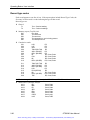
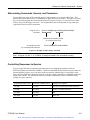
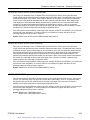
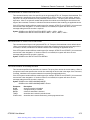
You can chain several commands or queries together into a single message. To create a chained message,
first create a command or query, add a semicolon (;), and then add more commands or queries and
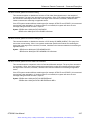
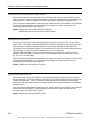
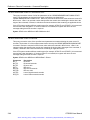
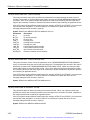
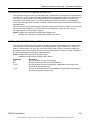
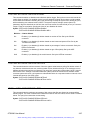
semicolons until you are done. Figure 3-3 illustrates a chained message consisting of several commands
and queries. The single chained message should end in a command or query, not a semicolon. Responses
to any queries in your message are separated by semicolons.
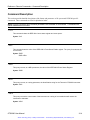
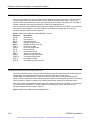
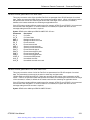
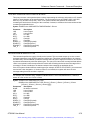
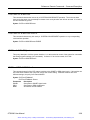
SOURCE:DATA:RATE?;SOURCE:DATA:PAYLOAD:PATTERN?
First query
The response from this chained
message might be
Second query
STS-192c; PRBS23A
Response from second query
Response from first query
Figure 3-3: Example of chaining commands and queries
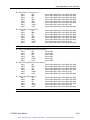
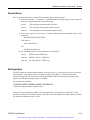
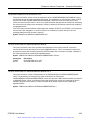
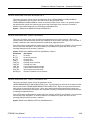
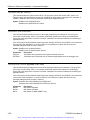
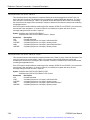
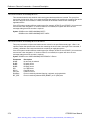
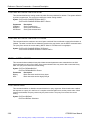
If a command or query has the same root and lower-level nodes as the previous command or query, you
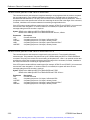
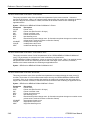
can omit these nodes. In Figure 3-4, the second command has the same root and lower-level nodes
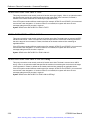
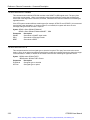
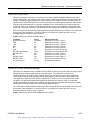
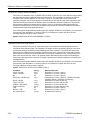
(SOURCe:INSErt:ANOMaly) as the first command, so these nodes can be omitted.
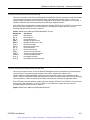
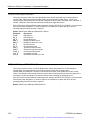
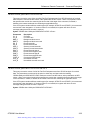
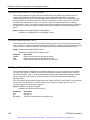
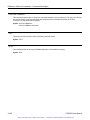
SOURce:INSErt:ANOMaly:TYPE:REI;SOURce:INSErt:ANOMaly:RATE 1e-4
Identical root and lower-level nodes
SOURce:INSErt:ANOMaly:TYPE:REI;RATE 1e-4
First command
Second command (omitted the
root and lower-level nodes)
Figure 3-4: Example of omitting root and lower-level nodes in chained message
3-12
OTS9300 User Manual
Artisan Technology Group - Quality Instrumentation ... Guaranteed | (888) 88-SOURCE | www.artisantg.com