1
[165] How to Use
Changing settings
Setup menu
Demo Mode
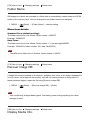
The [Demo Mode] function displays the movies recorded on the memory card automatically
(demonstration), when the camera has not been operated for a certain time.
Normally select [Off].
1. MENU →
(Setup) → [Demo Mode] → desired setting.
Menu item details
On:
The movie playback demonstration starts automatically if the product is not operated for
about one minute. Only protected AVCHD movies are played back.
Set the view mode to [AVCHD View], and protect the movie file with the oldest recorded
date and time.
Off (default setting):
Does not show the demonstration.
Note
You can set this item only when the product is powered by the AC-PW20 AC Adaptor
(sold separately).
Even if [On] is selected, the product does not start a demonstration if there is no movie file
on the memory card.
When [On] is selected, the product does not switch to power save mode.
[166] How to Use
Changing settings
Setup menu
HDMI Resolution
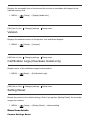
When you connect the product to a High Definition (HD) TV with HDMI terminals using an
HDMI cable (sold separately), you can select HDMI Resolution to output images to the TV.
1. MENU →
(Setup) → [HDMI Settings] → [HDMI Resolution] → desired setting.
Menu item details
Auto (default setting):
The product automatically recognizes an HD TV and sets the output resolution.