1
Charging the battery pack
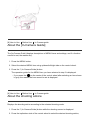
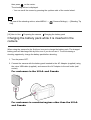
Charging the battery pack while it is inserted in the camera [10]
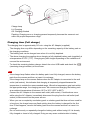
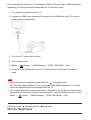
Charging by connecting to a computer [11]
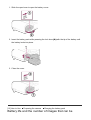
Inserting the battery pack into the camera [12]
Battery life and the number of images that can be recorded/played back using a battery
pack [13]
Supplying power using a wall outlet (wall socket) [14]
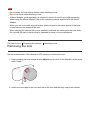
Removing the battery pack [15]
Inserting a memory card (sold separately)
Inserting a memory card [16]
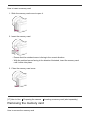
Removing the memory card [17]
Attaching a lens
Attaching a lens [18]
Removing the lens [19]
Attaching the lens hood [20]
Notes on changing the lens [21]
Setting the date and time
Setting the date and time [22]
Confirming the operation method
Confirming the operation method
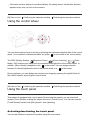
Using the control wheel [23]
Using the touch panel [24]
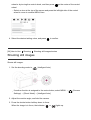
Using MENU items [25]
Shooting
Shooting still images/movies