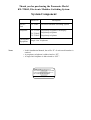
1
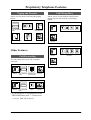
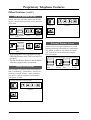
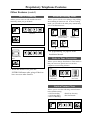
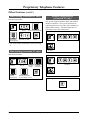
Feature Number List
Feature
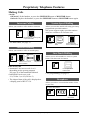
Auto CO Hunting Set/Cancel (for PT)
Call Forwarding Set/Cancel
Call Hold Retrieve
Call Pickup
Call Pickup Deny Set/Cancel
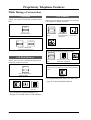
Conference
Data Line Security Set/Cancel
Date Setting
Do Not Disturb Set/Cancel
Doorphone Calling/Unlock
/Unlock during talking or calling
Extension Calling
Flexible Night Service set/day mode
Intercom Alerting Mode
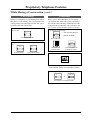
Line Access, Automatic
Line Access, Individual
Paging All Extensions
Paging–Answer
Redial, Last Number (for SLT)
Station Feature Clear
System Speed Dialling (for SLT)
Time Setting
Number
751#/750#
7 + extension number + #/70 + #
5 + CO number or extension number
40
731#/730#
3
741#/740#
76 + Year + Month + Day + Day of the week + #
720 + #/70 + #
31/32
3
21 through 26
782#/781#
9 or 0 (depending on the system program)
81 and 82
33
43
80
79#
00 through 39
77 + Hour + Minute + 0 (AM)/1 (PM) + #
Note
• You can enter “0” instead of “#” except with Auto CO Hunting, Date Setting, Flexible Night
Service and Time Setting.
The Indication of Indicators
The indicators of CO or INTERCOM buttons on the proprietary telephone inform the line conditions with a variety of lighting patterns. This allows you to check which lines are idle or in use
at a glance.
INTERCOM button
Off
Green On
Green slow flash
Green rapid flash
Intercom Line Condition
Idle
Intercom call established
Intercom call hold
Incoming intercom/ doorphone call
CO button
Off
Green On
Green slow flash
Red On
Red slow flash
Red rapid flash
CO Line Condition
Idle
I-use
I-hold
Other-use
Other-hold
Incoming call
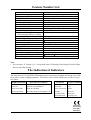
73/23/EEC
89/336/EEC
92/31/EEC
93/68/EEC
21