1
WinREST FrontOffice
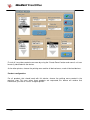
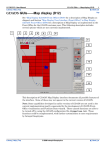
Clicking on the Advanced button, and insert the class of the selected product in the Product Class
text box. This class number is used to separate the operation of different types of products in the
same device, like milk and coffee in a coffee machine.
User Manual
When a product, that is configured to work with a device of this type, is requested, then the credit
of requests for a product class is increased.
If that same product is cancelled with waste, that means that the product has been taken and the
credit given has already been used, so the product class credit remains the same. But if the
cancellation is without waste, the credit is decreased by the same amount of the cancellation.
If the waiter tries to use the device, it asks the FrontOffice if there is enough credit to complete
the operation. If so, the credit is updated, being decreased by the quantity requested by the
device and the operation is successfully completed. If there is not enough credit, the operation is
cancelled and the credit remains unchangeable.
Although the device only works if there is enough credit, there are special buttons, the ones
configured in the “Fill up” list box, that can be used even if there is no credit. They are used to
add more liquid, but can not produce a full product unit. These buttons will only work one time
-5-