1
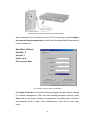
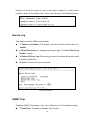
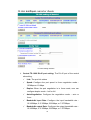
3. Contact: the description for the contact people of device(Character
maximum length is 64)
4. IP Address: The IP address of the device(The default IP is
192.168.16.77)
5. Subnet Mask: The default value is 255.255.255.0
6. Default Gateway: The default value is 192.168.16.254
7. Change User/Password: User can change to other username or
password (The default username and password is root)
8. Get Request Community: The community string for get(The default
value is Public)
9. Set Request Community: The community string for set(The default
value is “Public)
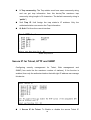
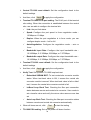
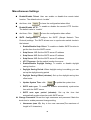
A. HTTP Enable: To allow user to configure the converter through Web
B. Telnet Enable: To allow user to remote telnet to the converter for
configuring
C. Set SNTP Config: Configuring the SNTP (Simple Network Time
Protocol) settings. The SNTP allows user to synchronize switch clocks in
the Internet
1. Enable/Disable Sntp Client: To enable or disable SNTP function
to get the time from the SNTP server
2. Set Sntp Server 1 Ip: Set the SNTP server IP address
3. Set Sntp Server 2 Ip: Set the SNTP server IP address
4. Set Sntp Server 3 Ip: Set the SNTP server IP address
5. Set UTC Timezone: Set the switch location time zone
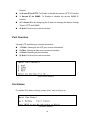
7. Enable/Disable Daylight Saving: To enable or disable daylight
saving function
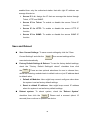
8. Set Daylight Saving Period: When daylight saving is enabling,
user can set up the daylight saving period
9. Set Daylight Saving Offset: Set up the daylight saving time offset
value.
A. Enable/Disable Auto Sync to SNTP server: Automatically
synchronize time with the SNTP server
B. Set Auto Sync period: Set up the time that automatically
synchronizes time with SNTP server
17