1
13. Connection to relay contacts
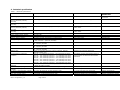
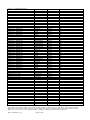
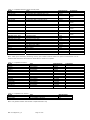
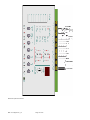
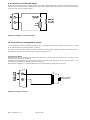
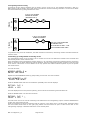
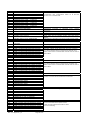
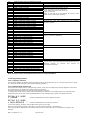
Volt free changeover relay contacts are provided for local control and signalling if required. These contacts are
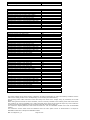
rated for switching signalling circuits only and the maximum ratings listed in table 1 should not be exceeded under
any circumstances.
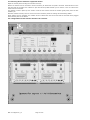
Typically, the Aux 24V outputs of the control panel are switched through these relays and used to control other
systems.
13.1 Common Fault relay (on detection part of control panel)
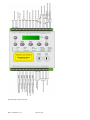
The common fault relay is normally energised and will de-energise upon any fault condition on the detection part
or the extinguishing part of the control panel including total loss of power.
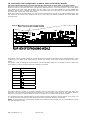
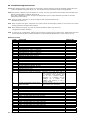
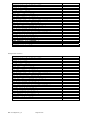
The fault relay can be disabled by setting configuration option 22 at access level 3 as shown in the Sigma CP
configuration options table.
13.2 Fault relay (on extinguishing part of control panel)
These fault relays are normally energised and will de-energise upon any fault condition on the extinguishing
module or total loss of power. These relays provide individual “flooding zone fault” outputs
13.2 Local fire relay (on detection part of control panel)
The local fire relay will energise upon activation of a fire condition on any of the zones or pressing of the sound
alarm button on the front panel. The relay will remain activated until the alarm is silenced or the panel is reset.
This relay will not operate upon activation of the remote AL input or when a fire condition is triggered on a zone
that is in test mode. This makes the Local fire relay suitable for inter panel signalling without the panels latching
each other.
Note. The local alarm relay can be re-configured using programmable option C2A to operate upon gas released if
required.
13.3 Fire relay (on detection part of control panel)
The fire relay will energise upon activation of a fire condition on any of the zones or pressing of the sound alarm
button on the front panel. The relay will remain activated until the alarm is silenced or the panel is reset. This
relay will not operate upon activation of the remote AL input and the sound alarm button. The fire relay can be
disabled by setting configuration option 26 at access level 3 as shown in the Sigma CP configuration options table.
13.4 1st stage alarm relay (on extinguishing modules)
First stage alarm relays will operate upon activation of a zone that has been configured to contribute to the
extinguishant release and will de-activate only when the panel has been reset.
This relay will also operate upon activation of the panel mounted or a remote manual release switch. The stage 1
relay output can be disabled at access level 2 via the menus on the Sigma XT+ module.
13.5 2nd stage alarm relay (on extinguishing modules)
Second stage alarm relays will operate when the panel enters the activated condition (i.e. the release countdown
timer has started) and will de-activate only when the panel has been reset from the released condition.
The stage 2 relay output can be disabled at access level 2 via the menus on the Sigma XT+ module.
13.6 Released relay (on extinguishing modules)
The released relay on the extinguishing module will operate when the module enters the released condition either
by being activated automatically via detection zones or by being activated by a manual release input. The released
relay will also operate if the panel enters the released condition via the released pressure switch input.
The Released output can be disabled at access level 2 via the menus on the Sigma XT+ module.
13.7 Aborted relay (on extinguishing modules)
Aborted relays will operate when the panel is in the aborted condition via an abort switch input.
13.8 Extract relay (on extinguishing modules)
The extract relay will operate when selected at access level 2. This provides a means to vent a room of
extinguishant gases but prevents the gases from being vented during a discharge.
To switch on the extract relay, operate the enable keyswitch and then press ENTER on the module on which the
required Extract relay is fitted.
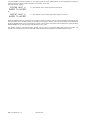
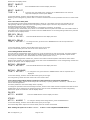
The LCD will show:
DISABLE
EXTING RELEASE ?
Press the down button until the display shows:
TURN ON
EXTRACT OUTPUT ?
Press ENTER to turn on the Extract output.
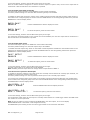
The display will show:
TURN Off
EXTRACT OUTPUT ?
Pressing ENTER again with turn the extract output off.
Man-1112 Sigma XT+_15
Page 22 of 50