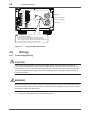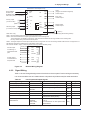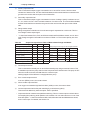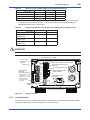
1
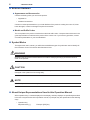
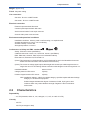
ii <INTRODUCTION> Notes on Hardware z Appearance and Accessories Check the following when you receive the product: • Appearance • Standard accessories Contact our sales representative or your local distributor if the product’s coating has come off, it has been damaged, or there is shortage of required accessories. z Model and Suffix Codes The name plate on the product contains the model and suffix codes. Compare them with those in the general specification to make sure the product is the correct one. If you have any questions, contact our sales representative or your local distributor. Symbol Marks Throughout this user’s manual, you will find several different types of symbols are used to identify different sections of text. This section describes these icons. WARNING Identifies instructions that must be observed in order to avoid physical injury and electric shock or death of the operator. CAUTION Identifies instructions that must be observed in order to prevent the software or hardware from being damaged or the system from becoming faulty. NOTE Identifies important information required to understand operations or functions. About Unique Representations Used in this Operation Manual When operation keys, contents displayed on the display, and lamp displays are specifically described in the text or anywhere else in this operation manual, in principle, they are represented in the following ways. • Operation key Represented by [ ]. IM 11M10B01-01E Example: [ENT] key