1
2.4 Status LED
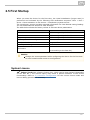
Status LED indicates the device states when the LCD display is switched off or the
device is in the service mode. See the table below for the LED colours and states:
Device Startup:
Colour
State
Blue is on
Device initialisation
Red is on
First boot phase
Green is on
Operating system start
Yelow is on
Factory setting initialisation
Blue is flashing
Factory reset
Purple is flashing
System upgrade process
No light
Device state is displayed
Standard Operation:
Colour
No light
Device state is displayed
State
White is
on
Stand-by mode (display off)
Other
states
Notification of other states of applications running in the system (2N®
Helios IP Mobile, e.g.).
15