1
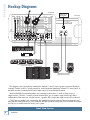
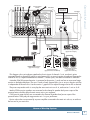
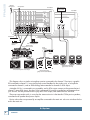
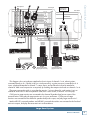
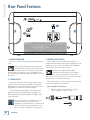
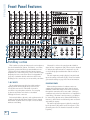
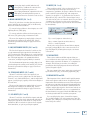
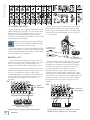
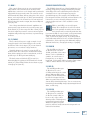
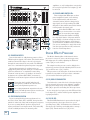
We realize that you must be really keen to try out your new powered mixer, but please read the safety instructions on page 2, and this page first. Ready, steady, go! 1. Turn the channel level, mon 1, and FX/mon 2 controls fully down. 2. Turn down the compressor controls (ch. 1–4). 3. Set all the EQ controls to the center, including the graphic EQ sliders. Setup 4. Turn down the main level and monitor 1 level controls, and turn on the powered mixer. The PPM608 powered mixer is designed for ease of operation, and to be set up quickly and easily. 5. For each channel, press the gain switch in (low gain) if you are using a line-level source. Press it out (high gain) if you are using a microphone or other low-level source. Place the powered mixer in a position where it is easy to reach the controls. All the controls and input connection points are located on the front panel so you can make quick adjustments and connections on stage. Make sure there is at least 6 inches of airspace behind the powered mixer for ventilation. There are two fans inside the cabinet to cool the power amplifier section. Use the powered mixers in a nice clean and dry environment, free from dryer lint and dust bunnies. Connections 1. Be sure the rear-panel power switch is off before making any connections. 2. Push the line cord securely into the IEC connector on the rear panel, and plug the other end into a 3 -prong AC outlet that is properly configured for the voltage of your powered mixer. 3. Plug a balanced microphone into one of the mic XLR (3-pin) connectors on the front panel. Or you can connect any line-level signal (keyboard, or guitar preamp) to a line input jack using a TS or a TRS 1/4" plug. 4. You can connect a guitar directly to inputs 5 or 6 without need for a DI box, if you press the hi-z switch on these channels. 5. The insert jacks are used if you want to connect an external effects or dynamics processor into the signal chain. See page 13 for more details. 6. Plug the speakers (4 ohms or greater) into the speaker output jacks on the rear panel. If you plug two speakers into a side, each speaker must be 8 ohms or greater to maintain a 4-ohm minimum load on the amplifier. Use at least 18 gauge speaker cable with 1/4" TS plugs or Speakon® plugs. For now, set the rear panel power amp mode switch to stereo mains. Don’t use guitar cords for speaker cables! They’re not designed to handle speaker-level signals and could overheat. Part No. SW0681 Rev. F 09.2011 ©2011 LOUD Technologies Inc. All Rights Reserved. Loosely based on a dream sequence in which the entire Mackie marketing department tap-dance their way into downtown Woodinville for lunch. Owner’s Manual Read This Page! 6. For condenser mics, push in the phantom power switch. If you are using both condenser and dynamic mics, don’t worry. Phantom power will not hurt most dynamic mics. Check the microphone’s user manual if you’re not sure. 7. Play something into an input at real-world levels, and turn up the channel level to U (unity). 8. In normal playing, the channel's OL LED should only light occasionally. If it stays on for a large portion of your performance, check that the gain switch is set correctly. 9. Slowly turn up the main level control until you hear the signal in your speakers. 10. Repeat steps 5 to 8 for the remaining channels. 11. If needed, apply some EQ wisely. 12. Adjust the levels to get the best mix. Keep the level controls fully down on unused channels. Other Notes • Only connect the powered mixer's speaker-level outputs to passive loudspeakers. • When shutting down, turn off any external amplifiers or powered loudspeakers first. When powering up, turn on any external amplifiers or powered loudspeakers last. • Save the shipping box! Please write your serial number here for future reference (i.e., insurance claims, tech support, return authorization, make dad proud, etc.) Purchased at: Date of purchase: Owner’s Manual 3