1
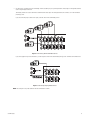
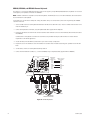
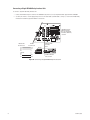
Connecting a Single KBD960/KBR960 Keyboard
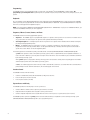
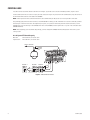
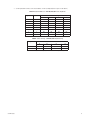
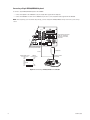
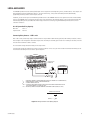
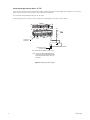
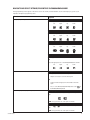
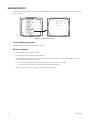
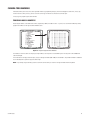
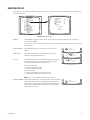
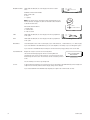
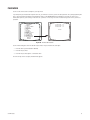
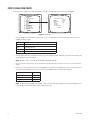
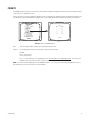
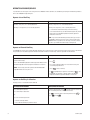
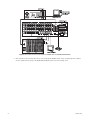
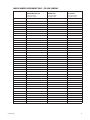
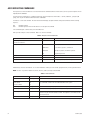
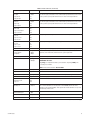
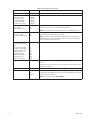
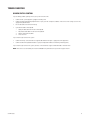
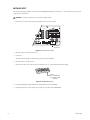
To connect a single KBD960/KBR960 Keyboard to the CM6800E:
1. Connect the keyboard to the CM9505UPS using the straight cable supplied with the keyboard.
2. Connect the CM9505UPS to COM 3 on the CM6800E using the 6-foot (1.8 m) straight data cable supplied with the CM6800E.
NOTE: After completing system installation and power-up, you must configure the KBD960/KBR960 settings. Refer to the System Start-up
section.
010101
1 2 3 4 5 6 7 8
16
1
5
2
6
3
7
CONTROL
31
32
2
3
4
6
7
8
4
A T T
+ -
8
1
R R T T
- + + -
2
R R B
- +
F
3
COM 3 DEFAULT SETTINGS:
M, RS-485, 19200 BAUD,
NO PARITY, 8 DATA BITS,
1 STOP BIT
1
120/230~
50/60 HZ
25 WATTS
CABLE CAN BE STRAIGHT
(SUPPLIED) OR REVERSED
CM9505UPS
RS-485
CM6800-48X8E COM 3
RJ-45 PIN-OUTS
1
2
3
4
5
6
7
8
Rx+
RxNC
NC
GROUND
NC
TxTx+
KBD960
RJ-45 PIN-OUTS
1
2
3
4
5
6
7
8
STRAIGHT CABLE
(SUPPLIED)
Tx+
Tx-
RxRx+
KBD960
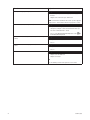
Figure 18. Connecting a KBD960/KBR960 to the CM6800E
26
C1528M-G (9/06)