1
3.10
Generating a Makefile
The HEW allows you to generate a makefile, which can be used to build parts of your workspace without HEW.
This is particularly useful of you want to send a project to a user who does not have the HEW or if you want to
version control an entire build, including the make components.
To generate a makefile:
1. Ensure that the project, which you want to generate a makefile for, is the current project.
2. Ensure that the build configuration that you want to build the project with is the current configuration.
3.
4.
5.
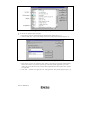
Select [Build>Generate Makefile].
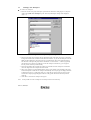
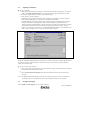
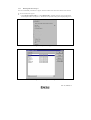
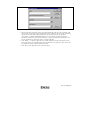
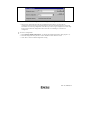
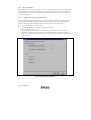
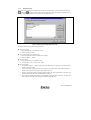
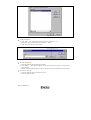
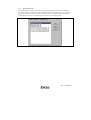
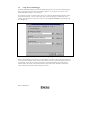
Once this menu has been selected a dialog is displayed which asks the user what parts of the workspace
need to be added to the make file. (See figure 3.23.)
Select the radio button which is relevant for your make file and then click OK.
Figure 3.23: Generate makefile Dialog
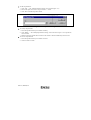
The HEW will create a subdirectory “make” within the current workspace directory and then generate the
makefile into it. It is named after the selection, with a .mak extension for example the current project and
configuration(e.g. project_debug.mak). The executable HMAKE.EXE, located in the HEW installation directory,
is provided for you to execute the makefiles generated by the HEW. It is not intended to execute makefiles,
which have been user modified.
To execute a makefile:
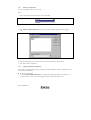
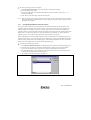
1. Open a command window and change to the “make” directory where the makefile was generated.
2. Execute HMAKE. Its command line is HMAKE.EXE <makefile>.
Note: The degree portability of a generated makefile is entirely dependent upon how portable the project itself
is. For example, any compiler options, which include full paths to an output directory or include file
directory, will mean that, when given to another user with a different installation, the build will probably
fail. In general use placeholders wherever possible – using a full, specific path should be avoided when
possible.
Rev. 2.0, 03/06/02, 58